Pixel 10 flickering screen issue and more fixed with today's update
Google releases the January Pixel update that includes several bug fixes.
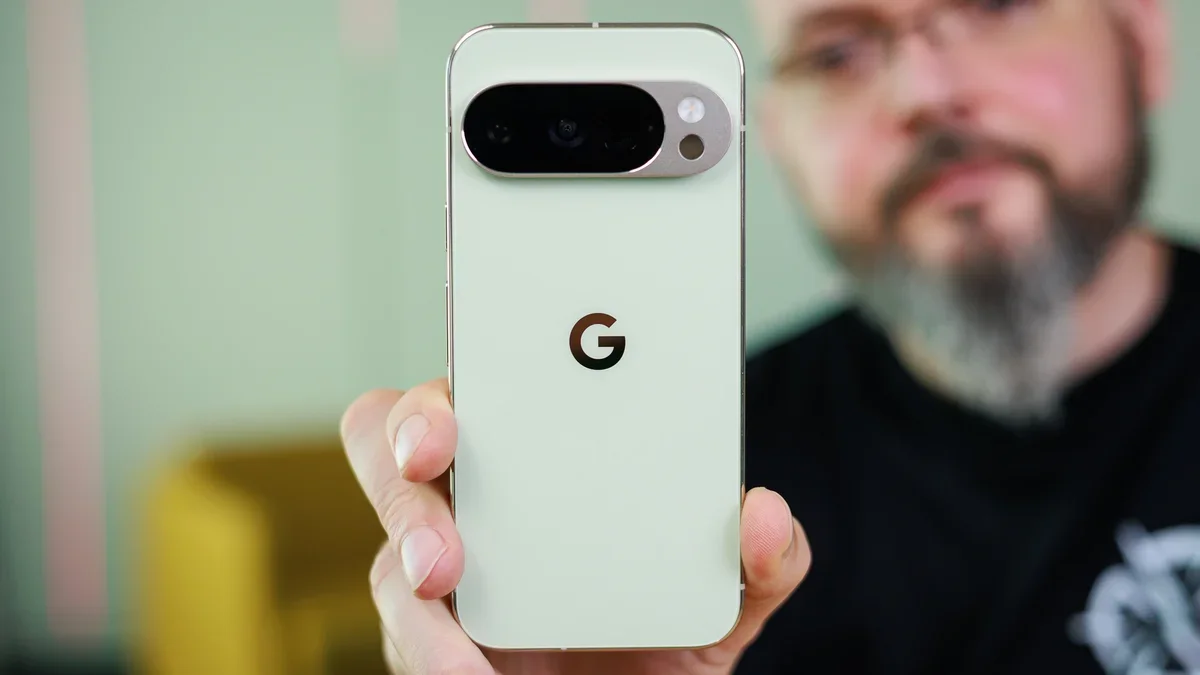
Pixel phone owners got to celebrate the new year today as Google finally pushed out the January 2026 update for Pixel phones. Usually, the most interesting part of these monthly releases is the functional updates that Google includes to fix bugs that many Pixel users are dealing with. The January update is for those Pixel devices running Android 16 QPR2. The Pixel models receiving the update include:
Battery & Charging
Display & Graphics
Touch
User Interface
- Pixel 7a
- Pixel Tablet
- Pixel Fold
- Pixel 8
- Pixel 8 Pro
- Pixel 8a
- Pixel 9
- Pixel 9 Pro
- Pixel 9 Pro XL
- Pixel9 Pro Fold
- Pixel 9a
- Pixel 10
- Pixel 10 Pro
- Pixel 10 Pro XL
- Pixel 10 Pro Fold
Once again, the Pixel 6 series, Pixel 6a, Pixel 7, and Pixel 7 Pro are not included.
The big news is that the issue that has really bothered Pixel 10 series users, the flickering of the Always-on display, is finally getting fixed. This issue dates back to last year and the flickering would take place every time the clock changed (or 60 times each hour). The flickering of the AOD also happened whenever the phone received a notification. You can imagine how annoying this would be.
Google fixes a major problem with the Pixel 10 series' Always-on display
The entire list of functional updates is as follows:
Audio
- Fix for noisy ringback tones heard under certain conditions during Webex calls. This fix is for the Pixel 7a, Pixel 8, Pixel 8 Pro, Pixel 8a, Pixel Fold, Pixel Tablet, Pixel 9, Pixel 9 Pro, Pixel 9 Pro XL, Pixel 9 Pro Fold, Pixel 9a, Pixel 10, Pixel 10 Pro, Pixel 10 Pro XL, Pixel 10 Pro Fold.
Battery & Charging
- This fix replaces an issue that causes the battery to excessively drain in certain conditions. This fix is for the Pixel 8, Pixel 8 Pro, Pixel 8a, Pixel Fold, Pixel Tablet, Pixel 9, Pixel 9 Pro, Pixel 9 Pro XL, Pixel 9 Pro Fold, Pixel 9a, Pixel 10, Pixel 10 Pro, Pixel 10 Pro XL, Pixel 10 Pro Fold.
- This fixes the aforementioned flickering on the Always-on display when the clock is updated or a notification is received. This fix is for the Pixel 10, Pixel 10 Pro, Pixel 10 Pro XL, Pixel 10 Pro Fold.
- Fix for noisy lines flashing on the screen when editing HDR photos in the Adobe Lightroom app under certain conditions. This fix is for the Pixel 10, Pixel 10 Pro, Pixel 10 Pro XL, Pixel 10 Pro Fold.
- GPU performance receives general improvements in certain conditions. This fix is for the Pixel 10, Pixel 10 Pro, Pixel 10 Pro XL, Pixel 10 Pro Fold.
- This fix will end an issue that causes the touchscreen to randomly stop working under certain conditions. This fix is for the Pixel 10, Pixel 10 Pro, Pixel 10 Pro XL, Pixel 10 Pro Fold.
User Interface
- This fix ends an issue that would occasionally result in a Live Universe wallpaper causing the Wallpaper and style app to become unusable until the device is rebooted. This fix is for the Pixel 7a, Pixel 8, Pixel 8 Pro, Pixel 8a, Pixel Fold, Pixel Tablet, Pixel 9, Pixel 9 Pro, Pixel 9 Pro XL, Pixel 9 Pro Fold, Pixel 9a, Pixel 10, Pixel 10 Pro, Pixel 10 Pro XL, Pixel 10 Pro Fold.
To install the update on your Pixel, go to Settings > System > Software updates > System update. Tap on "Check for update" and if you receive the prompt for the update, simply follow the directions.
Why I don't mind getting Pixel 6 Pro updates quarterly instead of monthly
As for those of you, like myself, who have a Pixel 6 or Pixel 7 series model, it would appear that Google has moved the Pixel 6, Pixel 6 Pro, Pixel 6a, Pixel 7 and Pixel 7 Pro on a quarterly release schedule instead of a monthly release schedule. If that is the case, those models will receive their next update in March. As a Pixel 6 Pro user, I can't really get too upset by this because at the time I purchased the phone, it was not supposed to receive a system update after Android 15.
Google not only allowed the Pixel 6 Pro to receive the Android 16 update, but it will receive Android 17 as well. As a result, I really can't complain about the security update coming one every three months instead of every month.


Popular stories





Latest News






Things that are NOT allowed:
To help keep our community safe and free from spam, we apply temporary limits to newly created accounts: