Every product we review or recommend is thoroughly tested by our in-house experts in real-world conditions, following our
review methodology
and
ethics statement
to ensure honest, independent, and data-driven results.
We may earn a commission if you make a purchase from the links on this page.
Samsung is one of very few companies that can afford to offer multiple devices across multiple categories. Certainly no other Android manufacturer dares make as many tablets as Samsung does.
It's great for choice, but if you open up that Samsung Store for the first time, you may be a bit overwhelmed by all the models. Expensive, cheap, midrange, some that look like a repeat of other models, but not exactly...
Recommended For You
OK, I sat down to make sense of all of them. So, with all the combing done, here are
Samsung seems to be the only Android manufacturer that can afford to experiment, take risks, and build a gynormous tablet that costs north of $1k.
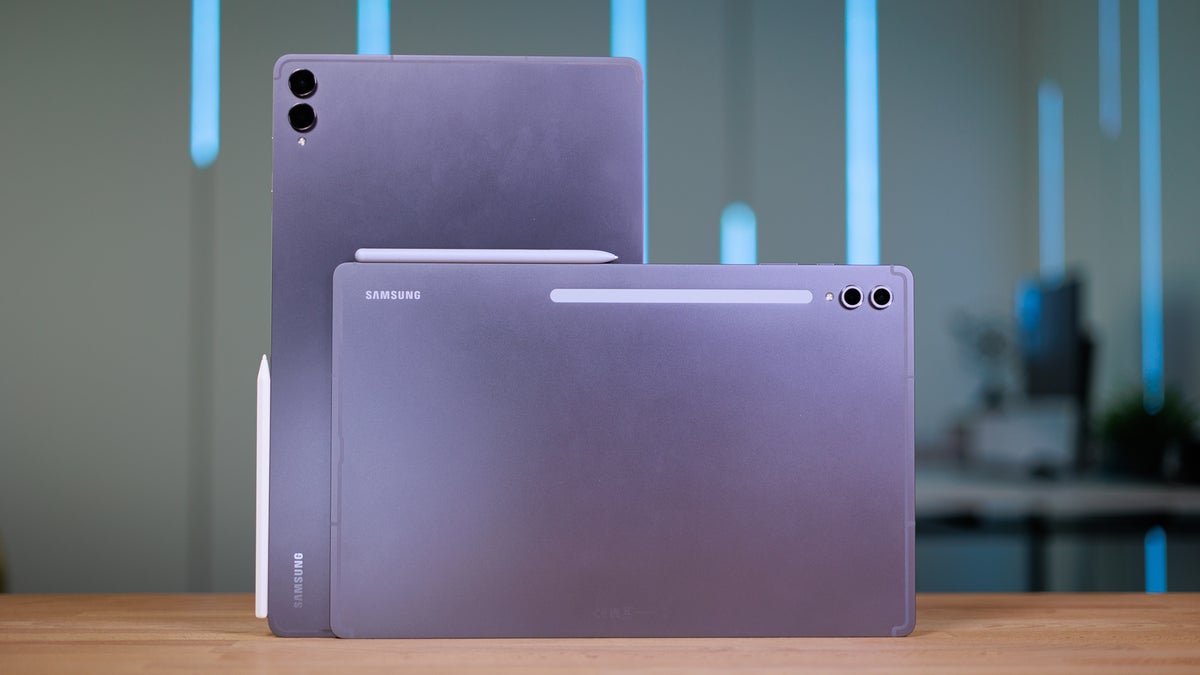
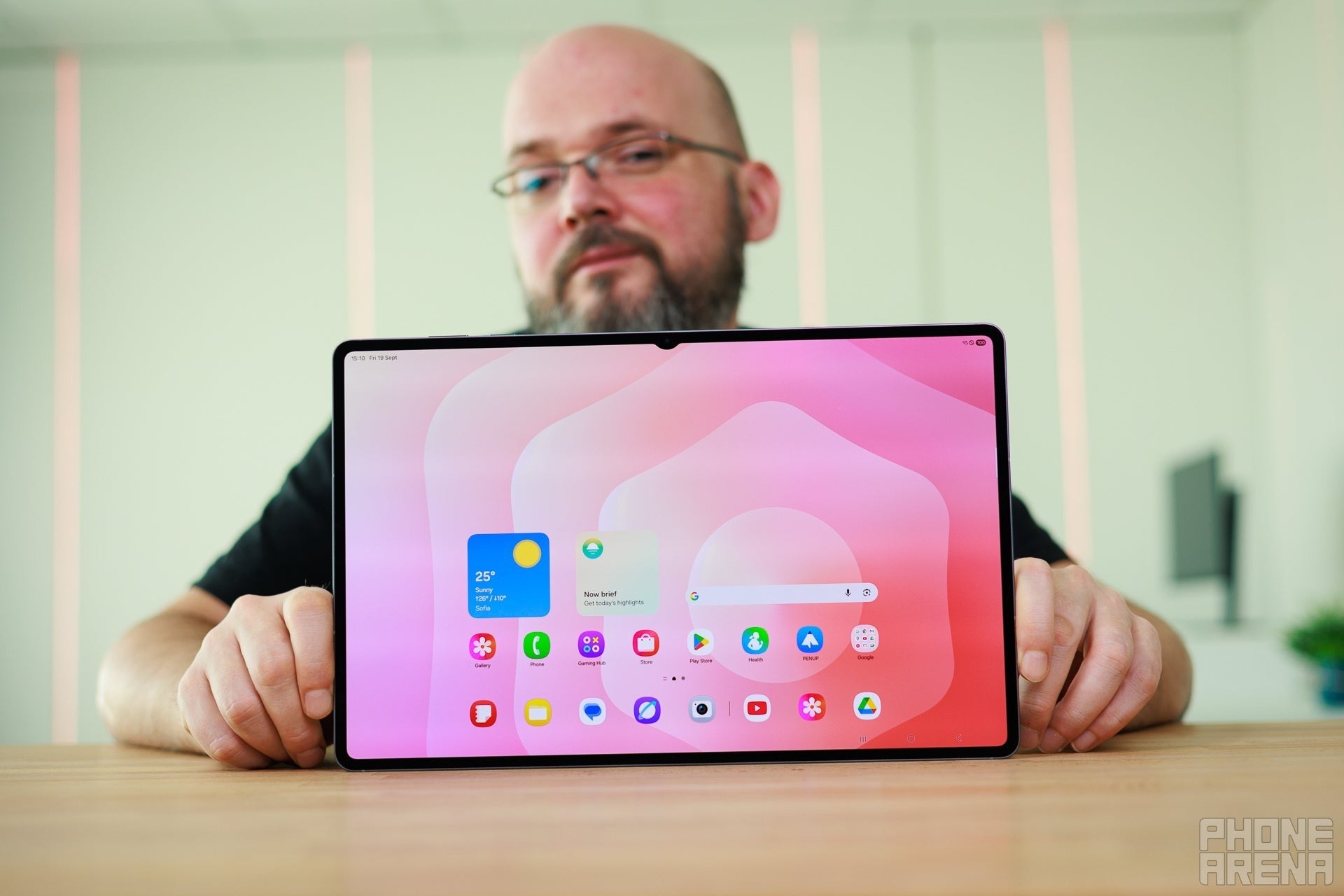
And really, if you are looking for an iPad Pro competitor — the Galaxy Tab S11 Ultra stands proud, with its 14.6-inch Dynamic AMOLED display. Plus, a 120 Hz refresh rate, four speakers for full stereo, slim bezels, and thin aluminum build.
Recommended For You
Pair that large screen with a keyboard accessory, something to prop the Galaxy Tab up, and its an honest tablet replacement. Especially with Samsung's DeX UI being able to run autonomously on it. You will get a desktop interface, floating windows, basically anything you need for basic document and spreadsheet work.
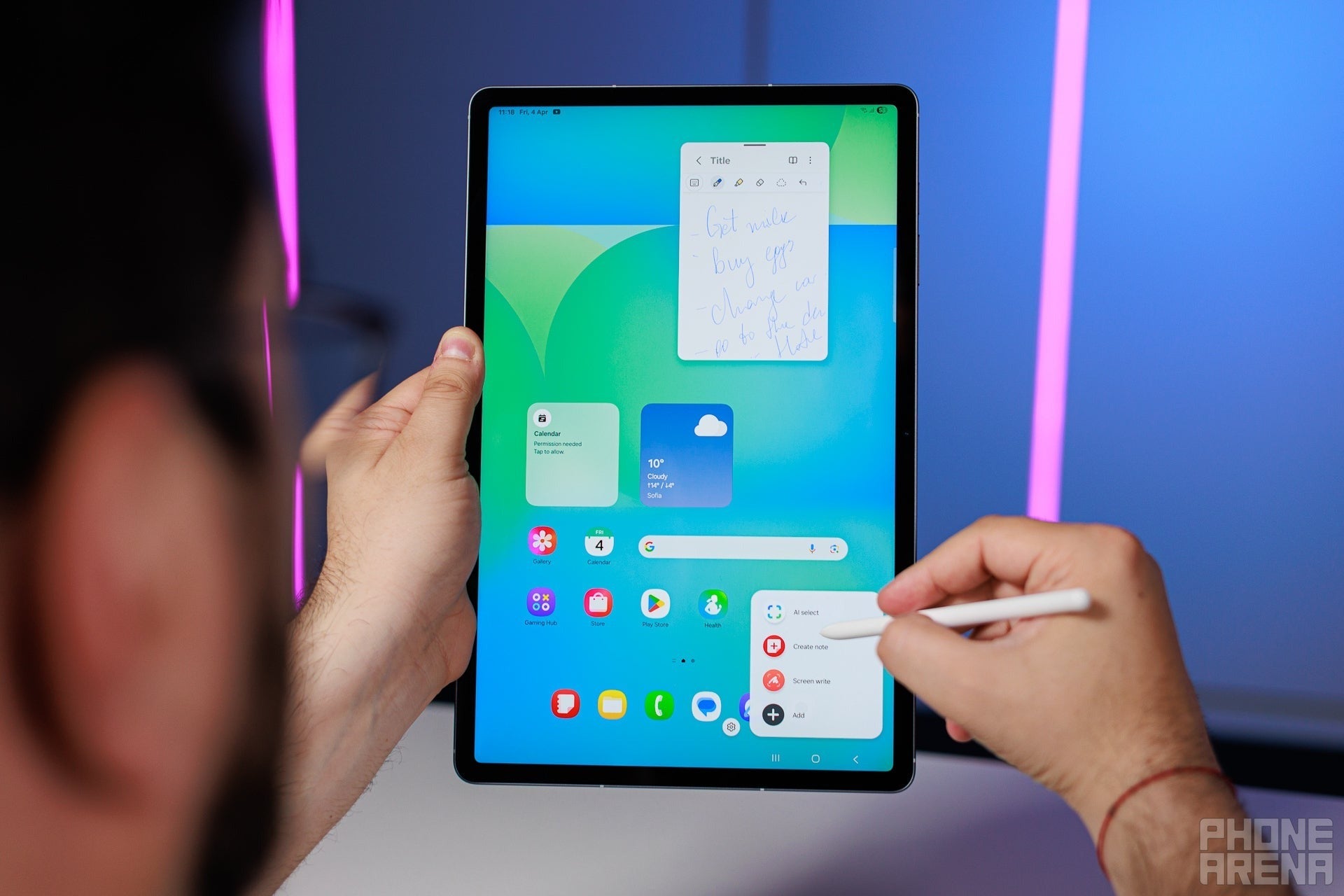
The included S Pen is also excellent for annotation and drawing. With pressure sensitivity, tilt detection, and a rubberized tip that provides some resistance, it feels almost natural. Unlike some styluses that slip off the glass surface.
Speaking of the glass, the new Galaxy Tab S11 series have Gorilla Armor panels — Gorilla Glass mixed with Samsung's special anti-glare concoction. It is very good at negating screen reflections and also quite resistant to random scratches.
Who it's for
The Samsung Galaxy Tab S11 Ultra can definitely by a tablet for everything — gaming, streaming, multimedia, drawing, editing, music even. Its large size does suggest that it's more meant for powerusers or professionals — the type of person who is willing to lug around a rather big tablet, because the benefits of a large screen and powerful hardware are hard to deny.
The Galaxy Tab S11 Ultra is now available for up to $800 off its original price. You must provide an eligible trade-in to get the discount. Alternatively, you can get it for $200 with Samsung Instant Savings.
The Galaxy Tab S10 FE+ gives you everything the massive Ultra does. A huge 13.1" screen, S Pen in the box, thin aluminum build that looks pretty.
What corners does it cut? Well, the AMOLED panel is gone and replaced with a 90 Hz LCD screen. The quad speakers are now dual speakers in landscape stereo. The processor is a Samsung-made Exynos 1580 — not a powerhouse, but a very decent midrange chip.
Are those huge issues? I'd argue not. The Ultra tablet is just overkill for most people... yet a lot of users out there simply want a large screen and don't want any sort of cutting edge hardware to power it.
Who it's for
An ultimate study buddy! Or for digital artists on a budget. Remote workers that do mostly document work, or simply users that want a multimedia device. It can do it all, and with that big screen, you will rarely feel constrained.
Get Galaxy Tab S10 FE or S10 FE+ for up to $350 off
$499
98
$1149
98
$650 off (57%)
The Galaxy Tab S10 FE and Tab S10 FE+ are official! You can purchase either model at the official store with a fantastic trade-in discount. Right now, the Tab S10 FE sells for up to $300 off, and trading in an eligible device can save you up to $350 on the Tab S10 FE+.
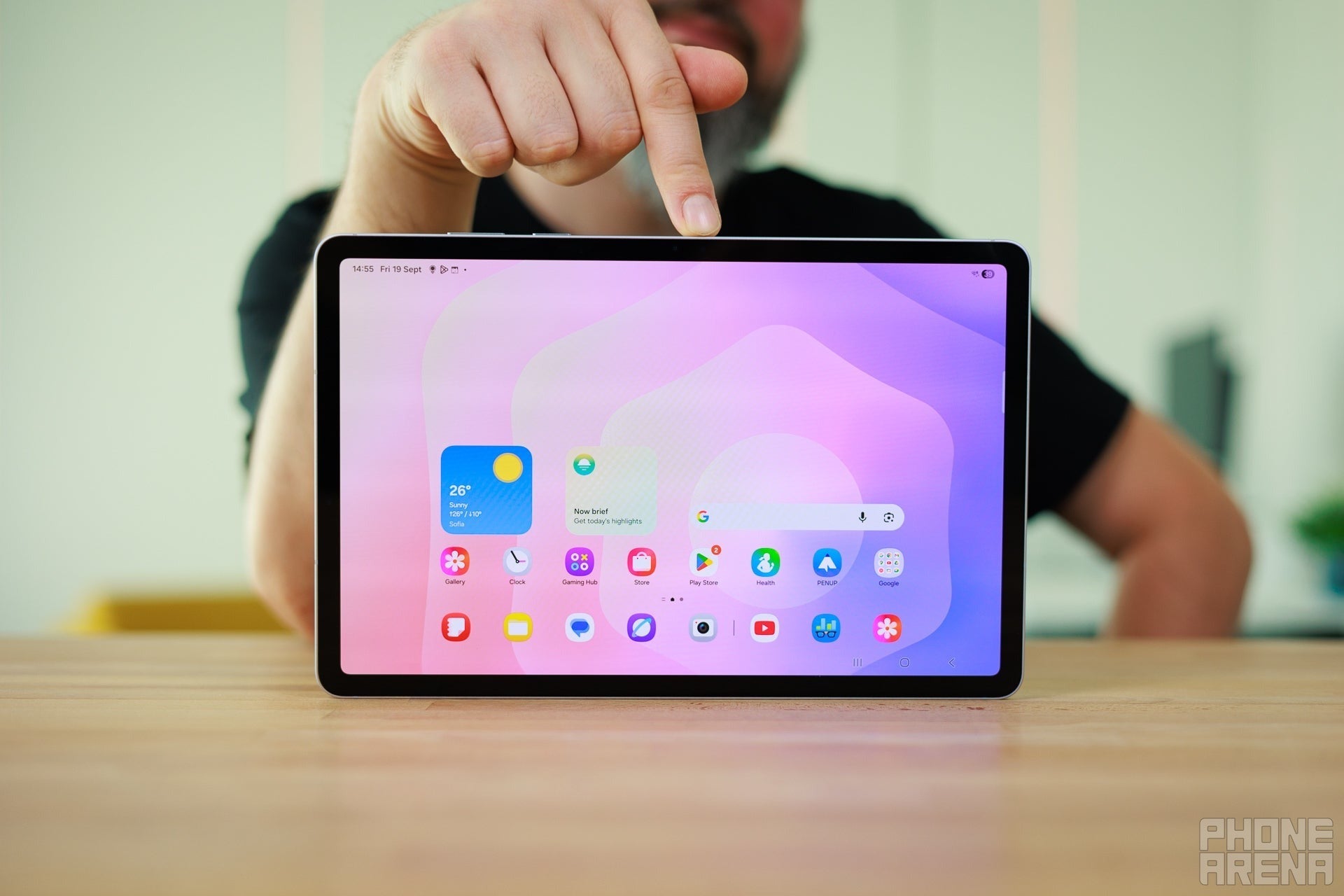
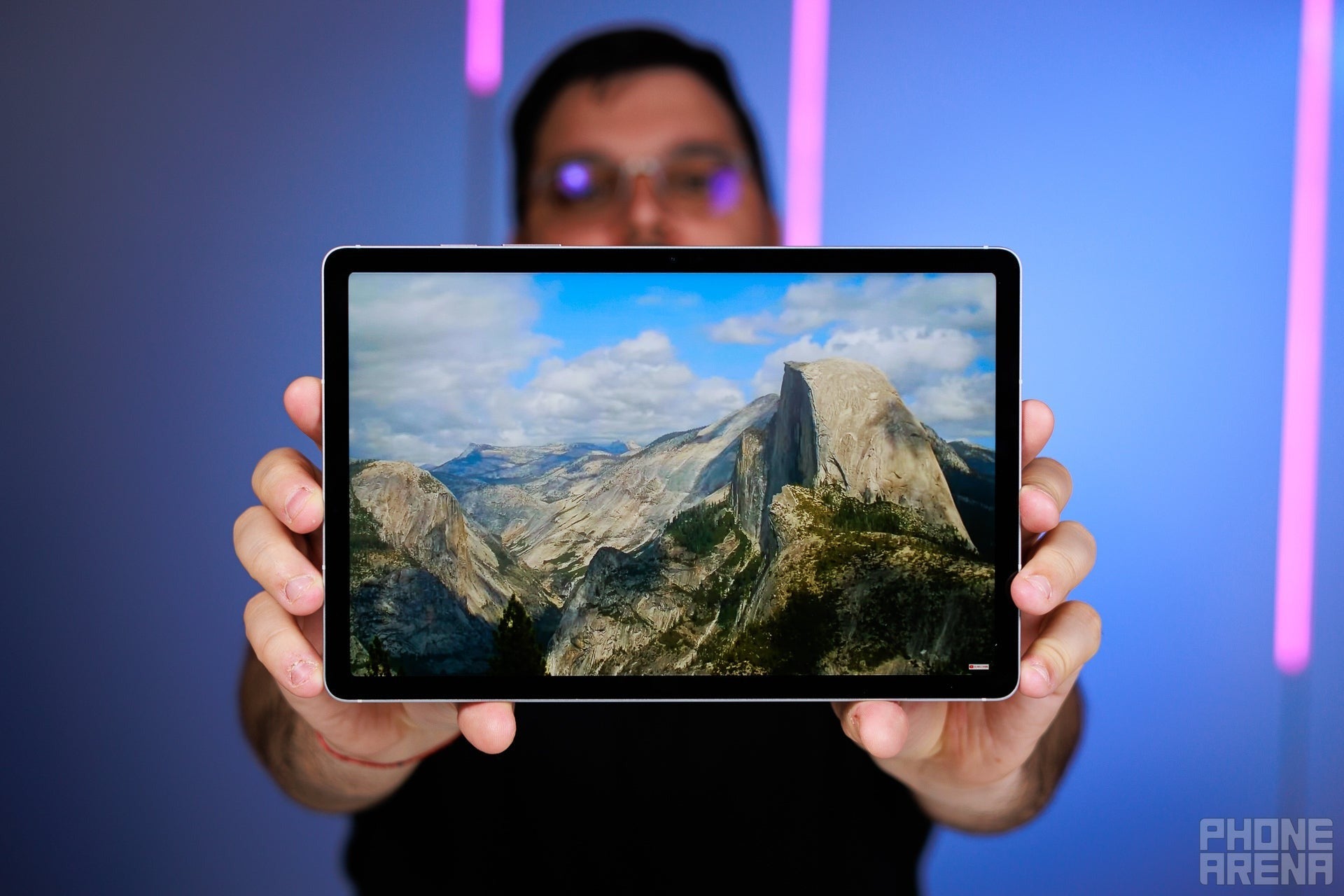
11-inch tablets seem to be the right size for almost anything. They certainly are my favorites, as I can fit one in any bag, backpack, case, or just carry them under my arm. While I don't have the screen real estate to open multiple windows on them, an 11-inch screen is still big enough for movies, gaming, document work, photo editing.
With the same flagship hardware under its hood, it's as powerful and capable as the Galaxy Tab S11 Ultra... just in a smaller, lighter package! Still comes with an S Pen, quad speakers, beautiful 120 Hz Dynamic AMOLED screen. If, on rare occasion, you find yourself needing a bigger screen to work in DeX — you can definitely hook it up to an external monitor or a hub via the USB-C. But it can open the DeX UI autonomously on that 11-inch display, too.
On top of all that, you also save pretty penny, as the Ultra is a good $300-ish north of the Galaxy Tab S11's price.
Who it's for
Anyone looking for a powerful and more portable tablet. 11 inches is good enough to act as a secondary screen, streaming machine, et cetera. The processor inside and the 7-year software support promise will keep it ticking for quite a while!
Galaxy Tab S11 128GB: Save up to $550 at Samsung!
$249
99
$799
99
$550 off (69%)
Trade in an eligible device to save up to $550 on the Galaxy Tab S11. The tablet packs an insane amount of firepower and features a stunning 11-inch display, offering mesmerizing visuals. There's at least a $150 discount with a trade-in available.
Incredible speakers for a tablet, absolutely destroying far more expensive iPads and Galaxy Tabs; even many small dedicated Bluetooth speakers
Built-in kickstand, highly adjustable
Desktop mode is great for productivity
What we don't like
No fingerprint sensor
Fairly dim screen
Limited availability
Why I picked it
The Galaxy Tab S10 FE brings the Samsung features and experience at a no-nonsense price. This includes an S Pen in the box and the DeX suite on the tablet, ready to turn it onto an almost-laptop with windowed multi-tasking.
OK, what are the tradeoffs? The processor inside is an Exynos 1580 — Samsung's own make that's less powerful than the Dimensity 9400+ in the latest Galaxy Tabs. However, the Exynos 1580 is a pretty decent chip. It powers the widely popular Galaxy A56 midrange phones, which I find to be more than decent in performance and experience. Its power is comparable to that of a Qualcomm Snapdragon 8 Gen 1, a flagship chip about 4 generations back.
The display is not the super-premium Dynamic AMOLED, but an LCD panel with a 90 Hz refresh rate. Doesn't sound amazing, but you will see smoother animations, as it's north of the 60 Hz cap of yesteryear.
It can be paired with a Samsung Book Cover Keyboard for a full laptop replacement experience, but I'd suggest a 3rd party keyboard instead, as the Book Cover feels mushy and its trackpad isn't great.
Who it's for
Almost anyone who wants a tablet mainly for entertainment, but wants to have that productive edge to it, just in case. The DeX platform is not ideal, but it's pretty competent if you need to get some document work done. The S Pen is an excellent stylus, which will help you draw, annotate, or sign documents without having to print them out first. The speakers sound wide and deep, so you can watch Netflix with this, or listen to music.
If you want a bigger display, you can also pick the Galaxy Tab S10+ FE instead, which is a $150-$180 extra (depending on storage option) for a 13.1" display. If you ask me, most people would be fine with a 10.9" (or 11") tablet, as it strikes a balance between portability and a screen size that's big enough.
Get Galaxy Tab S10 FE or S10 FE+ for up to $350 off
$499
98
$1149
98
$650 off (57%)
The Galaxy Tab S10 FE and Tab S10 FE+ are official! You can purchase either model at the official store with a fantastic trade-in discount. Right now, the Tab S10 FE sells for up to $300 off, and trading in an eligible device can save you up to $350 on the Tab S10 FE+.
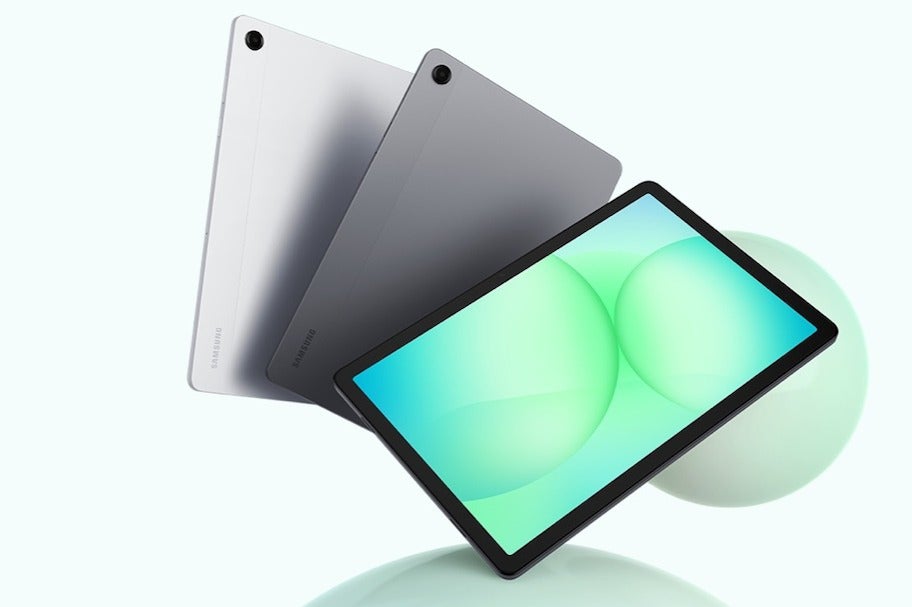
The Galaxy Tab A11+ is priced around the same as a Galaxy Tab S10 Lite. So, what's the difference?
Well, while the Tab S10 Lite comes with an S Pen, the Tab A11+ instead invests in having four robust speakers for room-filling stereo. Which is pretty important if you are planning to binge Netflix on it.
It can have up to 256 GB internal storage and supports a microSD card. And it has a headphone jack. That, combined with its medium form factor at 11 inches makes it the perfect travel buddy.
Its performance is lower than the Lenovo Idea Tab Pro that we have above, but if we are strictly looking for a screen to watch TV shows on, all you want is a good screen, good speakers, and good enough performance so you can download and launch your needed apps (within this lifetime). The Galaxy Tab A11+ puts its eggs exactly in that basket, and it also helps that the tablet itself looks pretty.
Who is it for?
Frequent commuters or travelers that are looking to entertain themselves while in the passenger seat, for not a lot of money. People that like to have something running in the background while doing chores — the quad speakers will make sure that the dialogue and music is audible over the washing machine. Students that have a work laptop but need a leisure device to relax on the futon with.
Galaxy Tab A11+: save $31 at Walmart
$219
$249
99
$31 off (12%)
The Galaxy Tab A11+ is now going for $31 off at Walmart, allowing users to get one of the best budget tablets from Samsung at a more decent price. This is an exclusive promo, so don't miss out.
What to consider when choosing the Best Samsung Tablet
Screen quality
Samsung's AMOLED screens are excellent, but do keep in mind that they are only installed on the best tablets. Meaning the Galaxy Tab S line, and the Ultra. Once you start looking at the more budget FE or Lite options, you forgo the opportunity to enjoy Samsung's OLED tech. Through, to be fair, they do make great LCDs, too!
Software longevity
It's also nice to see Samsung extending its software update commitment even to its base tablets — even the Galaxy Tab A11+ gets a 7-year update policy.
Galaxy AI?
So, with any of these versions, you will get the Samsung One UI, most of them even also have an S Pen! What you will... "miss out" on most is the Samsung AI feature suite. The top-line Galaxy Tab S will have all of them, while the basic versions may only have an AI text summarizer and not much else.
DeX is becoming the norm
DeX also seems to have made its way across all Samsung tablets — again, even the Galaxy Tab A11+ has it. But, if you want to open more windows at a time, to load apps faster, and to do elaborate video edits — you will need a more powerful processor. Exynos 1580 at the very least, the Dimensity 9xxx models for maximum gains.
FAQ
Which Samsung Galaxy Tab should you buy
Personally, I am partial to the Galaxy Tab S11 — a compact-ish screen, a slim body, all the power of the Ultra. It's certainly the best representative of what Samsung can do with tablets, and it doesn't break the bank. You will get to enjoy the S Pen, DeX, Dynamic AMOLED, snappy performance, powerful speakers.
What’s the difference between Galaxy Tab S and Galaxy Tab A models
The Galaxy Tab S name used to represent the "flagship" series. Now that these have "FE" and "Lite" addendums, you have budget versions of the Tab S, so what does it mean?
To put it simply, a Galaxy Tab S will always come with an S Pen in the box, and support it with an under-screen Wacom digitizer. The corners it cuts are in terms of speakers or display panel.
The Galaxy Tab A series, on the other hand, are meant to be multimedia tablets. They will feature quad speakers, no matter what, and a big enough display for most need cases. They cut the S Pen experience out.
How long do Samsung tablets receive software updates
In recent years, Samsung has been promising 7-year software updates for its flagship products. But now, that policy is trickling down to even the affordable models. Right now, all contemporary Samsung tablets come with an Android update promise until 2032.
Should you buy a Wi-Fi or 5G Samsung tablet
Most people don't really need a cellular tablet. In most cases, you’re better off saving the extra ~$100 it costs and putting that money toward a different upgrade, accessories, or even a higher-tier model. And that’s before factoring in the ongoing expense of a separate data plan.
Most of us already carry phones with generous data plans that we can share via hotspot. On the rare occasions when Wi-Fi isn’t available, sharing your phone’s connection with a tablet is usually more than good enough.
There are exceptions. If a tablet is your primary work device and you rely on constant access to cloud services, email, and browsing without any friction, then a cellular version can make sense. But if you were in that category, you would probably know it by now.
What specs matter most in a Samsung tablet
Aim for a good-quality display with at least 230 PPI, and choose the size based on personal preference. Storage should be sufficient for apps and files: 128 GB is comfortable for most users, 256 GB offers extra peace of mind, while 512 GB or more is really only justified for power users or gamers with several large, demanding titles installed.
As for performance Samsung’s Exynos 1580 is solid for daily tasks. Push up to the Dimensity 9 series for more performance. A minimum of 8 GB RAM should be something you aim for, too.
And do you really need quad speakers or more? Usually, no. Tablets with dual speakers typically place them in a landscape stereo configuration, which delivers proper stereo separation when the device is held horizontally—exactly how most people use a tablet anyway.
Can a Samsung tablet replace a laptop
That depends on your use case. For office work with lots of emails, documents, spreadsheets, presentations — sure it can. For video- or photo-editing work... probably not fully. Neither is it a good platform for audio editing or engineering.
How we test
Here at PhoneArena, we put devices through a series of standardized tests in order to give them a score on a completely objective system. We measure their performance, their screen quality, battery life and charging, and camera experience.
Then, we take the devices into the real world to gain more experience with them, follow for bugs, inconsistencies, or annoyances. And we deliver our observations within our reviews, paired with the aforementioned scores.
Get Visible as low as $20/mo for 1 year. Limited time offer with code: FRESHSTART
$20
/mo
$25
$5 off (20%)
Offer Ends 6.1.2026 at 11.59pm ET. New members get $5/mo off the $25/mg Visible plan, $35/mo Visible+ plan, or $45/mo Visible+ Pro plan for the first 12 months. Promo code FRESHSTART required at checkout.
Preslav, a member of the PhoneArena team since 2014, is a mobile technology enthusiast with a penchant for integrating tech into his hobbies and work. Whether it's writing articles on an iPad Pro, recording band rehearsals with multiple phones, or exploring the potential of mobile gaming through services like GeForce Now and Steam Link, Preslav's approach is hands-on and innovative. His balanced perspective allows him to appreciate both Android and iOS ecosystems, focusing on performance, camera quality, and user experience over brand loyalty.
A discussion is a place, where people can voice their opinion, no matter if it
is positive, neutral or negative. However, when posting, one must stay true to the topic, and not just share some
random thoughts, which are not directly related to the matter.
Things that are NOT allowed:
Off-topic talk - you must stick to the subject of discussion
Offensive, hate speech - if you want to say something, say it politely
Spam/Advertisements - these posts are deleted
Multiple accounts - one person can have only one account
Impersonations and offensive nicknames - these accounts get banned
To help keep our community safe and free from spam, we apply temporary limits to newly created accounts:
New accounts created within the last 24 hours may experience restrictions on how frequently they can
post or comment.
These limits are in place as a precaution and will automatically lift.
Moderation is done by humans. We try to be as objective as possible and moderate with zero bias. If you think a
post should be moderated - please, report it.
Have a question about the rules or why you have been moderated/limited/banned? Please,
contact us.




![T-Mobile customers get confirmations for account activity they didn't authorize [UPDATED]](https://m-cdn.phonearena.com/images/article/179616-wide-two_350/T-Mobile-customers-get-confirmations-for-account-activity-they-didnt-authorize-UPDATED.webp)



Things that are NOT allowed:
To help keep our community safe and free from spam, we apply temporary limits to newly created accounts: