
iPads 2025 buying guide: choose the best iPad for you
We may earn a commission if you make a purchase from the links on this page.

Despite the iPad Pro M4 being powerful enough and only a year old, Apple did another update — a silent drop by the tailend of 2025 brought us the iPad Pro with M5! And it's, again, at the forefront of Apple devices with the new chip, as the M5 only arrived in a new MacBook Pro, the refreshed Vision Pro, and these iPads. Either Apple is super-confident in its tablets, or it wants to push the idea that we should be!
But when you sit down to look at the entire lineup, you realise it's not an easy choice to make. iPad Pros, Airs, a mini, and then another iPad below that. All of them seem to be able to do the same thing, yet are so different at a glance. How does one make sense of them?
The question becomes more complicated when you consider that even 2022 or 2023 models still hold out quite well. iPads are among the best tablets out there, thanks to hardware headroom that allows them to tick for years on end. Video editors, music production apps, drawing tools, and great games are all in the mix — Android is catching up, thanks to Samsung's efforts with the Galaxy Tab S line, but M-class chips are pretty hard to beat.
So, if you look at the marketing materials, features, the specs, or what each iPad can run in terms of software — it may be a bit confusing. All of them seem like they can do the same stuff, some are just... fancier? Why buy an iPad Pro if the base iPad runs the same software? That's why we compiled this list of "best iPads to buy", which kind of sifts through the line and comes up with each notable product — together with the reasons on why you should be looking at that one.
All current iPad models compared:
| iPad Pro 2025 | iPad Air 2025 | iPad mini 2024 | iPad 11th Gen 2025 |
|---|---|---|---|
| Prices: from $1,000 for 11-inch from $1,300 for 13-inch | Prices: from $600 for 11-inch from $800 for 13-inch | Prices: from $500 for 128GB | Prices: from $350 for 128GB |
| Processor: M5 | Processor: M3 | Processor: A17 Pro | Processor: A16 |
| Thickness: 5.1mm for 13-inch 5.3mm for 11-inch | Thickness: 6.1mm for both sizes | Thickness: 6.3mm | Thickness: 7.0mm |
| Screen: 13-inch OLED or 11-inch OLED | Screen: 13-inch LCD or 11-inch LCD | Screen: 8.3-inch LCD | Screen: 10.9-inch LCD |
| 120Hz Promotion | 60Hz | 60Hz | 60Hz |
| NanoTexture option | - | - | - |
| Max brightness: 1,000 nits | Max brightness: 500 nits 600 nits | Max brightness: 500 nits | Max brightness: 500 nits |
| Biometrics: Face ID | Biometrics: Touch ID | Biometrics: Touch ID | Biometrics: Touch ID |
| Speakers: Four speakers | Speakers: Two speakers | Speakers: Two speakers | Speakers: Two speakers |
Best iPad for most people
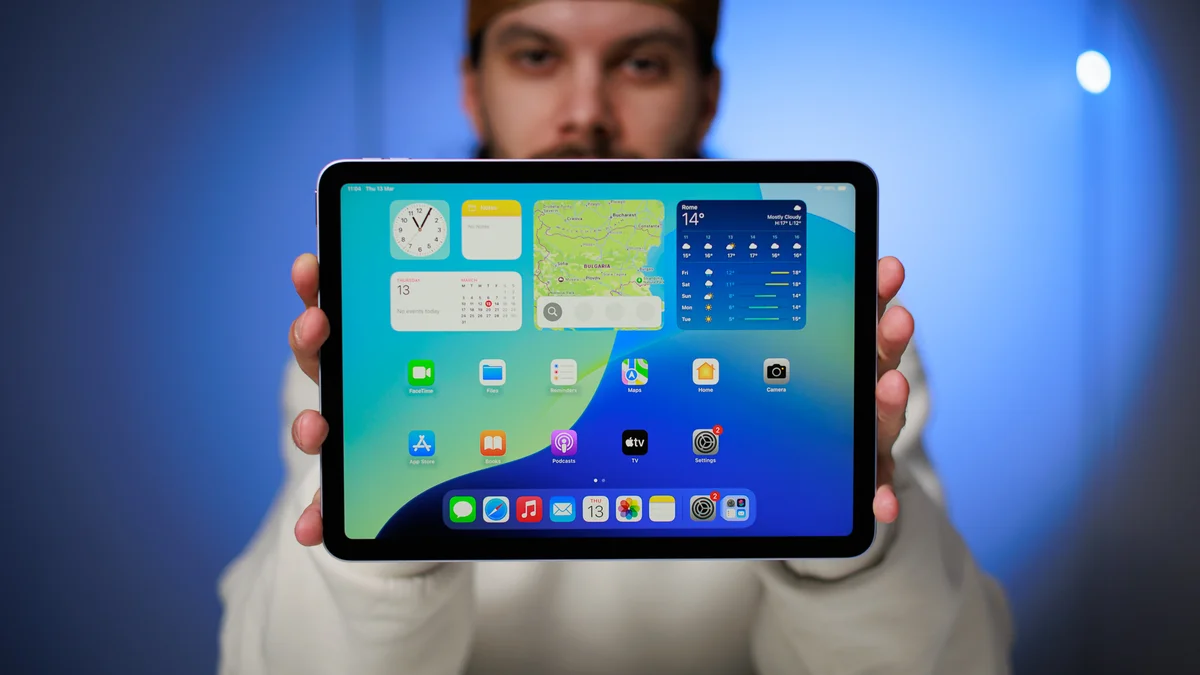
Apple iPad Air M3
Why did I pick it?
The iPad Air got a surprise silent update — the M3 chip now hums inside the new Airs from 2025. It's unknown why Apple felt the need to update it, the M2 was already a very solid chip and provided everything you need for a more-than-base iPad experience.
Unfortunately, it doesn't have a high refresh rate screen — while pretty and sharp, the iPad Air M3's display is still a 60 Hz LCD panel. Also, the USB C port on the bottom is limited to USB 3 speeds — pretty fast, but not Thunderbolt fast (10 Gbps vs 40 Gbps).
Those features aside — the iPad Air M3 has two speakers in landscape stereo and also has had its webcam move to the top landscape bezel. It supports the old Magic Keyboard accessory (no function row, sorry), and the new Apple Pencil Pro. Also, it comes in a bigger size!
What's cool about the M3 chip is that it has hardware-accelerated ray tracing, so the iPad Air is now that much closer to the Pro. Tell me again, why did we need a Pro?
Unfortunately, it doesn't have a high refresh rate screen — while pretty and sharp, the iPad Air M3's display is still a 60 Hz LCD panel. Also, the USB C port on the bottom is limited to USB 3 speeds — pretty fast, but not Thunderbolt fast (10 Gbps vs 40 Gbps).
Those features aside — the iPad Air M3 has two speakers in landscape stereo and also has had its webcam move to the top landscape bezel. It supports the old Magic Keyboard accessory (no function row, sorry), and the new Apple Pencil Pro. Also, it comes in a bigger size!
What's cool about the M3 chip is that it has hardware-accelerated ray tracing, so the iPad Air is now that much closer to the Pro. Tell me again, why did we need a Pro?
Who is it for?
The 13-inch iPad Air is here to satisfy your craving for a large-screened tablet without that iPad Pro price on it. They start at $799 for 128 GB, and the 11-incher is $599 for 128 GB. Of course, accessories are extra as nothing else is in the box.
Key specs
Read our review here: iPad Air M3 review: second verse, same as the first
Best premium iPad
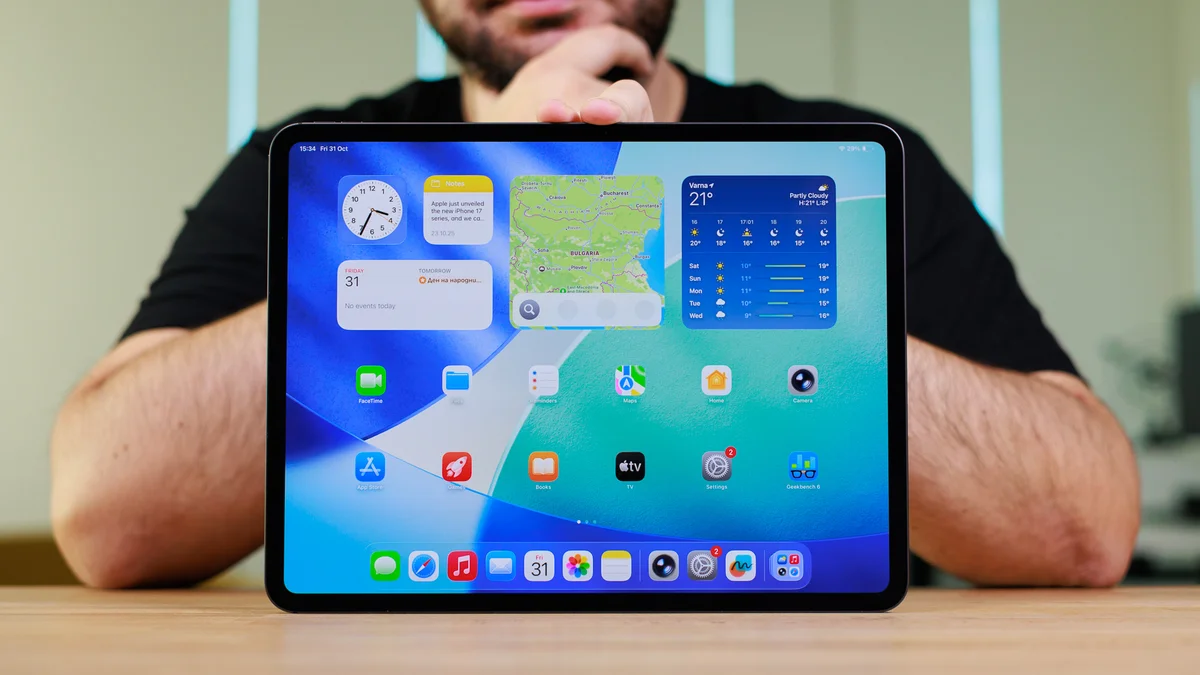
Apple iPad Pro M5 (2025)
Why did I pick it?
The iPad Pro proudly continues the tradition of having Apple's newest desktop-class chip inside. Plus, since the 2024 redesign, these are super-thin — 5.3 mm for the 11-inch model, 5.1 mm for the 13-inch model — and fit a new metal Magic Keyboard that makes them look so much like a MacBook, you'd have to look twice.
By all accounts, these tablets are the most powerful ones you can buy right now. And the argument that iPadOS barely uses all that power is now a bit weaker. iPadOS 26 introduced true multi-window management, a reworked Files app with Preview, and actual background work — you can now minimize Final Cut and it will not stop rendering! As someone who is into video production, I like that a lot, and in my tests, it works great.
The M5 also facilitates higher-quality gaming on the iPad, as it supports ray tracing, mesh shading, and dynamic caching. And Apple is making a push to demonstrate that by signing deals for true console games to come to the system — like Kojima's Death Stranding, Ubisoft's Assassin's Creed, Konami's Silent Hill series. Not spinoffs of those games — the actual games, ported to work on your iPad.
Both the big 13" and smaller 11" iPad Pros have the new Tandem OLED technology. Utilizing two layers of OLED, Apple manages to get super-deep contrast with excellent peak brightness (1,600 nits peak), great dynamics and colors.
Additional premium features include the Thunderbolt USB C port on the bottom and quad speaker setup for full stereo. These tablets are specced to the brim.
Who is it for?
The iPad Pro is a bit of a niche product that's aimed at professionals who absolutely need the best and most powerful tablet experience. Have in mind that the iPad Pro is quite costly, starting at $999 for the 256 GB iPad Pro M5 11". You can take those storage options up to 512 GB, 1 TB, and 2 TB.
The latter two tiers can also come with a nano-etched screen for anti-glare effect, which is another $100 upgrade. If you want the Apple Pencil or Magic Keyboard — those are also pricey separate purchases, but they are oh so good and responsive and usable.
Key specs
Read our review: Apple iPad Pro 13-inch (M5) review: A fantastic overkill!
Best budget iPad
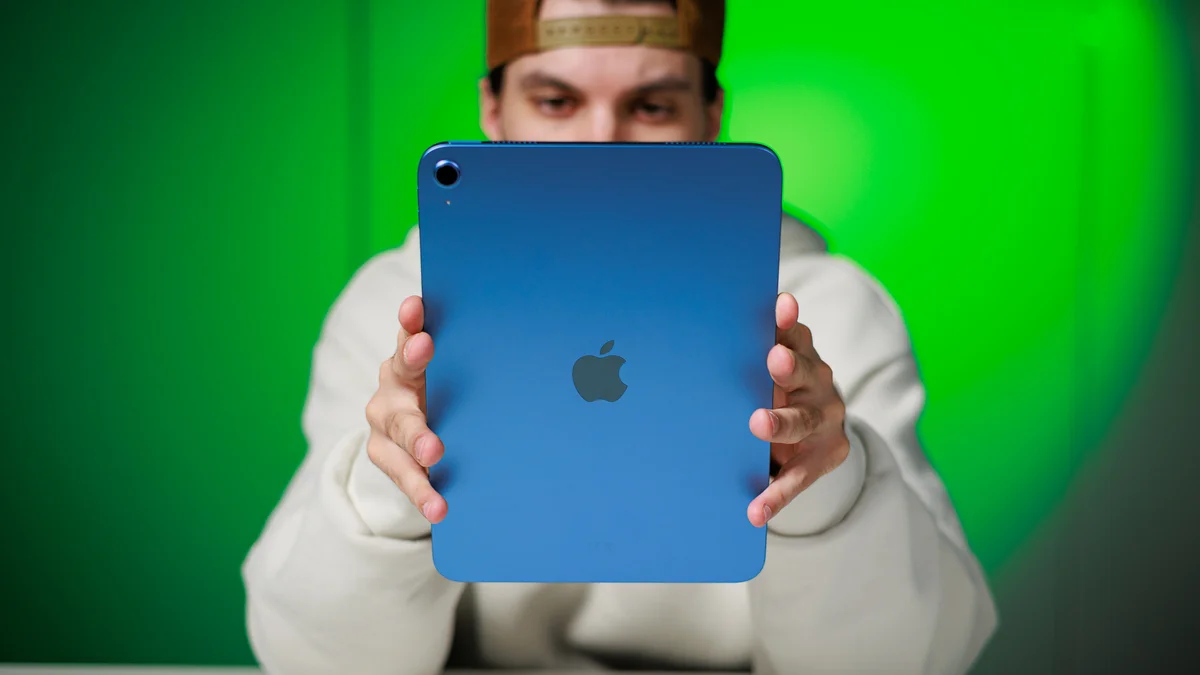
Apple iPad 11th Gen
Why did I pick it?
The 11th gen iPad is now the cheapest Apple tablet you can buy directly from Apple. It has been updated to have the A16 chip from the iPhone 14 Pro, but there's a caveat. It has one less CPU and one less GPU core — that's 5 CPU and 4 GPU cores... for some reason.
It supports the base version Apple Pencil USB-C and even the Apple Pencil Gen 1 and the base level Magic Keyboard Folio, not to be confused with the fancier Magic Keyboard models for the iPad Air and iPad Pro.
This iPads have a USB C port on the bottom, but it's limited to USB 2 speeds. Their 60 Hz screens are not laminated and you can clearly see the panel is at a distance from the glass, with a "sunken in" effect. But they do have dual speakers in landscape stereo, and the selfie cam on the landscape top bezel. Furthermore, they don't support Apple Intelligence, in case that means anything to you.
They are not "premium" and don't support advanced workflow features like Stage Manager. But, as a tablet, basic Internet or multimedia machine, or for drawing — they work quite well. For $350, they are quite good, actually.
It supports the base version Apple Pencil USB-C and even the Apple Pencil Gen 1 and the base level Magic Keyboard Folio, not to be confused with the fancier Magic Keyboard models for the iPad Air and iPad Pro.
This iPads have a USB C port on the bottom, but it's limited to USB 2 speeds. Their 60 Hz screens are not laminated and you can clearly see the panel is at a distance from the glass, with a "sunken in" effect. But they do have dual speakers in landscape stereo, and the selfie cam on the landscape top bezel. Furthermore, they don't support Apple Intelligence, in case that means anything to you.
They are not "premium" and don't support advanced workflow features like Stage Manager. But, as a tablet, basic Internet or multimedia machine, or for drawing — they work quite well. For $350, they are quite good, actually.
Who is it for?
The regular iPad is a device that's the perfect fit for most people out there. It's a reliable and user-friendly gateway into the Apple ecosystem but is also secretly very adept at pretty much all casual tasks you might need a tablet for. Sure, it doesn't have the best display or the fastest performance, but it's a very safe pick.
For $349, this model comes with 128 GB of base storage, which is pretty OK in 2025. If you feel like you need more, it'll be $449 for the 256 GB model. We wouldn't suggest spending $449 on a base level iPad, though. The next step is iPad Air M3 11" for $599, but that again sets you back to 128 GB. Still, we'd recommend going for that one, and plan to do some storage housekeeping on the regular, if money is tight.
Key specs
Read our review: Apple iPad (A16) review: The vanilla ice cream of tablets
Best small iPad
Apple iPad mini (A17 Pro)
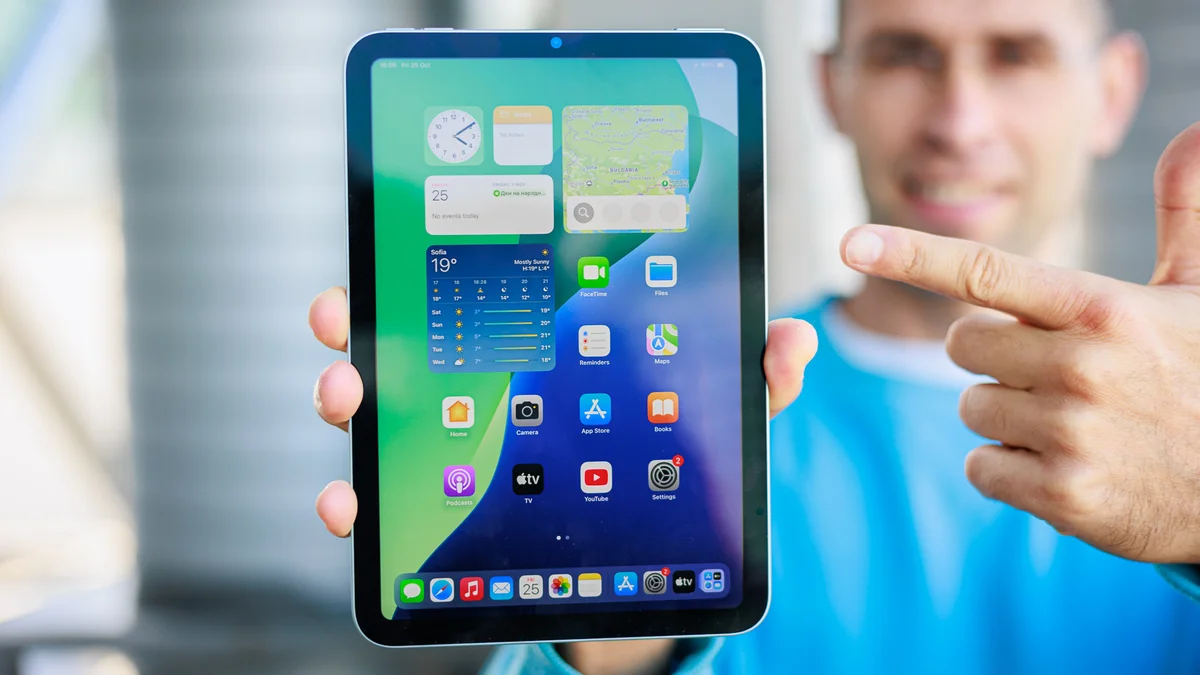
The iPad mini was updated in late 2024 with an A17 Pro chip so it would support Apple Intelligence. Interesting move by Apple — are there many people out there looking for a mini iPad?
The iPad mini has some quirks — like a very noticeable "jello" effect when scrolling the screen. It's obviously going to remain this way, too, as Apple's response to complaints was basically "Well, that's what LCD screens do". But, if you can get past that, it's a perfectly good tablet for reading, surfing, and maybe even binging YouTube.
It is not the most basic iPad you can buy. It’s powered by the Apple A17 pro chip, which is quite overkill and has plenty of overhead for the coming years. We assume the iPad mini will be getting a lot more iPadOS updates. However, don't even hope for Stage Manager or a desktop environment on an external monitor. The iPad mini can still connect to a big display, but you just get screen mirroring, not the work environment that the iPad Pros and iPad Airs get.
The mini is not the cheapest iPad you can buy, but it is the cheapest iPad with Apple Intelligence, so take that for what you will. It's a very specific product for a very specific customer. If you want that Kindle form factor, but require it to be more powerful and be capable of more — that's an iPad mini. If you want a cheap iPad, look at the new A16 model. If you want a more capable iPad, look at an iPad Air M3 or iPad Pro M4. In no case is the mini a solution to a budget problem — it's here for those that want a small tablet.
The iPad mini has some quirks — like a very noticeable "jello" effect when scrolling the screen. It's obviously going to remain this way, too, as Apple's response to complaints was basically "Well, that's what LCD screens do". But, if you can get past that, it's a perfectly good tablet for reading, surfing, and maybe even binging YouTube.
It is not the most basic iPad you can buy. It’s powered by the Apple A17 pro chip, which is quite overkill and has plenty of overhead for the coming years. We assume the iPad mini will be getting a lot more iPadOS updates. However, don't even hope for Stage Manager or a desktop environment on an external monitor. The iPad mini can still connect to a big display, but you just get screen mirroring, not the work environment that the iPad Pros and iPad Airs get.
The mini is not the cheapest iPad you can buy, but it is the cheapest iPad with Apple Intelligence, so take that for what you will. It's a very specific product for a very specific customer. If you want that Kindle form factor, but require it to be more powerful and be capable of more — that's an iPad mini. If you want a cheap iPad, look at the new A16 model. If you want a more capable iPad, look at an iPad Air M3 or iPad Pro M4. In no case is the mini a solution to a budget problem — it's here for those that want a small tablet.
Who is it for?
Starting at $499 for the 128 GB Wi-Fi only model, this tablet is not meant for those looking for a bang-for-buck deal. If you want a good iPad experience for a bargain — go back to the base iPad A16. The mini is meant for a specific type of customer that wants that small device — maybe fans that are looking for a backup iPad for situations where the Pro is just too big.
Key specs
Read our review: iPad mini (A17 Pro) review: small, now smarter
Benchmark data
What to consider when choosing the best iPad?
Size
Even if money is no issue, the large iPad Pro 13" is not for everybody. It's large and hefty, and weighs as much as a laptop when attached to Apple's smart keyboard. On the other end of the spectrum — the iPad mini is extremely portable but will often feel far too small for most users. The good news is that the rest of the iPads come in a more-or-less-standard size — yes, the iPad 11th gen has an 10.9-inch screen and the base iPad Pro has an 11-inch screen, but due to different bezel thicknesses, these tablets are of similar size.
Purpose
Think about what you will be using the iPad for. Binging Apple TV+ or gaming will be better on the standard sizes, whereas reading ebooks and browsing the daily news will feel great on the small iPad mini. Video, photo, or even audio editing will feel best on the large iPad Pro 13", especially paired with a precise Apple Pencil, but if you want to do these things on the go — the iPad Pro 11" will give you the balance between power and portability.Storage
iPads come in different storage capacities, with options ranging from 128 GB to 1 TB. Generally, we find 128 GB to be quite enough for the typical heavy user, but if your work involves large video and audio files, you will want to make the jump to at least 256 GB.
Display
The iPad Pro models have a high resolution, high refresh rate display and ProMotion technology for smooth scrolling. The 13-inch model is the only iPad to have the mini LED screen, so if you want the absolute best iPad display, that's the one to look at.
Processor
If you want to make use of the Stage Manager multitasking and have a desktop environment on an external monitor, you need a higher-end iPad with an Apple M processor. The only exception here are iPad Pro 2020 models, which have the A12Z.
Price
The basic iPad has an MSRP of $349, but often drops to $299. It's good money for a pretty good tablet. But if you want pro features on a budget — the iPad Air M3 is your best bet. Obviously, the iPad Pro line is more of a "money is no issue" solution.
Operating system
Apple is known to keep updating its mobile devices for about 5 years post release. So, if you are shopping second-hand or new-old-stock, make sure you check what year the model was released in. If it has about two years of expected support left — it's still an OK buy. Anything less than that is a questionable investment.
Battery life
All iPads aim for about 10 hours of screen-on time with mixed usage. Even the Apple iPad mini can last quite a bit on a single charge, so we'd say battery life isn't a huge concern when picking an iPad.
Connectivity
Typically, base iPad models come with Wi-Fi only. That's Wi-Fi 6 on iPad Pro, iPad Air, and iPad A16. If you see yourself using the tablet on the go a lot, and hotspotting your phone sounds like an inconvenience, then look for the cellular models. Though, they add $100+ to the price tag, so we have to ask again — is a hotspot from your phone that much of a headache?
FAQ
What is the best iPad right now?
If money is no issue, the iPad Pro is the logical and unapologetic leader in Apple's portfolio, the device with the best hardware and most premium design language. It's a device aimed at professionals who demand absolutely the best of Apple's ecosystem, and is priced accordingly. Pair the iPad Pro with an Apple Pencil and a Magic Keyboard, and you're recreating the MacBook experience on an equal budget.
However, if we consider the value-for-money factor, an iPad Air is a device better tailored to the regular consumer. It pairs excellent features with an acceptable price tag, making it arguably the best iPad in Apple's roster at the moment.
How do you choose the right iPad?
First, you need to choose what your allocated budget is. iPads populate all niches of the market––from the affordable mini to the 2TB 13-inch iPad Pro, you can be very flexible about how much you spend on an iPad.
Size is another aspect of the iPad buying experience that thankfully gives you a lot of flexibility and choices. Sizes vary from 8 inches with the iPad mini to 13 inches with the iPad Pro, but most potential buyers will likely enjoy the iPads in the 10–11-inch category.
Can an iPad replace a laptop?
Yes and no, and it largely depends on your unique usage and workflow. If you mainly use your laptop for browsing the web and watching videos or streaming the occasional Apple TV show, then an iPad with the appropriate accessories (a Magic Keyboard at the minimum) is a decent replacement for a laptop.
However, up the ante with a more demanding workflow and specific laptop programs, and then a tablet stops being a viable laptop replacement.
Do you need iPad accessories?
Generally, these would be decent, but totally not a compulsory thing to buy. A Magic Keyboard is great for using the iPad as a laptop replacement in some light-use cases, while an Apple Pencil is a great accessory for those who draw, design, and take notes.
What's the next best tablet if an iPad isn't right for you?
In the off-chance that you're not part of the Apple ecosystem and aren't willing to partake, then an Android tablet is a pretty viable alternative. In particular, Samsung's Galaxy Tab S11 and Galaxy Tab S11 Ultra are noteworthy alternatives to the iPad lineup. Find more options in our best tablet selection.
What is better, an iPad Pro or an iPad Air?
The iPad Pro is the absolute best range in Apple's iPad lineup, and while it's exceptional in pretty much every way, an iPad Pro usually costs a premium, so it's not in most buyers' shortlists.
An iPad Air is a much better fit for most buyers, as it pairs generally high-end hardware (not the absolute highest-end, but pretty much up there) with a friendly design language and a way more palatable price tag.
How we test the best iPads out there?
Similarly to all other devices that we review, we put every iPad that enters the premises of our office. We carefully measure the battery life, display quality, camera quality, and overall performance of each tablet with standardized and uniform in-house tests.
Battery life is measured with the phones' displays set at 200 nits and connected to Wi-Fi, with three different use case tests being run on each device: video streaming, 3D gaming, and our custom web browsing test. Display qualities are measured with professional equipment by qualified personnel.
We also test the charging speeds of each tablet with the manufacturer-recommended battery charger, and if the device has a charger in the box, we use that one. The camera quality, arguably not that important on a tablet, is still relevant when you consider video-conferencing and video calls.
Battery life is measured with the phones' displays set at 200 nits and connected to Wi-Fi, with three different use case tests being run on each device: video streaming, 3D gaming, and our custom web browsing test. Display qualities are measured with professional equipment by qualified personnel.
We also test the charging speeds of each tablet with the manufacturer-recommended battery charger, and if the device has a charger in the box, we use that one. The camera quality, arguably not that important on a tablet, is still relevant when you consider video-conferencing and video calls.


Popular stories


Latest News
Things that are NOT allowed:
To help keep our community safe and free from spam, we apply temporary limits to newly created accounts: