
Best budget tablets of 2026: A guide to finding the best budget-friendly option
We may earn a commission if you make a purchase from the links on this page.
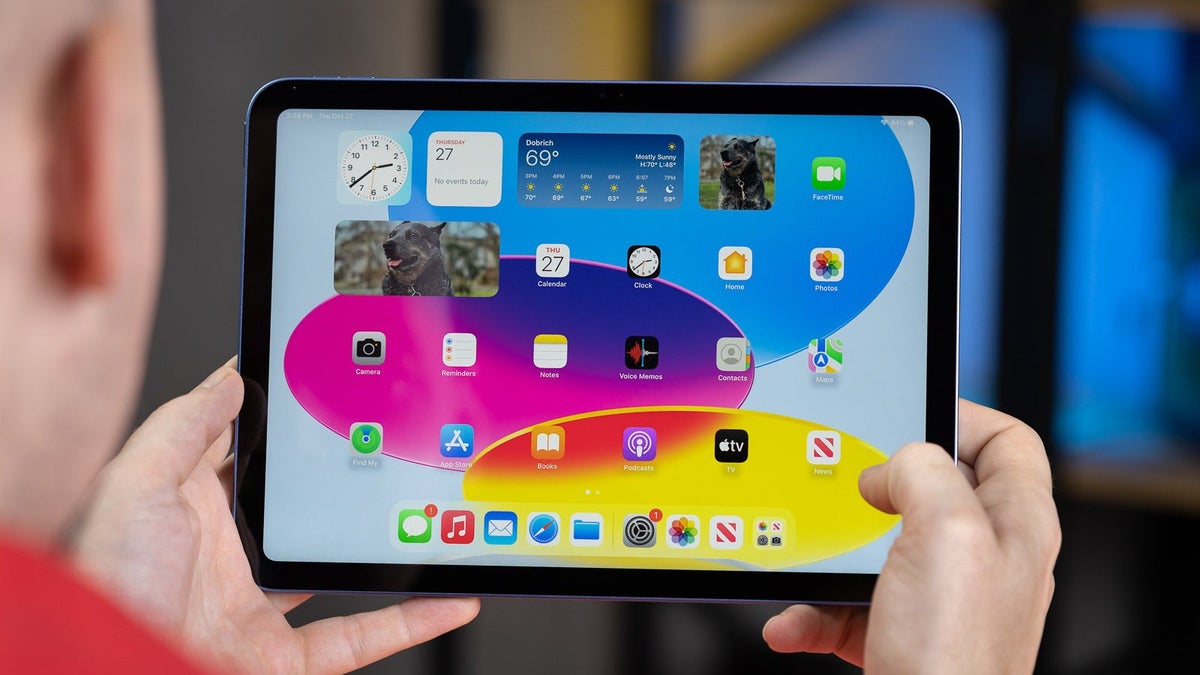
Tablets haven't always been a super popular segment, but they did eventually find their footing. People use them for either multimedia binge machines, gaming for the kids, or schoolwork, or even big pro work like editing images and videos.
As a response, the tablet market spans a wide range of price and quality offers. Here, we will be talking about budget tablets. Which cheaper options can we "get away with" and still have them fulfill their purpose?
It does widely depend on what that purpose is, given that cheaper tablets cut a lot of corners and are laser-focused on one or two features. So, let's take a look at our options.
Best Affordable iPad
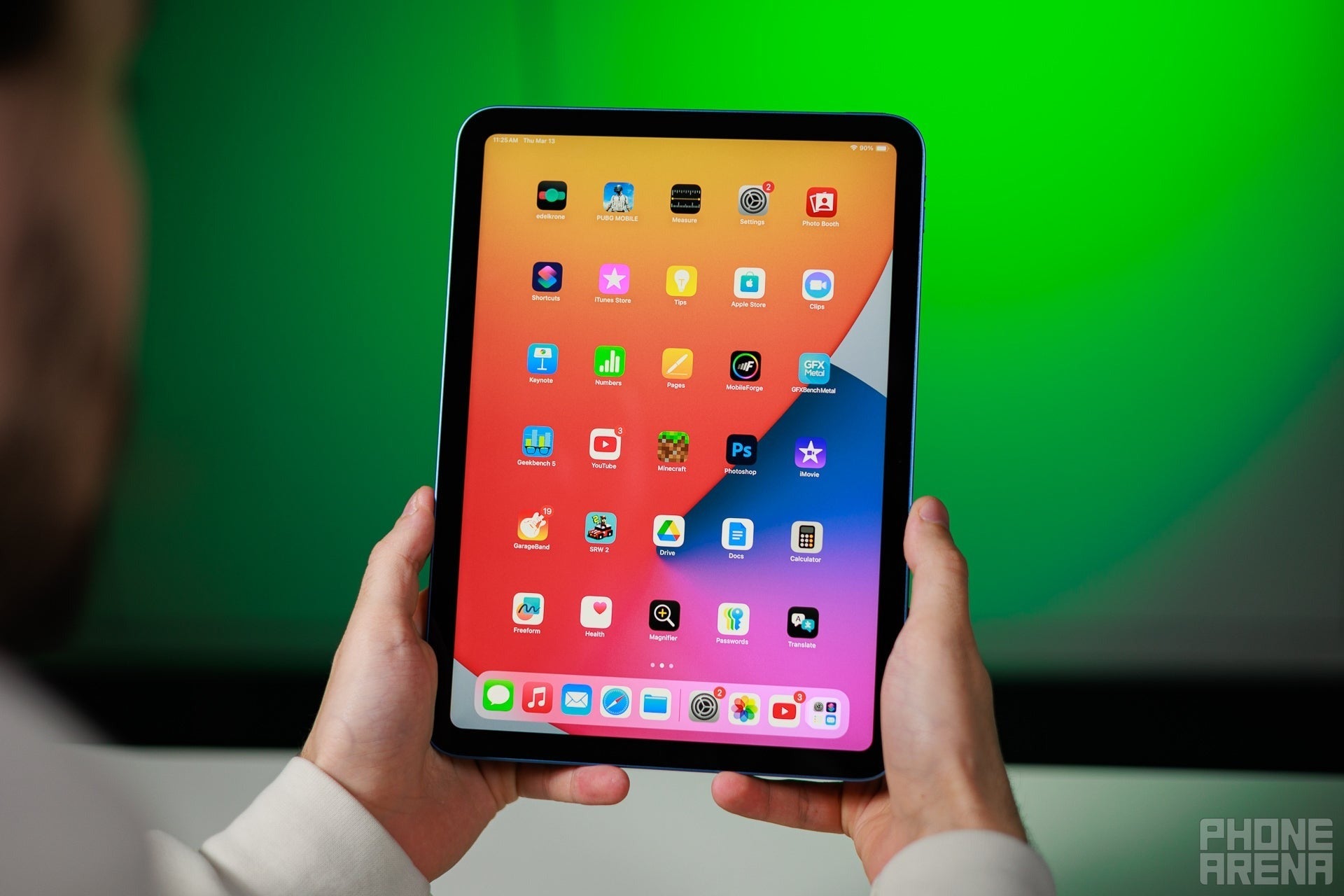
Apple iPad 11th gen (A16, 2025)
Pros
+ Decent performance improvements despite the binned chip
+ Allows you to use iPadOS 26 in windowed mode for multi-tasking
+ Full Apple ecosystem and most of the features are here
+ Supports Apple Pencil and Magic Keyboard Folio (extra purchases)
Cons
- $350 base price is barely "budget", extra accessories cost a pretty penny
- No headphone jack
- No physical SIM tray on cellular versions
Why I picked the iPad A16
Apple doesn't exactly dabble in "cheap" products — even its budget models are higher in cost than competitors on the market. However, for your extra money, they do give you a little bit more where it matters. A processor that used to be flagship grade (the A16 in the iPad was powering the iPhone 14 Pro in 2022), a display with well-tuned colors, stereo speakers that sound pretty good.
And the big one — they last. Experience shows that even a budget Apple device has a guaranteed 5-year life span ahead of it, that includes software updates and performance. My mother still has an iPad 2018 model. Its support was cut off at iPadOS 17, but the hardware itself is still trekking along. At this point, security flaws can become a concern, so if you are using the tablet for something more "serious", or have financial apps on there, upgrading to one that's still getting regular updates is the good idea.
And the big one — they last. Experience shows that even a budget Apple device has a guaranteed 5-year life span ahead of it, that includes software updates and performance. My mother still has an iPad 2018 model. Its support was cut off at iPadOS 17, but the hardware itself is still trekking along. At this point, security flaws can become a concern, so if you are using the tablet for something more "serious", or have financial apps on there, upgrading to one that's still getting regular updates is the good idea.
But back to the current iPad (A16) — it has the modern all-screen design, it has stereo speakers (in horizontal orientation), and it supports the Magic Keyboard Folio (not to be confused with the Magic Keyboard for the Pro and Air models) and the basic Apple Pencil USB C, which is a phenomenal stylus.
The downsides is that these extra accessories, while very good at what they do, are quite pricey. And the base iPad still has a non-laminated screen, which has more screen glare and pales in comparison to the display quality of the Air and Pro devices.
Who is it for?
Teenagers or casual users, for sure. The iPad has good enough speakers and screen quality to play TV shows, movies, or games on. Its form factor isn't too big, so it's easier to carry around, yet a 10.9-inch screen is good enough for notes, homework, spreadsheets, and the likes.
It's also a good budget option for artists looking to explore the stylus and tablet experience for the first time. It's worth noting that the Apple Pencil USB-C lacks the pro-grade features of the Apple Pencil Pro, though (pressure sensitivity and barrel roll being the important ones here).
You can also use it if you just want to dip your toes in the Apple workflow — it supports the new iPadOS 26 with windowed mode, and the Magic Keyboard Folio keys and trackpad feel just as good as on the Pro models. It's a shame that, if you decide to upgrade down the line, the Folio has to go, too — the iPad Air and iPad Pro models only support the more expensive Magic Keyboard option.
Key specs
- 10.9" LCD display, 2360x1640px, 60 Hz, 500 nits
- Stereo speakers (in landscape format)
- Center Stage selfie camera with face tracking
- Supports Apple Pencil and Magic Keyboard Folio
- iPadOS 26, should get support to iPadOS 30 (2030)
iPad (A16) deals
Links:
Best Affordable Android Tablet
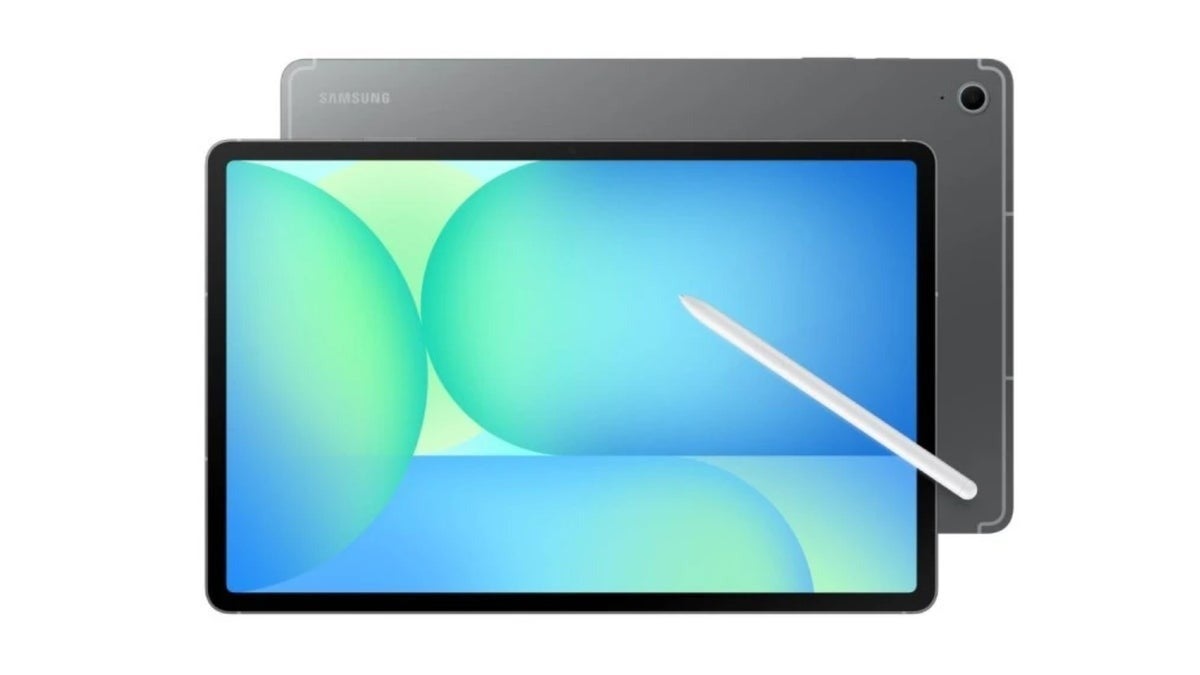
Samsung Galaxy Tab S10 Lite
Pros
+ Includes S Pen
+ Premium build, looks like the bigger models
+ microSD storage expansion
+ Software support until 2032
Cons
- First party keyboard is not great (and expensive)
- Limited Galaxy AI features
- Samsung Exynos 1380 processor is no powerhorse
Why I picked the Galaxy Tab S10 Lite
It's an oddball of a tablet for sure, sitting below the budget FE line, but not as cheap as the Galaxy Tab A9+. You can definitely go with the A9+ for its $160 price-tag. But, at $250, the Galaxy Tab S10 Lite comes with an S Pen in the box to give you that core Samsung tablet experience.
With a 10.9-inch screen, it's at that golden standard of not too big, not too small. And it comes with two speakers in landscape stereo format, so you can sit back and watch a movie, too.
Samsung's Book Cover Keyboard for 11-inch tablets fits this one, so you can go beyond just the S Pen experience for even more productivity. Granted, I am not a huge fan of Samsung's keyboard covers, as they are a bit mushy-feeling. But, when in a pinch, you can get some work done with them.
It's powered by an in-house Exynos 1380 — you can find this chip in the Galaxy A54 phones and Galaxy Tab S9 FE models. It's not incredibly fast, but can hold it together for casual daily tasks. If you stay away from 4K video editing or 3D gaming, this tablet should serve you fine.
Who is it for?
The Galaxy Tab S10 Lite is not meant for the poweruser or the demanding professional. However, with its featureset, it's definitely geared towards those that are looking to get the Samsung experience for the first time. Namely the S Pen stylus and the keyboard, which is a separate purchase.
It can be used for homework and leisure time. Small art projects or learning how to doodle. As a multimedia binge screen or social media machine.
Key specs
- 10.9" LCD display, 2112x1320px, 90 Hz, 600 nits
- Stereo speakers (in landscape format)
- Comes with S Pen in the box
- Supports Samsung Book Cover Keyboard
- 7 years of software updates (2032)
Galaxy Tab S6 Lite (2024) deals
Best Budget Tablet for Productivity
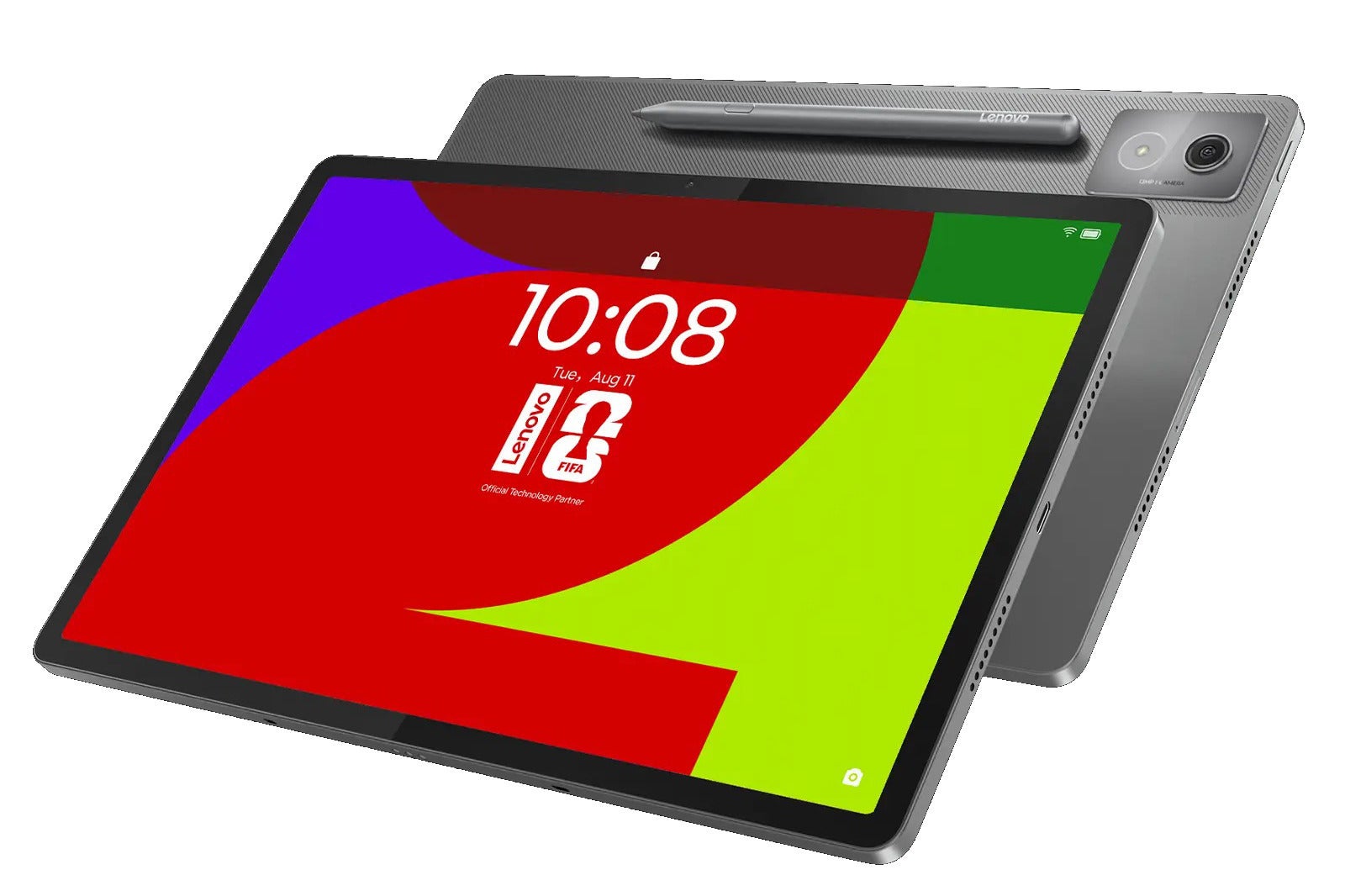
Lenovo Idea Tab Pro
Pros
+ Excellent value price for screen quality and performance
+ Decent stylus with pressure sensitivity included
+ microSD storage expansion
+ Desktop mode and wireless second screen functionality (for Windows PCs)
+ Comes with a charger (only one in this list)
Cons
- Display may be dim for outdoors use
- Limited software support (up to Android 16), but 4 years of security patches (2029)
- Heavier at 680 g — the price we pay for a 12.7-inch screen
Why I picked the Lenovo Idea Tab Pro
The Lenovo Idea Tab Pro is not a powerhouse, but is made to be your effective assistant device. Use it as an ebook, a second screen, or a notepad — its included stylus even supports pressure levels and palm rejection.
Additionally, the Lenovo Keyboard Pack for Idea Tab Pro is a superior keyboard accessory to the Samsung Book Cover Keyboard. It has deeper key travel and U-shaped keys for improved typing ergonomics — instant win against the Book Cover's mushy keys. The trackpad is bigger, too.
There was a Matte Screen version of the Idea Tab Pro, too, which is superior if you mostly want it for text work. Unfortunately, I can't seem to find that now.
What I can recommend is that you go for the UFS 4.0 option, as it will be faster and more convenient. There are still UFS 3.1 models floating around, but if your budget doesn't constraint you too much, avoid it so you can squeeze the most performance you can out of your purchase.
Digital nomads — office workers that are often on the move and require a no-nonsense machine that can open notes, spreadsheets, text files, and PDFs and allows for convenient notation. In the office, it can work as a second screen wirelessly, thanks to Lenovo's Smart Connect featureset. Formerly known as Lenovo Freestyle, it allows you to stream screen content, a specific app, and have shared clipboards across two devices.
Who is it for?
Digital nomads — office workers that are often on the move and require a no-nonsense machine that can open notes, spreadsheets, text files, and PDFs and allows for convenient notation. In the office, it can work as a second screen wirelessly, thanks to Lenovo's Smart Connect featureset. Formerly known as Lenovo Freestyle, it allows you to stream screen content, a specific app, and have shared clipboards across two devices.
It also has a basic desktop mode (PC Mode), not as advanced as Samsung's DeX, but it can get things done in a pinch.
Students can also make use of the Lenovo Idea Tab for study work. Just be warned that its quad speakers sound impressive on paper — and are really plenty loud — but lack a good bass. So, maybe it's not the best multimedia device when it's time for some RnR.
Key specs
- 12.7" LCD display, 2944x1840px, 144 Hz, 400 nits
- Quad speakers, stereo
- Includes Lenovo Tab Pen Plus
- Supports Lenovo Idea Tab Pro Keyboard Pack
- 4 years of support (2029)
Lenovo Idea Tab Pro deals
Best Budget Tablet for Streaming
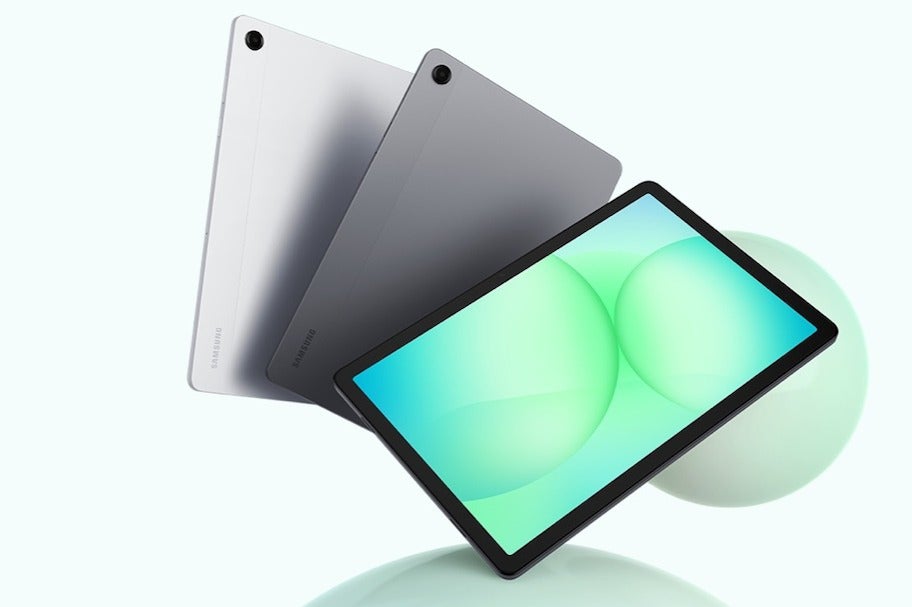
Samsung Galaxy Tab A11+
Pros
+ Very thin and lightweight build (6.9 mm, 477 g)
+ microSD storage expansion
+ Software support until 2032
+ Software support until 2032
Cons
- Performance is limited — treat it like a multimedia machine
- No fingerprint reader or advanced biometrics
Why I picked the Galaxy Tab A11+
The Galaxy Tab A11+ is priced around the same as a Galaxy Tab S10 Lite. So, what's the difference?
Well, while the Tab S10 Lite comes with an S Pen, the Tab A11+ instead invests in having four robust speakers for room-filling stereo. Which is pretty important if you are planning to binge Netflix on it.
It can have up to 256 GB internal storage and supports a microSD card. And it has a headphone jack. That, combined with its medium form factor at 11 inches makes it the perfect travel buddy.
Its performance is lower than the Lenovo Idea Tab Pro that we have above, but if we are strictly looking for a screen to watch TV shows on, all you want is a good screen, good speakers, and good enough performance so you can download and launch your needed apps (within this lifetime). The Galaxy Tab A11+ puts its eggs exactly in that basket, and it also helps that the tablet itself looks pretty.
Who is it for?
Frequent commuters or travelers that are looking to entertain themselves while in the passenger seat, for not a lot of money. People that like to have something running in the background while doing chores — the quad speakers will make sure that the dialogue and music is audible over the washing machine. Students that have a work laptop but need a leisure device to relax on the futon with.
Key specs
- 11" LCD display, 1920x1200px, 90 Hz, 480 nits
- Quad speakers, stereo
- 7 years of support (2032)
Galaxy Tab A11+ deals
What to consider when choosing the Best Budget Tablet?
While expensive devices try to cover all bases and do everything for everyone, a budget phone or tablet will have to cut corners to get down to a certain point. All you need to do is figure out which corners you care about.
Are you looking for a tablet purely for visual entertainment? Screen and speaker quality should be a top priority. Even if its performance is lagging while you are operating the device, once you open that show, the episode will play and that's all you care about.
What about productivity? Screen quality here is important as far as resolution goes — something with 260 pixels per inch and above should do fine for those pesky spreadseets. Speaking of which, maybe a slightly bigger tablet is also better here — 12 inches and above. You don't need much from the speakers, but extra peripherals like a stylus or optional keyboard case will go a long way. A slightly more powerful processor, so it doesn't stutter as you try to open two documents side by side, is also a big deal.
For gaming — depends on what type of game. Are we talking simple mobile puzzles and 2d platformers, or 3D games like PUBG? The latter will require some more power, like at least a MedaTek Dimensity 8xxx series for comfortable framerate and good visuals.
FAQ
What should you look for in a budget tablet
Year of production is pretty important. While top-tier tablets and smartphones have powerful hardware that doesn't evolve much year-over-year, budget processors are still being developed, as manufacturers are figuring out how to make that cheap chip more powerful. A two-year-old midranger will be noticeably slower than a midrange tablet from current time.
The same can be said about developments in screen quality over the years.
How do you choose the best affordable tablet
Start with your upper price limit — what constitutes as "budget" to you? Then, think about your use cases. Do you imagine yourself dabbling in 3D gaming with it? Do you want the tablet to be able to comfortably open a few apps at a time? Are you interested in extra features like stylus support for notation and drawing, or a desktop mode?
Since affordable tablets are usually laser-focused to specific niches, you need to laser-focus on your needs as a user as well.
Does Amazon make the best budget tablets
Amazon's Fire tablets are quite affordable, and Amazon can do that because it sells them directly. But their performance and screen quality are not amazing. They can do just fine as simple Amazon Prime Video streaming devices or for some basic Android games, as a spare tablet for a workspace where you can afford to damage it or something. But, in general, I feel there are better tablets for dedicated tasks that don't cost a lot more.
Also, Amazon's Fire tablets run a fork of Android where you don't get the Google Play Store, but the Amazon App Store instead.
Are there budget tablets that don’t run Android
Yes, if you count Apple's iPad at $350 as a budget tablet — it runs iPadOS and has nearly the full suite of features.
The Lenovo Chromebook Duet Gen 9 is kind of a laptop, but you can disassemble it to just carry the screen. It runs on the extra-light Chromebook OS, so it's mostly for document work through the Google app suite (which means it also has YouTube).
What is the best affordable tablet
As previously touched upon, affordable tablets make compromises. I'd say the base Apple iPad probably gives you the best bang for your buck — screen and speaker quality, performance and feature suite, software support and apps. If $350 is a bit north of your cutoff point, maybe look for an older gen iPad (iPad 10th gen from 2022).
What’s the best budget Android tablet overall
The Samsung Galaxy Tab A9+ is a strong contender. For $160, you get an 11-incher that looks good, has a decent screen and quad speakers. In my opinion, it's outshined by the Galaxy Tab A11+ and others featured in this pick, but if low price is of utmost importance — this is probably the best tablet you can get for less than $200.
How we test
Here at PhoneArena, we put every device through a series of standardized, rigorous tests and score them on a set of hard rules to prevent subjectivity. We score their performance, display quality, camera, battery life and charging speed, biometrics, and software updates potential.
Then, we take them out in the real world, to use as our everyday device and gather anecdotal data, real user perspective, and form our expert opinion. User experience, thoughtful features, stability, and support are all taken into consideration.


Popular stories


Latest News


Things that are NOT allowed:
To help keep our community safe and free from spam, we apply temporary limits to newly created accounts: