Every product we review or recommend is thoroughly tested by our in-house experts in real-world conditions, following our
review methodology
and
ethics statement
to ensure honest, independent, and data-driven results.
We may earn a commission if you make a purchase from the links on this page.
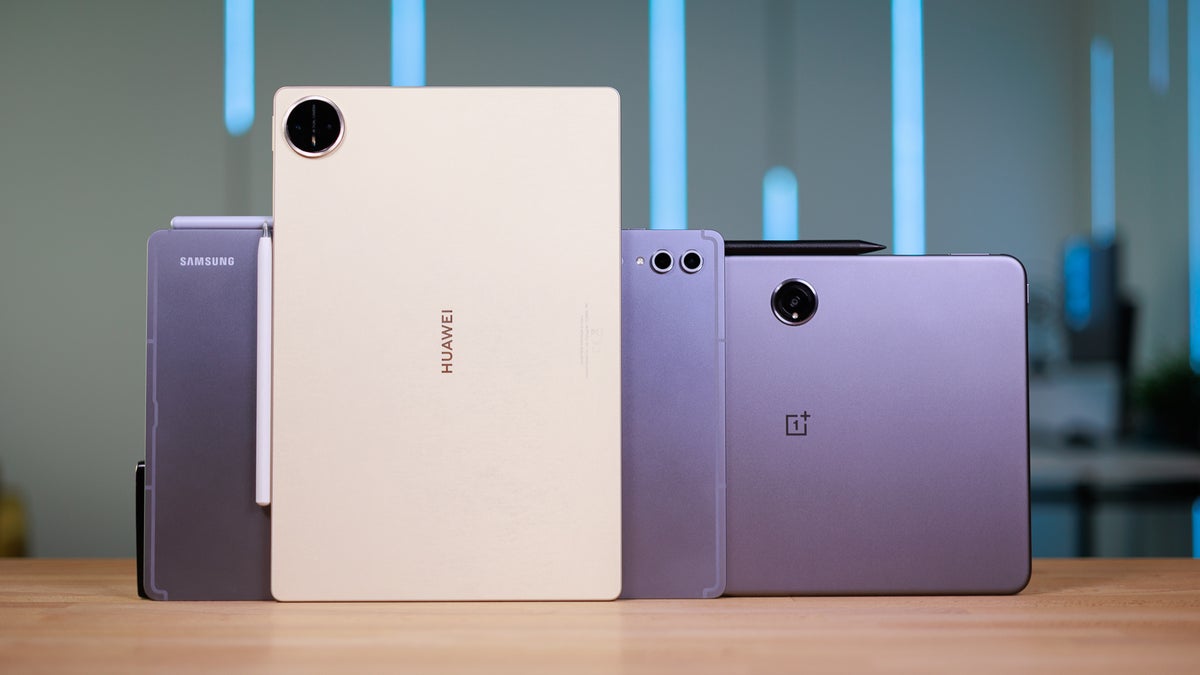
The tablet market is quite rich in variety nowadays. You have the premium models that try to do everything — from being a drawing pad to replacing a full on laptop. Some come with an excellent stylus, others have desktop modes, there are those that go up to 13-inch screens and beyond. Or, if you want something more budget — those tablets are laser-focused on specific features. Speakers and display, or productivity options, or portability.
So, if you are out to look for the "best" Android tablet for you... you definitely have your work cut out for you. But hey, we are here to help — here are the best Android tablets split in categories and by budget. This pick should help you orient yourself quickly!
Samsung's powerful presence and tech expertise is hard to deny. It's the only Android manufacturer on the market that dares make top-tier tablets and sell them at a premium, while the rest are still looking to carve a niche in the midrange segment.
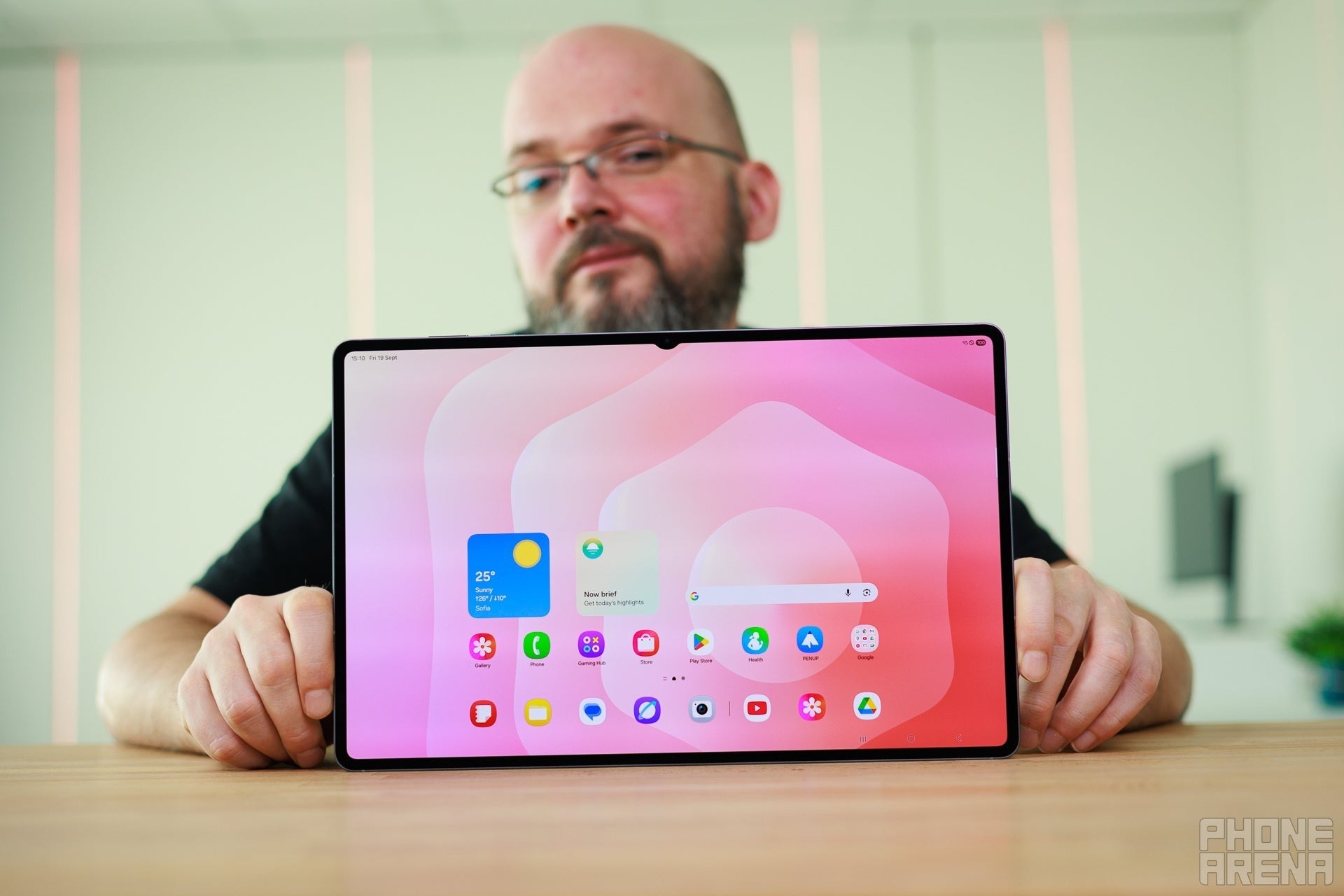
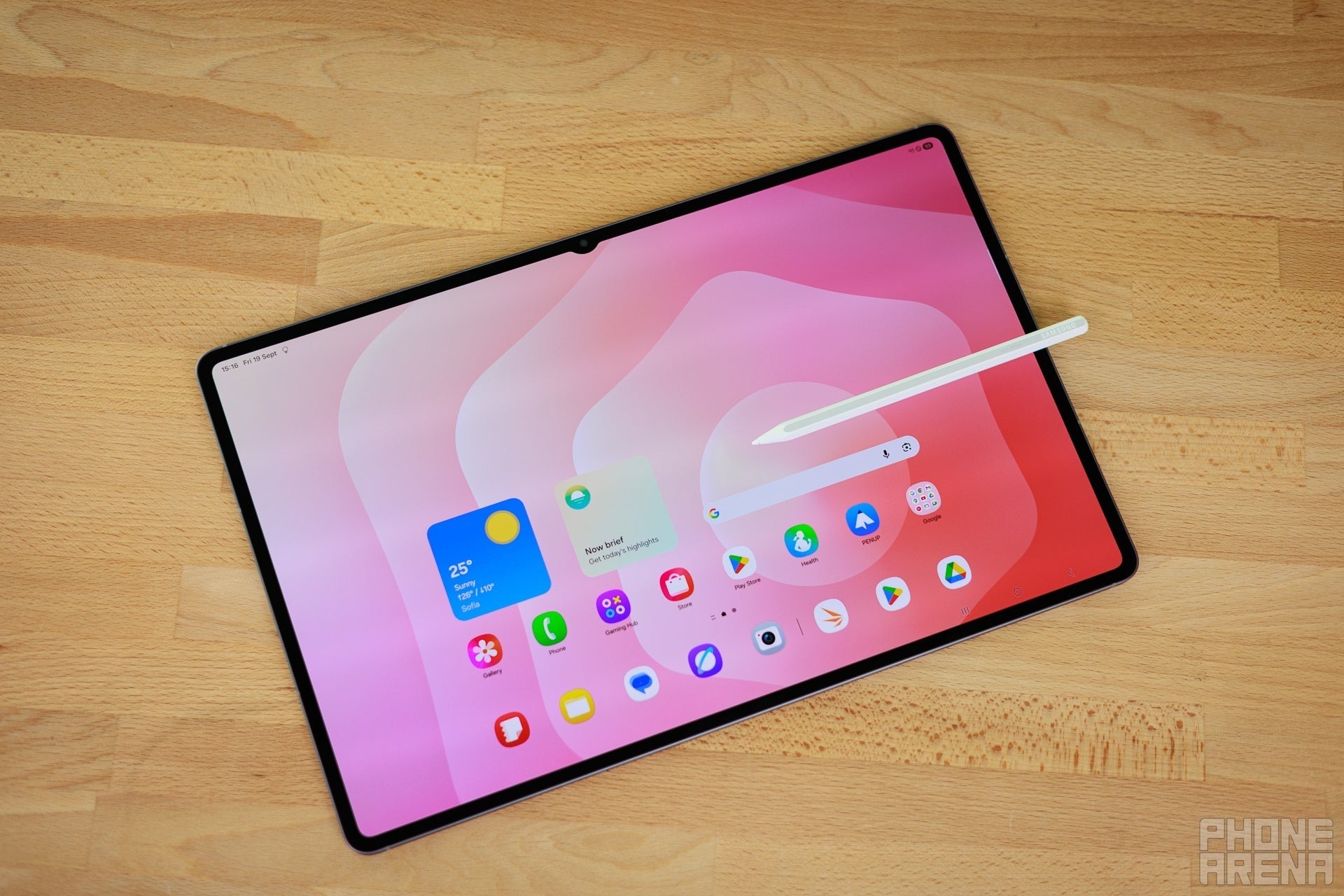
The Galaxy Tab S11 Ultra is as all-out an Android tablet as you can get. A 14.6-inch AMOLED panel with a 120 Hz refresh rate that never looks not good, quad speakers for full stereo, thin build, beautiful aluminum body.
Recommended For You
I do feel like a 14.6-inch tablet is overkill, but the good news is that there's a regular-sized Galaxy Tab S11, with an 11-inch screen, which is much more manageable while still leaving ample room for reading and work.
These tablets come with the S Pen included, and it's an excellent stylus for annotating or drawing. It has pressure levels, tilt, and a rubberized tip that provides some resistance against the screen's glass, so it feels a bit more natural to use. Powered by Wacom's tech for years, Samsung has become adept at making these pens feel good.
Speaking of the glass, the new Galaxy Tab S11 series have Gorilla Armor panels — Gorilla Glass mixed with Samsung's special anti-glare concoction. It is very good at negating screen reflections and also quite resistant to random scratches.
Overall, there is no arguing that it's the biggest and meanest competitor on the Android tablet market, though some companies do come close to offering a premium experience at a lower price by cutting a corner or two.
Who it's for
The Samsung Galaxy Tab S11 Ultra tries to be "the everything tablet". Its huge screen is equally good for enjoying movies and getting work done — especially with its capabilities to float apps in windows and multi-task. Its quad speakers sound loud and full for multimedia. Its S Pen allows you to doodle, annotate, even sign documents straight on the screen. And its keyboard accessory (separate purchase) transforms it into a laptop. Note on the Book Cover Keyboard, though — I don't enjoy it. The keys feel spongy, and the touchpad is restrictive. If you want to go this way, maybe it's a good idea to research some 3rd party keyboards.
Placing the Galaxy Tab S11 here would've been an easy pick. However, I can't let the OnePlus Pad 3 pass without giving more than just a nod.
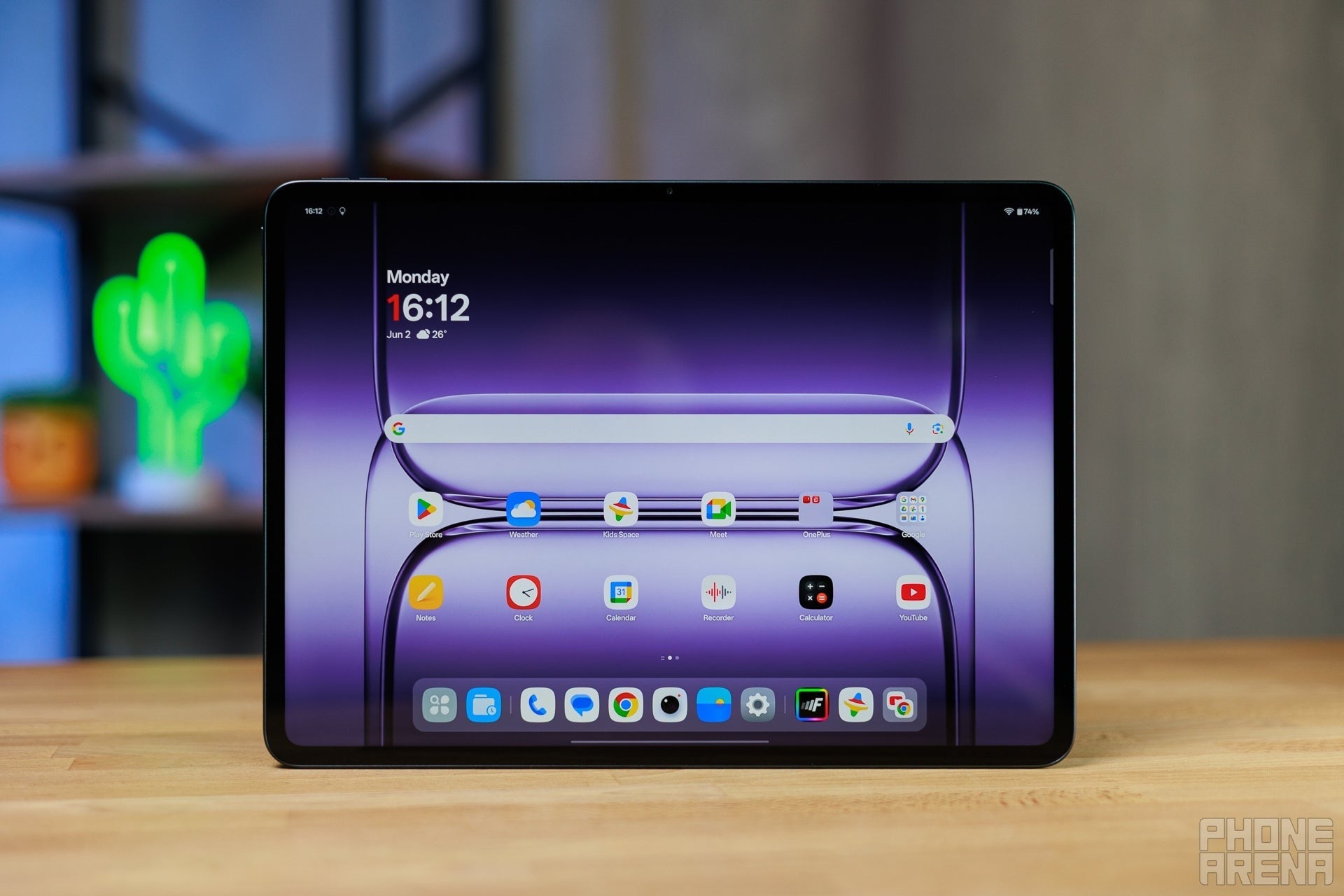
It's a pretty ambitious tablet with a sleek design, large 13.2-inch LCD display, powerful processor, and its own stylus support. Technically, the OnePlus Stylo 2 is not included in the box, but if you shop from the OnePlus.com website, you can add it as a "$0 gift" to your purchase. The S Pen is still more fleshed out, especially with the software integrations that Samsung has built up over the years, but the OnePlus Stylo 2 still feels pretty good and natural with its 16,000 pressure levels.
The OnePlus Pad 3 has 8 speakers, with 4 separate woofers and 4 separate tweeters, and it sounds quite full and loud. Its screen is big enough and pretty enough to both work on and enjoy content. The optional OnePlus Smart Keyboard has a better key-feel to me than the Samsung Book Cover Keyboard.
It starts at $700, so it's positioned as a direct rival of the regular-sized Galaxy Tab S11. But you do get a bigger screen at the same price!
Who it's for
The OnePlus Pad 3 covers all the needs that the Galaxy Tab S11 Ultra does. Pen for writing and signing, big screen for multimedia and multi-tasking, big speakers with big sound. It's honestly a good alternative, though Samsung's software is still a little bit more refined when it comes to multi-tasking windows and the DeX experience. But if you'd like a productive tablet that doesn't try too hard to act like a laptop — the OnePlus Pad 3 has it.
Key specs
Processor: Qualcomm Snapdragon 8 Elite
Display: 13.2-inch, 315 PPI, LCD, 144 Hz
Audio: Eight speakers (woofers and tweeters), stereo
Storage/RAM options: 256GB/12GB
Software support: Three Android builds (2028)
Extra accessories: Stylo 2 is technically not included, but OnePlus.com bundles it as a $0 gift with the tablet
OnePlus Pad 3: save $150 + gift worth up to $49.99
$549
99
$699
99
$150 off (21%)
The latest OnePlus Pad 3 is here! You can get the Snapdragon 8 Elite-powered tablet with 12GB RAM and 256GB storage at the official store for $120 off, plus an extra $50 discount with any trade-ins in any condition. You also get a free folio case worth $49.99 or a stylus worth $99.99
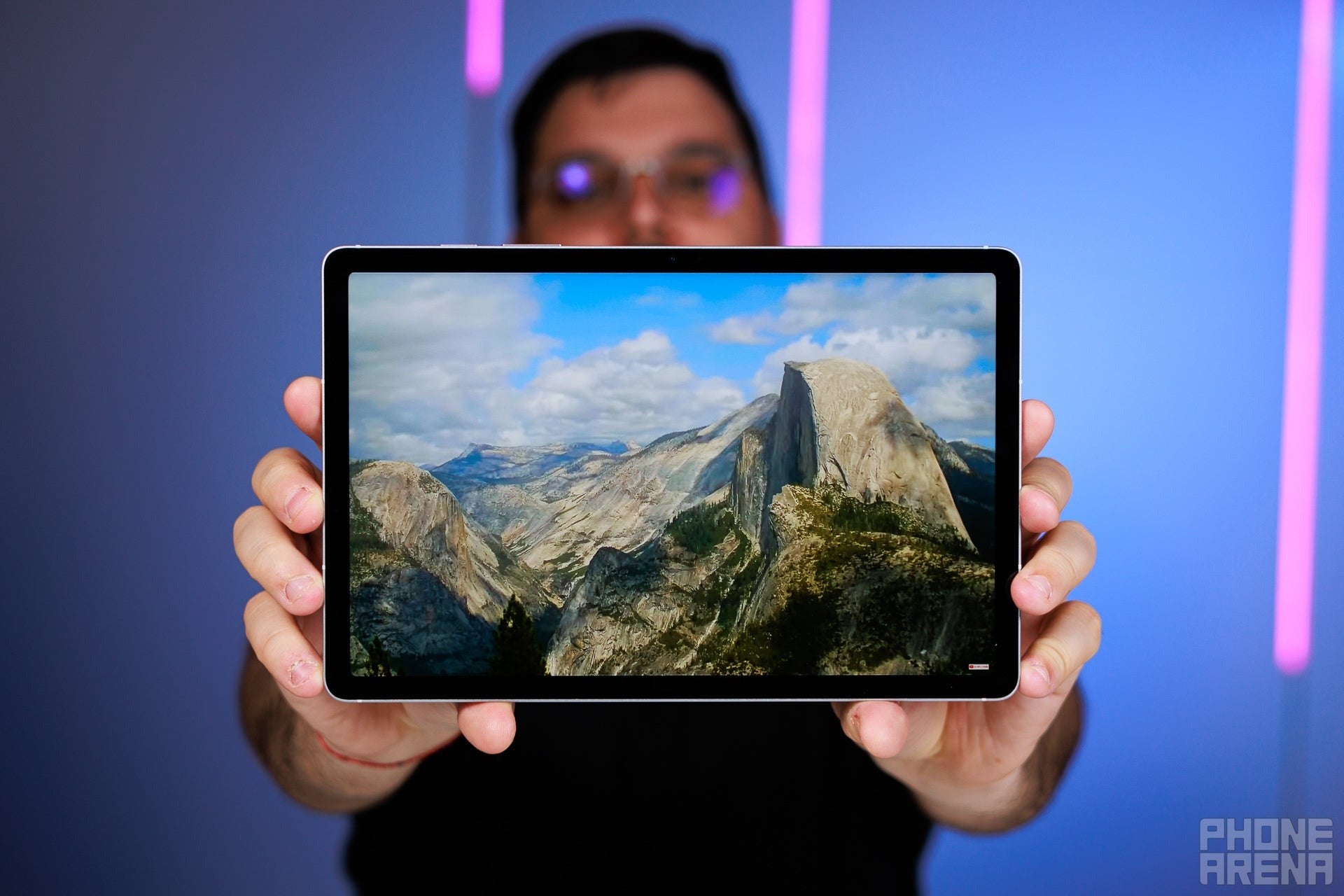
The Galaxy Tab S10 FE brings the Samsung features and experience at a no-nonsense price. This includes an S Pen in the box and the DeX suite on the tablet, ready to turn it onto an almost-laptop with windowed multi-tasking.
OK, what are the tradeoffs? The processor inside is an Exynos 1580 — Samsung's own make that's less powerful than the Dimensity 9400+ in the latest Galaxy Tabs. However, the Exynos 1580 is a pretty decent chip. It powers the widely popular Galaxy A56 midrange phones, which I find to be more than decent in performance and experience. Its power is comparable to that of a Qualcomm Snapdragon 8 Gen 1, a flagship chip about 4 generations back.
The display is not the super-premium Dynamic AMOLED, but an LCD panel with a 90 Hz refresh rate. Doesn't sound amazing, but you will see smoother animations, as it's north of the 60 Hz cap of yesteryear.
It can be paired with a Samsung Book Cover Keyboard for a full laptop replacement experience, but I'd suggest a 3rd party keyboard instead, as the Book Cover feels mushy and its trackpad isn't great.
Who it's for
Almost anyone who wants a tablet mainly for entertainment, but wants to have that productive edge to it, just in case. The DeX platform is not ideal, but it's pretty competent if you need to get some document work done. The S Pen is an excellent stylus, which will help you draw, annotate, or sign documents without having to print them out first. The speakers sound wide and deep, so you can watch Netflix with this, or listen to music.
If you want a bigger display, you can also pick the Galaxy Tab S10+ FE instead, which is a $150-$180 extra (depending on storage option) for a 13.1" display. If you ask me, most people would be fine with a 10.9" (or 11") tablet, as it strikes a balance between portability and a screen size that's big enough.
Key specs
Processor: Samsung Exynos 1580
Display: 10.9-inch, 249 PPI, LCD, 90 Hz
Audio: Two speakers, landscape stereo
Storage/RAM options: 128GB/8GB, 256GB/12GB
Software support: Seven Android builds (2032)
Extra accessories: S Pen in the box
Get Galaxy Tab S10 FE or S10 FE+ for up to $125 off
$999
98
$1249
98
$250 off (20%)
The Galaxy Tab S10 FE and Tab S10 FE+ are official! You can purchase either model at the official store with a fantastic trade-in discount. Right now, both tablets sell for up to $125 off with eligible trade-ins.
Incredible speakers for a tablet, absolutely destroying far more expensive iPads and Galaxy Tabs; even many small dedicated Bluetooth speakers
Built-in kickstand, highly adjustable
Desktop mode is great for productivity
What we don't like
No fingerprint sensor
Fairly dim screen
Limited availability
Why I picked it
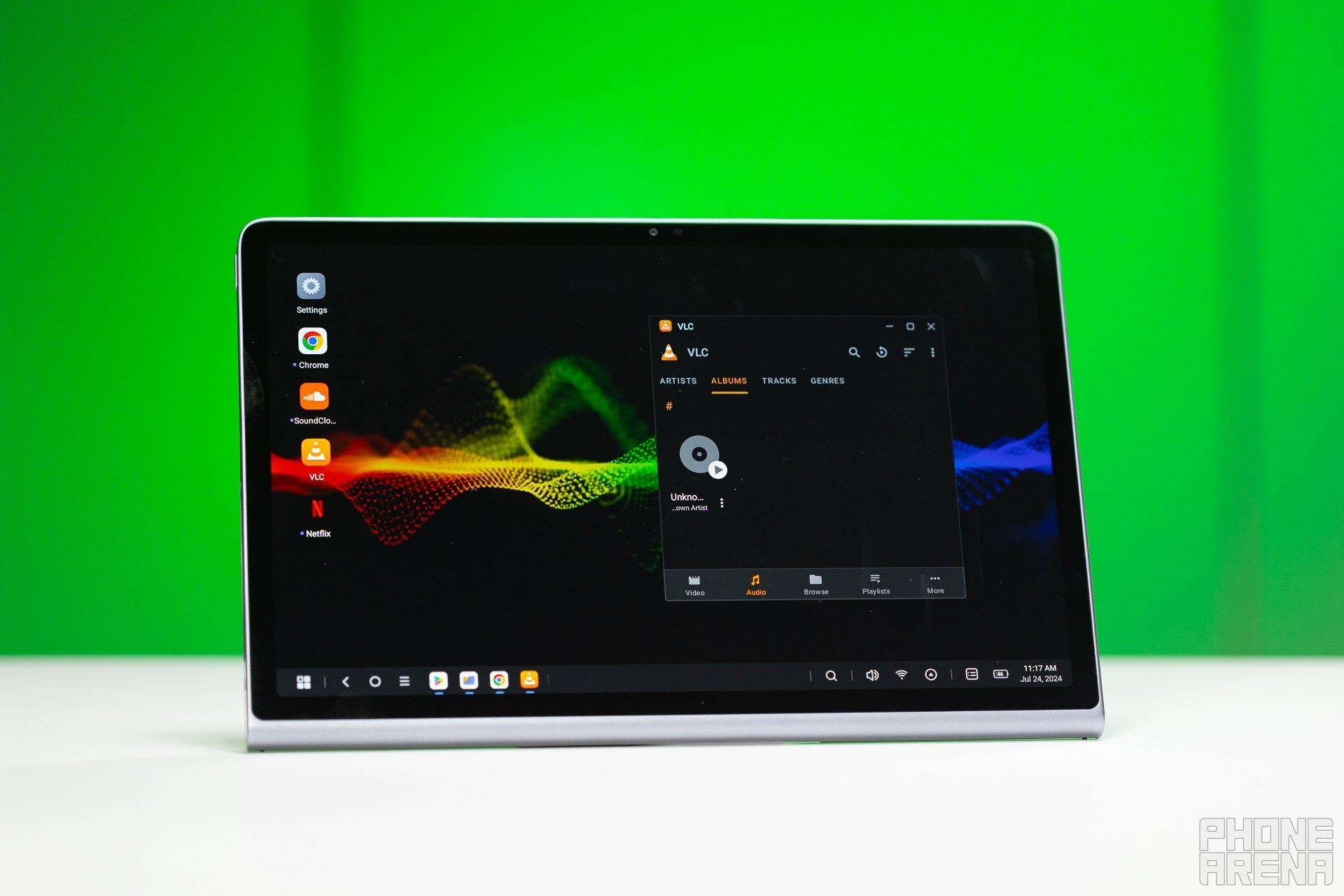
Lenovo got the assigment right — people typically want a budget tablet mainly for entertainment. That's why the Tab Plus comes with eight speakers and an integrated kickstand. It's always ready to stream your shows and fill the room with frankly shockingly good sound.
The bad news — it's a bit of an old model, released in the summer of 2024. That, in itself, doesn't make it ancient, but it came out with the promise of two Android build updates. So, it'll stop at Android 16. But Lenovo did commit to security patches up until 2028.
The Lenovo Tab Plus also comes with a pretty decent desktop mode for multi-window operation to round it off. But the MediaTek Helio G99 2GHz processor that powers it can't really do much, so don't rely on it as a budget productivity beast. Do get it as a budget multimedia device.
Who it's for
A device for the kids, a device for the living room, or for the frequent traveler that's looking to kill time by binge-watching their favorite series. Even though it has a Plus in the name, it's an 11.5-inch tablet, so it still falls in the category of "portable-ish".
The Lenovo Tab Plus is now available for 20% off at the Motorola Store. That allows you to save $70 on the budget tablet with an impressive eight-speaker system.
I have to go back to the Galaxy Tab S11 Ultra for this one. The Tab S11 if you want something that's smaller, but in my experience creators want that screen real estate.
Why the Samsung again? Well, it has the most rounded-off software, and the Samsung One UI is so popular that app developers can't ignore it. The LumaFusion video editing app used to be exclusive to iOS, until Samsung signed a partnership with the developers to bring it to Galaxy Tab. From there, it was gradually ported for the general Android devices.
The S Pen is a superb tool to draw with. It also makes it easier to edit photos or videos, as you can use its tip as a fine pointer. I know how painful it is to try and edit a timeline with fat fingers, so I always reach for the stylus instead.
The superb quality of the Dynamic AMOLED screen and speakers also make it easy to jump in and start working when you don't have reference devices in reach.
Who it's for
Creators and students that want to stay away from the iPad ecosystem — the Galaxy Tab S series is firmly positioned as a competitor and alternative to that.
No dedicated hardware controls (shoulder buttons, triggers)
Why I picked it
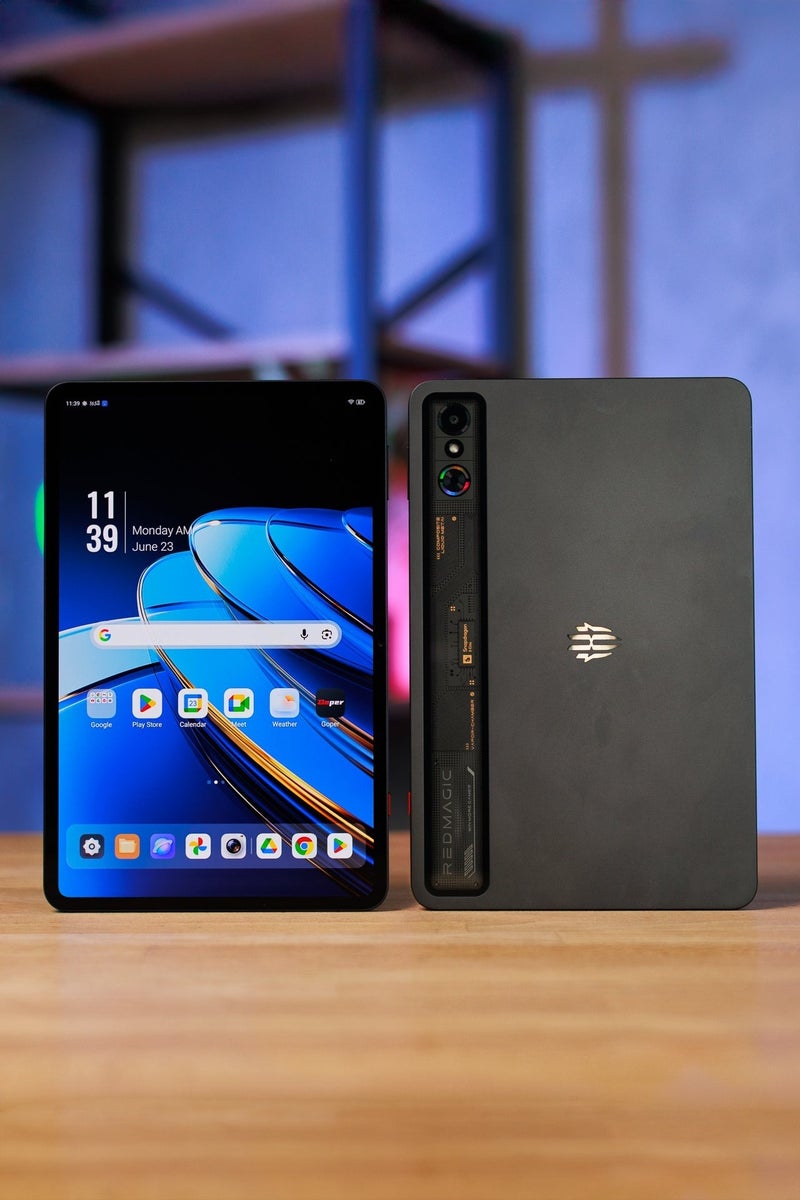
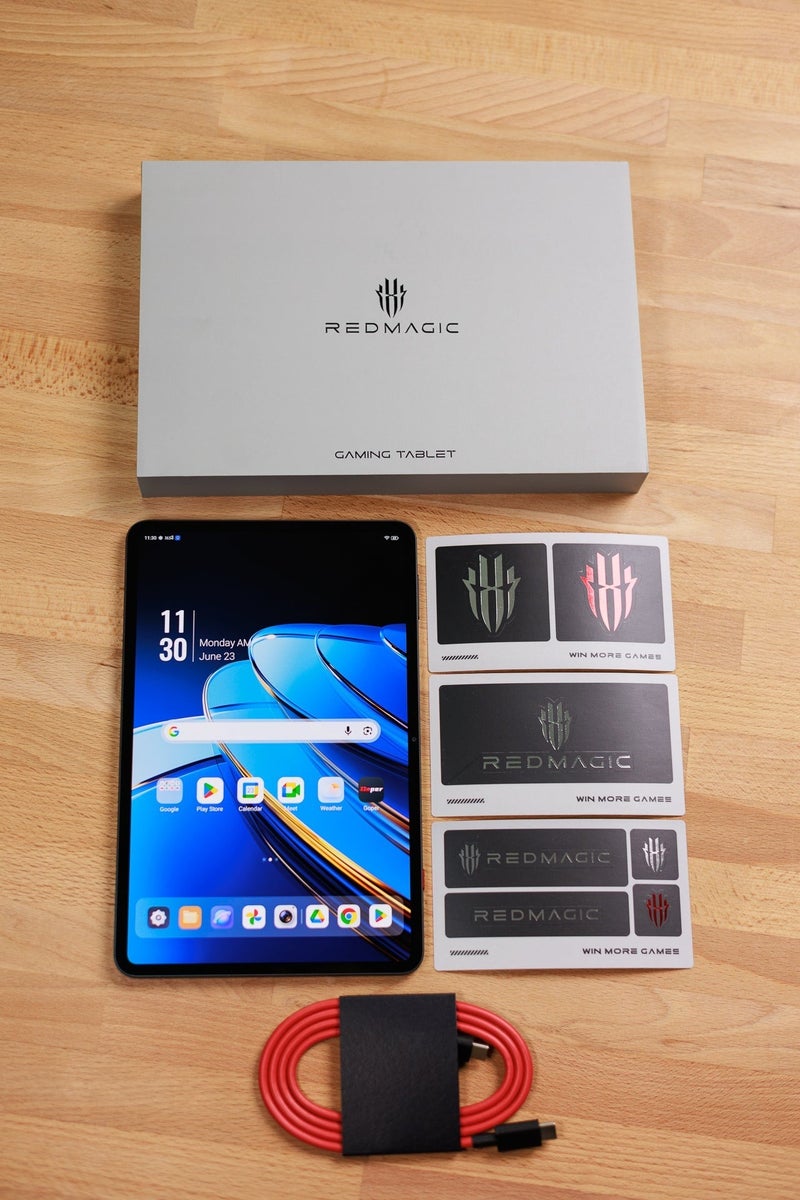
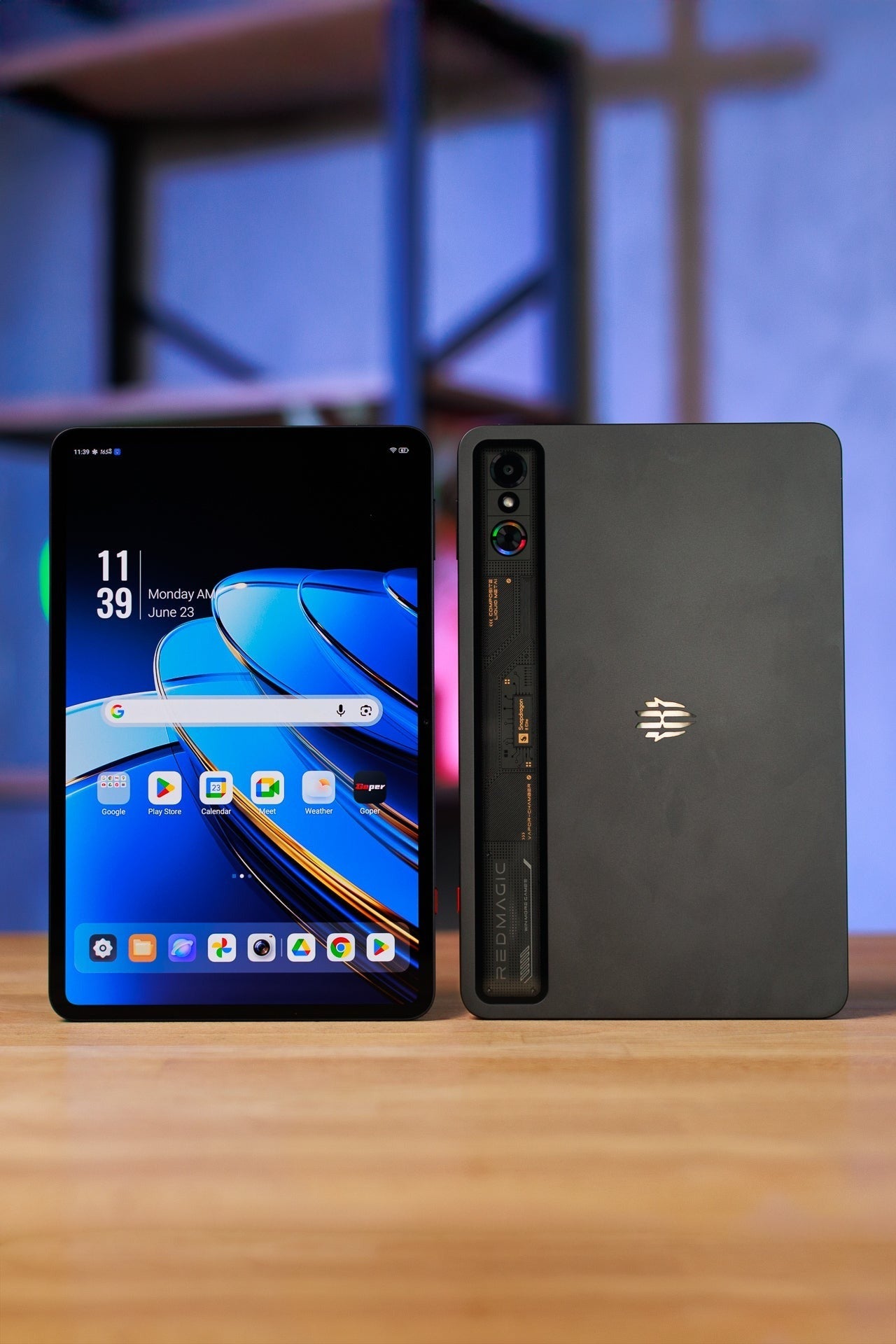
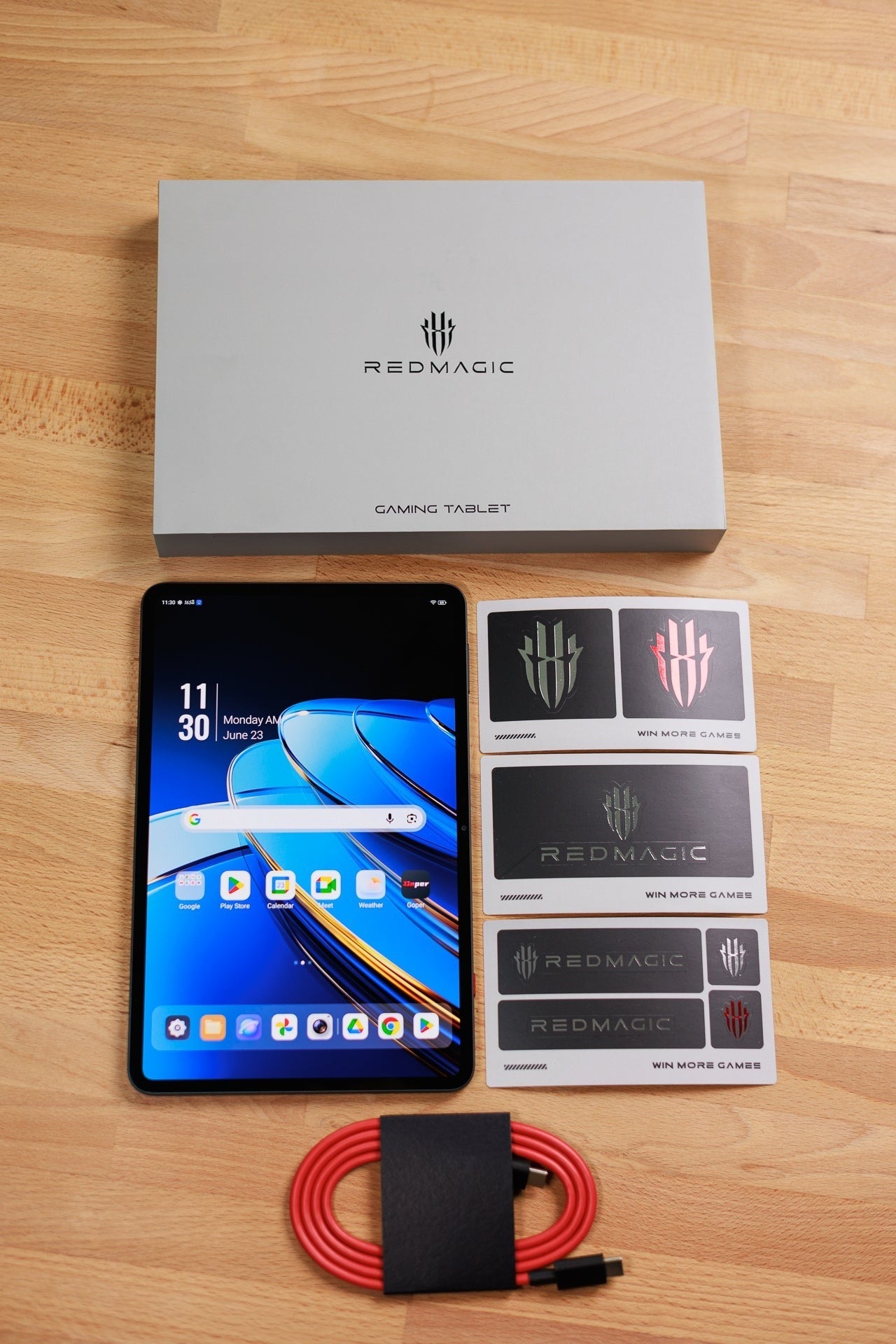
Generally, you can game on any Android tablet — let's be fair, developers try to cast a wide net and optimize their games even for lower-powered hardware. But, if you want consistent performance, you need a more powerful chip with good thermals. And the Astra has a dedicated fan to keep the Qualcomm Snapdragon 8 Elite inside it icy cool!
It's also a compact tablet, with a 9-inch screen and super-thin bezels. So, you can fit it in any bag or backpack and sneak a round in whenever you have the minutes to burn.
The display is an excellent 165 Hz AMOLED panel, so it looks crisp, vivid, and the animations are super-smooth and responsive.
Its speakers are in landscape stereo and sound quite loud and full. A disappointment here — the Astra lacks a headphone jack. Dedicated gamers simply do not like to use Bluetooth earbuds due to the slight delay in audio feedback. Though recent earbuds and modern technologies have minimized it, that's still a bad look on a device that claims to be gamer-first.
The one thing that sorely lacks on the Astra are some kind of extra buttons for controller experience, like on the Asus ROG Phones. On the other hand, it's such a compact tablet that you can easily pair it with accessories and still be carrying around a relatively small gaming package.
Who it's for
The gamer-on-the-go that prefers an effective small device rather than a big screen. Yes, we all prefer to play on huge displays when opportunity allows, but sometimes reality demands we carry something light and easy to fit anywhere.
Key specs
Processor: Qualcomm Snapdragon 8 Elite Display: 9.06-inch, 312 PPI, OLED, 165 Hz Audio: Two speakers, landscape stereo Storage/RAM options: 256GB/12GB, 512GB/16GB, 1TB/24GB Software support: Three years of support and security patches (2028) Extra perks: Integrated fan for extra cooling
Benchmark Data
CPU Performance Benchmarks:
Geekbench 6 Single Higher is better
Samsung Galaxy Tab S11 Ultra2652
OnePlus Pad 33070
Samsung Galaxy Tab S10 FE1352
RedMagic Astra Gaming Tablet2676
Geekbench 6 MultiHigher is better
Samsung Galaxy Tab S11 Ultra8561
OnePlus Pad 38891
Samsung Galaxy Tab S10 FE3866
RedMagic Astra Gaming Tablet8292
Geekbench 6: A high single-core score is what makes your phone feel snappy during everyday tasks like opening apps, typing and browsing. The multi-core score matters most when doing heavier work like video editing or gaming.
Wild Life Extreme is a heavy graphics workload used to measure a device's sustained GPU performance and thermal throttling. It uses older mobile rendering techniques and is friendly to older or lower-end mobile devices.
What to consider when choosing the Best Android Tablet
Choosing the right Android tablet in 2026 depends heavily on whether you're looking for a laptop replacement, a portable gaming rig, or a simple window into Netflix. In any case, if you are able to invest in slightly more powerful hardware, it will serve you longer, as that performance headroom allows for more software and features to be supported in the long run.
A Snapdragon 8 Elite or MediaTek Dimensity 9xxx series is a good bet still. In the midrange, an Exynos 1580 or Dimensity 8300 are also pretty capable processors that shouldn't let you down for at least three years.
When it comes to RAM, at least 8 GB is a good idea. Flagship models now come with 12 GB or 16 GB, which is always good, but may be redundant if you are not specifically looking to multi-task.
Additional features like a desktop mode may bring more value for you as well — if you tend to move working spots a lot, sometimes you can get away with just a tablet under your arm.
A tablet is essentially an all-screen device, so trying to get the best screen for your money is also a good idea — it'll be the thing you look at most, and interact with the most. A high Pixels Per Inch (PPI) density (above 230) will go a long way to give you a sharp image. Higher refresh rates are also nice to have, but 60 Hz is still good enough, especially if you will mostly be enjoying movies or reading articles.
Should you look for an OLED panel? Absolutely, but the cold hard truth is that these panels are expensive, and you won't find them on midrange tablets. So, if you've put a cap on your budget, OLED is typically one of the features you have to sacrifice.
If you are going for a more expensive model, you should definitely take a look at the software update commitment. Samsung ships recent models with a 7-year Android update promise, which is definitely the better investment than a 2- or 4-year one.
FAQ
Which of the best Android tablets should you buy
Typically, if you are spending $800+ on an Android tablet, you are pretty much guaranteed to get a solid device. When looking at the more affordable options — that's where it gets a bit dodgy. Really consider what exactly you want to be doing on that tablet, and then look for the features you absolutely need. If it's a streaming machine — maybe quad speakers and a nice screen are more important than a fast processor. If it's for work — look for something with more RAM, so you can keep multiple tabs and windows open. A slightly faster processor and possibly a stylus will also be better for productivity than four speakers.
Is an Android tablet worth it
The tablet market is dominated by the various iPads that Apple has started churning out. So, what alternative does an Android tablet offer?
A file system and windowing system that you may feel more familiar with. Second screen syncing options of you have a Windows PC.
A lot of widescreen options, making them better for movies, as the iPads tend to stick to the more square-ish 4:3 form factor. Plus, you get OLED for less money — Apple keeps its Tandem OLED screens exclusive to the rather pricey iPad Pro models.
Many Android tablets come with a stylus included — whether its in the box or sold as a special gift if you shop from the manufacturer's store. That's an easy $100-ish extra value that you get for free.
As an added bonus, Android tablets often come with more storage. Storage that you have to pay pretty penny to get with an iPad.
Is Android a good operating system for tablets
There's no sugar-coating it — iPadOS looks and feels very polished and pristine. Also, since iPadOS 26 finally allows us to have free-floating windows, Android has kind of lost the multi-tasking argument.
Android on a tablet feels much more like Android on a phone but... bigger. However, this is where custom manufacturer interfaces come in.
Samsung has basically made One UI an unrecognizable Android platform. Yes, it runs on Android, but the UI is heavily modified and reskinned to serve the Samsung ecosystem and deliver a more fleshed-out experience. Multiple ways to get into split-screen, DeX mode running autonomously on the tablet, floating windows, and more.
Lenovo has also invested in developing a platform that feels more work-oriented than a regular vanilla Android UI.
With so much variety, the advantages of Android are clear. It's a customizable platform that allows for more experiences to be crafted. Either by the manufacturers, or the user that's savvy and hungry to experiment and customize at will.
Should you buy a cellular or Wi-Fi Android tablet
I feel like a cellular model tablet is a hightly situational purchase. Most of the time, you can save that $100-ish extra that a cellular model asks for and put it towards a different upgrade, or accessories, or an entirely different model. Plus, a cellular model still needs a data plan on top of that purchase.
We all have phones with tons of data, and our phones have a hotspot feature (unless restricted by your carrier plan). For the rare occasions where you need Internet but don't have Wi-Fi — you can always share your phone's connection with the tablet.
Now, if the tablet is your main work device and you need it to be constantly connected to your cloud services, and to have browsing features available at a tap... then sure, a cellular option may be what you need. In general, it is so niche and situational, that if you need one — you will know it.
What specs do you need in an Android tablet
A nice screen with at least 230 PPI, size to taste. Good enough storage to be able to install your apps and keep your files — 128 GB may be comfortable for most people, 256 GB to be safe, 512 GB and beyond is only for powerusers or gamers that have multiple high-tier games on their tablets.
In terms of processor, a Snapdragon 7 series, Exynos 1580, or MediaTek Dimensity 8 series should be a good basis to start off from. If you can invest in a tablet with a more powerful chip, it'll obviously be better in the long run.
For RAM, look for 8 GB minimum.
Do you necessarily need quad speakers or beyond? Mostly not. Tablets that come with two speakers have them situated in "landscape stereo" — when viewing the tablet horizontally, you will get the stereo effect. And that's how we mostly use them anyway.
How long do Android tablets typically receive software updates
Two years of Android builds and four years of security patches used to be the norm. In the last couple of years, Samsung and Google have been pushing the envelope, now promising up to 7 years of Android updates. Some other manufacturers still hover around a 4-5 year promise, and the smaller ones still only guarantee two Android builds.
How we test
Here at PhoneArena, we put devices through a series of standardized tests in order to give them a score on a completely objective system. We measure their performance, their screen quality, battery life and charging, and camera experience.
Then, we take the devices into the real world to gain more experience with them, follow for bugs, inconsistencies, or annoyances. And we deliver our observations within our reviews, paired with the aforementioned scores.
Other tablets we considered
The Google Pixel Tablet definitely deserves a mention. Google tried something out-of-the-box here. Since the company understands that tablets spend a lot of time idling on a desk or in a drawer, it paired the Pixel Tablet with a charging dock that's also a speaker. When you plop the Pixel Tablet on it, it gets more bass so it can become your living room music platform. It can also switch to a Home Hub like UI, to essentially double up as a Google Nest Hub when docked, and tablet when not docked.
Mint Mobile's 6-month plans now cost $10/mo
$10
/mo
$35
$25 off (71%)
Mint Mobile is celebrating its 10-year anniversary with a special offer on its six-month subscription plans. For a limited time, you can get your preferred tier (6GB, 17GB, 23GB or unlimited) for just $10/mo. That saves you between 50% and 71% on the carrier's mobile plans, making it way easier to recommend.
Preslav, a member of the PhoneArena team since 2014, is a mobile technology enthusiast with a penchant for integrating tech into his hobbies and work. Whether it's writing articles on an iPad Pro, recording band rehearsals with multiple phones, or exploring the potential of mobile gaming through services like GeForce Now and Steam Link, Preslav's approach is hands-on and innovative. His balanced perspective allows him to appreciate both Android and iOS ecosystems, focusing on performance, camera quality, and user experience over brand loyalty.
A discussion is a place, where people can voice their opinion, no matter if it
is positive, neutral or negative. However, when posting, one must stay true to the topic, and not just share some
random thoughts, which are not directly related to the matter.
Things that are NOT allowed:
Off-topic talk - you must stick to the subject of discussion
Offensive, hate speech - if you want to say something, say it politely
Spam/Advertisements - these posts are deleted
Multiple accounts - one person can have only one account
Impersonations and offensive nicknames - these accounts get banned
To help keep our community safe and free from spam, we apply temporary limits to newly created accounts:
New accounts created within the last 24 hours may experience restrictions on how frequently they can
post or comment.
These limits are in place as a precaution and will automatically lift.
Moderation is done by humans. We try to be as objective as possible and moderate with zero bias. If you think a
post should be moderated - please, report it.
Have a question about the rules or why you have been moderated/limited/banned? Please,
contact us.









Things that are NOT allowed:
To help keep our community safe and free from spam, we apply temporary limits to newly created accounts: