Galaxy S25 offers a next-level experience in a way that makes iPhones and Pixels feel a bit outdated
We may earn a commission if you make a purchase from the links on this page.
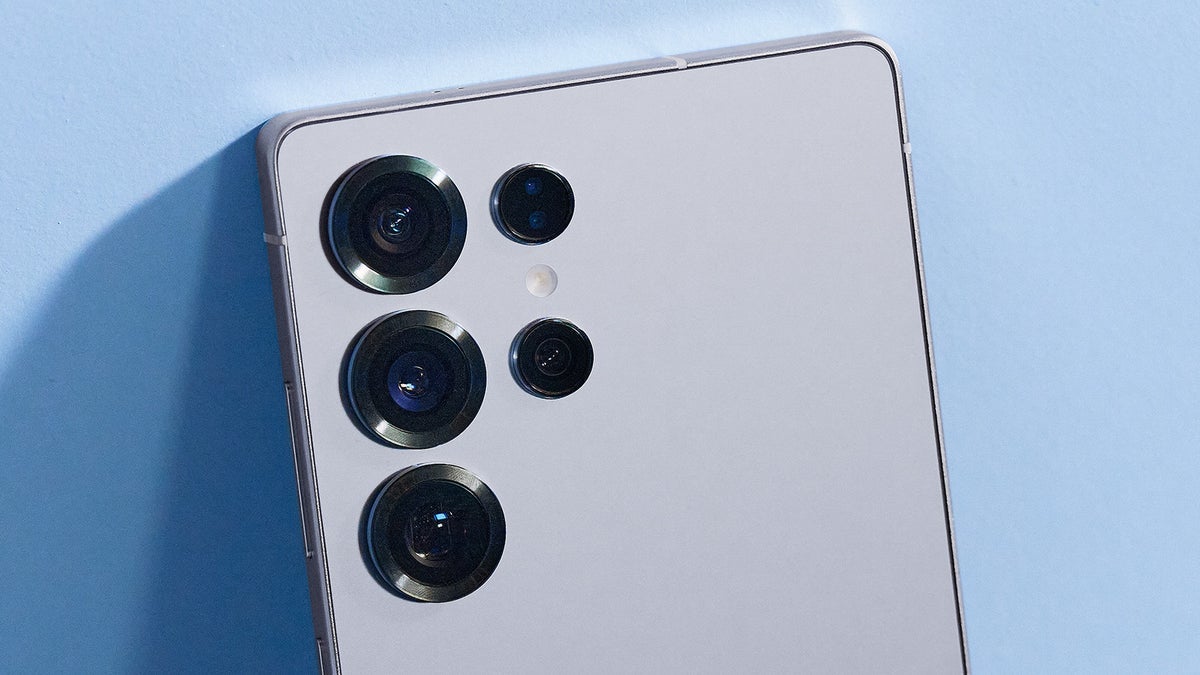
The Galaxy S25 series has some editing options for RAW images for photography enthusiasts and pros alike.
The Galaxy S25 series and especially, the Galaxy S25 Ultra, are equipped with powerful cameras and some pro-grade features for photography enthusiasts and pros. Back in 2021, Samsung introduced the Expert RAW app with comprehensive manual controls which was first available on the Galaxy S21 Ultra. Now, Samsung is leveling up again, this time with six new menus for editing RAW images.
The Galaxy S25 Ultra comes with the same main sensor but with an upgraded ultra-wide, while the Galaxy S25 and Galaxy S25+ carry the same camera hardware as their predecessors. However, Samsung is not leaving the new Galaxies without some fancy new photo editing options.
One UI 6.1.1. introduced a new version of Samsung's Expert RAW which offered two new editing options: Highlights and Shadows. Now, the Galaxy S25 equipped with One UI 7.0 offers an upgraded version of Samsung's specified camera app for RAW images.
You get six new menus for editing RAW images:
So far, Samsung has listed only the Galaxy S25 models as supported for the new Expert RAW app. However, the company does indicate other supported models will be added in the future. We can safely expect these phones to be the ones supporting Samsung's Android 15-based One UI 7 and Expert RAW.
These great editing features will join the rich feature list of Expert RAW. Right now, the app allows you to adjust ISO, Shutter Speed, Exposure, Focus, and White Balance while you're taking an image, while it also comes with advanced modes such as Astrophotography mode and Multiple Exposure mode. However, for editing, photographers have to edit using Adobe Lightroom (Expert RAW has an integration with it, so you could use Lightroom's powers straight in the app).
The Expert RAW app is supported on the Galaxy S20 Ultra and S21 Ultra, all models from the Galaxy S22, S23, and Galaxy S24 series, the Note 20 Ultra, and the Z Fold 2 and newer.
Apple, on the other hand, also offers RAW image capture for iPhone 12 Pro and newer Pro-branded iPhones, but its interface is simpler, and for editing, photographers need to use a third-party app, such as Lightroom.
Other competitors such as the Pixel 9 also offer the ability to take RAW images. However, Google's solution also relies on third-party apps for the more sophisticated editing. You can edit your photo in Google Photos (brightness, contrast, highlights, and shadows), but it gets converted to JPEG before that, so you lose the precise editing abilities.
The Galaxy S25 Ultra comes with excellent cameras to begin with, complemented by capable Galaxy AI and a fast chip, and as such, it's positioned to become one of the best camera phones of 2025. The Galaxy S25 and S25+, although they don't have the Ultra's camera prowess, are still plenty capable given their support for RAW images, something that the base iPhone 16 and iPhone 16 Plus can't boast with.
The Galaxy S25 series and especially, the Galaxy S25 Ultra, are equipped with powerful cameras and some pro-grade features for photography enthusiasts and pros. Back in 2021, Samsung introduced the Expert RAW app with comprehensive manual controls which was first available on the Galaxy S21 Ultra. Now, Samsung is leveling up again, this time with six new menus for editing RAW images.
The Galaxy S25 Ultra comes with the same main sensor but with an upgraded ultra-wide, while the Galaxy S25 and Galaxy S25+ carry the same camera hardware as their predecessors. However, Samsung is not leaving the new Galaxies without some fancy new photo editing options.
One UI 6.1.1. introduced a new version of Samsung's Expert RAW which offered two new editing options: Highlights and Shadows. Now, the Galaxy S25 equipped with One UI 7.0 offers an upgraded version of Samsung's specified camera app for RAW images.
- Exposure: adjusts the brightness over the entire image
- Highlights: adjusts the brightness only on the highlights of the image
- Shadows: adjusts the brightness in the dark areas of the image
- Contrast: lowers or increases the difference in brightness between the darkest areas of an image and its lightest areas
- Saturation: adjusts how saturated the colors are
- Vigor: adjusts the saturation while preventing an excessive saturation increase (which could make the photo look unrealistic)
- Color Temperature: adjusts for lighting (whether it's warm or cool)
- Noise Removal: gets rid of grainy noise in an image
But that's not all! Samsung also adds a histogram to the RAW image. This graph is aimed to help you determine changes in brightness across the image so you can achieve a balanced and well-contrasted look.
So far, Samsung has listed only the Galaxy S25 models as supported for the new Expert RAW app. However, the company does indicate other supported models will be added in the future. We can safely expect these phones to be the ones supporting Samsung's Android 15-based One UI 7 and Expert RAW.
These great editing features will join the rich feature list of Expert RAW. Right now, the app allows you to adjust ISO, Shutter Speed, Exposure, Focus, and White Balance while you're taking an image, while it also comes with advanced modes such as Astrophotography mode and Multiple Exposure mode. However, for editing, photographers have to edit using Adobe Lightroom (Expert RAW has an integration with it, so you could use Lightroom's powers straight in the app).
Apple, on the other hand, also offers RAW image capture for iPhone 12 Pro and newer Pro-branded iPhones, but its interface is simpler, and for editing, photographers need to use a third-party app, such as Lightroom.
Other competitors such as the Pixel 9 also offer the ability to take RAW images. However, Google's solution also relies on third-party apps for the more sophisticated editing. You can edit your photo in Google Photos (brightness, contrast, highlights, and shadows), but it gets converted to JPEG before that, so you lose the precise editing abilities.


Popular stories






Latest News






Things that are NOT allowed:
To help keep our community safe and free from spam, we apply temporary limits to newly created accounts: