After spending some time with it, however, I can’t help but admit I’m seeing a trend: OnePlus seems to overpromise and underdeliver pretty consistently. And this time, the company tried to take away from me the very way I use my phone. And to a customization freak like me, that’s simply unacceptable.
OxygenOS 16: the good, the bad, and the…
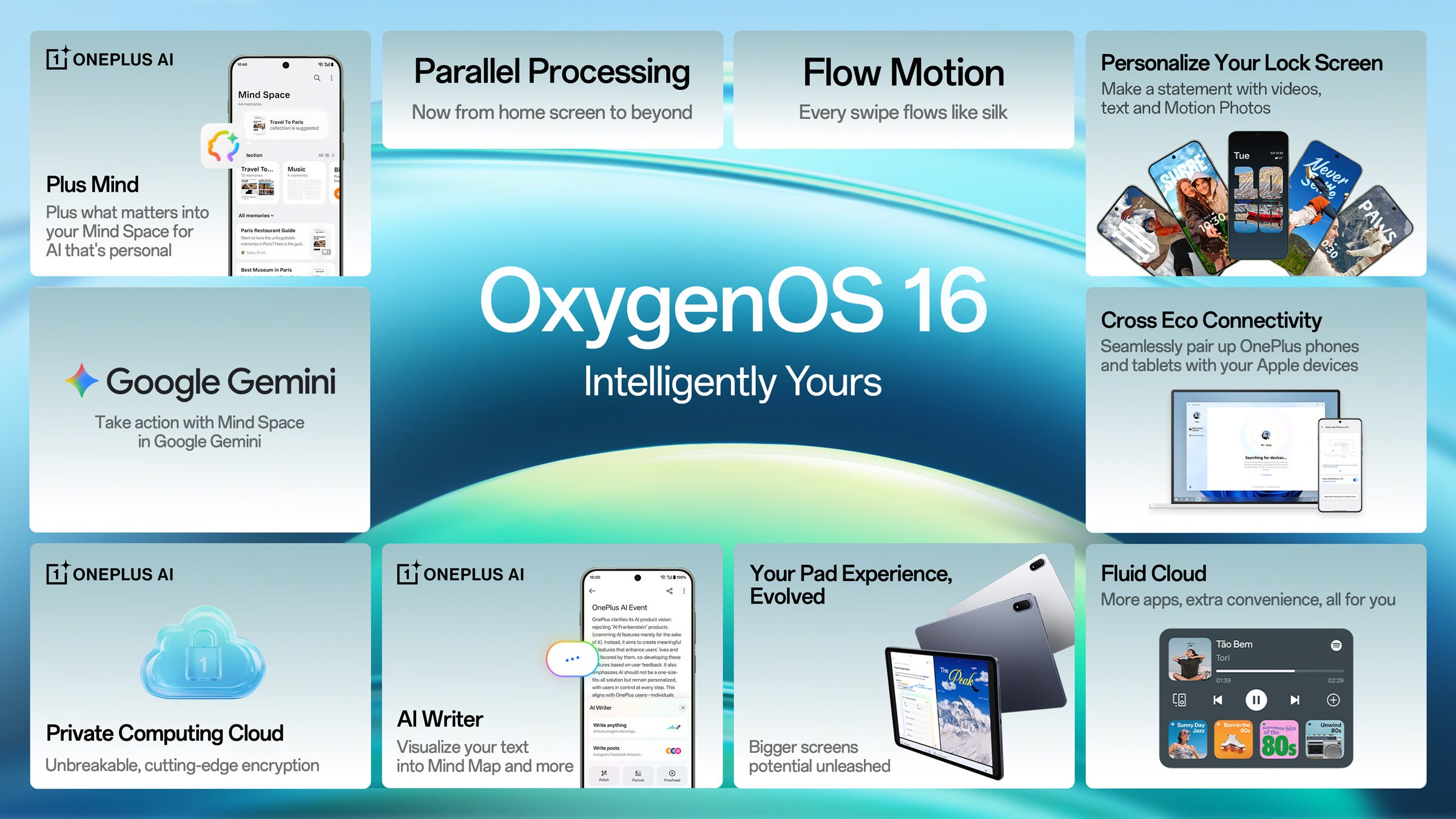
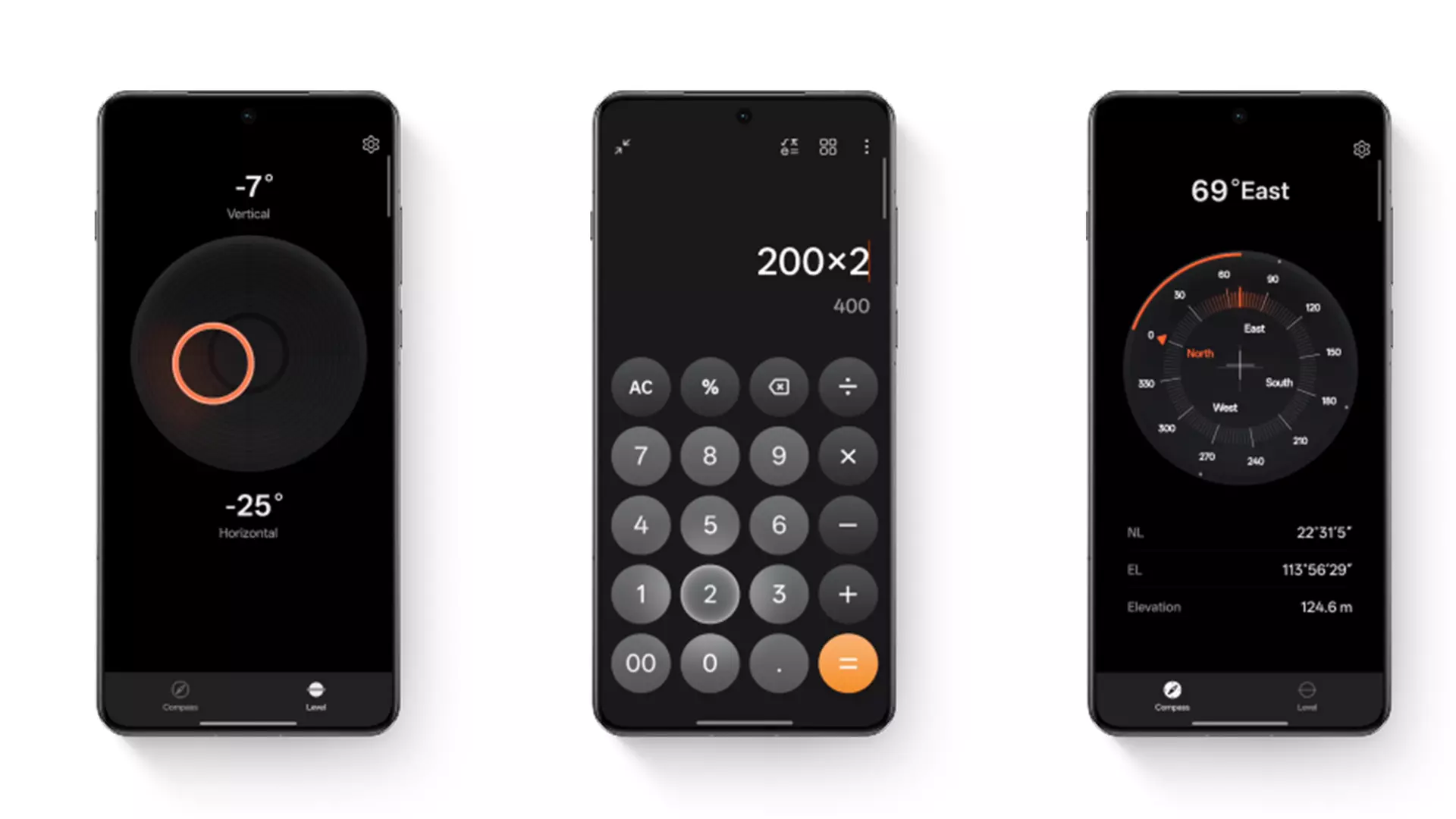
So many promising features! | Image by OnePlus
OxygenOS 16 brings a lot of new stuff. To me, the most notable inclusions were:
New home and lock screen customization options, which feel alive and reactive
Massive stability improvements, including extended battery life
Improved camera performance — hallelujah!
Smoother UI navigation
Phone Screen Cast, allowing the phone to natively work with PCs (which I’ve still not tried)
… And honestly, I don’t know why, but typing feels way, way better now too
And for the most part, these claims met my expectations. After my OnePlus 13 was finished optimizing itself after the software upgrade, the system asked of me to leave it charging for 2–3 hours so it can do some magic in the background. And you know what? The phone lasted almost three full days after that on a single charge. Mind you: I was excited to try all the new stuff, so I did use it quite a lot during that time.
Recommended For You
Now that a few days have passed, I can absolutely say that the battery life has improved a bit, which I attribute to system optimization — something I have a great deal of respect for. Kudos!
I was also very eager to see how the camera has improved. For context, the software updates for my phone from the last couple of months broke something there. Photos were visibly less sharp and crisp, colors were often off, and a lot of times AI was involved in attempting to straighten out details which I did not want altered. That, in turn, resulted in weird smoky artifacts all over my snaps, which made me less optimistic about using the camera.
To my surprise, OxygenOS 16 addressed all of this. Photos — especially in good lighting — come out better than ever. The AI model that is silently making tweaks in the background is less aggressive. Bokeh is back to being cute, but more importantly — the macro mode is finally working as expected. I was captivated by this — I love macro photography in general — and I spent a solid chunk of time just having fun, and taking pics of random cool things around me.
And yes, I have to hand it to OnePlus — system navigation feels way smoother than before. I can’t quite put my finger on what precisely has changed, but it feels as though the UI is reacting to my input in real time, and not in anticipation of what I might want to do, if that makes sense. It is difficult to convey in words, but I’m sure that everyone who is daily driving a OnePlus phone will notice the difference when the update drops on their device.
Lastly — AI is back! Well, at least for me. A lot of the built-in AI features, which the OnePlus 13 originally launched with, disappeared for a large number of western users. I was one among that bunch. I tried a lot of the troubleshooting tips online, and OnePlus’ support team ultimately asked me to reinstall my Android ROM. I can do that, but after spending two days setting up my phone, I really didn’t want to.
With the OxygenOS 16 upgrade, however, all the features — and more, are back in action. Honestly, I don’t see myself using most of them. I use the photo booster to upscale my photos when I want to edit them, and I’m eager to start remembering to use the AI text-to-speech app, just because it sounds really useful. But that’s about it. And honestly — I’m happy about it, because I’m quite over the entire AI shtick at this point.
… Copied homework?
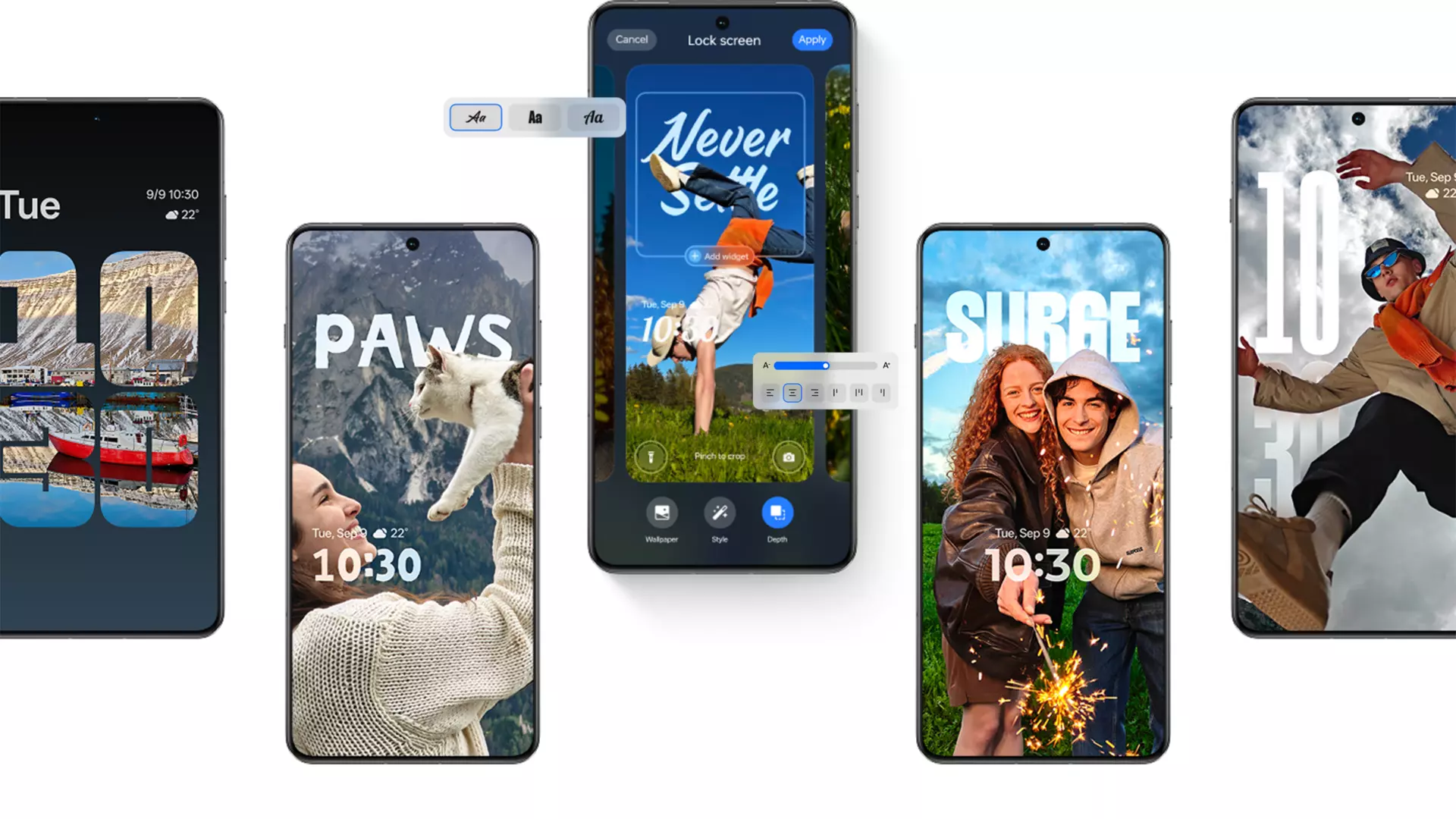
This looks... familiar. | Image by OnePlus
Now, on to the new customization options. I’m not going to be the first to say it: OnePlus is often quite inspired by the work of Apple’s software department. Honestly, I don’t think it’s hard to see why. The iPhone 17 Pro Max, and all the other smartphones before it, contain software magic. I’m not saying that the hardware is bad — I’d even go as far to say that it’s getting better with each new iteration, with the iPhone Air being a spectacular display of that — but I’ve always admired the Cupertino company’s capability to focus on UX and features that feel great.
So you’ll probably not be shocked when I tell you that a lot of the new customizable features in OxygenOS 16 are plucked straight out of the iPhone playbook. But I was shocked by something else — by how much worse they work when compared to the origin point. The new wallpapers with interactive depth elements and animations look fantastic… So long as you stick to the presets.
Now, to be clear — OxygenOS 16 does let you use your own photos and pictures for these. But in my experience — which was more than 3 hours of trial-and-error at this point — it just does not work 99% of the time. It works best with high-contrast photos, preferably taken with the phone itself, so it can exploit the depth data which is gathered while taking a pic. But I have a huge library of pre-existing photos, and artwork — why can’t I use that instead?
And if you ask me, this makes the entire thing sort of useless. Yes, the presets work great. But I don’t want to just slap on some premade wallpaper with random people doing sporty activities. I want to use my designs, my artwork, my photos. And I really hope that the feature gets improved over time, so that I can do exactly that. Because this obviously AI-made rotating mountain… Looks great, but will get old after some time.
Obviously this is a mixed bag, but there's nothing new about that. To be honest, this isn’t unique to OxygenOS — a lot of software updates come with caveats, especially in the first couple of months. Am I confident that OnePlus can address the issues? Absolutely. But I haven’t gotten to the part, which inspired me to write this entire piece in the first place. And this… This one is sacred.
OxygenOS tried to take custom launchers away from me
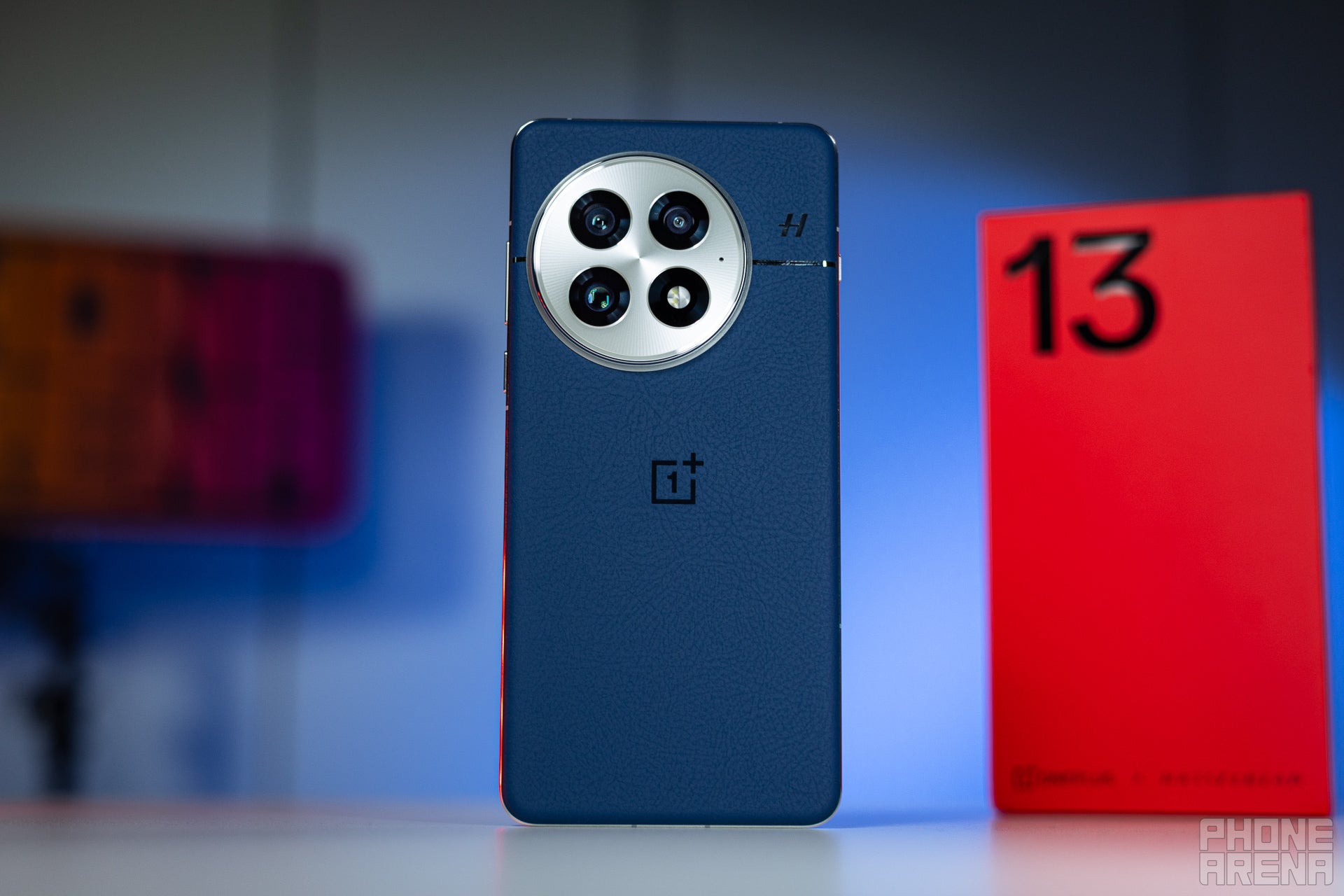
I'll never forget the day my OnePlus 13 arrived. | Image by PhoneArena
Let me set the record straight — yes, I’ve been a Nova user for almost as long as the launcher has existed. I love it, because it is clean, has loads of shortcuts that can save me time, and is extremely customizable. To me, a huge part of what gives Android it’s identity is precisely this: that the user is allowed to make the system their own, if they so choose. And I always make that choice.
But I’ll also be honest: in the past, I treated launchers as skins. I had a few ones installed, and each had a unique vibe to it. Some were clean and minimal, others — really busy and vibrant. This allowed me to breathe new life into my daily driver whenever I got the urge to change my phone, without actually having many valid arguments to defend such a decision.
Taking navigation options from users was a mistake
After a certain point, however, Nova became my default home launcher for one core reason: Android ruined the app drawer. Now — I get it — a lot of you are creatures of chaos, and you don’t mind the mess in there. But I do, for one core, undeniably valid and objective reason: there was no need to remove the way it worked before.
In case you’re new to the world of Android, let me provide a quick history lesson. This operating system has pretty much always allowed users to structure their app drawer in numerous ways. For orderly individuals such as myself, pages was the go-to choice. Every page was like a category for different apps, which helped me navigate through the menus more quickly. Makes sense, right?
At a given point, however, Google decided that we don’t want that anymore. Now we have a mess of apps, which you can only sort by install date or alphabetical order. This, to me, is utter nonsense, and I’ve always disliked it. I’ve always been imploring the Big G to include multiple drawer navigation methods in base Android, simply because having more choices is always better than being stuck with just one option. After all, we had it in the past — why was there a need to take it away?
Thanks to the efforts of third party developers — like the folks who made Nova — I could get that ability back. For the record, some manufacturers, who make their own Android ROMs — such as Samsung’s OneUI — also include the navigation method (and from what I’ve seen in real life, most Galaxy S24 and S25 users utilize pages, for what that is worth).
OxygenOS' team needs to listen to user feedback
OxygenOS 16 introduces reactive button lighting in some apps too. | Image by OnePlus
So, this brings me to my switch from the Pixel 6a to the OnePlus 13. And while I did like the general vibe of OxygenOS, I disliked that it did not offer me options to categorize my apps manually. With OxygenOS 16, this almost got fixed. We weren’t given the option to navigate through our apps with pages or categories, but we did get automatically generated folders. These effectively group your apps based on category.
The issue? Well, according to OnePlus and OxygenOS 16, my banking app and my Warhammer 40k data sheet app belong in the same folder, titled “Utility”. This is obvious nonsense, but alas — I can’t do anything about it. But if you can believe it — it gets worse.
It’s typical for software upgrades to reset users back to the default home launcher, after the system restarts. After I let my OnePlus 13 simmer a bit, I did a bit of software maintenance, after which I rebooted it again — just to be safe. Then, I switched back to Nova. I did a bit of wandering around, familiarizing myself with the new stuff, a wide grin on my face.
Then I press the home button, and it does this weird thing, where it compacts my launcher and tries to bring the system one back up. Odd. I verify settings — everything seems to be set up correctly, so I just reboot the phone. And imagine my surprise — the same thing happens again. I switch to gestures, and fair enough — those work alright, but I’ve never been a fan of this method of navigation. I still have both options available in Settings, so I believe that it is more of fair of me to expect that they work correctly in equal measure.
Long story short — I try everything that I could think of, but nothing worked. I start noticing that threads are popping-up about this online, but no one seems to have found a solution. Until someone did. And you won’t believe this.
This is why I love Android, but regular users shouldn’t be expected to do this
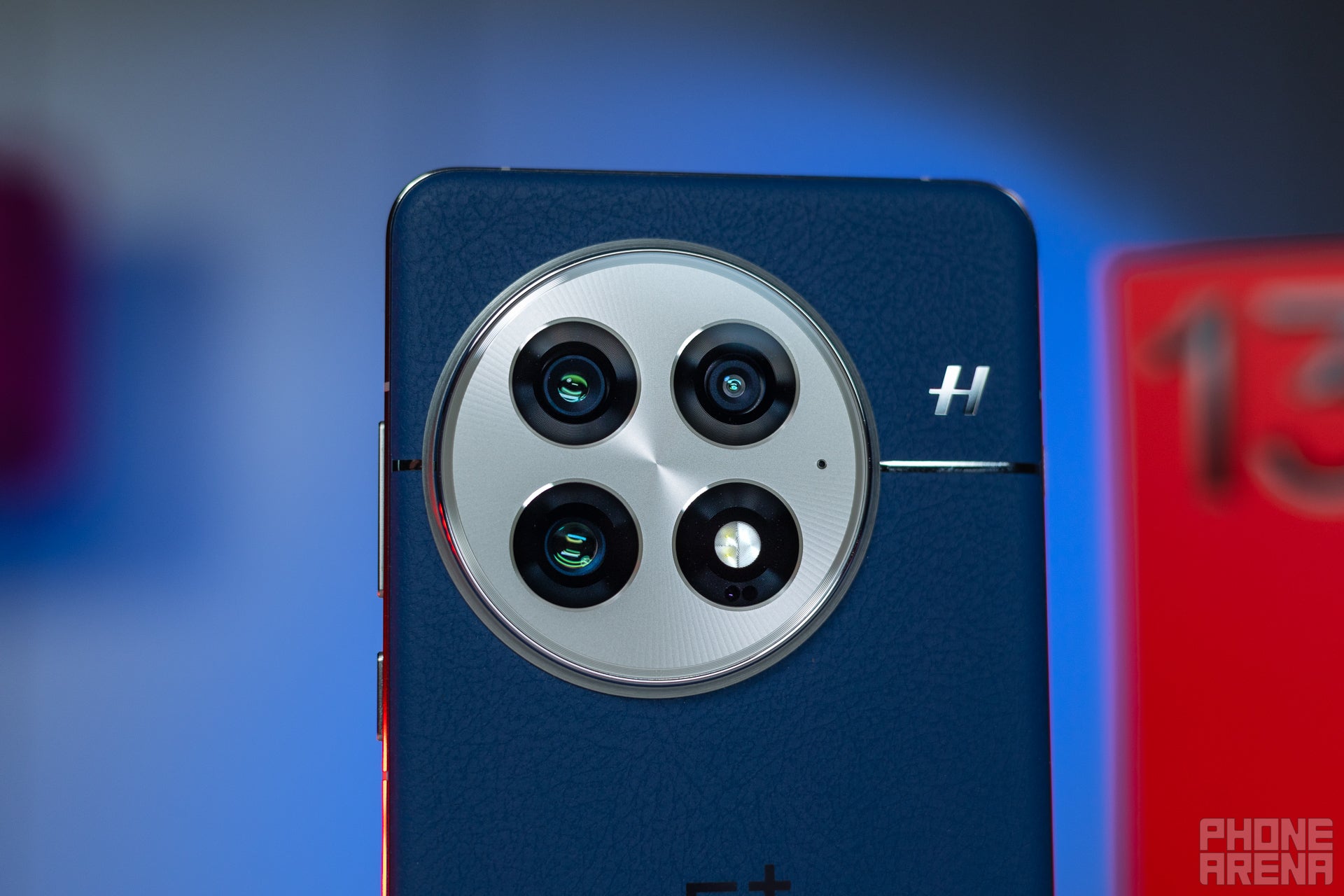
The OnePlus 13 camera array is a work of art. | Image by PhoneArena
If your third party launcher is not working on OxygenOS 16, this is what you need to do:
Go into Settings and search for “Default Apps”
Select “Home app” and pick the launcher you’d like to use
Restart your phone right away. When it boots back up — don’t do anything until you’ve wrapped-up this guide
Open up Settings and search for “Transition animations” (be careful not to pick “Transition animation speed” if you’ve got Developer settings on)
Tap the setting. If you did things properly, you should’ve gone back to the default home launcher. Don’t worry — this is intentional
Open up App management through the hamburger menu, or by swiping up and holding if you’re using gesture controls
Yes, this is weird, but it is also what we wanted — the default launcher is somehow an app; just swipe up over it to close it, just like you would with any other app
Donezo! The home button should now be working properly for you
I adore voodoo stuff like this. But I must admit — for the first time in a long time, I have no clue why this works. To be clear: this is not expected behavior. You should not be required to do exceedingly weird rituals on your phone just to be able to use the third-party launchers properly, especially when you’ve paid for them.
And, let’s maintain that streak of clarity: do I believe OnePlus did this intentionally to keep you from using your third-party launchers? Of course not. That would be absurd. I think that there’s some sort of miscalculation regarding the new fluidity engine. After all, the major change this time around is the introduction of fancy animations. My two cents: it has something to do with that, but that’s the extent of my knowledge.
This is all pretty new still, so I’m not sure how easy it would be to fix, however. That being said, I think that OnePlus should treat it as a priority. I think that I’m not alone when I say that I’m on #TeamAndroid, because of the freedom — which includes customization. Having your major software upgrade — one loaded with numerous meaningful improvements, by the way — breaking a core tenant of the aforementioned fan-favorite doctrine is quite disappointing.
This is precisely what I mean when I say that OnePlus overpromises and underdelivers. It’s not too often, but from time to time, the brand gets itself involved in these situations, where some things are done so right, while others are just executed poorly. I think this is why fans are still referring to OnePlus phones as “underdog” flagships. In reality: they are not. They are super-premium, powerful and feature-packed. One of my favorite things about the OnePlus 13 is how intricate the design is — the materials, the way they change in different lighting. It’s why I fell in love with the model, and it’s also why I have such high expectations when it comes to its performance.
Then I look back: first, there were the disappearing AI features, then I had that entire ghost-charging issue which I shared with you, now — this. Yet at the same time, the AI features are now back, and battery life seems better than ever. I dislike this trend, but I also low-key enjoy it, because it keeps me on my feet. I’ll be honest — I’ve never used a perfect device in the past. There is always something to fix, and something that breaks. And that’s okay.
But navigation and the way users interact with their phone in general? Well, imagine Apple breaking that on an iPhone — not a chance! Let’s get inspired some more then, shall we, OnePlus?
Stan, also known as Stako, is a smartphone enthusiast who loves exploring the limits of Android customization. His journey with mobile tech began with the Nokia 5110 and evolved with devices like the BlackBerry 9350 Curve and Samsung Galaxy A4. Despite his love for Android, he holds equal respect for Apple, considering the iPhone 4s as a significant milestone in mobile tech. Stan started his writing career early, contributing to MetalWorld, and harbors a passion for creative writing. Beyond smartphones, he's interested in photography, design, composition, and gaming, often preferring solo projects to hone his objective thinking. He's also an avid student of open-source technology and consoles, with a special fondness for the Pebble Watch, Arduboy, and Playdate.
A discussion is a place, where people can voice their opinion, no matter if it
is positive, neutral or negative. However, when posting, one must stay true to the topic, and not just share some
random thoughts, which are not directly related to the matter.
Things that are NOT allowed:
Off-topic talk - you must stick to the subject of discussion
Offensive, hate speech - if you want to say something, say it politely
Spam/Advertisements - these posts are deleted
Multiple accounts - one person can have only one account
Impersonations and offensive nicknames - these accounts get banned
To help keep our community safe and free from spam, we apply temporary limits to newly created accounts:
New accounts created within the last 24 hours may experience restrictions on how frequently they can
post or comment.
These limits are in place as a precaution and will automatically lift.
Moderation is done by humans. We try to be as objective as possible and moderate with zero bias. If you think a
post should be moderated - please, report it.
Have a question about the rules or why you have been moderated/limited/banned? Please,
contact us.












![Another batch of Galaxy S26 series users in the US are getting a nice surprise today [UPDATED]](https://m-cdn.phonearena.com/images/article/183643-wide-two_350/Another-batch-of-Galaxy-S26-series-users-in-the-US-are-getting-a-nice-surprise-today-UPDATED.webp)
Things that are NOT allowed:
To help keep our community safe and free from spam, we apply temporary limits to newly created accounts: