LG G4's Dual Window - here's how to make use of the multi-tasking feature
LG's flagship phone, the impressive G4, is already on the shelves and it many a consumer's pockets. The top-performing camera and the compelling exterior design, paired with respectable performance put the G4 on par with the very best there are on the Android market.
As usual in LG's case, the handset comes with the latest version of the manufacturer's own aftermarket skin, LG UX 4.0, which brings a handful of added features over stock Android's ones.
We've already reviewed the LG G4 and concluded that its LG UX 4.0 is a pretty good example of an evolutionary step forward done right, as it is an almost perfect combination between a hefty amount of added features and a modern, lightweight interface.
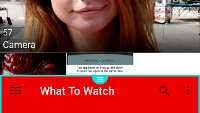
Speaking of features, one of the more interesting ones is the Dual Window split-screen functionality, which allows you to use two apps simultaneously, one on top of the other.
Here's how to make use of it:
We've already reviewed the LG G4 and concluded that its LG UX 4.0 is a pretty good example of an evolutionary step forward done right, as it is an almost perfect combination between a hefty amount of added features and a modern, lightweight interface.
Here's how to make use of it:
LG G4's Dual window - how to manage it


Popular stories






Latest News






Things that are NOT allowed:
To help keep our community safe and free from spam, we apply temporary limits to newly created accounts: