Spotify is making its messages way more social by letting you see what friends are playing right now and easily inviting them to listen with you. These new features are rolling out now to keep the music chat inside the app instead of on other social media.
What’s new in Spotify Messages
It has been about a year since Spotify added Messages, and according to their latest press release, nearly 40 million people are already using it. To keep things going, the app is adding two cool features for iPhone and Android users: Listening Activity and Request to Jam.
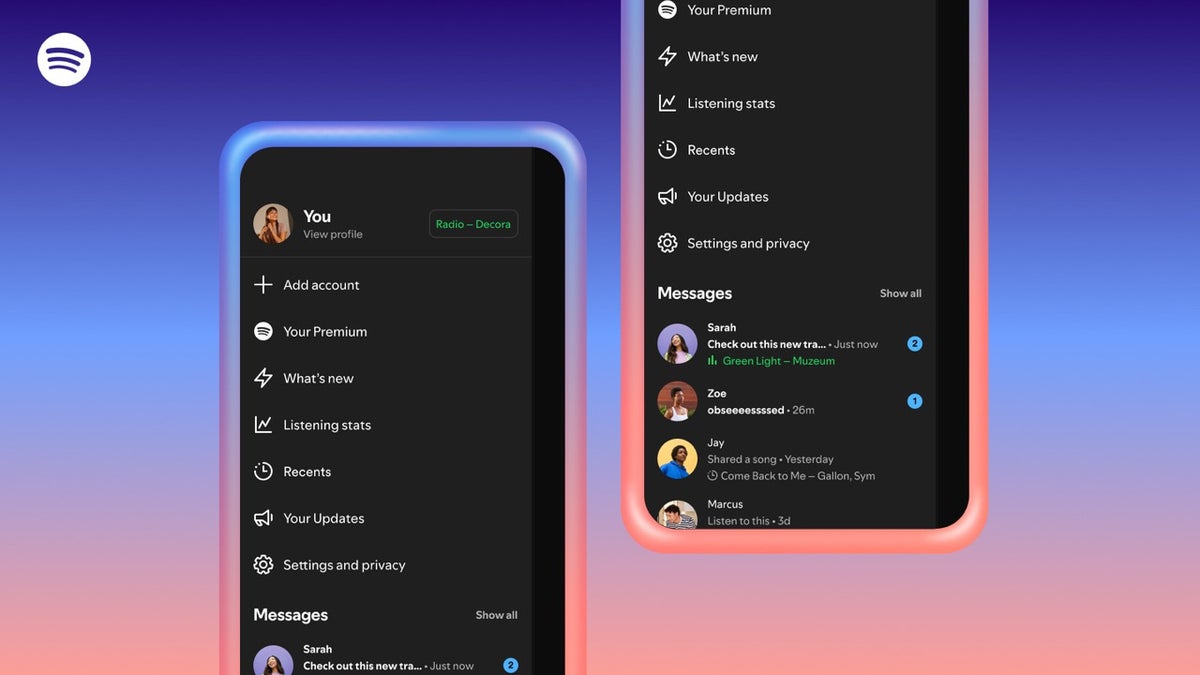
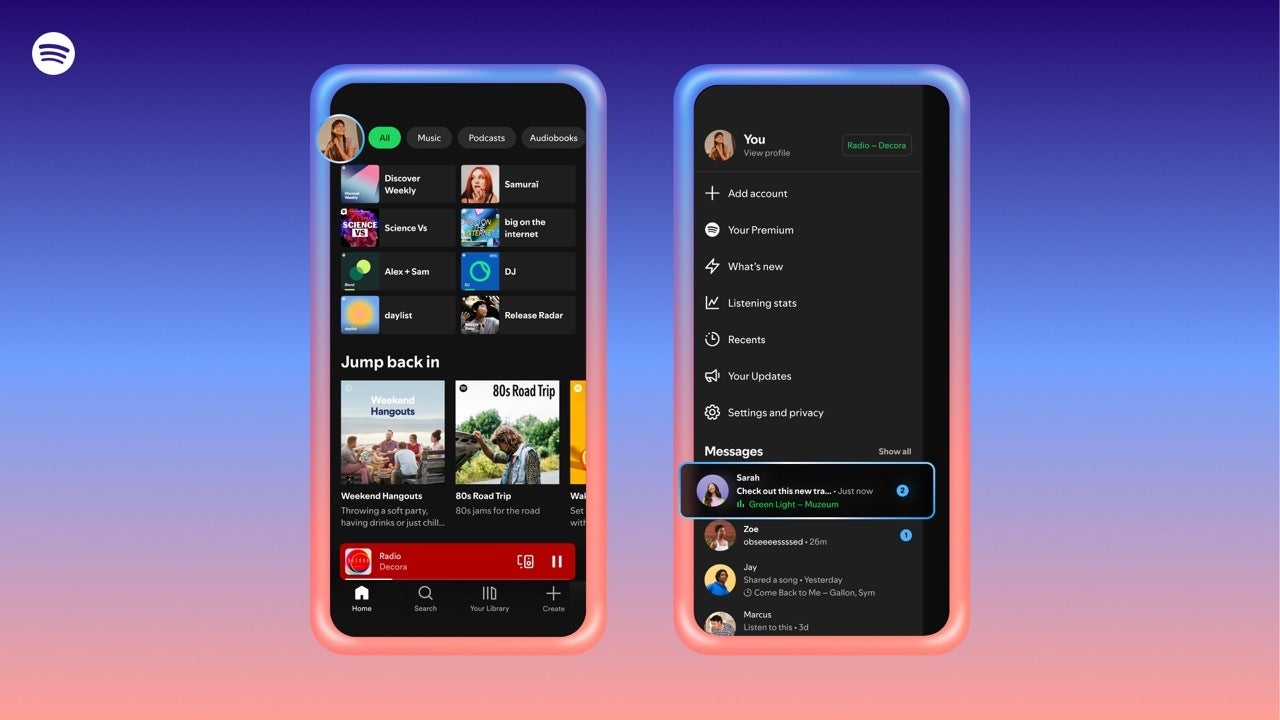
Listening Activity is just like that sidebar on the desktop app that shows what your friends are streaming. Now, it sits at the top of your chat so you can see exactly what song they are on. Request to Jam makes it super easy to start a shared listening session without any hassle.
How to use Listening Activity and Jams
If you want to see what your friends are jamming to or start a party, it is really simple. The update is happening now and should be available to everyone by early February.
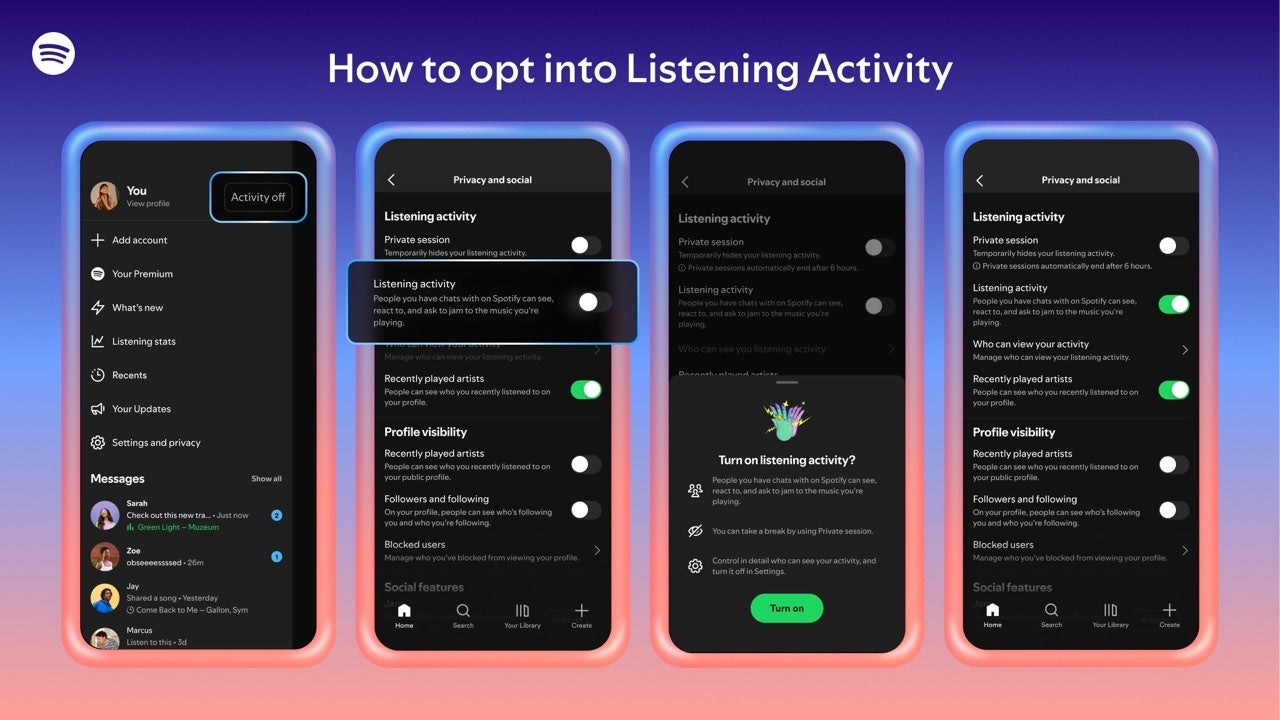
For Listening Activity:
Go to your Settings and find Privacy & Social.
Turn on the switch for Listening Activity.
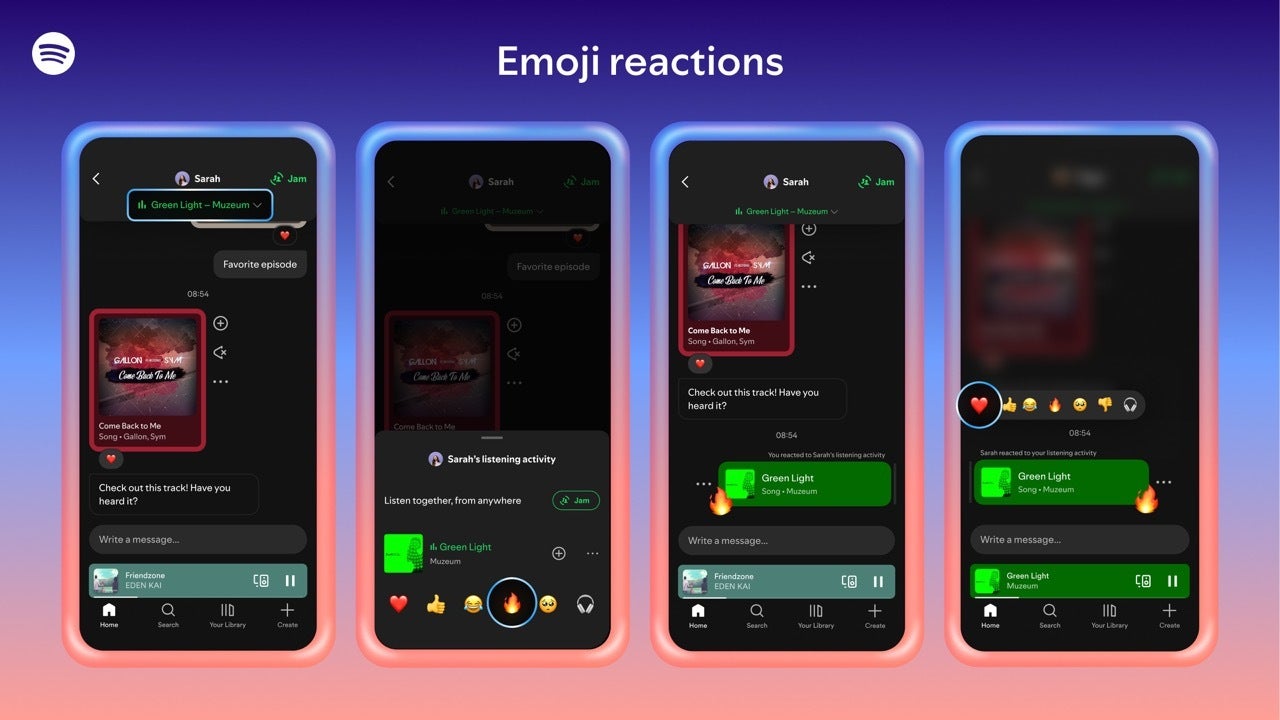
Once it is on, you will see a banner at the top of your chats showing your friend's song. You can tap it to listen too or send an emoji reaction.
Open a chat and tap the Jam button in the top right corner.
Your friend (who can be on the Free plan) accepts the invite, and you both get into a session where you control the music together.
How to start a Jam within Messages. | Image credit — Spotify
Why this is a big deal
Request to Jam. | Video credit — Spotify
This is Spotify's way of keeping you inside their app. We all send song links over WhatsApp or Instagram, but Spotify wants us to do that here instead. By letting you see what is playing and share it instantly, they are making the app more fun to hang out in.
It also makes streaming music feel less lonely. While other apps like Apple Music have social stuff, Spotify’s "Jam" feature works on almost any device, which is a huge plus. The report also mentioned that group chats are coming soon, so Spotify might be trying to become a real social network, not just a music player. This is awesome if you love making playlists with friends but hate how hard it can be to set up.
Do you use social features in music apps?
10 Votes
Yes, I love seeing what friends are playing.
10%
Sometimes, mostly for shared playlists.
20%
No, my music taste is my secret.
30%
I didn't even know Spotify had messages.
40%
A new way to share music
I’m a bit split on this. I love the idea of starting a Jam session with one tap—especially for car rides—but I am not sure I always want my "Listening Activity" out there for everyone to see. Sometimes you just want to listen to the same song ten times in a row without anyone judging you!
But for people who love sharing music constantly, this is great. It gets rid of the "Hey, click this link" text and replaces it with "I see you’re listening to this, let me join." I can see myself using the Request to Jam button a lot, though I might keep the activity tracker off until I have a better playlist ready.
Spotify takes on YouTube Music by adding one familiar and popular feature
Spotify scrape hits 300 TB, but you have nothing to worry about
Trade in your old phone for cash at ecoATM!
Recycle your used phone and get instant cash. Find out how at ecoATM!
Johanna Romero is a Senior News Writer at PhoneArena, covering mobile technology news across Android, iOS, wearables, and the Google ecosystem she knows best. Drawing on 15 years in IT and tech support from 2007 to 2022, she brings a user-friendly eye for the practical features and lesser-known tricks readers care about. Google named her an official #TeamPixel member in 2022, and she also reviews the latest devices on her YouTube channel, JoJo the Techie.
A discussion is a place, where people can voice their opinion, no matter if it
is positive, neutral or negative. However, when posting, one must stay true to the topic, and not just share some
random thoughts, which are not directly related to the matter.
Things that are NOT allowed:
Off-topic talk - you must stick to the subject of discussion
Offensive, hate speech - if you want to say something, say it politely
Spam/Advertisements - these posts are deleted
Multiple accounts - one person can have only one account
Impersonations and offensive nicknames - these accounts get banned
To help keep our community safe and free from spam, we apply temporary limits to newly created accounts:
New accounts created within the last 24 hours may experience restrictions on how frequently they can
post or comment.
These limits are in place as a precaution and will automatically lift.
Moderation is done by humans. We try to be as objective as possible and moderate with zero bias. If you think a
post should be moderated - please, report it.
Have a question about the rules or why you have been moderated/limited/banned? Please,
contact us.














Things that are NOT allowed:
To help keep our community safe and free from spam, we apply temporary limits to newly created accounts: