Galaxy S26 Ultra's default browser is getting a new look
Something cool is coming to the Samsung Browser's toolbar.
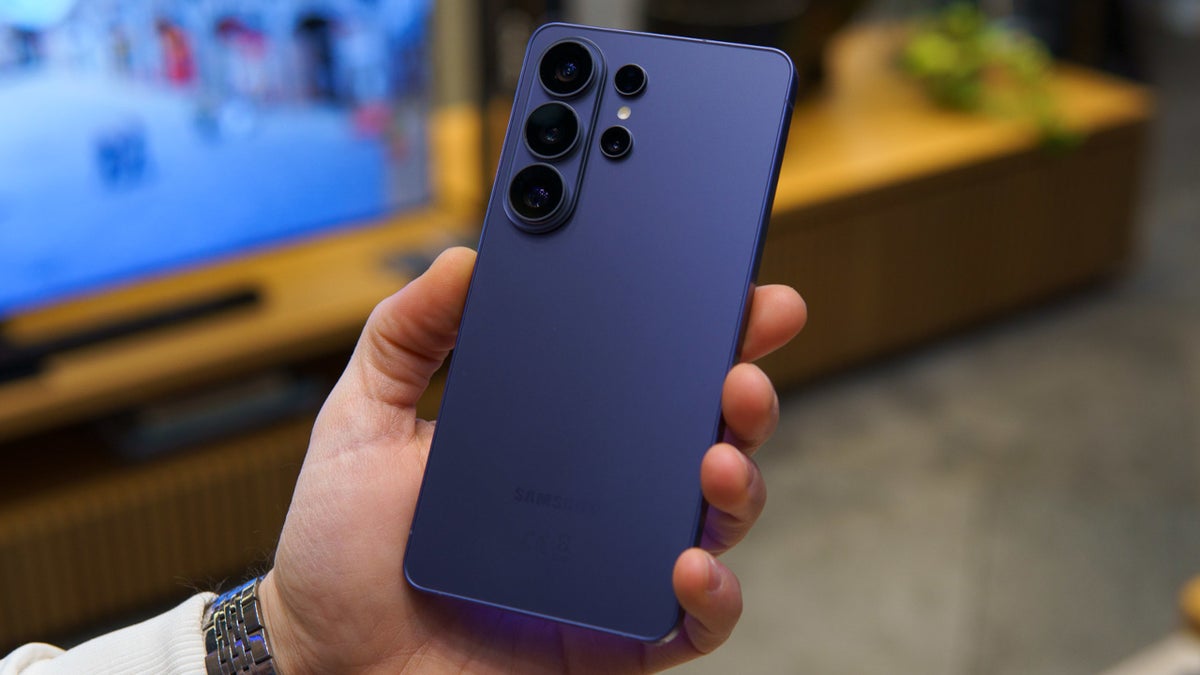
Samsung Browser will soon get a new look | Image by PhoneArena
My favorite Android browser (which apparently puts me in the minority) is the Samsung Browser, which has been recently renamed from the original "Samsung Internet Browser" moniker. To be precise, the new name for the browser debuts on One UI 8.5 which means that only those devices that have already received the update are calling the browser by its new name.
There is a new look for the Samsung Browser's toolbar
The latest version of the browser app includes some code that will introduce a new blur effect for the browser's toolbar. Android Authority was able to enable the new feature that delivers a blurred effect to the background of the toolbar.
You might shrug your shoulders, but a look at the images shared by Android Authority shows how the toolbar does look better with the new background blur. You'll see it behind icons for the left arrow, right arrow, home, bookmarks (the star icon), Tabs, and the hamburger icon that opens a pop-up menu.
The app's pop-up menu is home to its cool features
That pop-up menu is important to Samsung Browser users because that is where you'll find the settings allowing you to enable Dark Mode, Ad Blockers, switch between the mobile and desktop versions of a website, and more.
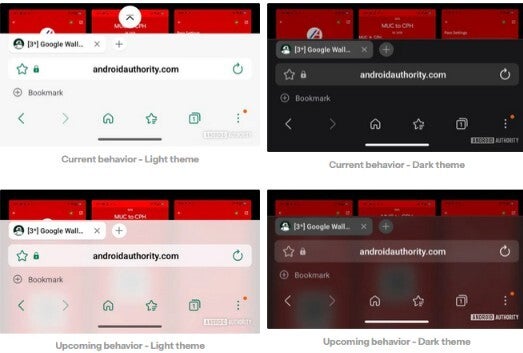
Samsung Browser will soon have a background blur for the toolbar. | Image by Android Authority
The code that points to a blur effect for the toolbar was found in version 30.0.2.30 of the browser app. The version of the app that is running on my Pixel 6 Pro with the latest Beta version of Android 17 running is version 29.0.12.
The bookmark bar on Samsung Browser can be moved from the top to the bottom and it is when the bookmark bar is at the bottom that the blurred background is more noticeable.
How to install Samsung Browser on your Android device
If you have the Samsung Browser app installed on your Android phone, you can see which version you have by going to Settings > Apps > See all apps. Scroll down to Samsung Browser and tap on it to open the Samsung Browser App info page. Scroll to the very bottom to see which version of the app you currently have installed on your phone.
Samsung Browser is installed by default on Galaxy phones and tablets. If you own a non-Galaxy Android phone, such as a Pixel, you can install Samsung Browser by simply tapping on this link and installing the app. Note how the browser is called Samsung Internet Browser in the Google Play Store. In the Galaxy Store, the app is known as Samsung Browser and you can find it by clicking on this link.
The Samsung Browser adds some AI features
Samsung Browser has added some AI capabilities over the last year including Intelligent Summarization, which produces short, concise summaries of long-form articles within the browser. The browser's translation engine has been improved resulting in more accurate translation for over 20 languages. The browser's accent colors now do a better job of matching the main colors of your phone's wallpaper and system theme.
One cool feature that has been around is the one that allows you to decide in advance if you want Samsung Browser to open a specific website when the app is opened. Samsung Browser will also open a "Picture-in-Picture" mode if you open your home screen or open another app while watching a video. Chrome's "Picture-in-Picture" mode won't work for some sites like YouTube.
Whenever I purchase a new Android device, the Samsung Browser is one of the first, if not the first, app that I install. Samsung also offers a Beta version of the Samsung Internet Browser directly from the Play Store. Installing this will give you first crack at trying out new features that Samsung is still testing. You can install it from the Play Store by tapping on this link and from the Galaxy Store by tapping on this link.


Popular stories






Latest News





Things that are NOT allowed:
To help keep our community safe and free from spam, we apply temporary limits to newly created accounts: