Android 17 expected release date, supported devices and must-know features
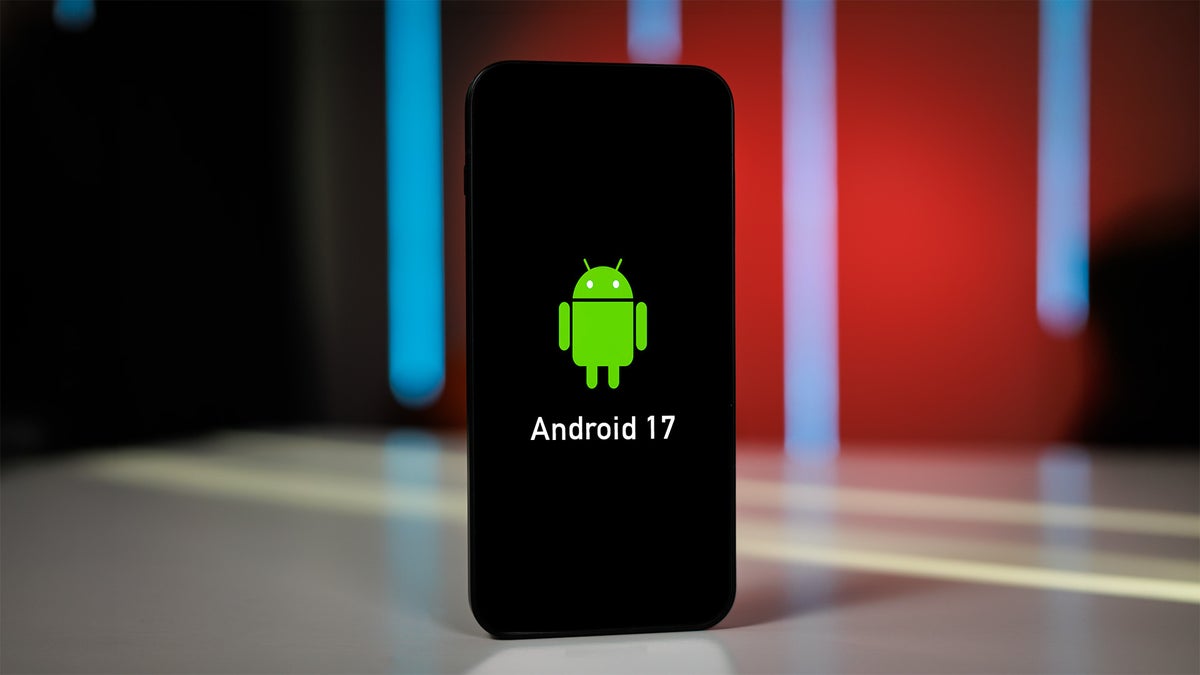
What's changed vs Android 16:
- App Bubbles for system-wide floating multitasking across any app
- Gemini Intelligence handling complex, multi-step AI tasks that span multiple apps at once
- Pause Point introducing a screen to interrupt doomscrolling habits
- New creative tools built specifically for content creators
- Rambler for Gboard – speak naturally and receive clean, polished text
- Custom home screen widgets designed and built with Gemini Intelligence
Expected release timeline:
- Android 17 was officially announced on May 12, 2026 at Google's The Android Show, with the stable release landing on June 16, 2026. Samsung began rolling out One UI 9 based on Android 17 to Galaxy S26 devices on September 16, 2026, with a wider Galaxy rollout to follow.
Android 17 release date
Google took the wraps off Android 17 at The Android Show on May 12, 2026. Android 17 officially launched on June 16, 2026, and has since rolled out to most supported Pixel devices, with additional phones and tablets expected to pick it up in the months ahead.
| OS version | Announcement date |
|---|---|
| Android 17 | May 12, 2026 |
| Android 16 | June 10, 2025 |
| Android 15 | Developer preview: February 16, 2024, General availability: September 3, 2024 |
Samsung kicked off its own Android 17 rollout on September 16, 2026, beginning with the Galaxy S26, S26 Plus, and S26 Ultra through One UI 9.
The update first debuted on Samsung hardware with the Galaxy Z Fold 8 and Z Flip 8 at Galaxy Unpacked in July 2026. Samsung has confirmed the broader Galaxy rollout will follow gradually, with a wide range of devices from the S23 generation onward in line for the update – more on that in the eligible devices section below.
Android 17 codename
- Cinnamon Bun

Another sweet name for Android 17 | Image by Horizon Organic"
Google stopped announcing Android codenames publicly years ago, but they keep surfacing in internal builds and source code. Android Authority spotted "Cinnamon Bun" as the internal designation for Android 17 in a November 2025 Canary build.
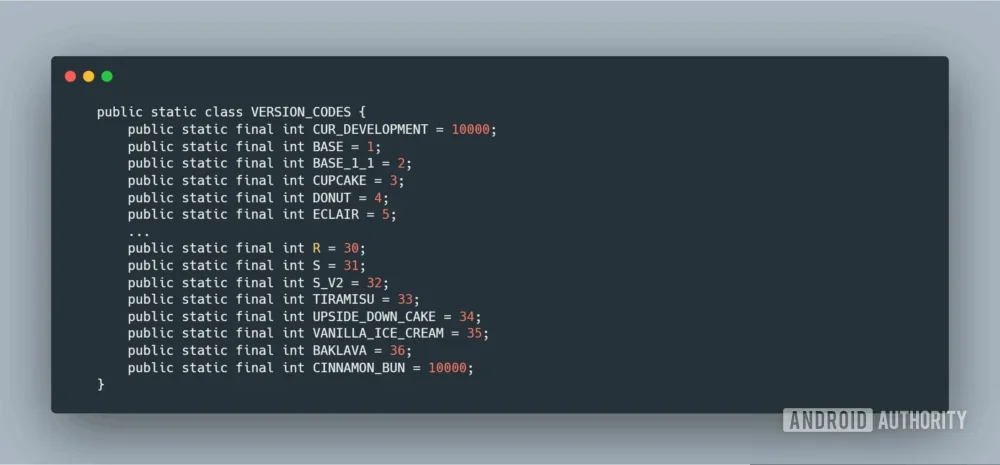
The name Cinnamon Bun can be found in the November Canary release | Image by Android Authority
The name follows Google's alphabetical tradition – Android 16 was Baklava (B), making Cinnamon Bun (C) the logical successor. Cupcake was another candidate, but that name was already used for Android 1.5 back in 2009.
Android 17 eligible devices
Android 17 is available first on the following Pixel devices:
- Pixel 6 and 6 Pro
- Pixel 6a
- Pixel 7 and 7 Pro
- Pixel 7a
- Pixel Fold
- Pixel Tablet
- Pixel 8 and 8 Pro
- Pixel 8a
- Pixel 9, 9 Pro, 9 Pro XL, and 9 Pro Fold
- Pixel 9a
- Pixel 10, Pixel 10 Pro, Pixel 10 Pro XL, Pixel 10 Pro Fold
- Pixel 10a
Once Android 17 finishes its Pixel rollout, other manufacturers will start pushing their own updates – though the timeline varies by brand, since each company needs to layer its own interface and hardware optimizations on top of the base OS.
On the Samsung side, One UI 9 based on Android 17 began its stable rollout on September 16, 2026, starting with the Galaxy S26 series. Samsung's newsroom confirmed the update will "gradually roll out to other Galaxy devices" from there. A partial device list surfaced in a footnote within Samsung's Privacy Alerts documentation, covering:
- Galaxy S26 / S26 Ultra
- Galaxy S25 / S25 FE
- Galaxy S24 / S24 FE
- Galaxy S23 / S23 FE
- Galaxy Z Fold 7 / Flip 7
- Galaxy Z Fold 6 / Flip 6
- Galaxy Z Fold 5 / Flip 5
- Galaxy Tab S11 Ultra / Tab S11
- Galaxy Tab S10 Ultra / Tab S10 Plus
- Galaxy Tab S9 Ultra / Tab S9 Plus / Tab S9
That list isn't exhaustive – the S26 Plus, S25 Plus, and S25 Ultra are notably absent despite being confirmed for the update, pointing to a documentation oversight rather than exclusion. Mid-range Galaxy devices released from fall 2024 onward should also be in line for One UI 9, though Samsung hasn't published a complete schedule yet.
For devices on other manufacturers' skins, Android 17 availability varies – each company layers its own interface and hardware optimizations on top of the base OS before pushing an update, which means timelines differ significantly across brands.
Android 17 features
Google walked through Android 17's headline features at The Android Show in May 2026, covering Gemini Intelligence, custom widgets, Rambler, Pause Point, App Bubbles, and a new set of tools for content creators.
One significant change under the hood: apps targeting Android 17 can no longer lock their orientation or block resizing on tablets and foldables. Every app is now required to adapt properly to different screen sizes and form factors.
Gemini Intelligence
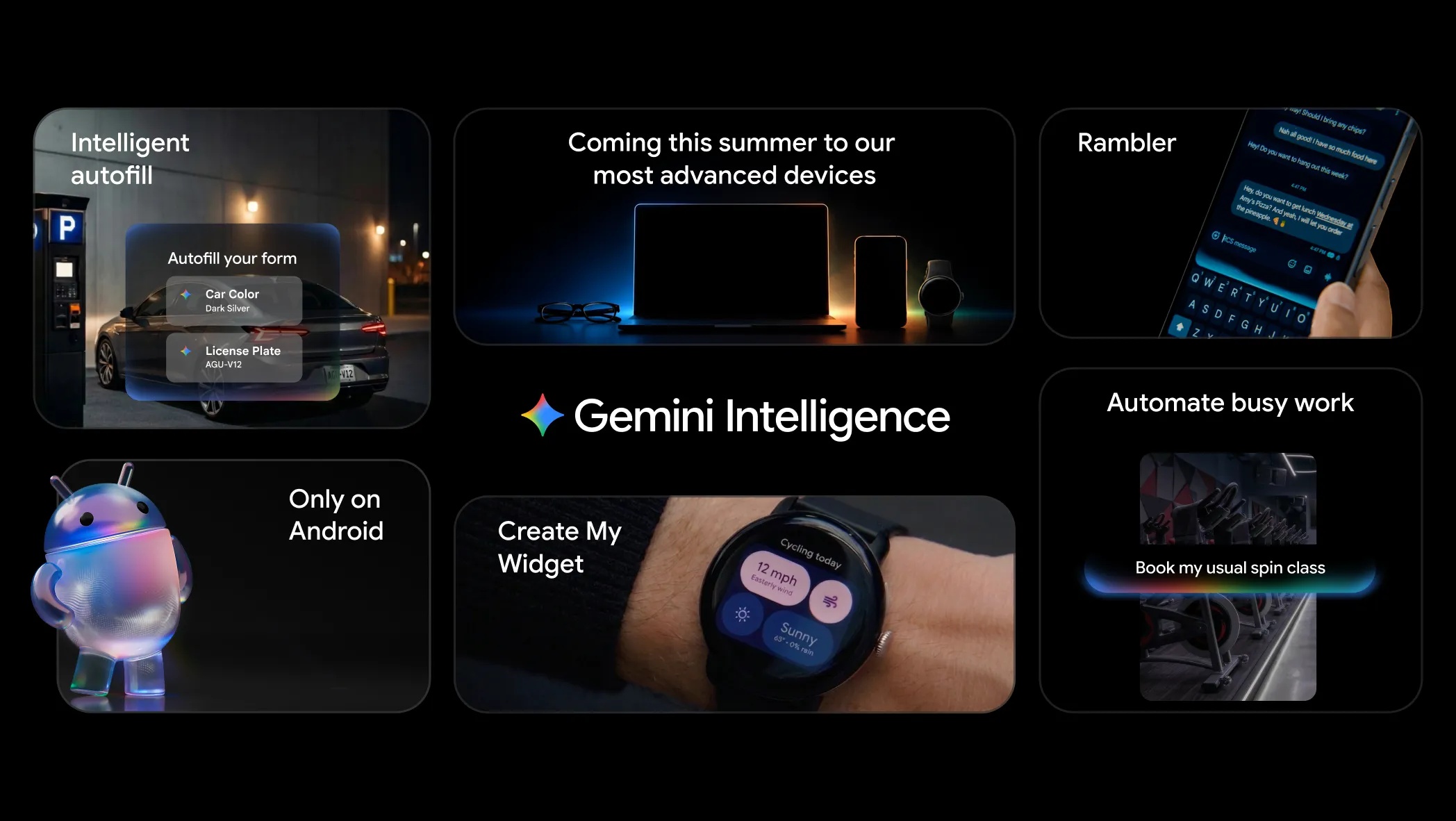
Gemini Intelligence features at a glance. | Image by Google
Gemini Intelligence is the centerpiece of Android 17, and it represents a different kind of AI capability than what previous Android releases offered. Rather than fielding individual questions in isolation, it functions as an intelligent agent capable of handling complex, multi-step tasks that span multiple apps in a single flow.
Practically speaking, it can pull a course syllabus from your Gmail and automatically populate a shopping cart with the required textbooks, or take a grocery list sitting in your notes and convert it into a ready-to-purchase cart you can check out with one tap.
The feature is rolling out first on select flagship Pixel and Galaxy devices – those with processors capable of handling the workload – before expanding more broadly over time.
Custom widgets on Android
Android 17 lets you build your own home screen widgets by describing what you want in plain language. Gemini Intelligence handles the layout and construction, producing widgets that follow Google's Material Expressive design language – so they look native to Android, but the content and function are entirely your own.
Rambler feature
Rambler is a new AI dictation mode built into Gboard that bridges the gap between how people speak and how they want their text to read. Standard voice input captures everything verbatim, Rambler strips filler words, handles mid-sentence course corrections, and reshapes your spoken thoughts into clean, coherent prose.
Everything goes through a review step before it's sent anywhere.
Pause Point
Pause Point is designed to help break the doomscrolling habit. Opening a distracting app now triggers a brief splash screen with a 10-second countdown, giving you a moment to decide whether you actually want to go in. The feature also lets you set hard time limits on specific apps.
Pause Point in action in Android 17. | Images by Images by Google
Content creators' tools
Android 17 brings a handful of new tools aimed specifically at content creators.
Screen Reactions lets you capture a picture-in-picture video of yourself reacting to what's on your display, using the screen itself as the backdrop – no green screen needed.
A collaboration with Meta brings meaningful camera upgrades to Instagram: Ultra HDR photo capture and playback, built-in video stabilization, and Google's Night Sight processing for both photos and videos. The full capture-to-upload pipeline has also been overhauled so images and videos don't lose quality when they hit the feed.
Adobe Premiere is also coming to Android as a dedicated mobile app in 2026, with exclusive editing templates built around the mobile workflow.
App Bubbles
App Bubbles let you shrink any app down to a floating icon that stays on top of your screen, so you can keep referencing it while working in something else.
The concept will be familiar to anyone who has used Messenger's floating chat heads – Android 17 extends that behavior system-wide to any app, making it a native capability rather than something individual developers have to build in themselves.
Continue On
Continue On makes switching between Android devices feel more seamless. If you're in the middle of something on your phone, a one-tap option will appear in your tablet's taskbar to jump straight back in. If the relevant app isn't installed on the second device, it automatically falls back to the web version so you're never left empty-handed.
Googlebooks
Android 17 also marks a broader philosophical shift in how Google approaches the platform.
Google has formally declared Android development "Compose-first," meaning all new APIs and developer tools will be built around its modern UI framework going forward. The launch also brought Googlebooks into focus – Google's next-generation ChromeOS platform built on Android – as part of a wider push to make Android 17 work smoothly across a broader range of form factors.
Privacy features
Android 17 ships with several meaningful privacy improvements. Apps targeting the new API level must now ask for explicit user permission before accessing local networks, closing a gap that previously allowed apps to silently scan home networks for connected devices.
SMS one-time-password messages now face a three-hour delay for any app that isn't the designated recipient – a practical measure against phishing.
Android 17 also adds Post-Quantum Cryptography support, allowing app signatures and key storage to use quantum-resistant algorithms, a forward-looking security measure designed to hold up against the computing threats of the future.
Features spotted in beta – not yet in stable release
Android 17 has now launched, but a couple of features spotted in beta code didn't make it into the stable release – they may arrive via future QPR updates.
For one, code in Android 17 QPR1 Beta 3 suggests you may be able to disable the globe icon from Gboard. The option to disable the Gboard globe icon did not make it into the Android 17 stable release. It may still arrive in a future QPR update.
Another feature found in Android 17 QPR1 Beta is a bounce-back effect for Quick Settings. The animation also didn't ship with stable Android 17 and may come in a future update.
Features from Android 16 QPRs
QPRs (Quarterly Platform Releases) are incremental updates Google ships between major Android versions. Several features that first appeared in Android 16 QPR updates are now being rolled out to all Android phones via Android 17.
Worth noting: Material 3 Expressive – Google's visual design overhaul – already went live on Pixel phones through an Android 16 QPR update. Android 17 is how it reaches non-Pixel Android devices. You can find more about Material 3 Expressive in our dedicated article.
Features that carry over from Android 16 QPR1:
- Material 3 Expressive
- Desktop Mode and related changes
- Live Updates
- Less intrusive phone call notifications
- Recents screen changes
- Quicker swiping in Recents
- Improvements to Factory Reset Protection
- Customizable keyboard shortcuts
- Auto-themed icons
- Expanded Dark theme
- Low light mode
- Enhanced HDR brightness
- Disable background blur
- Organized Sound Settings
- Ambient Always On Display: Blurred wallpaper on lock screen
- Lock screen widgets
- 90:10 split-screen multitasking on phones
- Built-in Parental Controls
- Identity Check expands to apps and watches
- Secure Lock Device
- Disable Failed Authentication Lock
- Time zone change notification
- Updated UI for sideloading apps
- Graphical app support in the Linux Terminal
- Enhanced support for touchpads and mice
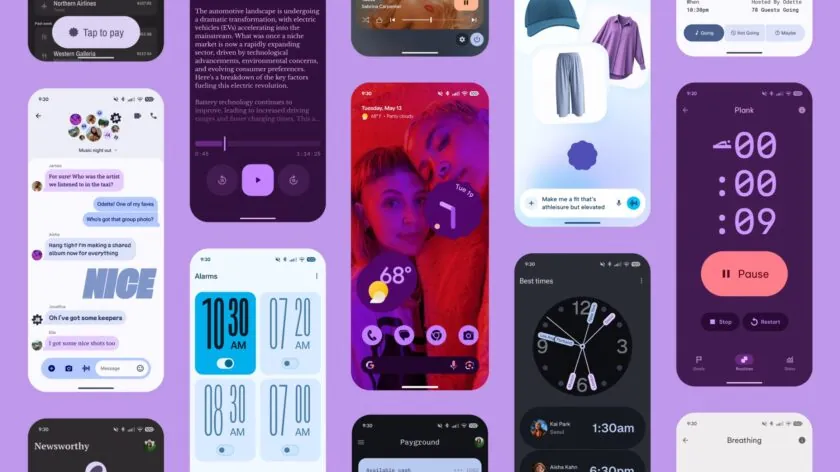
Material 3 Expressive already landed on Pixel phones | Image by Google
Android 17 beta
Android 17 has cleared beta and is now live on Pixel phones. If you're still on Android 17 Beta 4.1 and haven't enrolled in the Android 17 QPR1 beta, opting out of the beta program will get you the stable release over the air.


Popular stories






Latest News