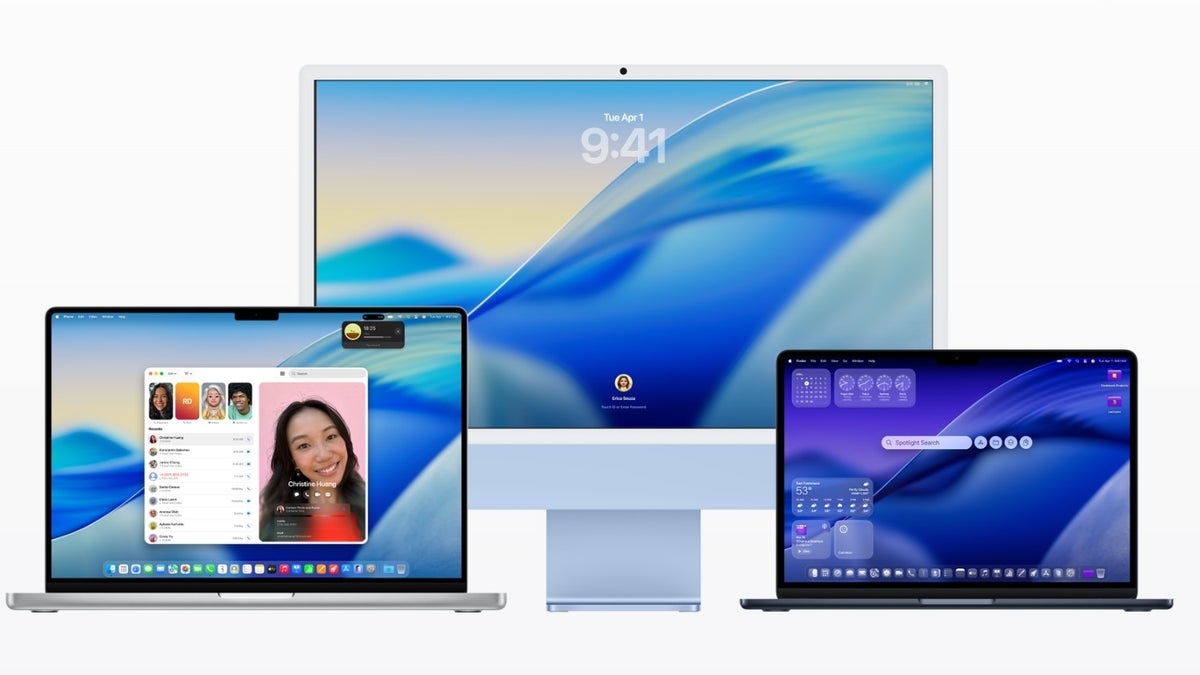
When Apple jumped from macOS 15 Sequoia to macOS 26 Tahoe, the interface was one of the many things that changed in the new operating system. The company introduced a completely new Liquid Glass UI for its iPhone, iPad, and Mac. It basically gives a fluid, translucent, glass-like appearance to all the on-screen elements.
While the new design received mixed responses across Apple devices, it wasn't welcomed with open arms on the MacBook. It hasn't performed as smoothly on macOS as on iPhone or iPad.
Why isn't the Liquid Glass experience the best on macOS 26?
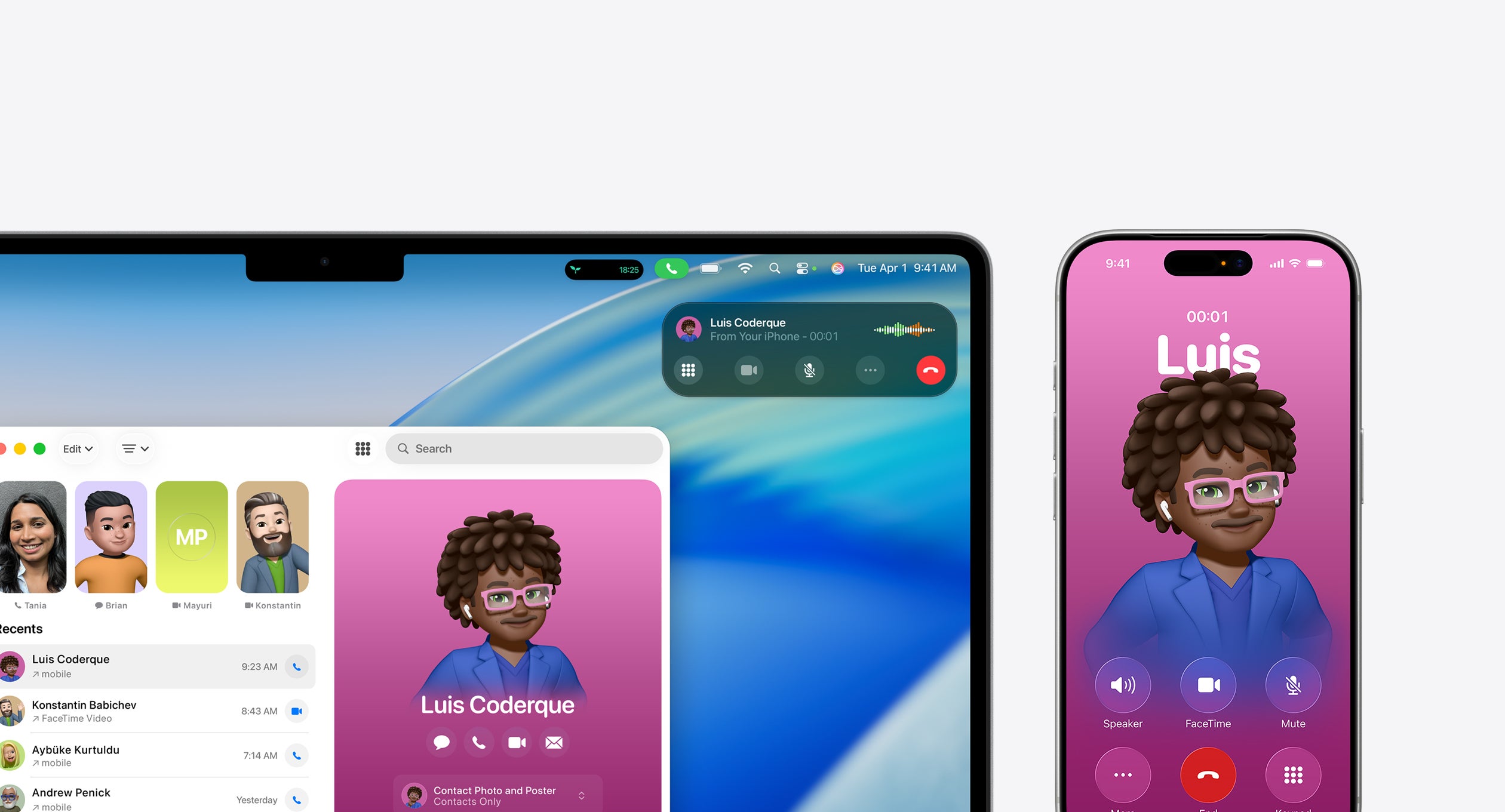
Liquid Glass interface on MacBook and iPhone. | Image by Apple
The short answer to this is the hardware of the MacBook. As it turns out, the Liquid Glass interface was designed for modern hardware like OLED displays, which you'll find in the latest iPhones, Apple Watches, and certain iPads. As a result, you won't hear any major UI-related complaints on these devices.
The MacBooks, on the other hand, still ship with years-old hardware and design. In a world where OLED panels have become mainstream, Apple is still using LCDs in its large-screen devices. The issue with this is that they don't perfectly render all the effects like shadows and translucency that are created by the Liquid Glass. As a result, you might experience UI-related issues while using macOS 26.
Recommended For You
What's your take on Liquid Glass on macOS?
29 Votes
I really hate it and want pre-Liquid Glass macOS.
41.38%
Liquid Glass is awesome.
24.14%
I'd accept it if Apple fixes all its reported quirks.
34.48%
macOS 27 to feature UI tweaks
Now let's talk about the good news. According to Gurman, Apple is working on refining the Liquid Glass with macOS 27, with the aim of resolving all the reported shadow and transparency issues in Tahoe. iOS 27 and iPadOS 27 will also reportedly see some small design changes to improve the overall UI experience.
Gurman mentions in his report that the Apple engineering team envisioned Liquid Glass to look a lot cleaner and more polished in macOS 26. However, when it was actually implemented, the result didn't perfectly match what the team had imagined. As a result, users have experienced different UI-related issues since the launch of this update.
The software giant has tried to address most of the reported quirks through recent updates. For instance, the highly reported readability issue in the Control Center was reportedly resolved with the release of macOS 26.4. Still, the fully polished version of Liquid Glass – the one that the design team wanted to implement from the start – will reportedly become available with macOS 27.
It's not something new for Apple
As it turns out, this wouldn't be the first time we'd seen the Cupertino giant focus mainly on a cleanup approach in its next major software release. A similar situation occurred with the release of iOS 7, which introduced the Liquid Glass-like controversial flat design. Following the backlash, the company mainly focused on redefining the experience with its next major software release, iOS 8.
Since visual changes like Liquid Glass work best on modern hardware, Gurman believes it will look perfect on the upcoming OLED MacBooks. But I believe refining the design is actually a much-needed move, as the company would really want non-OLED MacBook users to start loving the new Liquid Glass look too. All that said, the upcoming software will be unveiled on June 8.
Get iPhone 18 Pro with Visible, get $480 off!
$719
/mo
$1199
$480 off (40%)
On the Visible+ Pro plan, you get access to 5G Ultra Wideband data on Verizon's fastest network. Along with unlimited roaming across Mexico and Canada, 2 days of Global Pass per month, 3x hotspot speeds, 4K streaming, and Smartwatch service.
Aman Kumar is a news writer at PhoneArena covering Google Pixel phones, Android features, AI-powered smartphone tools, and mobile tech news. Before joining PhoneArena, he spent over five years writing about consumer technology for publications like MakeUseOf, How-To Geek, and Guiding Tech. His current daily drivers are the Pixel 10 and Samsung Galaxy S26 Plus, while his red iPhone SE (2nd gen) remains a personal favorite. Aman also appreciates bold smartphone experiments and still considers the Nokia N-Gage one of the industry’s most iconic designs.
A discussion is a place, where people can voice their opinion, no matter if it
is positive, neutral or negative. However, when posting, one must stay true to the topic, and not just share some
random thoughts, which are not directly related to the matter.
Things that are NOT allowed:
Off-topic talk - you must stick to the subject of discussion
Offensive, hate speech - if you want to say something, say it politely
Spam/Advertisements - these posts are deleted
Multiple accounts - one person can have only one account
Impersonations and offensive nicknames - these accounts get banned
To help keep our community safe and free from spam, we apply temporary limits to newly created accounts:
New accounts created within the last 24 hours may experience restrictions on how frequently they can
post or comment.
These limits are in place as a precaution and will automatically lift.
Moderation is done by humans. We try to be as objective as possible and moderate with zero bias. If you think a
post should be moderated - please, report it.
Have a question about the rules or why you have been moderated/limited/banned? Please,
contact us.













Things that are NOT allowed:
To help keep our community safe and free from spam, we apply temporary limits to newly created accounts: