iOS 27: release date, new features, supported devices
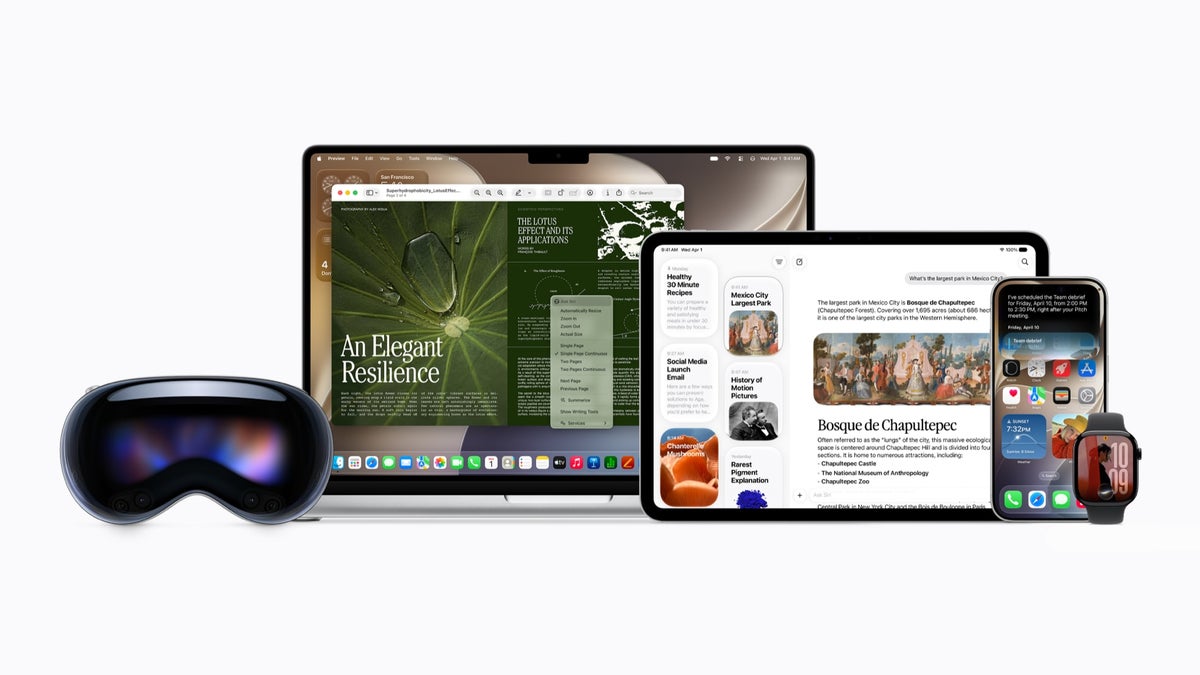
Siri AI is here with iOS 27. | Image by Apple
What's changed vs iOS 26:
- Siri AI is now a fully rebuilt, context-aware assistant with its own dedicated standalone app
- A system-wide Liquid Glass transparency slider allows you to adjust the Liquid Glass look from fully clear to fully tinted
- Liquid Glass treatment now extending to app icons
- Performance improvements and bug fixes
- A major Camera app update with a dedicated Siri mode
- Image Playground expanded with photorealistic generation
- Apple Intelligence updates across Safari, Messages, Phone, Shortcuts, and Home
- New Child Safety tools and expanded parental controls
- Announced at WWDC 2026 on June 8. The public release arrived September 14, 2026, alongside the iPhone 18 Pro, Pro Max, and iPhone Duo.
iOS 27 release date
Apple announced iOS 27 during WWDC 2026's keynote on June 8, 2026. The new OS launched publicly on Monday, September 14, 2026, alongside the iPhone 18 Pro, iPhone 18 Pro Max, and iPhone Duo, which were announced at the Apple event on September 9, 2026.
| iOS version | Announcement | Market release |
|---|---|---|
| iOS 27 | June 8, 2026 | September 14, 2025 |
| iOS 26 | June 9, 2025 | September 2025 |
| iOS 18 | June 10, 2024 | September 2024 |
* - probable dates
The update is available through Settings, General, Software Update (on a supported iPhone). iOS 27 comes pre-installed on the iPhone 18 Pro, iPhone 18 Pro Max, and iPhone Duo.
One regional note: Siri AI is not available in the EU on iPhone or iPad at launch due to ongoing regulatory constraints.
Apple Intelligence runs across all compatible devices, though the more powerful on-device model requires an iPhone 15 Pro or newer.
Siri AI is launching in English first, with French, Japanese, Korean, Portuguese, and Spanish support arriving in October. Apple has confirmed daily usage limits apply, with expanded access available at an additional cost down the line.
iOS 27 supported iPhones
iOS 27 is available from the iPhone 11 and later, so every iPhone that supports iOS 26 also supports iOS 27.
| iPhone generation | Market release date | iOS 27 support |
|---|---|---|
| First foldable iPhone | September 2026, expected | Yes |
| iPhone 18 Pro Max, iPhone 18 Pro | September 2026, expected | Yes |
| iPhone 18, iPhone Air 2, iPhone 18e | Spring 2027, expected | Yes |
| iPhone 17e | March 2026 | Yes |
| iPhone 17 Pro Max, iPhone 17 Pro, iPhone Air, iPhone 17 | September 2025 | Yes |
| iPhone 16 Pro Max, iPhone 16 Pro, iPhone 16 Plus, iPhone 16 | September 2024 | Yes |
| iPhone 15 Pro Max, iPhone 15 Pro, iPhone 15 Plus, iPhone 15 | September 22, 2023 | Yes |
| iPhone 14 Pro Max, iPhone 14 Pro, iPhone 14 Plus, iPhone 14 | September 16, 2022 | Yes |
| iPhone SE 3rd Gen | March 18, 2022 | Yes |
| iPhone 13 Pro Max, iPhone 13 Pro, iPhone 13, iPhone 13 mini | September 24, 2021 | Yes |
| iPhone 12 Pro Max, iPhone 12 Pro, iPhone 12, iPhone 12 mini | October 23, 2020 | Yes |
| iPhone SE 2nd Gen | April 24, 2020 | Yes |
| iPhone 11 Pro Max, iPhone 11 Pro, iPhone 11 | September 20, 2019 | Yes |
| iPhone XS Max, XS, iPhone XR | September 21, 2018 | No |
| iPhone 8 Plus, iPhone 8, iPhone X | September 22-November 3, 2017 | No |
The iPhone 18 Pro Max, iPhone 18 Pro and the foldable iPhone Duo come with iOS 27 out of the box. The iPhone 18 is also expected to come with the OS out of the box when it launches in early 2027.
iOS 27 design
iOS 27 doesn't bring a visual overhaul this time around. Rather, it's a refinement of the Liquid Glass design language that Apple introduced with iOS 26. What's new in this release is how much control you have over it.
With iOS 27, you're getting a system-wide transparency slider, which lets you customize the Liquid Glass from fully transparent to completely tinted. The changes apply to the whole system.
Meanwhile, app icons are also receiving a Liquid Glass treatment in iOS 27, which gives the home screen a more cohesive appearance overall.
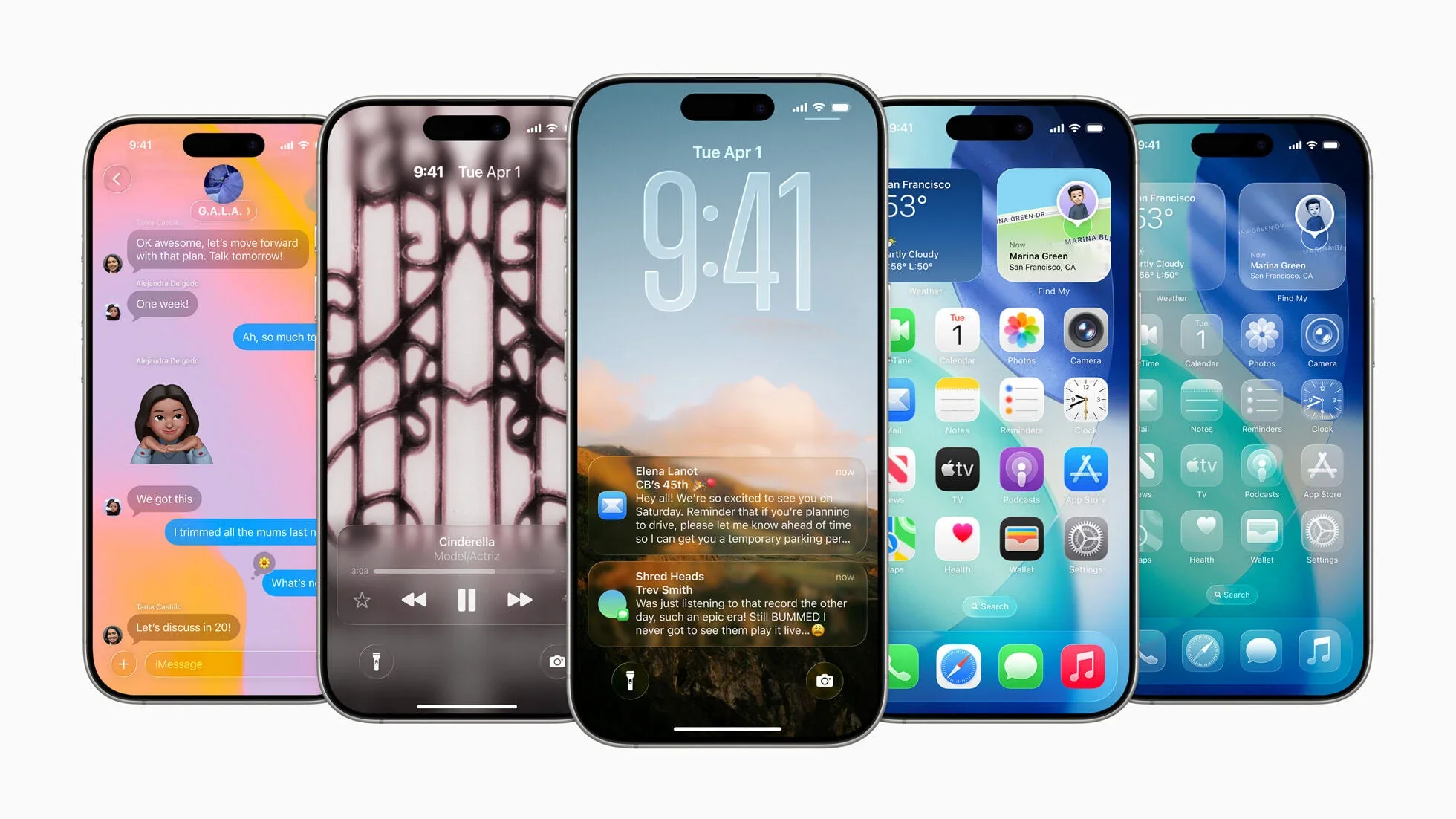
Liquid Glass was introduced with iOS 26. | Image by Apple
The lock screen is getting some practical updates too. The clock can now be repositioned to the top row of widgets, opening up more of the wallpaper beneath it.
Image Playground is accessible directly from the wallpaper picker. You can generate a new wallpaper from a prompt or create a stylized version of a photo from your library.
iOS 27 top features
iOS 27 has one clear centerpiece: Siri, rebuilt from the ground up and finally delivering on the promises Apple made at the beginning of Apple Intelligence.
The new Siri
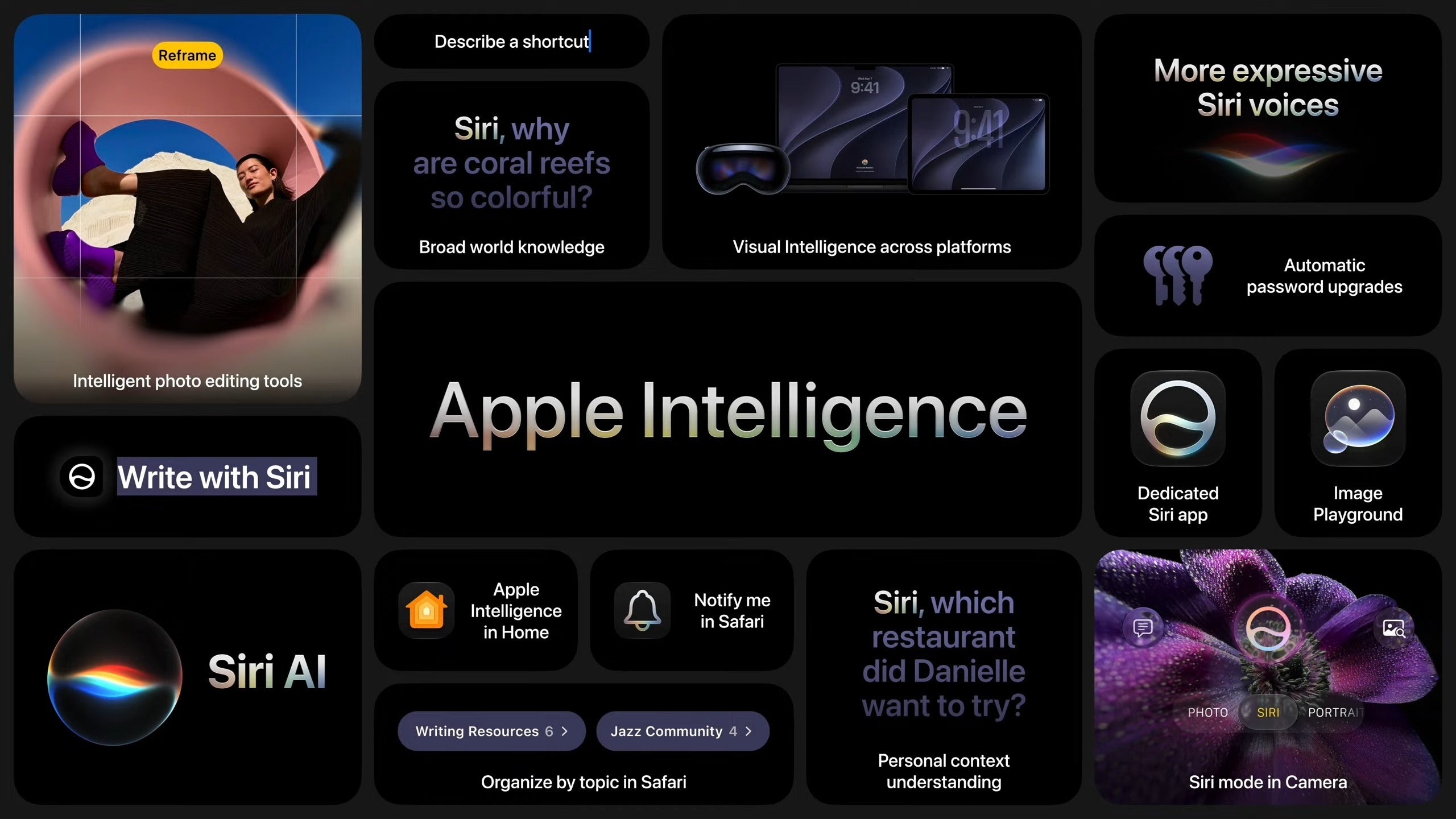
Apple Intelligence features at a glance. | Image by Apple
Siri is getting the AI overhaul users have been waiting for. The assistant has a new name – Siri AI – and an entirely new foundation.
Apple built Siri AI in collaboration with Google, and it runs on the next generation of Apple Foundation Models alongside Gemini. For the first time, Siri is genuinely in the conversation with the leading AI assistants on the market.
You can reach the assistant with "Hey Siri" or by swiping down from the center of the top of your screen. It now resides in the Dynamic Island, which now expands into a "Search or Ask" prompt with a glowing cursor.
The Dynamic Island gains a thin glow in Siri's signature colors whenever the assistant is active. On top of it all, Siri AI is reachable through the side button.
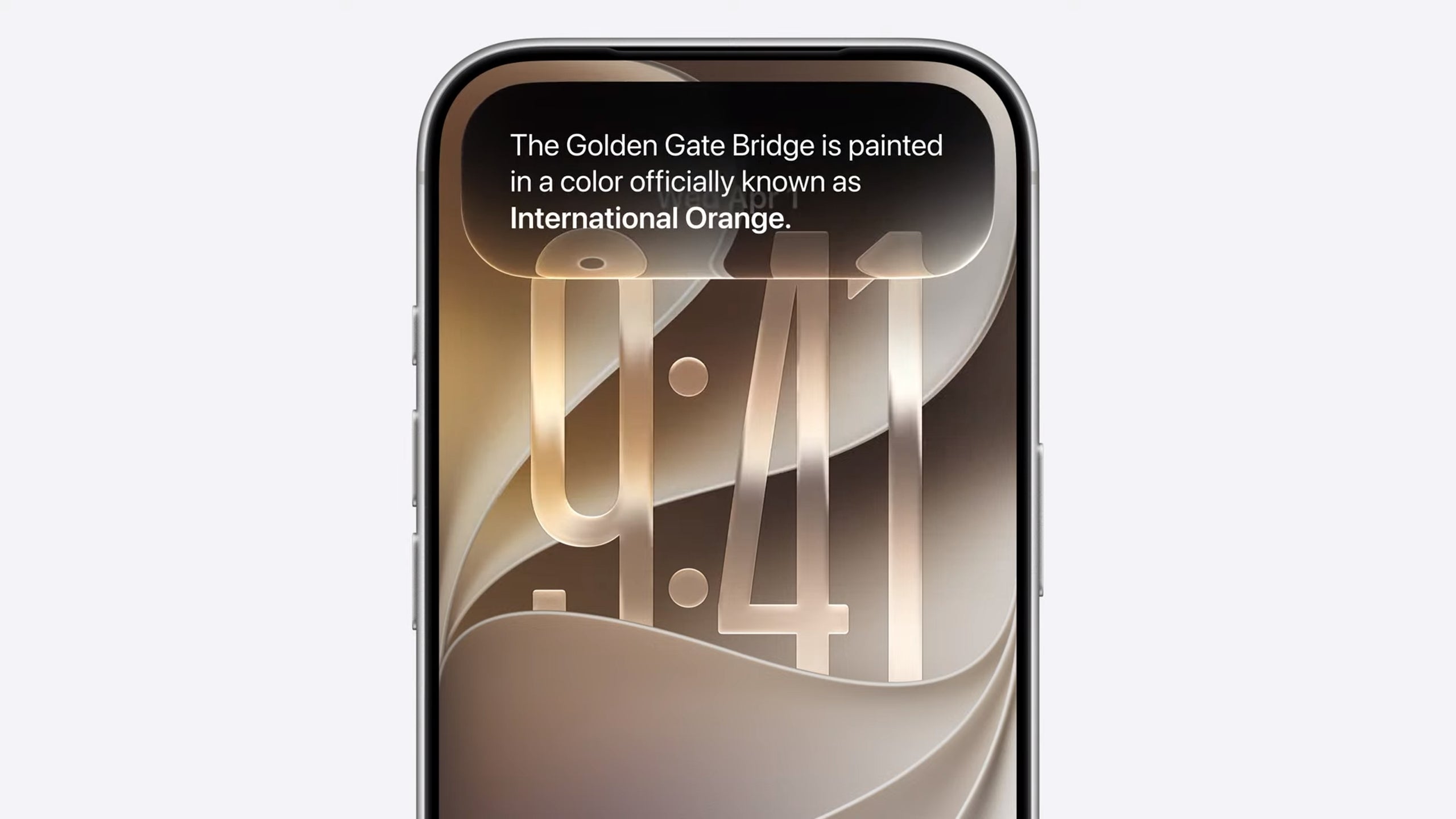
Siri in the Dynamic Island. | Image by Apple
Siri AI can read whatever is currently on your screen, understand natural language, and can acess the internet. The assistant answers questions and takes actions across your apps without requiring you to re-explain the situation from scratch each time.
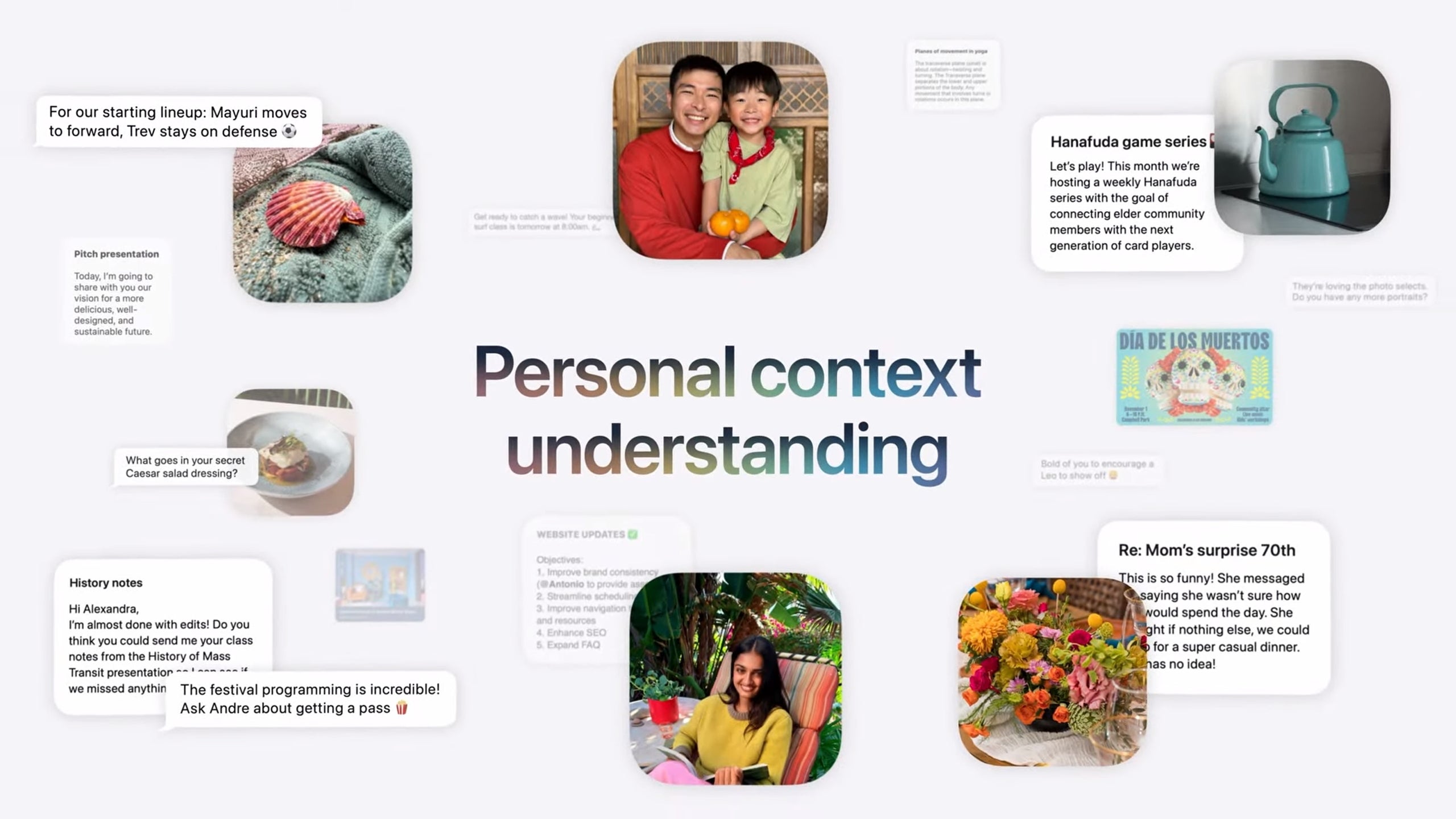
Personal context understanding. | Image by Apple
It also gets its own dedicated standalone app where you can access previous conversations, similar to how Messages stores your texts.

Siri AI in-depth conversation. | Image by Apple
From within the app, Siri can take actions – searching your phone and pulling data into the conversation without requiring you to switch apps.
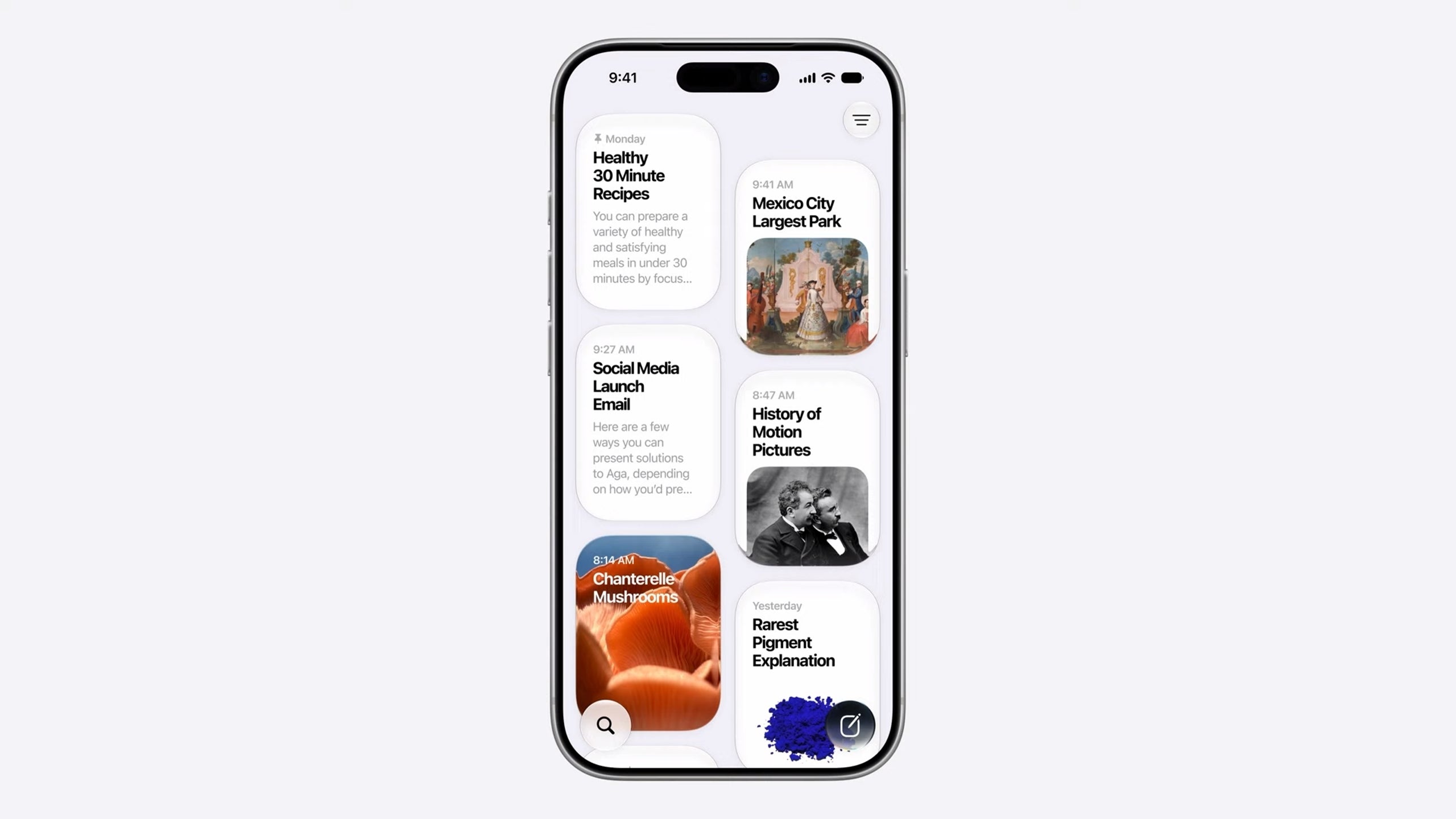
Siri's dedicated app's home screen. | Image by Apple
Screen awareness is one of the most practical new additions. Siri AI can see what's on your display as you use your phone – so you can ask where a photo was taken, have Siri pull a related address from a message, and get directions in Apple Maps.
Meanwhile, Siri also gains personal context awareness. The assistant can search across Messages, Mail, Notes, Photos, and Calendar. For example, you can ask it for the name of a restaurant a friend recommended, and it will search your conversations and find the relevant info for you.
Voice customization is expanded in iOS 27 with a slider to adjust Siri's speaking pace and expressiveness. System-wide dictation is also getting improved accuracy and automatic punctuation.
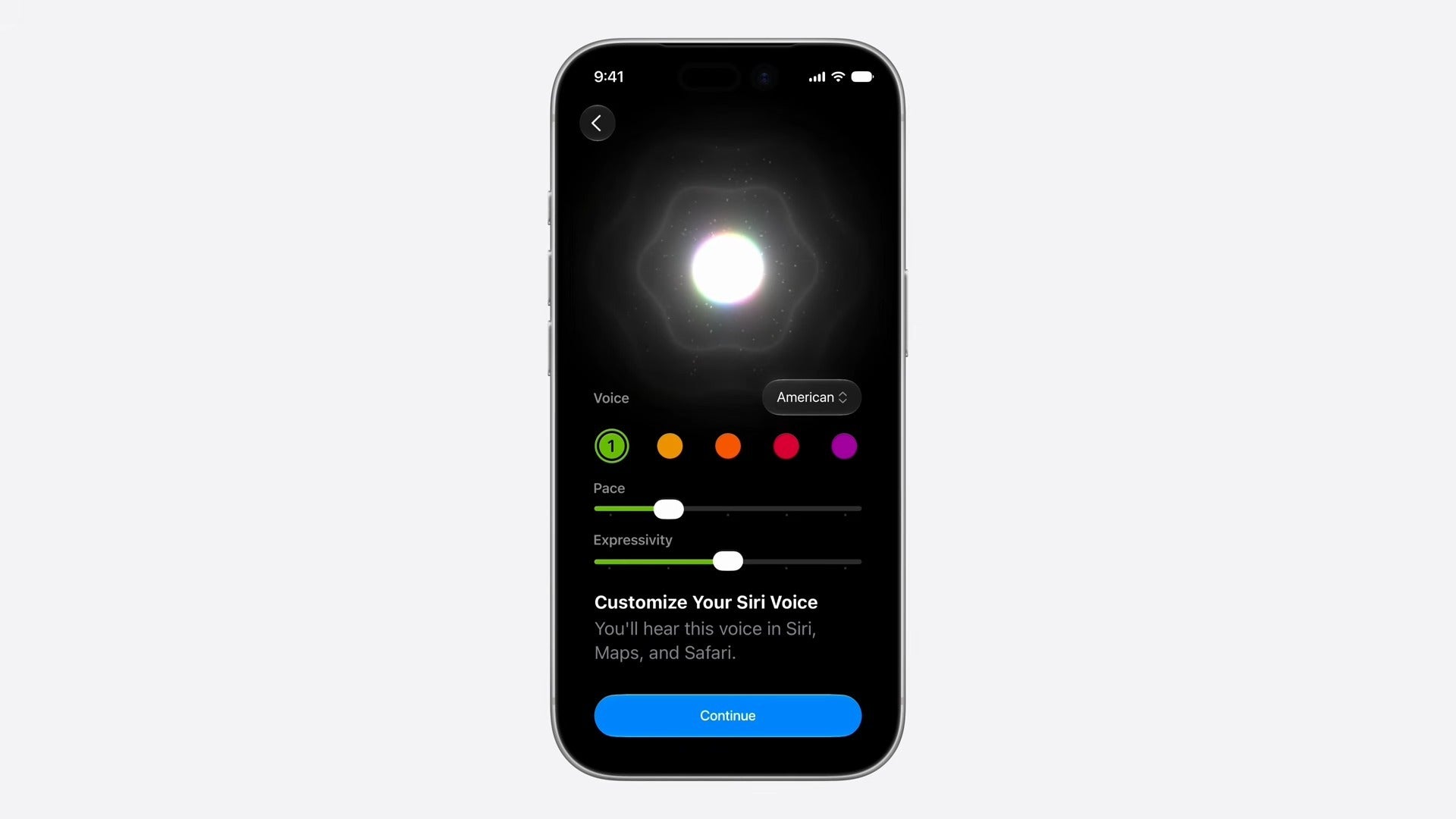
Siri voice customizations. | Image by Apple
Siri AI is fully cross-device – you can start a conversation on your iPhone and continue it on your iPad or MacBook.
The Camera app gains a dedicated Siri mode. When you tap the shutter button, Siri can interpret what's in frame, answer questions about it, and log the exchange in the Siri app for later reference.
Write with Siri is also available system-wide in iOS 27, with built-in automatic proofreading.
Performance improvements
iOS 27 delivers speed improvements across the board. App launches are now up to 30% faster, new photos in the Photos library load up to 70% faster, and AirDrop transfers reach up to 80% faster speeds.
A reworked CPU scheduler helps older iPhones handle demanding workloads more efficiently, and transitions between Wi-Fi and cellular connections are smoother than before.
iPhone Handoff
iOS 27 also introduces iPhone Handoff, a feature that lets you move between two iPhones while keeping the same phone number active on each. The feature requires carrier support and may carry a monthly fee – T-Mobile in the US is offering it at $5 per month and is among the first carriers live with it, alongside Deutsche Telekom in Germany.
Verizon and the UK's EE plan to follow before the end of the year.
Apple Cash bill splitting
In the US, iOS 27 adds bill splitting through Apple Cash and Apple Intelligence. The feature is available in Wallet, Messages, or through Siri mode in the Camera app.
You can point your iPhone at a receipt and then have Siri identify the items. It then lets you select what you ordered, and calculates your share including tax and tip.
Find My location sharing
Location sharing in Find My now supports custom durations. You can share your location for a precise window – say, four days and six hours – or set an exact expiry date and time.
You can also pause sharing with specific people until end of day without triggering a notification on their end. iOS 26 offered only three fixed presets: indefinitely, until end of day, and one hour.
CarPlay video apps
iOS 27 allows developers to build CarPlay apps with video browsing and playback capabilities. Video playback is restricted to when your car is parked – the feature is aimed at situations like waiting at an airport or sitting at an EV charging station.
Apple Intelligence in apps
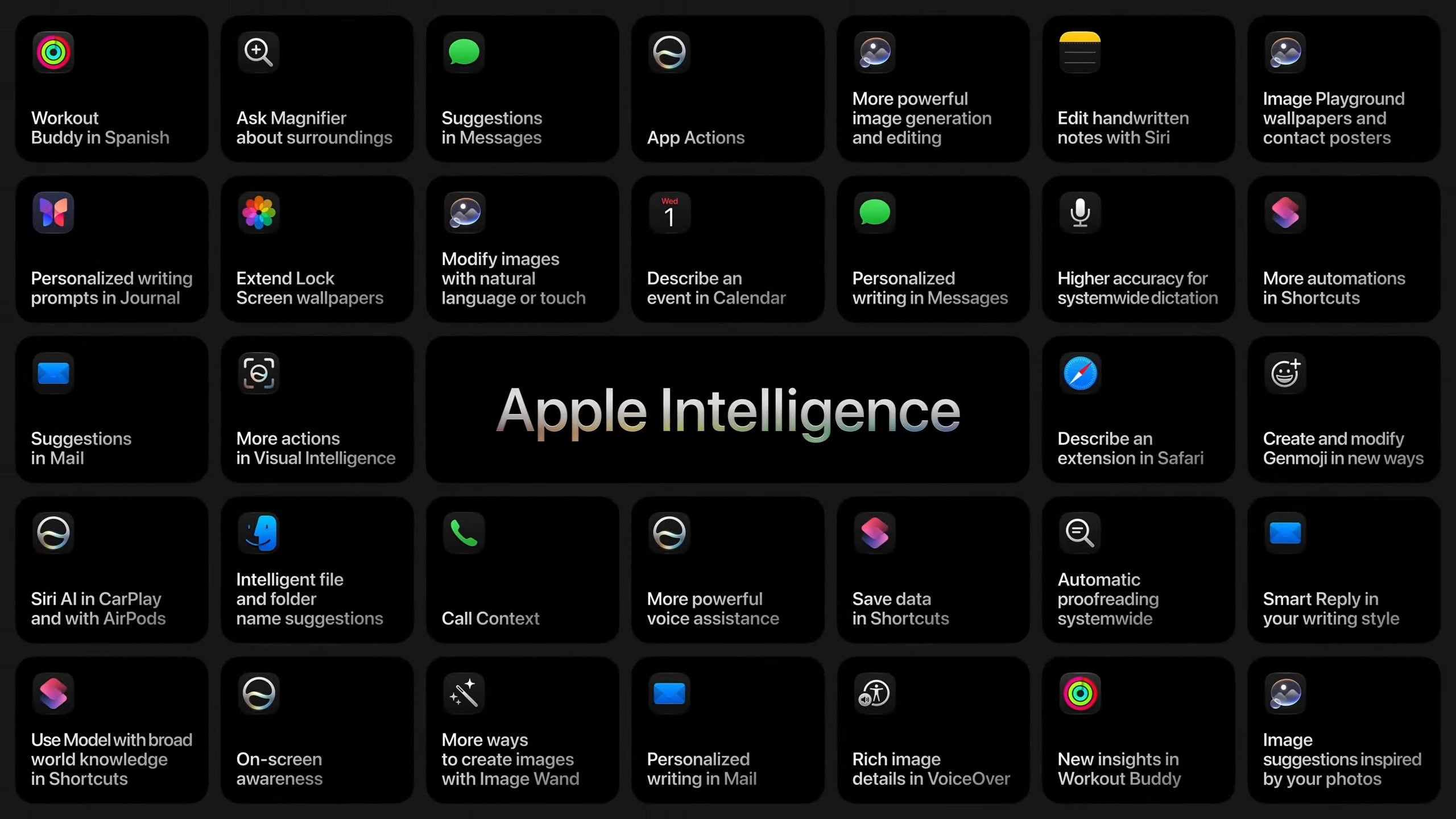
Apple Intelligence in iOS 27. | Image by Apple
Safari
Apple Intelligence can now sort open tabs by topic, automatically group related pages and let you lock those clusters into tab groups. A new Notify Me option lets you flag any tab for passive monitoring – Apple Intelligence will alert you when the content changes, so you don't need to keep checking manually.
Custom webpage extensions can now be built from plain-language descriptions, with no coding required.
Passwords
The Passwords app can now work with Apple Intelligence and Safari to automatically upgrade eligible accounts to stronger passwords.
Messages, Mail, Calendar, Phone app
In Messages, Apple Intelligence can surface suggested actions from your conversations and help you locate specific photos someone sent you.
Mail is gaining suggested actions and third-party app integration. Calendar can generate and edit events from plain-language descriptions, or pull details straight from a screenshot of a schedule. When you call a business, the Phone app will surface relevant information from your other apps directly in the call view.
iOS 27 is also fixing one of the most complained-about annoyances in the Messages app. A new setting – found under Settings, Apps, Messages, Show in Text Field – lets you disable the voice message and dictation icon that sits next to the send button in the text field.
With iOS 27, you can choose to show only the Record Audio button, only the Start Dictation button, or neither.
Removing both icons doesn't eliminate the features themselves – voice messages remain accessible via the plus button on the left of the text field, and dictation can still be triggered from the keyboard microphone button.
Home and Shortcuts
The Home app can now batch related accessory alerts into a single live-updating notification rather than firing them off one by one. It can also process footage from compatible cameras, describe what's happening in plain text, and let you search within that recorded video.
In Shortcuts, you can now describe what you want done in plain language rather than building automations manually – and you can edit existing shortcuts the same way.
New version of Image Playground
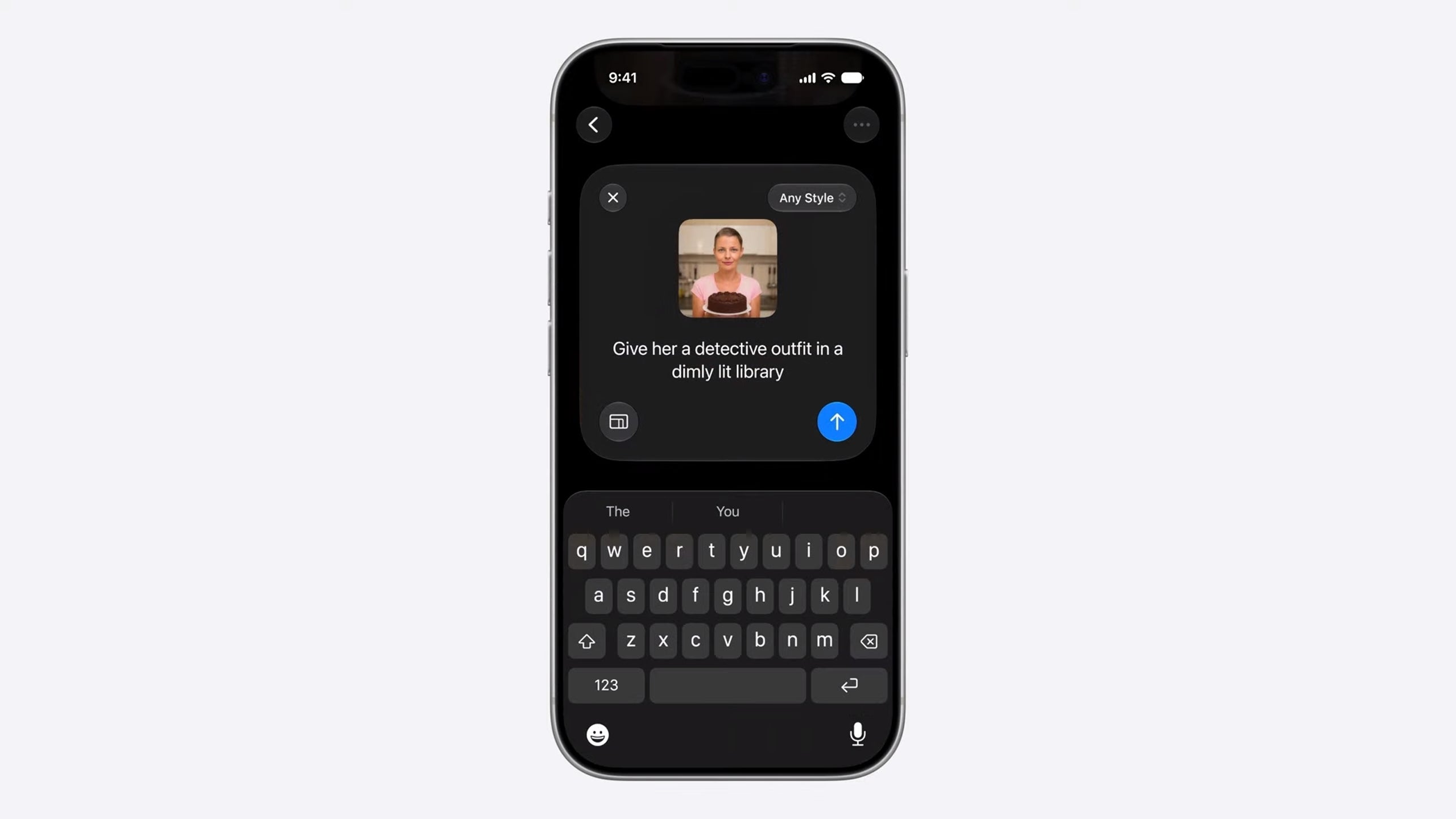
Image Playground photo modification. | Image by Apple
Image Playground has been substantially expanded. High-quality generation in any style – including photorealistic – is now supported, and existing photos can be restyled from a plain-language description.
You can target specific parts of an image by circling an object, choose your preferred output dimensions, and generate backgrounds for Messages, contact posters, and lock screen wallpapers. Daily usage limits apply to image generation.
Photos
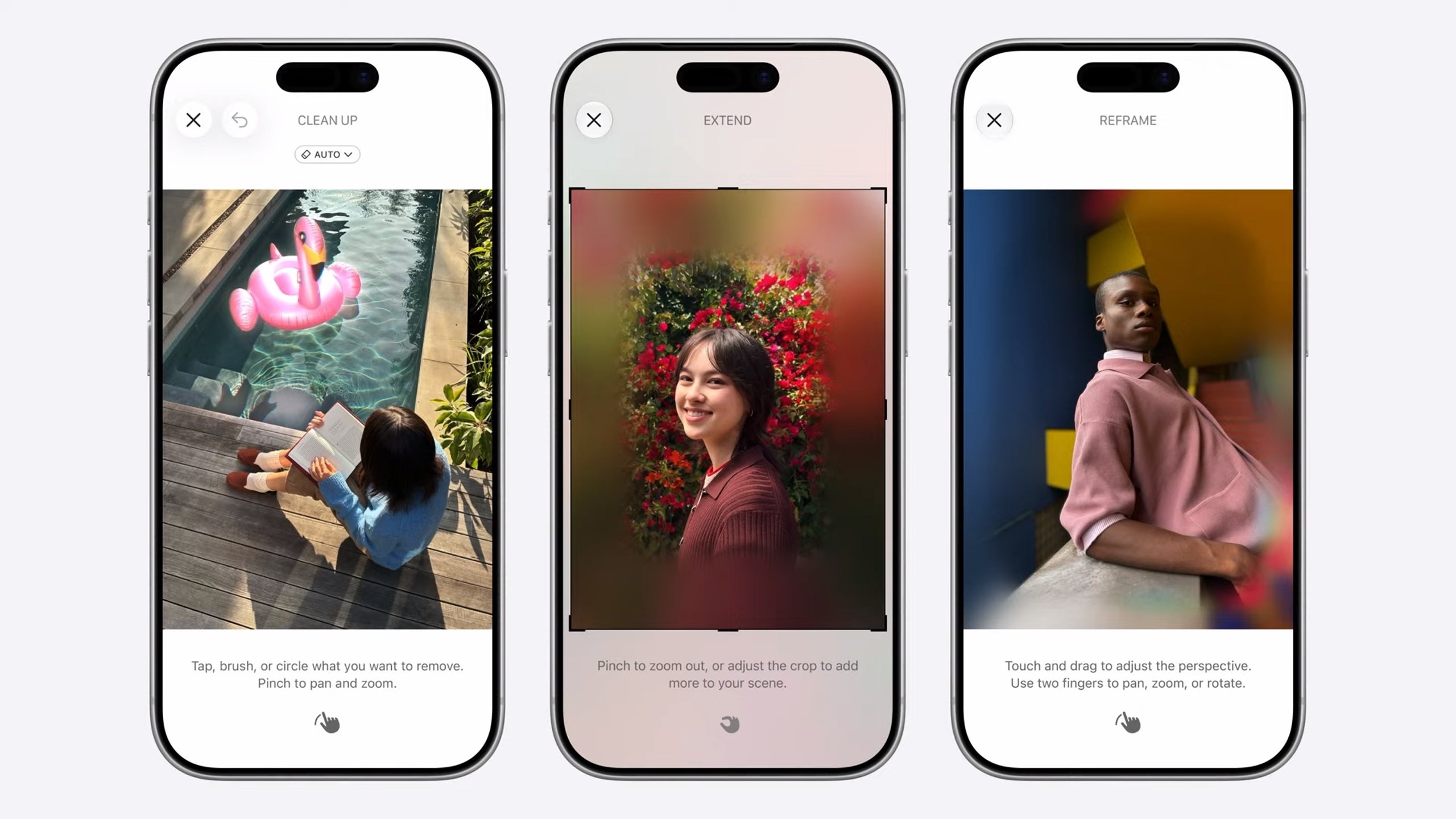
New Apple Intelligence features in Photos. | Image by Apple
With iOS 27, Apple is adding new tools to Photos, accessible accessible from a "Tools" button in the bottom right.
- Clean Up gets an upgrade, removing distractions with more realistic fill-in, even in complex scenes.
- Extend: helps you expand images with generative AI. Extend is also now available directly from the lock screen. If a photo you've chosen as wallpaper doesn't match your iPhone's aspect ratio or isn't correctly cropped, iOS 27 will suggest using Extend to fix it – using AI to fill in additional content around the edges of the image.
- Spatial Reframing: lets you fix the composition of an older photo by shifting perspective. The feature runs on on-device spatial models and works even on older photos, including ones shot on other cameras.
Privacy and Child Safety
Apple Intelligence runs on-device or through Apple Private Cloud Compute. Apple states the data is used solely to fulfill your requests and no data is shared with Apple or third parties.
iOS 27 also brings an expansion to parental controls. Parents gain better oversight over what their kids can access, who they can contact, and when specific apps are available. Recommendations are drawn from the American Academy of Pediatrics' Family Media Plan.
Kids can request permission to download apps, visit websites, or message new contacts, which gives parents a clearer approval workflow.
Screen Time is gaining age-based time limit suggestions. Of course, parents can still choose to override them with custom settings.
iOS 27 is also reportedly adding a photo authentication feature called Reference Image, which was spotted in iOS 27 beta 5 code. Reference Image lets you verify that a photo genuinely came from an iPhone camera or whether it was AI generated.
The feature is off by default and has to be enabled before you take a photo – it won't retroactively authenticate existing shots. When you want to authenticate an image, the original photo and its provenance data are sent to Apple's Private Cloud Compute for verification. If the check passes, the photo receives a unique ID.
The feature is still in beta and hasn't been officially confirmed for the stable release, but the code is there.
iOS 27 general platform improvements
Search has been rebuilt from the ground up and indexes new content nearly instantly. Mail's ranking system is now overhauled to surface more relevant results when you search your inbox.
Shared Albums in Photos now accept contributions from Android and Windows users, while the Health app is expanding into perimenopause and menopause tracking.
AirPods get a new custom EQ, and Fly Over in Apple Maps is getting a boost with intelligence models for a more realistic look.
Latest iOS news






Popular stories





Latest News