Apple has officially dropped iPadOS 26, and it’s the massive overhaul we've been waiting for. It’s not just a pretty new face; it completely changes how you multitask, finally letting the iPad act like a real computer...sort of.
iPadOS 26 is here, and it’s a huge deal
Alright, it's finally here. Apple has released the official version of iPadOS 26, and you’ll want to pay attention to this one. This isn't just the usual yearly update with a few new emojis and minor tweaks. Apple went back to the drawing board on some core parts of the iPad experience, and the result is the most significant leap forward for the platform in a long, long time. There's a ton to unpack, so let's get right into it.
So, what do you actually get?
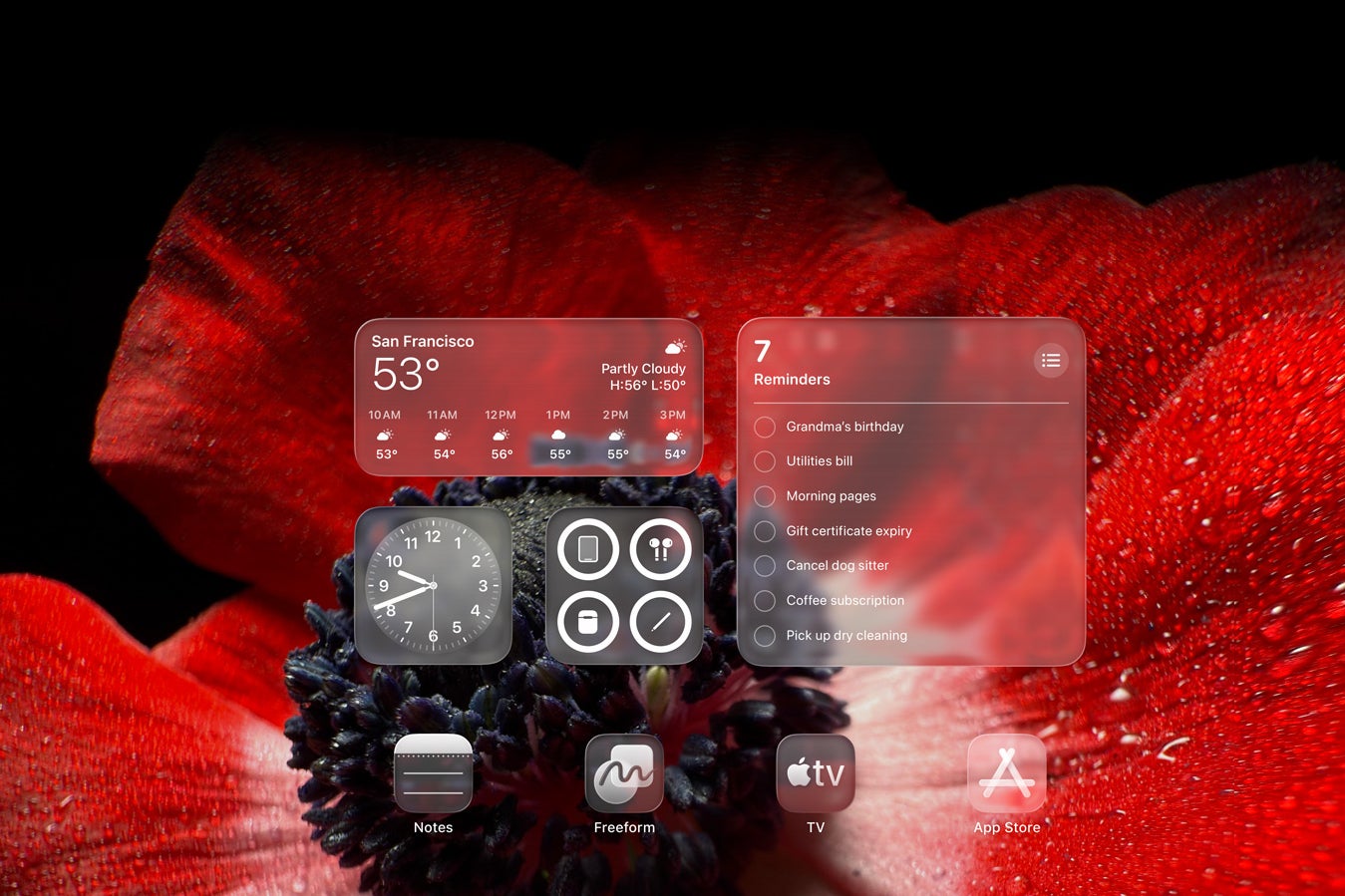
The new Liquid Glass look. | Image credit — Apple
A Fresh Coat of Paint and a Personal Touch
A new look called Liquid Glass: Forget the flat design we’ve had for years. This is a new, translucent look with reflective effects that makes everything feel a bit more modern and in line with the Mac. It's a nice change of pace.
A Lock Screen you can actually customize: You can finally make the Lock Screen yours. Add photo wallpapers with cool 3D effects, change up the fonts, and drop in widgets for at-a-glance info.
Updated Icons and Controls: App icons and system buttons get a refresh to match the new Liquid Glass vibe, with different tints and a clean, glassy finish.
Get the 11-inch iPad Air M2 for 36% off
$450 off (36%)
Amazon is holding a remarkable promo on the 2024-released iPad Air M2 that you don't want to miss. Right now, the buffed-up 1TB variant with cellular capabilities is down by a hefty 36% at Amazon, saving you $450.
The 13-inch iPad Air M2 is perfect for users who want insane horsepower and more screen real estate. This model offers incredible performance, crisp visuals, and now, it's available with a fantastic $470 discount on Amazon.
The iPad Pro M4 may not be the latest model, but it remains one of the most powerful tablets on the market. Right now, the device with a 13-inch screen with 512GB of storage is down by $88 at Amazon. The promo is only available on the model in Space Black.
The iPad Pro M4 is here! You can now get the 11-inch model with a brand-new OLED screen and a powerful M4 chipset at Amazon for 17% off. The promo is only available on the model with cellular connectivity with 2TB of storage. Only the model in Space Black is on sale right now.
Expired
Multitasking That Doesn't Feel Like a Compromise
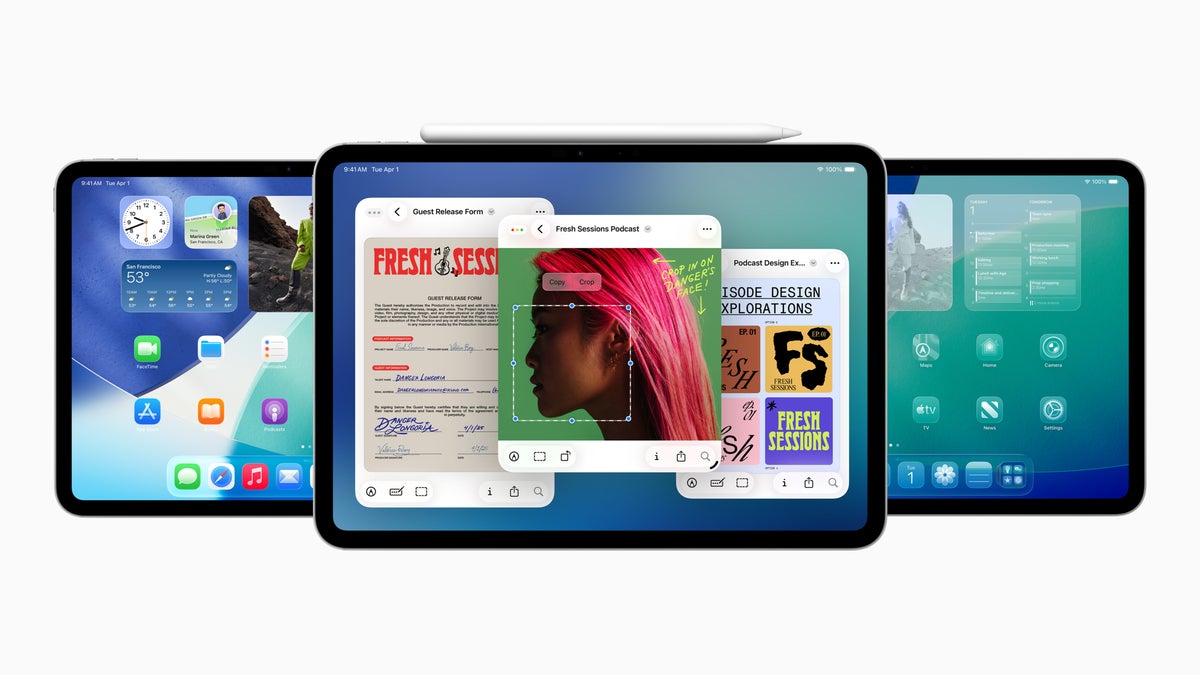
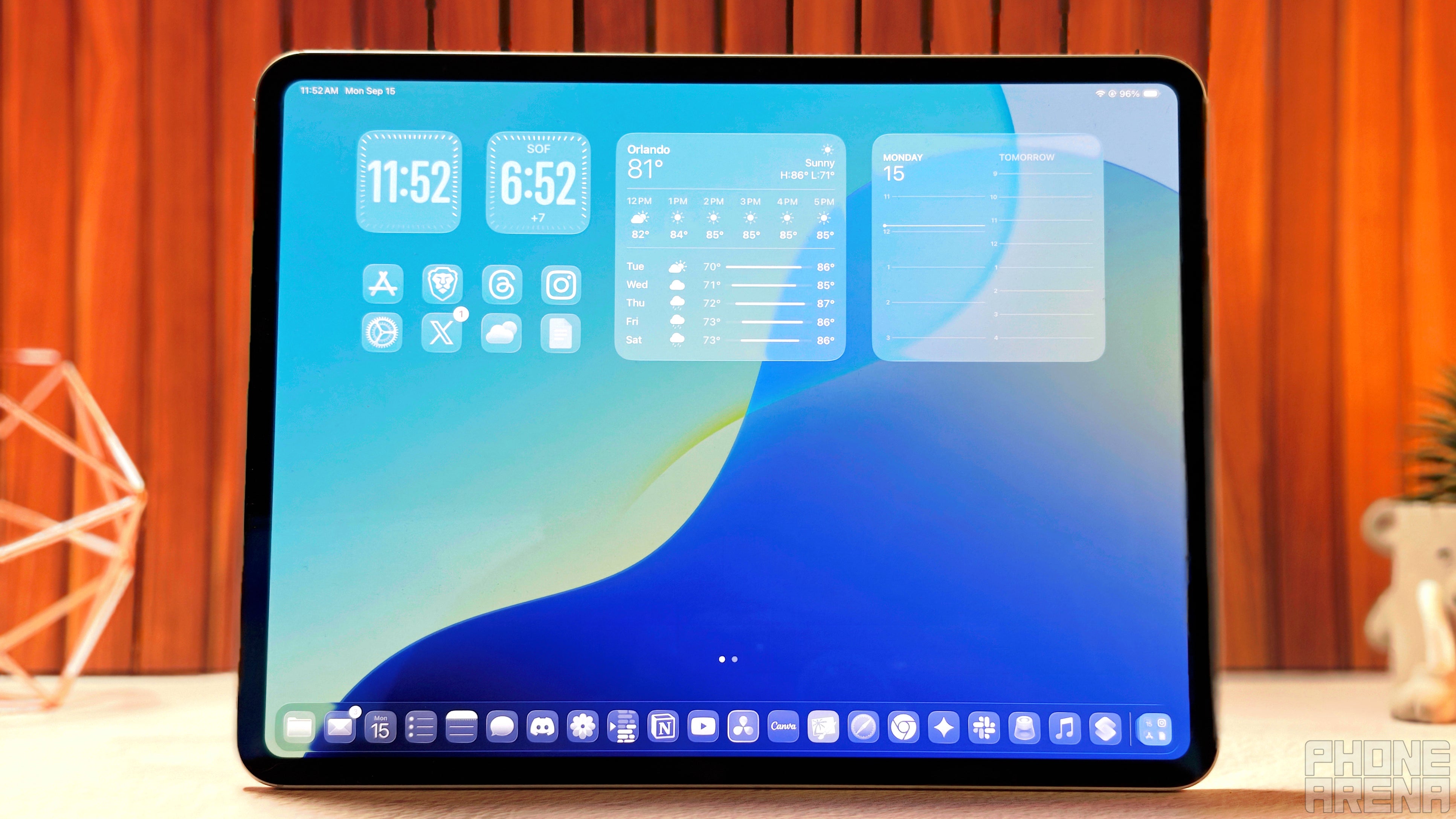
Real, Mac-like Windows: This is the big one. The old, clunky Split View and Slide Over are gone. Now, you get a proper windowing system where you can freely resize, stack, and move apps around your screen.
Floating Windows with familiar controls: Just like on a Mac, you get the little "stoplight" buttons on your app windows, making it super intuitive to manage your layouts.
The Files app is finally good: Let's be honest, the Files app has always been a bit of a weak spot. Now it's way more powerful, with colored folders, resizable columns, and the ability to choose which app opens certain file types.
Real Background Tasks: You can now start a big video export or a huge download and then switch to another app without everything grinding to a halt. It’s a game-changer.
A real Phone app: Yep, you can now make and receive calls directly on your iPad with a dedicated app, no weird workarounds needed.
The Journal app arrives: The popular memory-logging app from the iPhone is now on the iPad, perfect for the bigger screen.
A new home for your games: A centralized Games app helps you find and organize all your games, and a new Game Overlay gives you quick access to settings while you're playing.
A proper Preview app: Finally! A powerful, dedicated app for viewing and marking up PDFs and images with your Apple Pencil. This one is a huge win for students and professionals.
Better audio control: You can now pick which microphone an app uses, and the Voice Isolation feature helps block out background noise when you're recording or on a call.
iPadOS 26 finally gets a proper Preview app, just like the Mac. | Image credit — Apple
Apple Pencil and Note-Taking Upgrades
A fancy new "Reed Pen" tool: For the artists and calligraphers out there, this new tool in apps like Notes gives you a more traditional, stylistic writing experience.
Your handwriting gets smarter: "Smart Script" is a cool feature that cleans up your messy handwriting on the fly, making it as easy to edit and move around as typed text.
Under-the-Hood Stuff
Some older iPads are left behind: To run all this, iPadOS 26 requires an Apple Neural Engine. This means if you're on an older iPad, you're out of luck for this update. Here are the supported models:
iPad Pro (M4)
iPad Pro 12.9‑inch (3rd generation and later)
iPad Pro 11‑inch (1st generation and later)
iPad Air (M3)
iPad Air (M2)
iPad Air (3rd generation and later)
iPad (A16)
iPad (8th generation and later)
iPad mini (A17 Pro)
iPad mini (5th generation and later)
A better cursor: The on-screen cursor now acts more like it does on a Mac. Plus, you can shake your mouse to make it bigger, which is surprisingly helpful when you lose track of it.
Why this is Apple's biggest shot at other productivity-centric tablets
My 13" iPad Pro running iPadOS 26. | Image credit — PhoneArena
For years, Apple has been telling us the iPad can be our next computer, while other devices, like Microsoft’s Surface Pro has been quietly being a computer in a tablet's body. The biggest thing holding the iPad back has always, always been the software. The hardware has been ridiculously powerful for ages, but the OS felt like it was for a big phone.
iPadOS 26 feels like Apple is finally putting its software where its mouth is. By adding a flexible, familiar windowing system, they're directly addressing the biggest complaint from anyone who has tried to do serious work on an iPad. This update makes the "Pro" in iPad Pro feel earned. It's a clear signal that Apple is serious about letting the iPad compete with laptops on productivity, not just on portability.
Do you think an iPad on iPadOS 26 can fully replace a laptop?
47 Votes
Yes, I think we are finally there.
48.94%
No, no tablet can replace a full laptop/desktop setup.
51.06%
It's finally time to get excited about the iPad
I've tried to switch to an iPad-only workflow more times than I can count, and I always hit the same wall: multitasking was a chore. Trying to juggle multiple apps felt like working with one hand tied behind my back. This update, especially the new windowing system, feels like it finally unties that hand.
It’s not just one big feature, either. It’s the combination of real windows, a Files app that I won't dread using, and a proper Preview app that makes me genuinely excited. These are the kinds of foundational, quality-of-life improvements that remove the daily friction of trying to get real work done. While the new design is slick, it's the productivity upgrades that make me think this could be the update that finally lets me leave my laptop behind for good — or at least when I travel.
Johanna Romero is a Senior News Writer at PhoneArena, covering mobile technology news across Android, iOS, wearables, and the Google ecosystem she knows best. Drawing on 15 years in IT and tech support from 2007 to 2022, she brings a user-friendly eye for the practical features and lesser-known tricks readers care about. Google named her an official #TeamPixel member in 2022, and she also reviews the latest devices on her YouTube channel, JoJo the Techie.
A discussion is a place, where people can voice their opinion, no matter if it
is positive, neutral or negative. However, when posting, one must stay true to the topic, and not just share some
random thoughts, which are not directly related to the matter.
Things that are NOT allowed:
Off-topic talk - you must stick to the subject of discussion
Offensive, hate speech - if you want to say something, say it politely
Spam/Advertisements - these posts are deleted
Multiple accounts - one person can have only one account
Impersonations and offensive nicknames - these accounts get banned
To help keep our community safe and free from spam, we apply temporary limits to newly created accounts:
New accounts created within the last 24 hours may experience restrictions on how frequently they can
post or comment.
These limits are in place as a precaution and will automatically lift.
Moderation is done by humans. We try to be as objective as possible and moderate with zero bias. If you think a
post should be moderated - please, report it.
Have a question about the rules or why you have been moderated/limited/banned? Please,
contact us.











Things that are NOT allowed:
To help keep our community safe and free from spam, we apply temporary limits to newly created accounts: