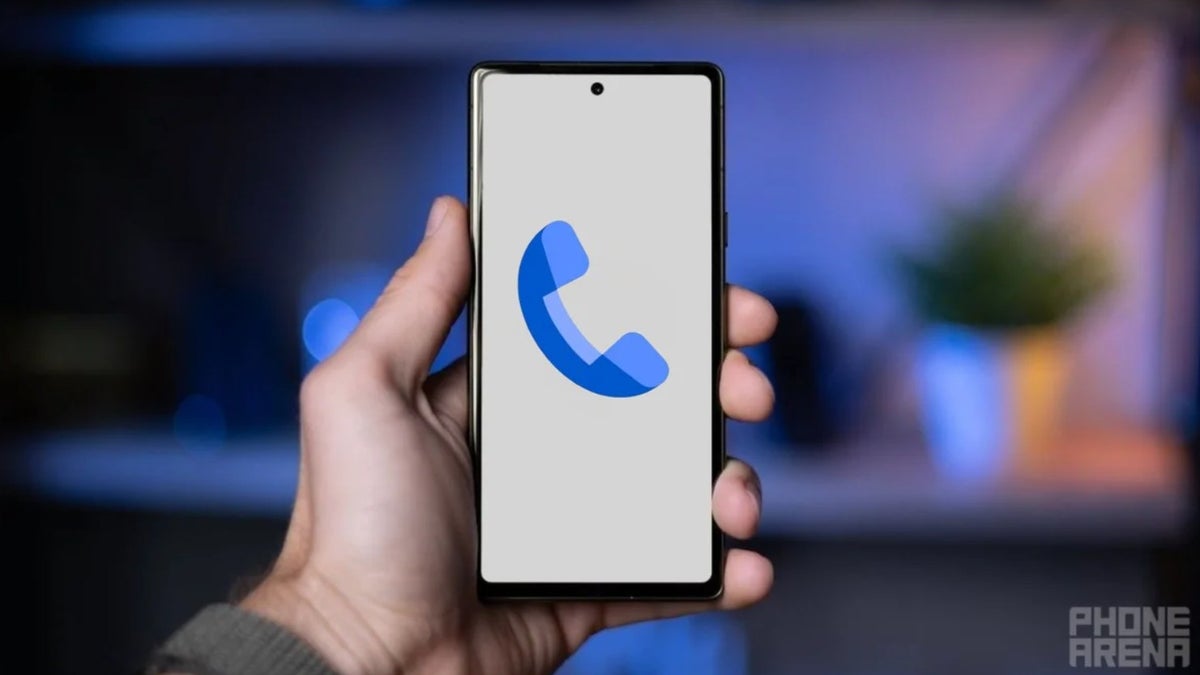
Similar to Apple, Google could soon allow you to control how your Calling Cards appear on the phone you're calling.
A big limitation could soon be fixed
One of the biggest highlights of the iOS 17 update was the Contact Posters feature, which displays a full-screen photo of the caller on your iOS device. Google introduced a similar feature last year, called Calling Cards, to its Phone app. Like iOS's Contact Posters, it lets you customize how incoming calls from known contacts appear on your Android smartphone. However, this Android feature has a major limitation compared to its Apple counterpart.
Unlike the Contact Posters feature on iOS devices, the Calling Cards feature doesn't allow you to manage how your own caller ID appears on other people's Android phones. Google quickly identified this limitation, and reports from October last year indicated that it had already begun to address it. In fact, an APK teardown revealed a new "My Calling Card" option in the Phone by Google app, which was non-functional at the time.
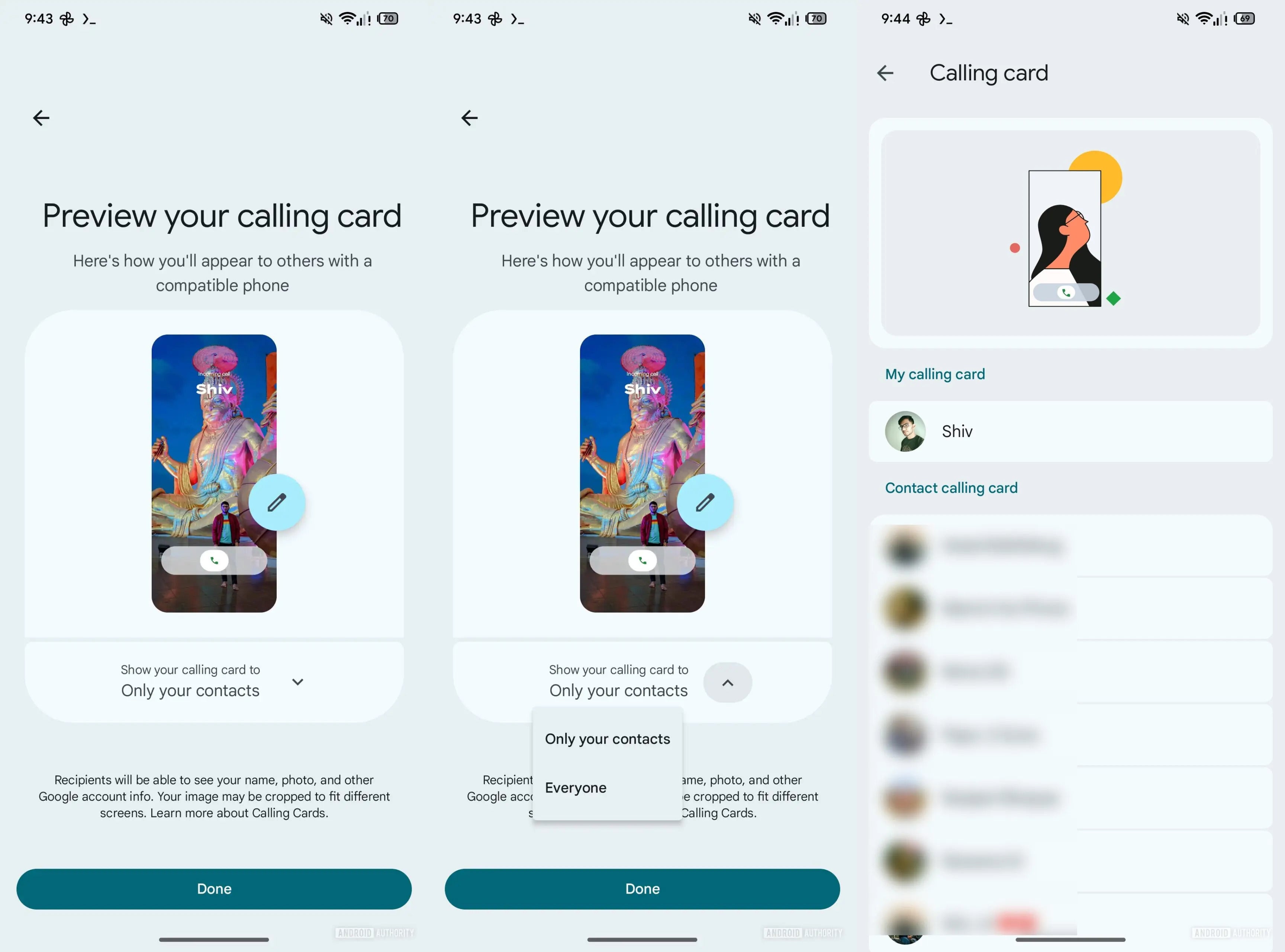
Now, a new APK teardown of the latest beta version of the Google Phone app reportedly reveals a customizable "My calling card" feature. In addition to allowing you to choose a photo of your choice and customize the fonts, it also lets you configure whether your Calling Card appears only for known contacts or even for unsaved contacts you call.
Recommended For You
Google's description of the feature states that the person you're calling will "see your name, photo, and other Google info." The app will automatically crop your Calling Card image on the receiver's smartphone depending on their phone's size.
You might wonder what actually happens when the recipient already has your contact saved and has configured a Calling Card for you on their Android device. In that case, the Phone by Google app gives priority to the Calling Card they have configured for you, rather than the one you've set to appear on their device. And as you might have guessed, if the recipient hasn't set a Calling Card for you, then the one you've created will appear on their device.
Which Google Phone app feature do you like the most?
20 Votes
Scam Detection.
70%
Call Recording.
5%
Voice Translate.
15%
Calling Cards.
10%
Caller ID Announcement.
0%
Better late than never
Steps to configure My Calling Card in Phone by Google app. | Image Credit - Android Authority
The tech giant introduced the Calling Cards feature to Android back in August last year, meaning it took almost 5 months to address a limitation that shouldn't have existed since day one. It's worth noting that the change has currently only been spotted in the beta version of the Phone by Google app.
Although it seems certain that it will come to a stable build of the app, there's no time window on when it's coming. Other than the missing ability to customize how my Calling Card appears on others' devices, I like pretty much everything that the Phone by Google app offers. Features like the built-in scam detector, phone call recorder, and caller ID announcements make the app an ideal calling app.
Six-month unlimited plan is now 57% off
$90
$210
$120 off (57%)
Mint Mobile is now allowing you to get whichever plan you like for either three, six, or 12 months for just $15/mo. If you go for the six-month unlimited service, for instance, you'll now have to pay just $90 upfront instead of $210.
Aman Kumar is a news writer at PhoneArena covering Google Pixel phones, Android features, AI-powered smartphone tools, and mobile tech news. Before joining PhoneArena, he spent over five years writing about consumer technology for publications like MakeUseOf, How-To Geek, and Guiding Tech. His current daily drivers are the Pixel 10 and Samsung Galaxy S26 Plus, while his red iPhone SE (2nd gen) remains a personal favorite. Aman also appreciates bold smartphone experiments and still considers the Nokia N-Gage one of the industry’s most iconic designs.
A discussion is a place, where people can voice their opinion, no matter if it
is positive, neutral or negative. However, when posting, one must stay true to the topic, and not just share some
random thoughts, which are not directly related to the matter.
Things that are NOT allowed:
Off-topic talk - you must stick to the subject of discussion
Offensive, hate speech - if you want to say something, say it politely
Spam/Advertisements - these posts are deleted
Multiple accounts - one person can have only one account
Impersonations and offensive nicknames - these accounts get banned
To help keep our community safe and free from spam, we apply temporary limits to newly created accounts:
New accounts created within the last 24 hours may experience restrictions on how frequently they can
post or comment.
These limits are in place as a precaution and will automatically lift.
Moderation is done by humans. We try to be as objective as possible and moderate with zero bias. If you think a
post should be moderated - please, report it.
Have a question about the rules or why you have been moderated/limited/banned? Please,
contact us.







Things that are NOT allowed:
To help keep our community safe and free from spam, we apply temporary limits to newly created accounts: