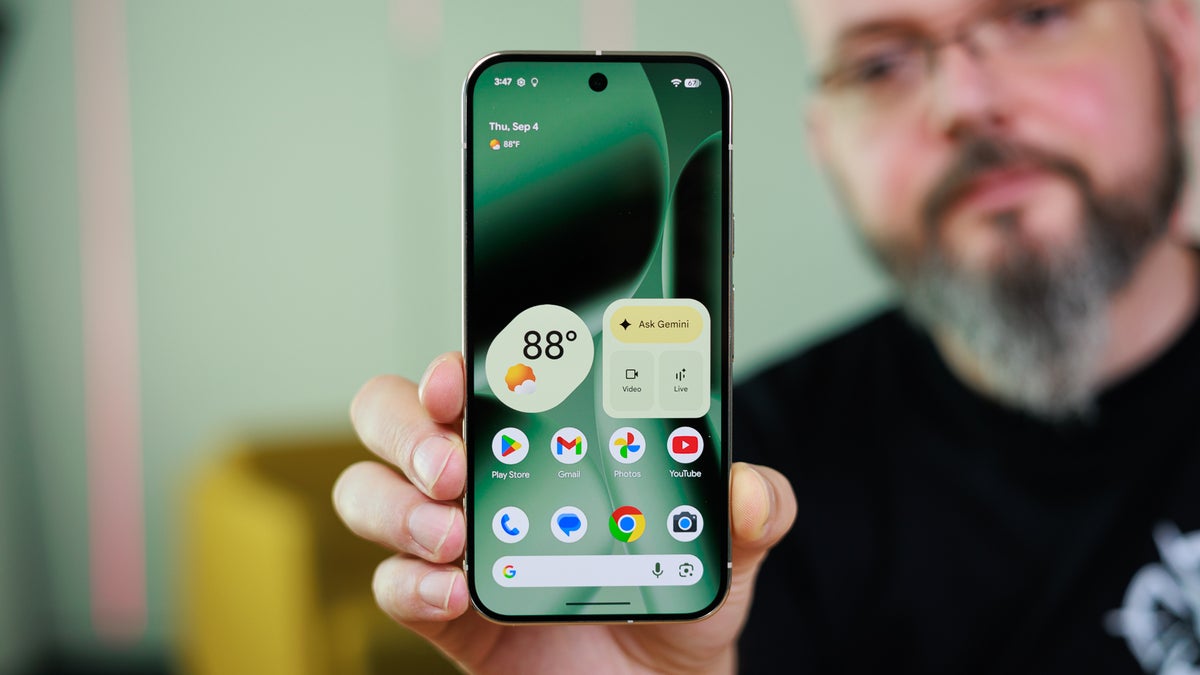
Your Pixel phone comes with some really cool hidden features that you might not be aware of. One of these is the "Take a Message" feature in Google's phone app. It is reportedly getting a very useful upgrade, which would make it even better than before.
What exactly is the Take a Message feature?
Take a Message is a very useful feature that was recently introduced with the Pixel 10 lineup. It's basically a smarter alternative to voicemails, and it automatically answers and transcribes calls for you.
When you are unable to take a call for any reason, the feature automatically asks the caller to tell the reason why they called you. The best part is that while the caller is recording their response, you can intervene and take up the call. The recorded voicemails and transcripts can be found in the Recents tab of the Google Phone app.
Take a Message is getting a much-needed upgrade
Custom greeting feature of Take a Message. | Image by 9to5Google
Take a Message is already one of my favorite features on my Pixel 10. However, I always used to hope about how cool it would be if it could allow setting custom greetings. For reference, when it takes over the call, the caller hears a very generic message that says, "The person you have called is not available. Please leave a message after the tone."
It's the same message that most carriers play when a call is not picked up. It was, however, reported in April this year that the tech giant is working on giving you the option to create custom greetings. The capability is finally live and is reportedly available to everyone.
What's your favorite recent Pixel upgrade?
33 Votes
Take a Message.
24.24%
Compatibility with AirDrop.
21.21%
Standalone Now Playing app.
18.18%
Pixel Screenshots app.
3.03%
Upgrades like Camera Coach.
6.06%
I like all AI features.
27.27%
How to set custom Take a Message greetings in Pixel phones
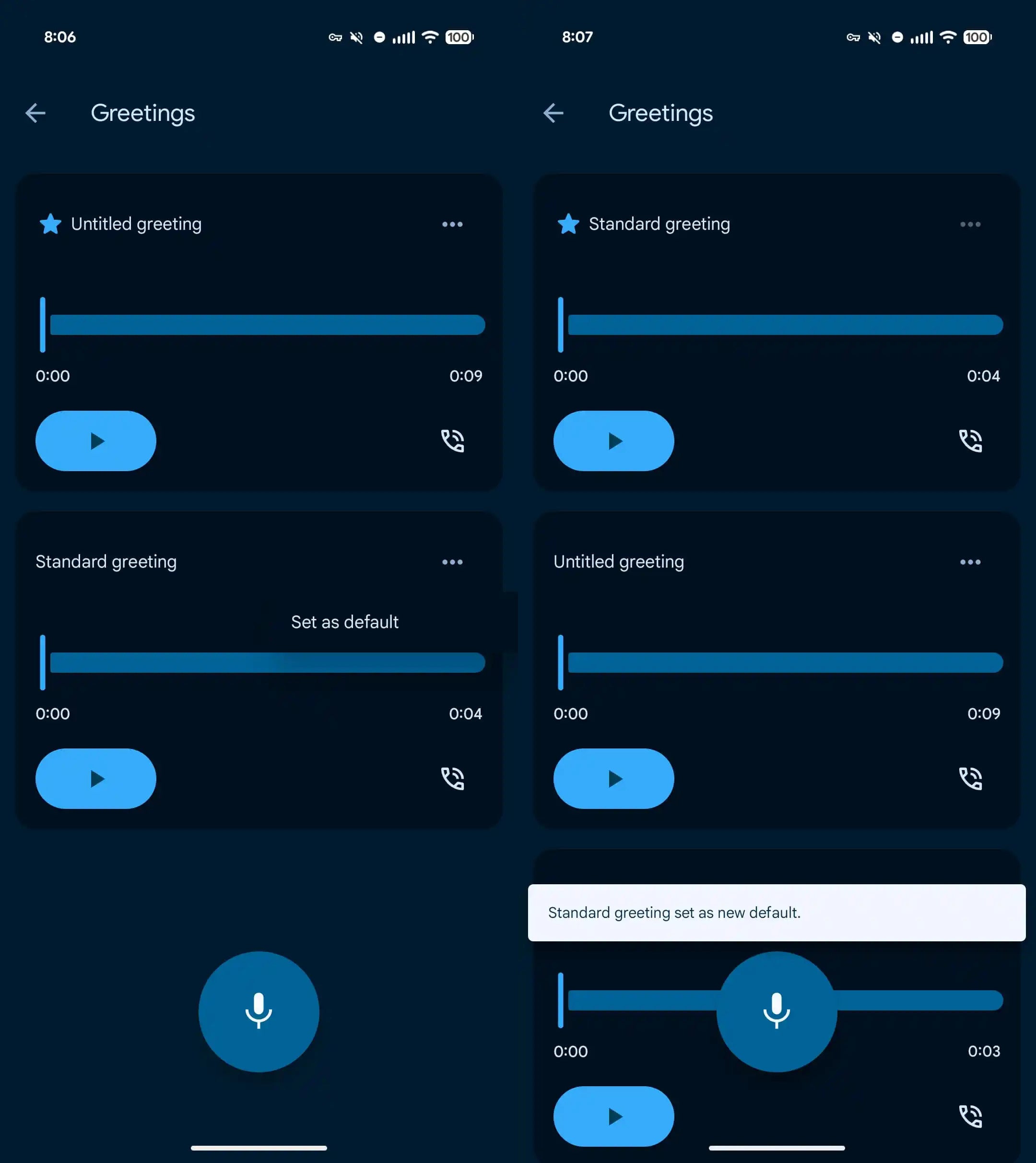
The process to set a custom Take a Message greeting is pretty straightforward. To begin with, you need to make sure that you have the latest version of the Google Phone app installed on your Pixel phone. After that, you need to open the app and navigate to Settings > Take a Message > Manage Greetings.
Recommended For You
You now need to simply tap the mic icon and start recording. You can record as many greeting messages as you want, then tap the three dots next to the one you like and choose "Set as Default."
I want it to be more personal
While the current change is really welcome, I want Google to let users have different greeting messages for different contacts. Doing this will allow the users to have a lot of manual control over the feature and give a personal touch to different contacts.
All that said, the Take a Message capability is available on Pixel 6 and newer Google phones. Furthermore, it's currently available only in selected regions, which include Australia, Canada, Ireland, the UK, and the US.
Tello Halloween Promo: $10GB for $10/mo
Don’t miss this scary-good deal: 10 GB for $10/mo. Save $5/mo for your first 3 months. Offer valid now through November 9, 2026.
Aman Kumar is a news writer at PhoneArena covering Google Pixel phones, Android features, AI-powered smartphone tools, and mobile tech news. Before joining PhoneArena, he spent over five years writing about consumer technology for publications like MakeUseOf, How-To Geek, and Guiding Tech. His current daily drivers are the Pixel 10 and Samsung Galaxy S26 Plus, while his red iPhone SE (2nd gen) remains a personal favorite. Aman also appreciates bold smartphone experiments and still considers the Nokia N-Gage one of the industry’s most iconic designs.
A discussion is a place, where people can voice their opinion, no matter if it
is positive, neutral or negative. However, when posting, one must stay true to the topic, and not just share some
random thoughts, which are not directly related to the matter.
Things that are NOT allowed:
Off-topic talk - you must stick to the subject of discussion
Offensive, hate speech - if you want to say something, say it politely
Spam/Advertisements - these posts are deleted
Multiple accounts - one person can have only one account
Impersonations and offensive nicknames - these accounts get banned
To help keep our community safe and free from spam, we apply temporary limits to newly created accounts:
New accounts created within the last 24 hours may experience restrictions on how frequently they can
post or comment.
These limits are in place as a precaution and will automatically lift.
Moderation is done by humans. We try to be as objective as possible and moderate with zero bias. If you think a
post should be moderated - please, report it.
Have a question about the rules or why you have been moderated/limited/banned? Please,
contact us.














Things that are NOT allowed:
To help keep our community safe and free from spam, we apply temporary limits to newly created accounts: