Alongside the reveal of Android 17 and how it reshapes our phone experience, Google also focused on improving some of the key apps we use every day, including Instagram and Adobe.
Introducing Screen Reactions
Reaction videos are super popular on social media, but creating compelling ones can be quite challenging. Google sets out to address challenges by launching Screen Reactions.
Why spend hours on a reaction video? | Video by Google
It lets you create a reaction video with just a few taps by recording both your screen and your authentic reaction. The feature is set to roll out on Pixel devices in the summer.
Instagram is getting a major upgrade
If you have ever tried to capture a special moment at night, you probably know how challenging that can be. And it gets even more stressful when you try to share it on social media. Well, Android 17 changes that.
What's your favorite new creative tool?
10 Votes
The upgrades of Instagram's Edits app
10%
The launch of Screen Reactions
30%
The Adobe Premiere app's launch
40%
The new Instagram enhancements
20%
Collaborating with Meta, Google has brought advanced new features to Instagram, including Night Sight integration. This tool allows you to capture night scenes more professionally.
The company is also integrating Ultra HDR capture and playback into the social media app. This helps create content that looks much more realistic while saving creators hours on editing. Built-in video stabilization is coming to Instagram as well, keeping videos steady and sharp even when you’re moving.
Recommended For You
Ultra HDR support makes Instagram content truly pop. | Video by Google
These changes aim to help creators deliver better results faster. With built-in stabilization and Ultra HDR, your Instagram posts should look spot-on from the start. Plus, by optimizing the entire process, Google ensures everything looks sharp even when uploaded.
Full-screen mode is here
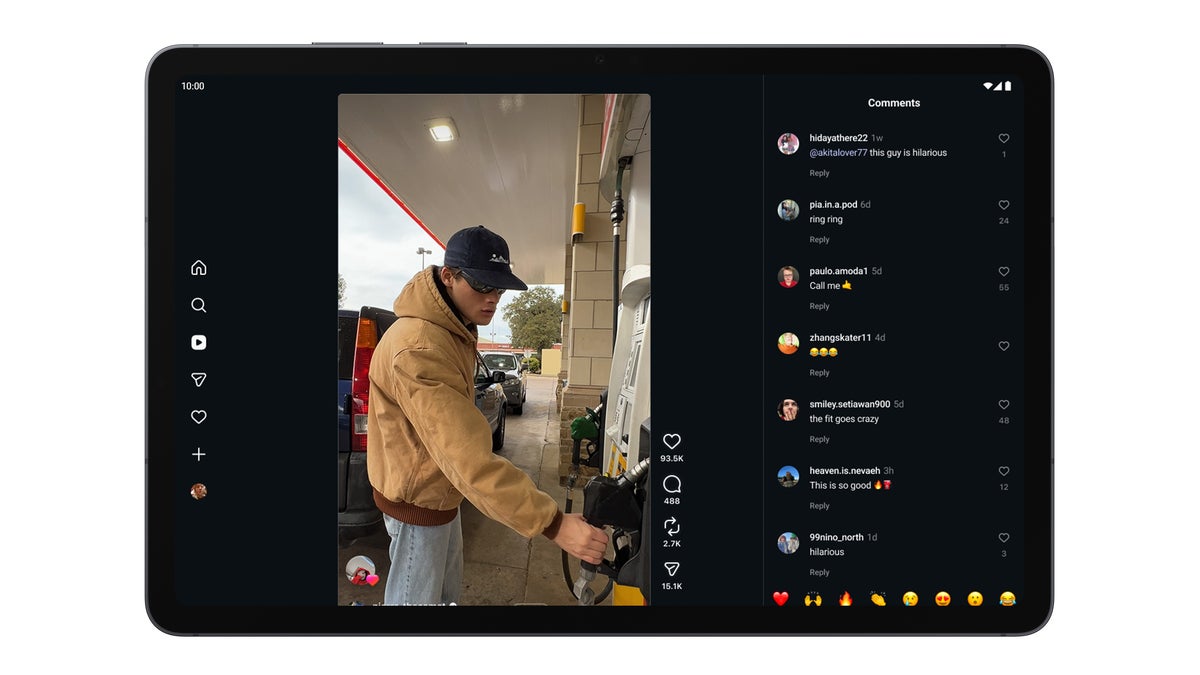
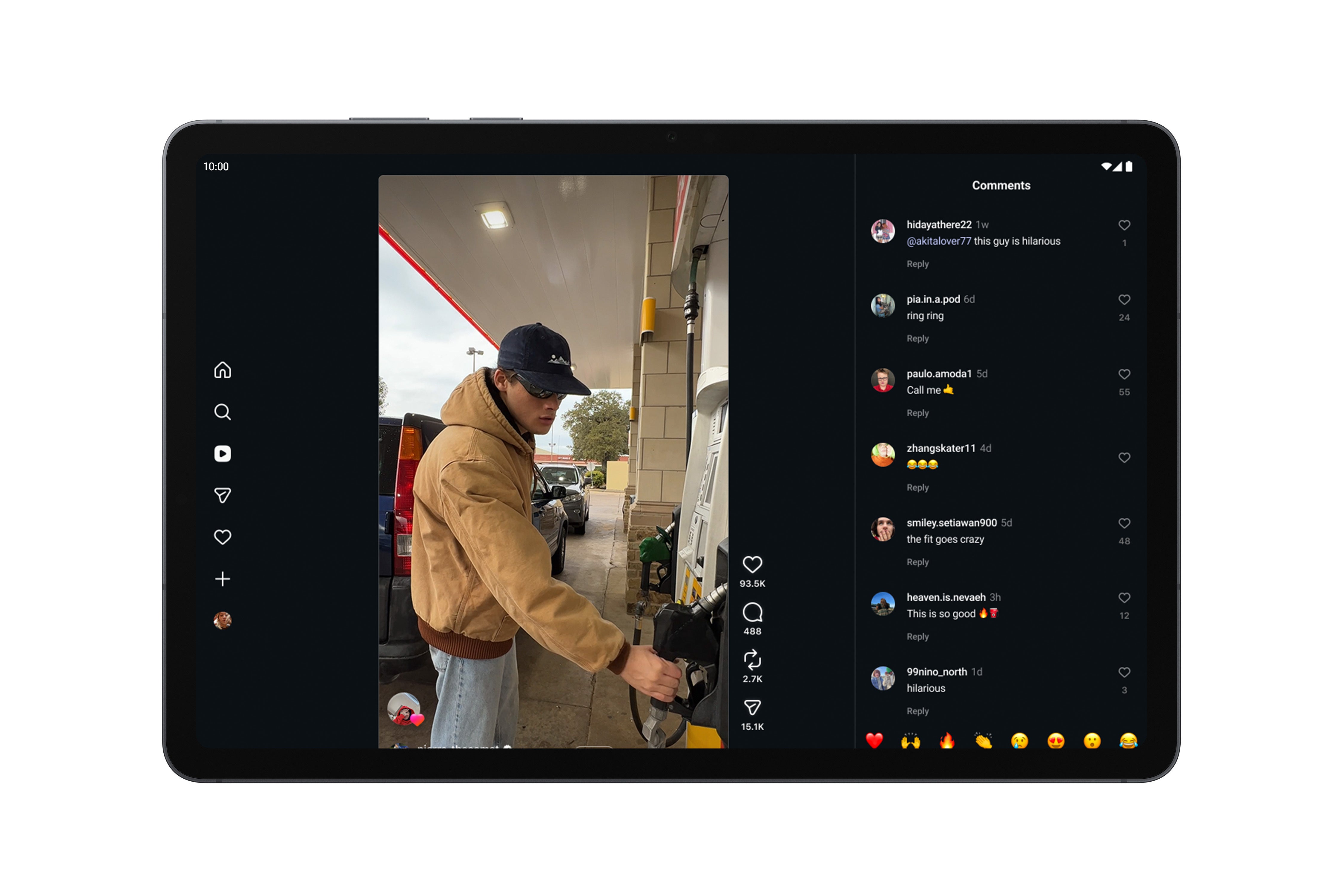
For quite some time, Instagram users couldn’t get the perfect experience on foldable devices and tablets. Now, Google addresses this by adapting the app for Android tablets so it feels much more natural on larger screens. What’s more, it adds a multi-column layout, allowing users to view content and browse through reactions at the same time.
Instagram now looks more natural on larger screens. | Image by Google
Instagram's Edits app is receiving notable upgrades as well. Relying on on-device AI, users can reimagine content with a single tap. The app uses on-device AI to enhance videos and photos, ensuring optimal results.
But it goes further than visuals, as Google includes sound separation in the Edits app. AI analyzes and separates all noises, boosting desired sounds and filtering background noise.
A new app for creators is coming
Enhancing photos is super intuitive. | Video by Google
Adobe Premiere is one of the most popular video editing tools, used by creators and filmmakers alike. For now, the full version of the tool is available exclusively on desktop, but Google is bringing it to phones this summer.
During the Android Show, the company announced that the upcoming Premiere app will bring special effects and exclusive templates right on your smartphone. Users will also be able to share content on YouTube Shorts straight from the app.
Unleash your creative nature with these features. | Video by Google
Additionally, professionals can expect Snapdragon 8 Elite-powered phones to get APV (advanced professional video), which is considered one of the most storage-efficient video formats. For now, this format is available on the Galaxy S26 Ultra and the Vivo X300 Ultra.
A big year ahead
Google is clearly refining its Android, turning it into much more than a simple OS. By bringing on-device AI, professional editing tools to phones and streamlining the entire content sharing process, it gives creators the ability to produce, share, and edit content much faster.
This approach is impressive, but it's hard to see how it helps all users. To me, it feels more like catering to a special audience than designing a one-for-all solution.
Either way, I don't see that as a problem. Even if I only use features like Ultra HDR once in a while, it's still nice knowing they're there when I need them.
Get iPhone 18 Pro with Visible, get $480 off!
$719
/mo
$1199
$480 off (40%)
On the Visible+ Pro plan, you get access to 5G Ultra Wideband data on Verizon's fastest network. Along with unlimited roaming across Mexico and Canada, 2 days of Global Pass per month, 3x hotspot speeds, 4K streaming, and Smartwatch service.
Polina Kovalakova, a News and Affiliate Content Writer, has nurtured a passion for mobile technology since the era before smartphones. With a history of exploring a variety of devices, her insights into the mobile world are both broad and nuanced. Polina's non-partisan view extends to appreciating nearly every smartphone brand, a reflection of her open-minded approach to technology. Polina is equally passionate about uncovering the best online deals, tirelessly working to ensure her readers snag top-tier tech at unbeatable prices.
A discussion is a place, where people can voice their opinion, no matter if it
is positive, neutral or negative. However, when posting, one must stay true to the topic, and not just share some
random thoughts, which are not directly related to the matter.
Things that are NOT allowed:
Off-topic talk - you must stick to the subject of discussion
Offensive, hate speech - if you want to say something, say it politely
Spam/Advertisements - these posts are deleted
Multiple accounts - one person can have only one account
Impersonations and offensive nicknames - these accounts get banned
To help keep our community safe and free from spam, we apply temporary limits to newly created accounts:
New accounts created within the last 24 hours may experience restrictions on how frequently they can
post or comment.
These limits are in place as a precaution and will automatically lift.
Moderation is done by humans. We try to be as objective as possible and moderate with zero bias. If you think a
post should be moderated - please, report it.
Have a question about the rules or why you have been moderated/limited/banned? Please,
contact us.














Things that are NOT allowed:
To help keep our community safe and free from spam, we apply temporary limits to newly created accounts: