Twitter launches big iOS app redesign, still no way to actually edit a tweet
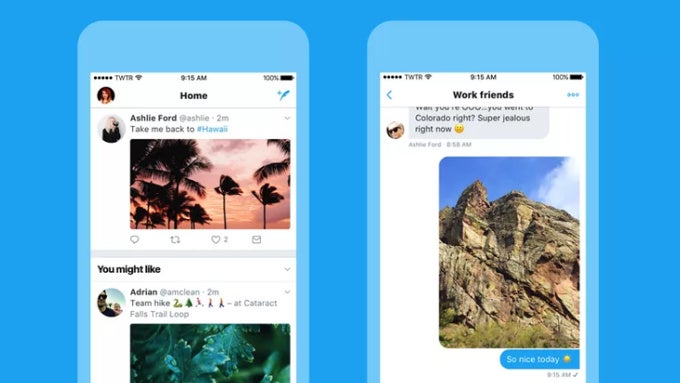
Twitter has just launched a big redesign of its iOS app with fresh typography and it now uses a new side navigation tab.
You can get to the new navigation tab by simply tapping on your profile picture. There you'd find your profile, Moments, as well as other settings.
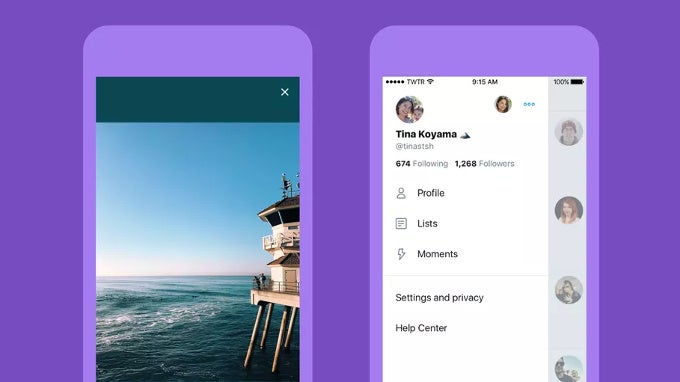
As for the rest of the app, it does look wider, with more blank space in between, and a more rounded look to icons. Instead of an arrow, you now have a bubble icon for your replies. Twitter says users thought it "meant delete or go back to a previous page", hence the switch to the new button.
You also have bolder headings that make more visual impact.
Overall, it's a solid update to one of the most popular platforms out there. And nope, you still can't edit tweets.


Popular stories




Latest News


Things that are NOT allowed:
To help keep our community safe and free from spam, we apply temporary limits to newly created accounts: