Google has just officially unveiled Android 17 at the 2026 iteration of the dedicated Android Show. Actually, the software has been out as a beta for Pixel devices for the past few months but is now demoed on a stage for the first time.
As usual, Android 17 will arrive on Pixel phones first and will gradually arrive on other Android devices later on. Such a delay is normal, but this year, many new Gemini and Chrome features will arrive at different times.
Without further ado, let's check out the major new features.
Android 17 new features
Here's everything new that Google has announced for its next operating system.
Gemini Intelligence makes AI agents real and useful
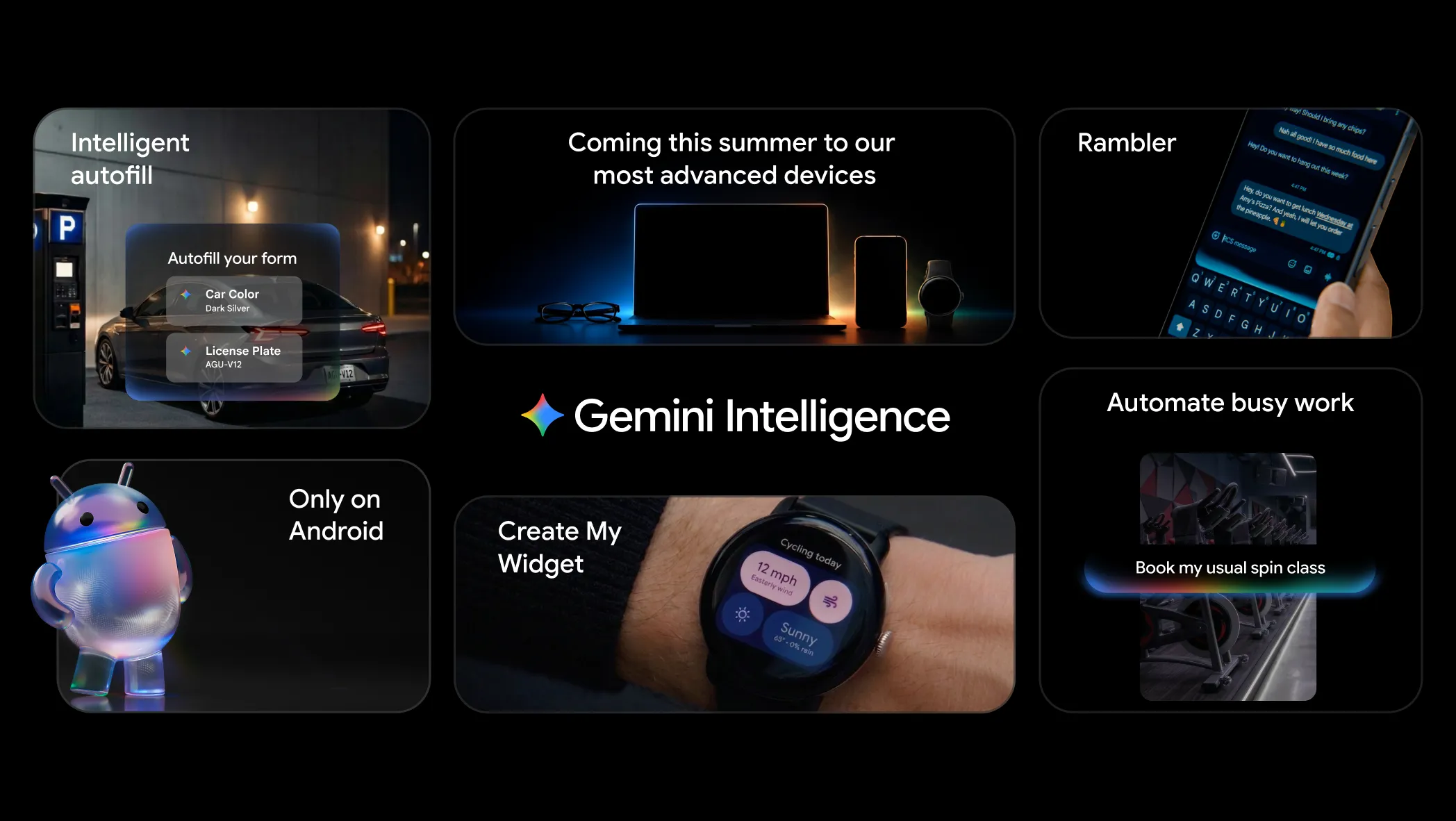
With Android 17, Google introduces a new chapter of on-device intelligence on Android, called Gemini Intelligence.
Gemini Intelligence in a nutshell. | Image by Google
Gemini Intelligence is an AI-powered agent that will be able to execute complex multi-step automations on your behalf. This next-level functionality has been trained on popular food and rideshare apps, says Google, so I'd expect Gemini Intelligence to be best at ordering food or booking a ride for you, but the company also says it can create even more impressive tasks, like searching your Gmail account for your class syllabus and automatically adding the school books to your cart.
Recommended For You
Another practical use case scenario allows Gemini Intelligence to automatically turn a long list of groceries from your notes app into a complete shopping cart for you to purchase with the tap of a button. You can also take a picture of a travel brochure and ask Gemini Intelligence to find similar offers on your favorite vacation-planning platform. Countless other use cases are surely possible, too.
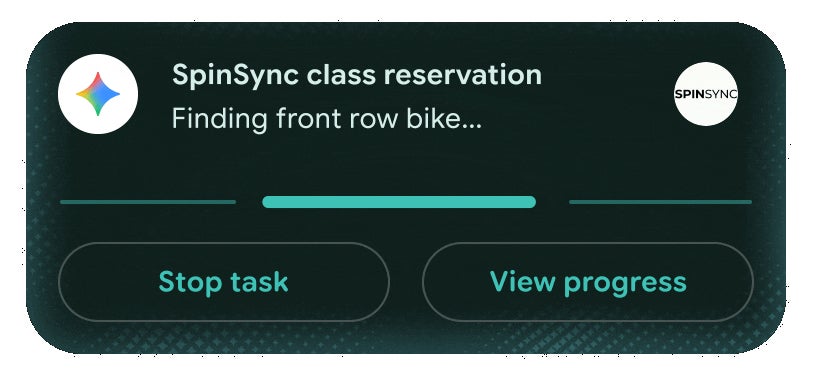
Ongoing automated tasks appear as live notifications. | Image by Google
Such a feature now starts treading the fine privacy line, but Google is quick to address those issues by revealing that you have the final say with Gemini Intelligence and that any command stops as soon as the pending task is complete. The user can always check the current progress of the task by checking their notifications.
Gemini Intelligence will first arrive on eligible Samsung Galaxy and Google Pixel devices this summer, with other devices following later this year.
Vibe-code custom widgets on Android
This new Android 17 functionality allows you to sort of "vibe code" your own home screen widgets.
Yep, that's right, Google is opening up Android to Gemini Intelligence and allowing you to create completely custom widgets by simply describing what you want. The resulting widgets are created with the Material Expressive design language, so nothing too fancy, but functional and deeply personal.
For example, you can create a widget that provides you with weekly meal prep plans or a very specific local weather report.
Rambler
Android 17 introduces Rambler, a feature for Gboard that will bring artificial intelligence to voice dictation. You can already tap a button and dictate with Gboard, but that feature relies on natural-language recognition and only inputs text that it hears.
Well, Rambler is pretty different. When you enable this feature (via the tap of a button, nonetheless), you can start talking and speaking out your thoughts, make as many "ahs" and "likes," correct yourself and backtrack on earlier statements you've made, and Rambler will intelligently make out a coherent thought to put into the text field.
Essentially, you can speak like you always do and trust that Rambler will turn your chaotic thoughts into an apt and concise message. Of course, you will have the final say before you send that input, so you can always correct any mistakes or irregularities.
The most impressive feature is that Rambler seems to be language-agnostic––you can seemingly mix English with other languages and rely on Rambler to understand both context and nuance.
Pause Point
Doom-scrolling is a modern epidemic that we all unconsciously indulge in daily. And that's simply not cool: there are way more useful and productive things we can do with the powerful devices in our pockets.
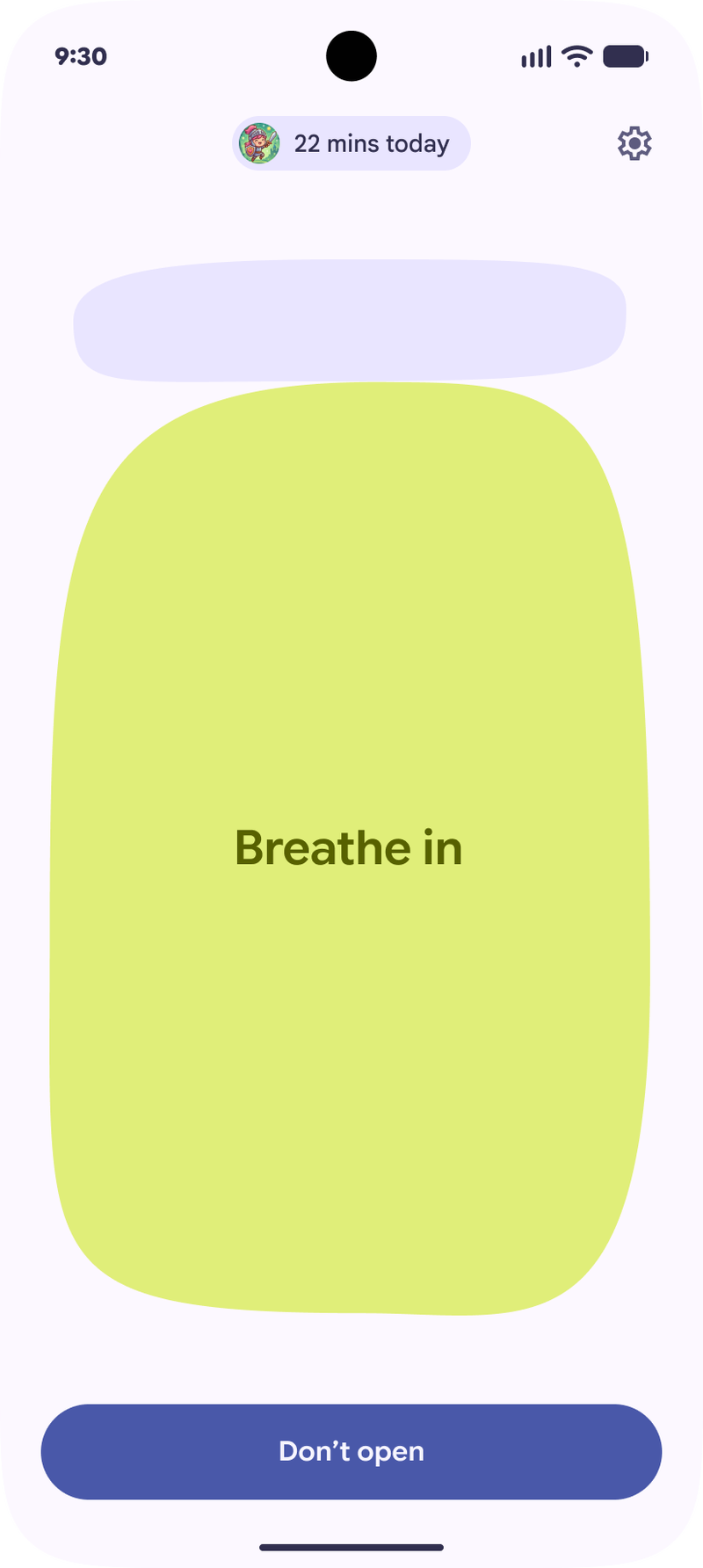
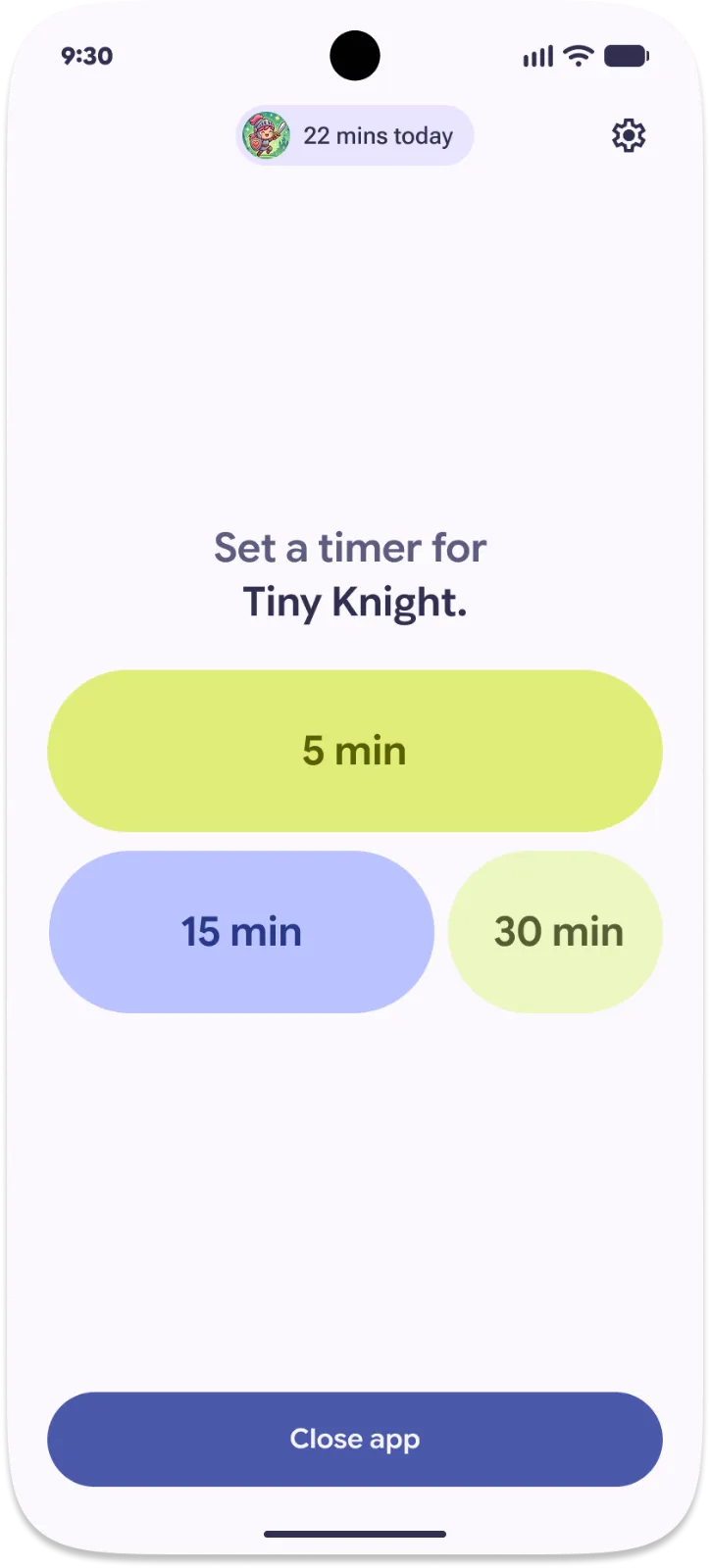
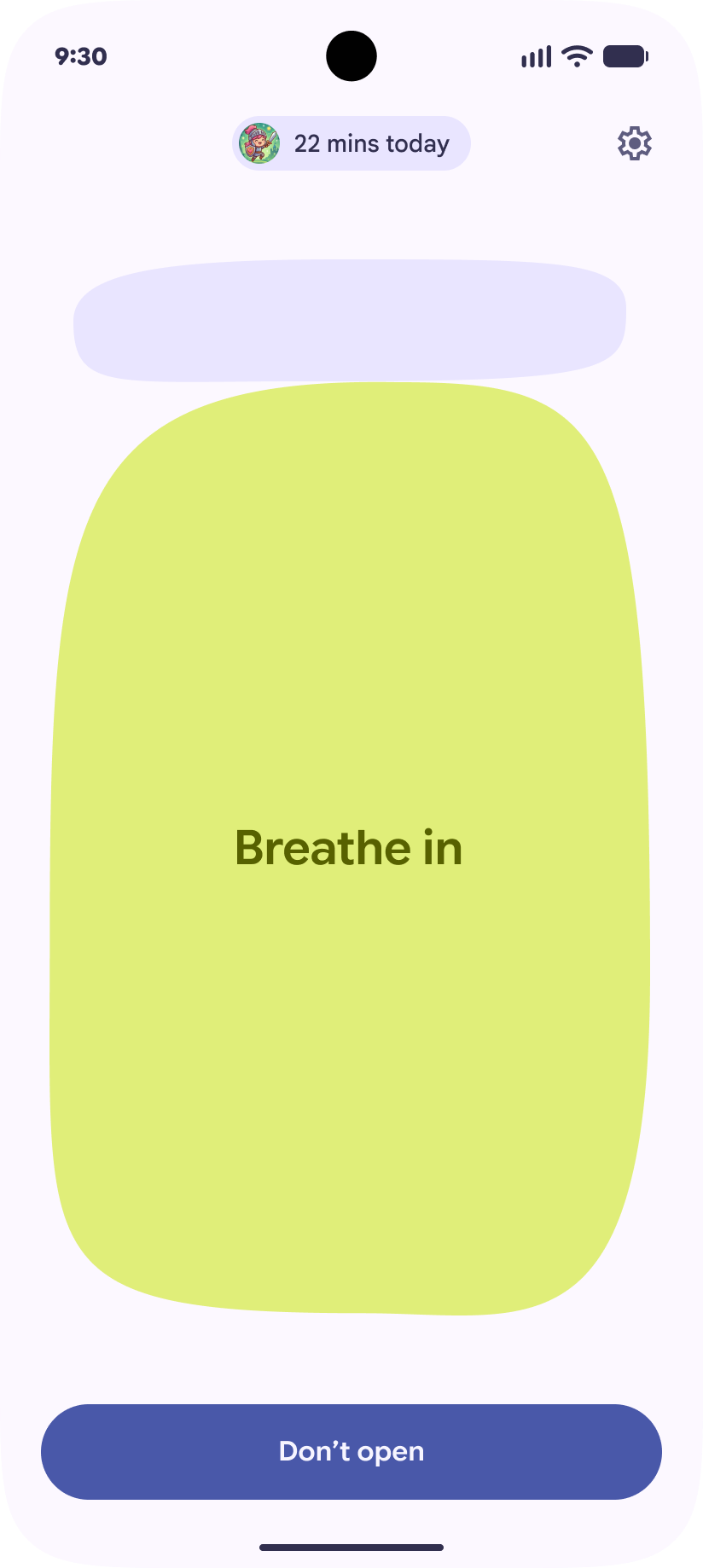
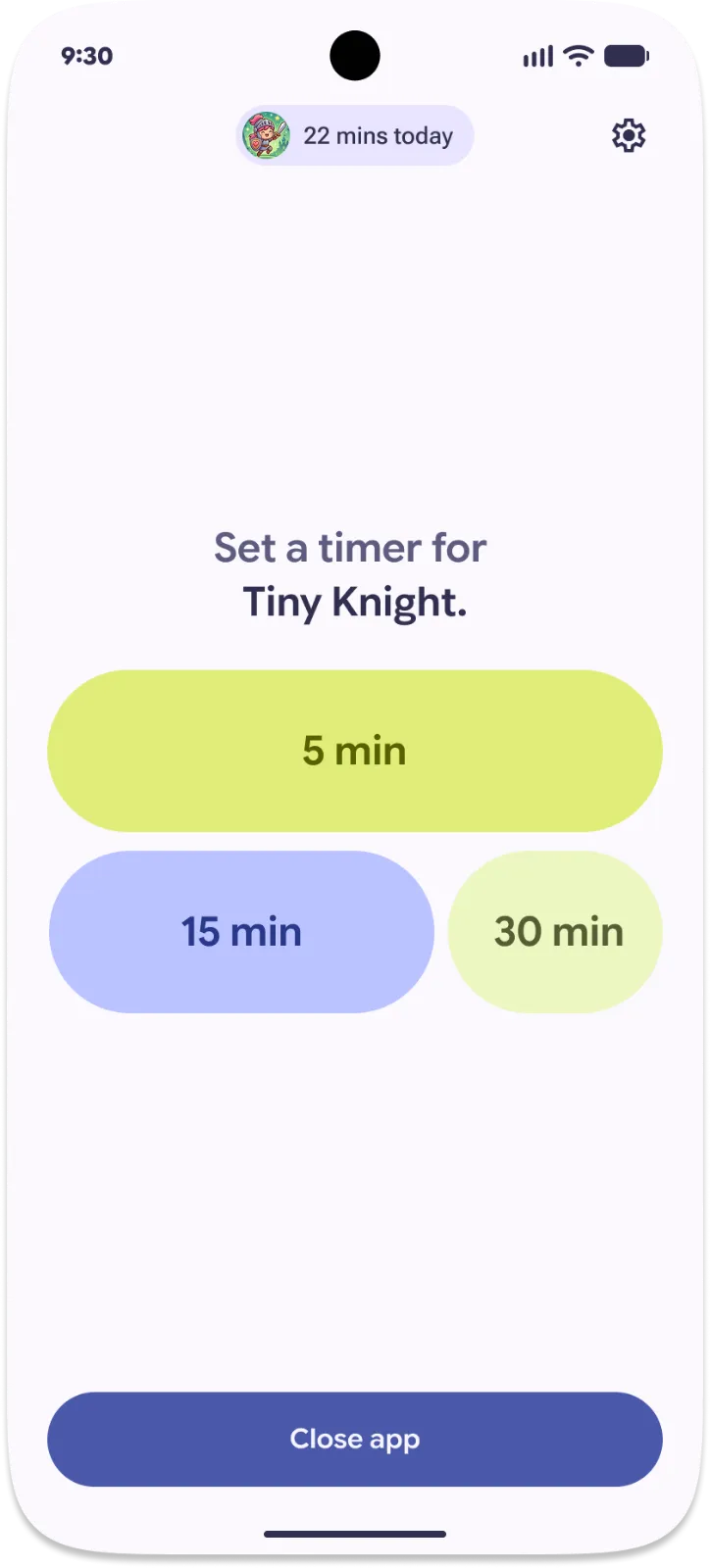
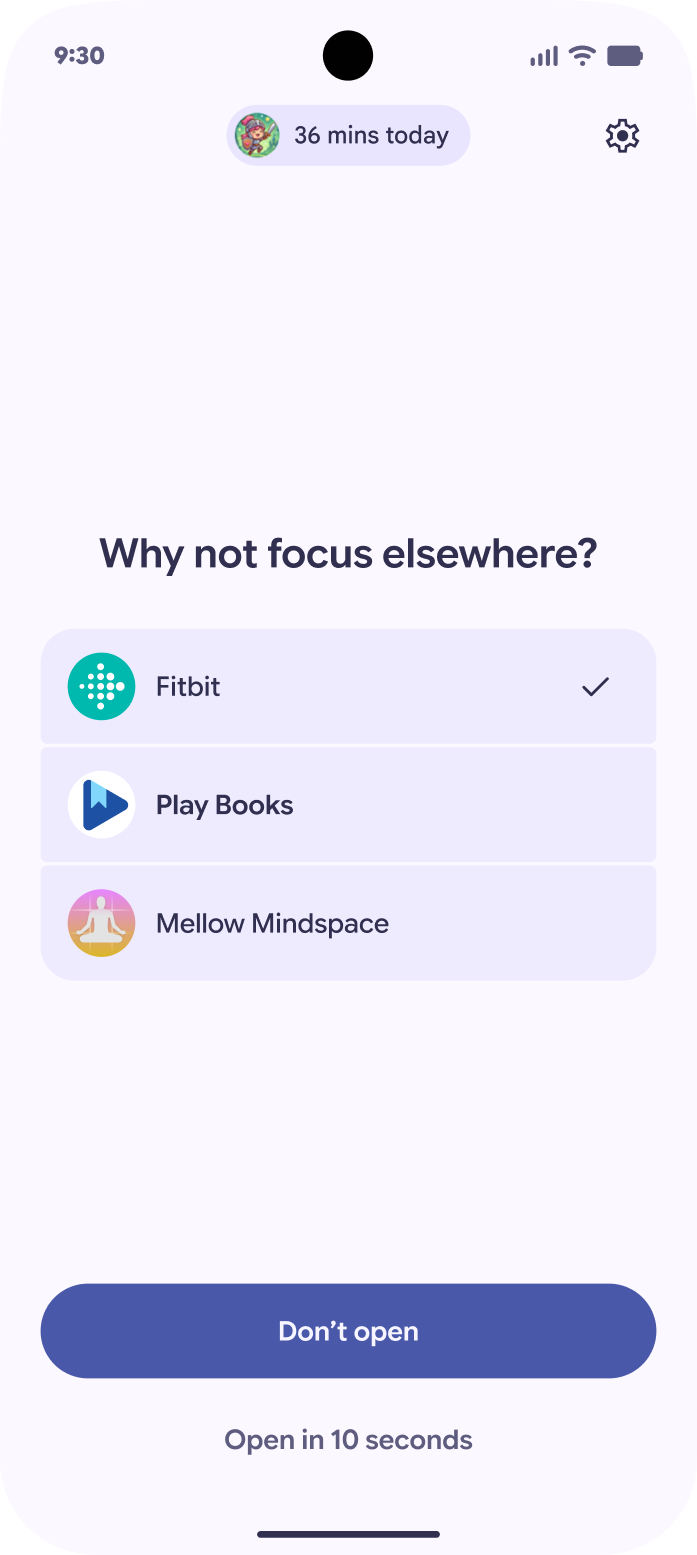
With Pause Point in Android 17, Google is helping you curb your doomscrolling habits. When you open a distracting app, the Pause Point splash screen pops up instead, giving you a 10-second timer allowing you to rethink if you really want to open Instagram, Facebook, TikTok, or others. You can also preemptively set a timer for that app, giving your future self a timed app usage allowance.
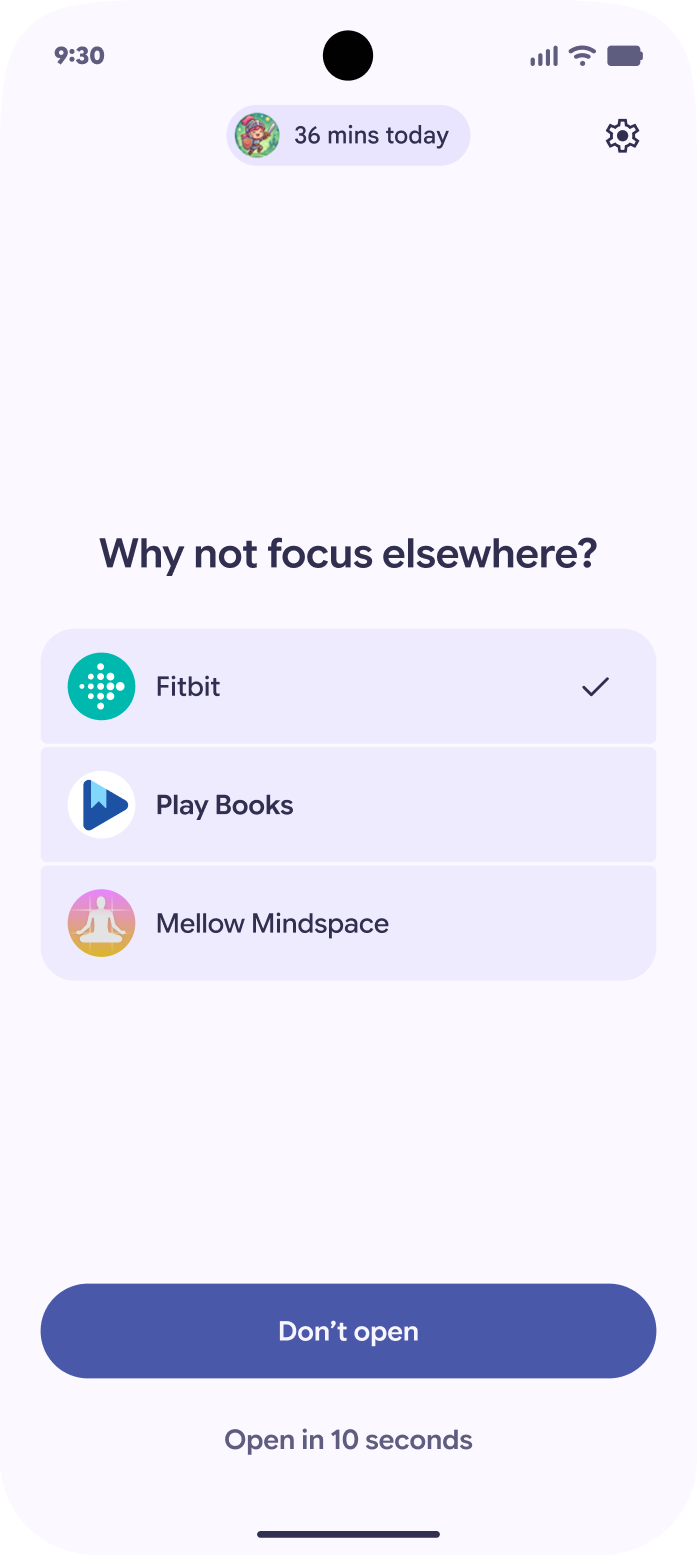
Once your time's up, Pause Point will provide you with alternatives, like checking out an audiobook or a regular e-book. It's also "difficult" to disable Pause Point: turning it off requires a restart, making it mildly inconvenient to turn the feature off and indulging into bad habits.
Better tools for content creators
Android 17 is also adding some useful tools for digital creators.
The first major new feature, Screen Reactions, allows you to more easily react to content by recording a talking-head video of yourself recorded with the front camera with your screen as a background. Think of it as a native and more convenient way to record natural reactions to the content you're watching. This feature is launching on Pixel phones later this summer.
Another new feature will improve the Instagram experience on your phone. Google has partnered with Meta to bring Ultra HDR capture and playback on Android, built-in video stabilization, and Night Sight photos and videos that will bring out the best of low-light scenes straight to your Instagram profile. All great additions.
But most importantly, Google says that the capture-to-upload pipeline from your camera app to the Instagram post has been streamlined so that you never lose any sharpness or clarity. This has often been cited as one of the main drawbacks of Android devices in comparison to the iPhone for as long as I remember, so it's great that Google is acting on the issue.
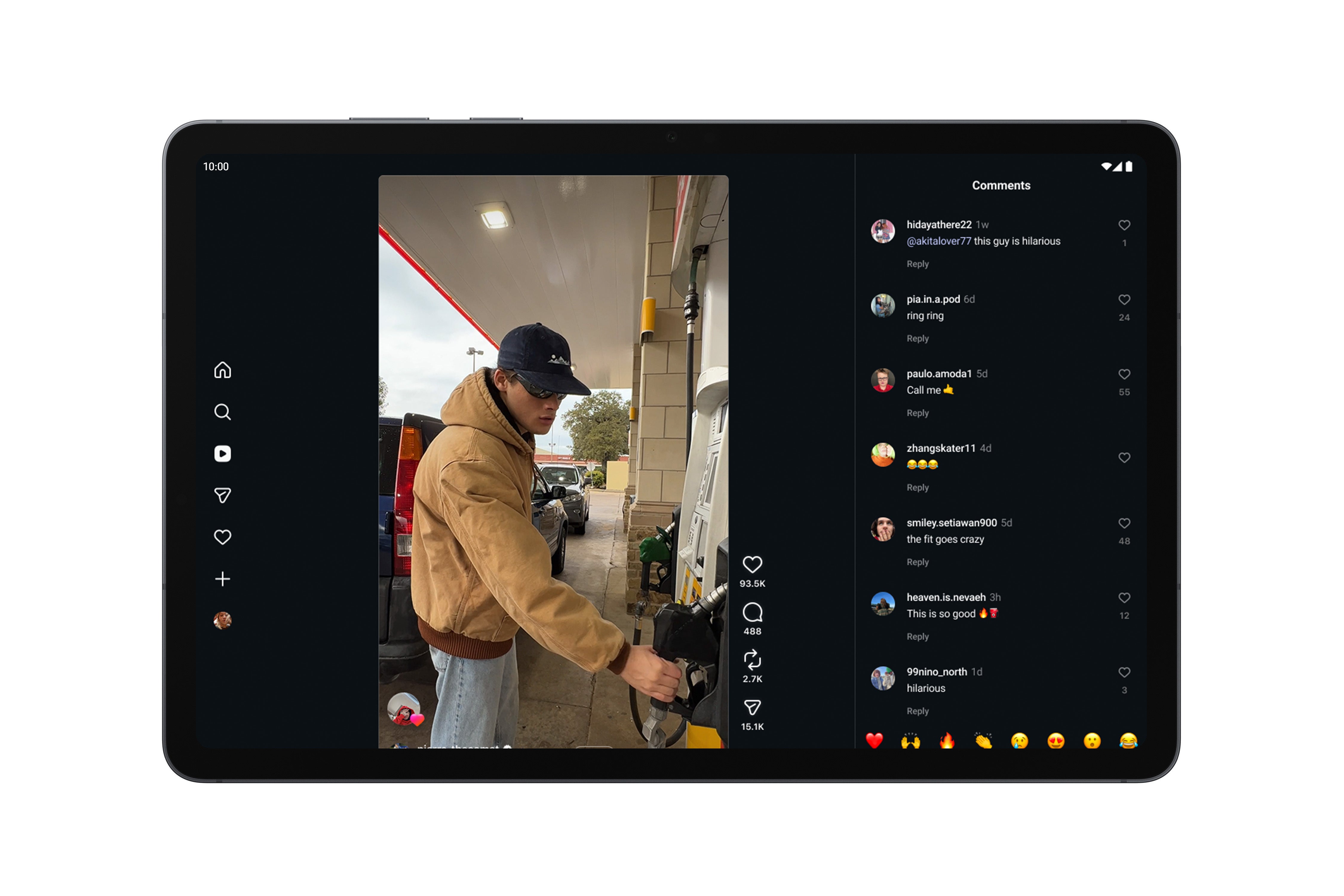
Instagram is getting better on large-screen devices. | Image by Google
Google also adds new tools to Instagram's Edits app that are exclusive to Android. Smart Enhance and Sound Separation are two AI-powered features that allow you to quickly upscale your raw footage or isolate specific audio tracks to only keep sounds you want and get rid of unwanted noises.
Adobe Premiere app is also coming to Android later this summer with exclusive templates and effects for YouTube creators.
Samsung's APV format is also scoring official support with Android 17. Google says it's the most efficient video codec currently available, but sadly, the pool of devices capable of capturing it is still rather slim––just the Galaxy S26 Ultra and the Vivo X300 Ultra. Fortunately, more Snapdragon 8 Elite-powered devices will be scoring APV support later this year, which is great news.
Run apps in bubbles
One of the more intriguing new Android 17 features builds on the platform's exceptional multi-tasking capabilities. Android 17 will introduce App Bubbles, which will enable you to minimize any app in a chathead-like bubble that you can move around and interact with on top of your other running apps.
The interface is extremely similar to Chat Bubbles, which let you run many messaging apps on top of your screen. If you've ever used Facebook Messenger's chat heads on Android, you should know the drill.
Similar features have been used in a few custom Android skins over the years, but now Android gets it as a default functionality.
Get iPhone 18 Pro with Visible, get $480 off!
$719
/mo
$1199
$480 off (40%)
On the Visible+ Pro plan, you get access to 5G Ultra Wideband data on Verizon's fastest network. Along with unlimited roaming across Mexico and Canada, 2 days of Global Pass per month, 3x hotspot speeds, 4K streaming, and Smartwatch service.
Peter is a skilled writer with over 13 years of experience at PhoneArena. He has published nearly 300 phone reviews and comparisons. This vast experience helps him navigate the mobile tech landscape with ease. He enjoys everything Android but relies on a MacBook Pro daily.
A discussion is a place, where people can voice their opinion, no matter if it
is positive, neutral or negative. However, when posting, one must stay true to the topic, and not just share some
random thoughts, which are not directly related to the matter.
Things that are NOT allowed:
Off-topic talk - you must stick to the subject of discussion
Offensive, hate speech - if you want to say something, say it politely
Spam/Advertisements - these posts are deleted
Multiple accounts - one person can have only one account
Impersonations and offensive nicknames - these accounts get banned
To help keep our community safe and free from spam, we apply temporary limits to newly created accounts:
New accounts created within the last 24 hours may experience restrictions on how frequently they can
post or comment.
These limits are in place as a precaution and will automatically lift.
Moderation is done by humans. We try to be as objective as possible and moderate with zero bias. If you think a
post should be moderated - please, report it.
Have a question about the rules or why you have been moderated/limited/banned? Please,
contact us.














Things that are NOT allowed:
To help keep our community safe and free from spam, we apply temporary limits to newly created accounts: