Your Pixel's screen has always been one of its strongest features, especially on the Pro models that hit 3,300 nits without breaking a sweat. But Google just slipped in a small setting that completely transforms how your display looks, and honestly, it's the kind of thing Samsung and Apple should be paying attention to.
What Google's Comfort Filters actually do
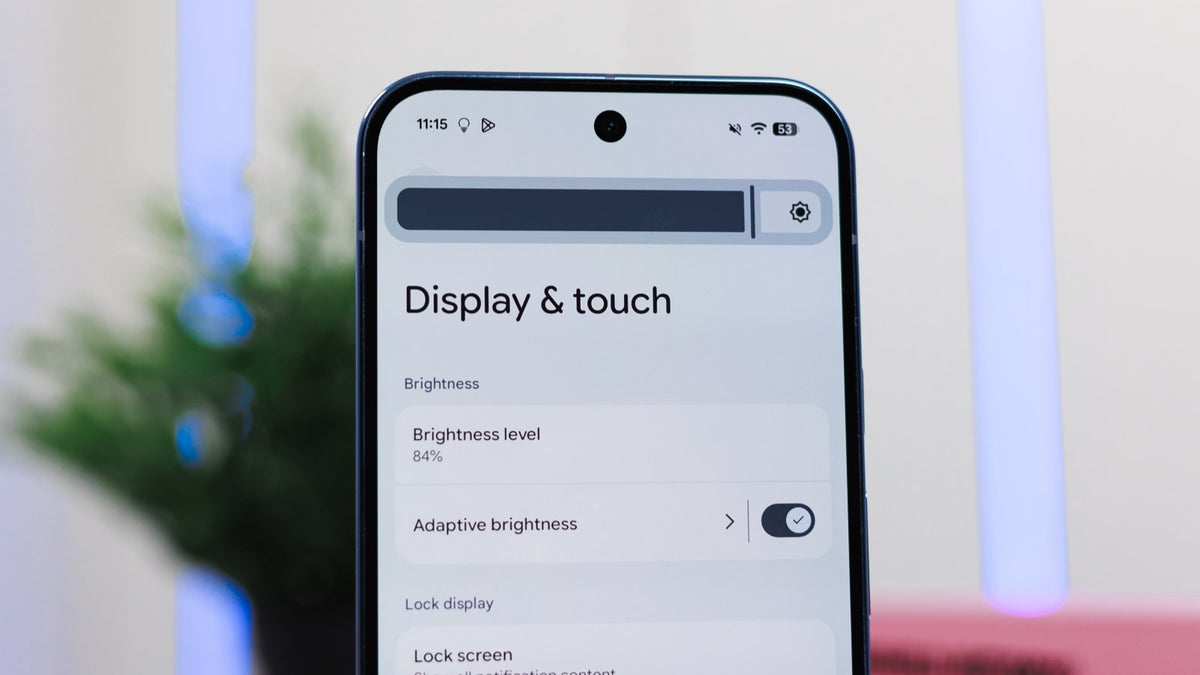
Google has rolled out a new feature called Comfort Filters on Pixel phones, and tucked inside it is Comfort View. This mode swaps your screen's standard RGB colors for softer, pastel versions, so reds get gentler, blues get cooler, and the whole display feels less aggressive on your eyes.
It joins the existing Night Light feature under this new umbrella, and you can run both at the same time. According to a new report, Google says Comfort View was built for people who find OLED's punchy, vibrant colors a bit much, especially in darker rooms.
It should be noted that Google did not categorize this as an accessibility feature. It's framed as a comfort and aesthetic choice, which is an interesting distinction given how many people genuinely struggle with how intense modern OLED panels can get.
How to turn on Comfort View
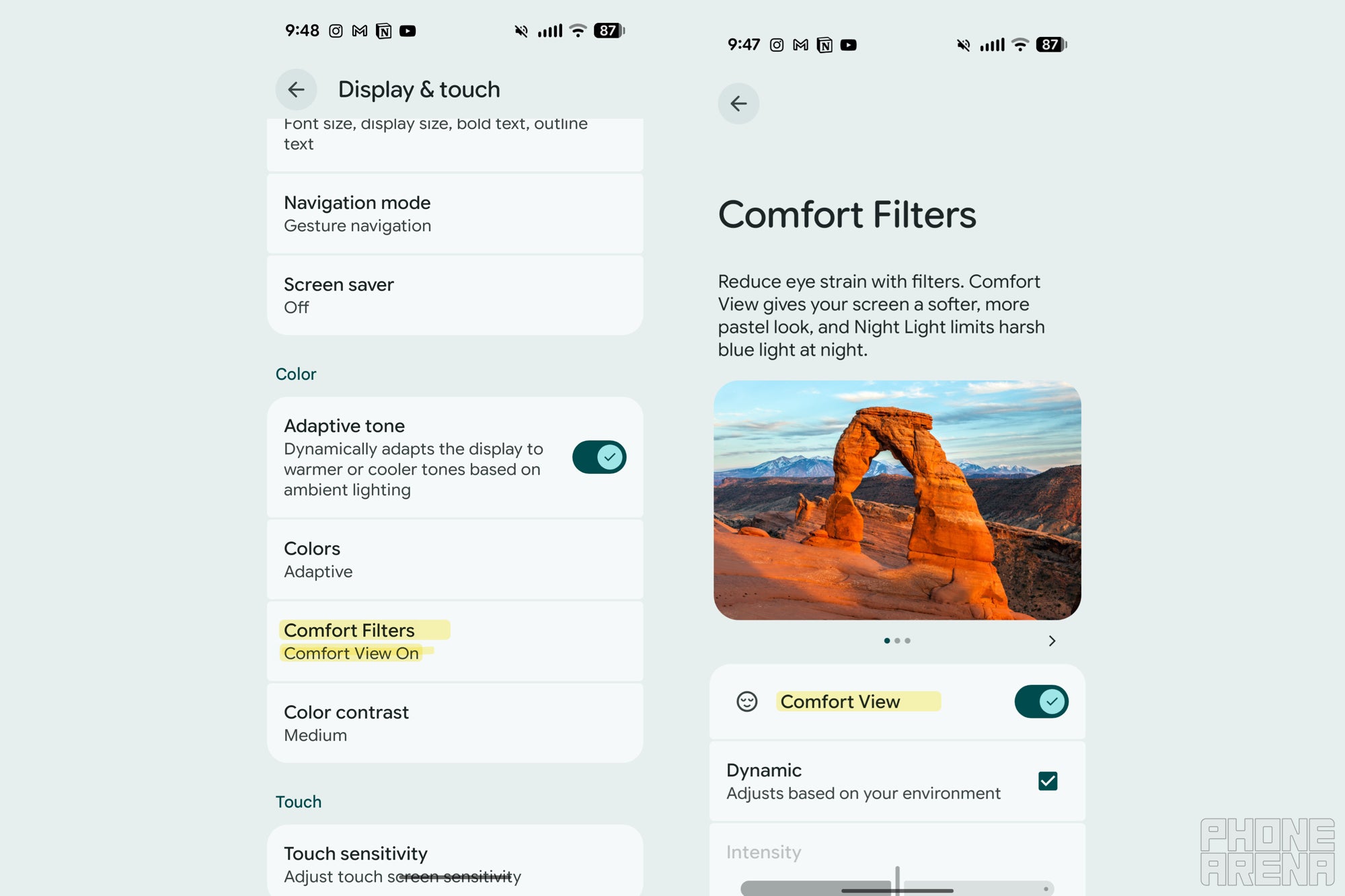
To turn Comfort View on, just follow the below steps:
Recommended For You
Open Settings on your Pixel running the April Android 16 build or later
Tap Display & touch
Scroll down and tap Comfort Filters
Toggle Comfort View on
Uncheck the Dynamic box if you want to drag the strength slider yourself
Pixel's new 'Comfort Filters' setting. | Image by PhoneArena
Why this matters more than Google is letting on
In our Pixel 10 Pro review, we called the screen amazing, fast, and very bright. That's exactly the kind of display that benefits most from a comfort mode, because all that brightness and saturation can wear your eyes out fast.
This is also the second eye-comfort feature Google has added in under a year, following the Sensitive Eyes setting introduced with the Pixel 10 Pro family. Apple gave us Display Pulse Smoothing on iPhone 17, sure, but Samsung is still dragging its feet on PWM dimming, and neither has anything quite like Comfort View.
What would actually make you tweak the display settings on your phone?
295 Votes
Eye strain after long scrolling sessions
24.07%
Bedtime use, I need warmer or softer colors
27.12%
Nothing, default looks great straight out of the box
3.05%
Better outdoor visibility in bright sunlight
45.76%
My early impression after flipping the switch
I'll be honest, I had this feature sitting on my Pixel 10 Pro Fold for a while and never bothered to turn it on. I finally enabled it while writing this, and within minutes I noticed my eyes felt less strained, which is wild for something so simple.
I'll need to live with it for longer to see if the pastel look grows on me or starts feeling washed out, but my early take is positive. It's a quietly thoughtful addition that does more for daily comfort than most flashy AI features, and it's another reminder that the small stuff Google bakes into Pixel phones often hits harder than the headline-grabbing tools.
If you've been doomscrolling at night and wondering why your eyes feel fried, this is worth trying tonight.
Want my hot takes and behind-the-scenes coverage? Come follow me on X and Threads. I'd love to hear what you think of Comfort View once you flip it on.
Free Galaxy A17 5G with Straight Talk
Get a free Galaxy A17 with Straight Talk. To claim this deal, you need to pair the phone with activation on a Silver Unlimited Plan or higher. This tier costs $45 per month. Offer valid through 01/10/27 while supplies last online.
Johanna Romero is a Senior News Writer at PhoneArena, covering mobile technology news across Android, iOS, wearables, and the Google ecosystem she knows best. Drawing on 15 years in IT and tech support from 2007 to 2022, she brings a user-friendly eye for the practical features and lesser-known tricks readers care about. Google named her an official #TeamPixel member in 2022, and she also reviews the latest devices on her YouTube channel, JoJo the Techie.
A discussion is a place, where people can voice their opinion, no matter if it
is positive, neutral or negative. However, when posting, one must stay true to the topic, and not just share some
random thoughts, which are not directly related to the matter.
Things that are NOT allowed:
Off-topic talk - you must stick to the subject of discussion
Offensive, hate speech - if you want to say something, say it politely
Spam/Advertisements - these posts are deleted
Multiple accounts - one person can have only one account
Impersonations and offensive nicknames - these accounts get banned
To help keep our community safe and free from spam, we apply temporary limits to newly created accounts:
New accounts created within the last 24 hours may experience restrictions on how frequently they can
post or comment.
These limits are in place as a precaution and will automatically lift.
Moderation is done by humans. We try to be as objective as possible and moderate with zero bias. If you think a
post should be moderated - please, report it.
Have a question about the rules or why you have been moderated/limited/banned? Please,
contact us.














Things that are NOT allowed:
To help keep our community safe and free from spam, we apply temporary limits to newly created accounts: