In September, we told you that Google started allowing the orientation of the Phone by Google app to change to landscape mode from portrait mode and vice versa. If you have your phone enabled for auto-rotate, when on a call, the screen will rotate if you turn your Android device. Unfortunately, this will leave you disoriented especially when the time comes to hang up on the call, Many users found that their phones would accidentally change orientation while they were on a call leaving them aggravated.
Android users are going nuts if their phone switches orientation from portrait to landscape during a call
As we told you in September, not every Android user wants to have a frustrating time leaving a call, especially when he needs to make another call right away. Yes, you can disable the auto-rotate, but if you use landscape mode at various times like many of us do, it means having to go into the settings and constantly disabling auto-rotate and then remembering to enable it again. And if you do forget to turn it back on after a call, you'll probably have forgotten why your phone is stuck in portrait mode.
Does it frustrate you when your phone accidentally auto-rotates when you're on a call?
4106 Votes
Yes. I go nuts with the buttons switching back and forth.
54.29%
No. I can calmly find the button I need.
13.49%
This never happens to me.
32.22%
Do you really want to disable and enable a setting every time you get a phone call? When we first told you that Google was allowing the phone app to auto-rotate, we included a complaint from an Android user who speaks for everyone not happy that his phone app is flipping between modes quite casually. I'm going to repeat what he typed only because he speaks for many.
You can feel the frustration of this Android user
This Redditor, with the username whappenow, said, "How do I turn this off? Don't think there was ever a landscape mode for Google Phone (or dialer), but now it's doing it for me. I don't want to turn it off system-wide in quick settings, but recently the application has been turning itself to landscape mode, and it's annoying when on the phone. Because when I hold the phone up and talk, it forces itself to landscape mode, and as I pull down the phone to hang up, the end call button is on the side, not in its usual place by the bottom of the phone. Is this just me, or some sort of update that's causing this?"
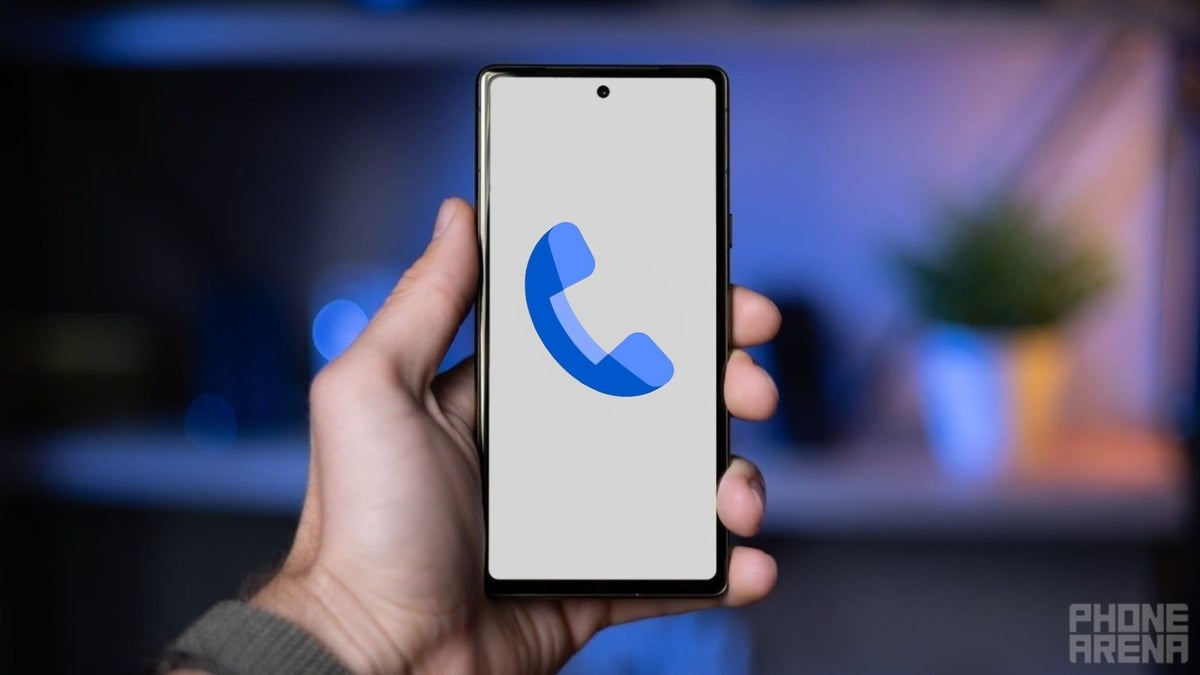
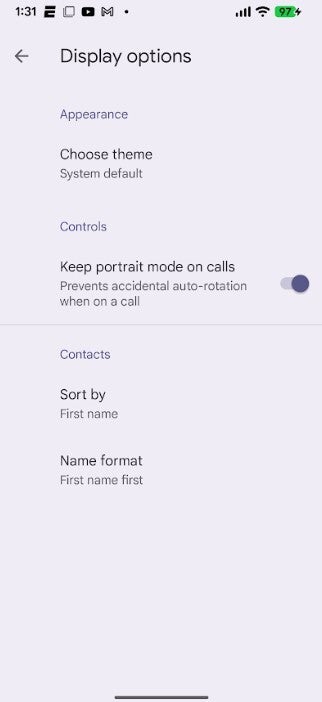
Toggle on the Keep portrait mode on calls option to prevent accidentally auto-screen rotation from driving you crazy. | mage credt-PhoneArena
Recommended For You
Three months ago, I wrote, "So the big question is whether Google should just leave the current setting as is. I'm all for that, although there should be a button that gives a user the option to disable landscape mode for the Phone by Google app. I think that the thing Google needs to figure out how to prevent is the accidental shift to landscape when making a call or when on a call." Google must have been reading this because sure enough, such a button has been added.
Google adds a toggle that will save many Android users from going nuts
In beta version 202 of the Phone by Google app, the button you need is found by opening the app. Tap the hamburger icon that is on the left of the search bar at the top of the screen. Press on Settings > Display options. Under the Controls heading you'll see the "Keep portrait mode on calls" toggle. It prevents the app from shifting from portrait mode to landscape mode when on a call. To save you from going crazy, toggle it on.
Since I try to subscribe to the beta version of all of the Google apps on my Pixel 6 Pro, I can tell you that I do indeed have the beta 202 version of the Phone by Google app with the new button. This build also has a shorter bottom bar which improves the appearance of the app in my opinion.
If you don't have the Phone by Google app on your Android handset, it can be found in the Google Play Store by tapping on this link. It is available for most Android handsets running Android 9.0 (Pie) and later. It is the default phone dialer on Pixel phones.
Mint Mobile's 6-month plans now cost $10/mo
$10
/mo
$35
$25 off (71%)
Mint Mobile is celebrating its 10-year anniversary with a special offer on its six-month subscription plans. For a limited time, you can get your preferred tier (6GB, 17GB, 23GB or unlimited) for just $10/mo. That saves you between 50% and 71% on the carrier's mobile plans, making it way easier to recommend.
Alan, an ardent smartphone enthusiast and a veteran writer at PhoneArena since 2009, has witnessed and chronicled the transformative years of mobile technology. Owning iconic phones from the original iPhone to the iPhone 15 Pro Max, he has seen smartphones evolve into a global phenomenon. Beyond smartphones, Alan has covered the emergence of tablets, smartwatches, and smart speakers.
A discussion is a place, where people can voice their opinion, no matter if it
is positive, neutral or negative. However, when posting, one must stay true to the topic, and not just share some
random thoughts, which are not directly related to the matter.
Things that are NOT allowed:
Off-topic talk - you must stick to the subject of discussion
Offensive, hate speech - if you want to say something, say it politely
Spam/Advertisements - these posts are deleted
Multiple accounts - one person can have only one account
Impersonations and offensive nicknames - these accounts get banned
To help keep our community safe and free from spam, we apply temporary limits to newly created accounts:
New accounts created within the last 24 hours may experience restrictions on how frequently they can
post or comment.
These limits are in place as a precaution and will automatically lift.
Moderation is done by humans. We try to be as objective as possible and moderate with zero bias. If you think a
post should be moderated - please, report it.
Have a question about the rules or why you have been moderated/limited/banned? Please,
contact us.










Things that are NOT allowed:
To help keep our community safe and free from spam, we apply temporary limits to newly created accounts: