The Google Pixel Launcher is finally learning a trick Samsung mastered years ago
It's still a work in progress, but the potential here is hard to ignore.
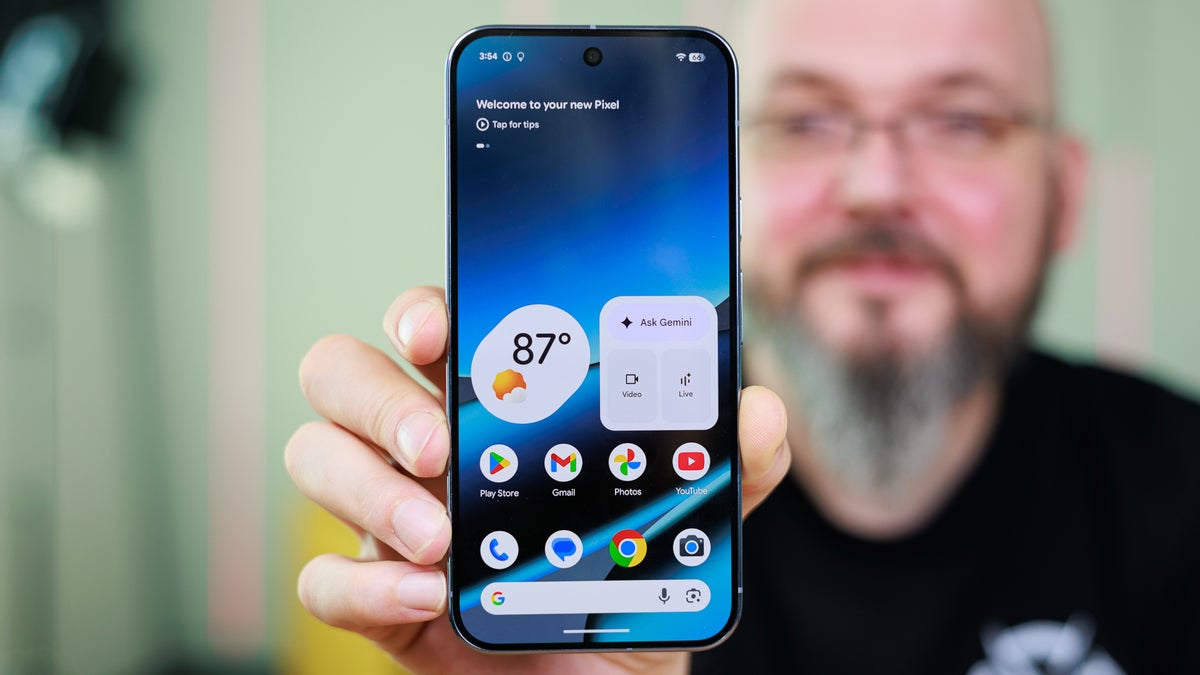
Google Pixel 10 Pro XL. | Image by PhoneArena
Google has been on a mission to make the Pixel Launcher feel less rigid, and Android 17 is where that's really starting to show. The latest beta just dropped a pretty big hint at something Pixel fans have been quietly hoping for, and if it pans out, it could change the way you set up your home screen for the better.
A new report reveals an in-progress home screen "organizer" feature tucked inside Android 17 Beta 3. The tool isn't officially live yet, but it would let Pixel users create, delete, and rearrange entire home screen panels from one single interface.
Here's where it gets fun: when creating a new home screen, your Pixel would offer to automatically fill it with apps and widgets based on categories like Most Used, Games, Health & Fitness, Productivity, Travel, and Social. Those categories appear to be pulled straight from Google Play Store data, which is a pretty smart move on Google's part. You'd also get to pick from different layouts for how those apps and widgets sit on the page.
Now, the version spotted in the code teardown is very clearly still rough around the edges (the screenshots show placeholder graphics with blue circles and pink rectangles where icons should be), so don't go expecting this on your Pixel tomorrow. Even the name "organizer" might not stick. But the underlying functionality looks promising, and there's a chance it could arrive with stable Android 17 later this year.
Here's the thing about the Pixel Launcher: it's always been one of the most barebones home screen experiences on any major Android phone. Samsung's One UI has had solid home screen management tools for years now. Even iOS brought meaningful customization to the table with iOS 18. Meanwhile, Pixel owners have been stuck dragging icons around one at a time, with no way to rearrange or remove entire pages without manually clearing them out first.
That said, things have been shifting with Android 17. Beta 3 already introduced the ability to hide app names from the home screen, and earlier updates finally let users remove the "At a Glance" widget from the top of the page. Those are welcome changes, but a proper page organizer would be the biggest step forward yet for those of us who are particular about how our home screens look and flow.
I'll be upfront: I'm genuinely happy to see Google paying some attention to the Pixel Launcher's customization side. Being able to remove app labels and ditch the At a Glance widget were changes I noticed and appreciated immediately on my end. A home screen organizer that lets you spin up a whole page of, say, your productivity apps in a chosen layout? That's a solid quality-of-life improvement that plenty of Pixel users will appreciate.
That said, let's not pretend Google is breaking new ground here. Samsung and third-party launchers like Nova have offered this kind of control for ages. And if I'm being honest, the next thing on my personal wishlist is the option to remove that search bar permanently stuck at the bottom of the Pixel Launcher. If Google is truly committed to giving users control over their home screen, that widget needs to be optional too.
For anyone who loves the clean, stock Android vibe but has felt boxed in by the Pixel Launcher's lack of flexibility, this organizer feature is a clear sign that Google is paying attention. Whether it lands in stable Android 17 or gets pushed to a future update, the trajectory here is the right one, and for Pixel fans, that's something worth keeping an eye on.
A new "organizer" tool is hiding inside Android 17 Beta 3
A new report reveals an in-progress home screen "organizer" feature tucked inside Android 17 Beta 3. The tool isn't officially live yet, but it would let Pixel users create, delete, and rearrange entire home screen panels from one single interface.
Here's where it gets fun: when creating a new home screen, your Pixel would offer to automatically fill it with apps and widgets based on categories like Most Used, Games, Health & Fitness, Productivity, Travel, and Social. Those categories appear to be pulled straight from Google Play Store data, which is a pretty smart move on Google's part. You'd also get to pick from different layouts for how those apps and widgets sit on the page.
Why Pixel owners have needed something like this for a while
Evidence of an 'organizer' feature for the Pixel launcher home screens found hidden in the code. | Images by Android Authority
Here's the thing about the Pixel Launcher: it's always been one of the most barebones home screen experiences on any major Android phone. Samsung's One UI has had solid home screen management tools for years now. Even iOS brought meaningful customization to the table with iOS 18. Meanwhile, Pixel owners have been stuck dragging icons around one at a time, with no way to rearrange or remove entire pages without manually clearing them out first.
What's the one Pixel Launcher change you want the most?
34 Votes
The ability to rearrange and delete entire home screen pages
8.82%
An option to remove the search bar docked at the bottom
50%
Auto-organized home screens based on app categories
11.76%
Honestly, I've already switched to a third-party launcher
29.41%
Real progress, but Google still has catching up to do
I'll be upfront: I'm genuinely happy to see Google paying some attention to the Pixel Launcher's customization side. Being able to remove app labels and ditch the At a Glance widget were changes I noticed and appreciated immediately on my end. A home screen organizer that lets you spin up a whole page of, say, your productivity apps in a chosen layout? That's a solid quality-of-life improvement that plenty of Pixel users will appreciate.
For anyone who loves the clean, stock Android vibe but has felt boxed in by the Pixel Launcher's lack of flexibility, this organizer feature is a clear sign that Google is paying attention. Whether it lands in stable Android 17 or gets pushed to a future update, the trajectory here is the right one, and for Pixel fans, that's something worth keeping an eye on.


Popular stories




Latest News

Things that are NOT allowed:
To help keep our community safe and free from spam, we apply temporary limits to newly created accounts: