Samsung owners will soon take advantage of something that'll help them not forget important things. Samsung has quietly added a new scheduling layer to its Reminder app.
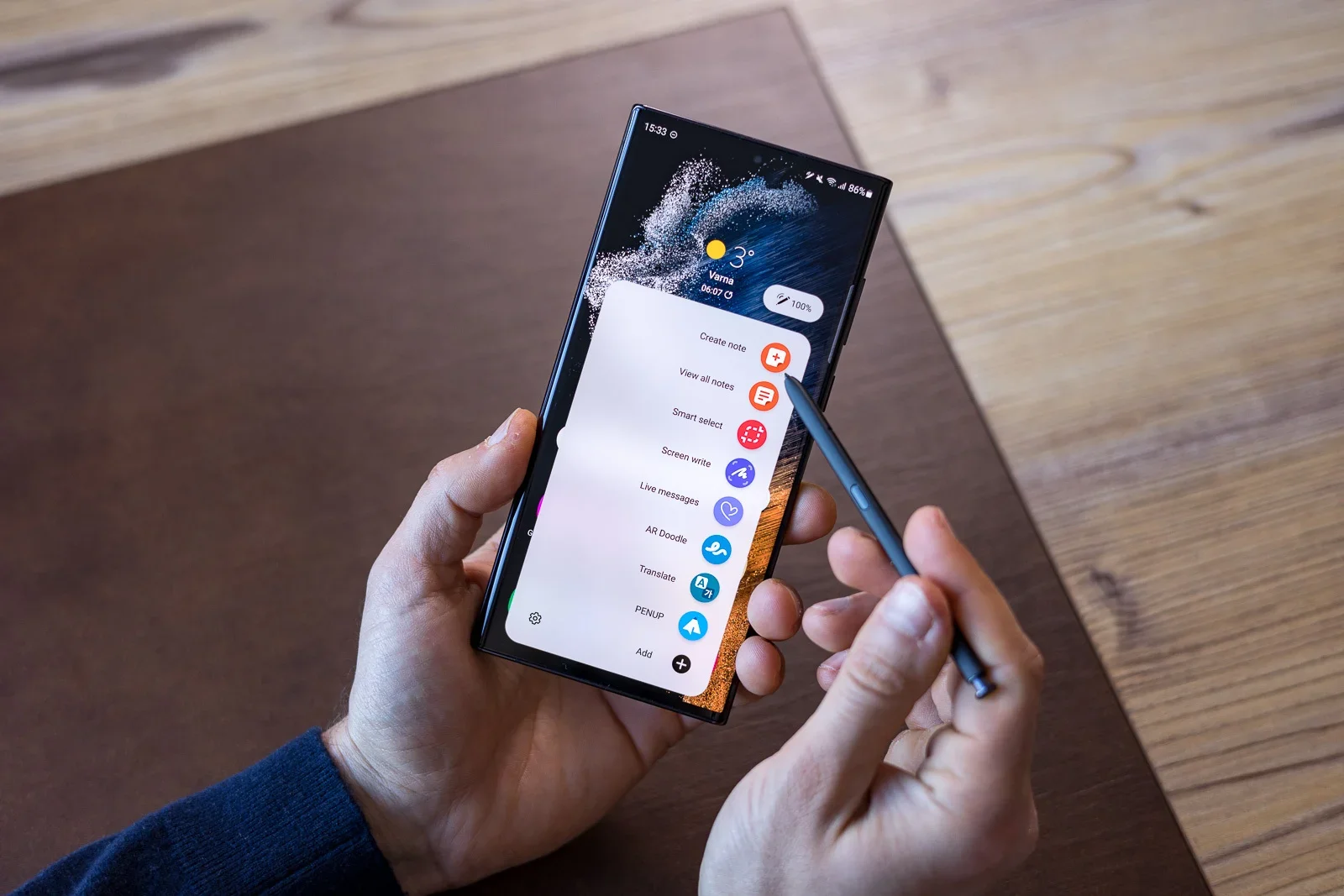
The Early Alert feature
Image by PhoneArena
Samsung is rolling out an update to its Reminder app for Galaxy smartphones, introducing a feature called Early Alert. This will provide advance notifications that sit alongside standard reminders, rather than replacing them.
The update carries version number 12.7.05.37 and currently appears to be limited to devices running One UI 8.5, so Galaxy S25 owners will enjoy it first.
Traditionally, the Reminder app only allowed users to set a single notification tied directly to the date and time of an event. With the new update, Samsung is expanding that workflow. When creating or editing a reminder, the app now prompts users to configure an additional alert that triggers ahead of the main reminder.
The Early Alert system offers three preset options: one day before, one week before, and a custom option. The custom setting allows users to choose any date and time prior to the scheduled reminder. Both alerts then coexist, giving users advance notice and a final prompt at the scheduled time.
How often do you set a reminder... for the reminder?
58 Votes
Almost all the time!
34.48%
Occasionally.
37.93%
I've done it once or twice.
12.07%
I've never done it.
15.52%
An improvement!
This update makes reminders far more practical for tasks that actually need planning. Things like paying bills, getting ready for appointments, or organizing travel usually take more than one step, and a single alert at the deadline often comes too late to do anything useful.
Recommended For You
Having advance notice means there's time to prepare, fix issues, or gather what's needed instead of scrambling when the reminder finally pops up.
This also reduces the need to manually create duplicate reminders for the same task, which has long been a workaround for some people.
It's practical
Early Alert is very useful for medical appointments, too. It lets people stay ahead of tasks without filling the Reminder app with duplicate entries for the same thing. Over time, this kind of setup could become a must-have for anyone who uses their phone as a daily organizer, especially if Samsung rolls it out more widely.
Free Galaxy A17 5G with Straight Talk
Get a free Galaxy A17 with Straight Talk. To claim this deal, you need to pair the phone with activation on a Silver Unlimited Plan or higher. This tier costs $45 per month. Offer valid through 01/10/27 while supplies last online.
Sebastian is one of PhoneArena’s senior opinionators. A veteran news writer with almost 20 years of experience in media and technology, he not only covers all the hot news about Galaxies and iPhones, but often provides hot takes on industry trends. He’s fascinated with camera-focused flagships from the likes of Oppo and Vivo, as well as foldable phones.
A discussion is a place, where people can voice their opinion, no matter if it
is positive, neutral or negative. However, when posting, one must stay true to the topic, and not just share some
random thoughts, which are not directly related to the matter.
Things that are NOT allowed:
Off-topic talk - you must stick to the subject of discussion
Offensive, hate speech - if you want to say something, say it politely
Spam/Advertisements - these posts are deleted
Multiple accounts - one person can have only one account
Impersonations and offensive nicknames - these accounts get banned
To help keep our community safe and free from spam, we apply temporary limits to newly created accounts:
New accounts created within the last 24 hours may experience restrictions on how frequently they can
post or comment.
These limits are in place as a precaution and will automatically lift.
Moderation is done by humans. We try to be as objective as possible and moderate with zero bias. If you think a
post should be moderated - please, report it.
Have a question about the rules or why you have been moderated/limited/banned? Please,
contact us.












Things that are NOT allowed:
To help keep our community safe and free from spam, we apply temporary limits to newly created accounts: