Nothing Playground is a breath of fresh air in a world of stagnant Galaxies and iPhones
Carl Pei’s latest idea contributes to Nothing’s mission statement to help you stand out from the crowd, all the while breathing new life into your smartphone, potentially perpetually.
Nothing stands out among the crowd with its brand identity: specific and reinforced enough to truly transform consumers into fans. I’d know, since I’ve lived through that very moment myself. And what convinced me was Playground.
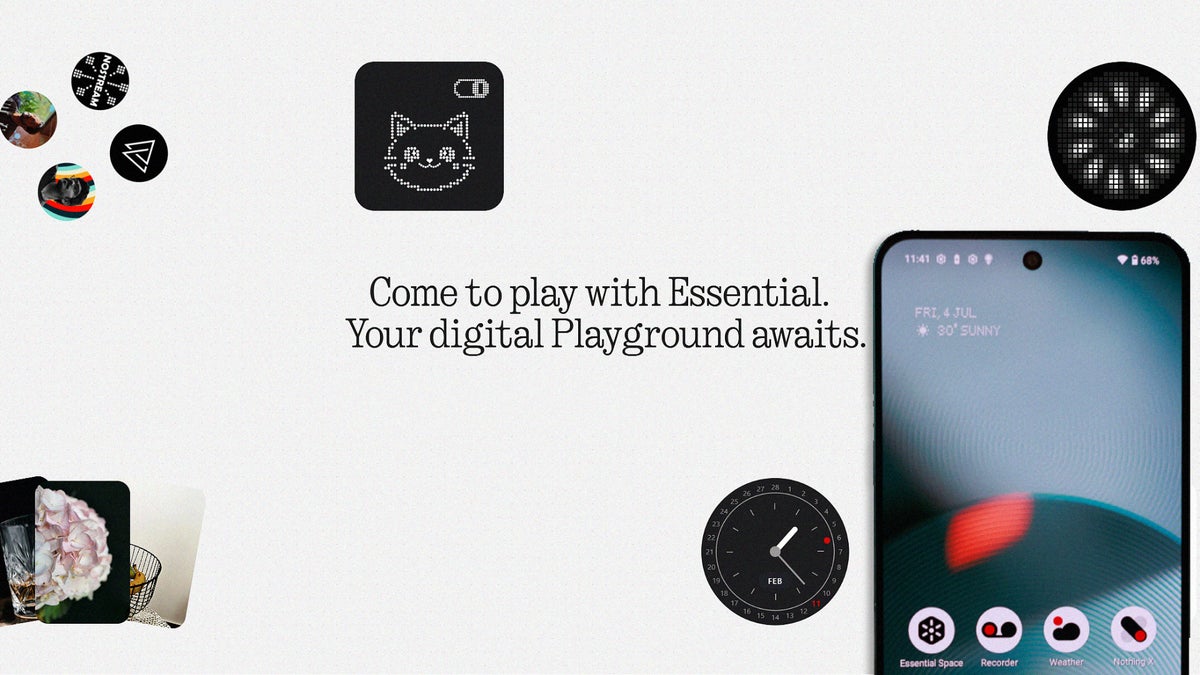
I’ve no idea why Carl Pei and co. spent so little time talking about this project and idea, because it’s honestly one of the coolest things in tech right now. This is essentially a secondary app market for Nothing tech, supported by Nothing fans. Completely open-source too: anyone can jump in and create, or download from among:
Camera presets
Essential Apps (a.k.a. Widgets)
Glyph Toys
EQ profiles
And some of the ideas on display can truly make your Nothing phone feel super-fresh. Don’t get me wrong: I can appreciate Samsung’s confidence in the Galaxy S26 Ultra, or Google’s cutting-edge AI prowess in the latest Pixel phones, or the iPhone 17’s inherent user-centric design. But sometimes, it just feels great to break the mould, and I think that’s exactly what Nothing achieved here.
A few disclaimers before we proceed: some of these features are still in Beta, but in pretty stable condition. Some of them also work better on an admin Android account - a main account. This will be important for wackos like me who walk around with 3-4 accounts on their Android phones.
But beyond that, so long as you have a Nothing phone — or Nothing earphones, if you’re interested in EQ profiles, which we won’t be discussing here today — running Nothing OS 4.0 and above, you are ready for playtime. For the purposes of this adventure, I equipped myself with the Nothing Phone (3), which I finally managed to steal from our office. And remember: we’re here to have fun.
Camera presets
So much more than meets the eye
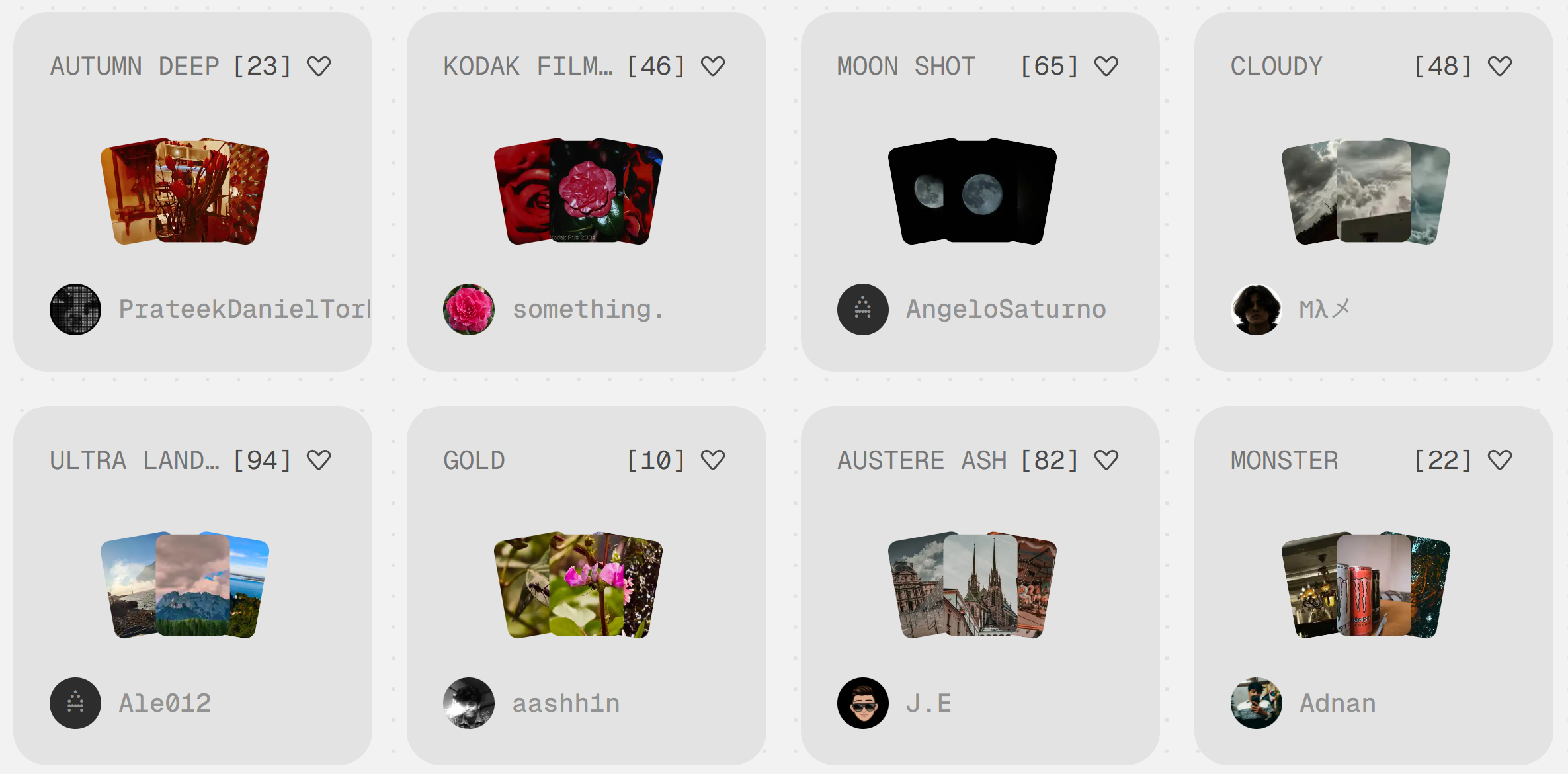
These are just some of the latest uploads on the Playground. | Image by Screenshot by PhoneArena
Recommended For You
I’ll be honest, and through my honesty I’ll likely express what you’re already thinking: I expected these to be just filters. But I was so, so wrong, and in the best way possible. I was surprised to see so many options that sparked my imagination: from presets paying homage to classic film to neo-noir ambitions aiming to lend a cyberpunk aesthetic to my snaps.
At first, I was disappointed by the fact that presets only seemed to work in the general Photo camera mode, which I feel is notably inferior to the Pro mode. But after spending a few weeks with these, I can say that you don’t need to worry. Sometimes the presets change camera modes, and others: they don’t, but the mode feels absolutely different anyway. It’s a bit confusing, but you have to trust the process.
And trust the process I did, a bit too much at times. I had so many photos that sorting through them took some time, but wasn’t boring or annoying in the slightest. Here are some of my favorites with the different modes I picked:
One of the downsides is that the Preset you've used isn't noted in the metadata. | Images by PhoneArena
Are these perfect? No. Phone photography isn’t perfect anyway, and to be honest — hot take incoming — a lot of modern cameras are far from perfect too. But I think the results I got from these Presets are a total vibe, and I love them. Keep in mind: oversharpening and saturation are completely intentional here — they are part of the preset. And all of these are unedited. I’ll be honest: I’d retouch some of them in order to fine-tune my vision, but I wanted you to see them as they came out of storage.
These aren't perfect, but I can absolutely tweak them to be great. | Images by PhoneArena
I’m sure that some of you can complain about stuff already in my mind, but for me this was a liberating experience. I didn’t want to worry about oversharpening or drowning colours — I just wanted to go out and take some photos. This is exactly what the experience provoked for me. It was so easy to just pick a new Preset that looked fun and go out for the evening. I haven’t had this much fun taking pics with my phone in ages.
I was most impressed with Nothing Phone (3)’s macro mode, especially when paired with this specific preset. I note the model here, because the other members in Nothing’s repertoire simply don’t have this sensor equipped. But check out these shots:
Keep in mind that some of these are living, moving beings, and that I absolutely could've tried harder. | Images by PhoneArena
It’s rare when a phone can capture proper detail on a macro level this well — most manufacturers omit this feature completely. But as someone who loves insects, who paints miniatures, who loves to explore life beyond the visible: this was just pure bliss.
I was most impressed by how I struggled with the same problems that I would when using a real camera while trying to capture crawlies: wind, light, getting in close without disturbing the subject — nature! The experience felt so authentic, and I’ve never had one like this with a phone, ever.
As a neat bonus: every single preset can be edited, so you can fine-tune things on the go if you feel like it. But I left all of mine as downloaded, because they were the result of someone else’s effort. The idea really lived up to the entire project: being part of a creative community.
But it’s not all sunshine and rainbows. Nothing has a lot of work to do, overall, but with presets too. For example, sometimes when you set a preset, the camera forgets and goes back to your chosen default. It’s great that you can pick a default from among all the ones, including the newly downloaded presets, but what about favorites? What about the default preset per camera mode? All features that would feel missing right now. Another huge bummer is the inability to just download presets straight from the camera app. If I can create and upload one from in there, doing the opposite just makes sense.
By far, the most annoying thing about all of this is how slow the shutter speed on the Nothing Phone (3) is. No matter which camera preset I used, it felt like the phone was moving in another, un-synced timeline, which sometimes directly compromised the quality of my shots.
The pic with the green spider, showcased above, for example, are just a few takes out of almost 50 I took, and none of the rest come close in terms of quality. The one I’ve chosen to show could have come out way better too, if it wasn’t for the sudden gusts of wind.
Here’s how to use these:
Open the Nothing Playground
Navigate to the Camera presets page
Pick one
Scan the QR code
Done! Already in your Camera app’s presets page!
The options to create your own Preset are pretty impressive too. I didn’t experiment with the idea this time, but I have no doubt that I’ll be able to bring a creative vision into reality if I got a solid idea worth exploring.
In review of the Camera Preset aspect specifically: the Nothing Phone (3) might not have my favorite camera setup, but the experience became my favorite, hands down. I always feel like every smartphone manufacturer wants to confine me to doing things the way they intended, which is not quite my tempo.
Nothing, on the other hand, lets me take the wheel. And you know what? I’d rather have an imperfect camera that I’m free to use however I want. Of course: this isn’t for everyone, but you still get that handheld experience, so nothing is sacrificed here.
Essential Apps
The art of being intentionally useless (most of the time)
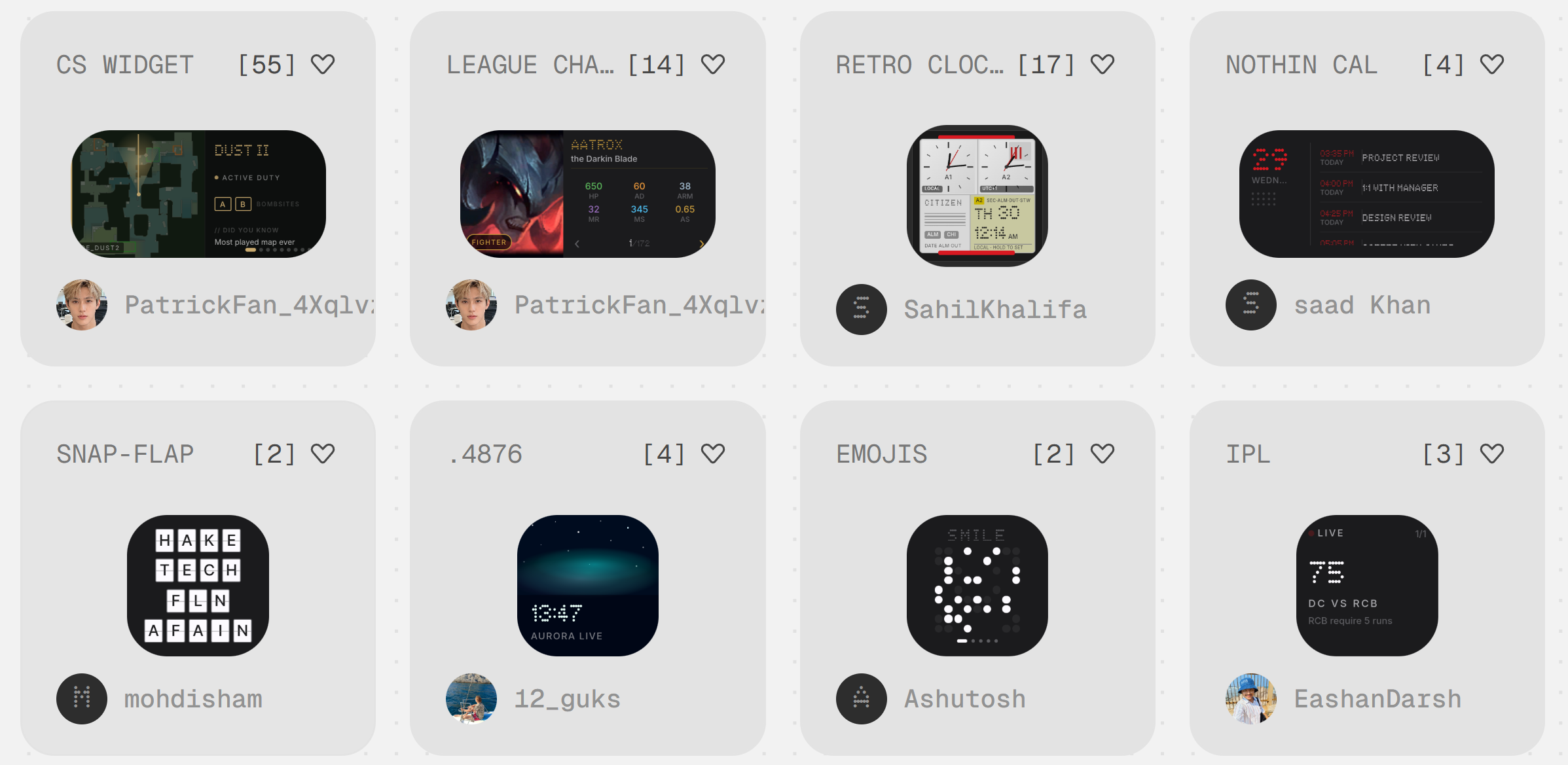
I'm already seeing new ones that I would download. | Image by Screenshot by PhoneArena
Are these essentially widgets? Yes. Is there any reason to be called like this? I honestly don’t know, because all of the ones I gravitated towards, tested and ultimately — liked and grew to love, are the precise opposite of essential.
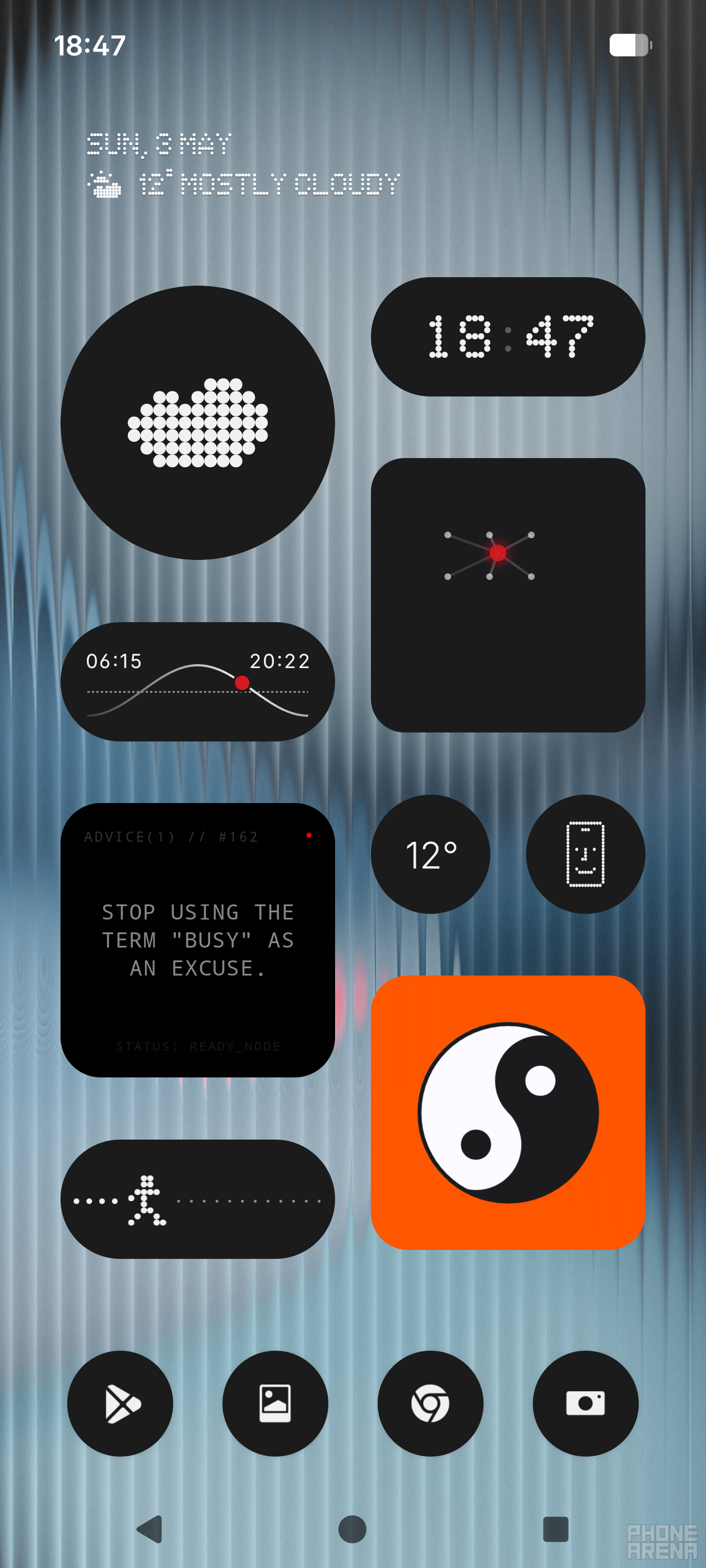
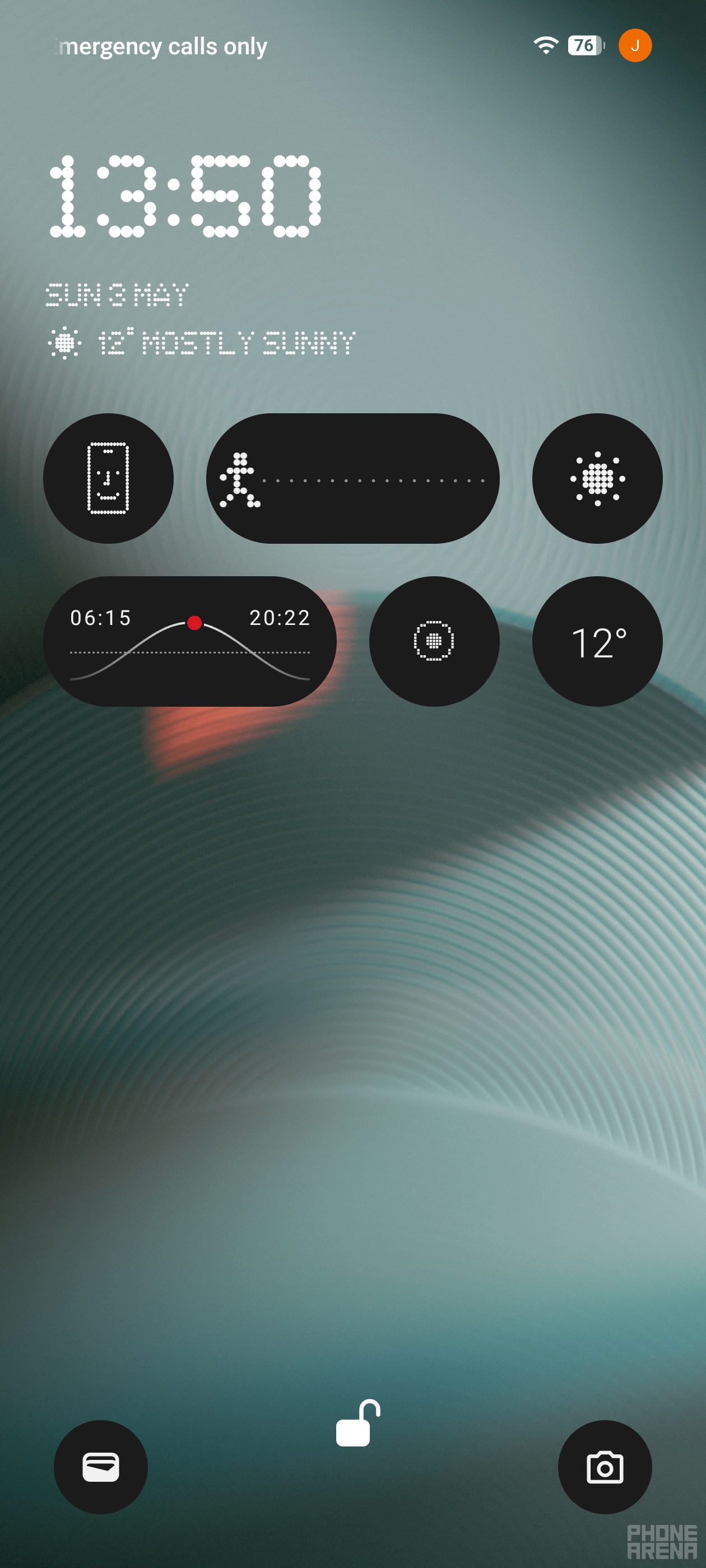
Check out my homescreen:
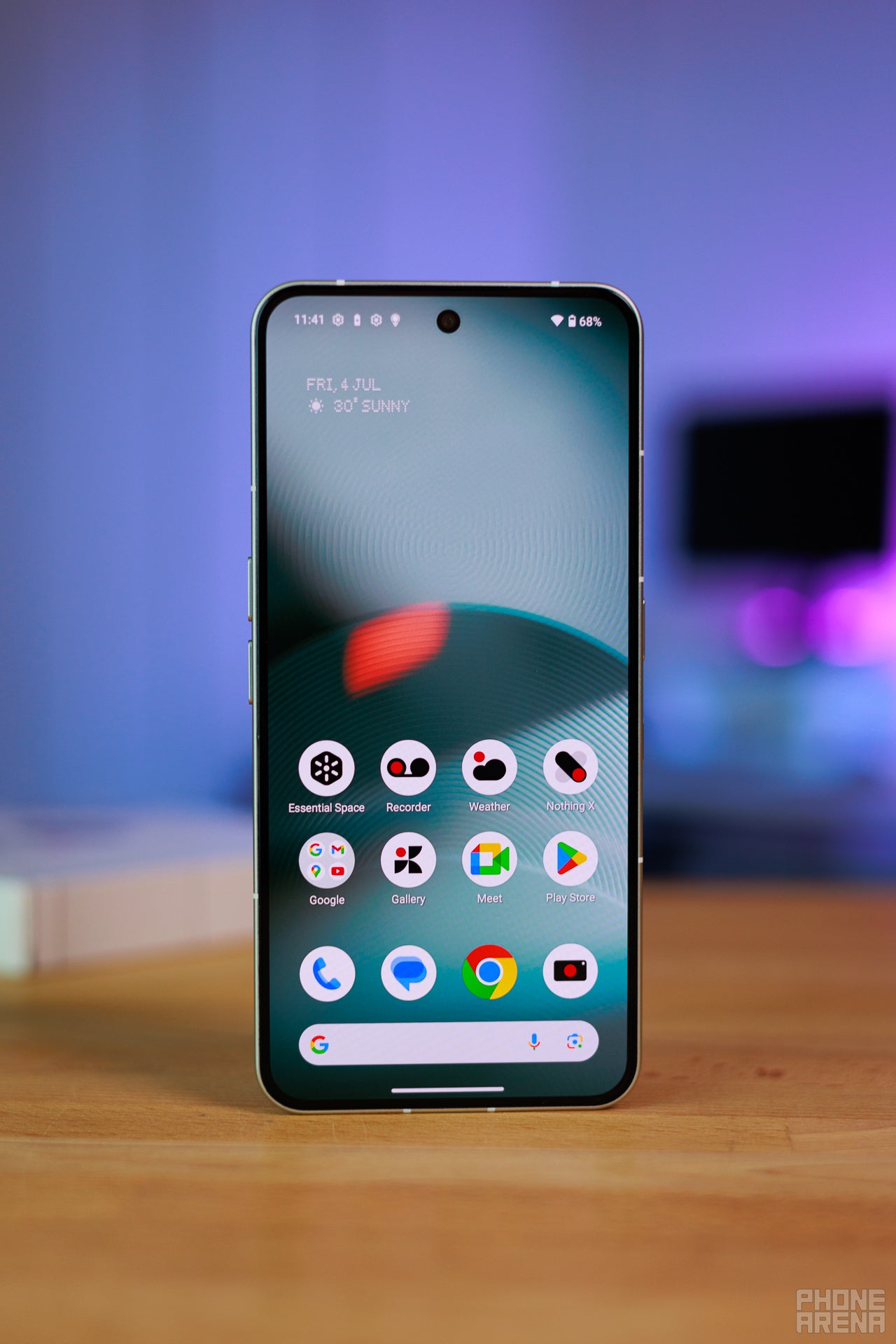
I've never had this much fun with Android widgets, ever. | Image by PhoneArena
The square on the top right? That's an interactive cyberspider. It crawls around and eats my security concerns, metaphorically. One row below is a Taoist symbol which so tactfully ends up being over my thumb. And guess what? I can spin it. For fun!
And I can do a lot — worse or better, depending on your personal understanding — without breaking a sweat. Want to view daily Pokémon? You've got it. Daily riddles, quotes, challenges? That's covered too. Productivity trackers presented in unique ways? Of course!
Getting these is as easy as with Camera Presets: scan a code, get the widget. They even live in the Widgets space. The main difference is that a lot of these are a bit more complex or interactive than your typical widget.
This is the type of feature you just have to get. You either like it or you don’t, and it clicked with me, big time. All of these elements are affirmations, reminders, fidgets or stuff that just looks cool. These things, among others, were the go-to inspirations for peak phone design of bygone eras, and it felt so cool to re-experience something similar, without nostalgia playing a part.
Don’t get me wrong: there are useful ones too, like full on apps or games, and new ones get developed almost every day. The only issue I found is that some break when OS updates drop, which made me wonder what happens to these if developers aren’t there to support them. Do these turn into vaporware? Because in a way, that just makes sense, and I don’t want it to change.
I feel like I speak for most of you when I say that my experience with widgets on Android has been pretty pointless, no matter the phone I’m using. Anything beyond media controls, weather and maybe reminders is just wasted space. But with Nothing’s approach things change: it’s aimless by design, allowing it to be cool. It’s not wasted — it’s intentional. And you either vibe to that or don’t.
And in my case: I’ve never reached Android’s widget limit in my life. I didn’t even know there was one. And I’m not talking per page: I’m talking overall.
The best part is that a lot of these can be used on your lockscreen too. This means that you can make your lockscreen useful if you wanted to, or make it an art piece to appreciate every time your screen comes on. Bummer is that I can’t show you much here, since I wasn’t using these on an admin account, and they do not share between accounts. I’ve got an example for you, made with some of the default ones:
You can absolutely go harder if you want to make the most of this feature. | Image by PhoneArena
I love Essential Apps. Random thoughts, cool ideas, and the best ones: absolutely useless. But, as Oscar Wilde so aptly put it:
A work of art is useless as a flower is useless.
- Oscar Wilde
Glyph Toys
Nostalgia on a Matrix
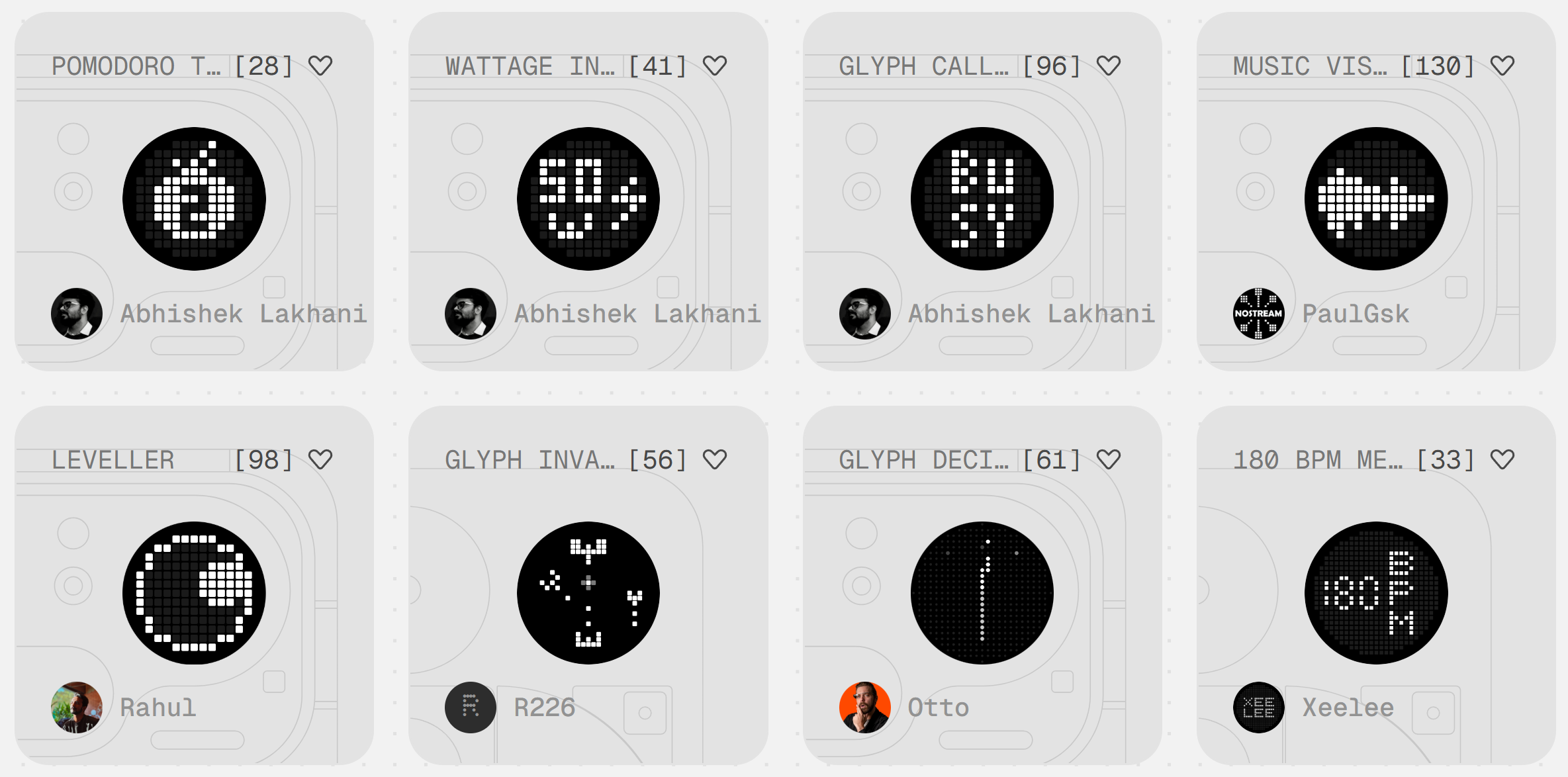
The amount of utility that people are adding is impressive. | Image by Screenshot by PhoneArena
Okay, we’re getting controversial here. Older Nothing phones that don’t have a tiny screen on the back? They aren’t invited to this party. Which raises another important question: does this party imply that most future Nothing devices will always incorporate similar screens? Time will tell. But in the meantime: I’ve got thoughts.
I think it is obvious what these are, but let me be clear: this category is all about adding new features to the small screen on the back of Nothing phones that have small screens. And even though said small screens look identical across models, they are still not inter-compatible, so stuff made for the Nothing Phone (3)’s glyph matrix won’t necessarily work on the Nothing (4a) Pro’s glyph matrix. And that’s a total bummer.
The other weird thing is how some of these you can download via scanning a QR code, just like with the other categories, while others whisk you away to apps on the Google Play store, which you are expected to pay for. And I’ve got mixed feelings about this. On the one hand, it’s awesome of Nothing to let its fans capitalize on their development time, because — spoilers — some of these are really awesome, and that undoubtedly takes time and effort. On the other hand, the apps you download are nowhere near the UX level of Nothing’s own ecosystem.
I feel like I’m a pretty advanced user, and even I struggled with setting some of these up. Not to mention that it’s very easy to get hyped up by the concept of an idea, but then after you’ve paid, downloaded the app, and set it up, you remember: this isn’t the main screen. It’s limited by design, so nothing can be as impressive. Because you can literally buy Vampire Survivors for the price of some of these, and that game is literally infinitely fun.
But I digress. Look, I have a Tamagotchi on my screen:
Since this image, this guy has evolved twice! I call it Notty. | Image by PhoneArena
I have to feed it and clean it several times per day, and every other day it changes forms. Does it have more forms? I don’t know. Can it die? Don’t think so, it seems pretty chill. Is it one of the coolest, most pointless things I’ve ever seen on a smartphone? You bet. And I adore it. It makes me think back to the early days of Pebble, when developers were making all sorts of cool, creative watchfaces which were basically entire apps with secret functions.
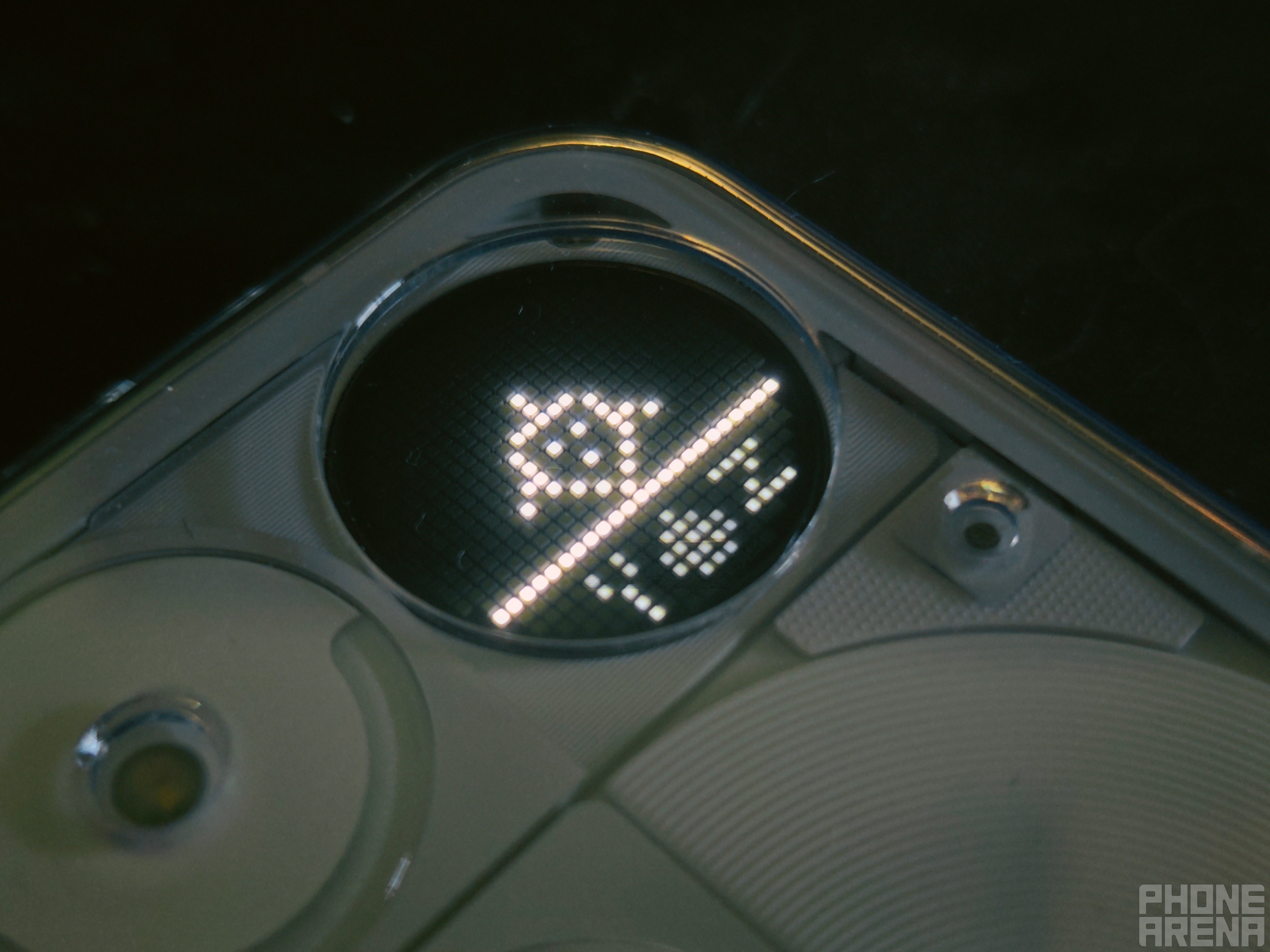
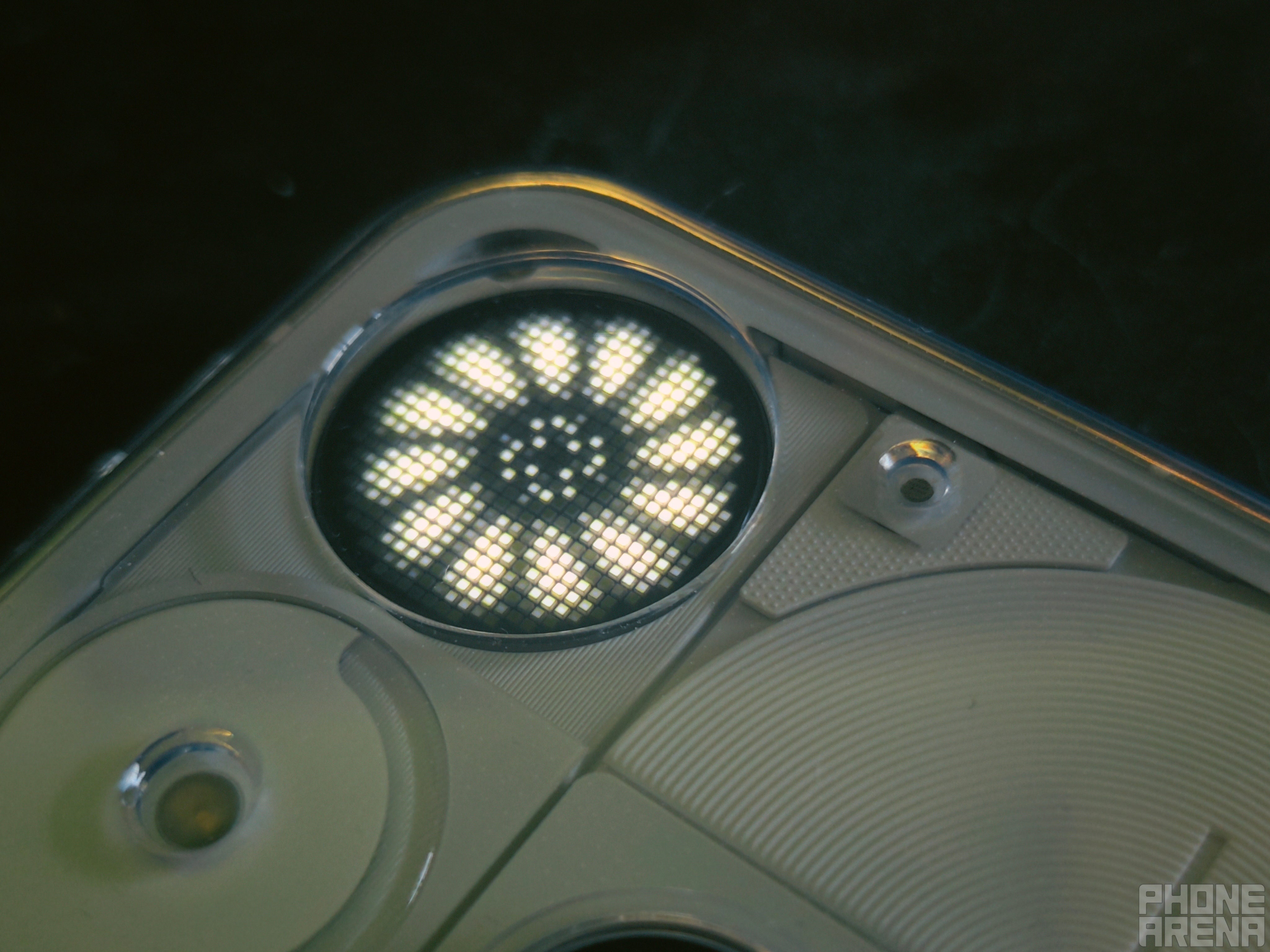
I also found this awesome vent thing, which makes me think of Alien every time when I see it:
You either know the scene or don't. If you don't, watch Alien! | Image by PhoneArena
You can press the button to make it change the amount of fan wings it has. Does it serve a purpose? No. Does it make me happy every time I see it? Yes. Glyph Toys are a more limited continuation of the same idea, introduced with Essential Apps. The great part is that there’s a ton more utility here, which you can take advantage of without unlocking your phone, which is what Nothing tech is all about.
But there’s one core issue: even updates later, the Glyph Matrix is still buggy. Sometimes it won’t let you add stuff to it, other times: it reorders them on its own. Sometimes things outright disappear and you have to re-add them. And this one time, the entire thing just straight up gave up and stopped working, and it took restarting my phone to boot it back up properly.
It wasn’t a deal-breaker or anything, but the entire experience in this category could use a lot more polish. Switching between Toys is also a bummer, because you can only have so many active at a time. Not to mention that in order to get to the one you want to use, you have to cycle through all of them.
I’d love to see shortcuts here, like pressing button combos or tapping the dedicated button a number of times instantly getting you where you want to go. Otherwise I just found myself hesitant to make the most of the Glyph Interface.
But in concept? This one is great too.
What draws you to Nothing's tech?
40 Votes
The minimalist style
35%
The user-concious design
15%
It just looks cool
22.5%
The community aspects like Playground
7.5%
I trust Carl Pei
20%
Nothing Playground is testament to homo ludens
As a human, I like to play, and Nothing let me do just that
Anyone can jump in to windowshop, by the way. | Image by Screenshot by PhoneArena
The Playground is one of Nothing’s most creative, interesting and on-brand ideas to date. I’m a bit skeptical towards its future, because thus far, Nothing has reshaped its product vision every other generation. How could a user-supported platform provide supply for all models if they don’t all share the same characteristics? How will users tell what can be used where?
Those are questions for the future, and right now Nothing has found success. It’s evident due to two things:
It’s been almost two weeks since I started working on this piece, and now that I’ve had to browse the Playground website again, I see it’s brimming with new stuff; Users are obviously taking to it, and sharing their creations
All the criticism I’ve shared is feedback, because I want to see this platform improve; Because I had so much fun using it
I think the next steps are obvious. UX is a mess right now. Scanning a QR code is easy, but the entire process would be even easier if I could just click a button. This thing needs its own app, where I can sort through my library or my favorites. As things stand right now, if I scan one QR code, the entire page refreshes and I have to scroll down to where I last was, which is just wasted time.
But the fact that I wasted that time numerous times should tell you more than enough.
On the Nothing Phone (3) specifically
A mini-review from a weird guy that likes bugs and v-pets
The Phone (3) is Nothing's flagship for 2026 too! | Image by PhoneArena
Right now, my daily driver is the OnePlus 13. But the battle was between it and the Nothing Phone (3). I loved both companies’ design philosophy, but OnePlus won me over with a stylish blue variant and a capable camera. I wasn’t ready to trust Nothing with my snaps back then.
Now? Listen, Carl, if you make me a Nothing Phone (4) in blue: I’m joining the fam-club. And you have the Playground to thank for that. If this community platform existed when I was initially making buying decisions, now I could be writing about OnePlus’ decision to cut some markets instead.
But I have expectations too. Nothing OS is lovely in concept, and it has such a strong visual identity. But it’s very unstable to the point where my navigation buttons bailed on me once. I had to restart to get this phone to focus too many times in such a short span of time.
I also low key hate that you won’t let me remap the Essential Space key, because I don’t need more AI in my life, and I already have a notes app I’ve been using for years. Switching now simply doesn’t make sense for a dedicated note-taker like myself. Fun fact: a fan already developed an app to fix this just recently.
But here’s the kicker: Nothing knows. Nothing is on it. I’ve never had a phone receive as many updates as the Nothing Phone (3) did during my time with it, and every single update’s description introduced some new feature or improvement. It was legitimately impressive. It also makes total business sense for Nothing’s scale at the moment.
As of right now, I’m set on getting a Nothing Phone (3) as a second phone for macro photography only, when it goes on a deeper discount. And if things progress in the same promising direction, I won’t hesitate to switch over completely with Nothing’s next flagship release.
Because, honestly, this was just so much fun. And I’d rather have this and it be imperfect, than everything being perfect to a constrictive extent. I know it won’t be for everybody. But if this proves anything, it’s that there’s a growing crowd looking for precisely this.
And if you've got the spark, check out our:
Review of Nothing Phone (3)
How Phone (3) measures up against the OnePlus 13 - my current daily driver
Review of the Phone (4a) Pro: the latest from Nothing
Get iPhone 18 Pro with Visible, get $480 off!
$719
/mo
$1199
$480 off (40%)
On the Visible+ Pro plan, you get access to 5G Ultra Wideband data on Verizon's fastest network. Along with unlimited roaming across Mexico and Canada, 2 days of Global Pass per month, 3x hotspot speeds, 4K streaming, and Smartwatch service.
Stan, also known as Stako, is a smartphone enthusiast who loves exploring the limits of Android customization. His journey with mobile tech began with the Nokia 5110 and evolved with devices like the BlackBerry 9350 Curve and Samsung Galaxy A4. Despite his love for Android, he holds equal respect for Apple, considering the iPhone 4s as a significant milestone in mobile tech. Stan started his writing career early, contributing to MetalWorld, and harbors a passion for creative writing. Beyond smartphones, he's interested in photography, design, composition, and gaming, often preferring solo projects to hone his objective thinking. He's also an avid student of open-source technology and consoles, with a special fondness for the Pebble Watch, Arduboy, and Playdate.
A discussion is a place, where people can voice their opinion, no matter if it
is positive, neutral or negative. However, when posting, one must stay true to the topic, and not just share some
random thoughts, which are not directly related to the matter.
Things that are NOT allowed:
Off-topic talk - you must stick to the subject of discussion
Offensive, hate speech - if you want to say something, say it politely
Spam/Advertisements - these posts are deleted
Multiple accounts - one person can have only one account
Impersonations and offensive nicknames - these accounts get banned
To help keep our community safe and free from spam, we apply temporary limits to newly created accounts:
New accounts created within the last 24 hours may experience restrictions on how frequently they can
post or comment.
These limits are in place as a precaution and will automatically lift.
Moderation is done by humans. We try to be as objective as possible and moderate with zero bias. If you think a
post should be moderated - please, report it.
Have a question about the rules or why you have been moderated/limited/banned? Please,
contact us.













Things that are NOT allowed:
To help keep our community safe and free from spam, we apply temporary limits to newly created accounts: