Apple warns iPhone users about another dangerous exploit chain, explains how to protect your data
Malicious links and compromised websites can steal personal data from your iPhone in an eye blink.

Apple warns iPhone users about another dangerous exploit chain. | Image by Apple
Last week we told you about some special updates released by Apple developed to be installed on older iPhone and iPad models that have lost support from Apple. Such devices include the iPhone X (released in November 2017), iPhone 8 and iPhone 8 Plus (released in September 2017), all of which received iOS 16.7.15. Certain older iPad models such as the 5th generation iPad (released in March 2017), the first generation iPad Pro 9.7-inch, (released in March 2016), and the first generation iPad Pro 12.9-inch (released in September 2015) received iPadOS 16.7.15.
Last Week Apple released updates for older iPhone and iPad models
Models receiving iOS 15.8.7 were the iPhone SE (released in March 2016), iPhone 7 (released in September 2016), and iPhone 6S (Released in September 2015) The iPadOS 15.8.7 update went to the iPad Air 2 (released in October 2014) and iPad mini 4 (released in September 2015).
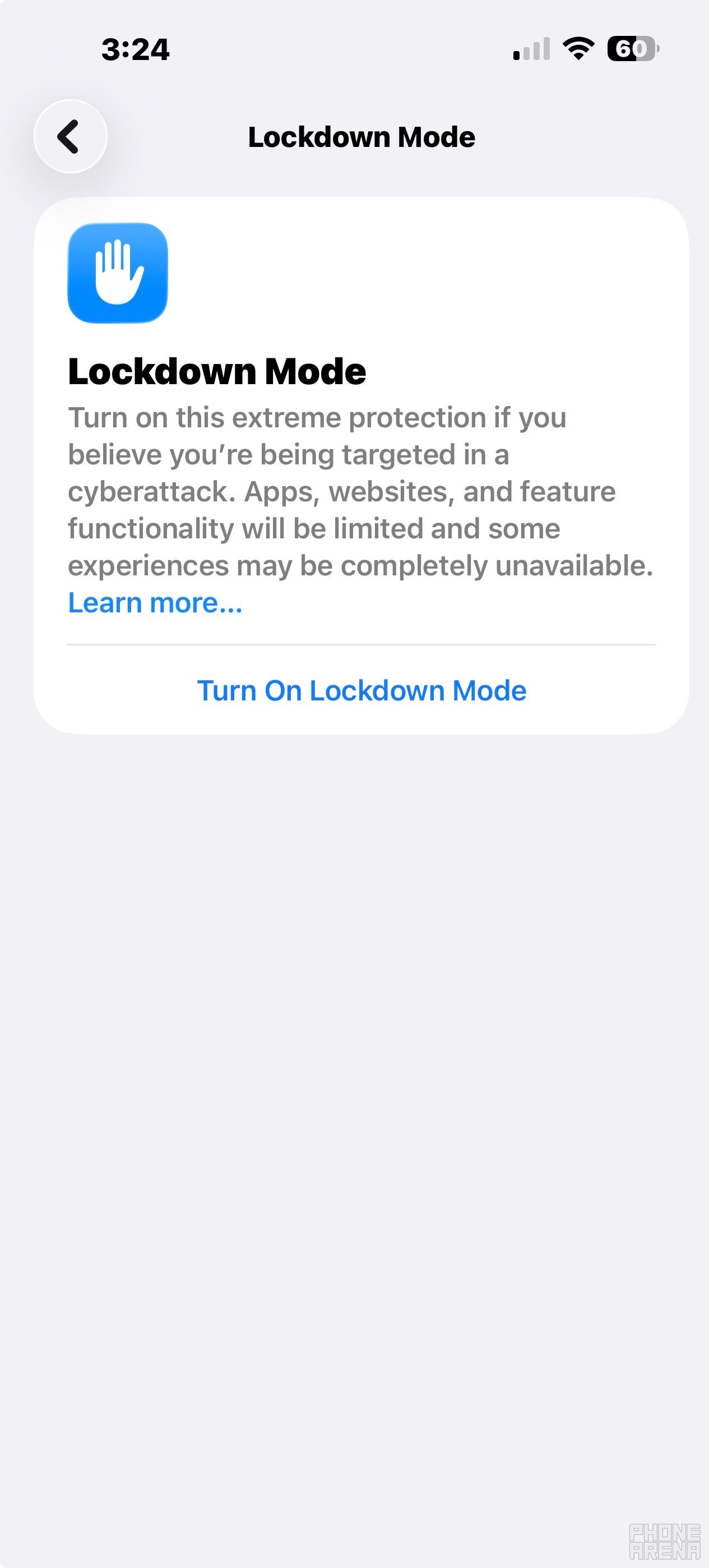
Apple suggests enabling Lockdown Mode if your older iPhone won't update. | Image by PhoneArena
The iPhone and iPad models that were updated to iOS 16.7.15 and iPadOS 16.7.15 lost support from Apple and could not install iOS 17, iPadOS 17 and newer variants of the appropriate operating system. The iPhone and iPad models that received iOS 15.8.7 and iPadOS 15.8.7 had lost support and could not be updated to iOS 16 or iPadOS 16 or newer. Apple needed to push out the updates to protect these devices from an exploit kit called the Coruna exploit kit. This is a scary bit of malware that could figure out exactly which model you are using and devise the best way to break into your device.
Apple releases a new support page about the web attacks on the iPhone
Apple released a new support page today titled "Update iOS to protect your iPhone from web attacks." The page warns about web attacks that target out-of-date versions of iOS by tricking users running older software to click on a malicious link or visit a compromised website. Users of these older unsupported iPhone and iPad models tricked into tapping the aforementioned malicious links and compromised sites run the risk of having all of the data on their phone or tablet stolen.
It's believed that Apple posted the page to warn iPhone and iPad users about a new exploit chain targeting older iPhone and iPad models called DarkSword. According to Google Threat Intelligence Group (GTIG), there are multiple commercial surveillance vendors and suspected state-sponsored actors running campaigns that feature DarkSword. The latter is believed to have been used against targets in Saudi Arabia, Turkey, Malaysia, and Ukraine.
In the support page Apple notes:
- Those with an iPhone running the latest version of iOS 15 through iOS 26 are protected from these web attacks. If you haven't updated your iPhone lately, make sure to update it now. Go to Settings > General > Software Update.
- As we discussed at the beginning of this article, Apple disseminated updates on March 11 to help protect iPhone models that can't update to the latest versions of iOS.
- Apple iPhone models running iOS 13 or iOS 14 must update to iOS 15 to be protected from the web attacks. These models will also receive a Critical Security Update over the next few days.
- Apple Safe Browsing in Safari is on by default and blocks the malicious URL domains identified in these attacks.
If you can't update your older iPhone, consider enabling Lockdown Mode
If you are unable to update your iPhone, Apple suggests enabling Lockdown Mode. This will protect your iPhone from malicious attacks if it is available for your phone. To enable Lockdown Mode go to Settings > Privacy & Security > Lockdown Mode. Then turn on Lockdown Mode. You'll need to verify your identity by signing in with your passcode. Lockdown Mode disables the iPhone features that hackers often aim to disrupt first. In other words, Lockdown Mode changes your iPhone from a convenience-first device to a safety-first device.
Lockdown Mode is available on iOS 16 or newer, which means that it can be enabled on the following iPhone models:
If you have an iPhone 6 or older as your daily driver, I don't know how to break this to you gently. It's time for you to upgrade and buy a more recent iPhone model. Not only are the specs better but there are newer features and the software is more secure.


Popular stories





Latest News






Things that are NOT allowed:
To help keep our community safe and free from spam, we apply temporary limits to newly created accounts: