There’s a silent gaming revolution happening on our phones as we speak. And no, I’m not talking about loot boxes, game passes, virtual currencies – none of the nonsense!
I’m talking about a technological revolution that’s finally making the dream come true. What dream? Well, bringing all our favorite games from the PC (and other platforms) to our phones, of course!
And no, I don’t mean cloud gaming either. I mean real, on-device, native processing. That’s the dream.
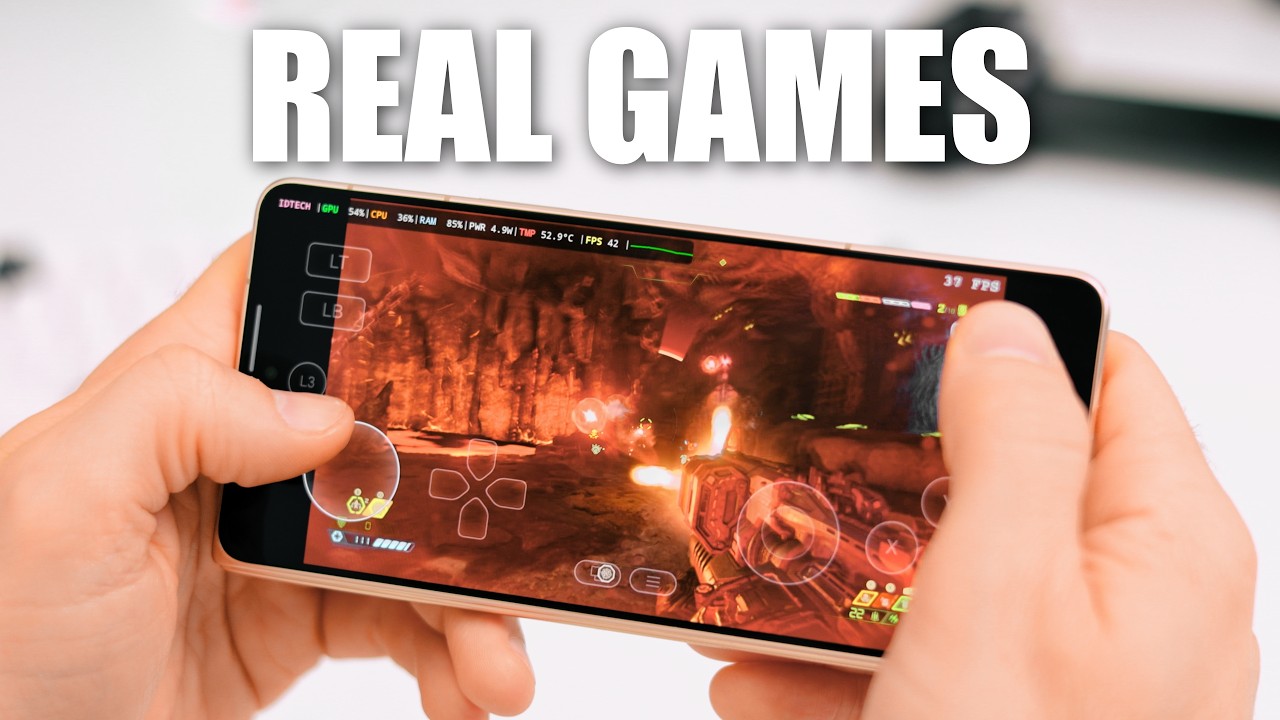
Stuff like Doom Eternal, GTA V, The Witcher 3, even Cyberpunk 2077, all of this stuff you can play legitimately on your phone. Today. But first, I want to tell you how we got here.
For the longest of times, there’s been the Wine project – a compatibility layer whose goal has been to allow software made for Windows to run on Linux, and much later - Android, which, as we all know, is based on Linux.
Since its start in 1993, Wine’s progress has been mostly slow, and its development has prioritized running important productivity software (not so much video games), because Linux back then lacked a lot of important software.
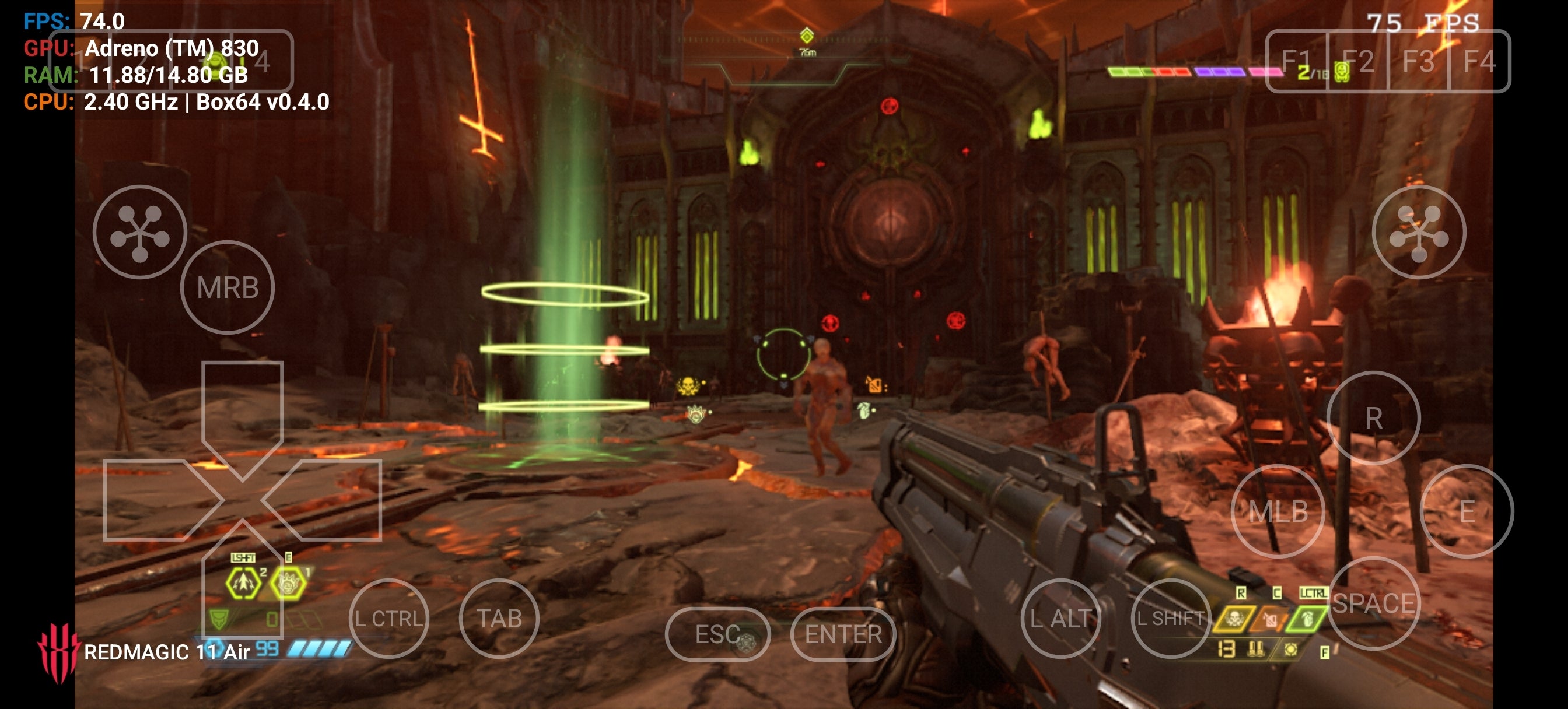
Doom Eternal running on my phone | Image by PhoneArena
Now, fast-forward all the way to 2018, when Valve released Proton – a fork of Wine that adds many fixes and upgrades tailored to massively improve Linux compatibility and performance with games made for Windows.
Recommended For You
The most notable of these upgrades is DXVK – a transition layer designed to translate DirectX API calls, which is what Windows uses, to Vulkan API calls – Vulkan being the successor to the open-source graphics API, OpenGL, which was and is used by Linux and Android.
Since this development, there’s been a dramatic and consistent progress in getting modern video games to run on Linux.
Fast-forward again to around 2023, when the application Winlator is released for Android. While not unique in what it was doing, Winlator proved very successful in combining a number of key technologies like Wine, Box32/64, and the aforementioned DXVK, as well as other things.
Winlator 11 | Images by PhoneArena
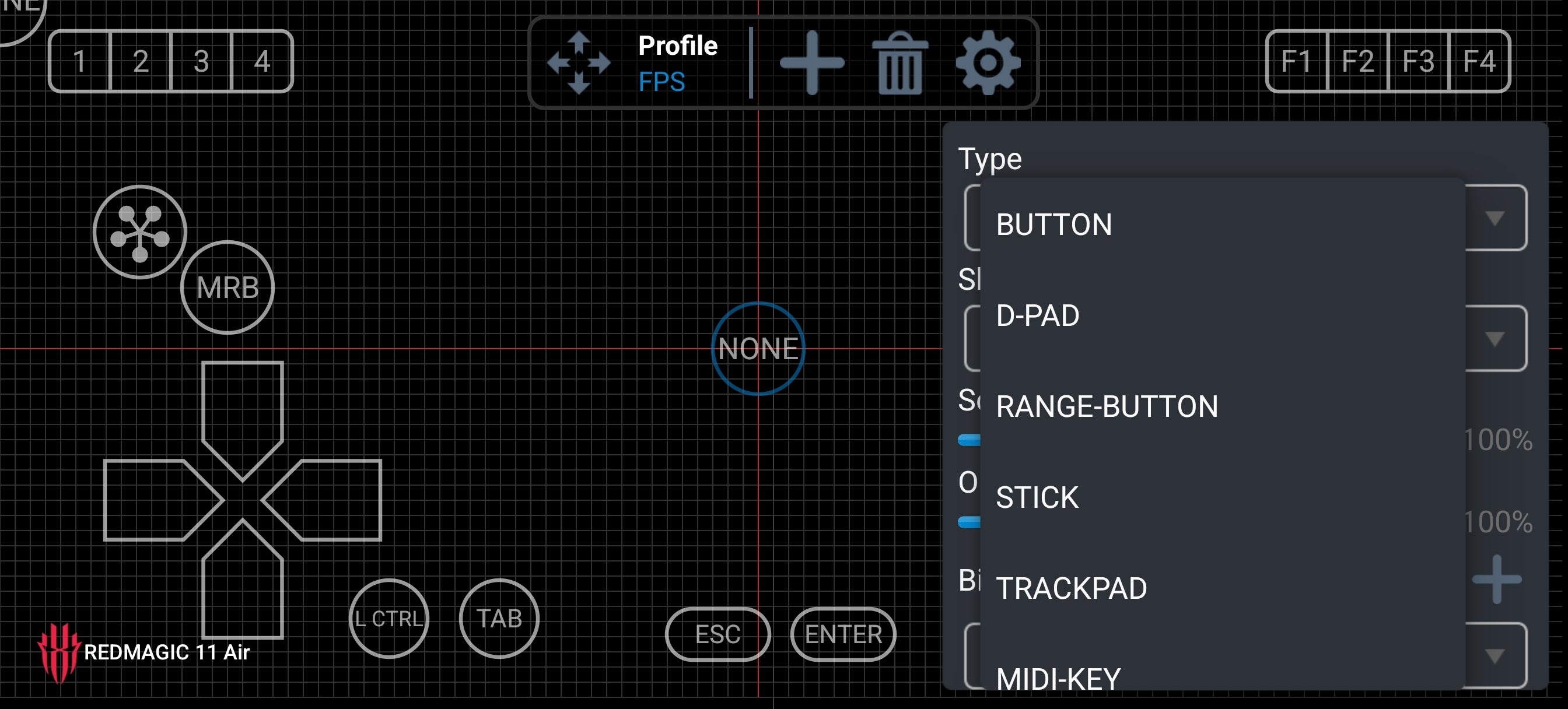
It came with a surprisingly convenient user interface and a very complete input system - like you could create any touch control configuration you could imagine.
Touch input customization in Winlator | Image by PhoneArena
After a bunch of iterations by the main developer and the numerous Winlator forks, like Frost, Bionic and Cmod, by 2024, it was very much possible to run full-blown PC games from the 1997 to 2005 era on a phone with a Snapdragon processor. Which was insanely cool. Not least because that was a golden era in gaming.
And now, we get to 2025, when things get even more interesting. This is when GameSir, a Chinese game controller company, releases an Android app called GameHub.
Now, GameHub came with a legitimately user-friendly UI, like something belonging to a real game console. It built on top of things like Winlator and also added support for even more cutting-edge technologies like early, experimental builds of Proton for ARM processors.
GameHub for 5.3.5 for Android | Images by PhoneArena
GameHub also integrated tech from Pluvia, which was an unofficial, open-source Steam client. And this allowed GameHub users to effortlessly log into their Steam accounts, download their games, and play them on their Android devices. Well, those games that would run, of course.
Controversy didn’t wait long. Soon after, it was found that GameHub came with a lot tracking software, unnecessary permissions, and some very strange limitations – like the fact that you couldn’t run any of your games without an internet connection. Put simply, there was a lot of hate going in GameSir’s direction… but that was only because GameHub was getting so popular.
But in the months following GameHub’s release, some new open-source projects came along that solved GameHub’s issues, namely, GameNative and GameHub Lite, which were fully open, transparent, and completely free of any controversial software.
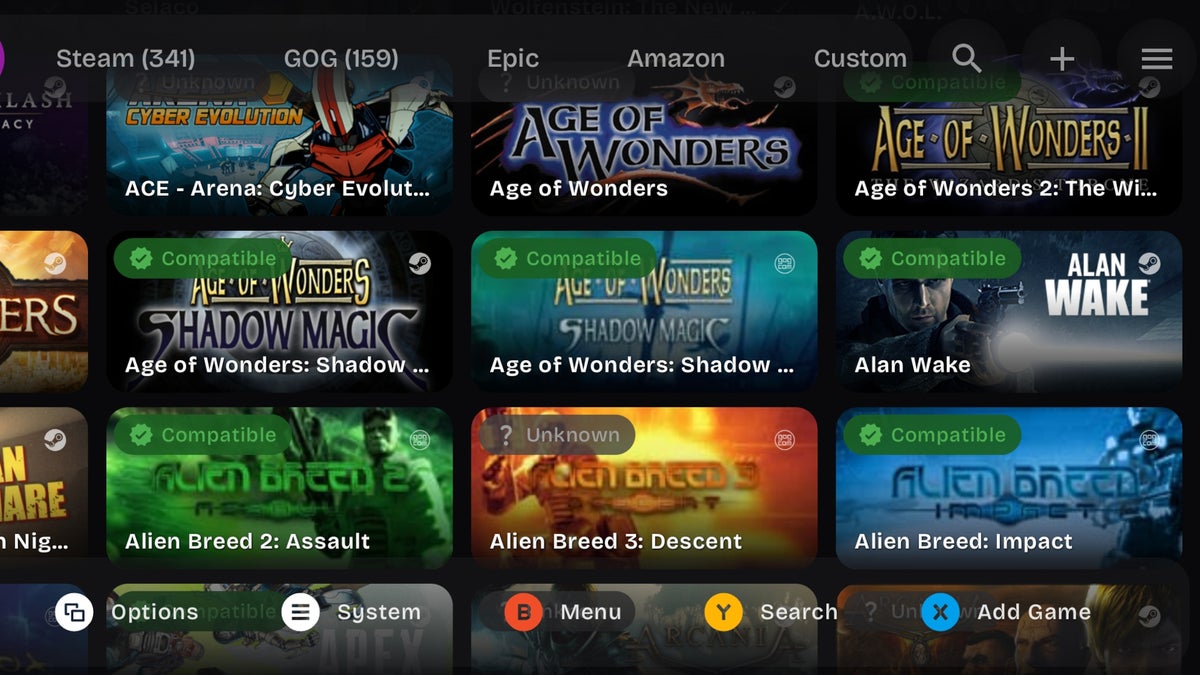
Customizing compatibility settings in GameNative | Images by PhoneArena
And these applications are currently at a place where you can successfully play some very impressive, modern, graphics-intensive games on Android. I’ve been testing them for the last couple of months, and I can say that the chance that a game would run on a modern Snapdragon chipset is around or above 50%.
Which is huge - it means that at least half of your Steam library can just run on your phone right now.
And of course, the process isn’t always super straightforward; there is some tinkering involved, and some trial and error, but by and large, I was even able to run not just old-school classics, like BloodRayne or Bulletstorm, but also very modern titles like freaking Doom Eternal, right on my phone.
And all of these games are fully playable, which is, for lack of a better word – insane.
Most of these PC games don’t typically run right away. More often than not, you need to play around with the compatibility settings a bit. It’s most important to select the right compatibility layer, which would be Proton 10 or 9 for ARM, or some version of X64.
Then the other most important thing to pick is the GPU driver. Snapdragon phones have a huge advantage here, because they have the high-performance, open-source Mesa Turnip drivers, which bring huge performance and compatibility gains.
There is support for Mali GPU and MediaTek chips and other brands, but it is way more limited, and compatibility will be more sketchy. Still, many games, especially older ones, would run on those chipsets as well.
Now, the good thing is these apps integrate some form of the brilliant customizable on-screen controller settings which I first saw in Winlator, and you can definitely make most games fully playable with touch controls.
Including RTS games, because these guys are starting to innovate in some amazing ways. For example, GameNative offers a control scheme for RTS games, which allows you to effectively make unit selections, issue commands and so on - it’s not mouse and keyboard, but it’s the next best thing.
GameNative UI and RTS controls | Images by PhoneArena
And of course, for most games, if you want to elevate the experience a bit, you can just grab a gamepad for phones and make things even more comfortable and playable.
So, we can now run complex, modern, full-blown PC games on our Android phones, and of course that means a lot of heat generation. Your phone can get very hot with some of these games, which means there will be throttling and reduced performance
But this is where active cooling solutions come in. There are many cheap and effective options out there, from many different brands. Or, you might even opt for a Bluetooth controller that comes with a built-in cooler, like the GameSir X3 Pro, for example.
Phone coolers help you keep temperatures in check and avoid throttling. | Images by Amazon and GameSir
So, the good news is the thermal issue is solvable – I’ve tested it, most of these external active coolers do a great job.
That was a bit of a long story, but I guess the bottom line is that these are extremely exciting times for gaming on mobile. And at the current rate of progress, I wouldn’t be surprised if things improve dramatically over the next couple of years, mostly thanks to Valve’s investments in Proton and other tech like FEXCore.
Before we know it, every Android phone may be a Steam Deck!
Six-month unlimited plan is now 57% off
$90
$210
$120 off (57%)
Mint Mobile is now allowing you to get whichever plan you like for either three, six, or 12 months for just $15/mo. If you go for the six-month unlimited service, for instance, you'll now have to pay just $90 upfront instead of $210.
Rad Slavov is the Editor-in-Chief at PhoneArena. He joined the media in 2008, right on the cusp of the modern smartphone revolution. Through time and perseverance, he amassed a great deal of knowledge and industry know-how, allowing him to guide and organize the company's growing line-up of talented content creators and ever-expanding content portfolio.
A discussion is a place, where people can voice their opinion, no matter if it
is positive, neutral or negative. However, when posting, one must stay true to the topic, and not just share some
random thoughts, which are not directly related to the matter.
Things that are NOT allowed:
Off-topic talk - you must stick to the subject of discussion
Offensive, hate speech - if you want to say something, say it politely
Spam/Advertisements - these posts are deleted
Multiple accounts - one person can have only one account
Impersonations and offensive nicknames - these accounts get banned
To help keep our community safe and free from spam, we apply temporary limits to newly created accounts:
New accounts created within the last 24 hours may experience restrictions on how frequently they can
post or comment.
These limits are in place as a precaution and will automatically lift.
Moderation is done by humans. We try to be as objective as possible and moderate with zero bias. If you think a
post should be moderated - please, report it.
Have a question about the rules or why you have been moderated/limited/banned? Please,
contact us.











Things that are NOT allowed:
To help keep our community safe and free from spam, we apply temporary limits to newly created accounts: