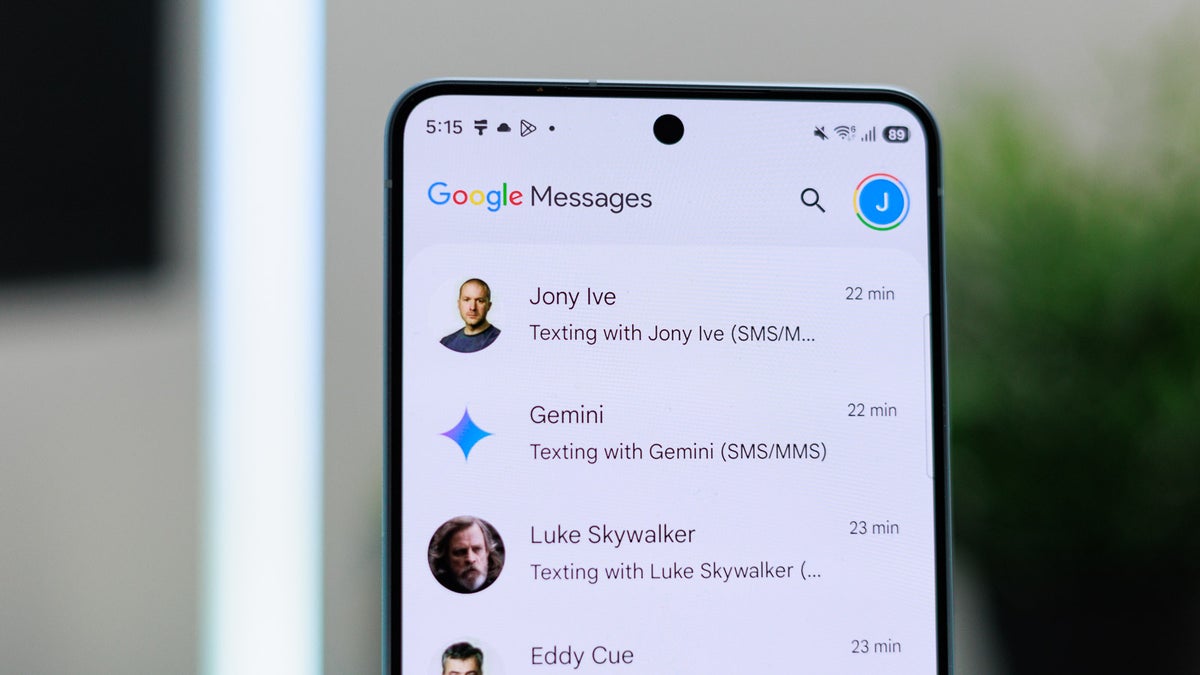
Google Messages is undoubtedly one of the best messaging apps out there. It has received a lot of interesting updates recently. A new report suggests that it is about to see two new changes again.
Good news for Google Messages users
If you have been following what's happening in the tech industry recently, you are probably aware that Samsung announced that it is going to discontinue its messaging application. It was later confirmed that this news only applies to the US, and the app will continue to function for some more time for the rest of the world. So, maybe not today, but definitely one day, the Samsung texting application will be gone forever for everyone, and you'll have to switch to Google Messages.
One of the many things you might miss in the Google texting app is the chat customization options that you get in Samsung Messages. Fortunately, it seems that Google is working on addressing this shortcoming.
It was recently reported that the tech giant is working on adding different customization options to the app. The mention of terms like "upload photo," "your photo," and "custom" was spotted in the code of one of the beta builds of the app. Now, in the messages.android_20260508_02_RC00.phone.openbeta_dynamic release, a receiver has reportedly been identified.
Recommended For You
For reference, a receiver in Android development basically refers to a component that manages certain actions. The sighting of this in the internal code gives a strong indication that the tech giant is actively working on introducing customization options, and everything related that was spotted previously wasn't just placeholder text or a UI idea.
Bad news for Google Messages users
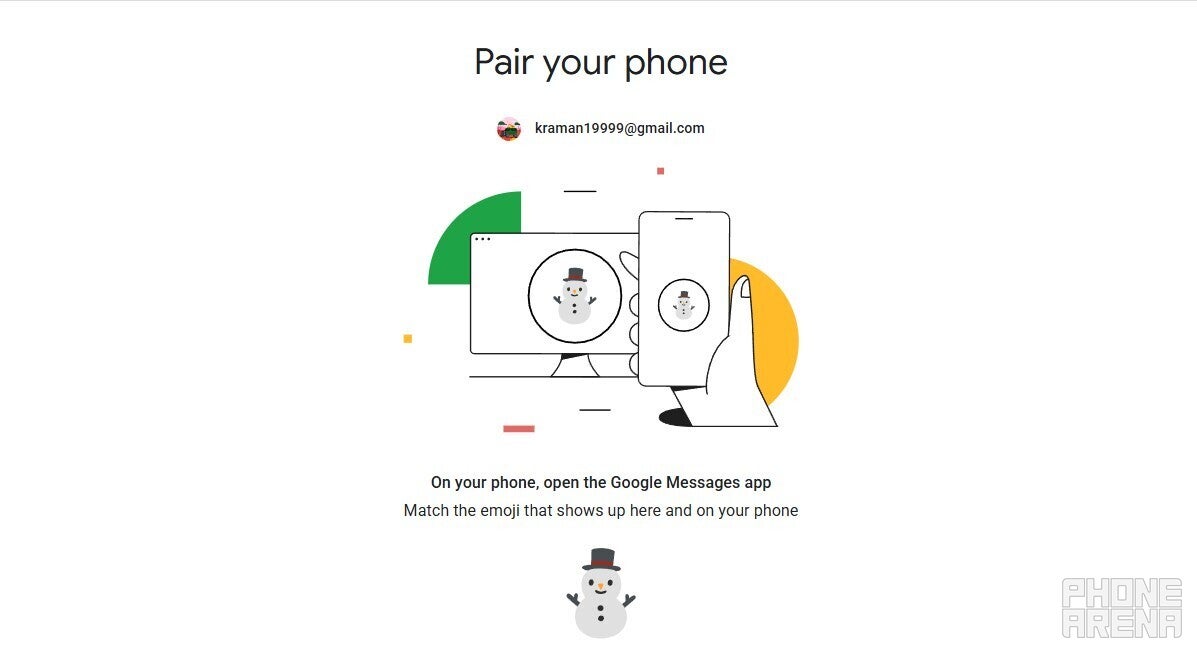
New pairing option of Google Messages web. | Image by PhoneArena
One of the best things about the Google SMS app is that you can log in to it on any other device, like a PC, instantly. To do this, you need to open the Google Messages web app on your secondary device, where you will see a QR code. After that, you need to open the Google Messages app on your smartphone, go to Device Pairing, and then scan the QR code to instantly log in with your account on the secondary device.
However, the company has decided to remove this option. A Reddit user recently posted that upon trying to log in to Google Messages web, they are seeing a message that says, "QR code pairing is going away soon." Now, the tech giant has taken the next step towards that goal, and the QR code scanner button that used to appear upon selecting the Device Pairing option is reportedly no longer available.
Now you need to use your Google account to sign in to secondary devices.
Which Google Messages feature makes you most tempted to ditch Samsung Messages?
342 Votes
RCS support.
60.23%
Spam protection.
9.06%
Built-in Gemini.
9.94%
Real-time location sharing.
4.39%
Reactions and modern chat tools.
16.37%
Both changes seem very necessary
I honestly feel that both the reported changes are very necessary. Samsung's SMS app has always had the customization edge, but since it is now also coming to Google Messages, it will become easier for users to make the switch.
The removal of QR code pairing is important from the security point of view. Furthermore, it would also help in tightening the Google ecosystem. For reference, most of the other Google services, like Google Photos and Google Drive, ask for a Google account for logging into a secondary device, and now Google Messages will use the same approach as well.
Other incredible features of Google Messages
The good news is that in addition to the above two mentioned changes, the Google messaging app has plenty of other interesting capabilities as well. For instance, it recently received its very own trash folder that keeps the deleted messages for 30 days before removing them from your device permanently. A new menu has been added that appears upon long pressing an image or text.
On the Visible+ Pro plan, you get access to 5G Ultra Wideband data on Verizon's fastest network. Along with unlimited roaming across Mexico and Canada, 2 days of Global Pass per month, 3x hotspot speeds, 4K streaming, and Smartwatch service.
Aman Kumar is a news writer at PhoneArena covering Google Pixel phones, Android features, AI-powered smartphone tools, and mobile tech news. Before joining PhoneArena, he spent over five years writing about consumer technology for publications like MakeUseOf, How-To Geek, and Guiding Tech. His current daily drivers are the Pixel 10 and Samsung Galaxy S26 Plus, while his red iPhone SE (2nd gen) remains a personal favorite. Aman also appreciates bold smartphone experiments and still considers the Nokia N-Gage one of the industry’s most iconic designs.
A discussion is a place, where people can voice their opinion, no matter if it
is positive, neutral or negative. However, when posting, one must stay true to the topic, and not just share some
random thoughts, which are not directly related to the matter.
Things that are NOT allowed:
Off-topic talk - you must stick to the subject of discussion
Offensive, hate speech - if you want to say something, say it politely
Spam/Advertisements - these posts are deleted
Multiple accounts - one person can have only one account
Impersonations and offensive nicknames - these accounts get banned
To help keep our community safe and free from spam, we apply temporary limits to newly created accounts:
New accounts created within the last 24 hours may experience restrictions on how frequently they can
post or comment.
These limits are in place as a precaution and will automatically lift.
Moderation is done by humans. We try to be as objective as possible and moderate with zero bias. If you think a
post should be moderated - please, report it.
Have a question about the rules or why you have been moderated/limited/banned? Please,
contact us.









Things that are NOT allowed:
To help keep our community safe and free from spam, we apply temporary limits to newly created accounts: