Battery life tips and tricks
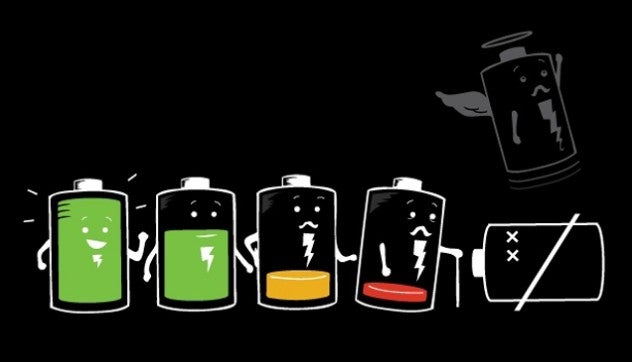
While cell phones are getting bigger bythe year and processors are getting smaller, it might seem that oneaspect of phones remains the same. You've guessed it right – it'sthe Li-Ion battery, the juice and pulp of your smartphoneexperience. The problem with batteries is that breakthroughs in the field seem to happen once in a century, and even though more and more companies are focusing on improving battery technology quicker, here are some tips and tricks to get the most out of your existing battery pack.
Quick fixes
-
Screen brightness: It might sound obvious, but the brighter the screen - the faster you will see your battery dead. A screen, in most cases, is the biggest power consumer in a smartphone. The easiest solution here would be using automatic brightness adjustment. But when you want to squeeze the most out of your phone's battery, manually tone down your brightness to the lowest acceptable level.
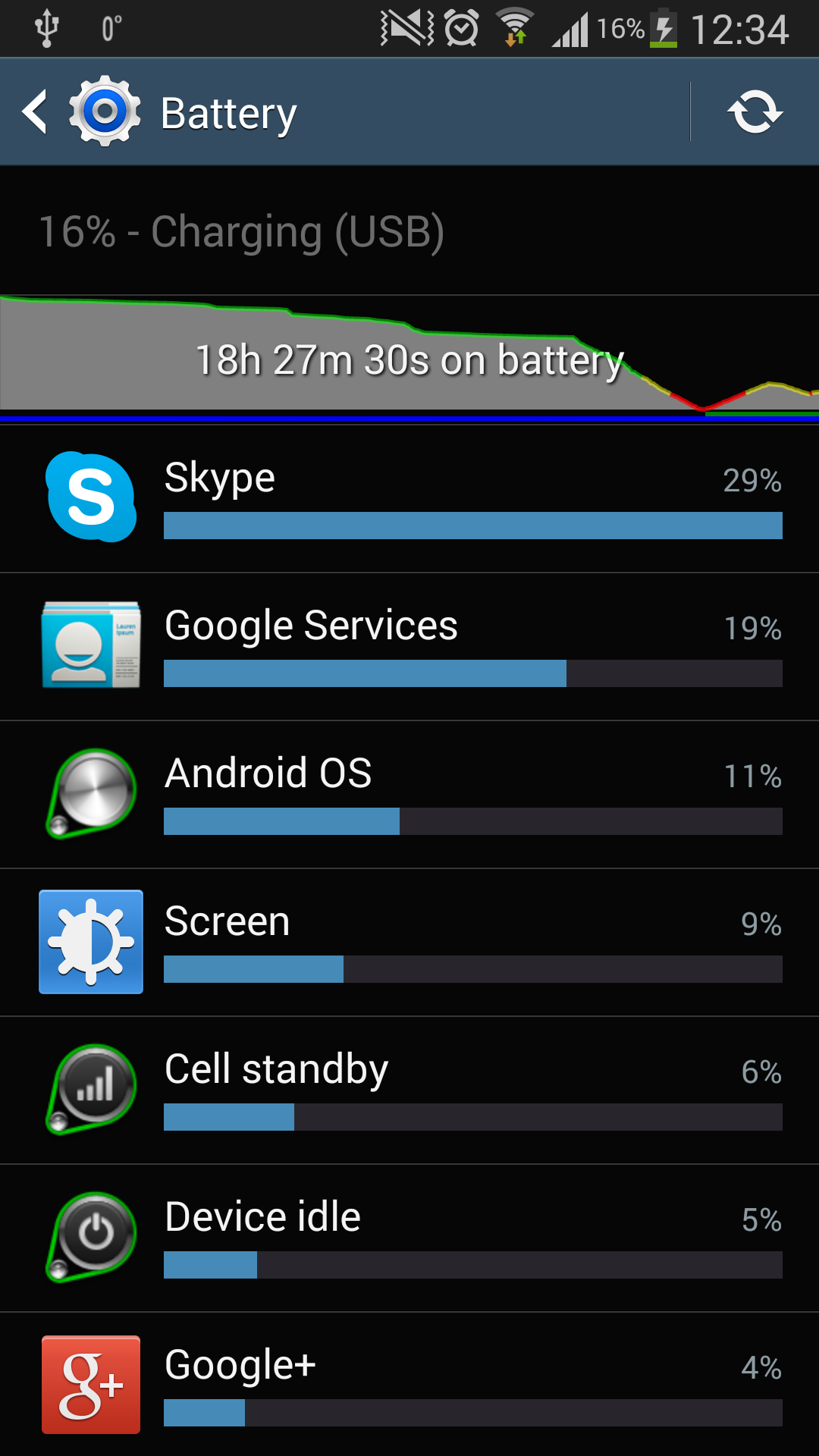
- Check your mobile network signal. You can do this by going into Settings → General → Battery, and then tapping on the graph. If the "Mobile network signal" bar is green, you're fine - your signal is strong. If, however, the bar has other colors in it, that means that your carrier has low coverage in your area, and this will drain your battery much faster. You can't really do much about this, but you'll know what the problem is, and you might decide to change carriers to one that offers better coverage in your area.
- Bluetooth: turn it off when you don't use it, but don't worry about it, if you do. If you really need to squeeze out the most of your phone's battery think about switching off Wi-Fi and 3G/4G. At the same time, don't get carried away - a smartphone is a smartphone because of its connectivity, and you should not have to sacrifice on usability because of your battery.
Some apps are battery hogs
-
Get rid of all the useless apps. Apps pile up quicker than your kitchen trash can, and - worst of all - a part of that pile might be running in the background, draining your precious battery.

- Check which apps use the most of your battery by going into Settings → General → Battery. Some apps like Google+ and Skype are notorious battery hogs, and if you don't use them, you might want to remove such apps.
- Get a black wallpaper. Okay, maybe not for all phones, but some displays like the AMOLED one on the Samsung Galaxy S series tend to consume more energy showing white or brighter colors.
Wireless Charging
- Did you know that wireless charging is not as efficient as traditional charging via cable? If you want to juice up your phone quickest, use a cable.
- Nonetheless, getting a smartphone with wireless charging and a wireless charger that doubles as a stand is a great idea. If you are working a desk job, you can rest your phone on the wireless charger and be sure that it's always 100% charged.
Avoid risks!
-
Try NOT to talk when your phone is charging!
- Heat is THE major reason for reduced battery life. It is definitely not a good idea to leave your handset out in the sun (temperatures in your car's interior could reach up to 150 F), you would do better if you put it in a fridge!
- Getting a third-party battery can be dangerous. Avoid them if you can - we have seen way too many reports about exploded phones and injured people.
- Leaving your Li-ion-powered phone discharge completely often is not a good idea, since it puts stress on the battery.
- BUT you should let your phone fully discharge once every 30 charges. Reason - batteries, which have a fuel gauge, need to be calibrated and that is the perfect way to do it.
- For idle periods longer than a month consider storing your battery in a cold place, at just below half charged, around 40 per cent. The remaining charge keeps the battery along with its protection circuit operational.
Will something change in the future?
Good news is that battery life has become a top priority not just for users (who are tired of charging their devices every night), but also for the big manufacturers. Companies like Apple, Samsung, LG and Nokia are all said to work on improved battery technology, but they are also adding quick fixes right away - smartphones in 2014 are expected to feature much larger batteries.
We have already seen light at the end of the tunnel with handsets like the LG G2 that can last up to 2 full days on a single charge, and phones with large screens like the Samsung Galaxy Note 3 and HTC One Max also usually come with longer lasting batteries. Brace yourselves, the future should be bright!
reference: Battery University





Things that are NOT allowed:
To help keep our community safe and free from spam, we apply temporary limits to newly created accounts: