You know the moment. You're a few clicks deep into buying something on your laptop, payment info entered, and then everything stops while you wait for a text message code that takes forever to show up. Google just decided that whole ritual has to go.
What Google just announced
At I/O 2026, Google confirmed it has finished the Android-wide Google Wallet redesign and is now rolling it out to everyone. The bigger headline is a new Google Pay feature called Cross-device Payment Verification.
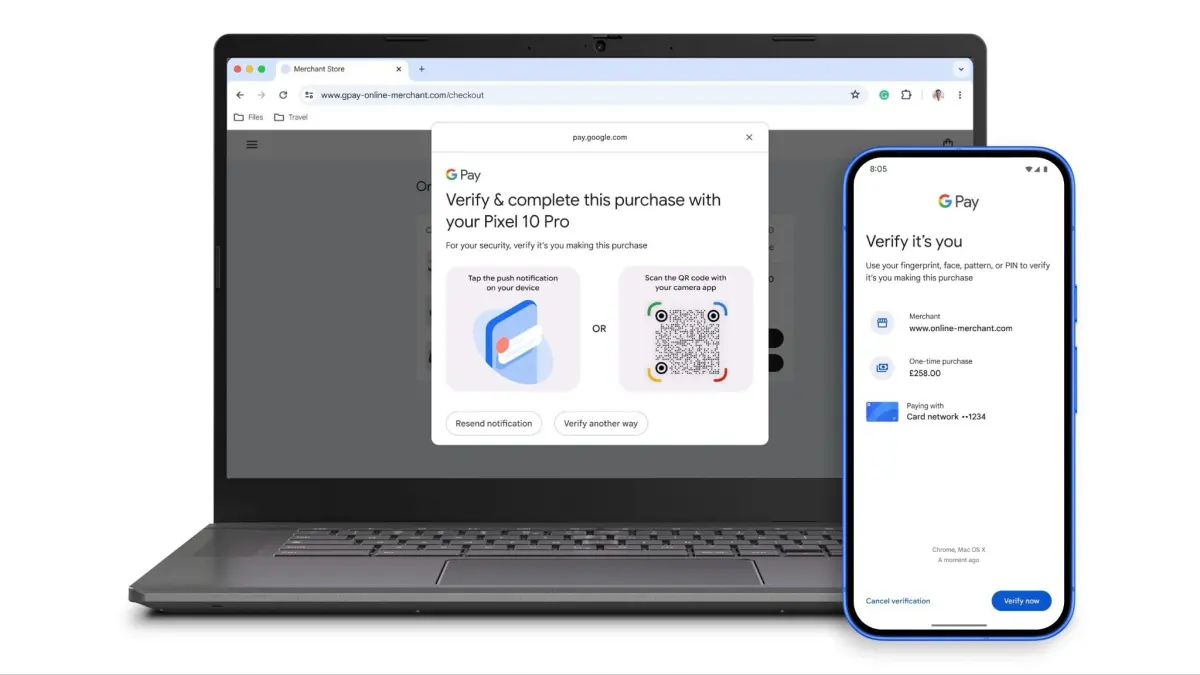
When you buy something on a desktop browser, your Android phone becomes the security key, and you approve the purchase with your fingerprint, face, or PIN.
You get a secure push notification on your phone, or you scan a QR code shown on the desktop screen, then confirm. So no more one-time SMS passcodes, and no more getting bounced to a clunky bank page in the middle of checkout.
Google laid all of this out in its official I/O 2026 announcement, though it has not pinned down a consumer launch date for desktop yet.
The Wallet redesign you'll actually notice
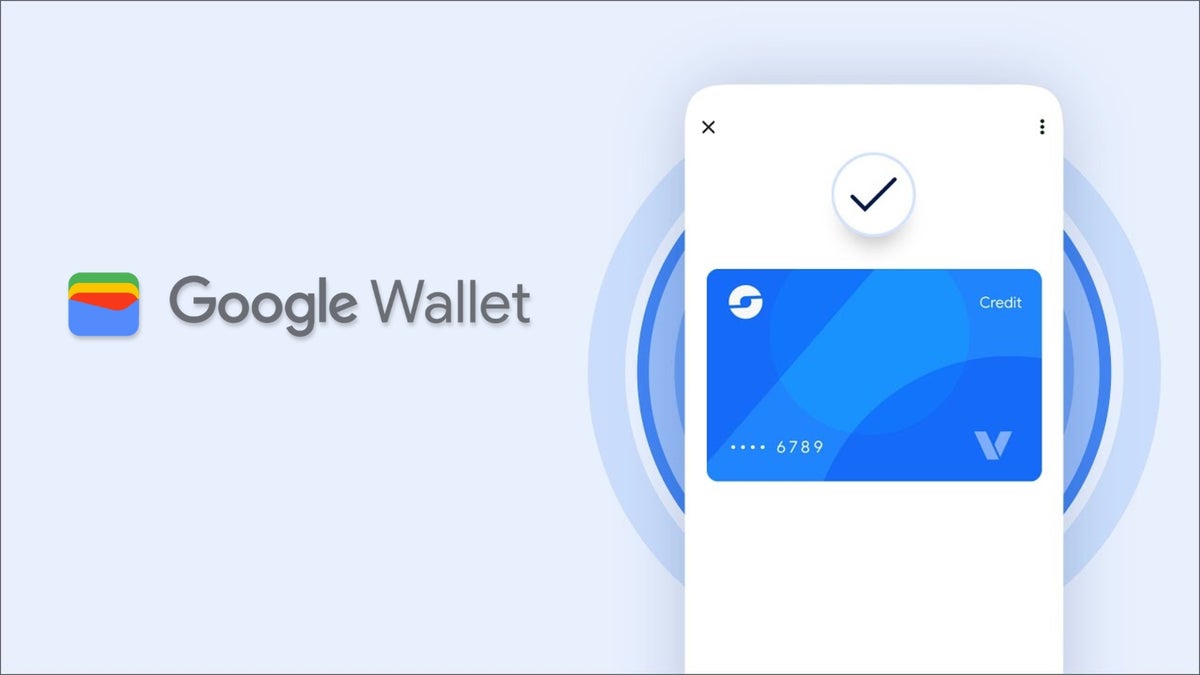
The app itself looks different now too. The new homepage puts your favorite cards and passes up front, and time-sensitive items like boarding passes get a bigger, full-screen card that updates live.
Recommended For You
There's also a new "View more" button that opens a searchable hub for everything you've stored, transaction history included. We covered how Wallet's real-time flight and train tracking feeds into this, and it all clicks together nicely.
Google also expanded digital ID verification to apps like Uber and TurboTax, added contactless loyalty sign-ups, and previewed a digital receipts feature for retailers.
What's the most annoying part of buying something online right now?
25 Votes
Waiting on a text code that never seems to arrive
12%
Getting kicked to my bank's app halfway through
20%
Re-entering card details on every single site
36%
None of it bothers me, checkout is fine as is
32%
Why this is a bigger deal than it looks
Google Wallet's new cross-device verification. | Image by Google
Cross-device verification matters because it kills a problem people genuinely hate. Browse any retailer or PayPal support thread and the complaints pile up fast: codes that arrive 10 times a day, codes that land only after the checkout page has already timed out, even a phone texting a security code to its own number.
The competitive angle is where it gets interesting. Apple Pay still leans on the old playbook for web purchases, where card setup and many checkouts route through SMS one-time passwords or a bank app prompt. Samsung Wallet has not shown anything close to phone-as-key desktop approval either.
Wallet stopped being a place to dump your cards a while ago, and we previously tracked how it keeps fixing small annoyances one update at a time. This is the most useful one yet.
The honest read
Apple Pay should be paying attention. Google is doing the boring, important work of making payments faster and safer, and on this specific feature it has a head start its rivals have not matched.
We'll hold final judgment until Cross-device Payment Verification actually reaches consumer desktops, because an unspecified rollout window means "soon" could easily mean months. The direction is exactly right though, and killing the SMS code at checkout is the kind of fix you didn't know you were desperate for until someone finally did it.
Want more takes like this? Catch me on X and Threads at @jojothetechie for hot takes, opinions, and the behind-the-scenes stuff that doesn't always make the article.
Free Galaxy A17 5G with Straight Talk
Get a free Galaxy A17 with Straight Talk. To claim this deal, you need to pair the phone with activation on a Silver Unlimited Plan or higher. This tier costs $45 per month. Offer valid through 01/10/27 while supplies last online.
Johanna Romero is a Senior News Writer at PhoneArena, covering mobile technology news across Android, iOS, wearables, and the Google ecosystem she knows best. Drawing on 15 years in IT and tech support from 2007 to 2022, she brings a user-friendly eye for the practical features and lesser-known tricks readers care about. Google named her an official #TeamPixel member in 2022, and she also reviews the latest devices on her YouTube channel, JoJo the Techie.
A discussion is a place, where people can voice their opinion, no matter if it
is positive, neutral or negative. However, when posting, one must stay true to the topic, and not just share some
random thoughts, which are not directly related to the matter.
Things that are NOT allowed:
Off-topic talk - you must stick to the subject of discussion
Offensive, hate speech - if you want to say something, say it politely
Spam/Advertisements - these posts are deleted
Multiple accounts - one person can have only one account
Impersonations and offensive nicknames - these accounts get banned
To help keep our community safe and free from spam, we apply temporary limits to newly created accounts:
New accounts created within the last 24 hours may experience restrictions on how frequently they can
post or comment.
These limits are in place as a precaution and will automatically lift.
Moderation is done by humans. We try to be as objective as possible and moderate with zero bias. If you think a
post should be moderated - please, report it.
Have a question about the rules or why you have been moderated/limited/banned? Please,
contact us.












Things that are NOT allowed:
To help keep our community safe and free from spam, we apply temporary limits to newly created accounts: