What’s actually new in the Pixel 10 series? A real-world guide to the new features
We cut through the marketing jargon to explain what the new features mean for you.
We may earn a commission if you make a purchase from the links on this page.
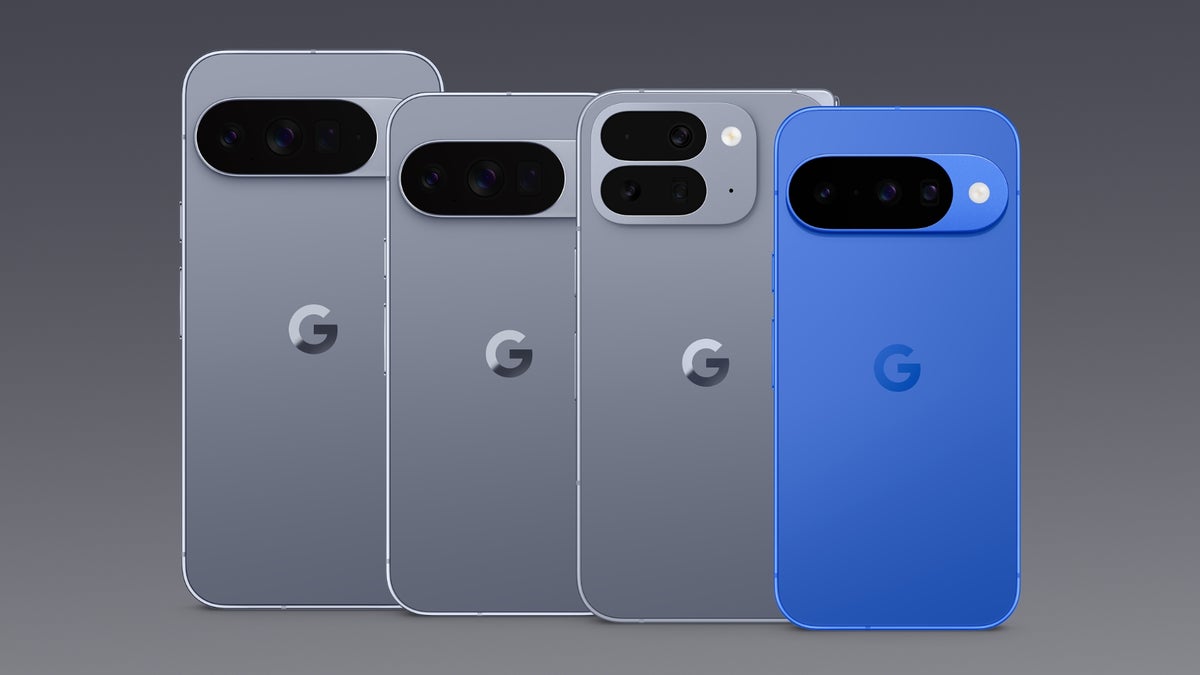
Google just announced its new Pixel 10 lineup and with it, a ton of new features. While some are small tweaks, others are pretty big strategic moves that are worth talking about. It's a lot to digest — so let's go through it piece by piece, feature by feature, so you know exactly what to expect and which phone you will need to get them.
Pixelsnap
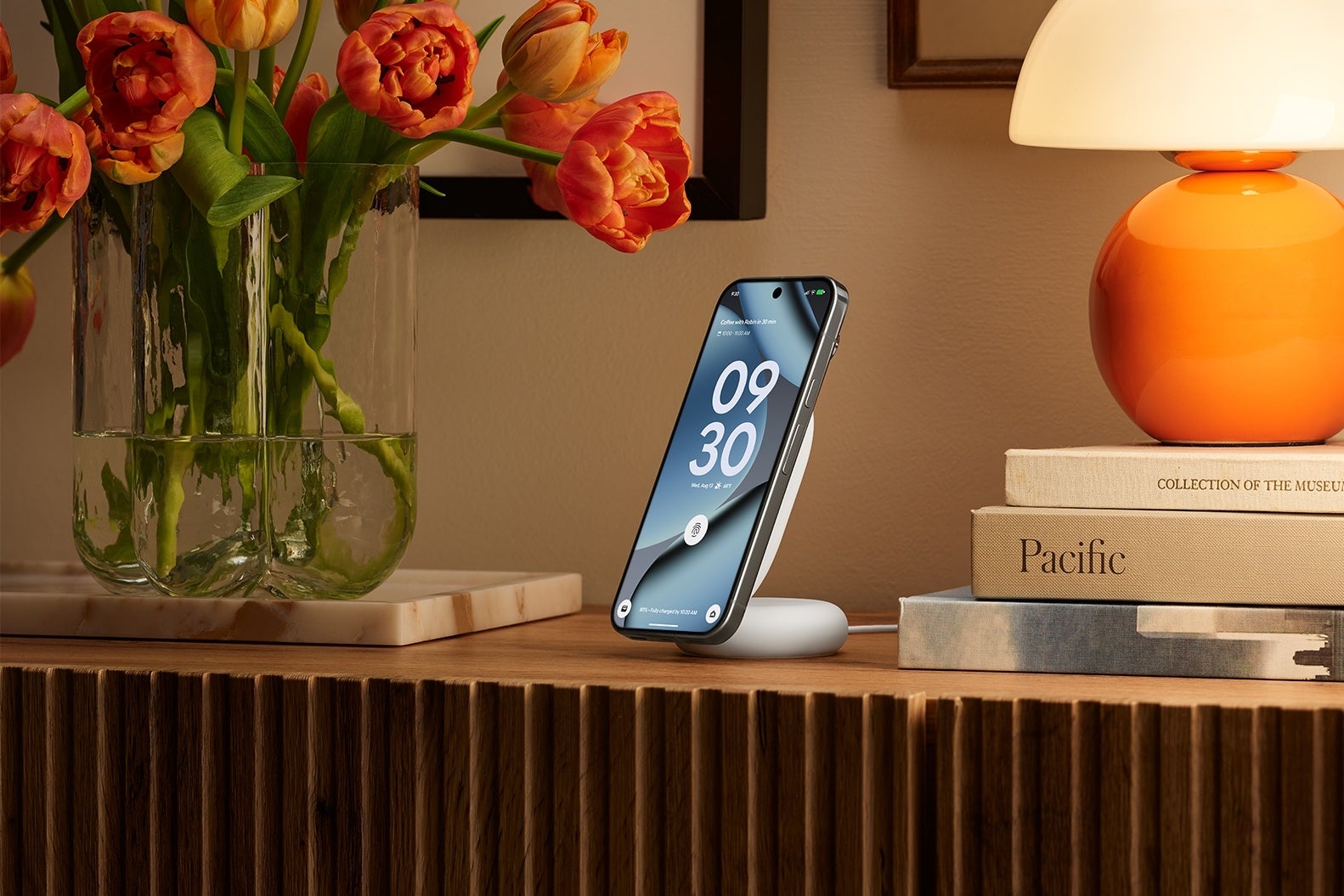
Pixelsnap charger with stand. | Image credit — Google
First up is the one you can't miss: Pixelsnap. If you're thinking, "that sounds an awful lot like Apple's MagSafe," you are spot on. And frankly, it's about time. For years, the accessory situation for Pixel has been a bit of a mess compared to the iPhone. Pixelsnap is a magnetic system built right into the back of all the new Pixel 10 phones, letting you snap on chargers, wallets, and stands. It uses the new Qi2 wireless charging standard, so it's not a proprietary thing. This is Google finally getting serious about building a proper hardware ecosystem, and it’s a very welcome change.
Availability: This is base-level stuff for the new phones. You'll find Pixelsnap on the Pixel 10, Pixel 10 Pro, Pixel 10 Pro XL, and the Pixel 10 Pro Fold.
C2PA Content Credentials
Even if it may sound technical. C2PA Content Credentials is a feature every phone should probably have. Here's what it does: with all the AI-generated images flying around, it's getting hard to know what's real. The Pixel 10 camera now automatically embeds a secure, invisible signature into every photo you take. This signature tracks its origin and any edits, so you can actually prove a photo is authentic. It’s a big step for fighting misinformation, and it's happening right on the device.
Availability: This isn't a pro feature, which is great to see. It’s built into the native camera app on all Pixel 10 series phones.
Voice Translate
Now for some of that classic Google magic. Voice Translate does pretty much what it says on the tin, but the execution sounds impressive. It translates phone calls in real-time, right on your device, using the new Tensor G5 chip. The crazy part is that it mimics each speaker's voice, so it sounds less like a robot translator and more like a natural conversation. It's one of those "living in the future" features that Google does so well.
Availability: This is powered by the new chip, so Google is rolling it out across the board. You get it on the Pixel 10, Pixel 10 Pro, Pixel 10 Pro XL, and the Pixel 10 Pro Fold.
Pixel Journal
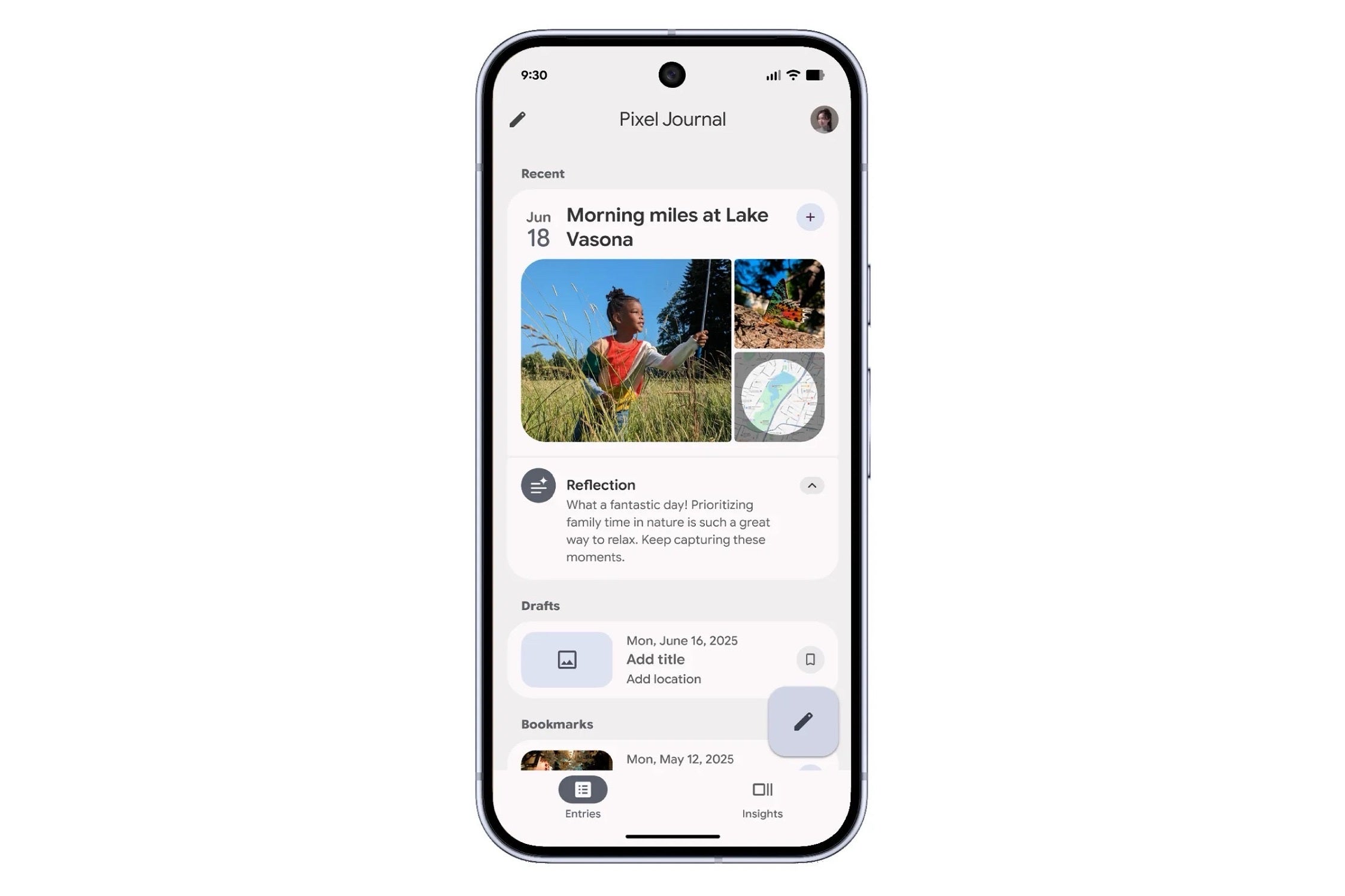
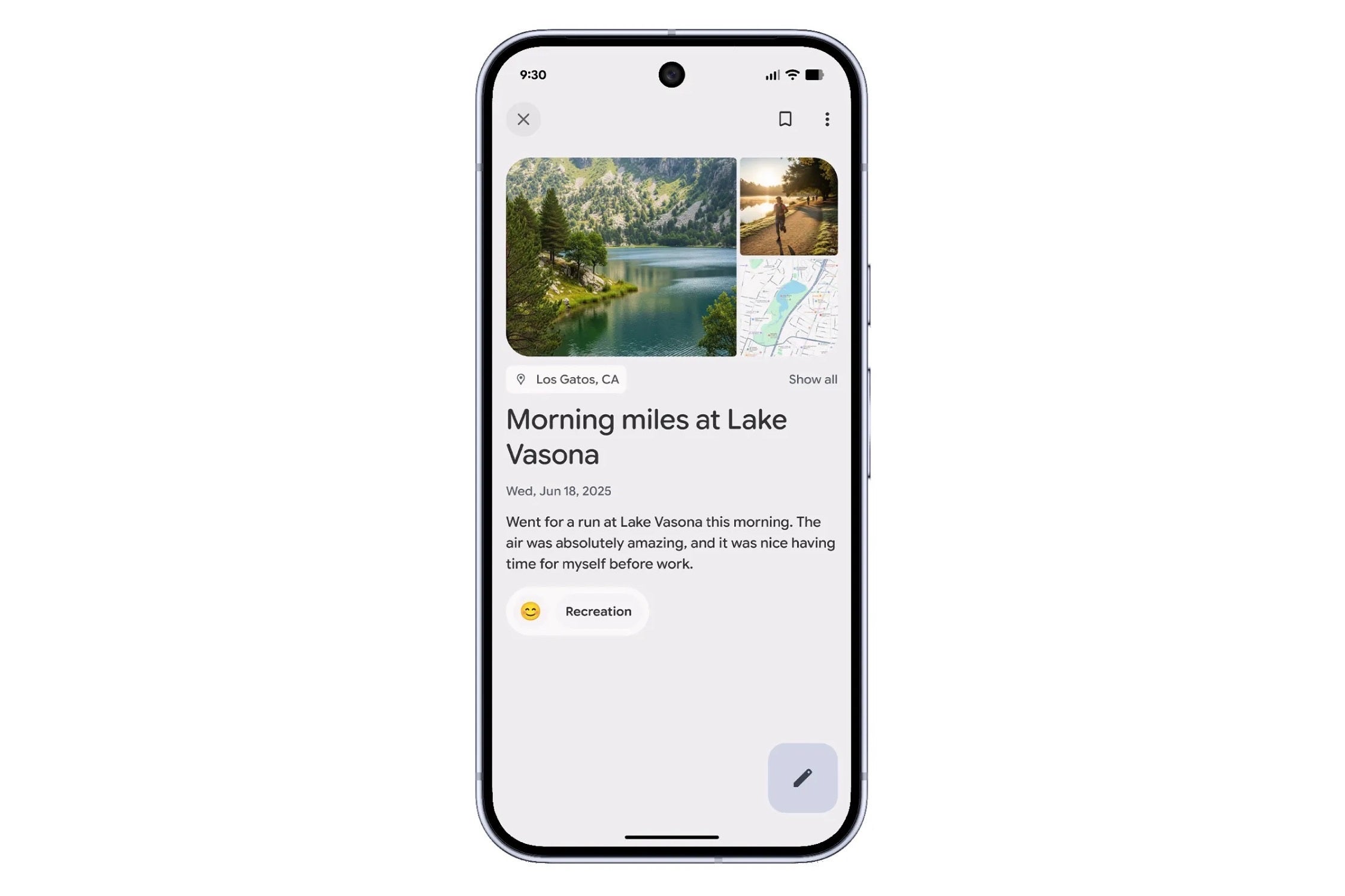
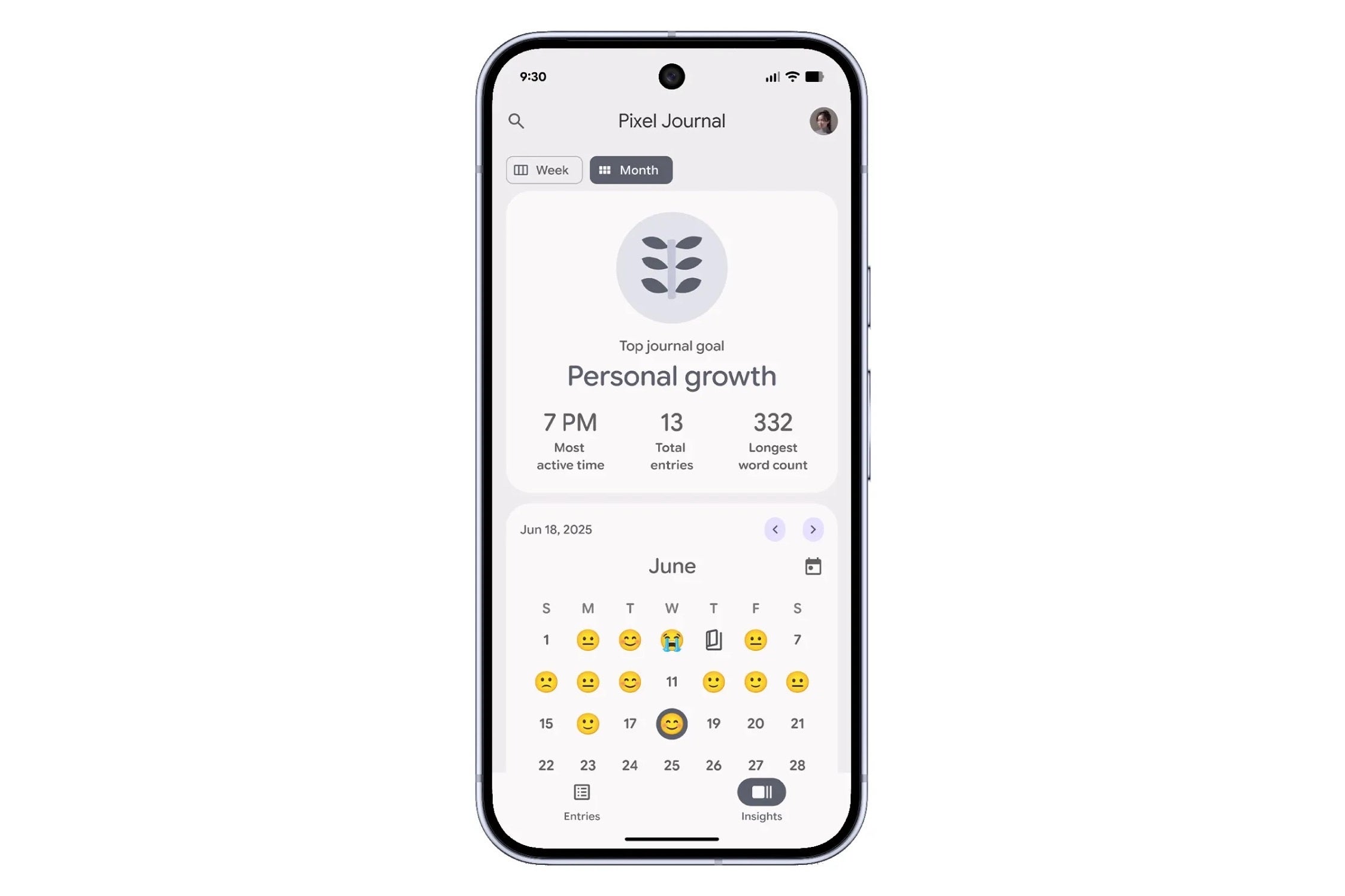
Pixel Journal. | Image credit — Google
Availability: This thoughtful little app comes pre-installed on all models in the Google Pixel 10 series.
Take a message
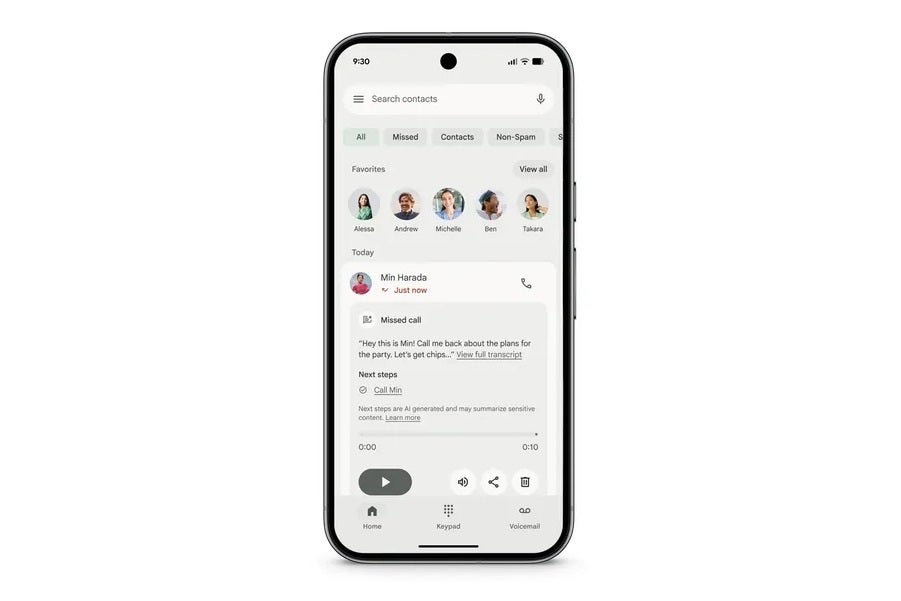
Pixel's 'Take a Mesage' feature. | Image credit — Google
This one is a clever upgrade to the Phone app. You know how visual voicemail is great? "Take a message" is like that, but for calls you actively decline or miss. It transcribes the message in real-time and, more impressively, uses AI to figure out if there are any next steps or action items hidden in the message. It's a small quality-of-life improvement that could save a lot of hassle.
Do you think that with all the new features, Google has positioned the Pixel 10 series in a good place to compete with other ecosystems?
32 Votes
Yes
78.13%
No
21.88%
Camera Coach
Ever point your camera at something and just know the photo could be better, but you're not sure how? That's what Camera Coach is for. It uses Google's Gemini AI to look at your scene through the viewfinder and gives you real-time tips. It'll suggest moving a bit to the left, finding better light, or trying a different camera mode.
Availability: This is a pure software play, so it's available on all the new Pixel 10 devices.
ProRes Zoom
This is where things get interesting for the "Pro" models. Google is calling it ProRes Zoom, and it lets you zoom in up to 100x. Now, normally digital zoom that high looks like a pixelated mess. But Google is using some serious AI wizardry here—a diffusion model—to intelligently rebuild the details in the image. It's meant for things like distant landscapes or buildings, not faces, but the results look impressive so far. We will have to put this to the test in real life scenarios, though.
Availability: This is one of your main reasons to upgrade. ProRes Zoom is exclusive to the Pixel 10 Pro and Pixel 10 Pro XL.
And a Few More Smart Camera Tricks
There are a couple of other nifty camera software features packed in. "Auto Best Take" is the magic group photo fixer that combines multiple shots, so everyone is smiling with their eyes open. Then there's "Ask Photos," which lets you make complex edits by just telling the phone what you want in plain English, like "erase that person in the background."
Looking at this list, I think we can clearly see that Google is building a cohesive ecosystem that can actually go head-to-head with the competition. With Pixelsnap, Google finally answered the MagSafe problem, and their on-device AI is getting so good that it feels less like a gimmick and more like a genuinely useful tool. I can't wait to try all this out in my day to day.


Popular stories






Latest News





Things that are NOT allowed:
To help keep our community safe and free from spam, we apply temporary limits to newly created accounts: