One thing is certain without any comparisons or tests, though: the new Galaxy S26 Ultra is the richest, most feature-saturated Samsung phone to date. It can do what no other phone can do (as of the time of writing) – it has a clever built-in privacy display feature. There's more to it than that, of course.
This is an extensive roadmap that won't deal with design and exterior characteristics but rather with features and overall user experience.
Upgrading to Galaxy S26 Ultra from Galaxy S20 Ultra
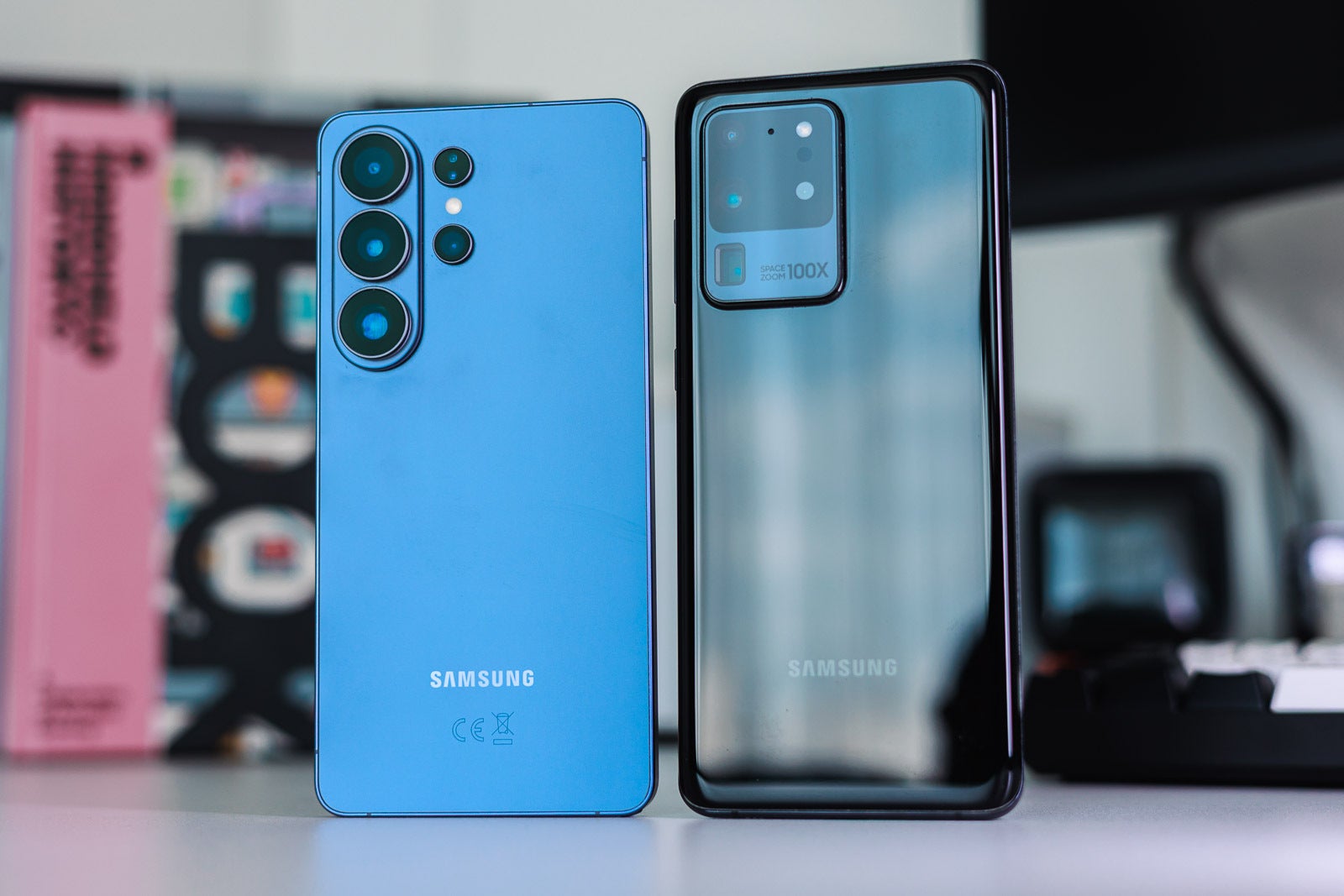
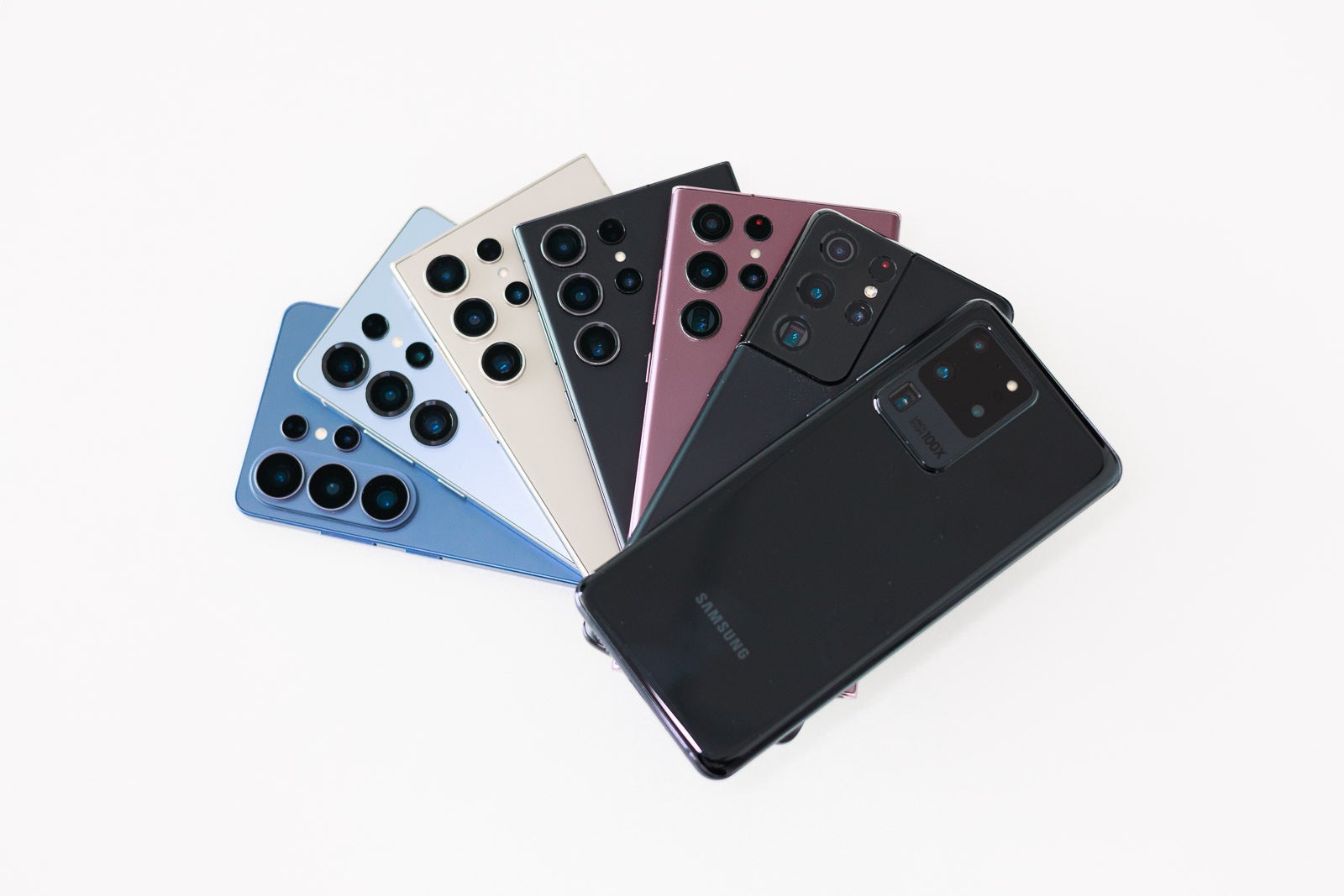
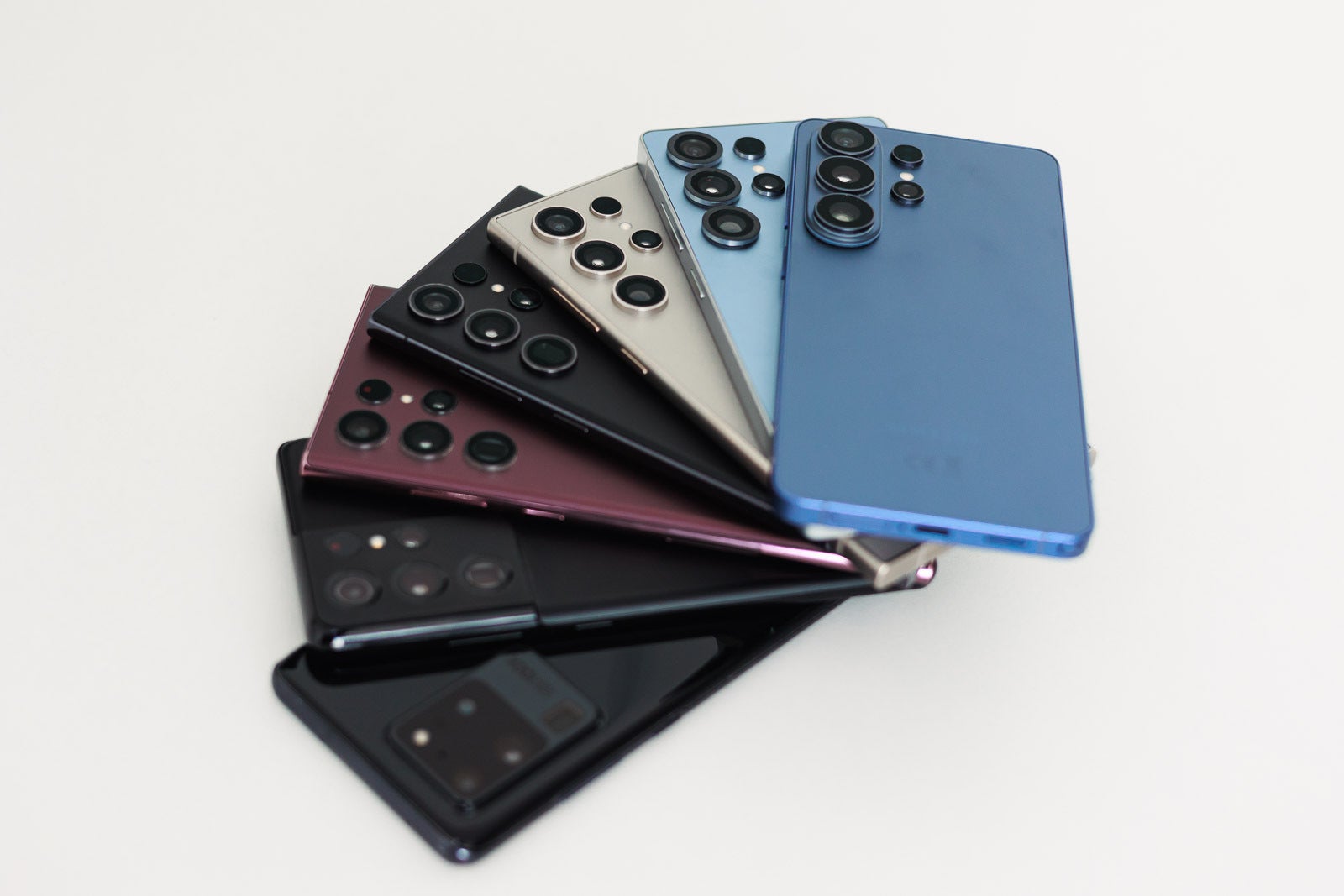
The difference is quite dramatic both on the inside and on the outside. | Image by PhoneArena
If you're still using your Galaxy S20 Ultra from 2020, it's about time to move on and upgrade to the Galaxy S26 Ultra. You'll enjoy better camera capabilities with enhanced zoom, the raw power performance will be way better and you'll be more secure.
Starting with the display, the Galaxy S26 Ultra supports the 1–120Hz refresh rate at full resolution, while the Galaxy S20 Ultra offers the 120Hz option only at Full HD+ (2400 x 1080 px). If you want to keep your screen at 3120 x 1440 px, it can only go to 60 Hz on the old model.
The hot built-in Privacy Display[1] feature is exclusively available on the Galaxy S26 Ultra. Since this is a hardware feature and the new model's display pixels operate differently than any other phone's panel, you can't get it via a software update.
Power users, multitaskers and those who use their Galaxy S Ultra for actual work, will be much better off with the new S26 Ultra, as it offers a superior Dex experience. The Galaxy S20 Ultra also offers Dex[2], but the S26 Ultra's version is fluid, supporting higher resolutions and window counts for a true desktop-replacement experience.
Recommended For You
The cameras are way more capable on the Galaxy S26 Ultra, no doubt about it. The Nightography[3] mode has been vastly improved, as it is the whole camera processing, and you'll take advantage of cutting-edge Galaxy AI[4] tools for post-processing.
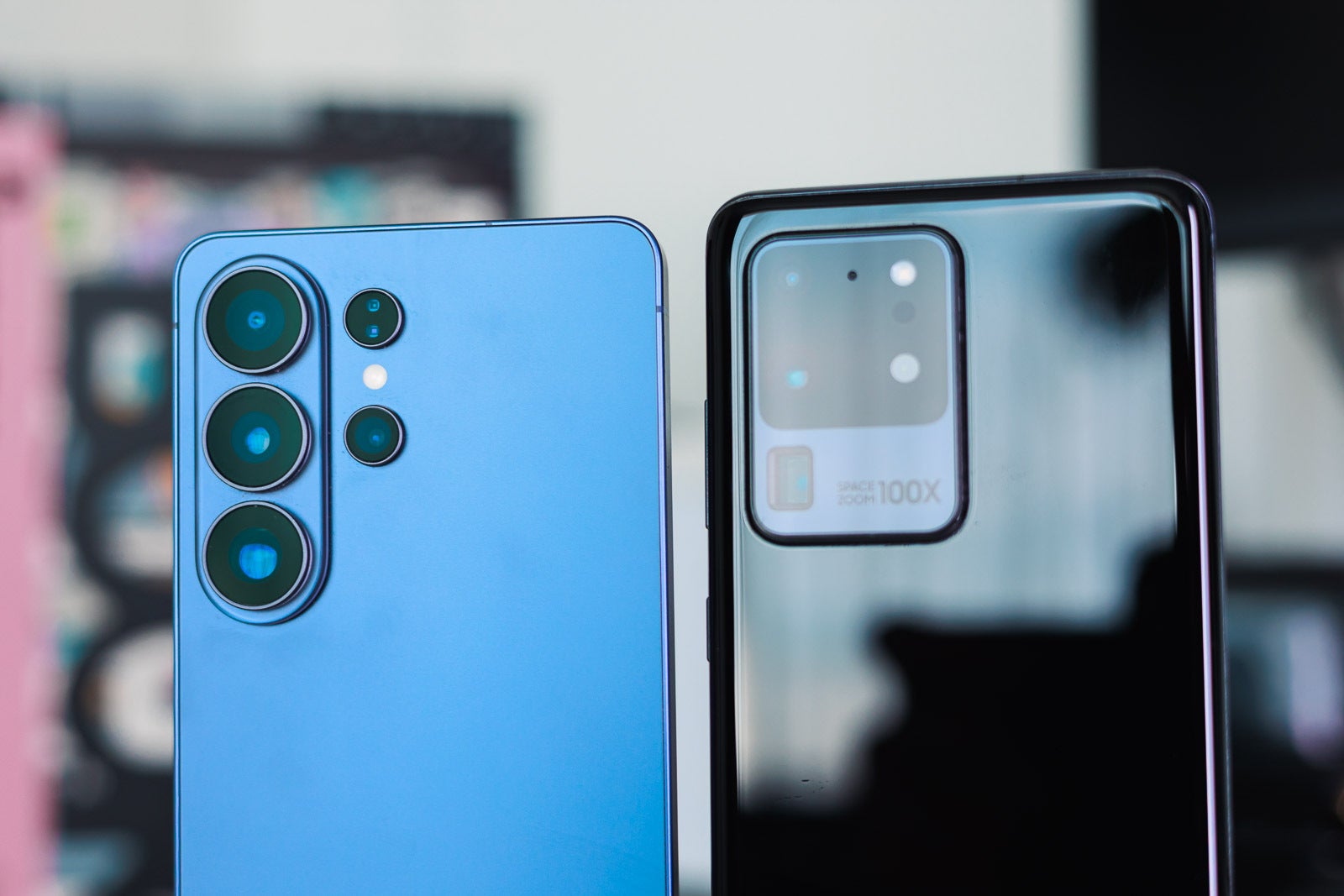
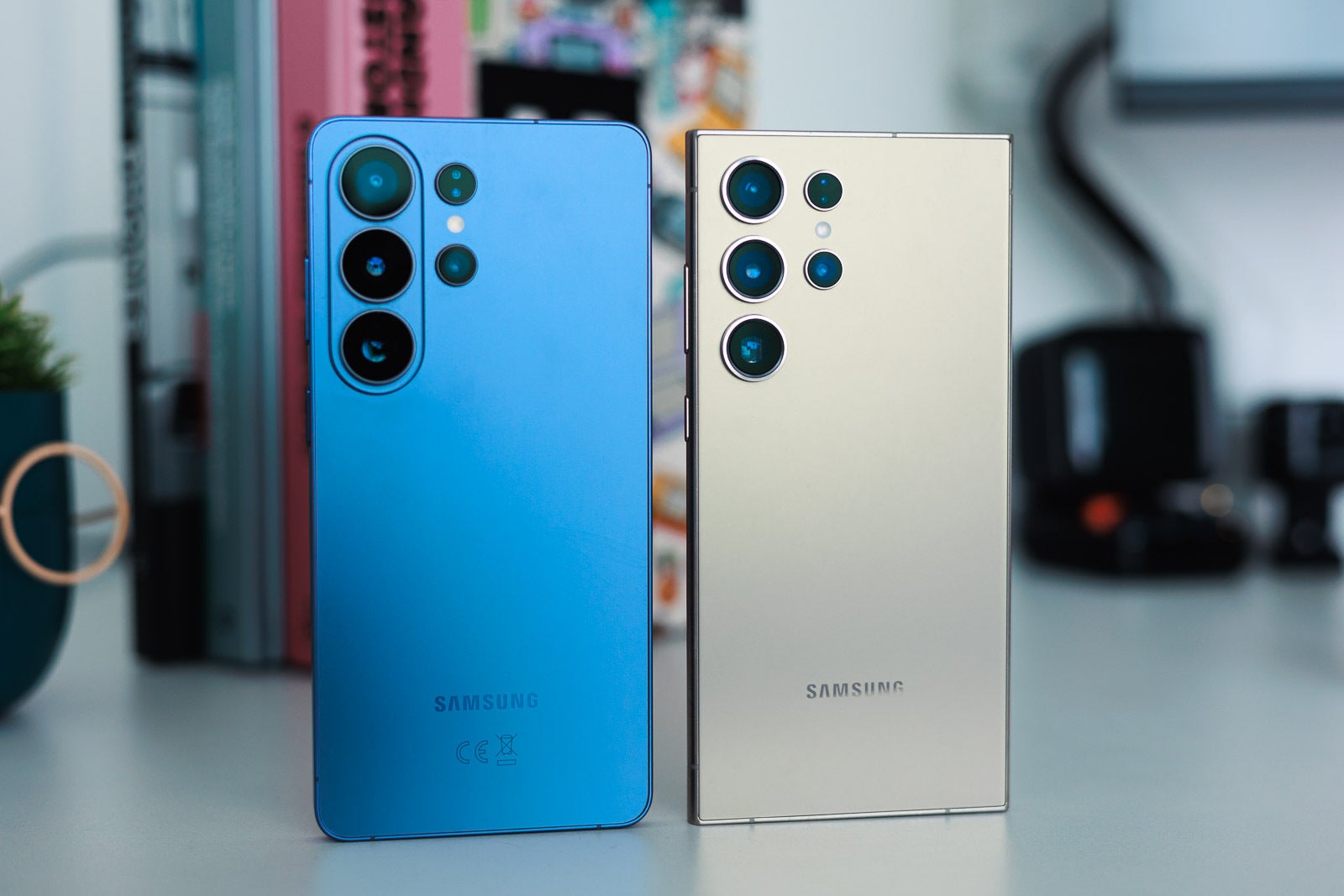
The S26 Ultra moves to a 200 MP main camera (from the 108 MP one of the S20 Ultra), to a 50 MP ultra-wide camera (from the 12 MP one on the older model). For zoom, the new phone has two separate cameras, one 50 MP 5x optical zoom and one 10 MP 3x optical telephoto. Meanwhile, the S20 Ultra only offers a single 48 MP telephoto camera.
This is what an advanced camera setup looks like (on the left). | Image by PhoneArena
Despite that you're getting the same 5,000mAh battery[6] capacity in both models, the Galaxy S26 Ultra should keep the lights on for significantly longer thanks to new efficiency optimizations. The new Snapdragon 8 Elite Gen 5 for Galaxy chipset is light years ahead of the Snapdragon 865 in terms of sheer speed and capability, too. The old phone offers no S-Pen compatibility, either.
The upgraded Knox Matrix[5] will deliver a higher level of security for device protection, but that's not all: while the Galaxy S20 Ultra supports only One UI 5.1 (based on Android 13), the S26 Ultra comes with One UI 8.5 (based on Android 16) and offers a seven-year software support.
While you finally get an integrated stylus, keep in mind that the S26 Ultra's S Pen is a "passive" tool, meaning it lacks the Bluetooth remote features found on some intervening models.
In terms of user experience, the Gallery moves from basic photo storage to an AI Creative Studio[7], where you can use natural language prompts to completely transform or add elements to your photos.
Additionally, the notification center and security settings are now intelligently sorted by One UI to prioritize your most important alerts and keep the device unlocked only when it's safely in your hands.
Key upgrade points from the S20 Ultra to the S26 Ultra:
Modern display: upgrade from 60Hz at full resolution to a fluid 1–120Hz adaptive refresh rate at max resolution.
Massive camera leap: move from a 108MP main sensor to 200MP, alongside a high-resolution 50MP ultra-wide and dual telephoto lenses (5x and 3x).
Productivity and power: gain native S Pen support (non-existent on the S20) and a significantly faster, more fluid Dex experience.
Long-term support: jump from the end-of-life Android 13 to Android 16 with a commitment to seven years of future updates.
Lighter (214 g) and thinner (7.9mm) than the old model (222 g and 8.8mm, respectively)
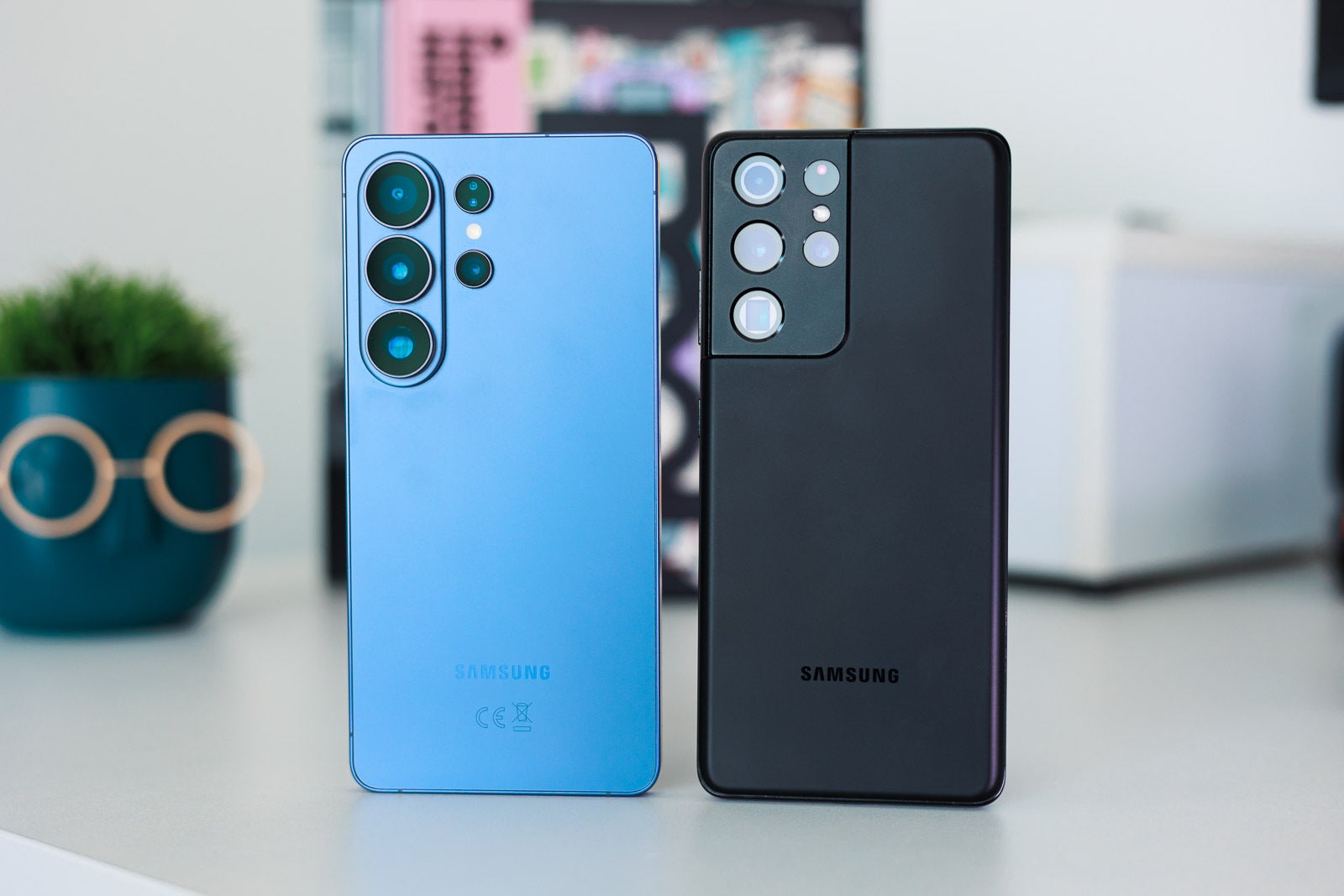
Upgrading to Galaxy S26 Ultra from Galaxy S21 Ultra
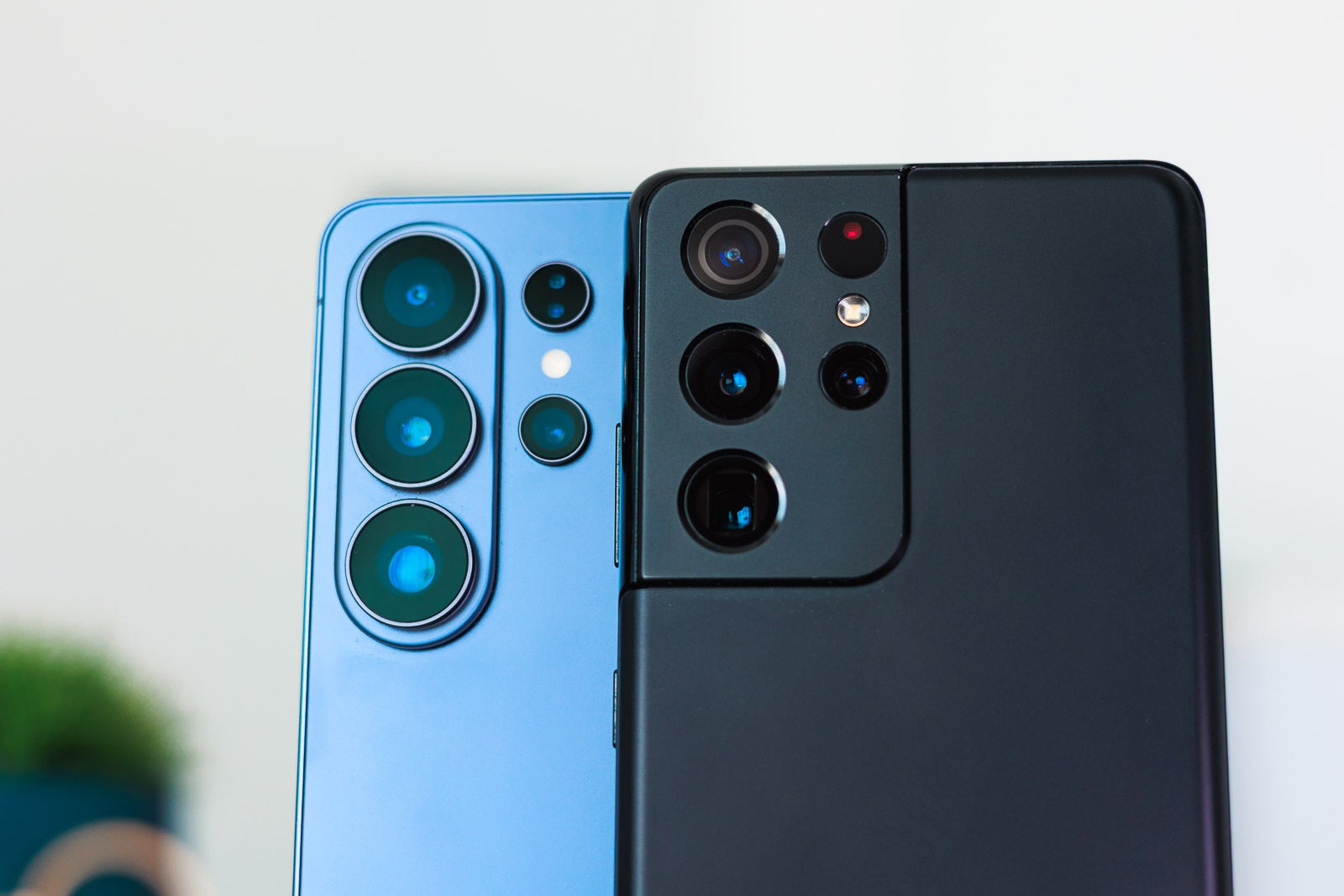
A familiar design, but we're not quite there yet. | Image by PhoneArena
The Galaxy S21 Ultra is another Samsung flagship that's no longer (as of February 2026) supported in terms of software and security upgrades. It's stuck on One UI 7 (based on Android 15), as it has reached the end of its 5-year security support commitment.
This phone offers S Pen compatibility, but it has no internal slot for keeping it always with you. The Galaxy S26 Ultra, on the other hand, comes with a modern S Pen docked inside the body of the phone.
You'll trade the S21 Ultra's optional Bluetooth-enabled S Pen for a built-in one that fits inside the phone, though you'll lose the ability to use it as a remote camera shutter.
The S26 Ultra offers a slightly bigger (6.9-inch vs. 6.8-inch) display, but the brightness is much better on the new model. You'll take advantage of 2,600 nits of brightness, which is a serious jump from the 1,500 nits of the older phone. This, paired with the newer model's superior glare-flare screen coating will ensure that you'll have a much easier time using it outside and in bright sunlight conditions.
The Snapdragon 888 in the S21 Ultra is no match for the Snapdragon 8 Elite Gen 5 in the S26 Ultra in terms of power and speed. What's more, games will surely feel better on the new model thanks to hardware-accelerated ray tracing via the Gaming Hub.
While the S21 Ultra introduced a dual telephoto camera setup, the sensors on the new phone offer higher resolutions:
Main camera: 200 MP vs. 108 MP
Ultra-wide camera: 50 MP vs. 12 MP
Primary telephoto: 10 MP vs. 10 MP
Secondary telephoto: 50 MP vs. 10 MP
Furthermore, you'll be getting much better night footage results and a wider range of AI editing tools.
Both devices are rounded, but the new phone is much more sleek. | Image by PhoneArena
Next, the 5,000 mAh capacity cell, although found on both phones, provides a longer battery life on the new model.
The new phone supports Bluetooth 6.0 (vs. Bluetooth 5.1 on the older model) which is a massive leap in connection precision and efficiency.
The Galaxy S26 Ultra takes security to the next level with its Knox Matrix and the built-in privacy display feature is simply not available on the Galaxy S21 Ultra.
This upgrade replaces standard software with an AI-first interface that uses a significantly faster NPU to instantly remove reflections in the Gallery or summarize a day's worth of notifications. You gain the ability to generate entirely unique AI wallpapers, a feature the S21's hardware couldn't support. Security also sees a boost as Smart Lock evolves into a more precise Extend Unlock system that integrates better with your wearable devices.
Key upgrade points from the S21 Ultra to the S26 Ultra:
Integrated S Pen: transition from a phone that requires a separate case for the S Pen to one with a dedicated internal docking slot.
Brighter, clearer screen: a jump from 1,500 nits to 2,600 nits of peak brightness, paired with superior anti-glare screen coating.
Performance engine: the Snapdragon 8 Elite Gen 5 chipset offers a massive speed boost over the Snapdragon 888, including hardware-accelerated ray tracing for gaming.
Next-gen connectivity: upgrade to Bluetooth 6.0 and enjoy longer battery life through superior chipset efficiency.
Lighter (214 g) and thinner (7.9mm) than the old model (229 g and 8.9mm, respectively)
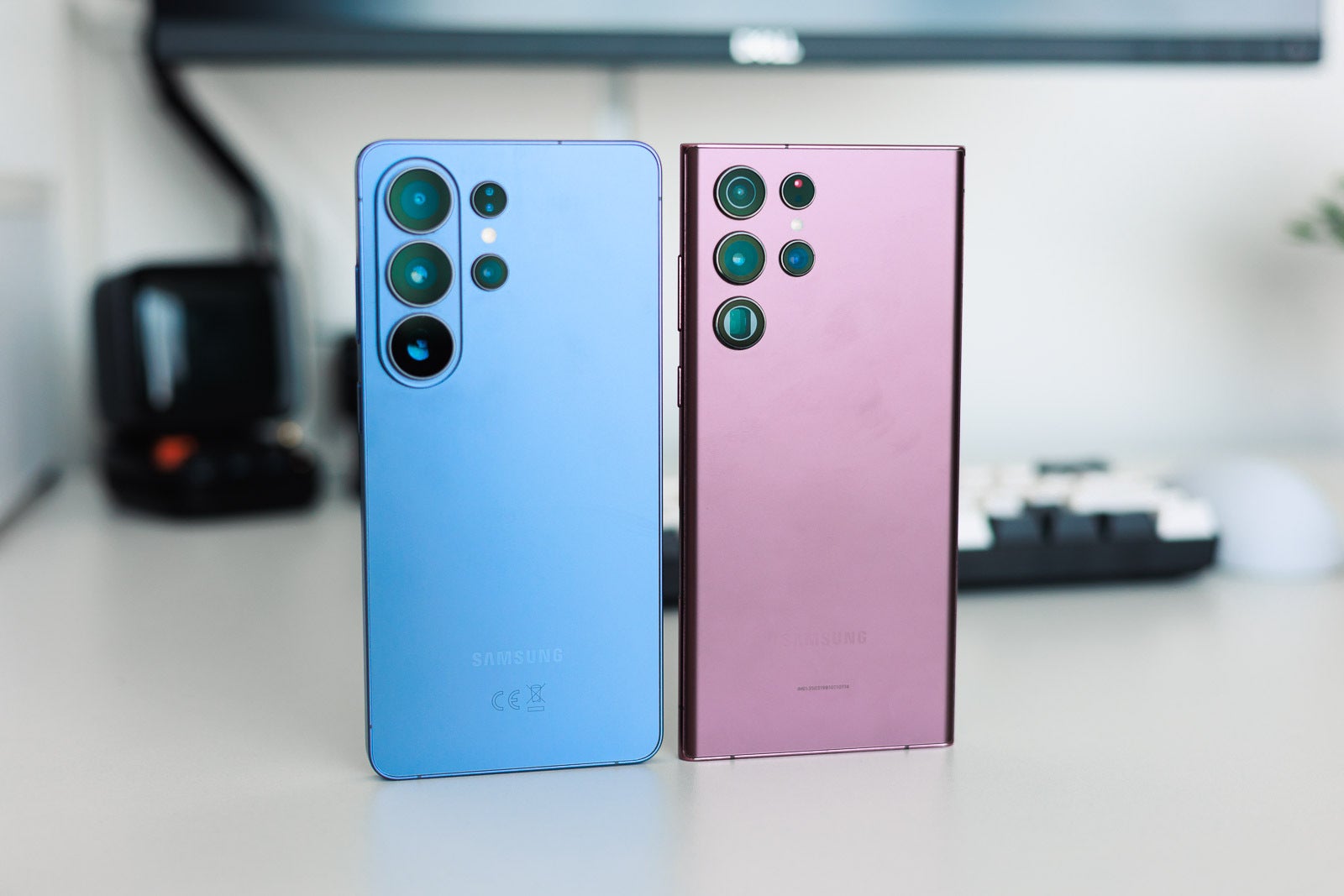
Upgrading to Galaxy S26 Ultra from Galaxy S22 Ultra
A familiar camera outlook. | Image by PhoneArena
The Galaxy S22 Ultra receives its final major software update with the One UI 8.5 in 2026, so if you want to use newer versions, you have to get the Galaxy S26 Ultra, which will be supported for seven years ahead.
If photography and videography are important to you, you should definitely go for the S26 Ultra, as you'll take advantage of a refined and more capable system. Samsung has focused heavily on improving low-light shooting with Nightography and the 200 MP main camera sensor will produce finer images and videos. Better Galaxy AI edit tools are guaranteed for the newer phone.
Upgrading in this case means moving to a more responsive, lower-latency writing experience on a flat screen, but you will have to say goodbye to the Bluetooth Air Actions gestures of the S22.
No more curved displays! | Image by PhoneArena
Both models pack a 5,000 mAh cell, but the Snapdragon 8 Elite Gen 5 (opposed to the Snapdragon 8 Gen 1) chipset in the new phone is much more efficient, which means you'll get to use your device longer. If the S22 Ultra has a battery life estimate of 5 hours and 24 minutes (per PhoneArena's tests), the S26 Ultra can keep the lights on for 7 hours and 35 minutes.
That's not the only advantage of the newer, cutting-edge chipset. In terms of raw power, the Galaxy S26 Ultra does significantly better than the Galaxy S22 Ultra. Here are some benchmark test result scores:
Galaxy S26 Ultra: GeekBench 6 (Single) — 3753
Galaxy S22 Ultra: GeekBench 6 (Single) — 1656
Galaxy S26 Ultra: GeekBench 6 (Multi) — 11259
Galaxy S22 Ultra: GeekBench 6 (Multi) — 3551
The Galaxy S26 Ultra is future-proof not just because of the seven-year software support promise by Samsung, but because it also supports the Wi-Fi 7 standard. The S22 Ultra offers only Wi-Fi 6E support. While Wi-Fi 6E is already advanced, Wi-Fi 7 allows much higher speeds.
The privacy display on the Galaxy S26 Ultra is also an exclusive feature that can't be "installed" on the older phone.
In terms of new features, with the Galaxy S26 Ultra you get access to high-fidelity 8K video editing in the Gallery and AI-powered call screening that can answer and summarize conversations directly from your notification panel.
The S26 Ultra offers a much wider range of generative wallpaper styles and a more reliable Extend Unlock system that reduces the frequent timeouts common on the S22. These features are powered by a modern chipset that handles AI tasks with significantly less battery drain.
Key upgrade points from the S22 Ultra to the S26 Ultra:
Extended battery life: real-world endurance jumps from roughly 5.5 hours to over 7.5 hours on a single charge.
Hardware privacy: access to the exclusive built-in privacy display hardware not available on older panels.
Benchmark dominance: nearly triple the multi-core performance (from ~3,551 to ~11,259 in GeekBench 6).
Future-proof networking: transition from Wi-Fi 6E to the much faster and more reliable Wi-Fi 7 standard.
Lighter (214 g) and thinner (7.9mm) than the old model (229 g and 8.9mm, respectively)
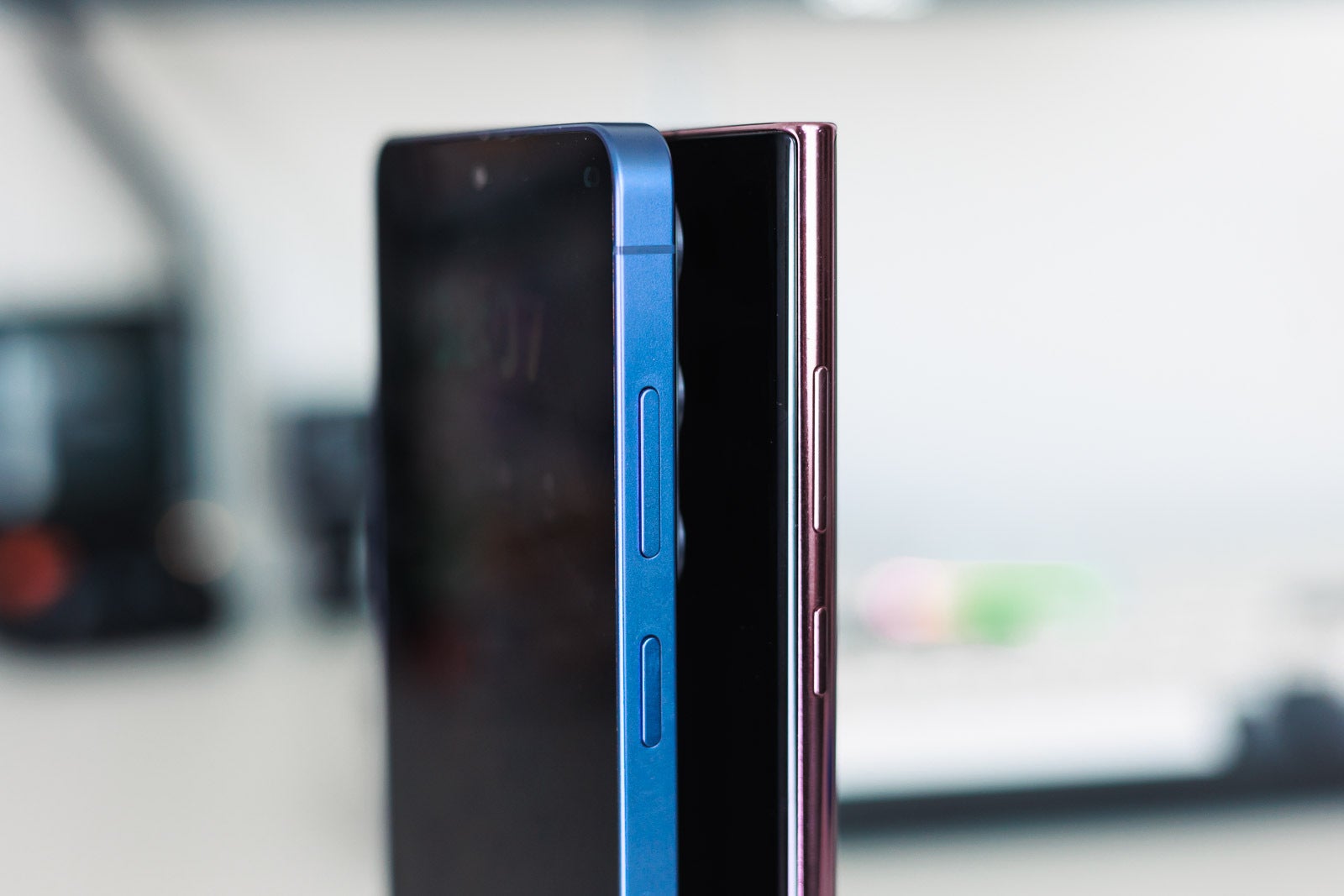
Upgrading to Galaxy S26 Ultra from Galaxy S23 Ultra
Both phones look nice, but that pill-shaped camera island is something else. | Image by PhoneArena
Here, you're moving from basic Circle to Search[8] to a more advanced Agentic AI that can execute multi-step tasks across different apps with a single command.
The Gallery gains professional-grade tools like Horizontal Lock to keep video perfectly level, while the notification center now uses the S26's exclusive privacy hardware to hide sensitive content from prying eyes.
Furthermore, the AI wallpaper generation is now nearly instantaneous compared to the slower cloud-based processing of previous years.
The Galaxy S23 Ultra is a more up-to-date phone and it'll be supported until 2028. But there's lots to gain if you move to the Galaxy S26 Ultra apart from the fact that it'll be supported until 2033.
For starters, the Galaxy S26 Ultra's display is completely flat. While curved displays (like the one on the S23 Ultra) may look more appealing, they can also be a bit problematic to use. If you use the S Pen often, the flat panel on the new model will be a better choice, as the pen won't slip off the edge.
An entirely different design, too. | Image by PhoneArena
The display itself is a "must-see" upgrade from the S22 Ultra to the S26 Ultra. The S22 Ultra is no match for the anti-reflective screen coating and the upgraded scratch resistance on the new model.
The S26 Ultra's S Pen focuses strictly on precision and AI tasks like Sketch to Image, discarding the Bluetooth remote-control functionality seen in the S23 series.
Like with the previous Ultras, moving to the S26 Ultra will get you an optimized Galaxy AI experience, more advanced tools, enhanced Knox security, better cameras and overall performance and that privacy display feature.
Key upgrade points from the S23 Ultra to the S26 Ultra:
Flat display ergonomics: move from a curved screen to a completely flat panel.
Enhanced durability: significant upgrades in scratch resistance and that "must-see" anti-reflective coating.
Advanced security: take advantage of the Knox Matrix and the hardware-level privacy display for sensitive work.
Software longevity: updates guaranteed all the way through 2033 on the new phone.
Lighter (214 g) and thinner (7.9mm) than the old model (234 g and 8.9mm, respectively)
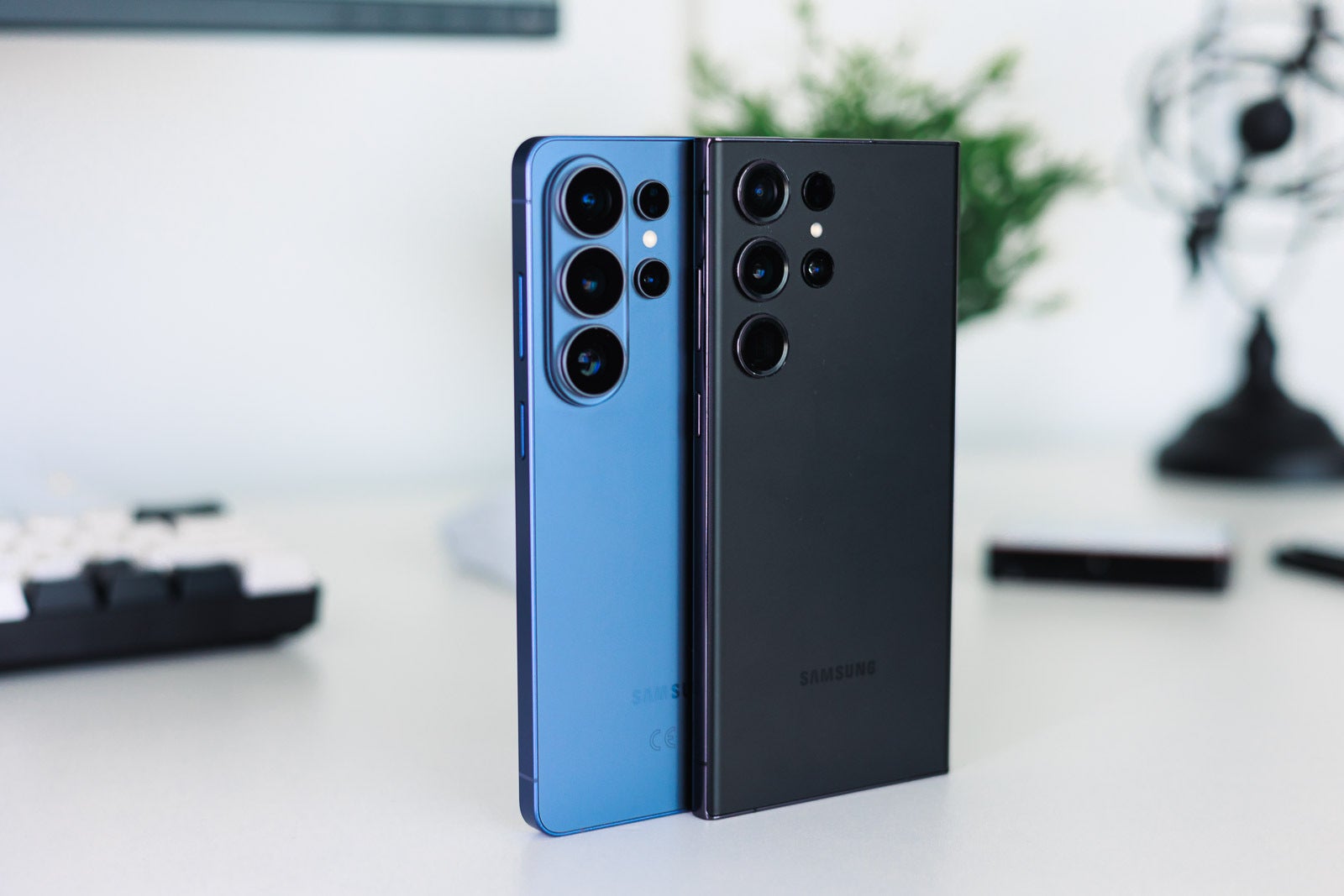
Upgrading to Galaxy S26 Ultra from Galaxy S24 Ultra
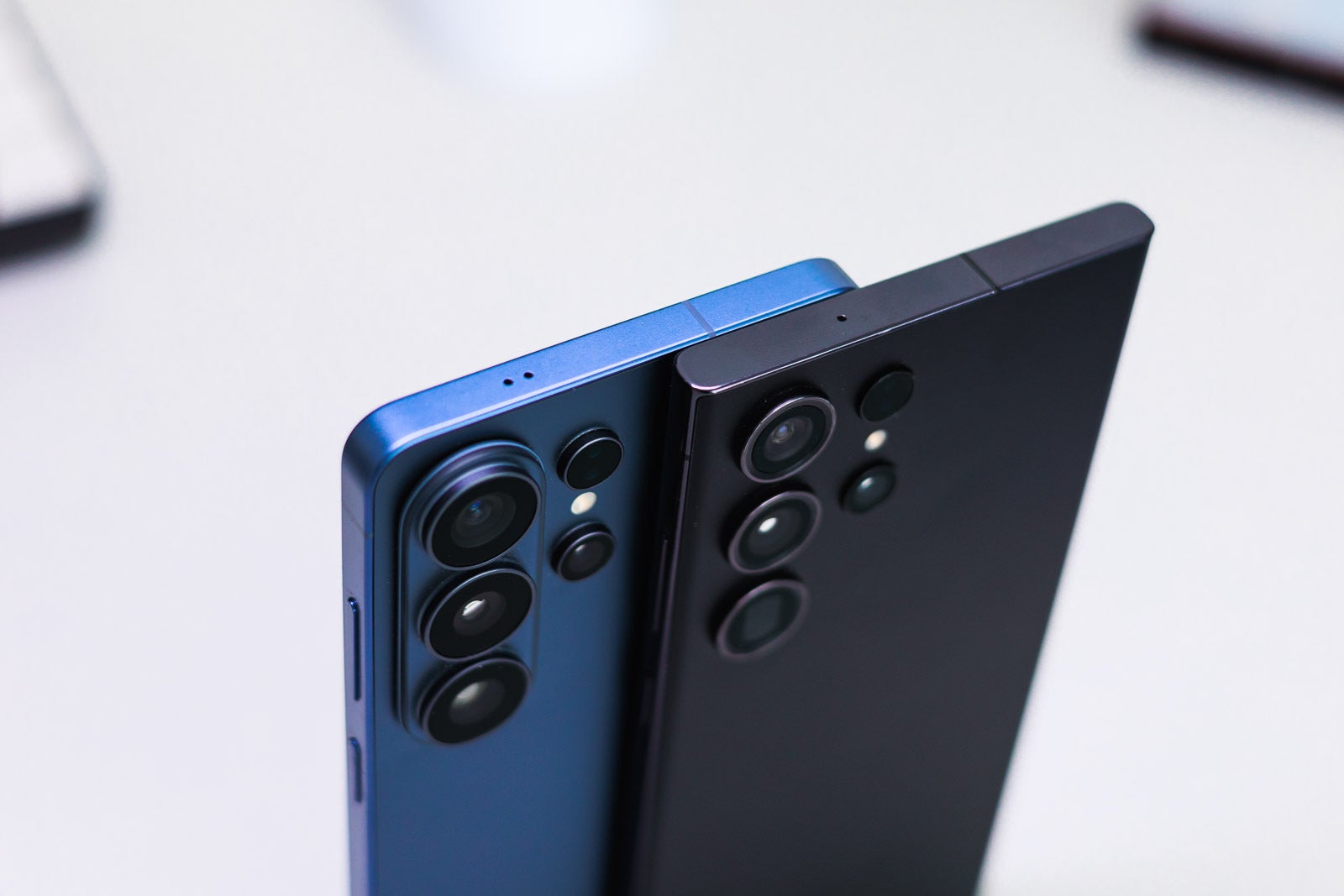
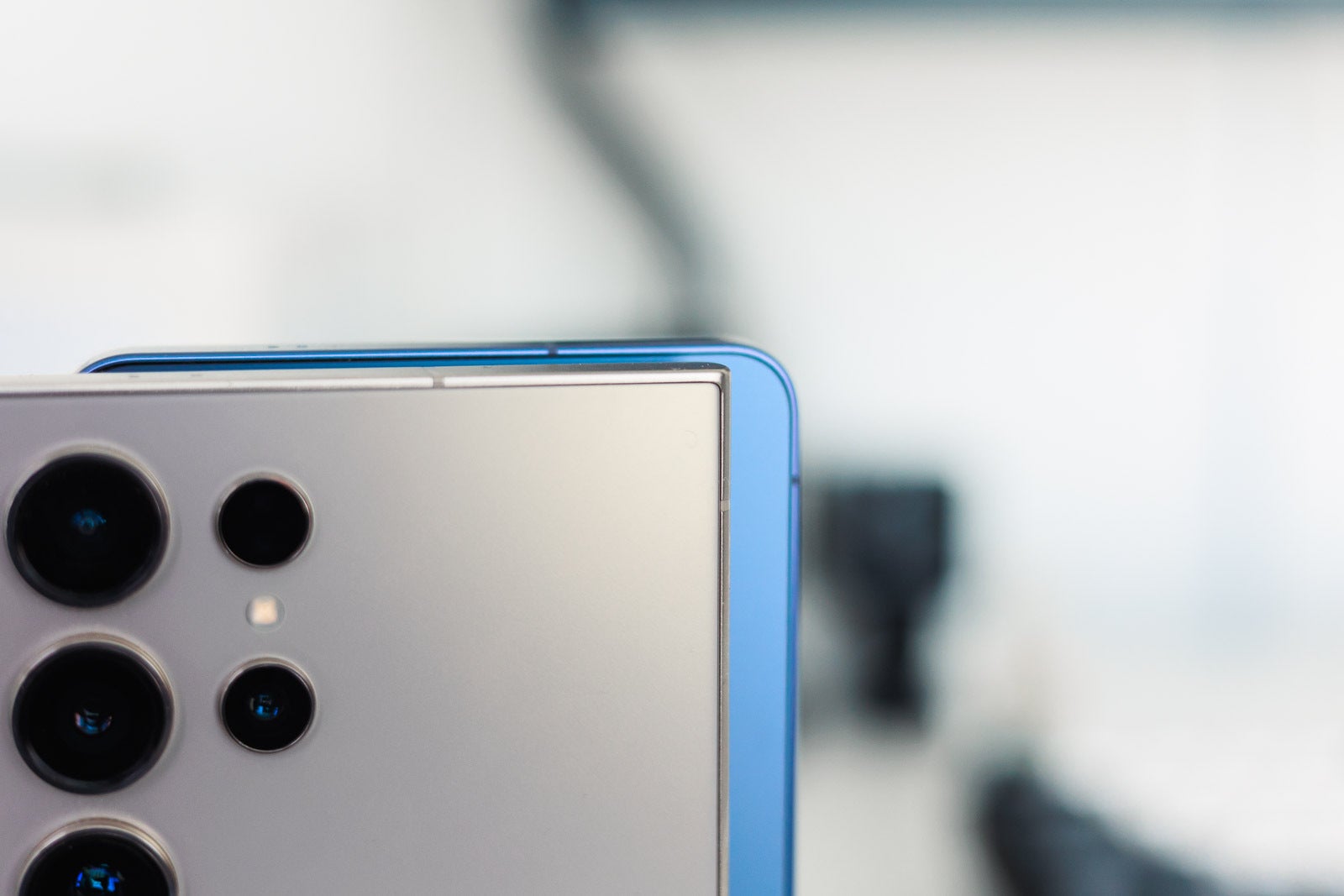
Round corners instead of boxy, sharp corners. | Image by PhoneArena
The Galaxy S24 Ultra is now two years old, but that doesn't stop it from being an excellent high-end Android handset, especially when you can find it discounted.
The first main differences compared to the Galaxy S26 Ultra are to be found on the outside – the S24 Ultra has sharp, boxy corners, while the S26 Ultra is a much more refined and rounded phone.
The S24 Ultra has that great anti-reflective screen coating, but it doesn't have the privacy display feature, as this one is exclusive to the S26 Ultra and can't be obtained via software updates.
The battery life is on par, as both models use a 5,000 mAh capacity cell and high-end chipsets. But the Galaxy S26 Ultra offers 60W wired charging speeds, which is a notable improvement over the older model's 45W.
The new phone's Snapdragon 8 Elite Gen 5 overtakes the older Snapdragon 8 Gen 3 in both single- and multi-core benchmark tests. What's more, the new chipset is optimized for heavier on-device AI tasks.
A serious difference. | Image by PhoneArena
In terms of the S Pen, this upgrade is a notable hardware shift: you lose the S24 Ultra's Bluetooth-powered remote shutter and media controls in exchange for a simpler, non-powered stylus optimized for the new AI Math Helper.
The Gaming Hub experience is also better on the Galaxy S26 Ultra in some ways. While it works similarly on both devices, the S26 Ultra version is much faster and uses advanced AI to suggest games and boost graphics in real-time. On the newer phone, you'll also notice it stays cooler during long sessions and lets you try out games instantly before you even download them.
The new S26 Ultra introduces a Creative Studio toolset in the Gallery for more realistic Sketch to Image edits and uses its new NPU to upscale all video content to QHD+ in real-time. The notification center becomes more proactive, suggesting calendar entries from your messages, while the home screen gains exclusive Live generative wallpapers that react to your local weather.
You also benefit from a more deeply integrated Knox security system for zero-latency unlocking.
When it comes to the camera setup, it should be noted that while both phones use the ISOCELL HP2 sensor, the Galaxy S26 Ultra takes things a step further and offers a larger, brighter f/1.4 aperture (vs. the f/1.7 aperture of the older phone). This allows more light to hit the sensor's pixels, resulting in better quality and better nighttime results.
The ultra-wide snapper gets a serious upgrade to a 50 MP sensor (the old one has a resolution of 12 megapixels).
The aperture on the secondary 5x zoom is also larger (f/2.9) on the S26 Ultra than the one (f/3.4) on the S24 Ultra.
So if you want the best camera setup (and the fastest charging) from your Samsung phone, you should simply trade in your S24 Ultra and get the S26 Ultra.
Key upgrade points from the S24 Ultra to the S26 Ultra:
Refined design: no more sharp, boxy corners, but a more comfortable, rounded chassis.
Faster charging: upgrade from 45W to 60W wired charging for quicker battery top-ups.
Superior low-light Photography: a new f/1.4 main camera aperture (vs f/1.7 on the old phone) allows significantly more light for better Nightography.
AI-optimized gaming: a faster Gaming Hub experience with real-time AI graphics boosting.
Lighter (214 g) and thinner (7.9mm) than the old model (233 g and 8.6mm, respectively)
Upgrading to Galaxy S26 Ultra from Galaxy S25 Ultra
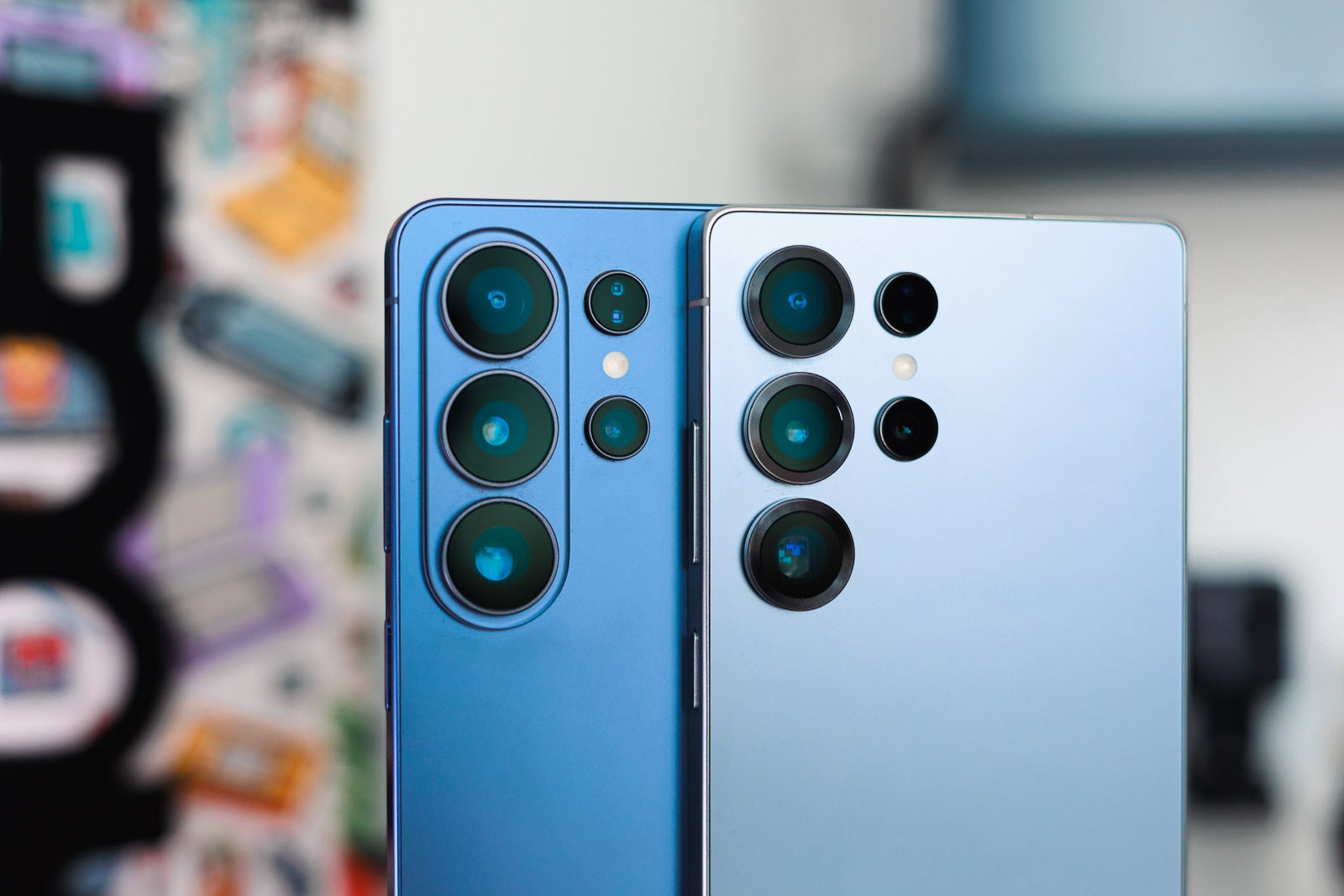
Like father, like son. | Image by PhoneArena
It's been only a year since the S25 Ultra was released. While both phones come with the same 6.9-inch, 2600 nits of brightness, 90.30% screen-to-body screen, only the new phone has the privacy display feature. If that's important to you, you have no other option but to switch to the latest Galaxy flagship.
Both phones offer up to 1 TB of UFS 4.0 storage, but the S26 Ultra goes up to 16 GB of RAM (the older offered this option only in select markets) – if you're a real power user, the way ahead is clear. The 60W wired charging speeds are the S26 Ultra's big battery upgrade over its predecessor, since the S25 Ultra tops out at 45W. The capacity is the same at 5,000 mAh.
The vapor chamber is redesigned on the new phone for better thermal management. This means that you should be able to enjoy gaming sessions for longer instead of getting throttled performance due to excessive heat.
Also, since the S25 Ultra was actually the first to drop the Bluetooth chip, S25 users will find the S Pen experience identical, remaining a purely touch-based tool for notes and sketching.
The rear camera setup is identical in terms of megapixels (200 + 50 + 50 + 10 MP), but the main camera comes with a larger f/1.4 aperture which is a notable improvement over the f/1.7 aperture of the S25 Ultra. This allows the camera to capture more light, which improves low-light performance and can reduce noise in darker scenes. The wider aperture also produces a shallower depth of field, helping create stronger natural background blur and better subject separation.
The 5x zoom camera also has a larger aperture on the S26 Ultra compared to the S25 Ultra.
Key upgrade points from the S25 Ultra to the S26 Ultra:
Performance ceiling: up to 16GB for extreme multitasking and power users.
Thermal management: a redesigned vapor chamber allows for longer gaming sessions without throttling.
Optical refinement: despite similar megapixel counts, larger apertures on the main and 5x zoom lenses provide better subject separation and natural blur.
Exclusive privacy: the only way to get the hardware-based privacy display feature which cannot be added to the S25 Ultra via software.
Lighter (214 g) and thinner (7.9mm) than the old model (218 g and 8.2mm, respectively)
What did the old Ultras get?
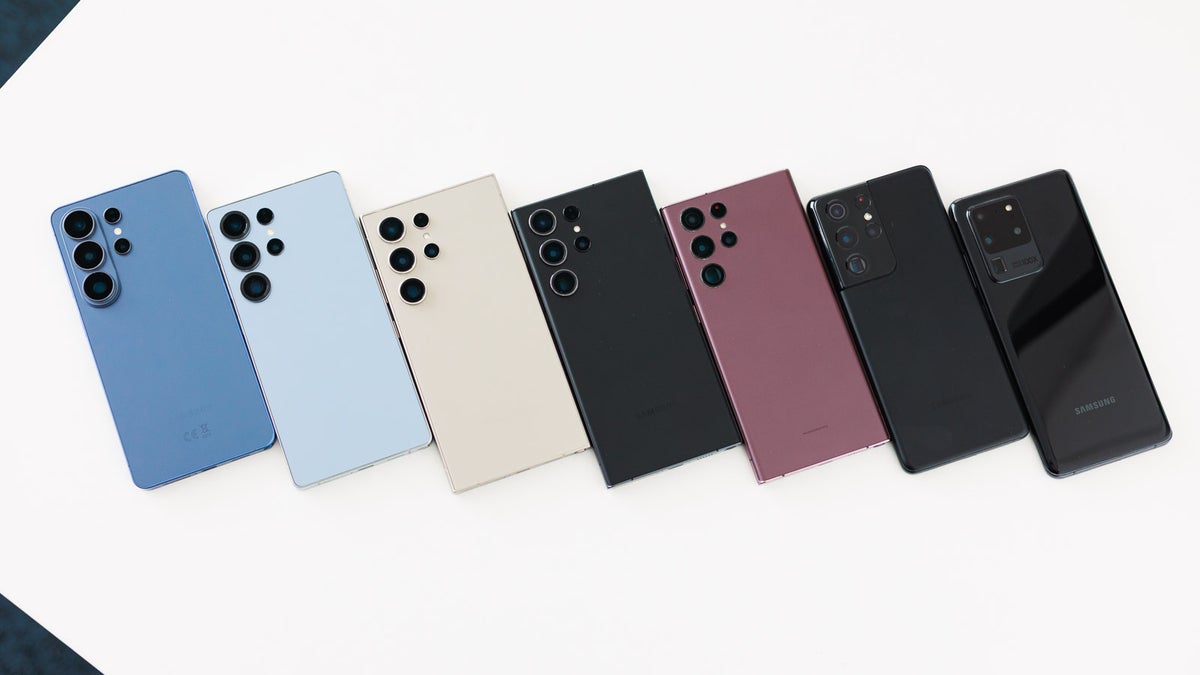
Choose wisely! | Image by PhoneArena
Samsung frequently brings new software features to older models, but hardware remains the separator.
S24 Features on S23/S22: Through One UI 6.1, the S23 and S22 series received Circle to Search, Live Translate, and Generative Wallpapers.
S23 Features on S21/S20: The S21 and S20 received One UI 5.1, which added the Image Clipper (lifting subjects out of photos) and improved Modes and Routines.
The Cutoff: The Galaxy S20 Ultra has officially stopped receiving major OS updates (capped at One UI 5), meaning it misses out on the modern Galaxy AI era entirely.
The S26 Ultra Exclusive Edge
If you upgrade today, you are stepping into features that cannot be backported:
The new Privacy Screen feature: Physical hardware layer for viewing security.
Anti-reflective coating: Embedded in the Gorilla Armor glass.
ProScaler hardware: Integrated into the chip for real-time video enhancement.
Satellite connectivity: (Emergency SOS via Satellite, depending on region).
Here's if you should upgrade to the Galaxy S26 Ultra if you have:
All Ultras are great, but some are exceptional. | Image by PhoneArena
Galaxy S20 Ultra - Hard yes The phone isn't outright unusable, but you will feel a massive difference, and you will be able to benefit from a longer, active update cycle.
Galaxy S22 Ultra - Yes It's a decision that makes a lot of sense, especially if you intend to stick with Samsung.
Galaxy S23 Ultra - Maybe No one will blame you if you do. The S23 Ultra is still a classy phone.
Galaxy S24 Ultra - Tough decision Here's where it gets tricky. The Galaxy S24 Ultra is not old, despite now being over two years old. If you've got the money, the S26 Ultra might be worth it.
Galaxy S25 Ultra - Perhaps not Jump only if you want to be on the cutting edge of tech. To be honest, even if you get a brand-new Galaxy S25 Ultra today, it would still be a great deal. It's feature-packed and at a lower price. But it won't have awesome features like on-device AI or Privacy Display.
So, for those coming from older Ultras, the performance and the battery life of the new model is too notable to be neglected; plus, you'll get a ton of new features and hardware upgrades, like the new redesigned vapor chamber.
If you've got the Galaxy S24 Ultra or the Galaxy S25 Ultra, you need to ask yourself what your priorities are. If you're after the fastest-charging Galaxy S Ultra flagship with the brightest aperture on its main camera and you desperately want the privacy display feature, your only option is to go with the Galaxy S26 Ultra.
[1] Privacy Display: Requires manual activation in settings to function. Privacy Display feature is not AI-powered. [2] Samsung Dex: Samsung DeX wireless connection is supported with TVs and monitors that support Android smart phone screen mirroring (Miracast) only. There may be a difference in performance depending on TV’s specifications and Wi-Fi environment. [3] Nightography Video: Results may vary depending on light condition, subject and/or shooting conditions. [4] Galaxy AI: Samsung account login is required for certain AI features. Galaxy AI features are provided for free. Future releases may include additional advanced features that are offered as part of a paid subscription plan. Different terms may apply for AI features provided by third parties. [5] Knox Service Plugin: Valid Samsung Knox Account required. [6] 5,000mAh Battery: Typical value tested under third party laboratory conditions. Rated minimum capacity of the Galaxy S26 Ultra is 4,855mAh. [7] Creative Studio: Requires network connection and Samsung account login. A visible watermark is overlaid on the saved image to indicate it was generated by Galaxy AI. Accuracy of output not guaranteed. [8] Circle to Search: Compatible with select languages only. Google Account login and network connection required. If Gemini UI or Google apps are in view: Google and Gemini / YouTube / Maps etc are trademarks of Google LLC. Works on compatible apps and surfaces. Results may vary depending on visual matches. Check responses for accuracy.
Free Galaxy A17 5G with Straight Talk
Get a free Galaxy A17 with Straight Talk. To claim this deal, you need to pair the phone with activation on a Silver Unlimited Plan or higher. This tier costs $45 per month. Offer valid through 01/10/27 while supplies last online.
Sebastian is one of PhoneArena’s senior opinionators. A veteran news writer with almost 20 years of experience in media and technology, he not only covers all the hot news about Galaxies and iPhones, but often provides hot takes on industry trends. He’s fascinated with camera-focused flagships from the likes of Oppo and Vivo, as well as foldable phones.
A discussion is a place, where people can voice their opinion, no matter if it
is positive, neutral or negative. However, when posting, one must stay true to the topic, and not just share some
random thoughts, which are not directly related to the matter.
Things that are NOT allowed:
Off-topic talk - you must stick to the subject of discussion
Offensive, hate speech - if you want to say something, say it politely
Spam/Advertisements - these posts are deleted
Multiple accounts - one person can have only one account
Impersonations and offensive nicknames - these accounts get banned
To help keep our community safe and free from spam, we apply temporary limits to newly created accounts:
New accounts created within the last 24 hours may experience restrictions on how frequently they can
post or comment.
These limits are in place as a precaution and will automatically lift.
Moderation is done by humans. We try to be as objective as possible and moderate with zero bias. If you think a
post should be moderated - please, report it.
Have a question about the rules or why you have been moderated/limited/banned? Please,
contact us.



Things that are NOT allowed:
To help keep our community safe and free from spam, we apply temporary limits to newly created accounts: