Pixel Magnifier 2.0 is now rolling out with some major updates since it was introduced in October last year. The changes were mentioned during the Made by Google 2024 event. Now, you have a "Manual lens section" toggle in the Magnifier settings that adds a picker above the shutter button. On a Pixel 8 Pro, you can pick between Ultrawide, Wide, Telephoto, and Auto.
You can also set "Volume key action" in preferences to Shutter, Zoom, Flashlight, or None.
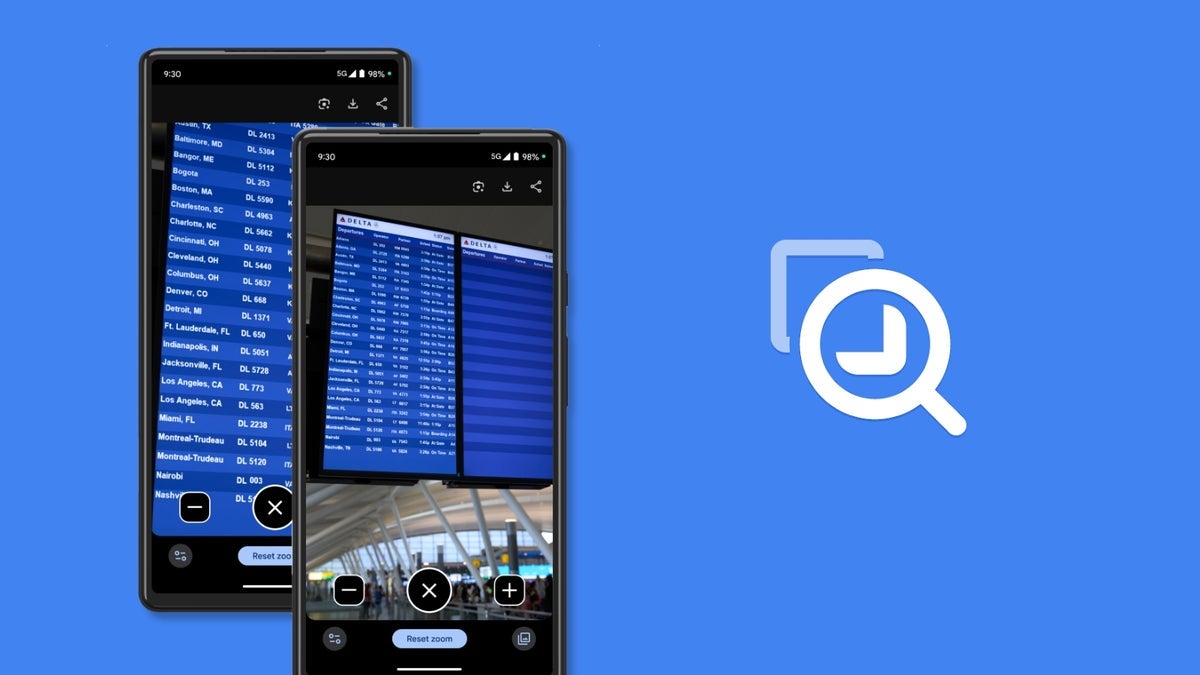
If you're zooming in to 16x or greater, you now get a Picture-in-Picture window. You can turn it off in settings.
Image Credit - 9to5Google
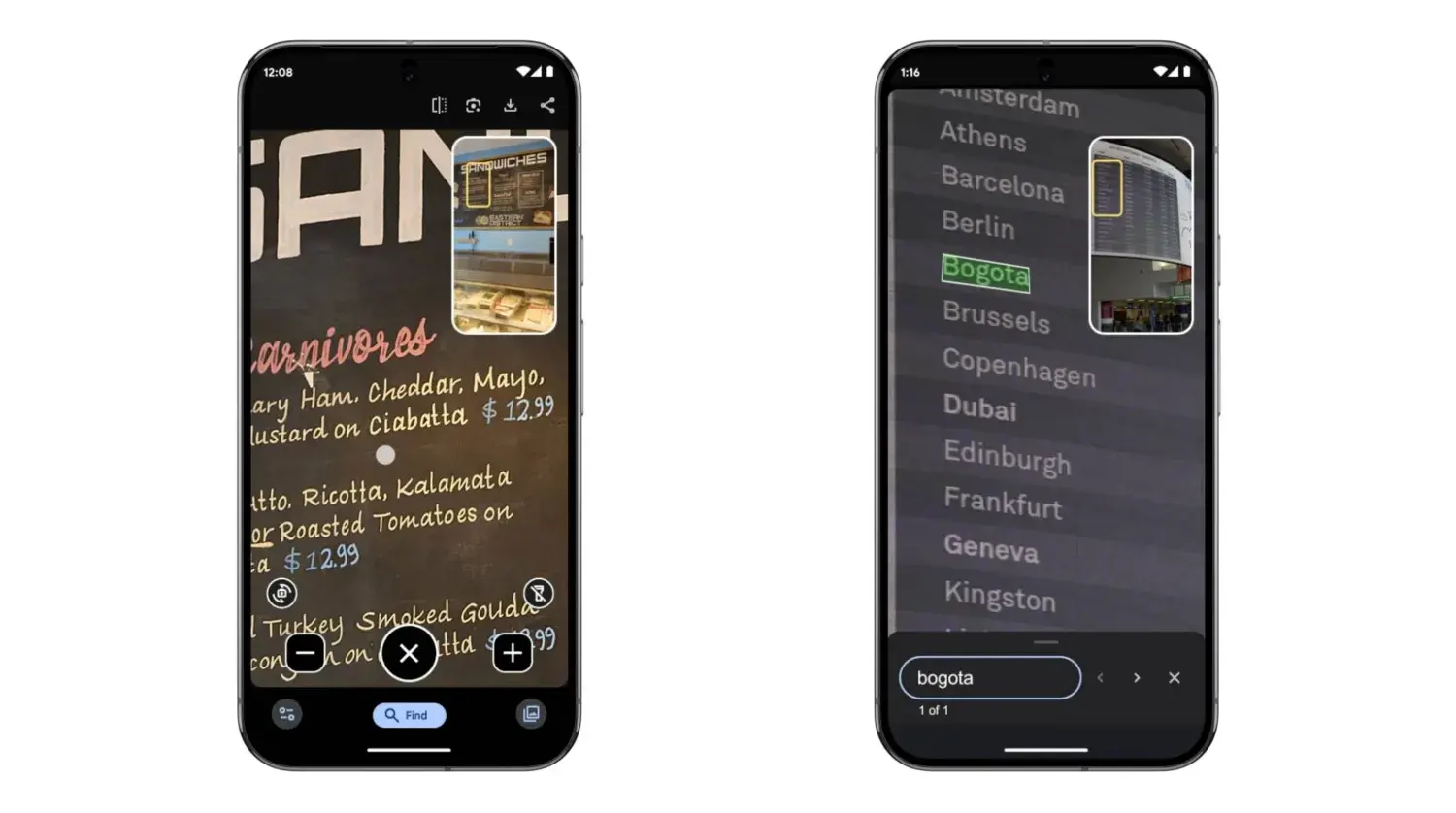
After taking a picture, "Find" will appear at the bottom of your screen. You can then "Search in photo" with Magnifier, while a different PiP appears in the top-right to show the location. Partial matches will also be highlighted. Of course, the quality of the captured image will matter for the quality of the search.
And last but not least, you get a Selfie Illumination when you switch to the front-facing camera. Basically, this turns the top and bottom bards white. I'd reckon this is to provide some light for your selfie (maybe acting as an impromptu ring light).
Image Credit - 9to5Google
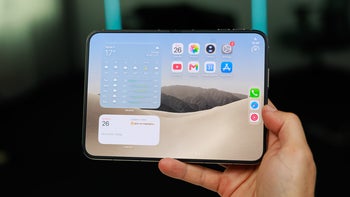
Magnifier 2.0 is available on Pixel 5 and newer. It is not available for Pixel Fold or Tablet, for some unknown reason.
Recommended For You
These updates seem very useful additions to the Pixel Magnifier app. I especially like the PiP mode (I always love to be able to have more context), and the ability to manually pick which lens to use.
Free Galaxy A17 5G with Straight Talk
Get a free Galaxy A17 with Straight Talk. To claim this deal, you need to pair the phone with activation on a Silver Unlimited Plan or higher. This tier costs $45 per month. Offer valid through 01/10/27 while supplies last online.
Iskra Petrova is a news writer at PhoneArena, where she covers mobile tech news and maintains the site’s device hubs with the latest leaked specs, rumors, and official details for upcoming phones. She joined PhoneArena in 2020 after three years in technical support for Microsoft Exchange, giving her practical experience with software infrastructure and troubleshooting. Iskra holds a Master’s Degree in Literature, which helps her translate complex tech details into clear, reader-friendly coverage. She is a daily Apple ecosystem user, while also closely following Sony Xperia’s camera-focused phones and Samsung’s Galaxy Z Flip series.
A discussion is a place, where people can voice their opinion, no matter if it
is positive, neutral or negative. However, when posting, one must stay true to the topic, and not just share some
random thoughts, which are not directly related to the matter.
Things that are NOT allowed:
Off-topic talk - you must stick to the subject of discussion
Offensive, hate speech - if you want to say something, say it politely
Spam/Advertisements - these posts are deleted
Multiple accounts - one person can have only one account
Impersonations and offensive nicknames - these accounts get banned
To help keep our community safe and free from spam, we apply temporary limits to newly created accounts:
New accounts created within the last 24 hours may experience restrictions on how frequently they can
post or comment.
These limits are in place as a precaution and will automatically lift.
Moderation is done by humans. We try to be as objective as possible and moderate with zero bias. If you think a
post should be moderated - please, report it.
Have a question about the rules or why you have been moderated/limited/banned? Please,
contact us.





Things that are NOT allowed:
To help keep our community safe and free from spam, we apply temporary limits to newly created accounts: