Android 17 is next in line for Google's popular operating system, succeeding the latest Android 16 release.
Codenamed "Cinnamon Bun" internally, Android 17 will likely arrive early in 2026 as a developer beta available to Pixel phones before its official announcement at the annual Google I/O dev summit.
Then, later in the summer, Android 17 will be officially launched to all Pixel phones, most likely alongside the Pixel 11 series. Only after that will other Android manufacturers start working on their respective Android 17 software updates.
But what's coming inside Android 17, and what new features are coming our way?
Fortunately, there's a ton of leaks and rumors revealing what might be coming in the next version of Android.
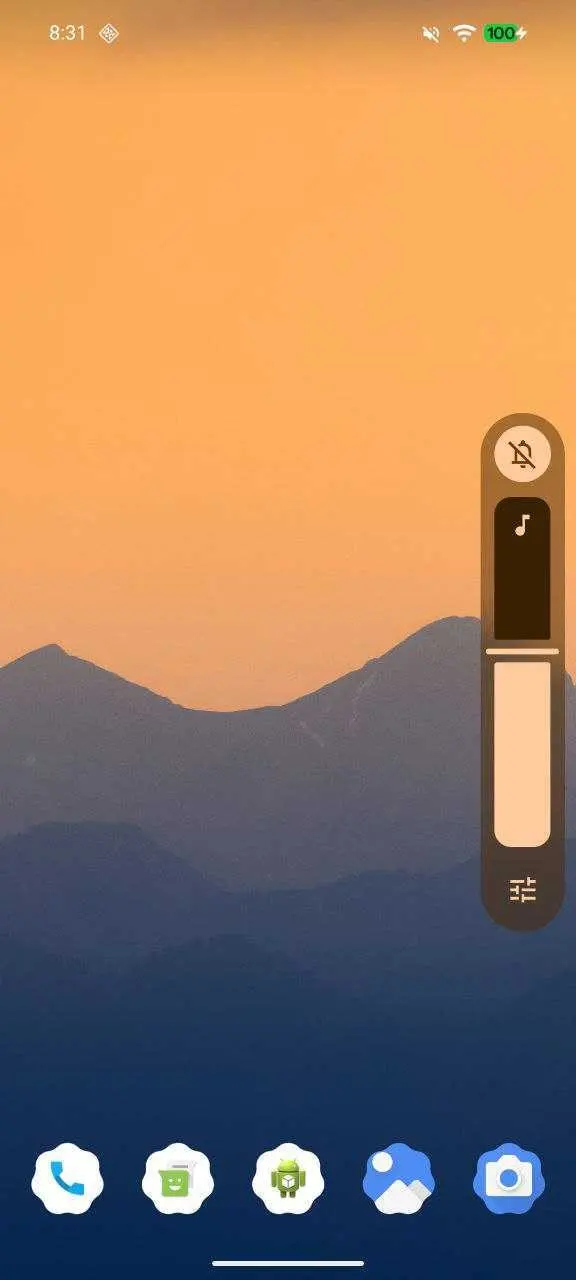
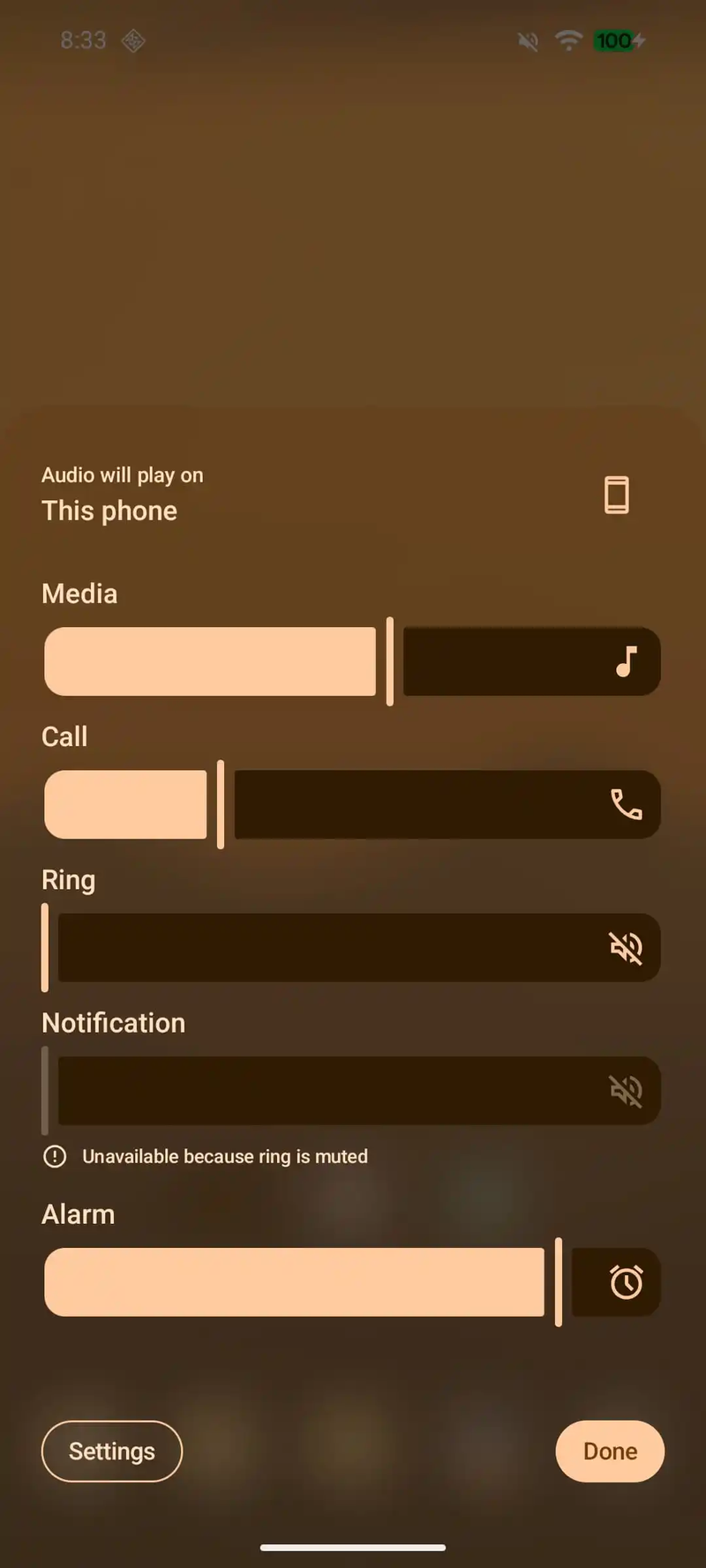
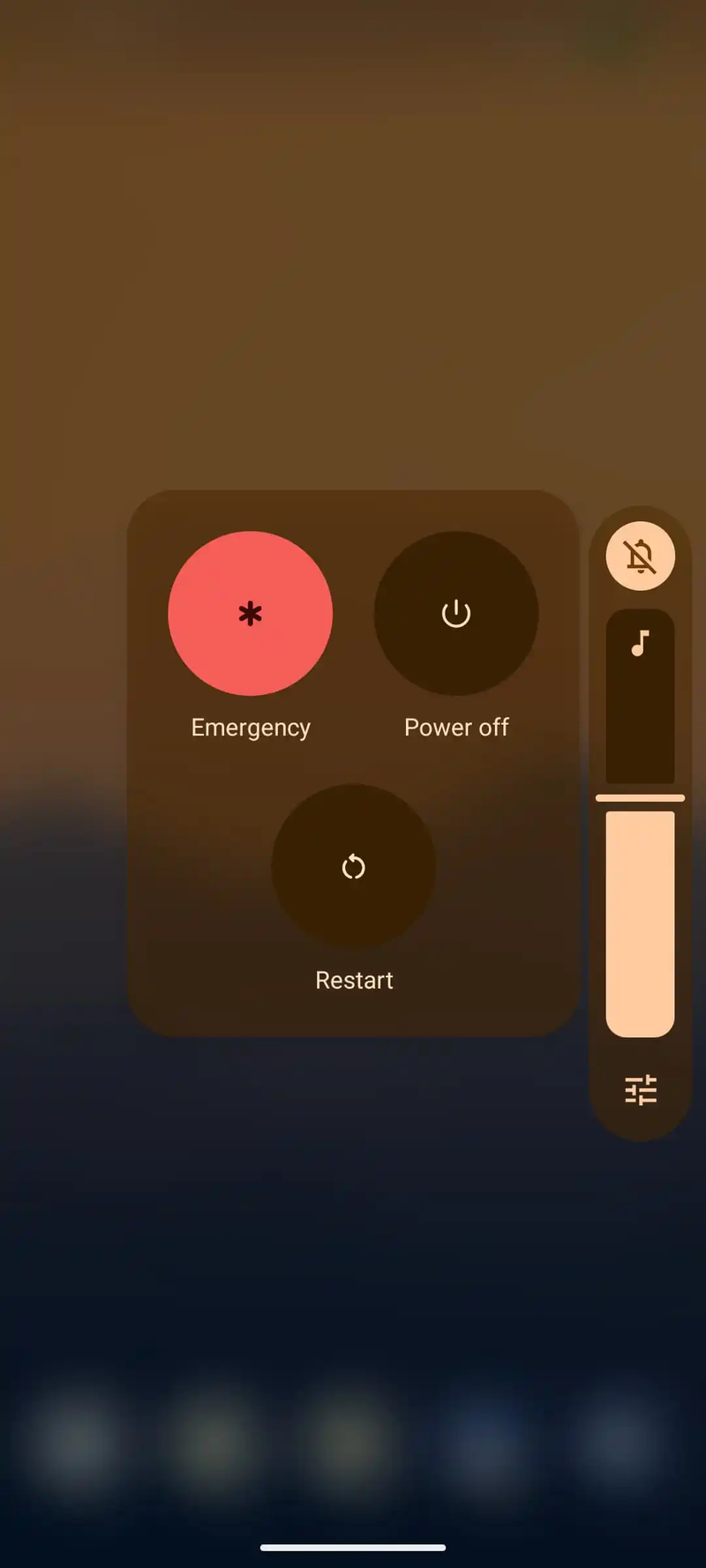
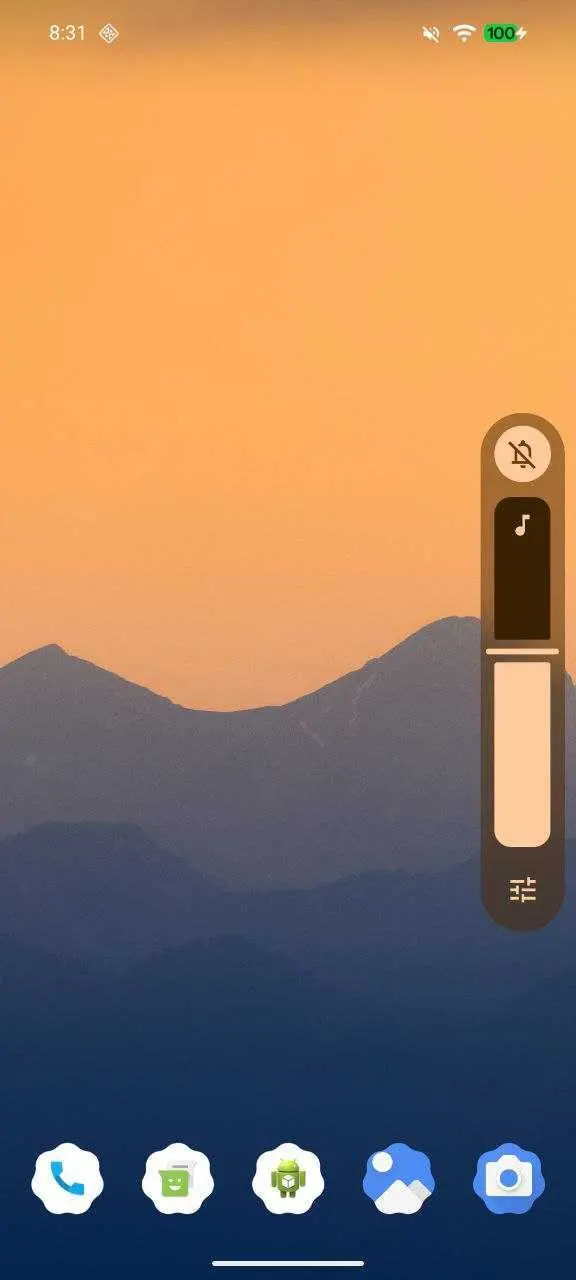
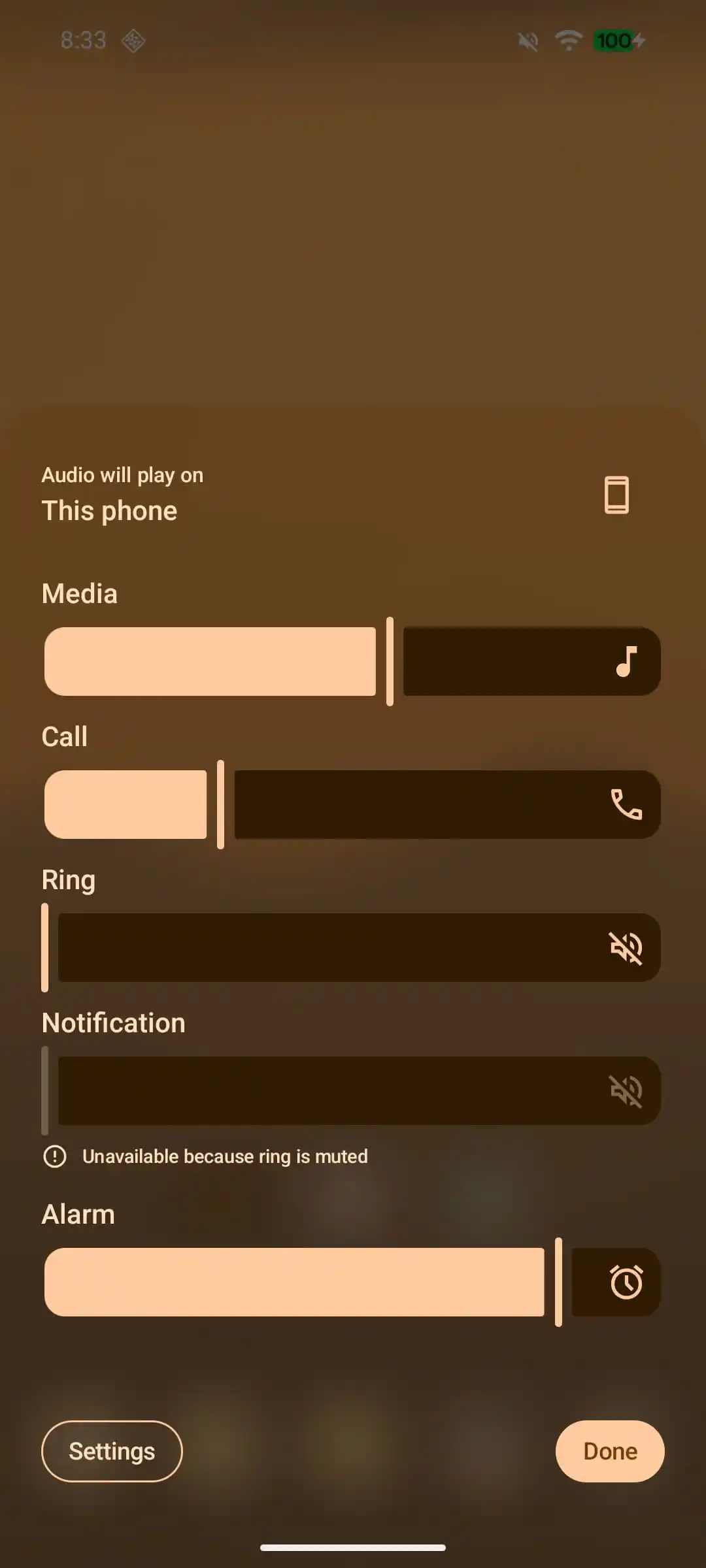
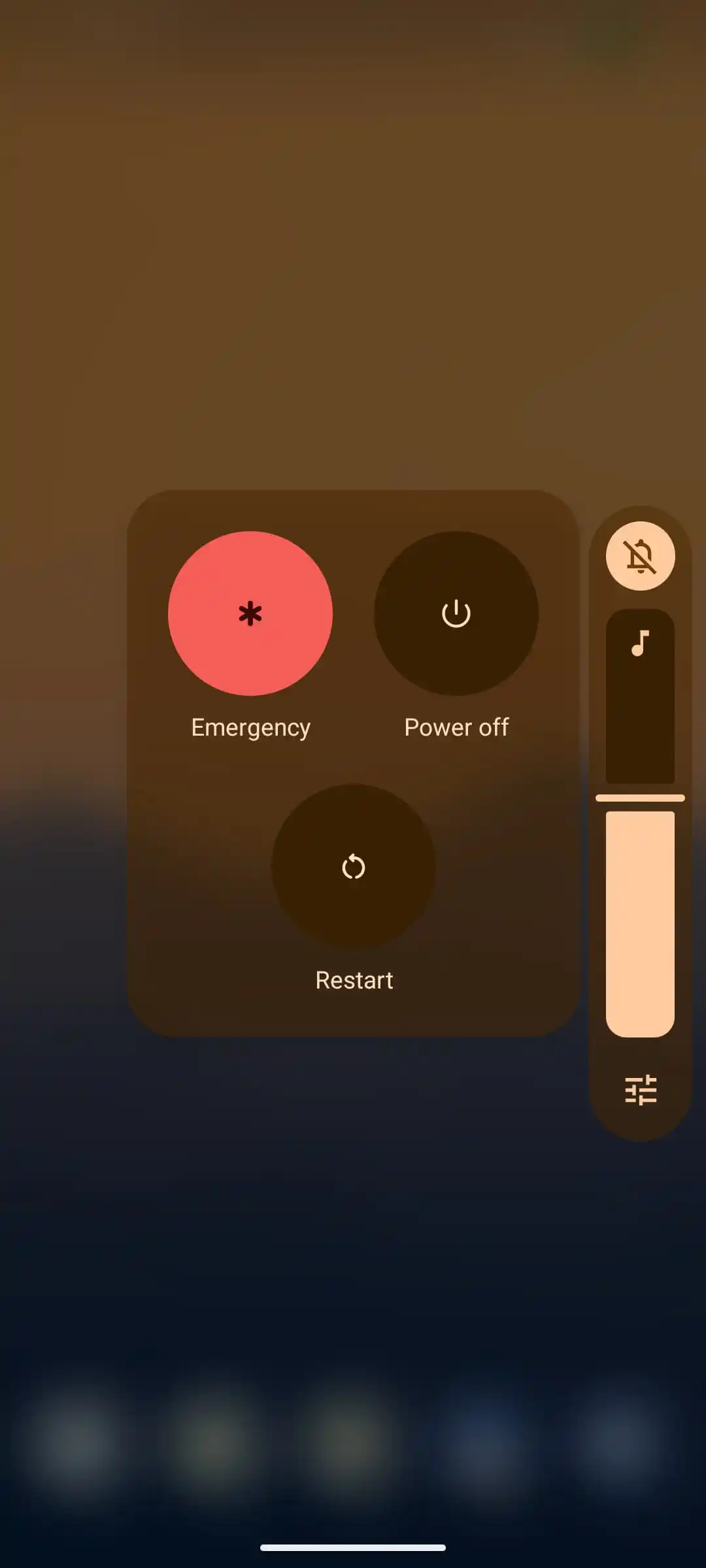
Google is seemingly keen to keep making Android nicer and better-looking with each and every version. Android 17 will be introducing a new system-wide blur effect that will dynamically react to the background and intelligently transition from dark to light if need be.
System-wide blur was introduced with Material 3 Express, but Android 17 is seemingly improving on that. A picture is worth a thousand words, so check out the updated blur aesthetics of Android 17, and you can check how they'd work behind the volume slider, the expanded volume menu, and the power menu.
Recommended For You
Blur backgrounds are coming to Android 17 | Images by Image credit-@RKBDI
Is blurring everything a good addition to Android? Google seems to think so, but not every user might do that, so the company has baked in a convenient way to actually turn off the blur system-wide. As we pointed out in another article, you can simply flick the "Remove blur" toggle inside Settings > Accessibility > Color and motion, and you'd be good to go.
App Lock
Android 17 could finally score an app-locking feature, which would enable users to lock access to certain apps, most certainly with either biometrics or a PIN code. Apple and many other Android manufacturers already support a similar feature, but it's only now coming to stock Android.
Lock Screen widgets
Android supported lock screen widgets back in its early days, but an abrupt change with Android Lollipop back in 2014. After a pretty lengthy hiatus, Android 17 is set to reintroduce lock screen widgets once again. They are already supported on tablets, but there, you have a 2x3 grid, while the cramped space on phones will reportedly force Google to rely on a single column of widgets.
New screen recording feature
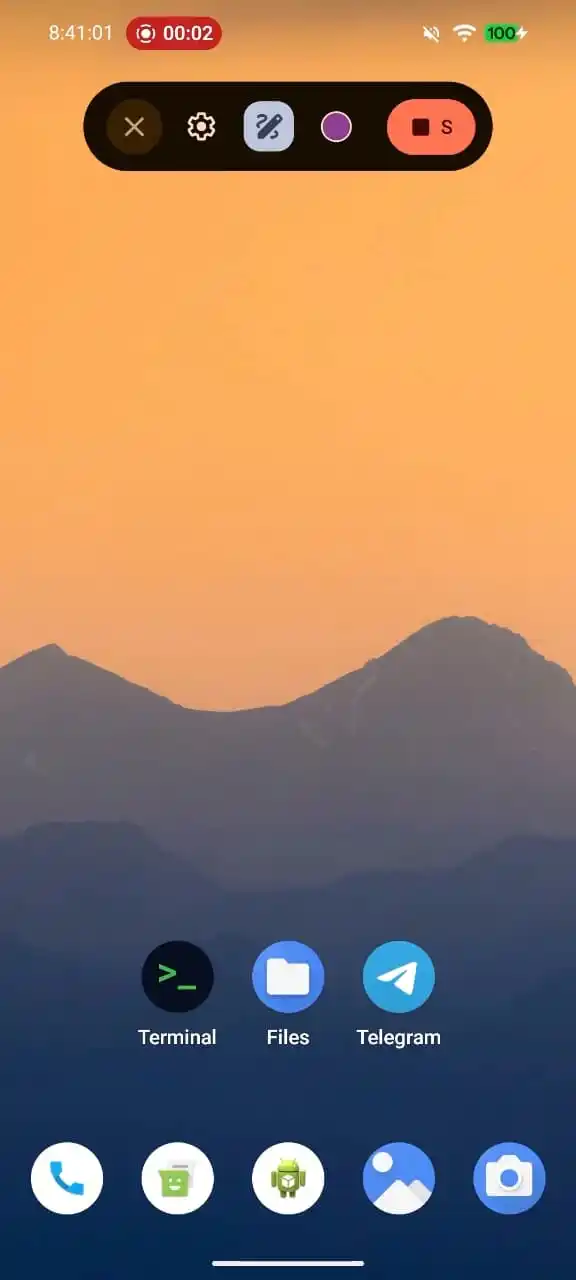
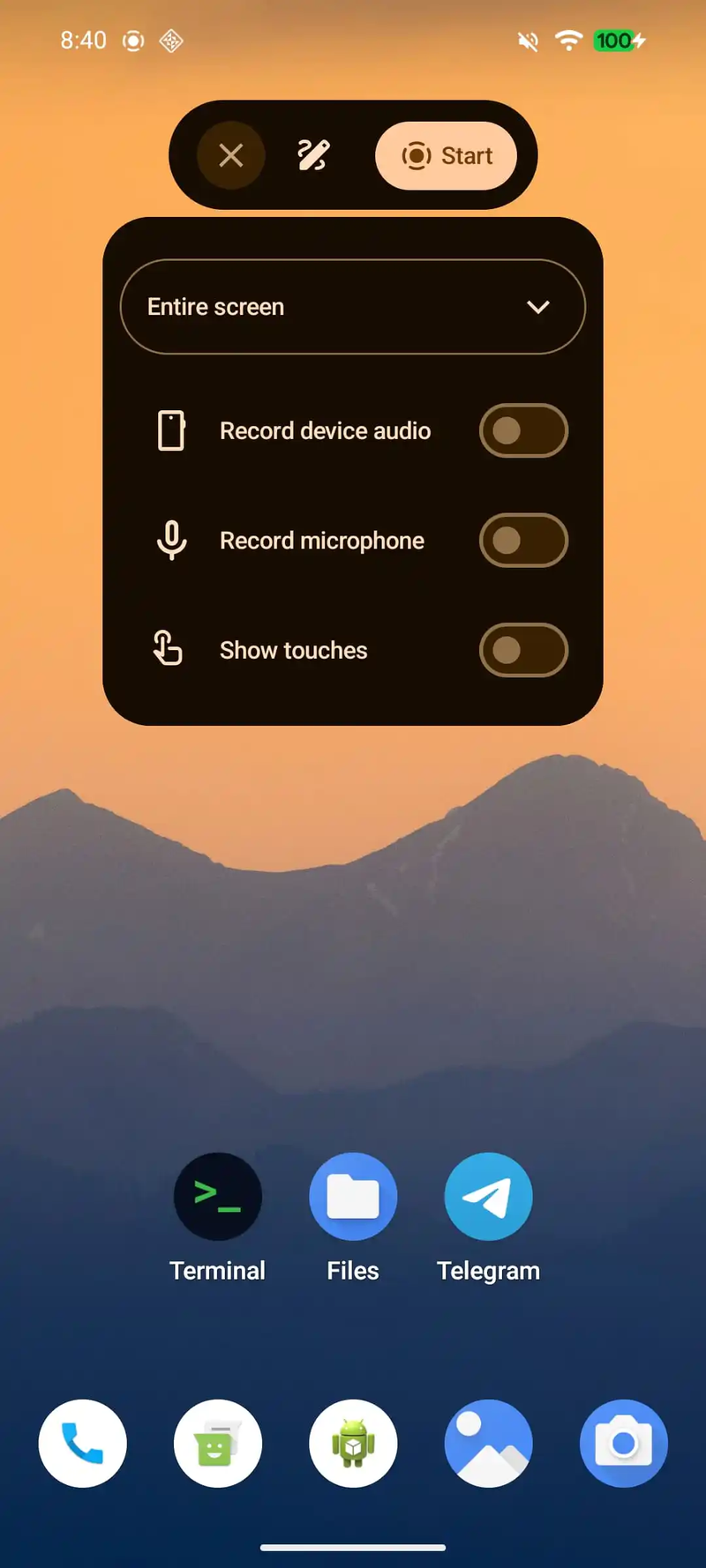
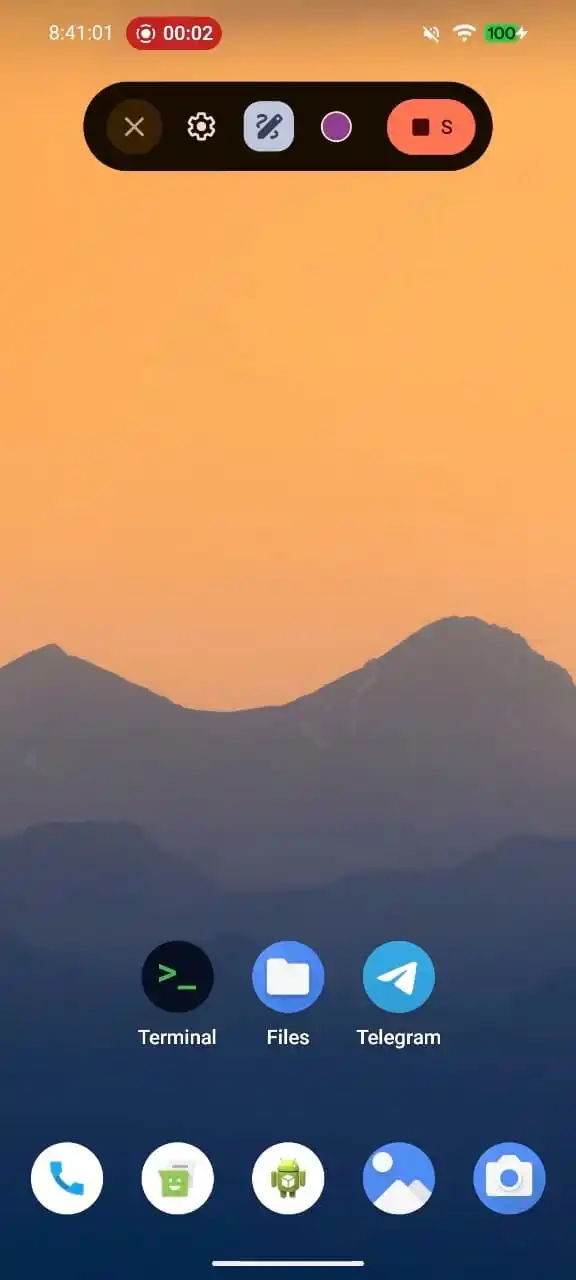
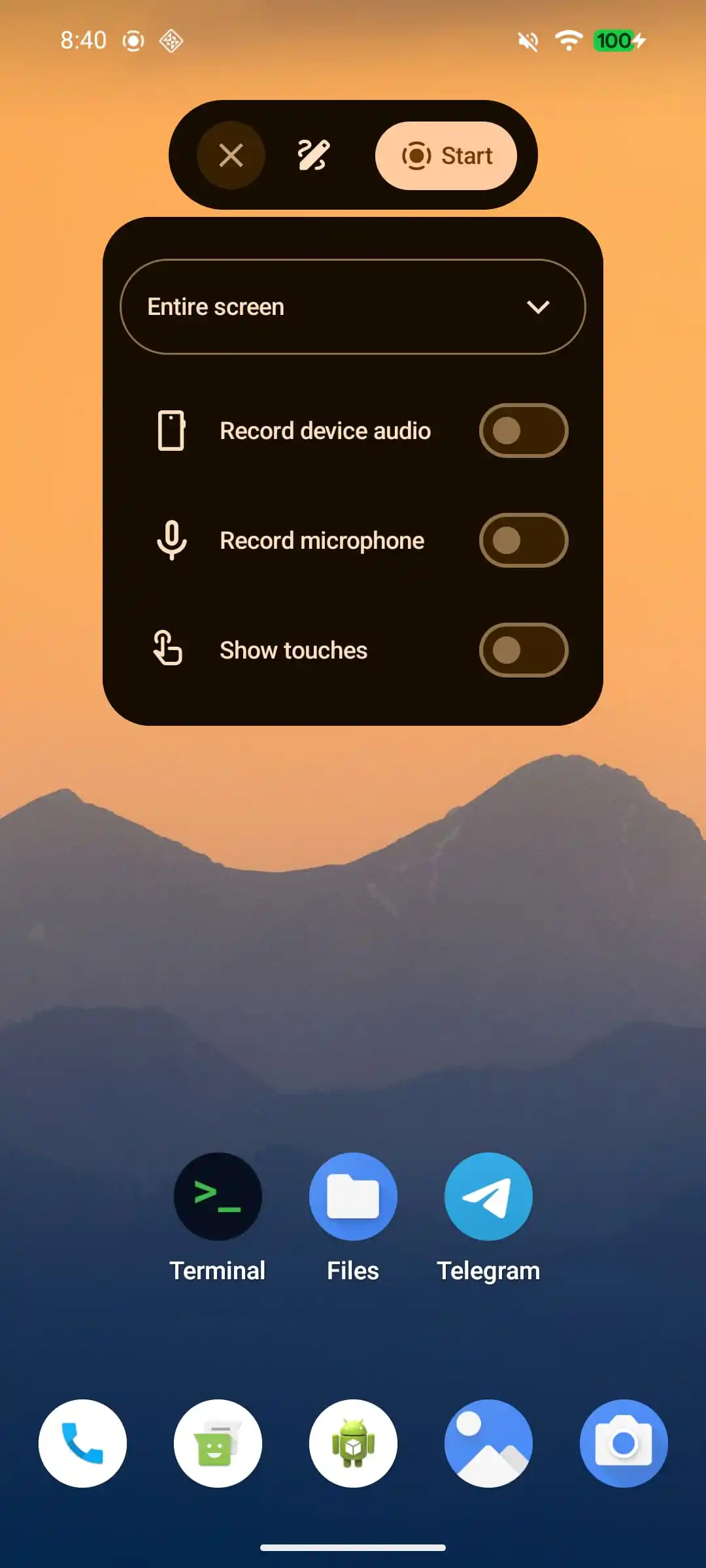
Android 17 is coming with a fancy new screen recorder, which will live inside a refreshed floating pill. Finally, gone is the clunky old interface that didn't look up to speed with the rest of Android's latest Material 3 Expressive.
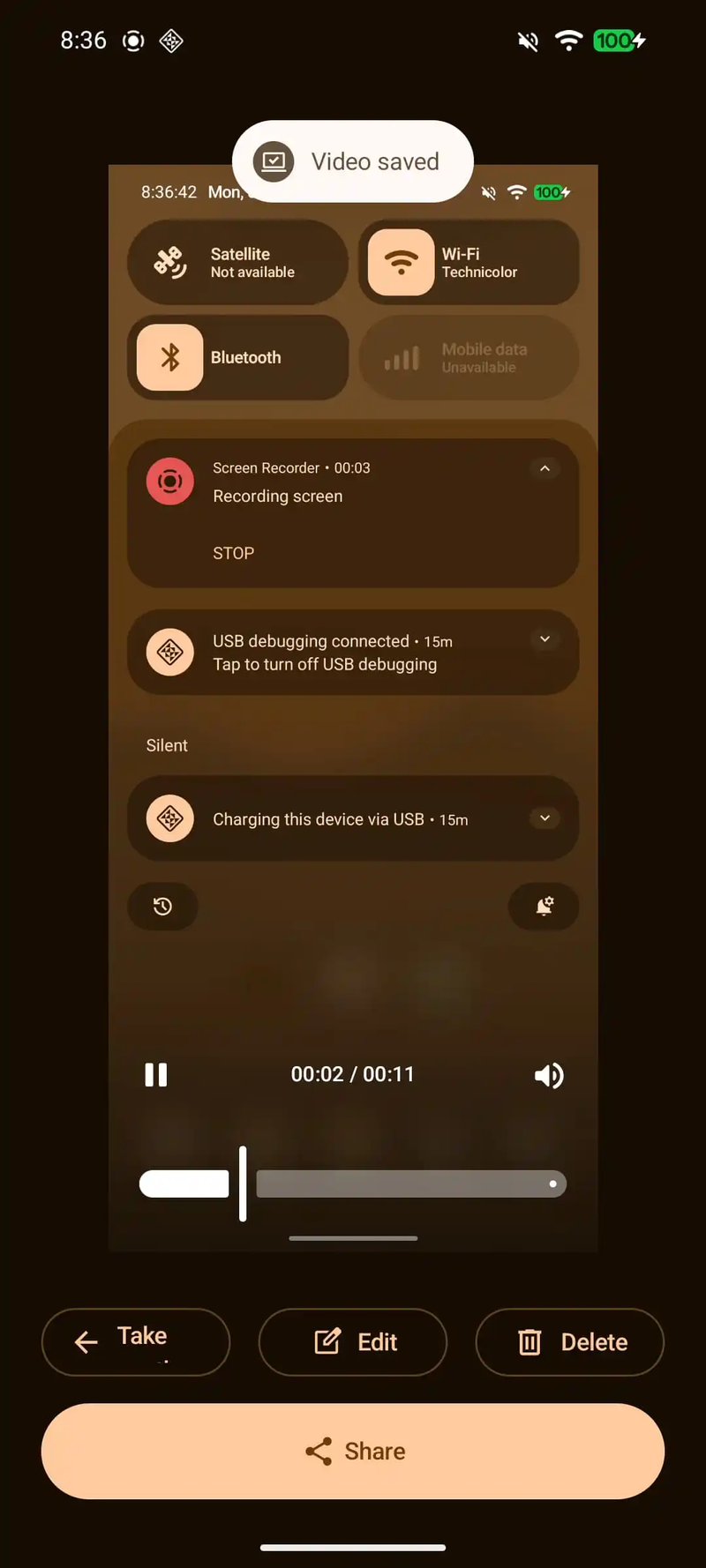
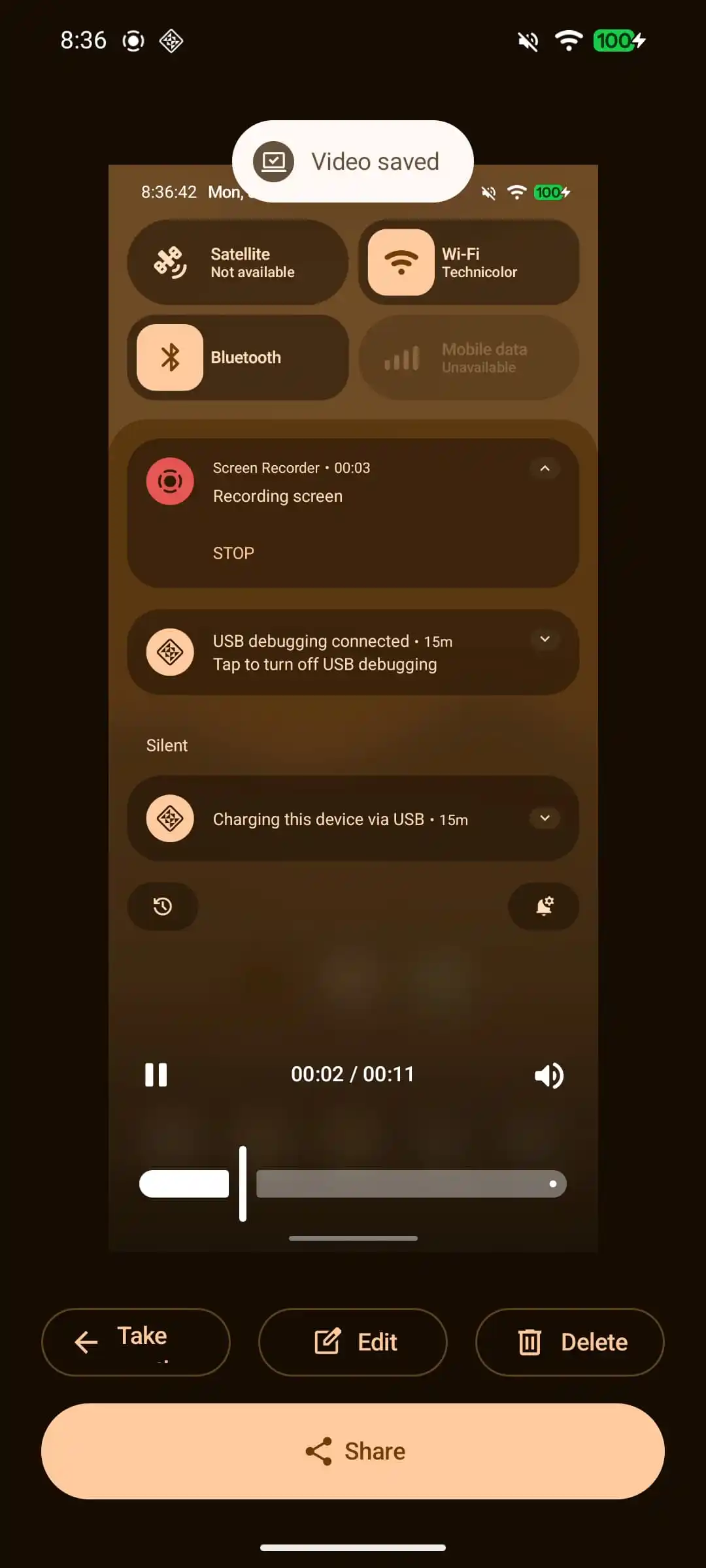
By default, the features are hidden, but tapping on the new screen recording pill expands to reveal key options like Record device audio, Record microphone, and Show touches. Once you've finished your screen recording, another nifty menu pops up, allowing you to quickly share or edit the resulting recording, which is a neat little touch.
Separate Notifications/Quick Toggles panels finally hitting stock Android
Okay, Android 17 Cinnamon Bun will be the one to make it official: Android is officially getting support for separate notification and quick settings panels, like on the iPhone. Most Android manufacturers already implemented the option for separating these two years ago, but it's only in 2026 that stock Android scores this key feature.
Previously, stock Android had a unified notification/quick settings panel, which bundled all the essential toggles as well as a list of your notifications efficiently together.
Of course, this change is entirely optional, so by default you'd get the standard older notification/quick toggle panel. If willing to test out the new notification panel philosophy, you try it by going to Settings > Notifications.
Easier third-party store installation
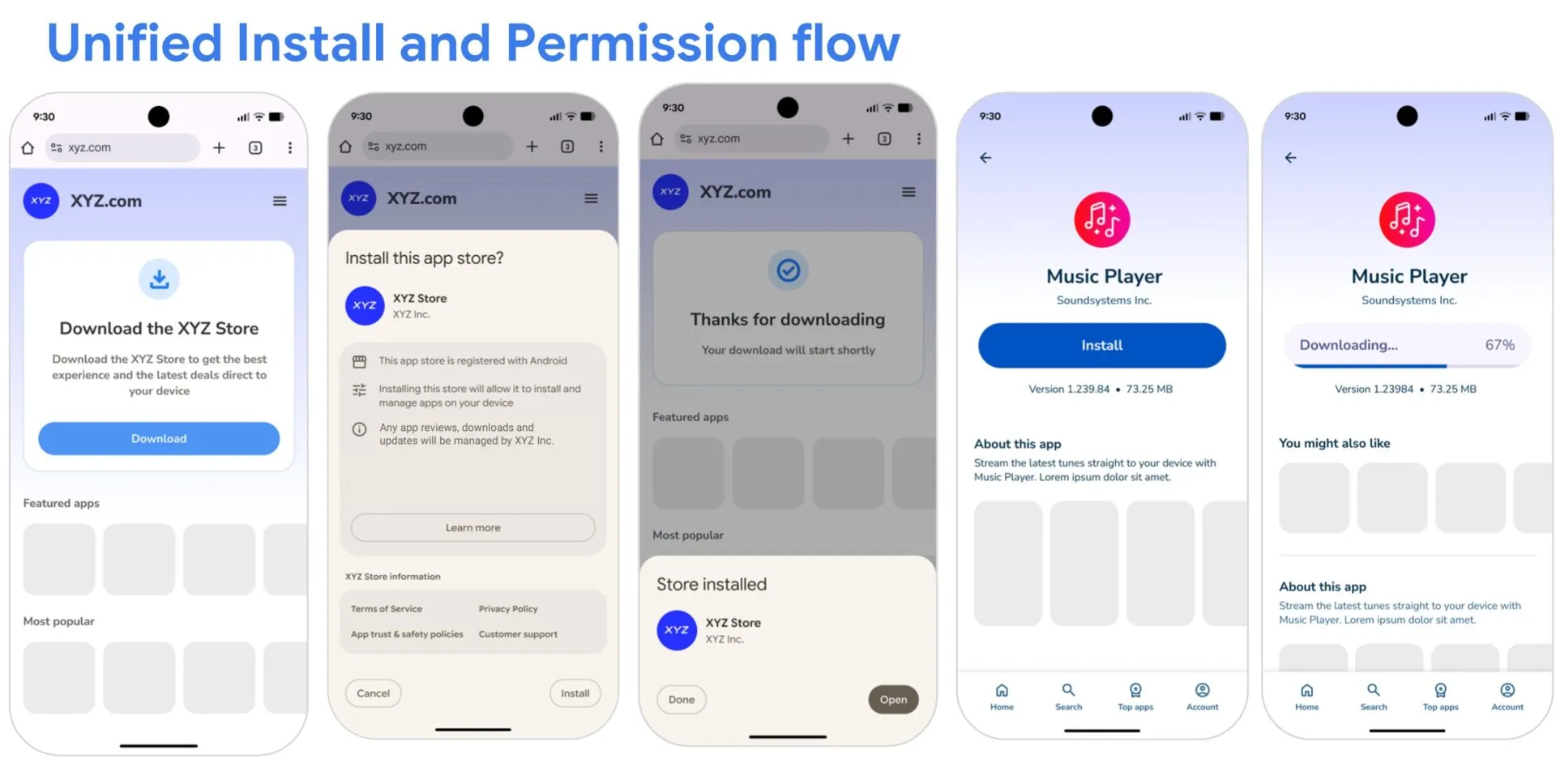
Android 17 will make it easier to install alternative app stores. Certified ones will be able to use Android's new unified "single store install screen", where you'd be able to grant permissions for that store en masse.
Google will also prohibit Android manufacturers from adding any other extra warning screens when you try to install an app from such a certified app store. This change comes as a change imposed by the recently settled lawsuit between Epic and Google (which finally ended after a couple of years of legal hostilities).
Improved app adaptability
With foldable phones showing no signs of stopping, Android 17 will score mandatory app adaptability, allowing foldable phone users to run apps at any window size or aspect ratio. Technically, this feature arrived with Android 16, but developers could opt out of this. Android 17 essentially makes this adaptability mandatory for all manufacturers.
Here's what installing an alternative app store and an app from said store might look like
Universal Clipboard
Android 17 will likely get a feature that has been around in the iOS ecosystem for a long time now: Universal Clipboard. Yes, Android doesn't have native universal clipboard support, meaning anything you copy on your device remains isolated there.
With Android 17, you will most likely be capable of sharing the contents of your clipboard to any Windows PCs or other Android devices you've signed into with your Google account. Presently, you have to resort to third-party apps, like localsend or KDE Connect.
Six-month unlimited plan is now 57% off
$90
$210
$120 off (57%)
Mint Mobile is now allowing you to get whichever plan you like for either three, six, or 12 months for just $15/mo. If you go for the six-month unlimited service, for instance, you'll now have to pay just $90 upfront instead of $210.
Peter is a skilled writer with over 13 years of experience at PhoneArena. He has published nearly 300 phone reviews and comparisons. This vast experience helps him navigate the mobile tech landscape with ease. He enjoys everything Android but relies on a MacBook Pro daily.
A discussion is a place, where people can voice their opinion, no matter if it
is positive, neutral or negative. However, when posting, one must stay true to the topic, and not just share some
random thoughts, which are not directly related to the matter.
Things that are NOT allowed:
Off-topic talk - you must stick to the subject of discussion
Offensive, hate speech - if you want to say something, say it politely
Spam/Advertisements - these posts are deleted
Multiple accounts - one person can have only one account
Impersonations and offensive nicknames - these accounts get banned
To help keep our community safe and free from spam, we apply temporary limits to newly created accounts:
New accounts created within the last 24 hours may experience restrictions on how frequently they can
post or comment.
These limits are in place as a precaution and will automatically lift.
Moderation is done by humans. We try to be as objective as possible and moderate with zero bias. If you think a
post should be moderated - please, report it.
Have a question about the rules or why you have been moderated/limited/banned? Please,
contact us.













Things that are NOT allowed:
To help keep our community safe and free from spam, we apply temporary limits to newly created accounts: