The stable Android 16 QPR3 update, also known as the March 2026 Pixel update, has been rolling out to Pixel phones since earlier this month. Alongside all the new things, as always, there are some things missing.
It seems that Google has silently erased one useful feature with this update, and if you've been using the Recent apps screen often, you might've noticed the change. With the new update installed, you can no longer access Google Lens for image search from the Recents screen or easily save images from the same menu.
No more image saving from the Recents screen
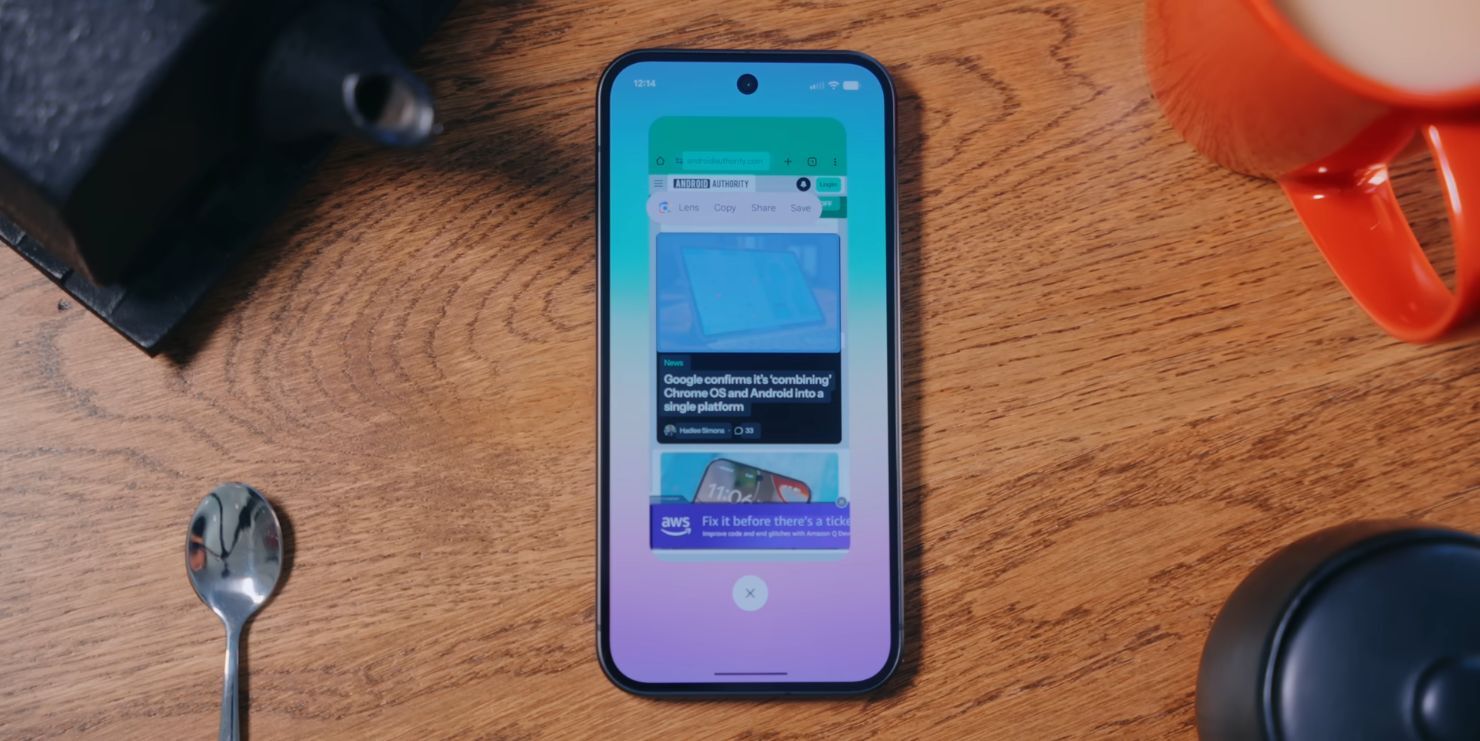
The pop-up menu inside Recents used to have more options | Image by AndroidAuthority
When you pull from the bottom of your Pixel screen and hold, you enter the Recent apps screen, sometimes also called the overview screen. It shows all the launched apps, and you can also do clever things without the need to go into any of these apps.
For example, you can tap and hold on an image inside Recents, let's say a photo in a browser, and a pop-up menu will appear to let you do some interesting stuff with this image. Up until the March update, this menu allowed people to directly save the image on their phones. This menu consisted of the following options: Lens, Copy, Share, and Save.
After the update you can only see Copy, Share, and Edit. There's still a way to save images to Photos. It involves selecting the Share option and then searching for the "upload to Photos" option. It's still there, but it's a lot clunkier than the previous shortcut.
Recommended For You
Have you ever used the "save image" and "Lens" shortcuts in the Recent apps screen?
606 Votes
Google Lens is also gone
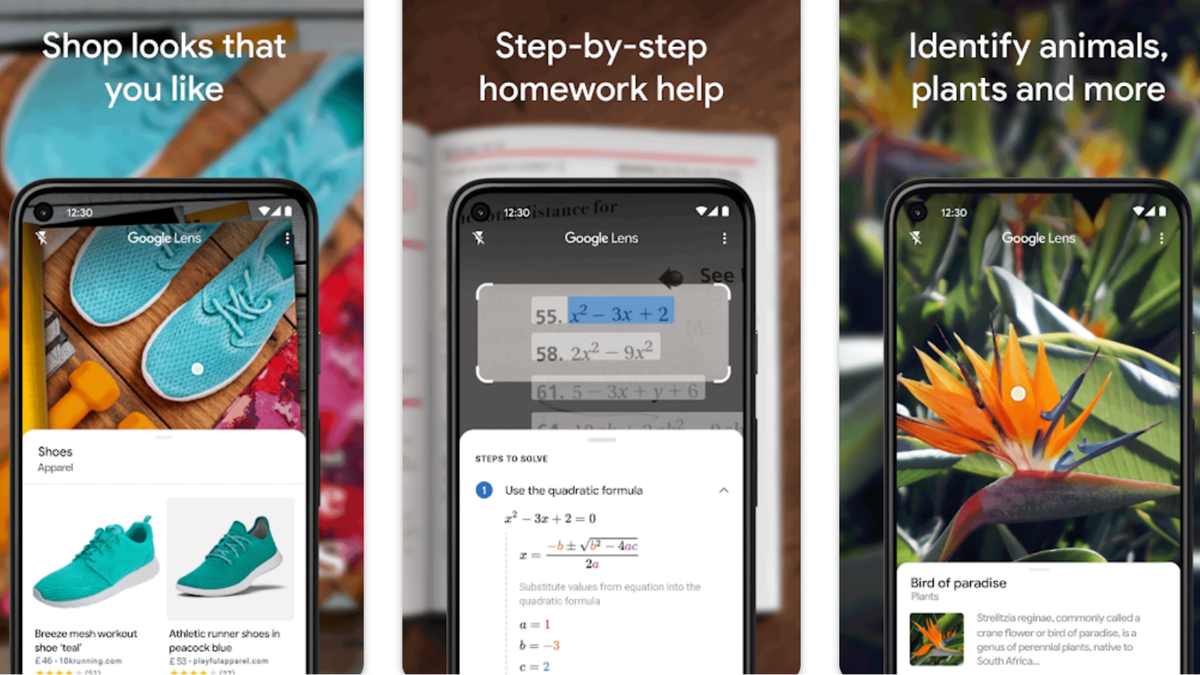
Google Lens was available as a shortcut from the Recents screen | Image by Google
The Lens option is also gone from the menu, but there's another workaround. You can either use Circle to Search or again open the Share menu and search for the "Google Search Image" option there. It basically launches Lens.
Once again, it was much more intuitive and fast to do it from the initial pop-up menu in Recents than to search deep in the Share options.
For many of you, this change will go unnoticed, as people might not be familiar with the feature in the first place. That might also be part of the reasoning behind the change. However, for some, the update has removed a useful and fast way to save and search photos right from the Recents screen.
Have you ever used this feature, and if yes, are you going to miss it?
Six-month unlimited plan is now 57% off
$90
$210
$120 off (57%)
Mint Mobile is now allowing you to get whichever plan you like for either three, six, or 12 months for just $15/mo. If you go for the six-month unlimited service, for instance, you'll now have to pay just $90 upfront instead of $210.
Mariyan, a tech enthusiast with a background in Nuclear Physics and Journalism, brings a unique perspective to PhoneArena. His childhood curiosity for gadgets evolved into a professional passion for technology, leading him to the role of Editor-in-Chief at PCWorld Bulgaria before joining PhoneArena. Mariyan's interests range from mainstream Android and iPhone debates to fringe technologies like graphene batteries and nanotechnology. Off-duty, he enjoys playing his electric guitar, practicing Japanese, and revisiting his love for video games and Haruki Murakami's works.
A discussion is a place, where people can voice their opinion, no matter if it
is positive, neutral or negative. However, when posting, one must stay true to the topic, and not just share some
random thoughts, which are not directly related to the matter.
Things that are NOT allowed:
Off-topic talk - you must stick to the subject of discussion
Offensive, hate speech - if you want to say something, say it politely
Spam/Advertisements - these posts are deleted
Multiple accounts - one person can have only one account
Impersonations and offensive nicknames - these accounts get banned
To help keep our community safe and free from spam, we apply temporary limits to newly created accounts:
New accounts created within the last 24 hours may experience restrictions on how frequently they can
post or comment.
These limits are in place as a precaution and will automatically lift.
Moderation is done by humans. We try to be as objective as possible and moderate with zero bias. If you think a
post should be moderated - please, report it.
Have a question about the rules or why you have been moderated/limited/banned? Please,
contact us.















Things that are NOT allowed:
To help keep our community safe and free from spam, we apply temporary limits to newly created accounts: