Satellite connectivity is the next big thing in smartphone communications. The feature was pioneered by Apple, and several Chinese brands offer the option locally as well. Samsung brought the feature to the Galaxy S25 lineup and expanded the functionality further on the Galaxy S26 series.
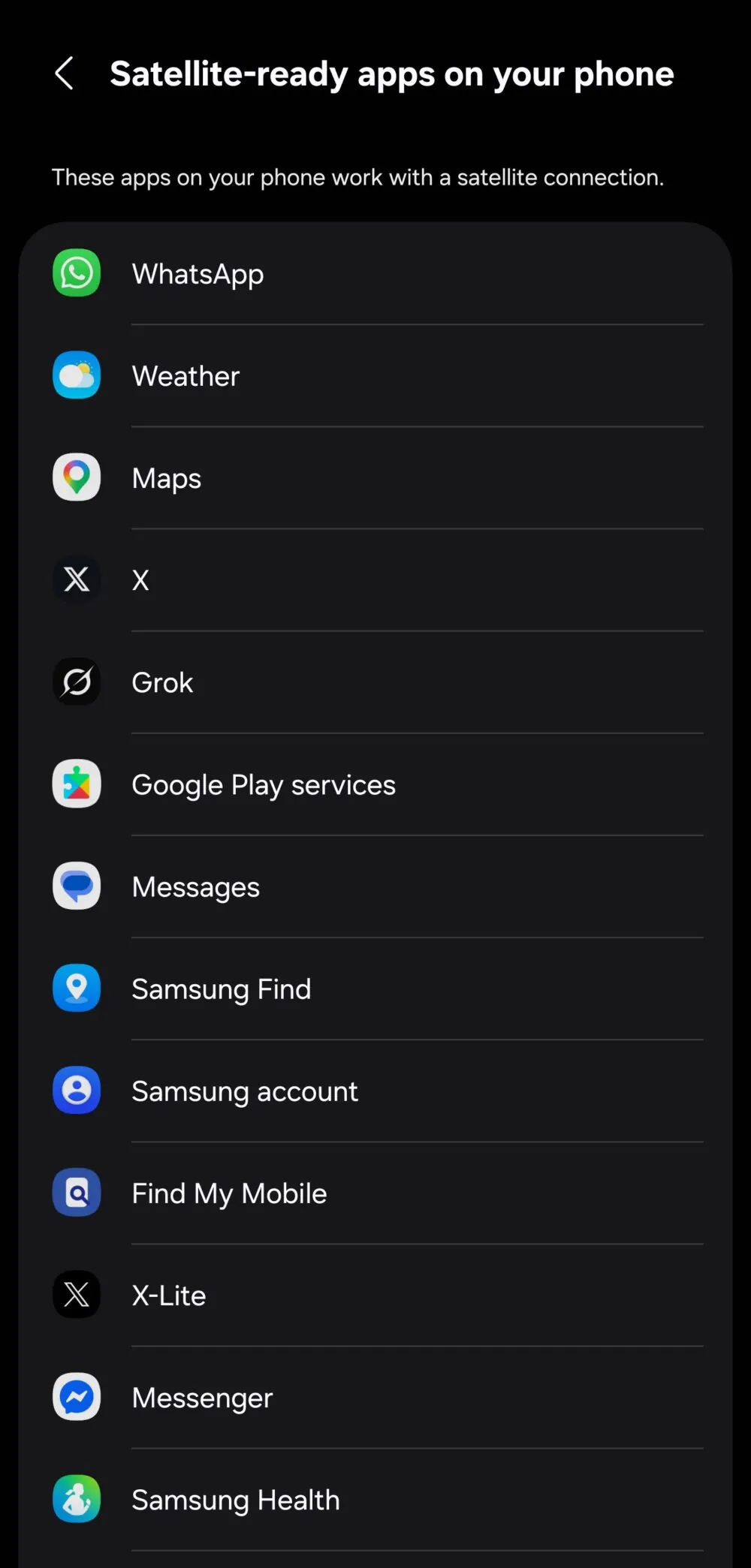
Now, there's a new option on Samsung phones that shows you which apps support satellite connectivity. The tipster @theonecid posted on X a menu showing a list of apps with the title "Satellite-ready apps on your phone" and a further clarification below, stating, "These apps on your phone work with a satellite connection."
Apps that support satellite connectivity | Image by @theonecid
Apps listed in this menu include WhatsApp, X and X Lite, Google Messages, Google Maps, Facebook Messenger, Samsung Health, and Weather. Furthermore, the screenshot shows Google Play Services, Samsung Find, Find My Mobile, and Samsung Account also supporting satellite connectivity.
The menu might not show a comprehensive list of all apps that support the feature but only list the apps that are currently installed on your phone. You should check if you can access the menu and see a list of your specific satellite-ready apps by tapping Settings > Connections > Satellite networks.
What is satellite connectivity, and how does it work?
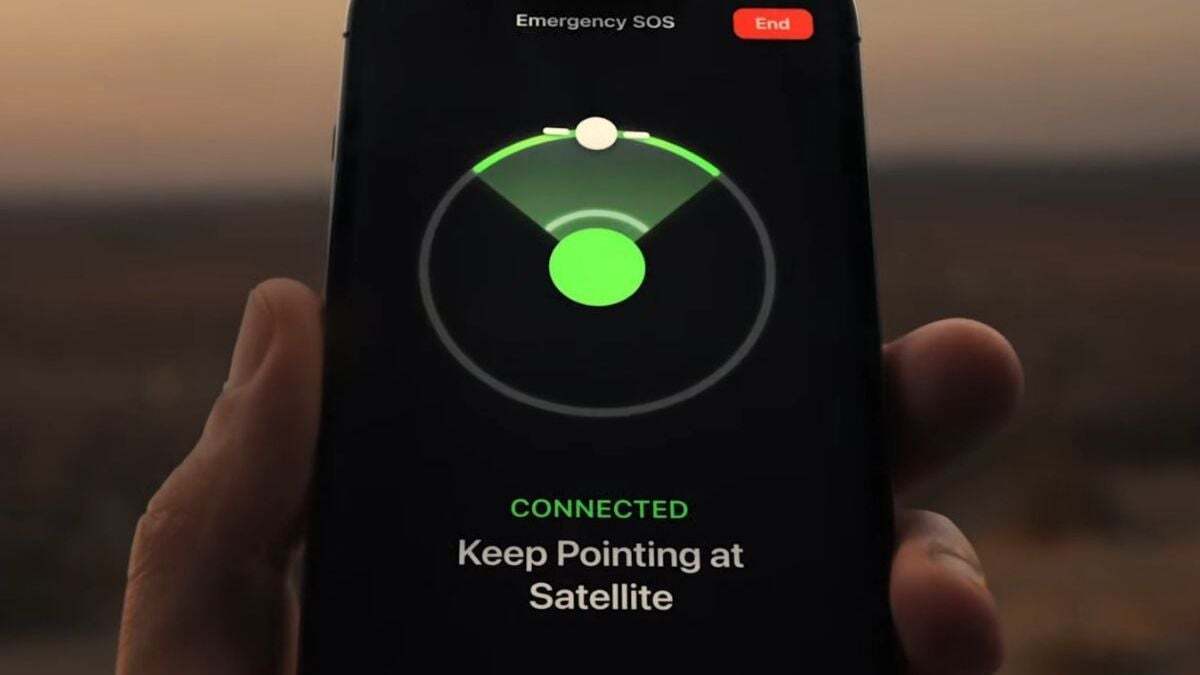
You need clear line of sight to the nearest satellite | Image by Apple
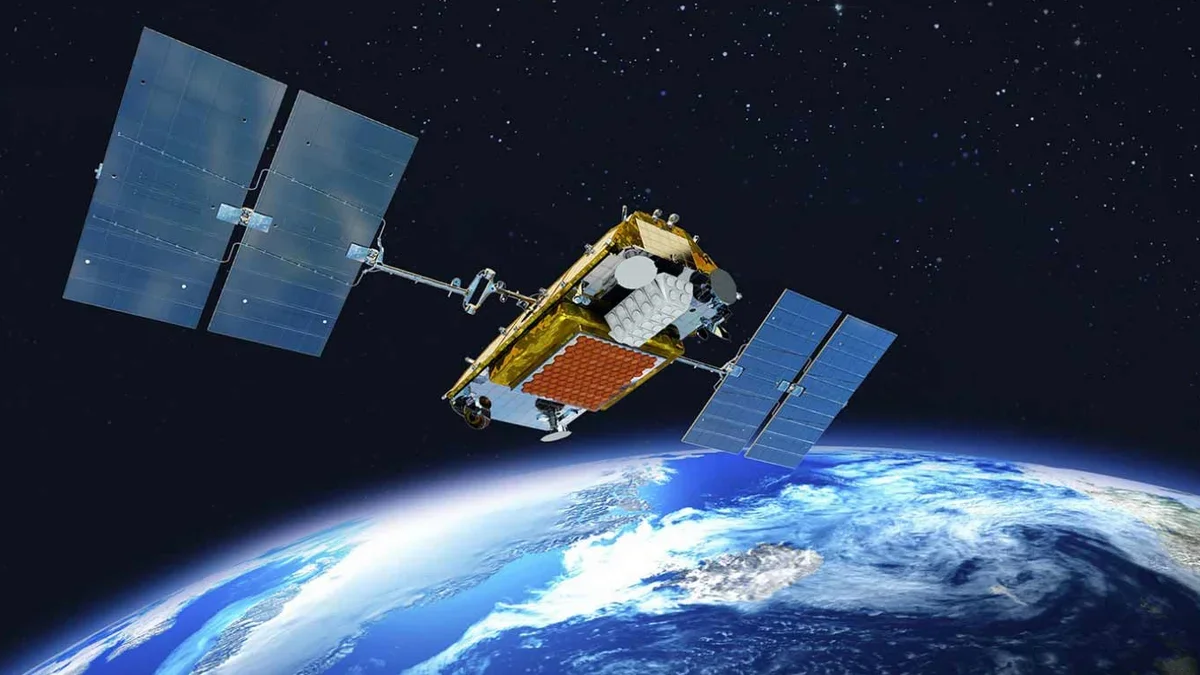
Samsung satellite connectivity allows some Galaxy smartphones (S25/S26 series, higher A-series models) to send SOS emergency messages or text via satellite when out of cellular range. The feature works by connecting directly to low-orbit satellites, requiring a clear line of sight to the sky, typically using Skylo or Iridium networks for relaying data to emergency services.
Recommended For You
It activates automatically when your Samsung phone detects that there's no cellular coverage and prompts a guide to point your phone in the direction of the nearest satellite.
You can send messages and communicate two-way with emergency dispatchers, sharing your location and the nature of the emergency. This feature also works with apps such as the aforementioned WhatsApp, allowing people to communicate with friends and family in remote locations.
The features vary across network providers as well. For instance, Verizon’s satellite service requires phones with dedicated hardware and allows emergency SOS and texting but doesn't support data transfer. T-Mobile offers its own T-Satellite service that doesn't depend on the phone's hardware or brand and supports data transfers.
With that in mind, some of these apps you see on the screenshot above might still not work without a cellular connection, depending on your carrier.
Have you ever used emergency satellite connectivity on your phone?
65 Votes
Is satellite connection essential?
Emergecy SOS by satellite saved six hiker stranded in the Lake Tahoe area | Image by New York Times
For emergency situations — definitely! There are dozens and dozens of success stories posted since the SOS by satellite feature launched on iPhone 14 a couple of years ago.
From people getting lost in the mountains to serious emergencies such as landslides, heat strokes, and broken limbs, the feature has saved many lives. It's a must-have feature for every mobile phone out there. Fun fact: there were times when satellite phones were quite popular and used on a daily basis, albeit being quite expensive.
Whether or not you need to chat with your friends while you're in the wilderness is a completely different matter. It's nice to have, as an emergency option, but totally not essential for other scenarios.
What do you think about this feature, and specifically the Satellite connectivity on Samsung phones? Have you ever used it? How was the experience? Vote in out poll and share your Satellite stories in the comment section below.
Six-month unlimited plan is now 57% off
$90
$210
$120 off (57%)
Mint Mobile is now allowing you to get whichever plan you like for either three, six, or 12 months for just $15/mo. If you go for the six-month unlimited service, for instance, you'll now have to pay just $90 upfront instead of $210.
Mariyan, a tech enthusiast with a background in Nuclear Physics and Journalism, brings a unique perspective to PhoneArena. His childhood curiosity for gadgets evolved into a professional passion for technology, leading him to the role of Editor-in-Chief at PCWorld Bulgaria before joining PhoneArena. Mariyan's interests range from mainstream Android and iPhone debates to fringe technologies like graphene batteries and nanotechnology. Off-duty, he enjoys playing his electric guitar, practicing Japanese, and revisiting his love for video games and Haruki Murakami's works.
A discussion is a place, where people can voice their opinion, no matter if it
is positive, neutral or negative. However, when posting, one must stay true to the topic, and not just share some
random thoughts, which are not directly related to the matter.
Things that are NOT allowed:
Off-topic talk - you must stick to the subject of discussion
Offensive, hate speech - if you want to say something, say it politely
Spam/Advertisements - these posts are deleted
Multiple accounts - one person can have only one account
Impersonations and offensive nicknames - these accounts get banned
To help keep our community safe and free from spam, we apply temporary limits to newly created accounts:
New accounts created within the last 24 hours may experience restrictions on how frequently they can
post or comment.
These limits are in place as a precaution and will automatically lift.
Moderation is done by humans. We try to be as objective as possible and moderate with zero bias. If you think a
post should be moderated - please, report it.
Have a question about the rules or why you have been moderated/limited/banned? Please,
contact us.












Things that are NOT allowed:
To help keep our community safe and free from spam, we apply temporary limits to newly created accounts: