We may earn a commission if you make a purchase from the links on this page.
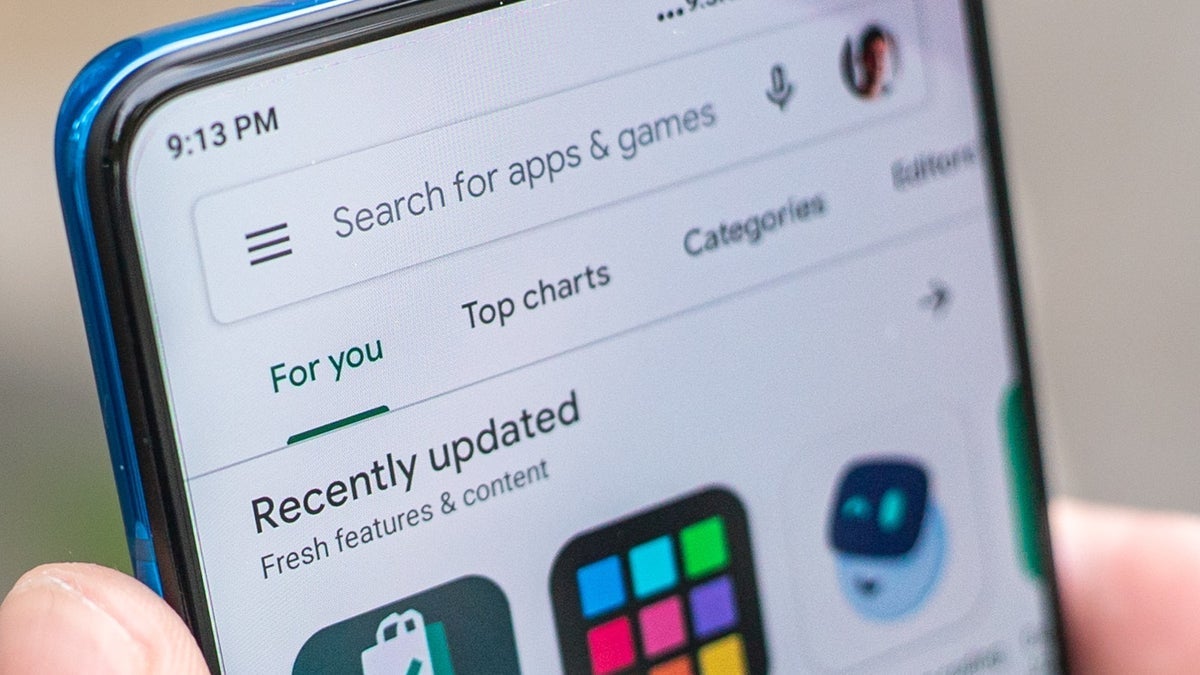
There's a new remote access Trojan (RAT) that takes advantage of the Google Play Store and actually builds malicious versions of various Android apps.
New remote access Trojan can bundle itself with legit apps
The malware's name is "Cellik" and its existence has been reported by iVerify. This RAT stands out because, on top of having abilities such as full-device control, it can also be bundled by malicious users with otherwise legitimate applications available on the Google Play Store.
Surfshark VPN: 88% off 24-month subscription
€61
83
€484
65
€423 off (87%)
Grab the Surfshark One VPN subscription for 24 months, and you can now save 87%. The subscription costs just €2.29/mo, or €61.83 for 27 months. Why 27? Because you're getting three extra months! Don't miss out.
Cellik is a part of a category dubbed "x-as-a-service". Cybercriminals can pay for versions of everything, including credential stealers, ransomware, phishing kits, and other malware. Cellik is a sort of "mature" malware that even hackers with low skills can use with minimal effort.
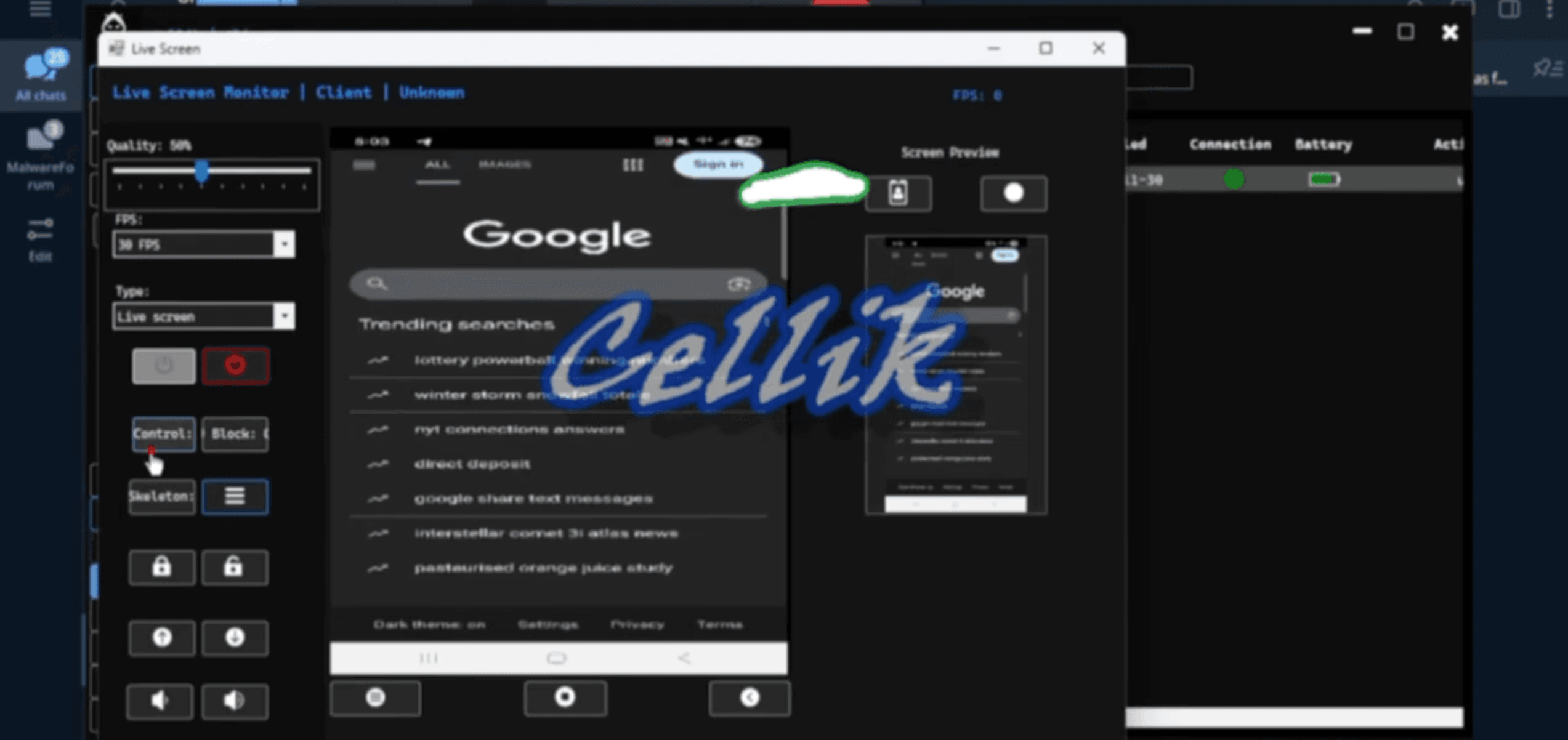
Once the malicious user gets Cellik into an Android phone, the attacker is given complete control. The malware can stream your screen directly to the attacker, and the attacker can remotely control the phone.
Image Credit – iVerify
Recommended For You
The malware also has a keylogger feature. But that's not all: it can help the attacker see your notifications on your screen, one-time passcodes, and the phone's file system. And yep, that includes sensitive browser data like cookies and even credentials you've saved in the browser.
iVerify underlines that with that malware, the malicious user can see all your files, download or upload files, delete some, and even access cloud storage that's been linked to the phone. The attacker can also go to websites, click links, and fill out forms. And all of this – the victim won't be seeing any activity on their screen.
These features aren't new. However, what makes Cellik dangerous is the ability it gives the attacker to display an overlay over apps on the compromised phone (fake login screens, for example). Also, it has an injector builder – it can be customized for different apps.
The RAT-as-a-service has an automatic .apk builder that can browse the Play Store, download a legit app, put Cellik around it, and package it up so the attacker can distribute it to potential victims.
This way, Cellik can bypass the security features (like Play Protect detection) of the Play Store. Basically, Google Play Protect can flag unknown or malicious apps, but a Trojan hidden in a popular app package may slip through.
Such malicious apps are typically available from places where you're likely to sideload them. Once you install it, it will run in the background and give the hacker access to your device. There are no exploits here: just your old social engineering and user trust.
Would this make you rethink sideloading apps on Android?
Yes, I’ll stick strictly to the Play Store
40%
I already avoid sideloading
20%
No, I will sideload when I want to
40%
I didn’t realize this was even possible
0%
How to protect yourself
The best practice here is to stay up to date with social engineering tactics and be careful about where you download your apps. Basically, to minimize your exposure to malware, stick to official app stores. Don't sideload unless absolutely necessary. If you do sideload, install APKs manually, and verify hashes and signatures before doing it.
Having a solution that detects and responds to malware on your phone can also help.
This is why I don't mess with sideloading apps
I'll be honest, stuff like Cellik is exactly why I stick to the Google Play Store and never sideload apps on my phone. Sure, the Play Store isn't perfect and sometimes sketchy apps slip through, but at least there's some level of checking going on.
When you start downloading APK files from random websites or third-party app stores, you're basically rolling the dice with your personal data. The idea that hackers can now wrap malware around legitimate apps and make them look totally normal is genuinely scary.
The worst part about Cellik is how easy it is for attackers to use. You don't need to be some genius hacker anymore – you can just pay for this service and boom, you've got a malicious app ready to go.
My advice? Be super careful about where you get your apps from. If something seems too good to be true, like a paid app suddenly available for free on some random website, just skip it. It's not worth risking your bank account, passwords, and everything else on your phone.
And if you absolutely have to sideload something, make sure you know exactly what you're installing and where it came from. Better safe than sorry.
Izzy, a tech enthusiast and a key part of the PhoneArena team, specializes in delivering the latest mobile tech news and finding the best tech deals. Her interests extend to cybersecurity, phone design innovations, and camera capabilities. Outside her professional life, Izzy, a literature master's degree holder, enjoys reading, painting, and learning languages. She's also a personal growth advocate, believing in the power of experience and gratitude. Whether it's walking her Chihuahua or singing her heart out, Izzy embraces life with passion and curiosity.
A discussion is a place, where people can voice their opinion, no matter if it
is positive, neutral or negative. However, when posting, one must stay true to the topic, and not just share some
random thoughts, which are not directly related to the matter.
Things that are NOT allowed:
Off-topic talk - you must stick to the subject of discussion
Offensive, hate speech - if you want to say something, say it politely
Spam/Advertisements - these posts are deleted
Multiple accounts - one person can have only one account
Impersonations and offensive nicknames - these accounts get banned
To help keep our community safe and free from spam, we apply temporary limits to newly created accounts:
New accounts created within the last 24 hours may experience restrictions on how frequently they can
post or comment.
These limits are in place as a precaution and will automatically lift.
Moderation is done by humans. We try to be as objective as possible and moderate with zero bias. If you think a
post should be moderated - please, report it.
Have a question about the rules or why you have been moderated/limited/banned? Please,
contact us.






![A new Android bug is making it impossible to install new apps. Are you affected? [UPDATE]](https://m-cdn.phonearena.com/images/article/176703-wide-two_350/A-new-Android-bug-is-making-it-impossible-to-install-new-apps.-Are-you-affected-UPDATE.webp)
 FCC OKs Cingular\'s purchase of AT&T Wireless
Things that are NOT allowed:
To help keep our community safe and free from spam, we apply temporary limits to newly created accounts: