We were all kind of wrong about Samsung’s Privacy Display, so let’s set the record straight.
In case you missed it — Samsung’s Galaxy S26 Ultra phone brought about a pretty interesting and unexpected new hardware feature. A built-in privacy screen protector. Sort of.
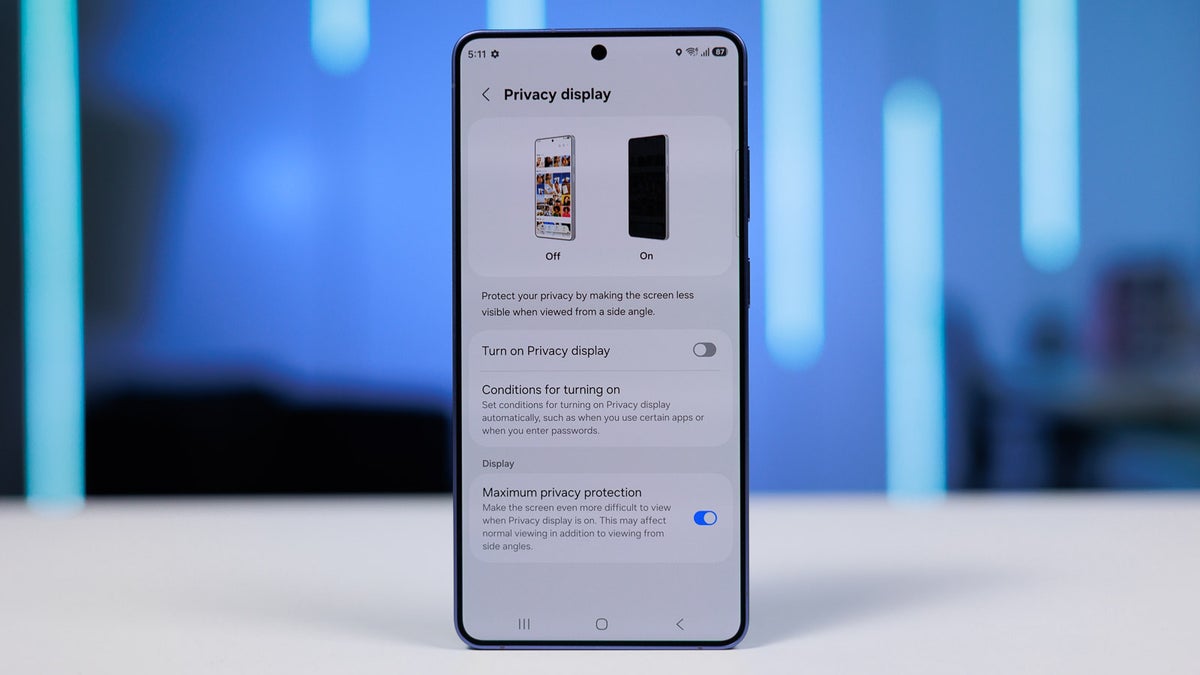
Instead of being on top of the glass, it’s a black grid built into the display panel. When you activate it from the software toggle, a number of pixels turn off, and the grid comes up to limit the viewing angles of the ones that are active.
People that were testing it in real life were kind of underwhelmed. The viewing angles don’t get dramatically reduced, and your sensitive info is still sort of visible to someone that positions themselves correctly.
But, through experimentation, I’ve found some steps you can take to make it work much better than initially believed.
First, let’s clear something up.
Yes, it’s actually as good as a privacy screen protector
Full disclosure, I do not have a ton of experience with privacy screen protectors. The one vivid memory I have of seeing one is that it was very drastic. In fact, it was so good at doing its job that you, as the user, couldn’t even see the entirety of the screen from top to bottom because the viewing angles were that limited.
Recommended For You
Yeah, it was private for sure, but the user experience was horrible, and it being a screen protector that you can’t take off and put back on made it even worse.
But when the Galaxy S26 Ultra with Privacy Display came out and I tested it, my first reaction was “Well, this is not as good as the actual thing I saw before”.
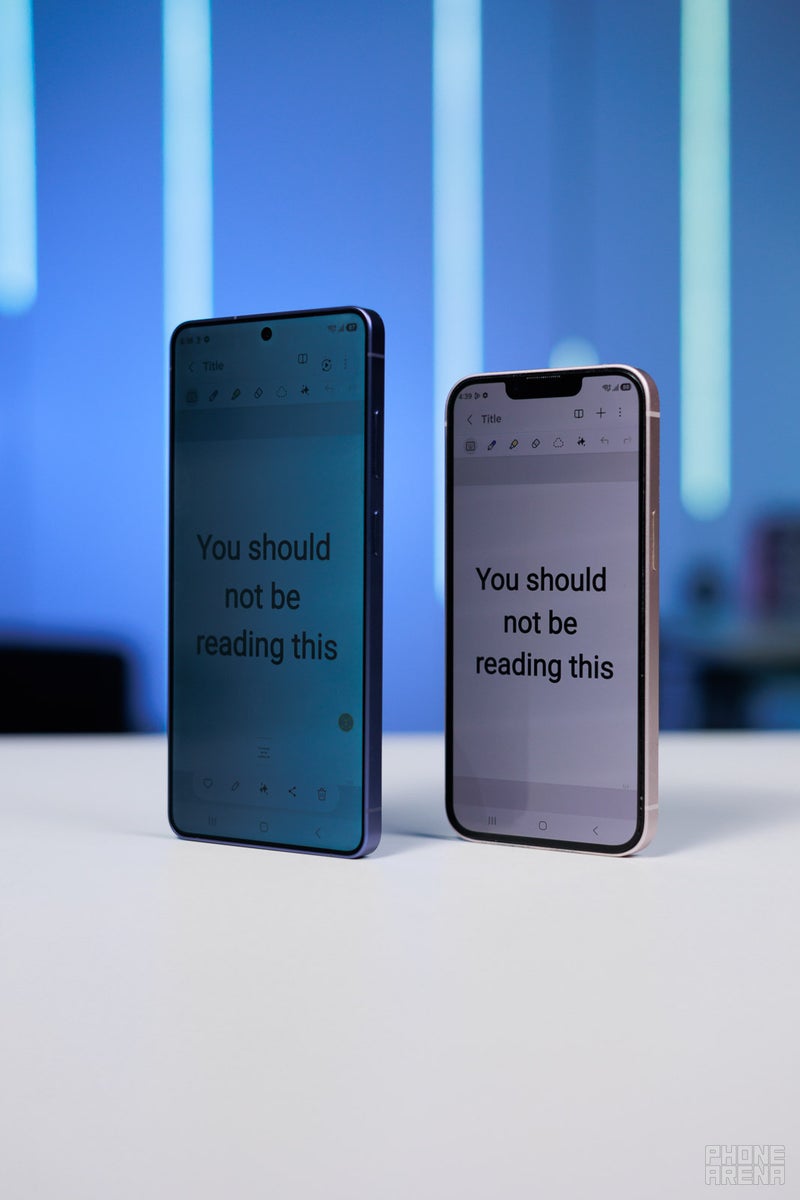
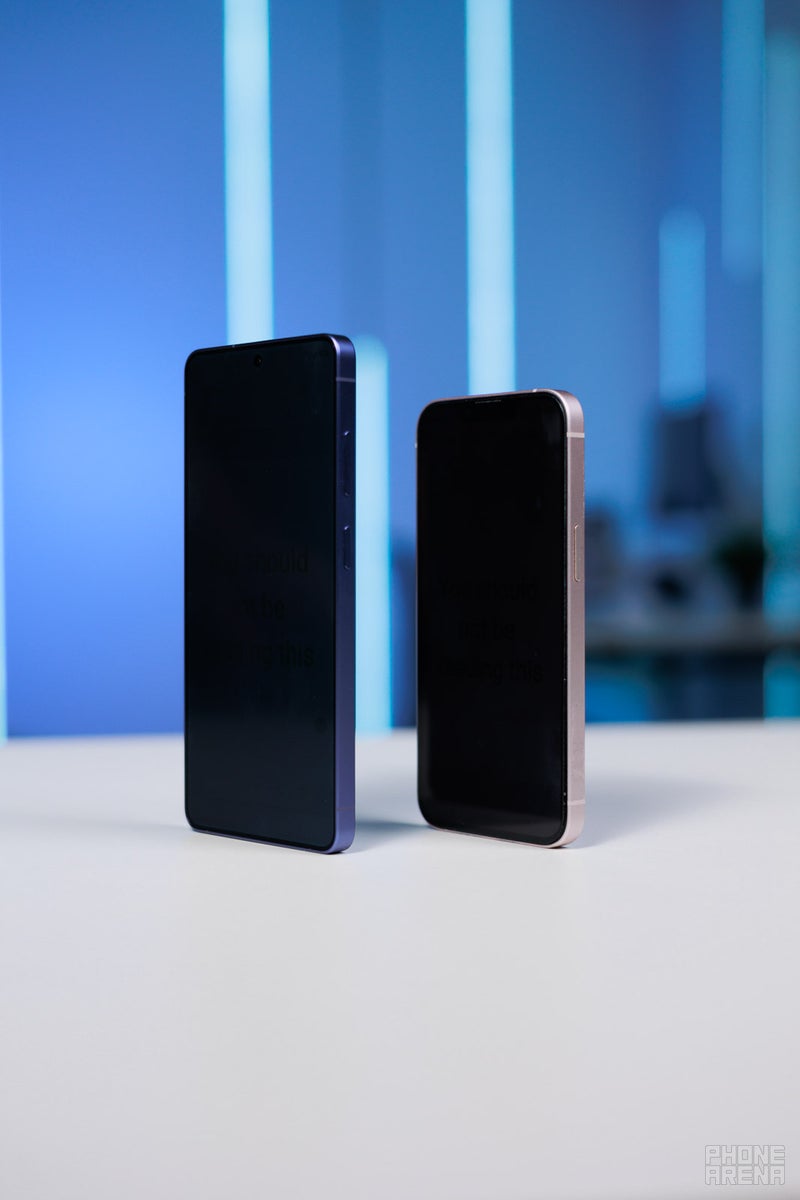
Then, I had to do a rerun. We got a privacy screen protector, we put it on an iPhone, and my views on the subject shattered. Who would’ve thunk it — there are privacy screen protectors with varying degrees of effectiveness out there in the world.
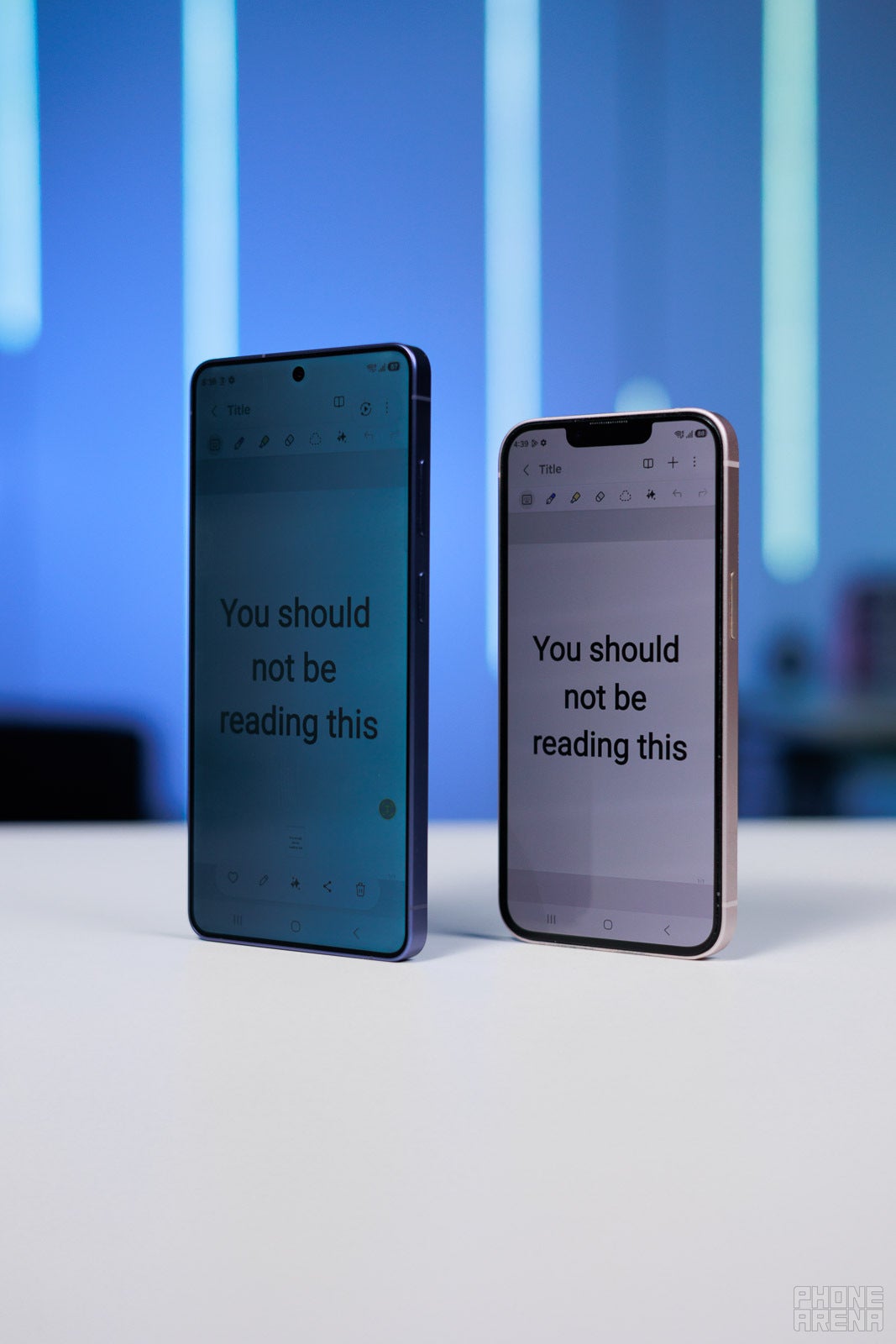
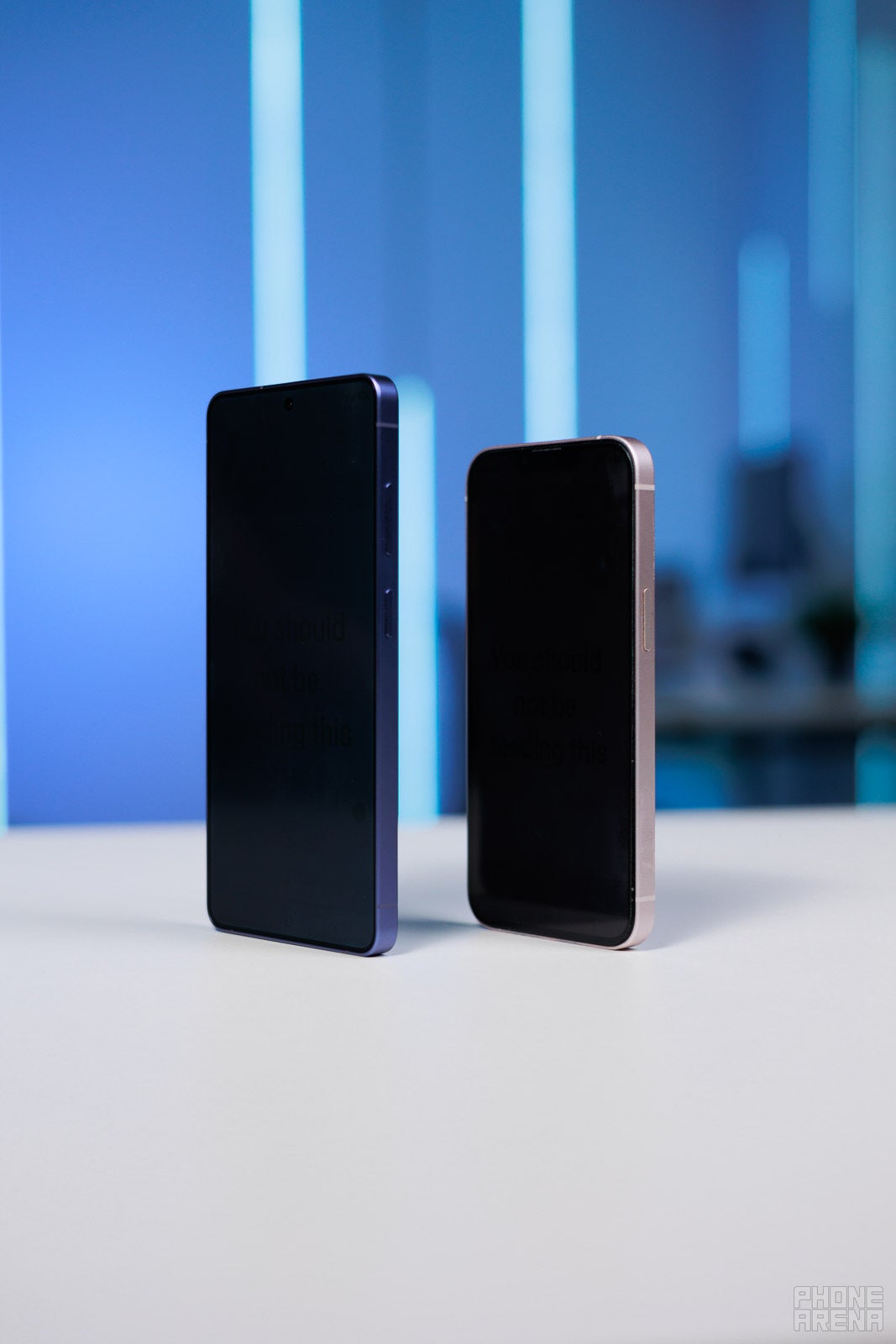
And this new one that I have in the iPhone pictured above limits viewing angles just about the same amount as the Galaxy S26 Ultra’s Privacy Display.
So… now I am truly interested in making it “work”.
Get the most out of your Privacy Display with some fine-tuning
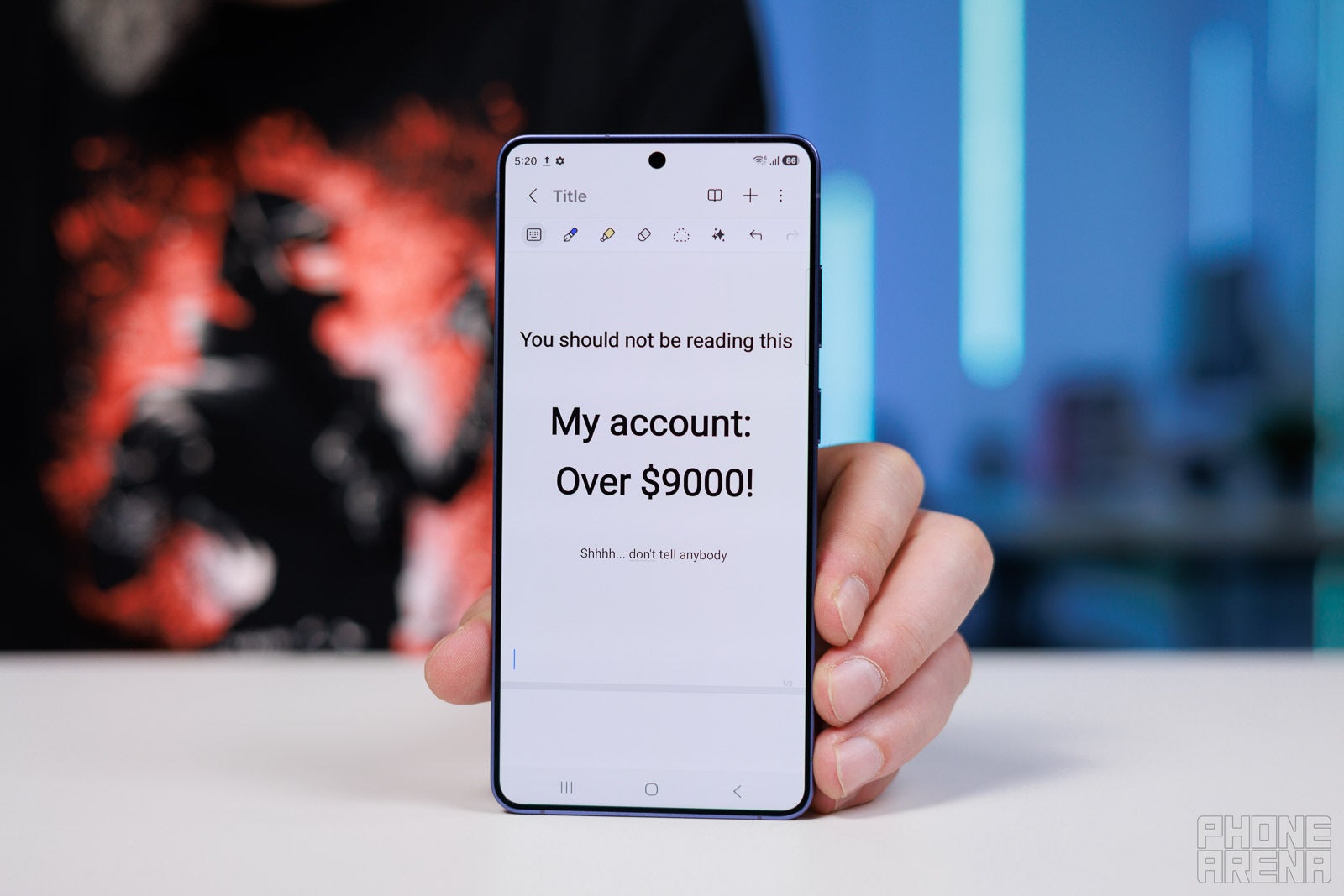
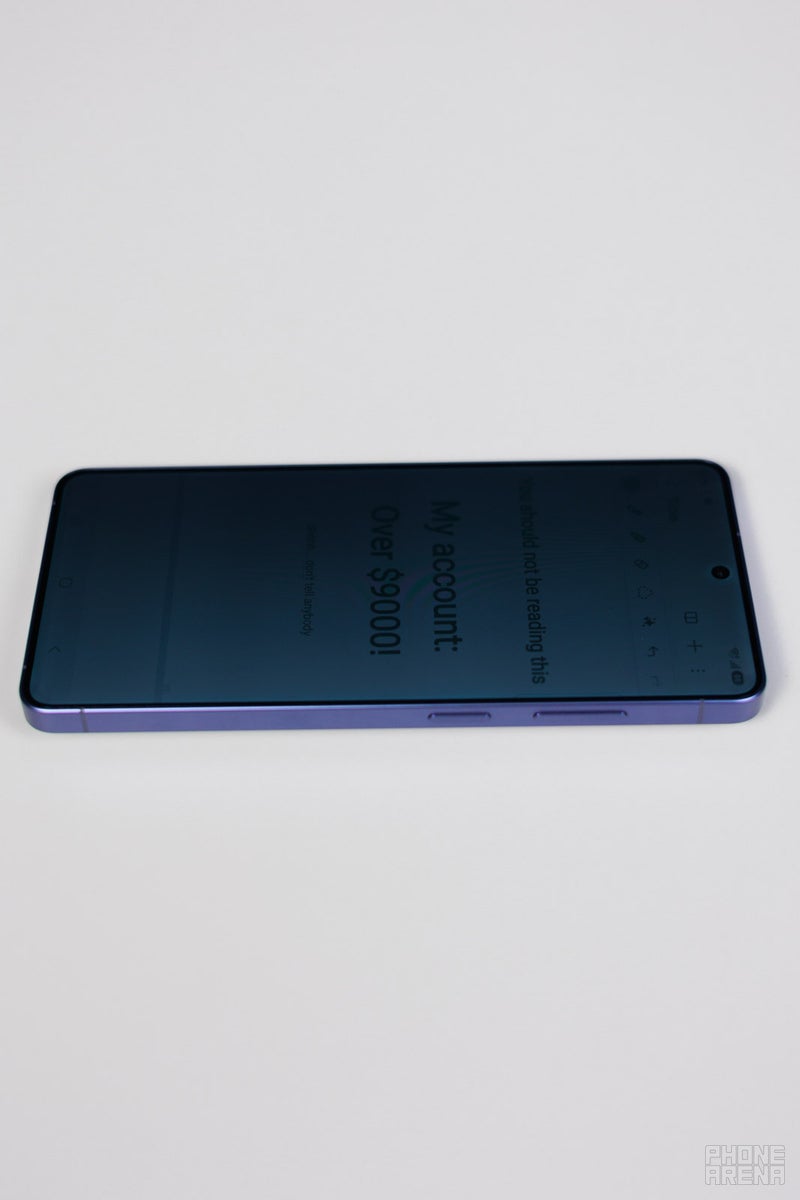
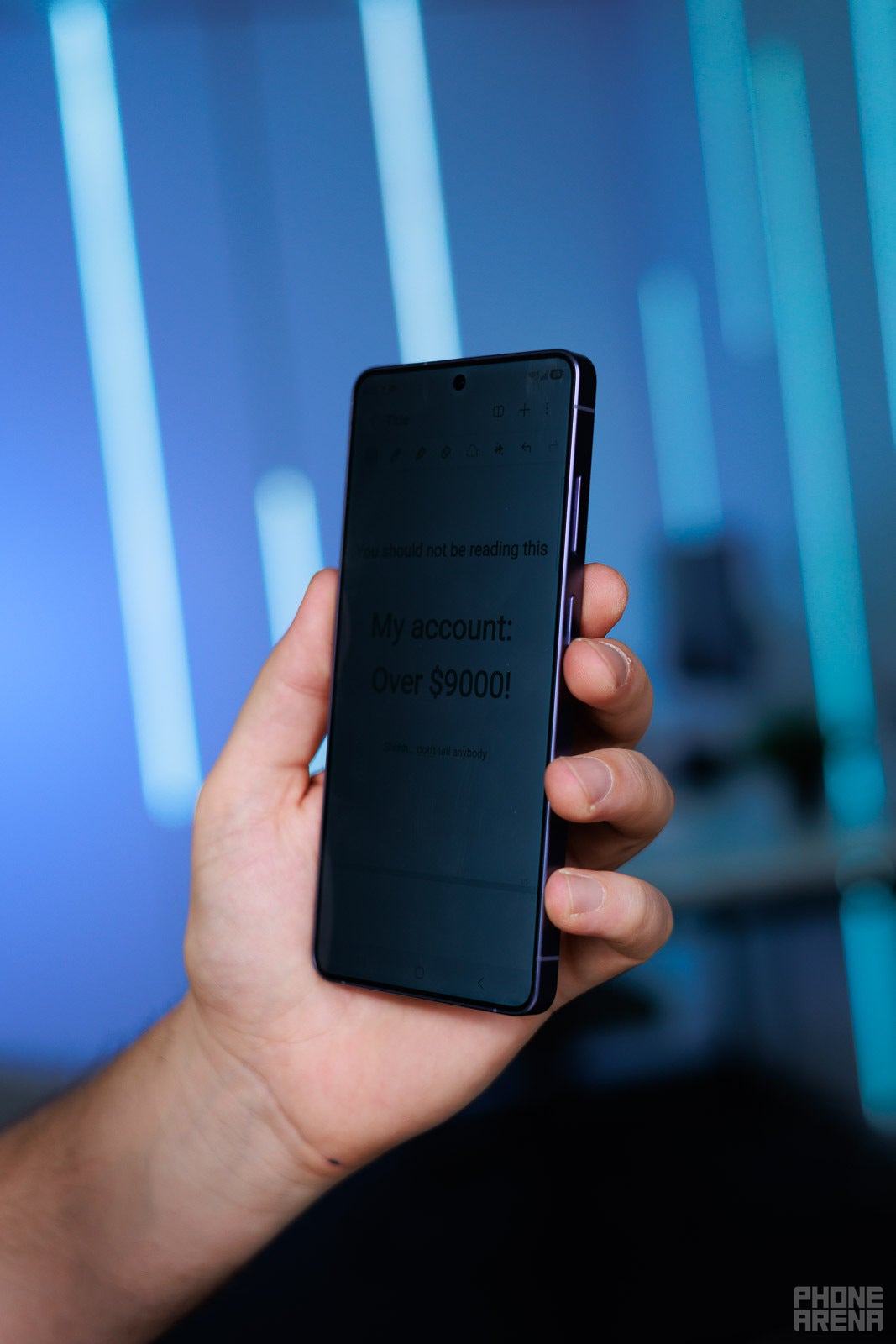
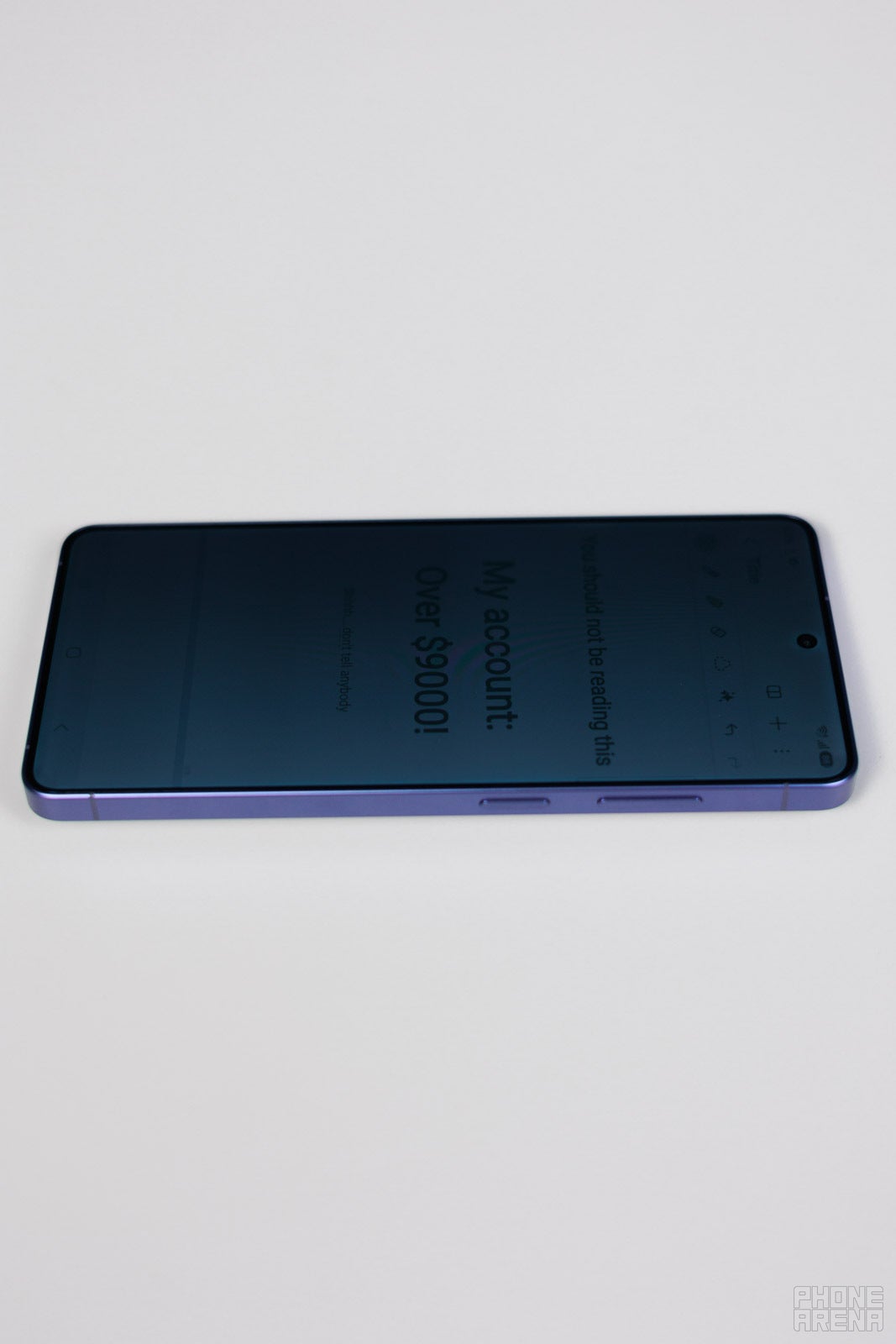
Please don't look at my banking details | Image by PhoneArena
First of all, forget about using it without the “Maximum” mode toggled on. Samsung gave us two levels of Privacy Display. The normal one doesn't mess up your colors and contrast, but it's also not great at limiting viewing angles.
Turning “Maximum” on is a huge improvement in the privacy aspect, but it does degrade screen image. Assuming that you want to use it when viewing banking details or sensitive emails or texts, I think it’s fair to say that you don’t care about crisp colors in that moment of time.
Alternatively, if you want to scroll through Instagram with regular Privacy Display, but want Maximum to engage for your banking app — make a Samsung Routine for that instead of using the stock Privacy Display automation menu.
Here’s how to do that:
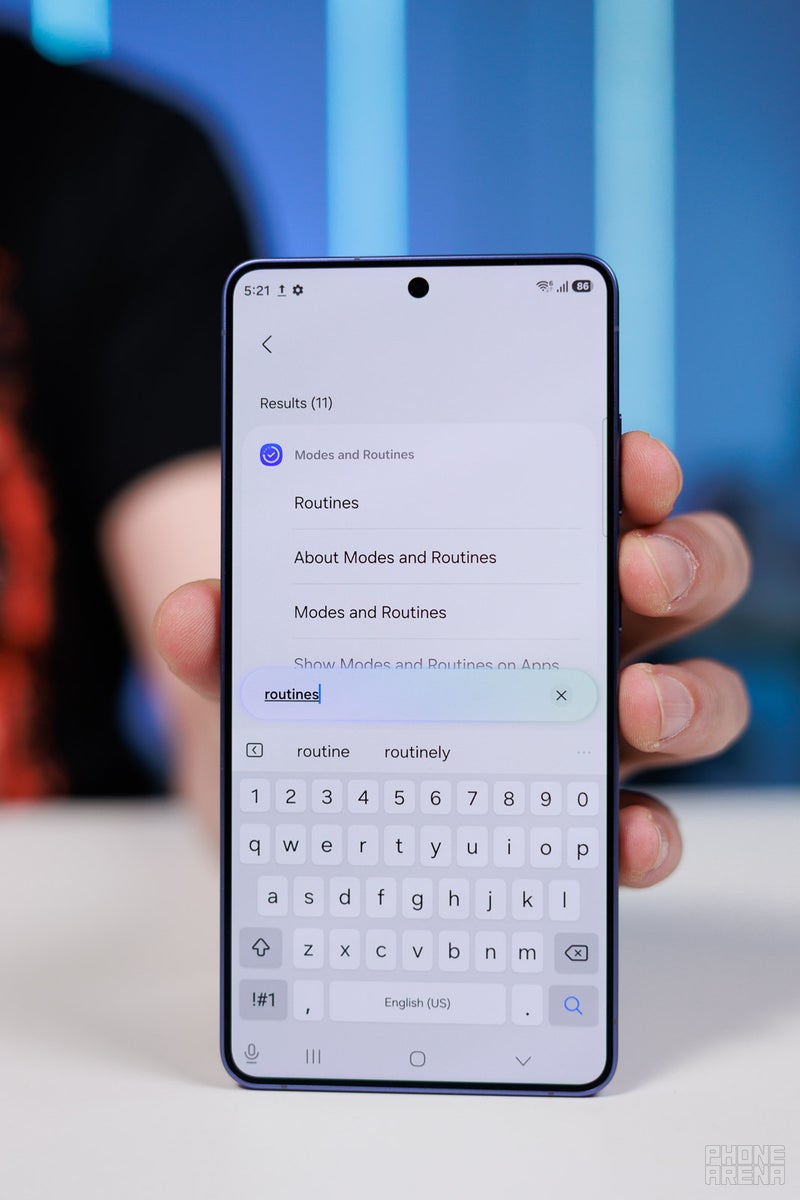
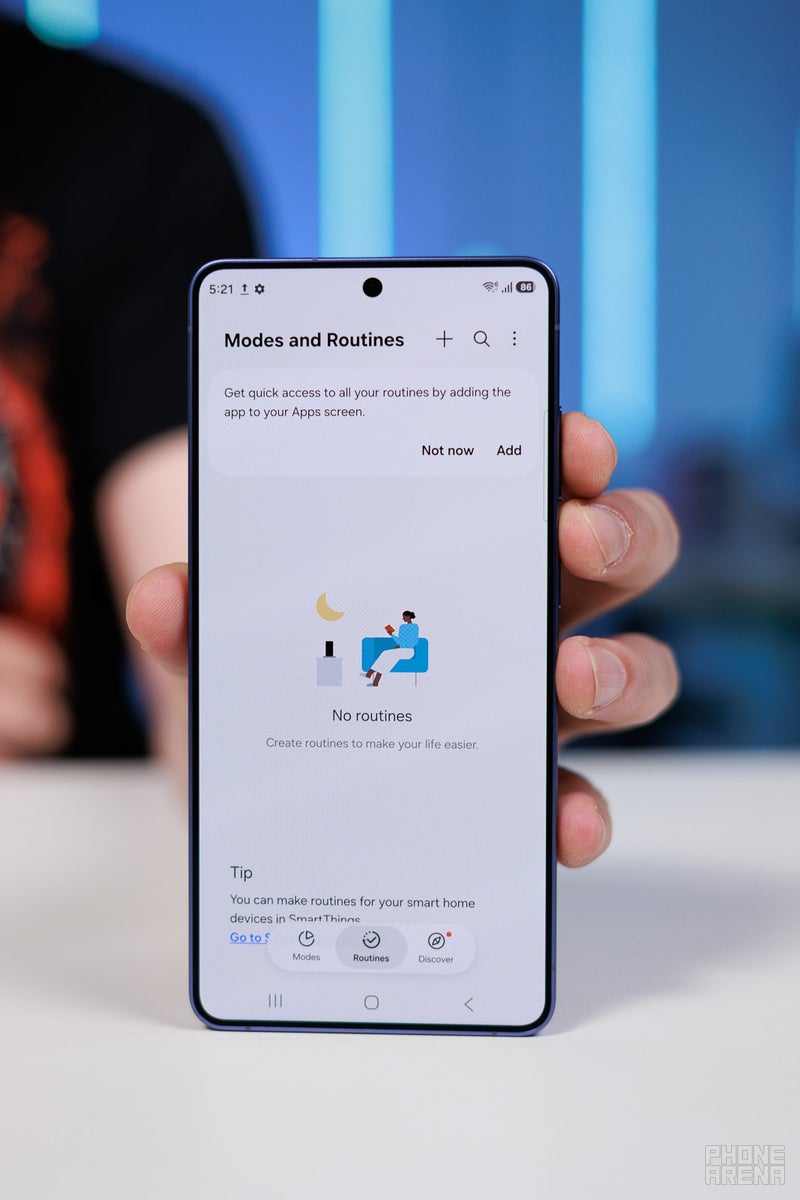
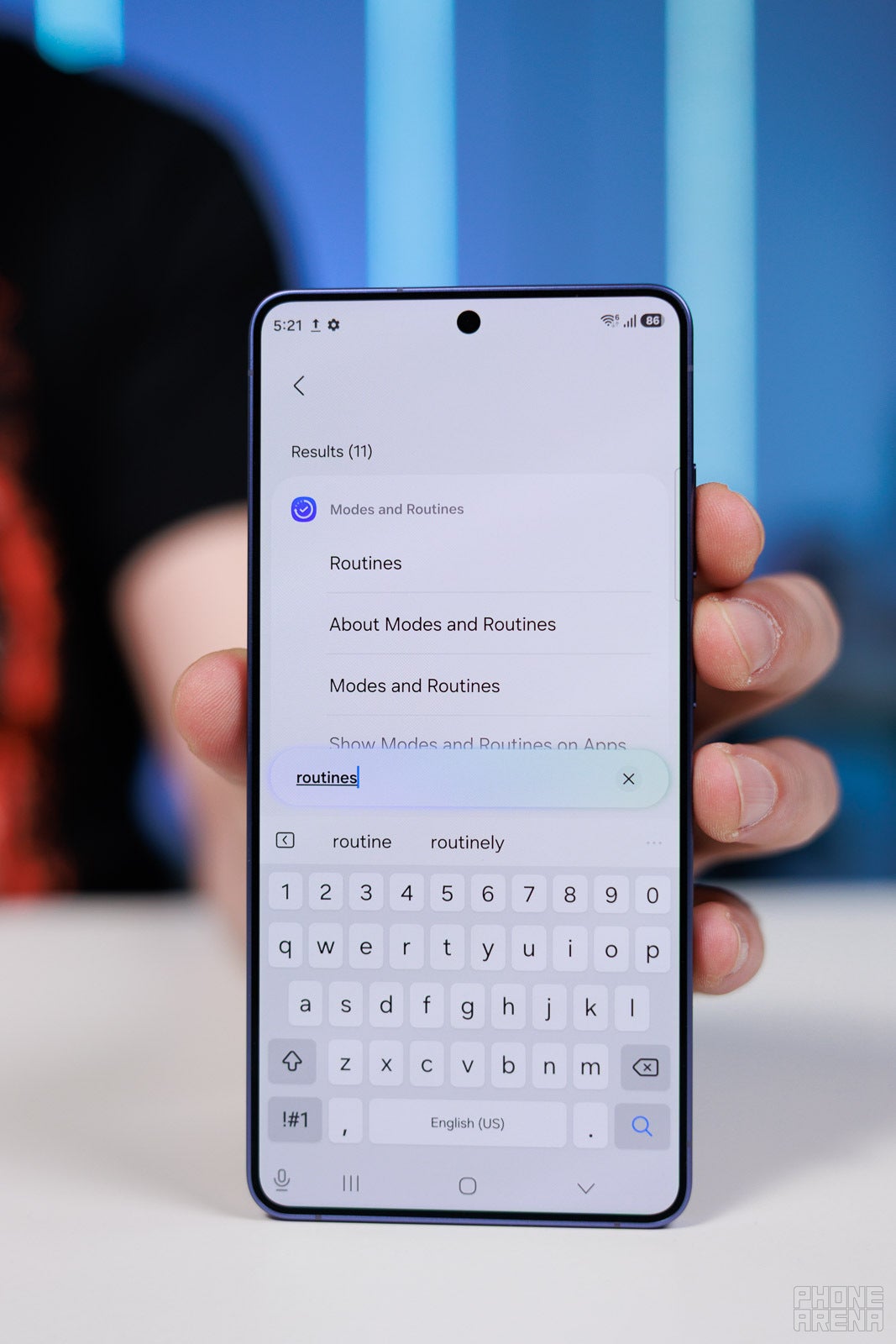
If you don’t have the Routines app in your drawer yet, go to Settings and look for Routines.
You can use this toggle to activate the Routines shortcut for future use.
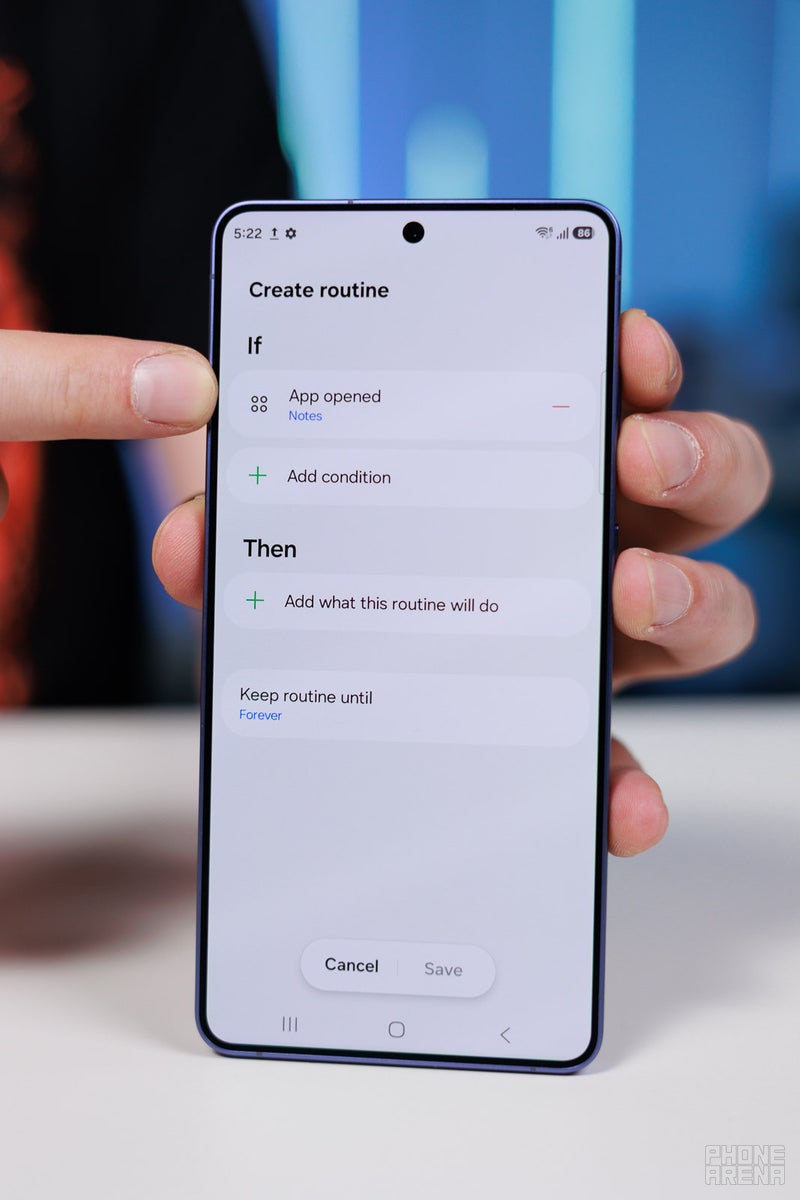
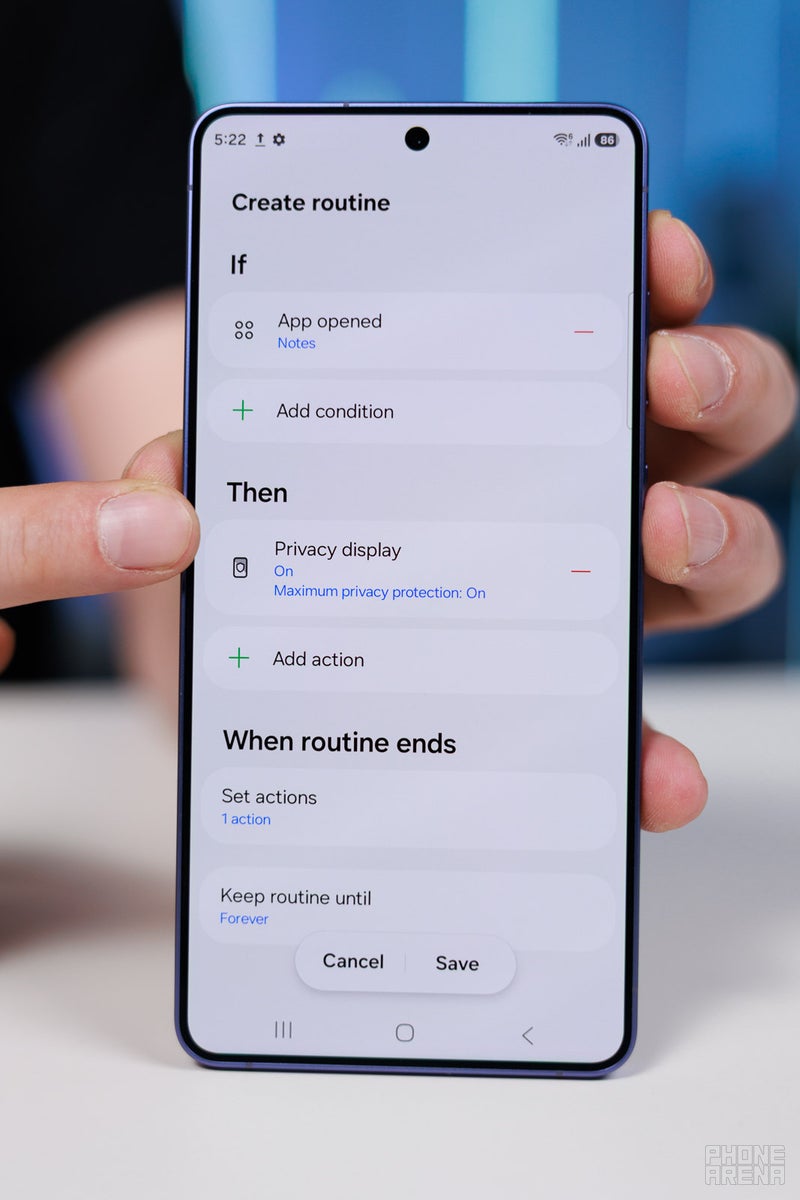
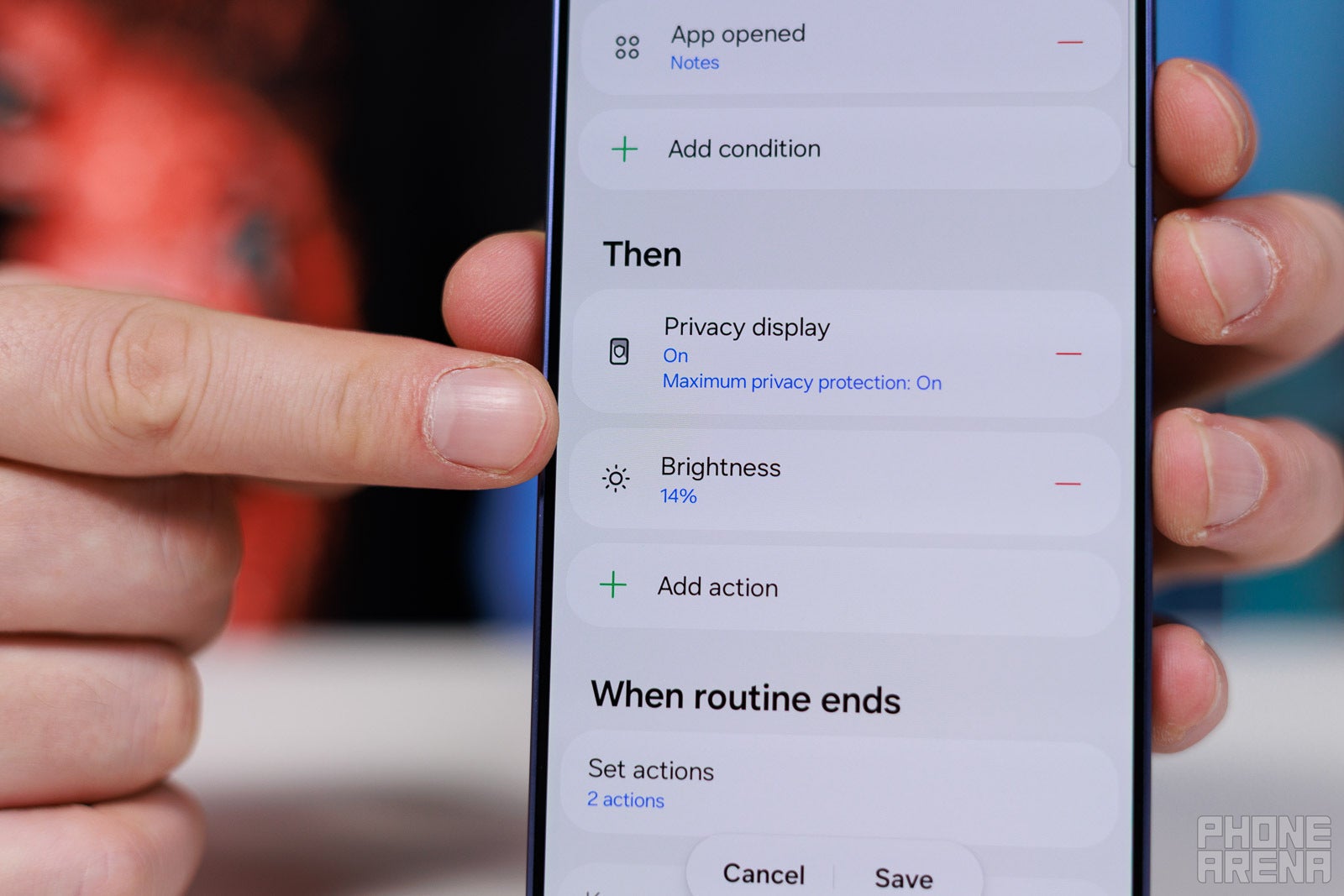
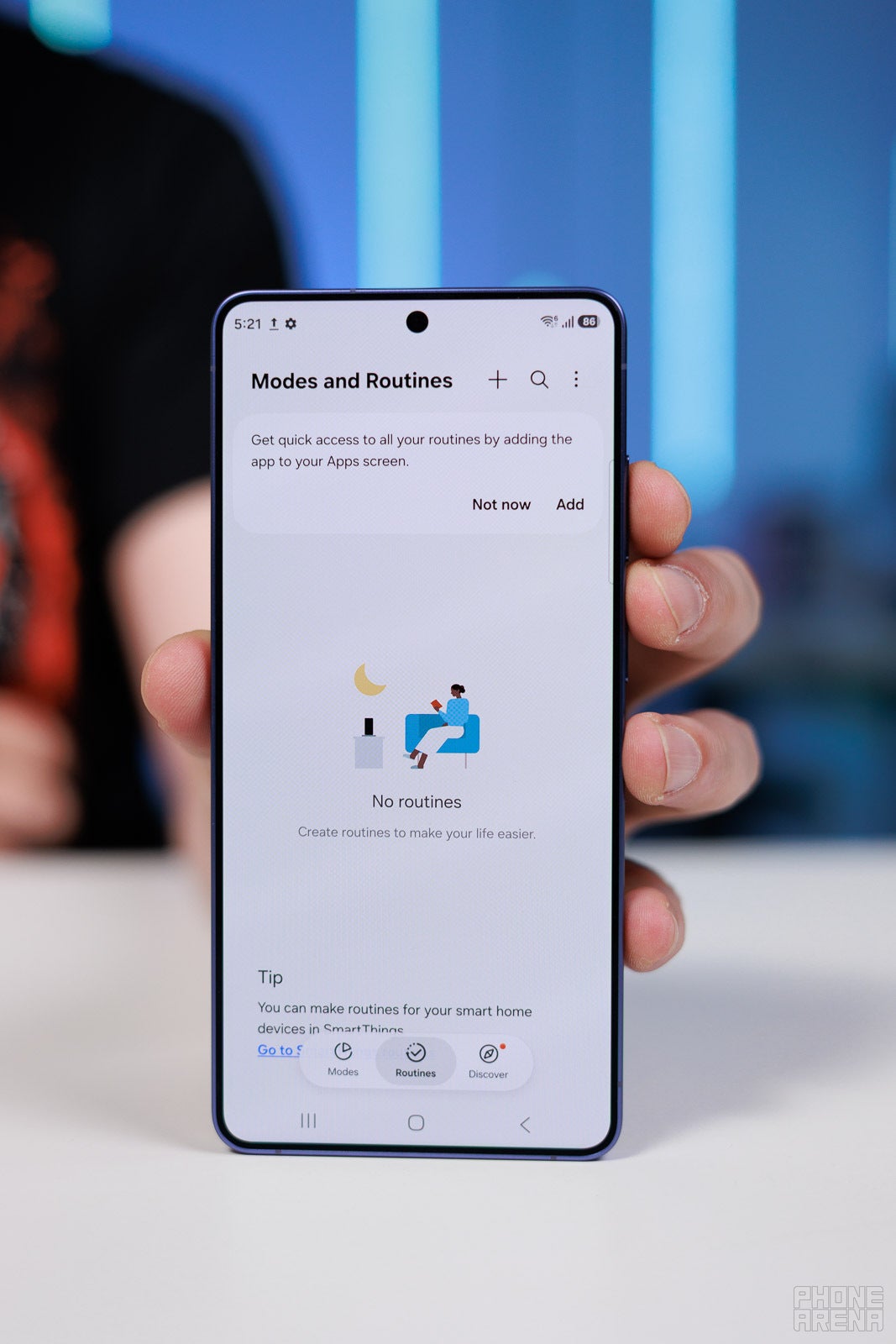
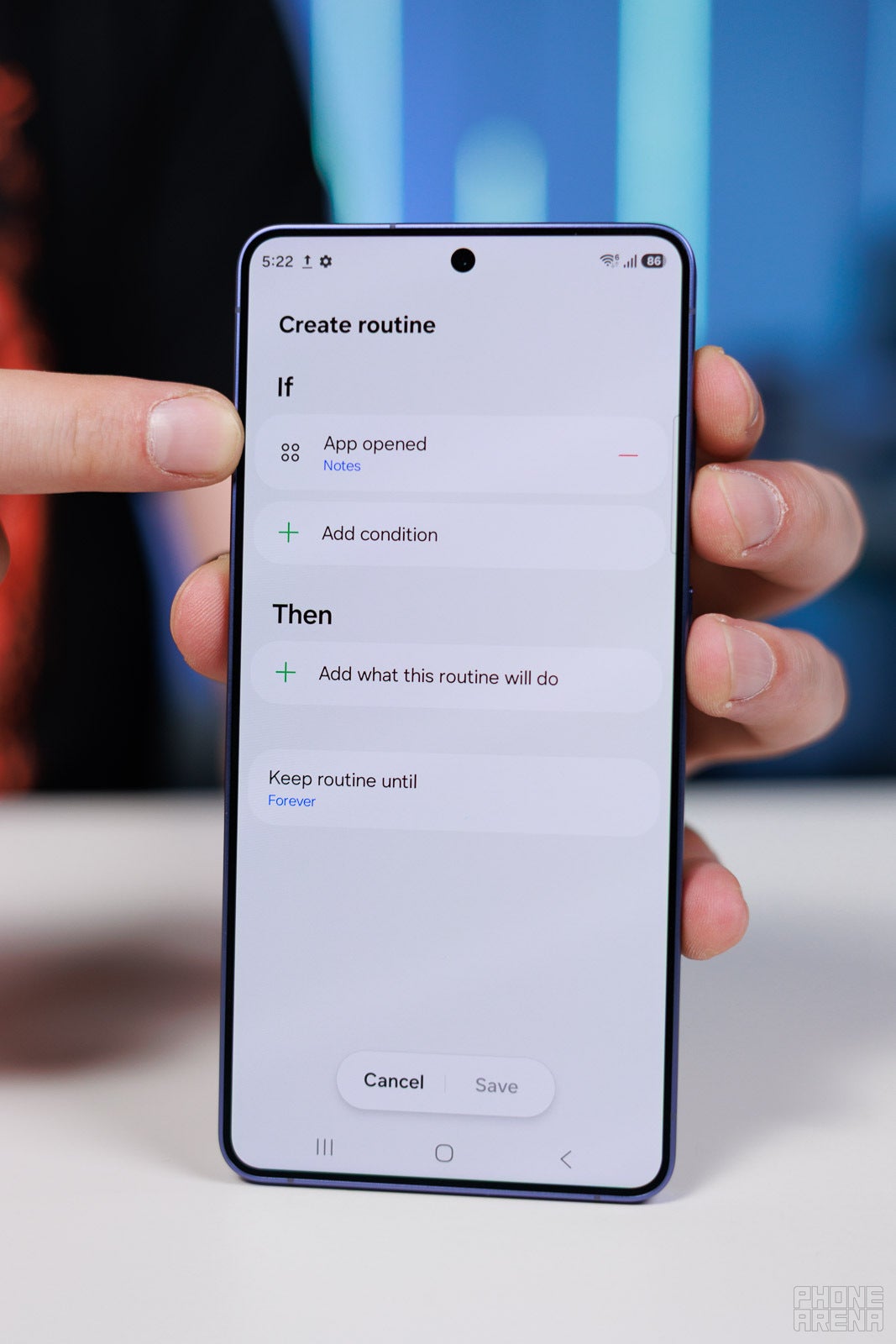
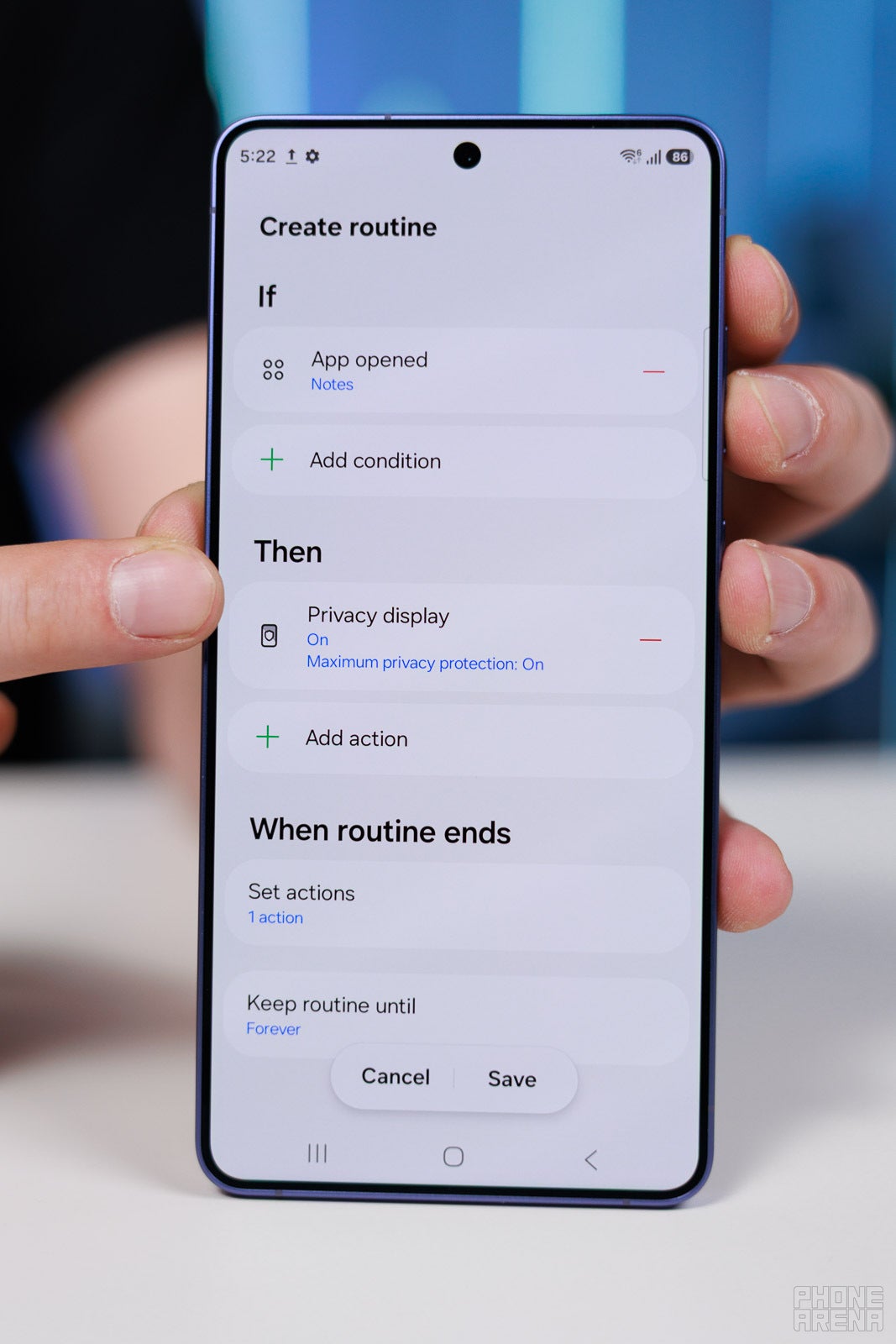
Go into +, choose “App is opened”, select your banking app. In the Then section, select “Privacy Display” from the list, and toggle the Maximum Privacy on.
Now, every time you open your banking app specifically, Privacy Display will turn on with Maximum on. It will switch off when you go back to home.
With a dimmer screen, there’s less light to bounce around and reach the eyes of an off-to-the-side viewer. Use that knowledge.
I opened my banking app with Maximum Privacy on, then set the brightness to as low as I can while still seeing the on-screen content. That severely limited any ability to see my info off from the side.
Cool, now let’s automate it!
Use ROutines to keep brightness low when accessing private apps | Image by PhoneArena
Go in the same Samsung Routine and add another “Then”, choose Screen Brightness, lower it to taste — about 5% or less should do.
Yes, it’s not ideal for outdoor viewing, not at all. But, indoors, I find it perfectly workable. Specifically because the Gorilla Armor 2 glass on the front also limits screen reflections by quite a lot. So, I can still make out what I need to make out, but nobody around me can.
Keep viewing angles in mind
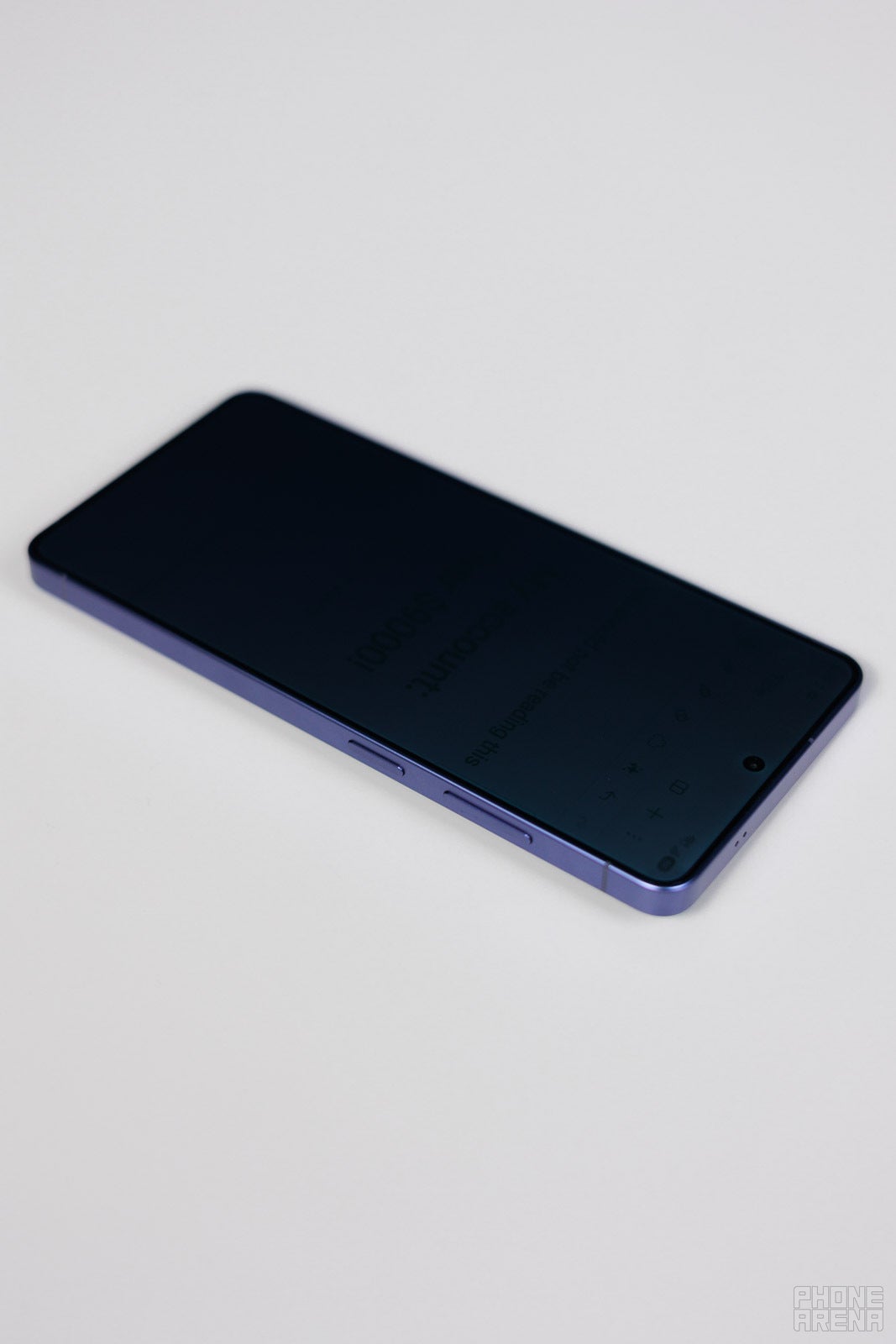
OK, so the Privacy Display is literally a grid of square walls that rise up to hide your pixels. As such, keep in mind that the more walls you put between the viewer and the pixels, the less they will see. Testing its effectiveness by just holding the phone parallel to your eyes and rotating it horizontally is not exactly representative.
It means that we put “one wall” between our eyes and the pixels, as our line of sight is basically perpendicular to the phone.
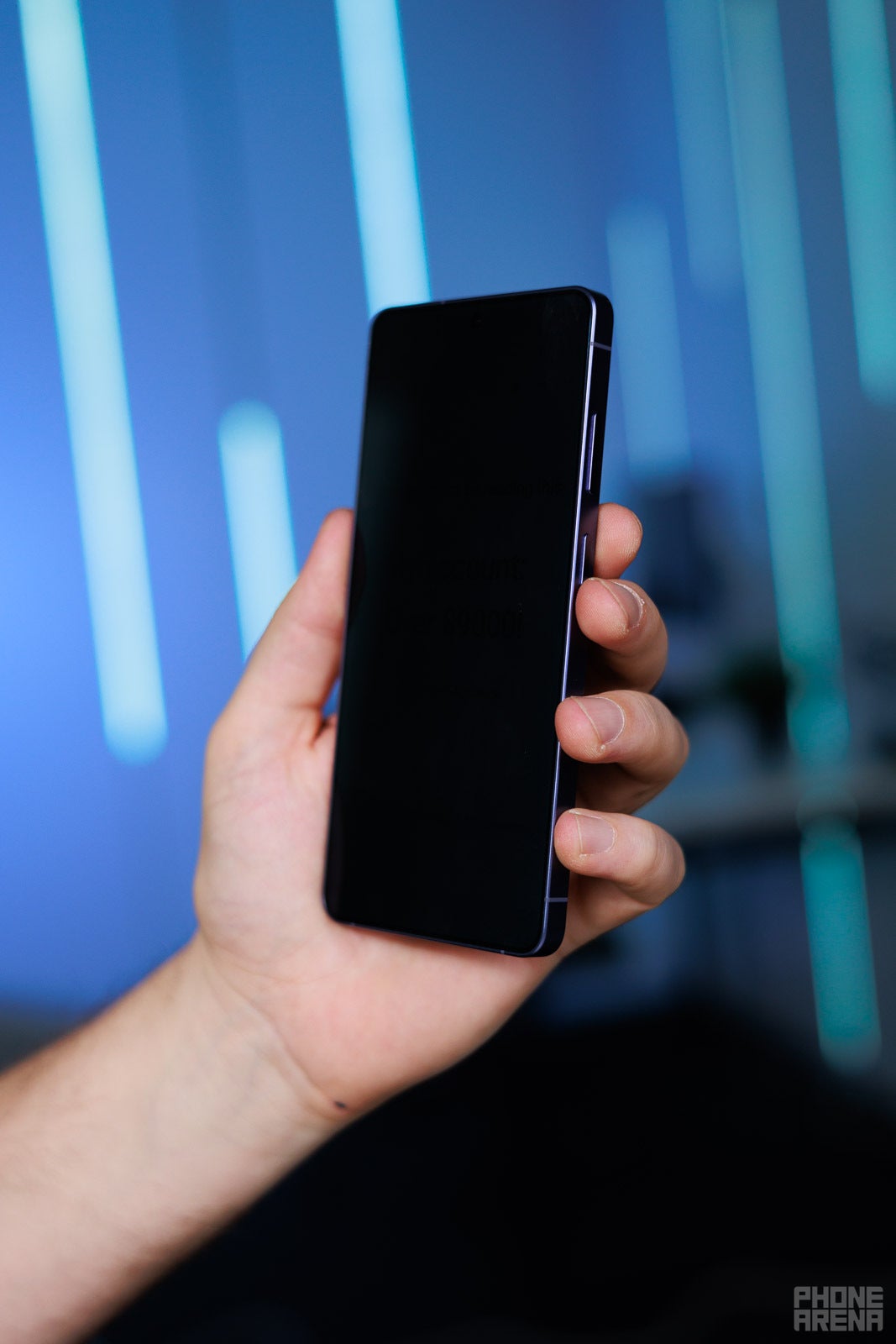
However, in real life, eyes come from different sides and angles. Most people will catch a glance of your screen from a diagonal. And diagonal viewing is blocked more effectively, because it hits more sides of the square walls, essentially trying to peer at the pixels from around the corner.
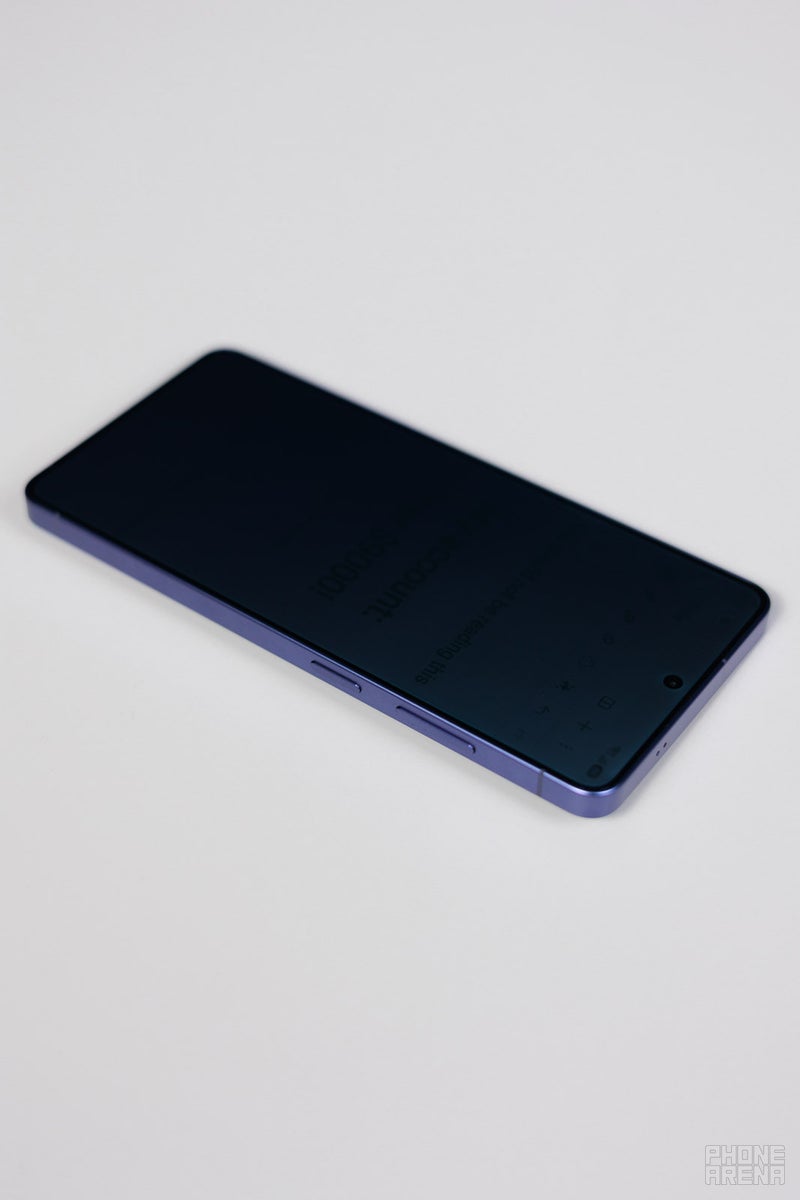
Keep it close to the chest | Image by PhoneArena
Being mindful of this knowledge — keep your phone closer and tilted more towards your chest, and it will ensure that people of the same height as you will not catch a glance of your sensitive info.
At the end of the day, it’s not a panacea
Privacy Display is still a very nice-to-have feature, but it’s not an instant deterrent for prying eyes. Just… continue to be mindful as you were before. You now have one extra safeguard, and that is cool for sure, but don’t go out in the world expecting that Privacy Display will magically code your screen content for your eyes only.
Get iPhone 18 Pro with Visible, get $480 off!
$719
/mo
$1199
$480 off (40%)
On the Visible+ Pro plan, you get access to 5G Ultra Wideband data on Verizon's fastest network. Along with unlimited roaming across Mexico and Canada, 2 days of Global Pass per month, 3x hotspot speeds, 4K streaming, and Smartwatch service.
Preslav, a member of the PhoneArena team since 2014, is a mobile technology enthusiast with a penchant for integrating tech into his hobbies and work. Whether it's writing articles on an iPad Pro, recording band rehearsals with multiple phones, or exploring the potential of mobile gaming through services like GeForce Now and Steam Link, Preslav's approach is hands-on and innovative. His balanced perspective allows him to appreciate both Android and iOS ecosystems, focusing on performance, camera quality, and user experience over brand loyalty.
A discussion is a place, where people can voice their opinion, no matter if it
is positive, neutral or negative. However, when posting, one must stay true to the topic, and not just share some
random thoughts, which are not directly related to the matter.
Things that are NOT allowed:
Off-topic talk - you must stick to the subject of discussion
Offensive, hate speech - if you want to say something, say it politely
Spam/Advertisements - these posts are deleted
Multiple accounts - one person can have only one account
Impersonations and offensive nicknames - these accounts get banned
To help keep our community safe and free from spam, we apply temporary limits to newly created accounts:
New accounts created within the last 24 hours may experience restrictions on how frequently they can
post or comment.
These limits are in place as a precaution and will automatically lift.
Moderation is done by humans. We try to be as objective as possible and moderate with zero bias. If you think a
post should be moderated - please, report it.
Have a question about the rules or why you have been moderated/limited/banned? Please,
contact us.









Things that are NOT allowed:
To help keep our community safe and free from spam, we apply temporary limits to newly created accounts: