
Google app for iOS finally gets incognito mode

Shortly after adding a new download feature to its Chrome for Android application, Google announced that its main app for iOS devices has been updated as well.
Google for iOS now includes a brand new incognito mode, which was probably one of the most requested features. There are three new functionalities in the latest Google app for iOS, so aside from the incognito mode, the developers also added the option to watch YouTube videos in Search, as well as loads of improvements for the search function.
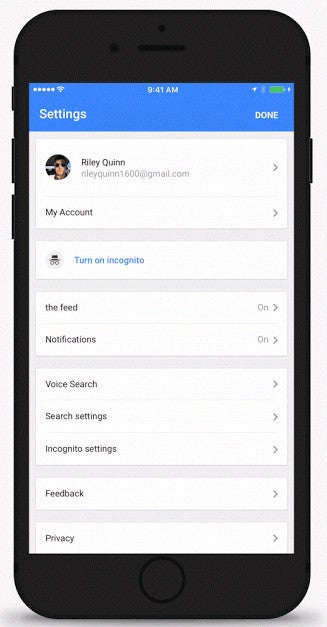
Furthermore, Google users on the iOS platform will be able to watch YouTube video directly from Search, thus removing all other extra steps. There will be no new web pages to visit and much less load time.
It's worth noting that if you don't see the incognito mode in the setting menu right after you update to the latest version of the Google app, you should wait a bit since it takes a while until it syncs with Google's servers.
source: Google

Popular stories



Latest News
Things that are NOT allowed:
To help keep our community safe and free from spam, we apply temporary limits to newly created accounts: