Viture Beast review: Promising XR glasses in need of some fixes
Viture's Beast is an ambitious pair of wearable displays with some industry-leading features, but also some software issues that need to be sorted out.
Every product we review or recommend is thoroughly tested by our in-house experts in real-world conditions, following our
review methodology
and
ethics statement
to ensure honest, independent, and data-driven results.
The Viture Beast XR glasses are a solid option if you’re looking for a capable and innovative pair of wearable displays. As such, they are a great option if you want to elevate your gaming, video and productivity experiences, especially if you don’t have the room or setup to allow for a large desktop monitor.
The Beast comes in at $550 – it’s neither the cheapest, nor most expensive pair in its class. There are several great things they do better than their biggest competitor, Xreal, and also some things that clearly aren’t up to their rival’s standard.
Let’s jump straight to these key areas!
What’s great about the Viture Beast XR glasses
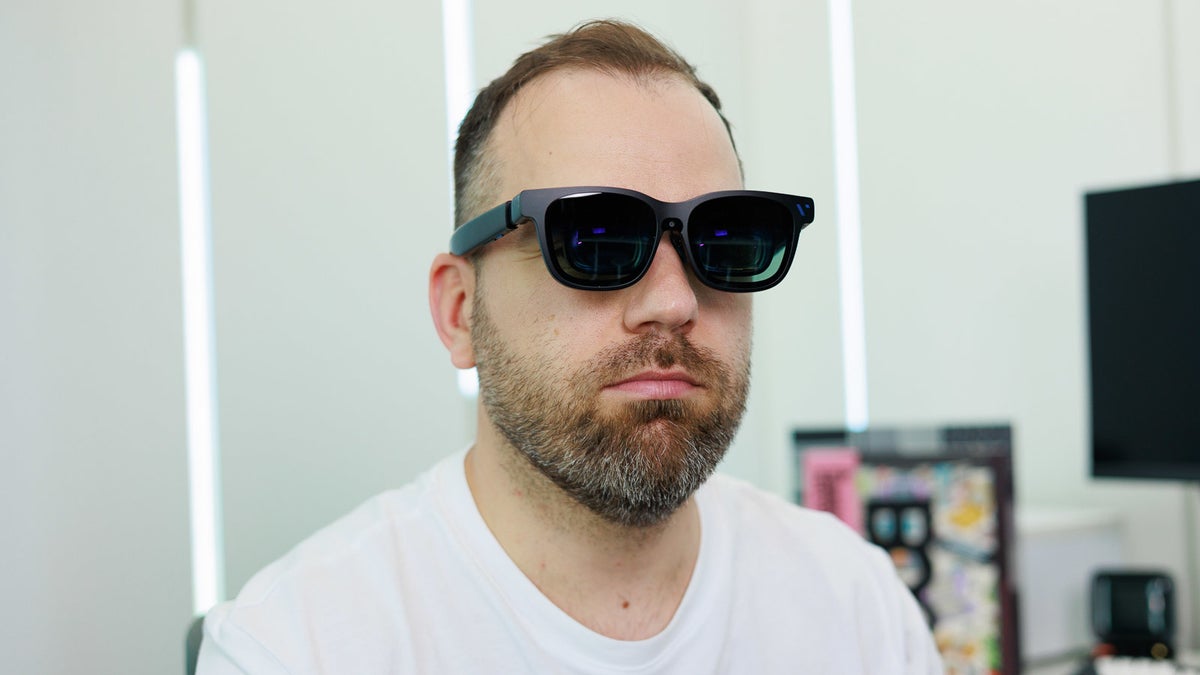
The Beast comes with industry-leading 58-degree FoV. | Image by PhoneArena
The one major benefit of the Viture Beast compared to glasses like the Xreal 1S or Xreal One Pro is the high brightness that can be maintained in anchored display mode. Xreal glasses support very high brightness, but as soon as you enter anchored mode, or use the follow stabilizer, they reduce brightness very substantially.
Not so with the Viture Beast! These babies let you crank brightness up to the max no matter what mode you’re in, which is a major, major upgrade of the entire XR experience. The other really cool innovation here is there are practically no reflections of your body when you have the glasses on. This definitely helps with immersiveness!
Yet another extra point for The Beast in the display department is the industry-leading FoV of 58 degrees, which is a bit more than Xreal's current top model, the Xreal Pro, with its 57 degrees and extra distortion along the edges.
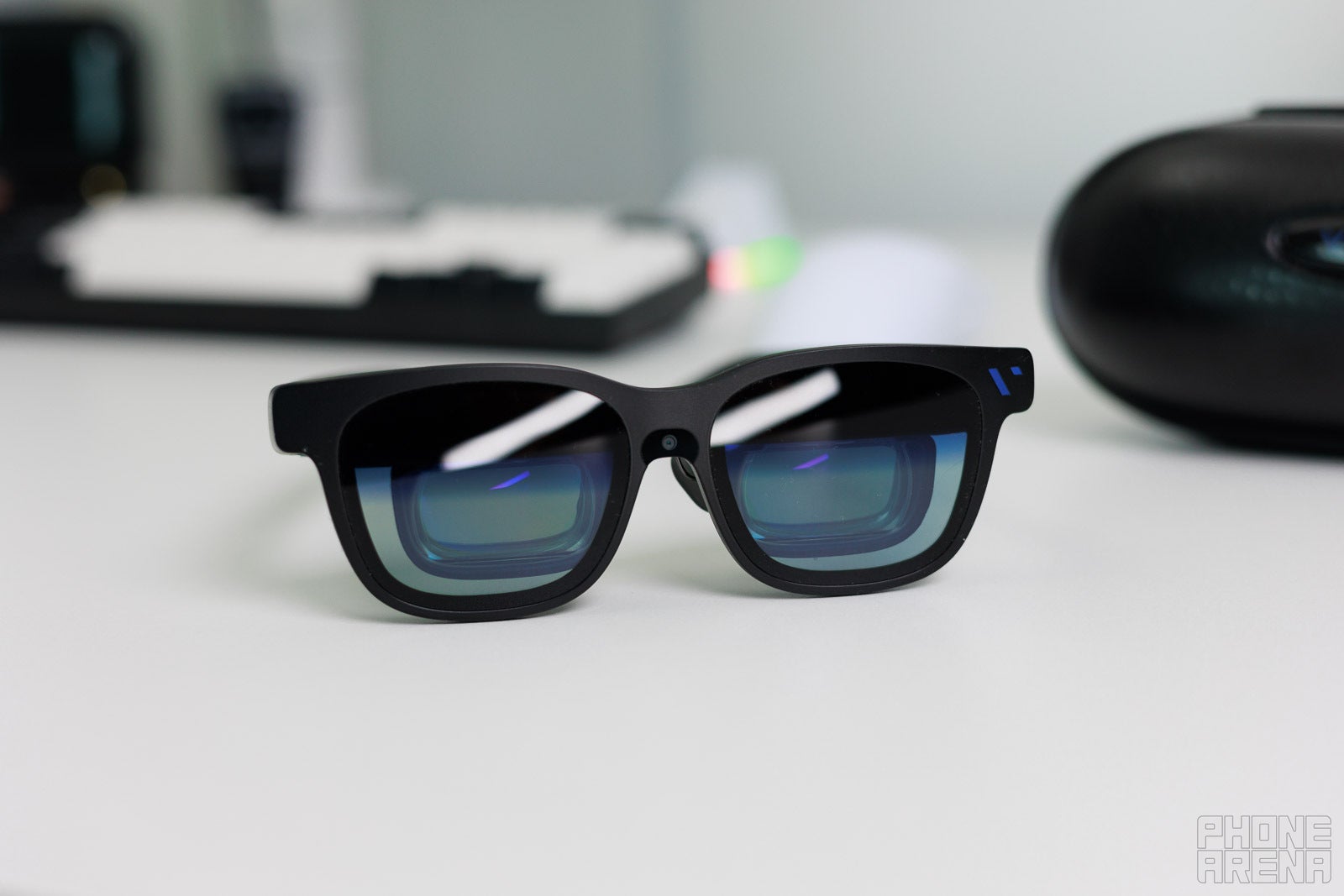
The Beast's design is cool, no two ways about it! | Image by PhoneArena
The other area where The Beast shines is audio quality – it tends to sounds a bit better clearer and louder than its Xreal competitors, which is very much appreciated, especially considering the fact that Bluetooth earbuds aren’t always an ideal solution, especially in gaming scenarios, where latency is very much noticeable.
The Viture Beast XR glasses come with a lot of customization options. You can easily resize your virtual display, switch between 1080p and 1200p, 60 Hz or 120 Hz, go into ultrawide mode, 3D mode or choose the exact position of the minimized side view display.
Recommended For You
The glasses even support Viture’s SpaceWalker app, which allows you to configure the virtual displays of your devices in a multitude of different ways to achieve maximum comfort and productivity. SpaceWalker isn’t the easiest piece of software to deal with, but once you get the hang of it, it can serve you well.
The not so great things about the Viture Beast XR glasses
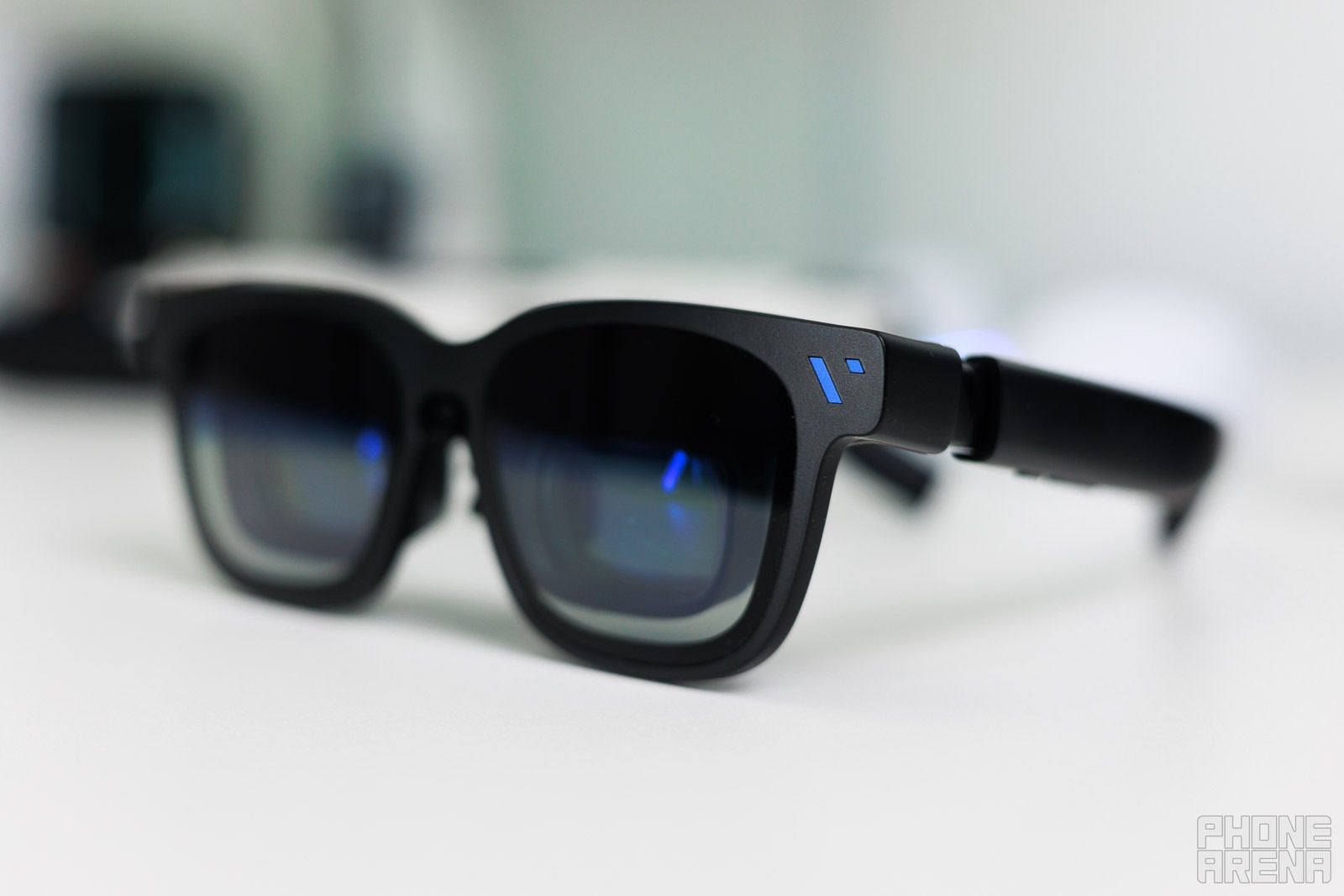
The Viture Beast has the typical XR glasses form-factor, and thus look a somewhat goofy from the side. | Images by PhoneArena
For all the potential and feature the Viture Beast glasses promise, there are a number of areas where more work needs to be done, especially at this $550 price point.
First of all, in anchored display mode, the screen has a tendency to drift away, so you often have to recenter it. I hope Viture is going to address this with an update, because it can ruin the anchored viewing experience, which is a big part of the XR promise here.
The glasses often “forget” their settings. There was a software update meant to fix that, and I did update the glasses all the way to the most current software version, but my settings kept being reset upon disconnecting the cable or changing display modes (normal, 3D, ultrawide).
The 120 Hz option proved to be particularly hard to keep enabled, as The Beast often reverted to 60 Hz, for some reason.
If you’re a fan of the balanced experience where you want the screen to follow you as you look around, but still stay relatively stable, I think Xreal’s stabilizer features works better than Viture’s smooth follow, because smooth follow has a constant floatiness to the display, which is somewhat distracting and unnecessary.
My final complaint is with the case of the Viture Beast. I applaud Viture for having a compartment to keep the cable – this, I think, is a must for an XR glasses case, but The Beast’s case is needlessly huge. Compared to Xreal’s cases or those of Rayneo, it is really, really big, which is strange, because the glasses’ dimensions are more or less the same across all of these models.
The case of the Viture Beast has a cable compartment (wohooo), but is unnecessarily large (boooo), compared to that of Xreal. | Images by PhoneArena
Should you get the Viture Beast XR glasses?
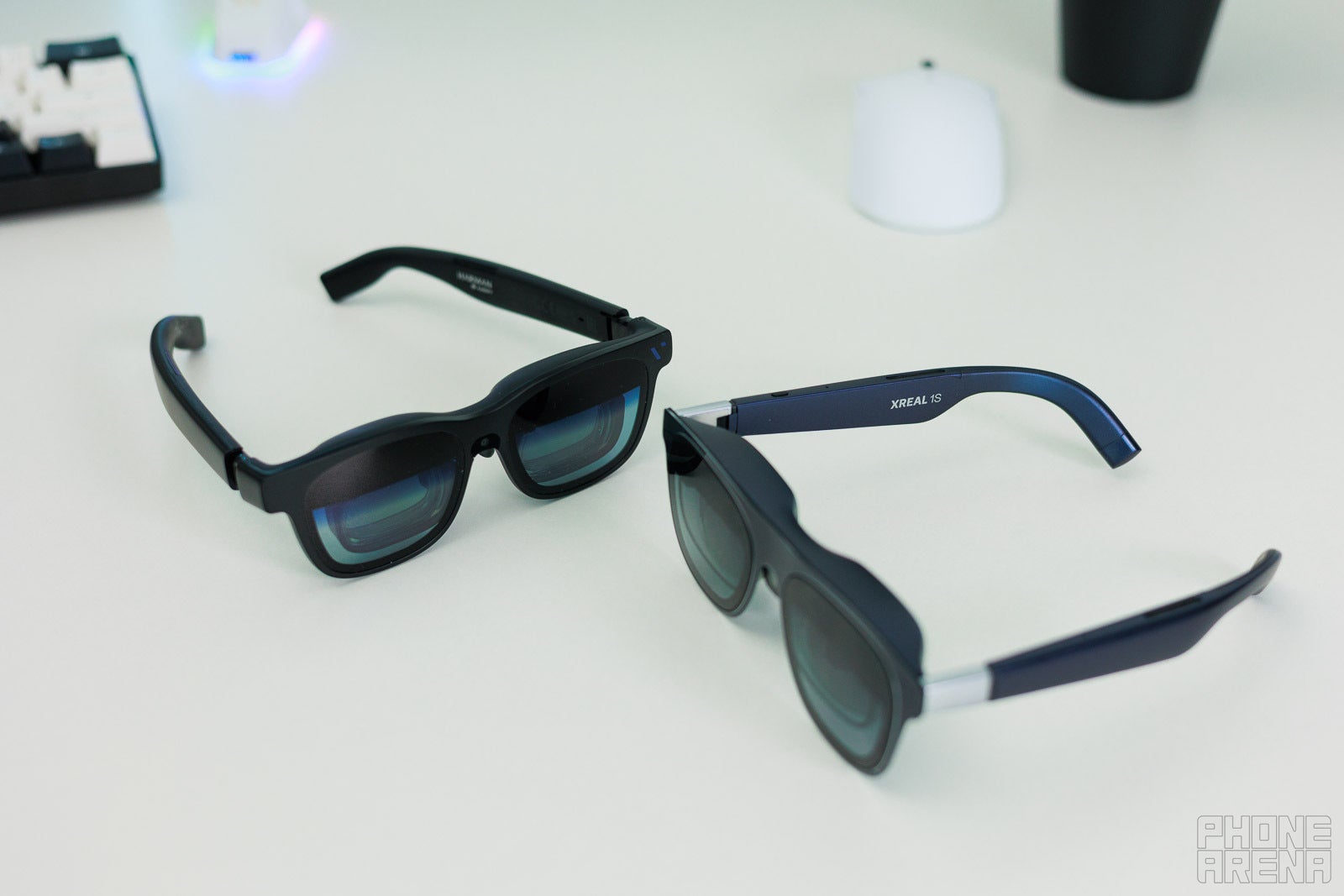
Viture Beast (left) vs Xreal 1S (right) - their dimensions are more or less the same. | Image by PhoneArena
Well, this is a tough one, not least because both Xreal and Rayneo are very solid alternatives.
There are some features that shine with The Beast, such as the high brightness output in anchored mode, or the impressive sound quality.
On the other hand, I find their software needs a bit of work to eliminate issues with lost settings and the drifting of the display in anchored mode. In my experience, these are the biggest issues to be sorted out with the Viture Beast right now.
But, Viture is definitely onto something here. Just look at their website – these guys know a thing or two about product branding and marketing!
From the cool name, through the polished presentation, to the awesome partnerships these guys are doing with some cool companies out there, like that with 8Bitdo for limited edition game controllers, the prospect of owning The Beast is definitely an enticing one. Now, if only Viture can fix those user experience issues fast enough!
Rad Slavov is the Editor-in-Chief at PhoneArena. He joined the media in 2008, right on the cusp of the modern smartphone revolution. Through time and perseverance, he amassed a great deal of knowledge and industry know-how, allowing him to guide and organize the company's growing line-up of talented content creators and ever-expanding content portfolio.
A discussion is a place, where people can voice their opinion, no matter if it
is positive, neutral or negative. However, when posting, one must stay true to the topic, and not just share some
random thoughts, which are not directly related to the matter.
Things that are NOT allowed:
Off-topic talk - you must stick to the subject of discussion
Offensive, hate speech - if you want to say something, say it politely
Spam/Advertisements - these posts are deleted
Multiple accounts - one person can have only one account
Impersonations and offensive nicknames - these accounts get banned
To help keep our community safe and free from spam, we apply temporary limits to newly created accounts:
New accounts created within the last 24 hours may experience restrictions on how frequently they can
post or comment.
These limits are in place as a precaution and will automatically lift.
Moderation is done by humans. We try to be as objective as possible and moderate with zero bias. If you think a
post should be moderated - please, report it.
Have a question about the rules or why you have been moderated/limited/banned? Please,
contact us.








Things that are NOT allowed:
To help keep our community safe and free from spam, we apply temporary limits to newly created accounts: