A TikTok of a Samsung flashlight melting through a trash bag has racked up over 13 million views, and the comments are exactly what you'd expect: panic, jokes about pocket fires, and a lot of people swearing off Samsung. The panic, however, is missing the point.
What the viral video actually shows
The clip from creator @neev.akavak shows a Galaxy S25 FE's flashlight burning a hole through a black plastic bag in seconds. It looks alarming, and it spread fast enough that several outlets decided to put it through a real test.
A real-world test was run using the Galaxy S26 Ultra, the iPhone 17 Pro Max, and the Pixel 10 Pro at maximum brightness inside a black trash bag. The Galaxy melted through fastest, but the iPhone burned a hole too. The Pixel took longer, however, it still did damage.
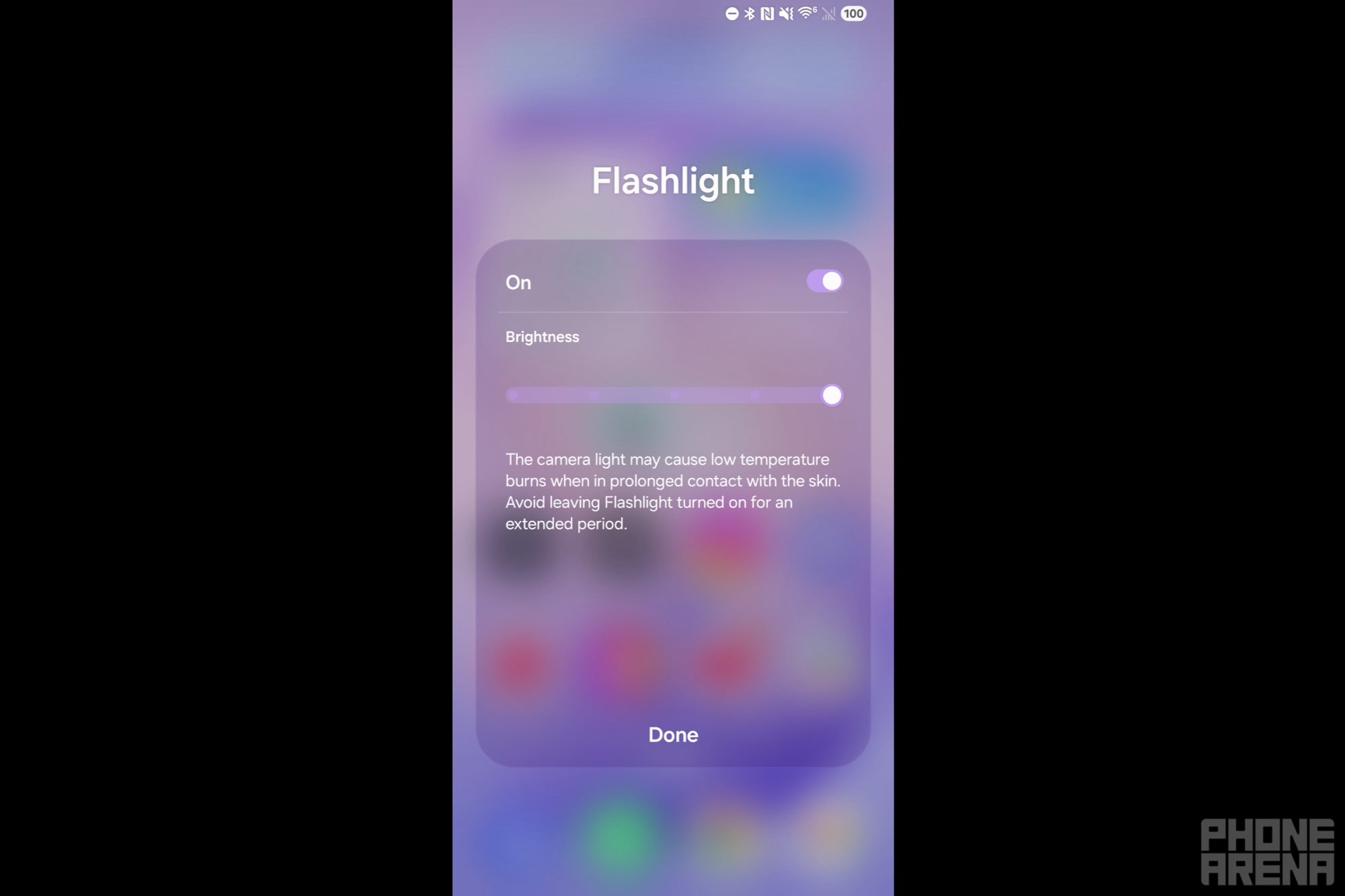
Samsung S26 Ultra's warning when the flashlight setting is at max. | Image by PhoneArena
Here's what the viral framing gets wrong: this is a flagship flashlight problem, not a Samsung defect. Modern phones use seriously powerful LED modules to support photography, and that brightness translates to real heat when concentrated in a small area.
Samsung already knows this, which is why its phones display a warning when you crank the flashlight to maximum. The white trash bags didn't melt in any of the tests because lighter colors reflect light instead of soaking it up as heat.
Recommended For You
What's your honest reaction to seeing a phone's flashlight melt plastic?
20 Votes
Unbothered, I never crank mine to max anyway
75%
Wait, that's why my pocket smelled weird that one time
5%
Genuinely shocked, I'm turning down the brightness today
5%
The viral panic is silly, but I'll disable my shortcut
15%
The Pixel 10 Pro situation was actually scarier
A month ago, we covered Pixel 10 Pro owners reporting burn marks on their flashlight lenses, with one user claiming a Pixel 10 Pro XL scorched a keyboard's palm rest. That's a $999 phone melting itself, which is a much bigger story than a TikTok stunt with a garbage bag.
The idea is the same, though. Flashlights on flagships are getting hot enough to cause damage when heat has nowhere to escape. A trash bag in a controlled test is one thing, however your phone face-down on a synthetic backpack with the light accidentally on is a real scenario.
What you should actually do about it
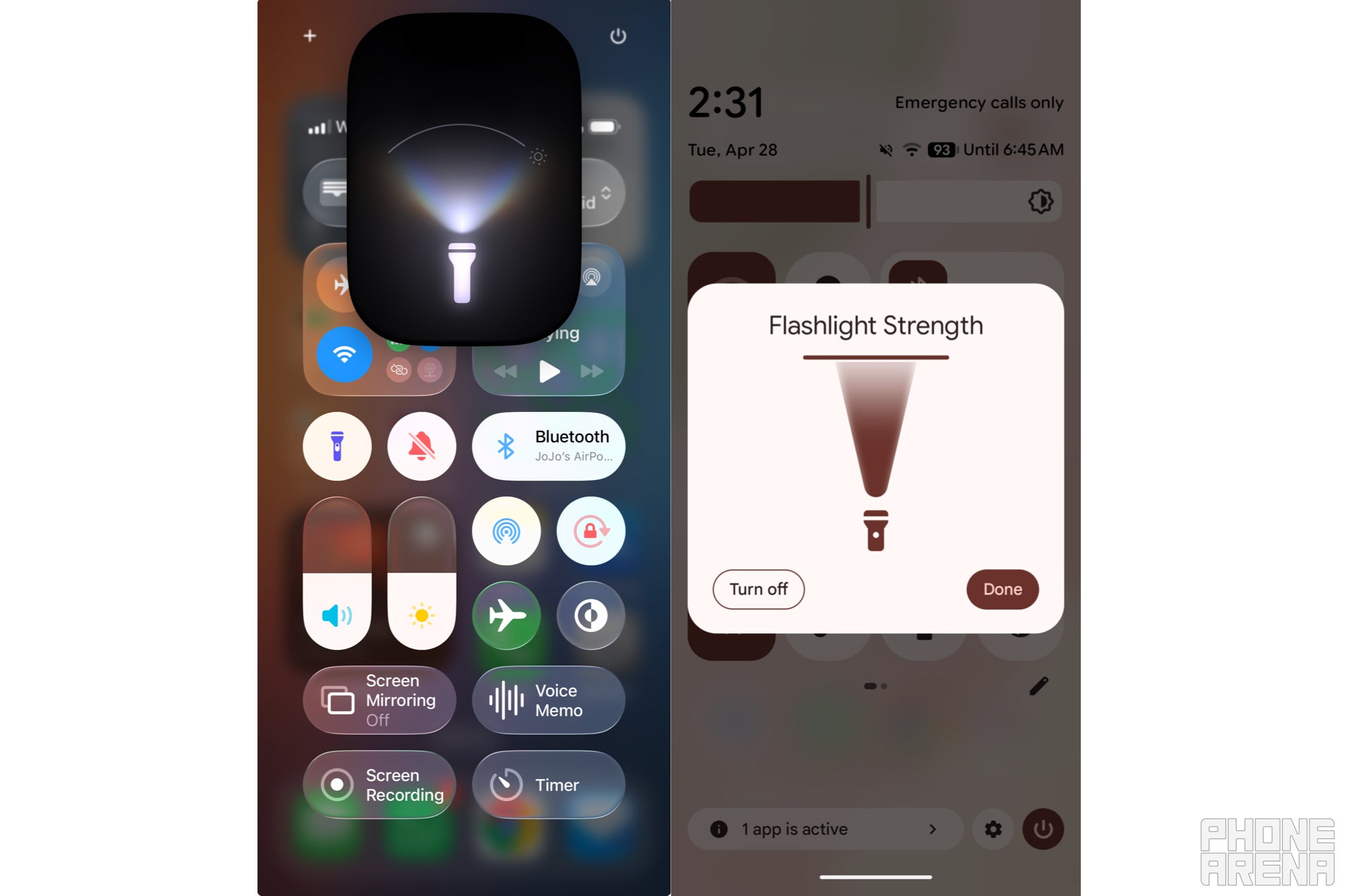
iOS 26 and Android 16 flashlight strength settings. | Image by PhoneArena
Forget the viral fearmongering. The genuine risk is accidental activation, especially with lock screen shortcuts that are easy to trigger when sliding a phone into a pocket.
Both iOS 26 and Android 16 let you adjust flashlight intensity by long-pressing the flashlight icon in Control Center or Quick Settings. Turning it down a notch reduces heat output and the chance of an accident you don't notice until you smell something. If you don't use the lock screen flashlight shortcut, disabling it is one of the smartest things you can do this week.
Free Galaxy A17 5G with Straight Talk
Get a free Galaxy A17 with Straight Talk. To claim this deal, you need to pair the phone with activation on a Silver Unlimited Plan or higher. This tier costs $45 per month. Offer valid through 01/10/27 while supplies last online.
Johanna Romero is a Senior News Writer at PhoneArena, covering mobile technology news across Android, iOS, wearables, and the Google ecosystem she knows best. Drawing on 15 years in IT and tech support from 2007 to 2022, she brings a user-friendly eye for the practical features and lesser-known tricks readers care about. Google named her an official #TeamPixel member in 2022, and she also reviews the latest devices on her YouTube channel, JoJo the Techie.
A discussion is a place, where people can voice their opinion, no matter if it
is positive, neutral or negative. However, when posting, one must stay true to the topic, and not just share some
random thoughts, which are not directly related to the matter.
Things that are NOT allowed:
Off-topic talk - you must stick to the subject of discussion
Offensive, hate speech - if you want to say something, say it politely
Spam/Advertisements - these posts are deleted
Multiple accounts - one person can have only one account
Impersonations and offensive nicknames - these accounts get banned
To help keep our community safe and free from spam, we apply temporary limits to newly created accounts:
New accounts created within the last 24 hours may experience restrictions on how frequently they can
post or comment.
These limits are in place as a precaution and will automatically lift.
Moderation is done by humans. We try to be as objective as possible and moderate with zero bias. If you think a
post should be moderated - please, report it.
Have a question about the rules or why you have been moderated/limited/banned? Please,
contact us.









Things that are NOT allowed:
To help keep our community safe and free from spam, we apply temporary limits to newly created accounts: