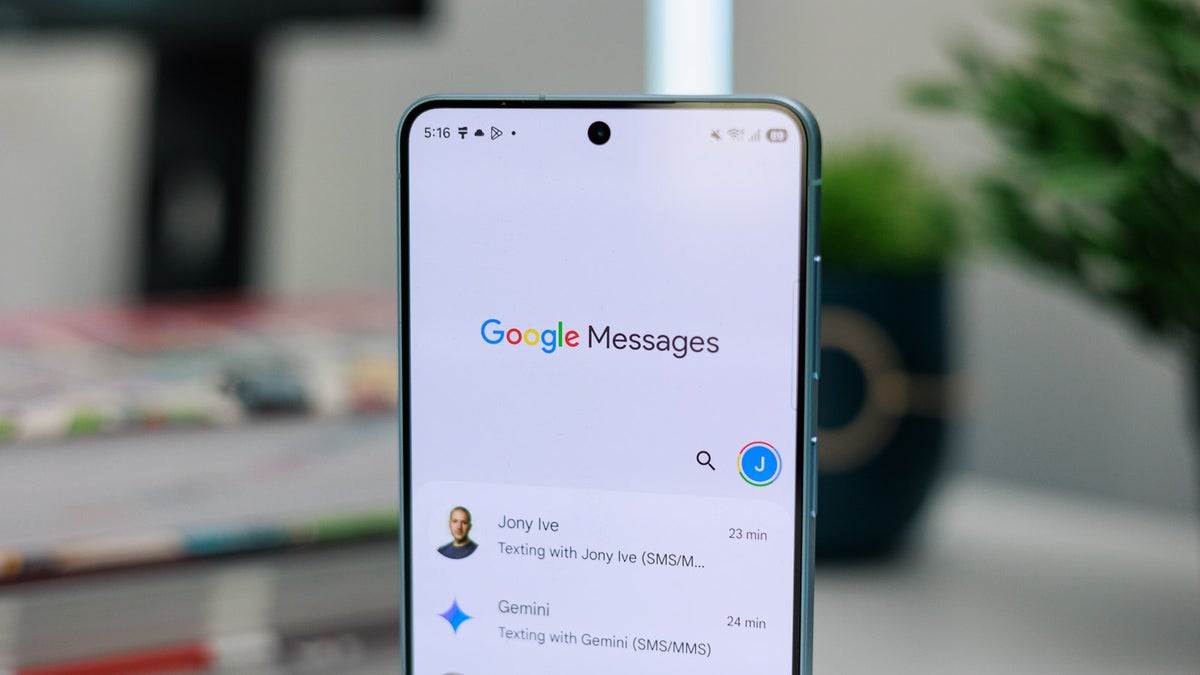
You'll often find me talking about new features that Google Messages is about to get. But this story isn't about any upcoming capability; it's about a bug that's randomly deleting conversations in Google Messages. Here's everything you need to know about it, including the affected devices and what you should do to keep your important messages safe.
Google Messages deleting text history automatically
There are a good number of online reports on both the Google support forum and Reddit suggesting that Google Messages is randomly deleting text messages. For some users, only a few messages have disappeared, while others report that their entire conversations have vanished.
A Reddit user posted that most of their messages across several different chats had disappeared. In some chats, months of chat logs had been automatically deleted. Another user mentioned that the conversations had disappeared permanently, as they weren't even available in the archive or trash folder.
It's mainly impacting Samsung devices
Almost all users who have encountered this problem report experiencing it on their Samsung Galaxy devices. The Samsung Galaxy S21, Galaxy A52, and Galaxy S23 are among the many models where this issue has been reported.
When you switch to the Google Messages app from any other option, the app re-indexes the database of all your conversations. This process can take up to a couple of days, depending on the size of the database. So, if you can't find a particular message or set of messages, there's a possibility that they might not have been indexed yet.
According to the expert, all messages in Samsung Messages that were hosted by your carrier, instead of Google's Jibe server, will also not appear in the Google Messages app. In addition to these two scenarios, the expert notes a known bug that prevents smartphones from fully processing message blocks. As a result, certain messages or entire conversations may not appear, even though they are stored in the device's memory.
If you had to ditch Google Messages today, which messaging app would you choose?
253 Votes
WhatsApp.
25.69%
Telegram.
6.32%
Signal.
20.16%
Textra SMS.
16.21%
I'm never leaving Google Messages.
31.62%
Things to try
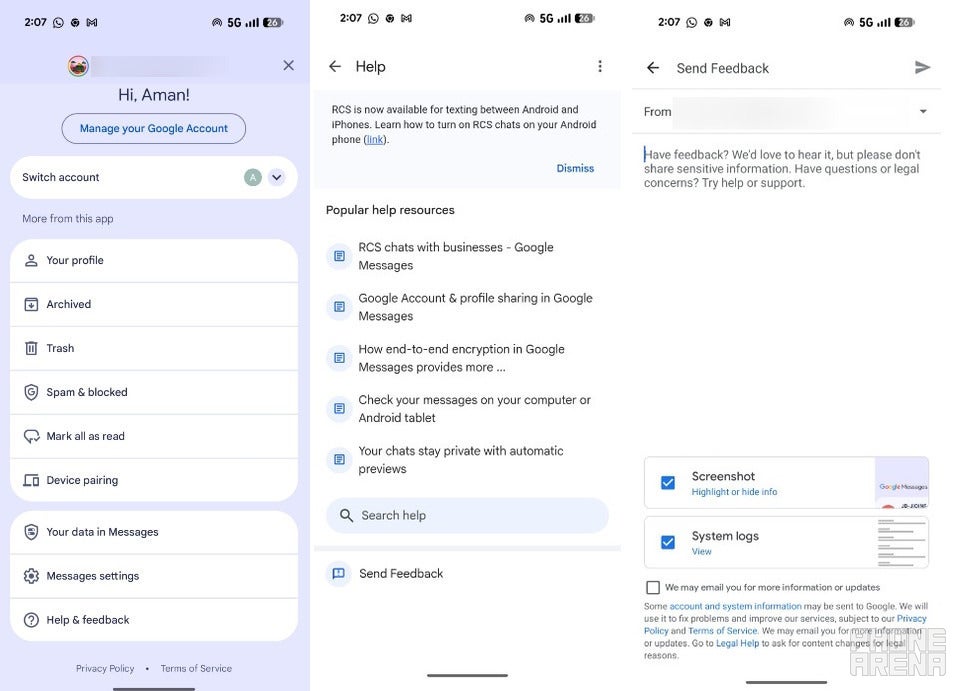
Google's Help & Feedback option. | Image by PhoneArena
There are a few things that you can try in this situation, with the first solution being to wait. As mentioned above, the syncing process of the database from Samsung Messages to Google Messages can take a couple of days, especially if you have a large conversation history. In this case, the best thing you can do is to wait for a couple of days after you have made the switch.
The entire syncing process might stop midway for some reason, which may eventually result in you never recovering your missing conversation. To restart the process, you can try the force sync trick. To do this, you need to first set Samsung Messages as the default messaging app and then restart your smartphone.
After that, you need to open the app and give it a couple of minutes to load all the conversations. Then, you need to set Google Messages as the default messaging app again, and this will automatically start the syncing process.
It might also be the case that the Google messaging app might have incorrectly categorized the message you are looking for as "Unknown." So, you can also consider checking the Unknown folder in the app to see if you can find your messages there.
A Reddit user shared a solution that worked for them. They first backed up all their messages using the SMS Backup and Restore app. After that, they switched to Google Messages and found that all messages were already present there.
You can also consider installing another SMS app like Textra and see if the missing messages appear on it. If yes, it confirms that those SMS messages are still stored on your device. You can then try reinstalling the Google Messages app or clearing its cache data to see if it helps.
If none of the solutions turn out to be helpful (which appears to be the case according to the comments), you can send your feedback to the Google support team. To do this, you need to open the Google Messages app, tap your profile icon, and choose Help & feedback. Choose the Send feedback option at the bottom of the page, and then in the following window, describe your problem and hit the Send button.
This isn't the first time the problem has occurred
The surprising part is that this isn't the first time we've heard about messages disappearing from Google Messages. According to a post on the Google support forum, a similar incident happened in 2019 as well. The post has over 1,000 upvotes, suggesting it was definitely a widespread issue at that time.
Nevertheless, the current situation seems limited to Samsung devices and is probably related to the syncing process between Google Messages and Samsung Messages. In fact, when I heard that the tech giant was discontinuing its messaging app, the main question that came to my mind was how the whole migration process would take place.
We're still waiting for any official solution from Google. As of now, the only thing that seems to work is to back up all your messages before making the switch and restore them after you have set Google Messages as the default messaging app on your Samsung Galaxy smartphone.
Six-month unlimited plan is now 57% off
$90
$210
$120 off (57%)
Mint Mobile is now allowing you to get whichever plan you like for either three, six, or 12 months for just $15/mo. If you go for the six-month unlimited service, for instance, you'll now have to pay just $90 upfront instead of $210.
Aman Kumar is a news writer at PhoneArena covering Google Pixel phones, Android features, AI-powered smartphone tools, and mobile tech news. Before joining PhoneArena, he spent over five years writing about consumer technology for publications like MakeUseOf, How-To Geek, and Guiding Tech. His current daily drivers are the Pixel 10 and Samsung Galaxy S26 Plus, while his red iPhone SE (2nd gen) remains a personal favorite. Aman also appreciates bold smartphone experiments and still considers the Nokia N-Gage one of the industry’s most iconic designs.
A discussion is a place, where people can voice their opinion, no matter if it
is positive, neutral or negative. However, when posting, one must stay true to the topic, and not just share some
random thoughts, which are not directly related to the matter.
Things that are NOT allowed:
Off-topic talk - you must stick to the subject of discussion
Offensive, hate speech - if you want to say something, say it politely
Spam/Advertisements - these posts are deleted
Multiple accounts - one person can have only one account
Impersonations and offensive nicknames - these accounts get banned
To help keep our community safe and free from spam, we apply temporary limits to newly created accounts:
New accounts created within the last 24 hours may experience restrictions on how frequently they can
post or comment.
These limits are in place as a precaution and will automatically lift.
Moderation is done by humans. We try to be as objective as possible and moderate with zero bias. If you think a
post should be moderated - please, report it.
Have a question about the rules or why you have been moderated/limited/banned? Please,
contact us.






Things that are NOT allowed:
To help keep our community safe and free from spam, we apply temporary limits to newly created accounts: