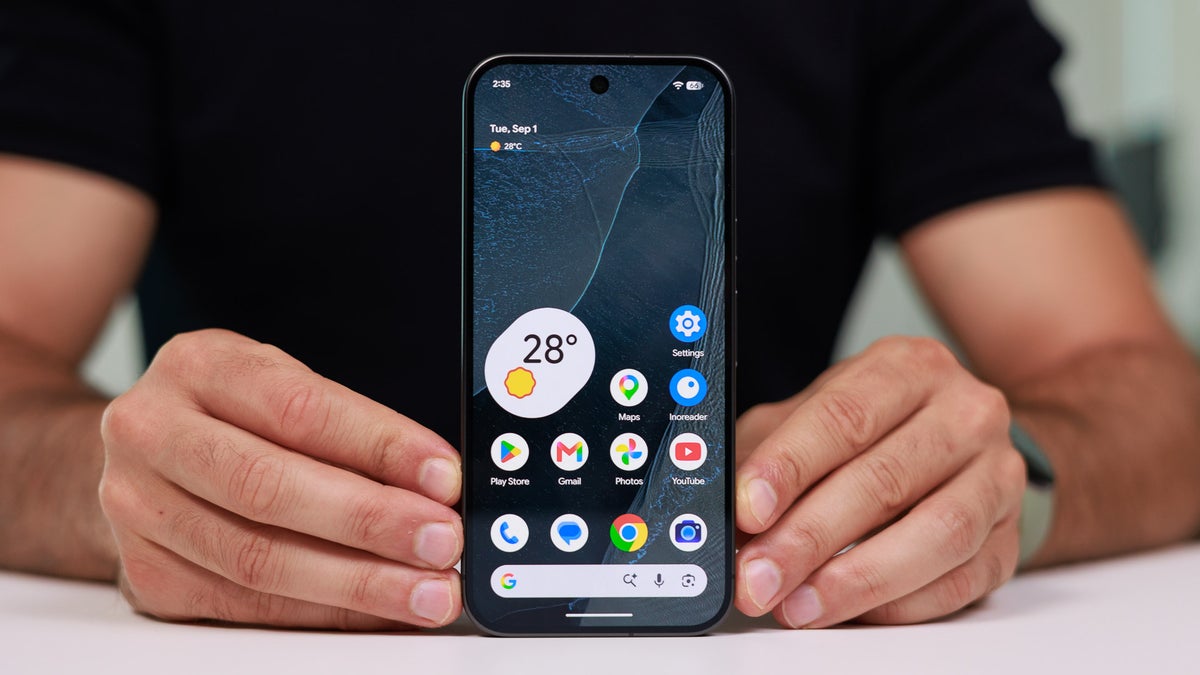
If you set aside the latest Tensor G6 processor and the HiLight feature in the Pixel 11 Pro phones, you will realize that the latest Google phones do not come with any other major hardware upgrades. However, the same is not true when it comes to software and visual changes. The Pixel 11 lineup comes with many new software-based capabilities, such as Rambler, Magic Capture, and more.
Some small but crucial visual changes can also be spotted in the latest Pixel phones, one of which is the new color-based icon for the My Pixel app. Interestingly, the new icon has been spotted on the Pixel 9 phones as well.
New icons for the My Pixel app
Before I get into the main story, it's important to understand the visual changes that the My Pixel app icon has received in the Google Pixel 11 lineup. Basically, the My Pixel app icon has the same look on all the older Pixel phones. It's the same blue color, with the only difference being that its icon resembles your phone model.
For instance, if you own a Pixel 10 Pro Fold, the icon will look like it, whereas if you own a Pixel 8, the My Pixel app icon on your phone will look just like it. However, in the latest Google phones, the color of the My Pixel app icon is also the same as that of your Pixel 11 model. For instance, if you own a Pixel 11 Pro in the Canyon shade, the app icon would also reflect the same color.
Recommended For You
Which Pixel 11 line capability do you really want to see land on older Pixel phones?
8 Votes
It could land on older Pixel phones as well
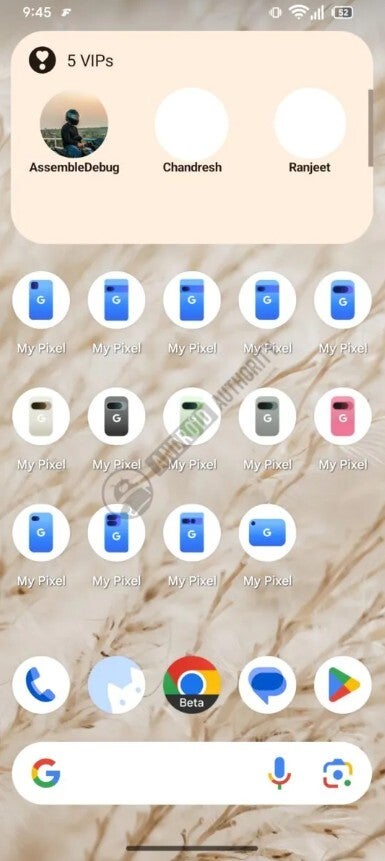
My Pixel new icons on Pixel 9. | Image by Android Authority
While going through version 8.9.1 of the My Pixel app on the Pixel 9, evidence has reportedly been spotted that suggests Google could bring the same Pixel 11 capability of the app having the same color as the model to the Pixel 9 phones as well. The surfaced image shows the app in new color shades, which include Hazel, Rose Quartz, Obsidian, and a few more. All these colors are associated with the Pixel 9 devices.
Interestingly, icons for not all the Pixel 9 models have reportedly been spotted. The Pixel 9a and the Pixel 9 Pro Fold are missing from the surfaced image. Furthermore, none of the Pixel 10 phones have been recognized.
However, that doesn't necessarily mean that these Pixel phones would not get the same treatment as the other Pixel 9 devices. Most likely, the upgrade is still in progress because I really don't see a reason for Google to exclude these phones from getting the My Pixel app that reflects the actual color of these phones.
A change for everyone
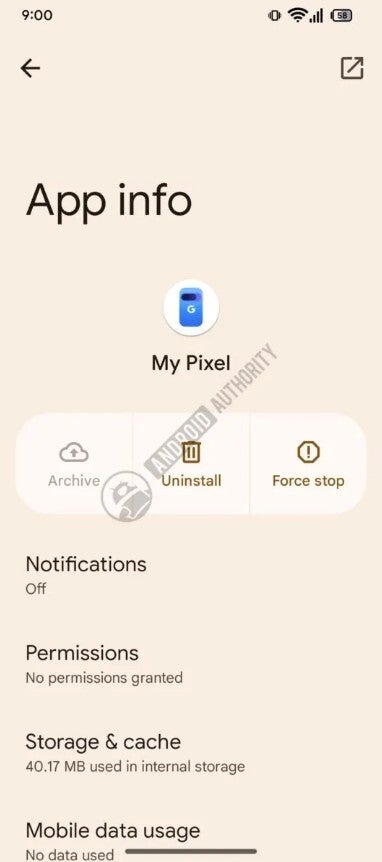
My Pixel new icon for all Pixel phones. | Image by Android Authority
While the above-mentioned change might remain limited to the Pixel 9 and Pixel 10 devices, Google is reportedly planning to make a visual change to the My Pixel app that will apparently appear on all Pixel phones. If you check the My Pixel app currently on a non-Pixel 11 device, you will see that its icon uses a dark blue color with a slight shade of purple and black at the bottom of the phone model. However, in the upcoming update, the tech giant might reportedly change the color shade to light blue.
Another Pixel 11 exclusive comes to older Pixel phones
When I switched from iPhone to Pixel last year, I remember using the My Pixel app a lot in the initial days to better learn about the phone's functions and capabilities. Surely, most of you might never use the My Pixel app once you know everything about your Google phone, but the company making changes to it does reflect that it cares about a part of its phone that most people never regularly use.
All that said, the My Pixel app thing isn't the first Pixel 11 capability that Google is reported to bring to older Pixel devices. Recent reports suggest that the company could soon introduce the Proactive Assistant feature to the Pixel 10 family.
Don't miss out on reading these Pixel-related stories:
On the Visible+ Pro plan, you get access to 5G Ultra Wideband data on Verizon's fastest network. Along with unlimited roaming across Mexico and Canada, 2 days of Global Pass per month, 3x hotspot speeds, 4K streaming, and Smartwatch service.
Aman Kumar is a news writer at PhoneArena covering Google Pixel phones, Android features, AI-powered smartphone tools, and mobile tech news. Before joining PhoneArena, he spent over five years writing about consumer technology for publications like MakeUseOf, How-To Geek, and Guiding Tech. His current daily drivers are the Pixel 10 and Samsung Galaxy S26 Plus, while his red iPhone SE (2nd gen) remains a personal favorite. Aman also appreciates bold smartphone experiments and still considers the Nokia N-Gage one of the industry’s most iconic designs.
A discussion is a place, where people can voice their opinion, no matter if it
is positive, neutral or negative. However, when posting, one must stay true to the topic, and not just share some
random thoughts, which are not directly related to the matter.
Things that are NOT allowed:
Off-topic talk - you must stick to the subject of discussion
Offensive, hate speech - if you want to say something, say it politely
Spam/Advertisements - these posts are deleted
Multiple accounts - one person can have only one account
Impersonations and offensive nicknames - these accounts get banned
To help keep our community safe and free from spam, we apply temporary limits to newly created accounts:
New accounts created within the last 24 hours may experience restrictions on how frequently they can
post or comment.
These limits are in place as a precaution and will automatically lift.
Moderation is done by humans. We try to be as objective as possible and moderate with zero bias. If you think a
post should be moderated - please, report it.
Have a question about the rules or why you have been moderated/limited/banned? Please,
contact us.





Things that are NOT allowed:
To help keep our community safe and free from spam, we apply temporary limits to newly created accounts: