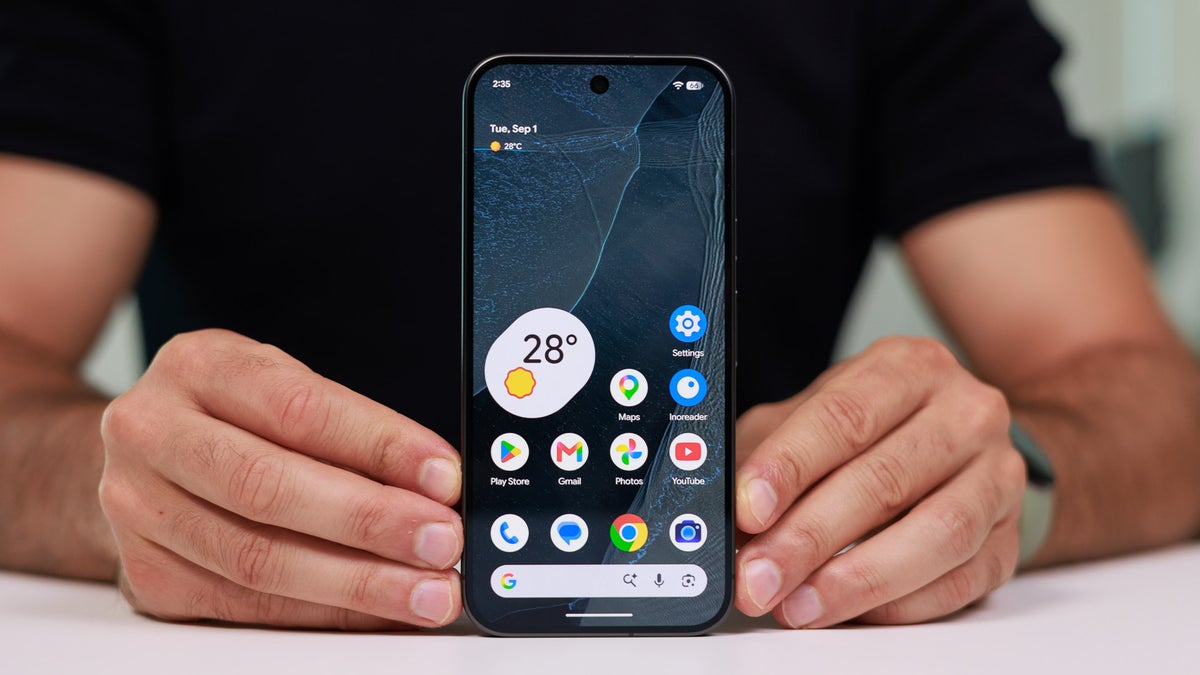
Google officially released the Pixel 11 lineup last month, and all the models received only incremental upgrades over their respective predecessors. However, there are some new features that are exclusive to the latest Google phones. No, I am not talking about the Pixel HiLight, which is a hardware capability.
The latest Pixel phones come with some new software-related features, one of which is Proactive Assistance. Interestingly, signs of it have been spotted on the Pixel 10 as well, hinting that the Big G might make a Pixel 11 feature available on older Pixel models as well.
What's the Proactive Assistance feature?
Before I get into the main story, it's important to understand exactly what the Proactive Assistance feature is. It's an AI-powered capability that is apparently exclusive to the Pixel 11 lineup. It can be considered as the advanced version of Magic Cue, which is present in Pixel 10 series.
It basically uses Gemini to predict/anticipate your needs and then display related information before you actually ask for it. For instance, when you are chatting with your friend through Google Messages, and they ask for your address so that they can visit you, Proactive Assistance will automatically offer your address as a smart suggestion.
Recommended For You
Poll
66 Votes
Which Pixel 11 line capability you really want to see in Pixel 10?
HiLight.
13.64%
Magic Capture.
22.73%
Camera Looks.
25.76%
Instant Night Sight.
37.88%
It might come to Pixel 10
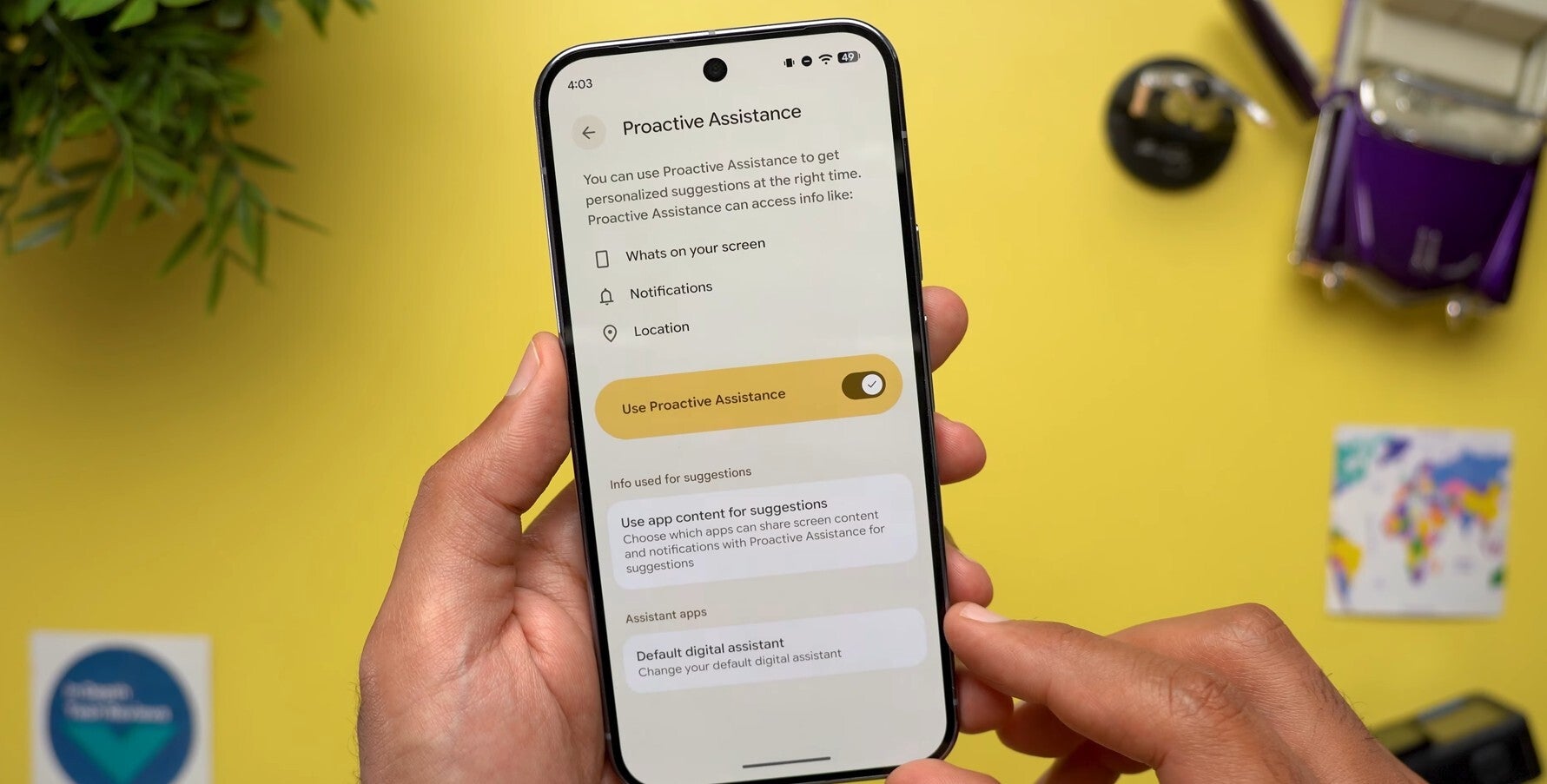
Proactive Assistance option in Pixel 10 Pro XL. | Image by In Depth Tech Reviews
Google has recently made the Android 17 QPR2 Beta 5 available for eligible devices. Upon installing the update, the creator of the YouTube channel In Depth Tech Reviews noticed that the Proactive Assistance option is appearing in the settings menu of their Google Pixel 10 Pro XL. However, there are certain noticeable differences.
Compared to the Pixel 11, where the option appears at the bottom of the Settings menu with a blue icon, in the beta update, the option appears slightly higher in the menu and has a yellow light bulb icon. The description is also slightly changed. In the stable build, it says, "Get personalized suggestions from Gemini at the right time," but in the beta build, the description says, "Personalized suggestions at the right time."
All the menus that appear after selecting Proactive Assistance are similar on both the Pixel 11 running the stable Android version and the Pixel 10 running the beta build. You can simply turn on the "Use Proactive Assistance" toggle to start using it. There's also a "Default digital assistant" option on the Proactive Assistance page.
Selecting that option lets you choose a digital assistant for the device. Interestingly, in addition to Google, there's also a new "Android Easter Egg" option available. However, selecting it and then calling the assistant doesn't do anything other than show the power menu.
Other changes in the Android 17 QPR2 Beta 5
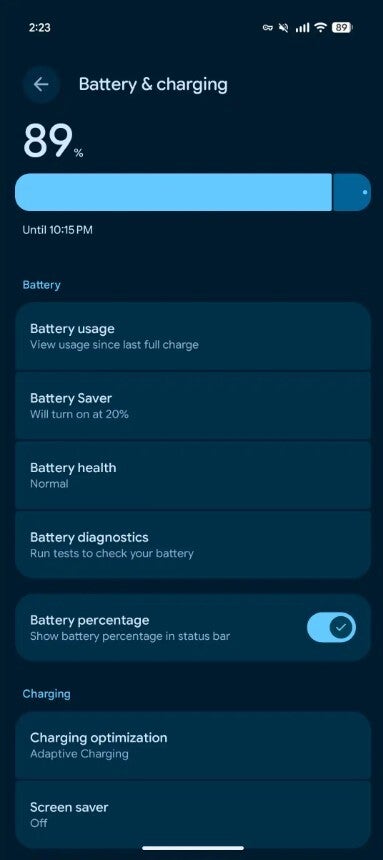
Battery & charging menu in Pixel 10. | Image by 9to5Google
In addition to bringing Proactive Assistance to last year's Pixel model, the latest beta update introduces a few more interesting features. A new Audio Streams tile has reportedly been added to the Quick Settings menu. The Notification Intelligence header has a new image.
The battery and charging-related options now appear on the same page in the Settings app. This particular change is already available in the Pixel 11 lineup, but in the beta build, it has been made available in Pixel 10 as well.
How about bringing more Pixel 11 capabilities to Pixel 10?
I've got a Pixel 10, and honestly, Google has given me almost no reason to upgrade to the Pixel 11. The only thing I really liked in the new Google phones is their AI capabilities, like Proactive Assistance. But now that signs of it have been spotted in the Pixel 10 as well, I'm really not giving a thought to getting the latest Pixel.
That said, there are a few more features I would really like to see landing on the older phones. These include things like Magic Capture, Camera Looks, and Instant Night Sight.
Plenty of interesting stories has come from Pixel world recently:
Follow me on Threads and X for regular tech insights.
Free Galaxy A17 5G with Straight Talk
Get a free Galaxy A17 with Straight Talk. To claim this deal, you need to pair the phone with activation on a Silver Unlimited Plan or higher. This tier costs $45 per month. Offer valid through 01/10/27 while supplies last online.
Aman Kumar is a news writer at PhoneArena covering Google Pixel phones, Android features, AI-powered smartphone tools, and mobile tech news. Before joining PhoneArena, he spent over five years writing about consumer technology for publications like MakeUseOf, How-To Geek, and Guiding Tech. His current daily drivers are the Pixel 10 and Samsung Galaxy S26 Plus, while his red iPhone SE (2nd gen) remains a personal favorite. Aman also appreciates bold smartphone experiments and still considers the Nokia N-Gage one of the industry’s most iconic designs.
A discussion is a place, where people can voice their opinion, no matter if it
is positive, neutral or negative. However, when posting, one must stay true to the topic, and not just share some
random thoughts, which are not directly related to the matter.
Things that are NOT allowed:
Off-topic talk - you must stick to the subject of discussion
Offensive, hate speech - if you want to say something, say it politely
Spam/Advertisements - these posts are deleted
Multiple accounts - one person can have only one account
Impersonations and offensive nicknames - these accounts get banned
To help keep our community safe and free from spam, we apply temporary limits to newly created accounts:
New accounts created within the last 24 hours may experience restrictions on how frequently they can
post or comment.
These limits are in place as a precaution and will automatically lift.
Moderation is done by humans. We try to be as objective as possible and moderate with zero bias. If you think a
post should be moderated - please, report it.
Have a question about the rules or why you have been moderated/limited/banned? Please,
contact us.









Things that are NOT allowed:
To help keep our community safe and free from spam, we apply temporary limits to newly created accounts: