Google just dropped a massive Workspace overhaul at I/O 2026, and if you live inside Gmail, Docs, and Drive, your daily workflow is about to look very different. Voice is the headline, but the changes run much deeper than that.
Workspace is going full Gemini, and over 4 billion people are along for the ride
Google announced a wave of new AI features for Workspace in a blog post, spanning Gmail, Docs, Keep, and a brand-new image creation app. The pitch is that Workspace stops being a place where you do the work and starts being a place where AI does it with you.
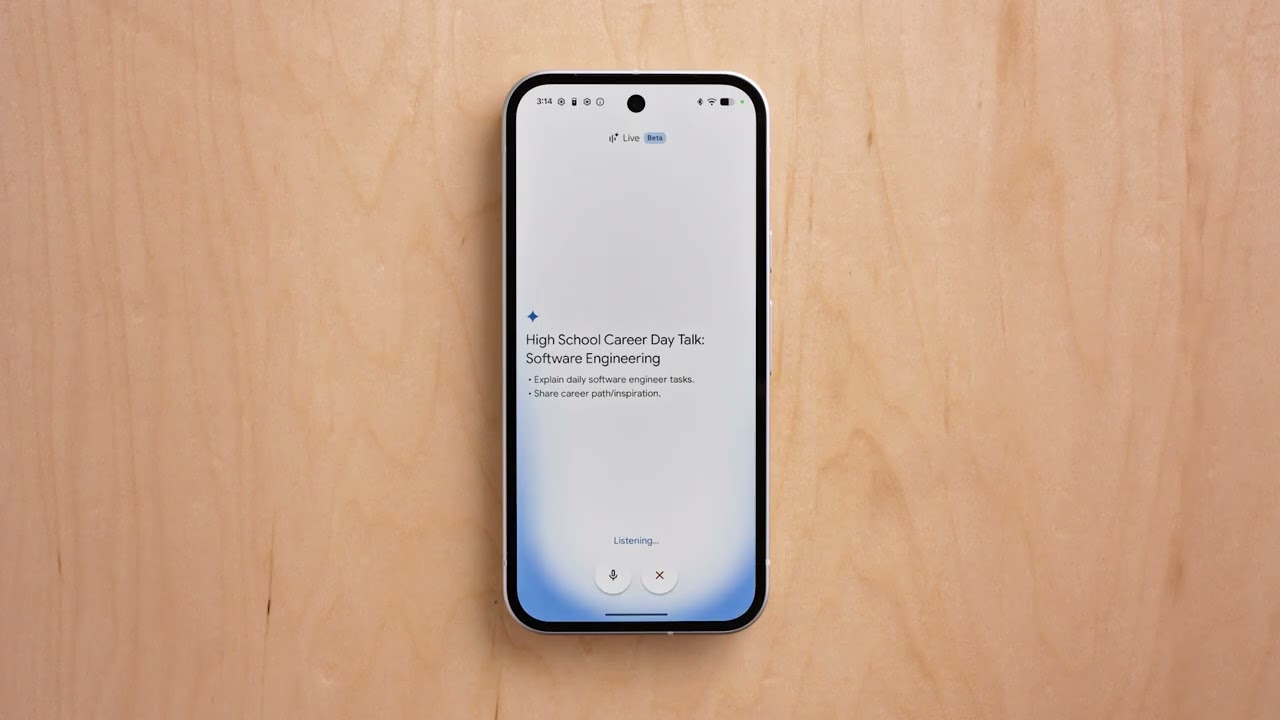
Gmail Live, Docs Live, and Keep get conversational
The biggest shift is voice. Three core Workspace apps are now learning to listen and respond like a coworker.
Gmail Live is a voice-activated inbox search. Ask "what is my flight's gate number" or "what's happening at my kid's school this week," and it pulls the answer from your inbox without you ever opening it.
Gmail Live. | Video by Google
Docs Live is the writing counterpart. You verbally brain dump whatever is on your mind, and the model organizes your thoughts, structures the document, and (with your permission) pulls relevant context from Gmail, Drive, Chat, and the web.
Keep gets its own voice treatment too. Ramble whatever crossed your mind, and Keep silently turns it into organized notes and lists in the background. All three roll out to Google AI Pro and Ultra subscribers this summer.
You can now use Gemini to talk to Keep, Rambler style. | Video by Google
Which Workspace upgrade do you actually need in your life?
4 Votes
Talking to Gmail instead of scrolling it
50%
Brain-dumping into Docs and getting a real draft
0%
Finally editing AI images without starting over
25%
An agent that handles my inbox while I work
25%
Google Pics is the surprise standout
Google Pics is a brand new image creation and editing app built on Nano Banana, and the feature list is genuinely strong. Object segmentation lets you grab any single element of an image and resize, move, or transform it (the example Google gives is turning a dog into a cat) without disturbing the rest of the scene.
Google Pics. | Video by Google
You can also edit text directly inside an image and translate it into other languages while keeping the original font and design. Pics integrates with Slides and Drive at launch, and shareable canvases let multiple people edit the same image simultaneously. Trusted testers get access today, with a wider rollout to AI Pro and Ultra subscribers this summer.
AI Inbox finally opens up beyond Ultra
AI Inbox, the Gemini-powered inbox prioritization feature, has been an Ultra-only perk. That changes today, with Google rolling it out to AI Plus and Pro subscribers in the US.
AI Inbox. | Video by Google
New features arrive alongside the expansion. AI Inbox now generates personalized draft replies, surfaces relevant Docs, Sheets, and Slides next to your to-do list, and lets you mark tasks done or dismiss suggestions with a single click.
Gemini Spark lands in Workspace
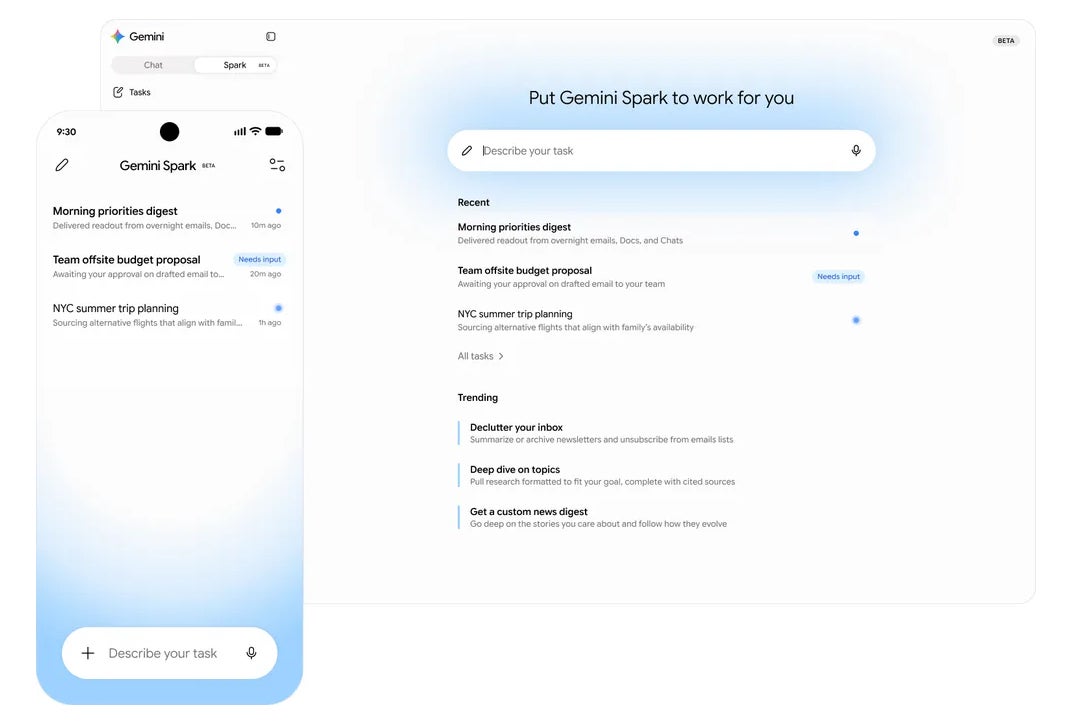
Gemini Spark, the new 24/7 personal AI agent we covered from the I/O keynote, is also coming to Workspace. It takes action on your behalf, integrates with your Workspace apps, and asks before doing anything high-stakes like sending an email or creating a calendar event. Workspace business customers get it in preview soon.
Gemini Spark in Workspace. | Image by Google
My honest take
This is the kind of update that quietly changes how a lot of people work. Voice in Gmail and Docs alone could shave real time off the workday for anyone deep in the Google ecosystem.
Pics finally fixes the "almost what I wanted" frustration of AI image generation, which is the single biggest reason most people stop using these tools after the novelty wears off. The real question is execution and whether the rollout to non-Ultra subscribers stays smooth.
If you want more hot takes, opinion pieces, and behind-the-scenes coverage, follow me on X and Threads.
Get iPhone 18 Pro with Visible, get $480 off!
$719
/mo
$1199
$480 off (40%)
On the Visible+ Pro plan, you get access to 5G Ultra Wideband data on Verizon's fastest network. Along with unlimited roaming across Mexico and Canada, 2 days of Global Pass per month, 3x hotspot speeds, 4K streaming, and Smartwatch service.
Johanna Romero is a Senior News Writer at PhoneArena, covering mobile technology news across Android, iOS, wearables, and the Google ecosystem she knows best. Drawing on 15 years in IT and tech support from 2007 to 2022, she brings a user-friendly eye for the practical features and lesser-known tricks readers care about. Google named her an official #TeamPixel member in 2022, and she also reviews the latest devices on her YouTube channel, JoJo the Techie.
A discussion is a place, where people can voice their opinion, no matter if it
is positive, neutral or negative. However, when posting, one must stay true to the topic, and not just share some
random thoughts, which are not directly related to the matter.
Things that are NOT allowed:
Off-topic talk - you must stick to the subject of discussion
Offensive, hate speech - if you want to say something, say it politely
Spam/Advertisements - these posts are deleted
Multiple accounts - one person can have only one account
Impersonations and offensive nicknames - these accounts get banned
To help keep our community safe and free from spam, we apply temporary limits to newly created accounts:
New accounts created within the last 24 hours may experience restrictions on how frequently they can
post or comment.
These limits are in place as a precaution and will automatically lift.
Moderation is done by humans. We try to be as objective as possible and moderate with zero bias. If you think a
post should be moderated - please, report it.
Have a question about the rules or why you have been moderated/limited/banned? Please,
contact us.














Things that are NOT allowed:
To help keep our community safe and free from spam, we apply temporary limits to newly created accounts: