The Chrome for Android app is about to get a new feature that you might recognize from the desktop version of Chrome. On the latter version of the browser, the bookmarks bar can be viewed or hidden. By allowing your bookmarks bar to be viewed on the Chrome website, they are more accessible since they are right under the address bar (aka the omnibox). On the Android app, things are a little different.
This change to the Chrome Android app makes your bookmarks faster to access
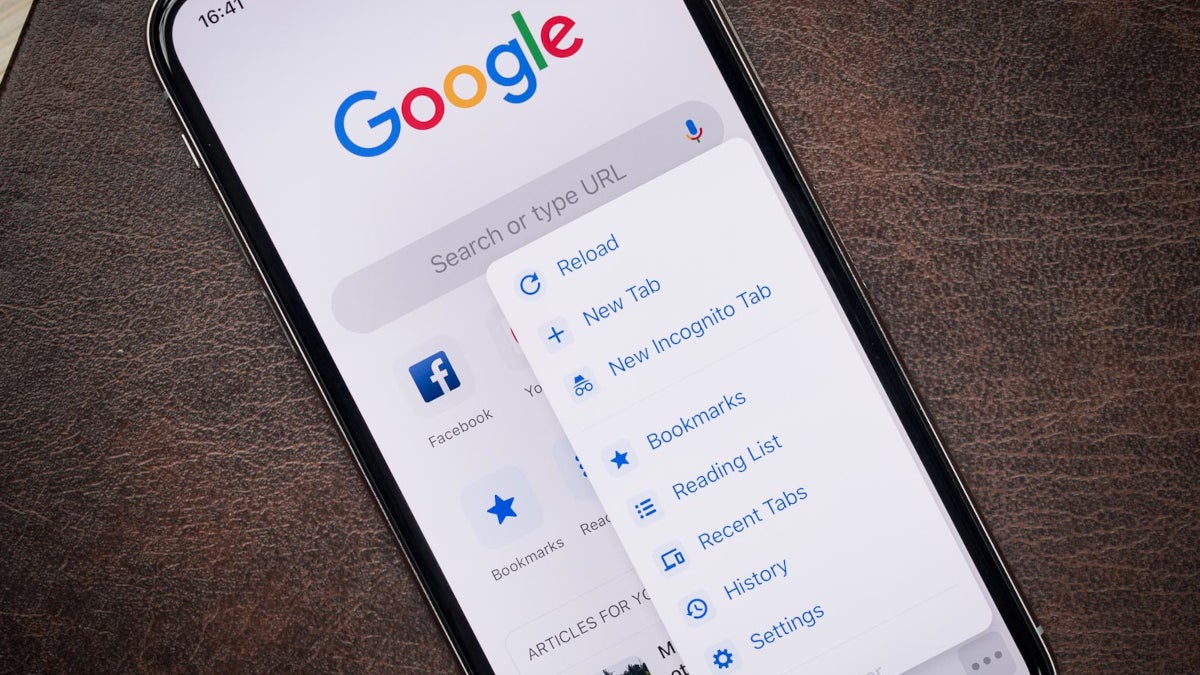
Currently, when you open the Chrome app on your Android device, the bookmarks are not right in front of you. You have to tap the three-button icon in the right corner to access your mobile bookmarks and your bookmarks bar.
Is this a change to Chrome for Android that you can use?
23 Votes
Yes! I'd rather have the bookmarks bar in front of me.
82.61%
No. I'd rather go through the settings.
8.7%
I don't use bookmarks.
8.7%
So, if you want to see your bookmarks in your Android phone's Chrome app, you will have to follow those above directions. To reiterate, you need to open the Chrome app, tap the three-dot icon in the right corner, and choose from mobile bookmarks or bookmarks bar. The former is the default spot where websites you bookmark on your mobile devices go. To bookmark a website on your handset, go to tap the three-button icon when in Chrome and tap the star icon.
On wide-screen Android devices like tablets
The mobile bookmarks category is supposed to contain links you only need on the go. The bookmarks bar on your phone is supposed to be an exact copy of the bookmarks bar on your Chrome desktop browser. That bar is directly below Chrome's address bar (also known as the omnibox). The problem with the mobile set up for benchmarks is that the Android version of Chrome doesn't give the user accessibility to his bookmarks directly from the browser. The user needs to tap the three-dot icon and choose whether to open mobile bookmarks or the bookmarks bar.
There is only one drawback about the availability of this change to the Android app for Chrome
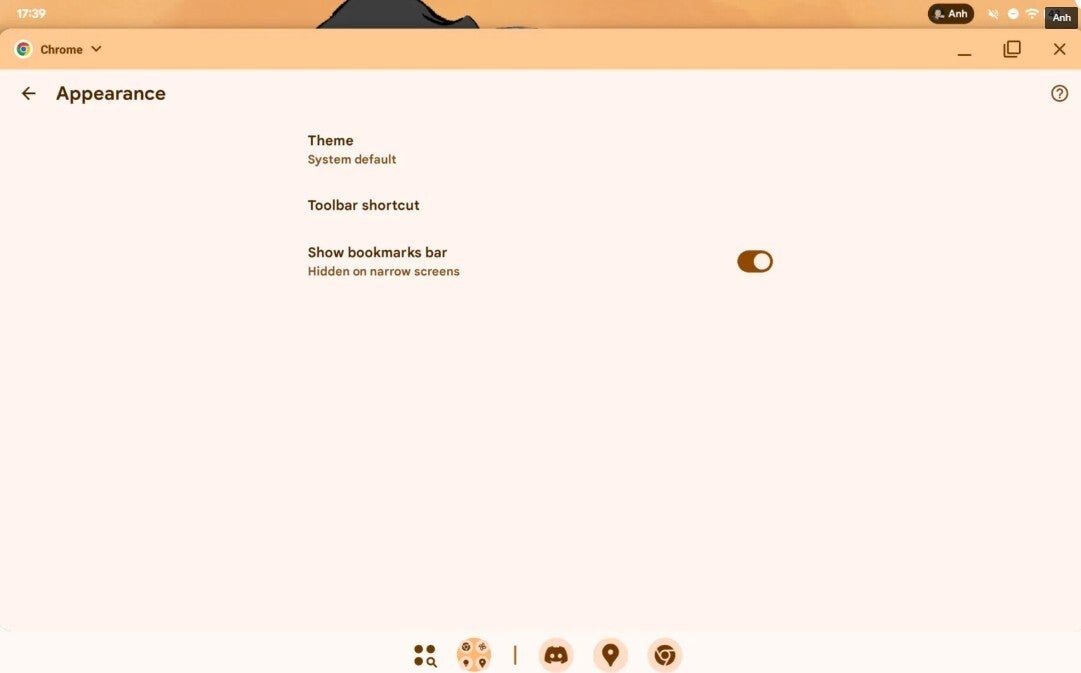
However, Google is adding a new option in the settings for the Chrome for Android app. The new option will allow you to show your bookmarks bar in the Android Chrome app exactly where you'll find it on the Desktop version, right under the address bar aka the omnibox. This will allow Android users to more quickly find and open a bookmark. There is one drawback that you should know about. The new bookmark bar for the mobile version of Chrome is found only on widescreen devices like tablets and foldables.
Mint Mobile's 6-month plans now cost $10/mo
$10
/mo
$35
$25 off (71%)
Mint Mobile is celebrating its 10-year anniversary with a special offer on its six-month subscription plans. For a limited time, you can get your preferred tier (6GB, 17GB, 23GB or unlimited) for just $10/mo. That saves you between 50% and 71% on the carrier's mobile plans, making it way easier to recommend.
Alan, an ardent smartphone enthusiast and a veteran writer at PhoneArena since 2009, has witnessed and chronicled the transformative years of mobile technology. Owning iconic phones from the original iPhone to the iPhone 15 Pro Max, he has seen smartphones evolve into a global phenomenon. Beyond smartphones, Alan has covered the emergence of tablets, smartwatches, and smart speakers.
A discussion is a place, where people can voice their opinion, no matter if it
is positive, neutral or negative. However, when posting, one must stay true to the topic, and not just share some
random thoughts, which are not directly related to the matter.
Things that are NOT allowed:
Off-topic talk - you must stick to the subject of discussion
Offensive, hate speech - if you want to say something, say it politely
Spam/Advertisements - these posts are deleted
Multiple accounts - one person can have only one account
Impersonations and offensive nicknames - these accounts get banned
To help keep our community safe and free from spam, we apply temporary limits to newly created accounts:
New accounts created within the last 24 hours may experience restrictions on how frequently they can
post or comment.
These limits are in place as a precaution and will automatically lift.
Moderation is done by humans. We try to be as objective as possible and moderate with zero bias. If you think a
post should be moderated - please, report it.
Have a question about the rules or why you have been moderated/limited/banned? Please,
contact us.










Things that are NOT allowed:
To help keep our community safe and free from spam, we apply temporary limits to newly created accounts: