A massive upgrade for iCloud backups: Wondershare Dr.Fone makes snapshot recovery possible
Dr.Fone's latest update changes the game on smartphone backups and recoveries
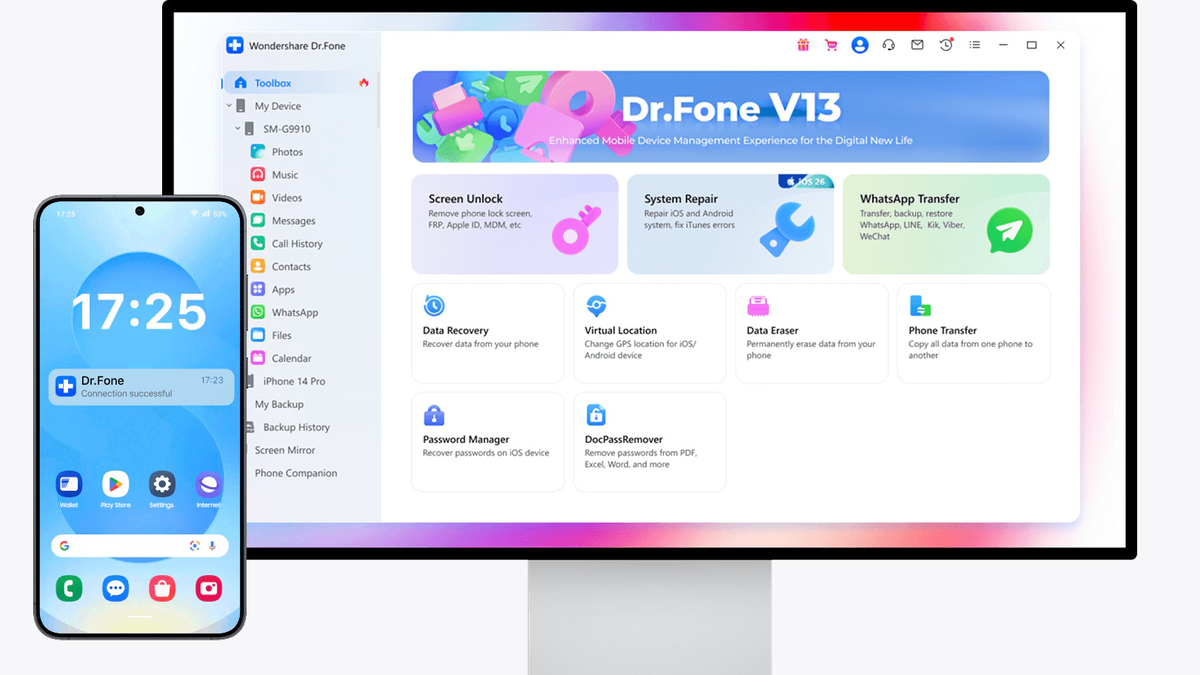
Dr.Fone has been taking care of backups, transfers, and recoveries for years | Image by Wondershare
This story is sponsored by Wondershare. PhoneArena's opinions in this article have not been affected in any way!
And it’s convenient and helpful when swapping devices or recovering from a disaster. But it’s not granular enough to be useful in every case.
But Wondershare developed Wondershare Dr.Fone as a pretty comprehensive backup management system that can recover only the snapshots and pieces of data that you want. For example — only your photos, but not your downloads folder.
People who have years and years of accumulated bulk in their backups can already appreciate where this is going.
Cloud backups are great and all, but usually they are the “all or nothing” approach. First, you need to nuke your phone’s contents, then re-download everything, and restore the full package — pircures, files, chats, wallpapers, apps.
What if you want to restore just a piece of the puzzle? What if you don’t want to go through the full factory reset, but just want to restore a snapshot of how your phone was yesterday?
The standout feature in Dr.Fone’s latest update is its reimagined approach to cloud and local backups:
Instead of downloading a massive, multi-gigabyte backup file, the software allows you to log in securely (with full Two-Factor Authentication support) and view specific chronological backup snapshots. You can dig inside a backup to view individual photos, read specific text messages, or retrieve old contacts without altering any other data currently on your phone.
Apple and Android ecosystems are rarely on speaking terms with each other. But Dr.Fone acts as an effective translator or bridge between them. The new recovery system allows you to take data extracted from an iOS iCloud backup and restore it directly onto an Android device, or vice versa, bypassing ecosystem-locked gates.
Beyond generic system files, the snapshot tool targets specific databases. It can isolate and download application-specific data — such as WhatsApp histories or Viber attachments.
This makes switching phones much easier, but also makes backing up those photos that are only found in the Viber folder much easier.
Wondershare Dr.Fone started its life as an app for phone maintenance, and has grown and improved over the years. It includes heavy-duty utilities built to revive dead hardware and bypass software roadblocks.
System Repair for both iOS & Android is its bread and butter. This tool targets over 150 common system bugs, including devices stuck in a boot loop, frozen on the Apple/Samsung logo, or trapped on a black screen.
Screen Unlock & FRP Bypass are here to save a device that you’ve managed to get yourself locked out of. The software can attempt to bypass PIN or Face ID at the lock screen. For Android users, it also features tools to clear the Google Factory Reset Protection (FRP) lock on secondhand devices.
If you are planning to sell or refurbish your used phone, check out the military-grade eraser. A simple factory reset does carry the potential of leaving some lingering data inside the phone’s storage, which may be restorable. Dr.Fone overwrites storage sectors multiple times, ensuring private information is permanently unrecoverable before you sell or recycle a phone.
Outside of emergencies, Wondershare Dr.Fone serves as an efficient tool for upgrading to new hardware or managing daily media storage.
One of Dr.Fone’s most unique additions is its focus on hardware transparency. The Verification Report tool scans the internal serial numbers of an iPhone's components.
It instantly flags whether the battery, screen, or camera modules are factory-original parts or if they have been swapped out for third-party aftermarket replacements—making it an essential tool when buying used devices.
We do live in a world where cloud backup is a normal thing that you’d expect to have on your smartphone, tablet, laptop.
And it’s convenient and helpful when swapping devices or recovering from a disaster. But it’s not granular enough to be useful in every case.
But Wondershare developed Wondershare Dr.Fone as a pretty comprehensive backup management system that can recover only the snapshots and pieces of data that you want. For example — only your photos, but not your downloads folder.
The New Snapshot & Cloud Backup Recovery System
Cloud backups are great and all, but usually they are the “all or nothing” approach. First, you need to nuke your phone’s contents, then re-download everything, and restore the full package — pircures, files, chats, wallpapers, apps.
What if you want to restore just a piece of the puzzle? What if you don’t want to go through the full factory reset, but just want to restore a snapshot of how your phone was yesterday?
The standout feature in Dr.Fone’s latest update is its reimagined approach to cloud and local backups:
Selective Extraction
Instead of downloading a massive, multi-gigabyte backup file, the software allows you to log in securely (with full Two-Factor Authentication support) and view specific chronological backup snapshots. You can dig inside a backup to view individual photos, read specific text messages, or retrieve old contacts without altering any other data currently on your phone.
Cross-Platform Restoration
Apple and Android ecosystems are rarely on speaking terms with each other. But Dr.Fone acts as an effective translator or bridge between them. The new recovery system allows you to take data extracted from an iOS iCloud backup and restore it directly onto an Android device, or vice versa, bypassing ecosystem-locked gates.
Granular App Backups
Beyond generic system files, the snapshot tool targets specific databases. It can isolate and download application-specific data — such as WhatsApp histories or Viber attachments.
Try Wondershare Dr.Fone here
Supported recovery categories include:
- Photos
- Videos
- Contacts
- Voice memos
- Notes
- Call recordings
- Messages
- App files
- Messaging data including WhatsApp, LINE, Kik, and Viber
Dr.Fone is a full emergency suite
Wondershare Dr.Fone started its life as an app for phone maintenance, and has grown and improved over the years. It includes heavy-duty utilities built to revive dead hardware and bypass software roadblocks.
System Repair for both iOS & Android is its bread and butter. This tool targets over 150 common system bugs, including devices stuck in a boot loop, frozen on the Apple/Samsung logo, or trapped on a black screen.
If you are planning to sell or refurbish your used phone, check out the military-grade eraser. A simple factory reset does carry the potential of leaving some lingering data inside the phone’s storage, which may be restorable. Dr.Fone overwrites storage sectors multiple times, ensuring private information is permanently unrecoverable before you sell or recycle a phone.
Data Migration & Everyday Utilities
Outside of emergencies, Wondershare Dr.Fone serves as an efficient tool for upgrading to new hardware or managing daily media storage.
- One-Click Phone Transfer: Moving from an old phone to a new one is often a headache. This module transfers photos, videos, call logs, notes, and even your wallpaper between iOS and Android platforms with a single click.
- Desktop Phone Manager: This tool replaces clunky software like iTunes. It provides a clean, drag-and-drop desktop interface to manage, delete, organize, or export your phone's music, videos, and camera roll.
- Virtual GPS Location: This allows you to spoof your phone's GPS coordinates to any location globally. For walking gamers, it includes features to simulate walking or driving speeds along a custom path.
Advanced Hardware Diagnostics
One of Dr.Fone’s most unique additions is its focus on hardware transparency. The Verification Report tool scans the internal serial numbers of an iPhone's components.
Try Wondershare Dr.Fone here


Popular stories






Latest News






Things that are NOT allowed:
To help keep our community safe and free from spam, we apply temporary limits to newly created accounts: