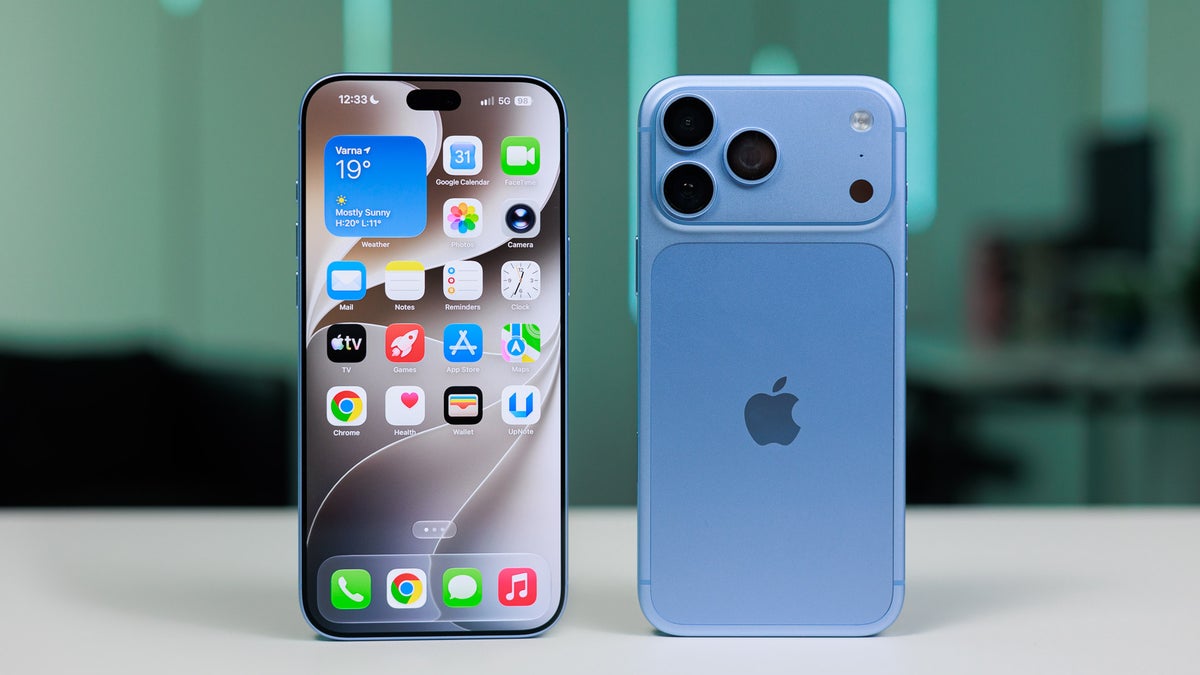
Apple recently released iOS 27, and the best thing I liked about it was its list of supported devices. The latest OS has the exact same device compatibility list as iOS 26, meaning even some really old devices like the iPhone 11 support the new iOS.
All that said, iOS 27 introduces plenty of new features for the different iPhone apps. However, I really liked the following three additions to the iPhone's Phone app.
Hold Assist
Hold Assist is one of the features that Apple introduced with iOS 26. It can really turn out to be helpful when talking with customer support. Oftentimes, the customer care executive puts the call on hold while they are collecting the necessary information to resolve your problem.
So, instead of you having to keep your iPhone near your ear while the phone is on hold, the Hold Assist feature ensures that you can do some other work, and it automatically notifies you when the hold is removed. The tech giant mentions that "the feature automatically detects when you are placed on hold, so you can step away. iPhone will then notify you when it's time to pick up."
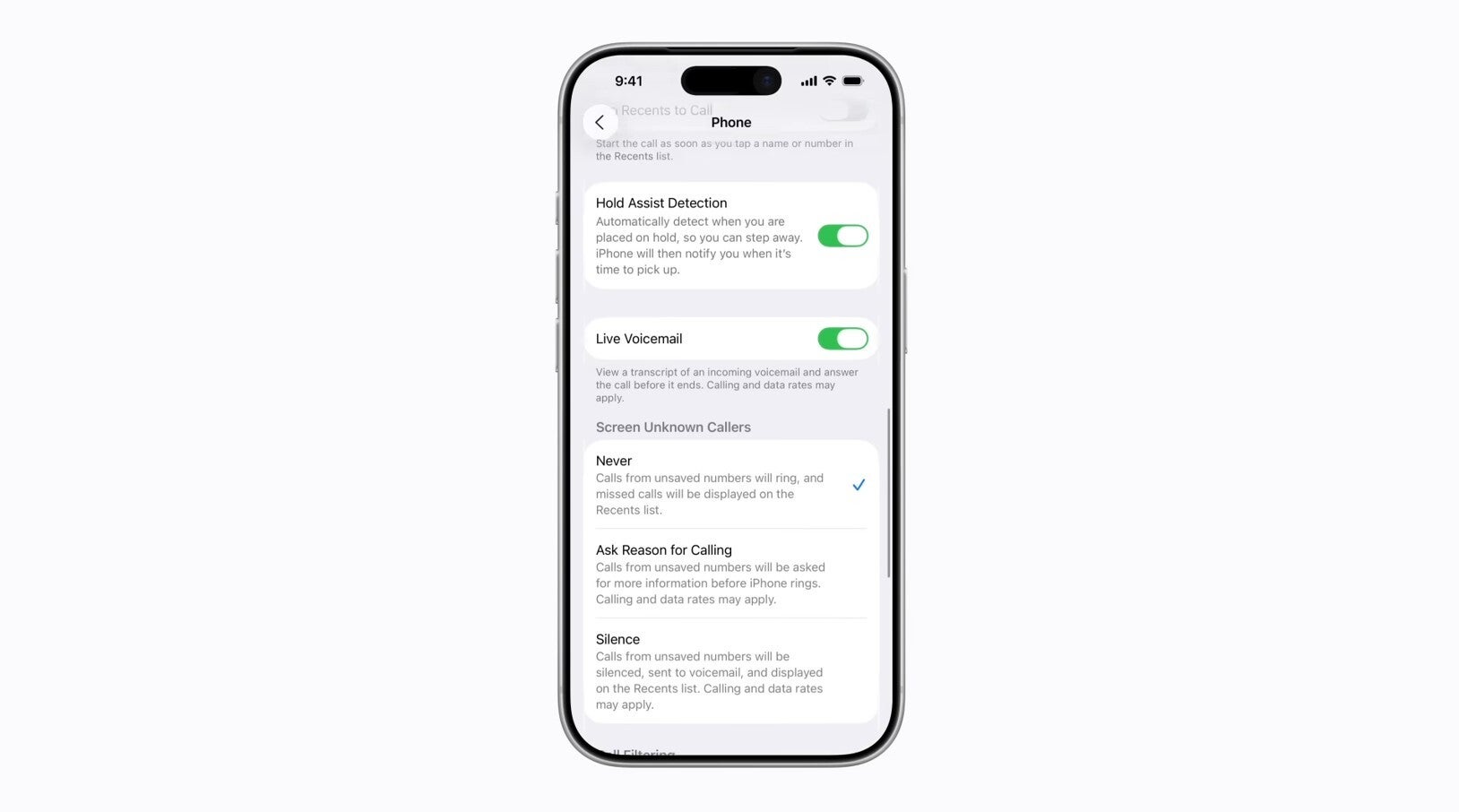
To enable the feature, you need to open the Settings app, select Apps, choose Phone, and then enable the "Hold Assist Detection" toggle.
Recommended For You
Which iPhone Phone app feature do you like the most?
4 Votes
Call screening
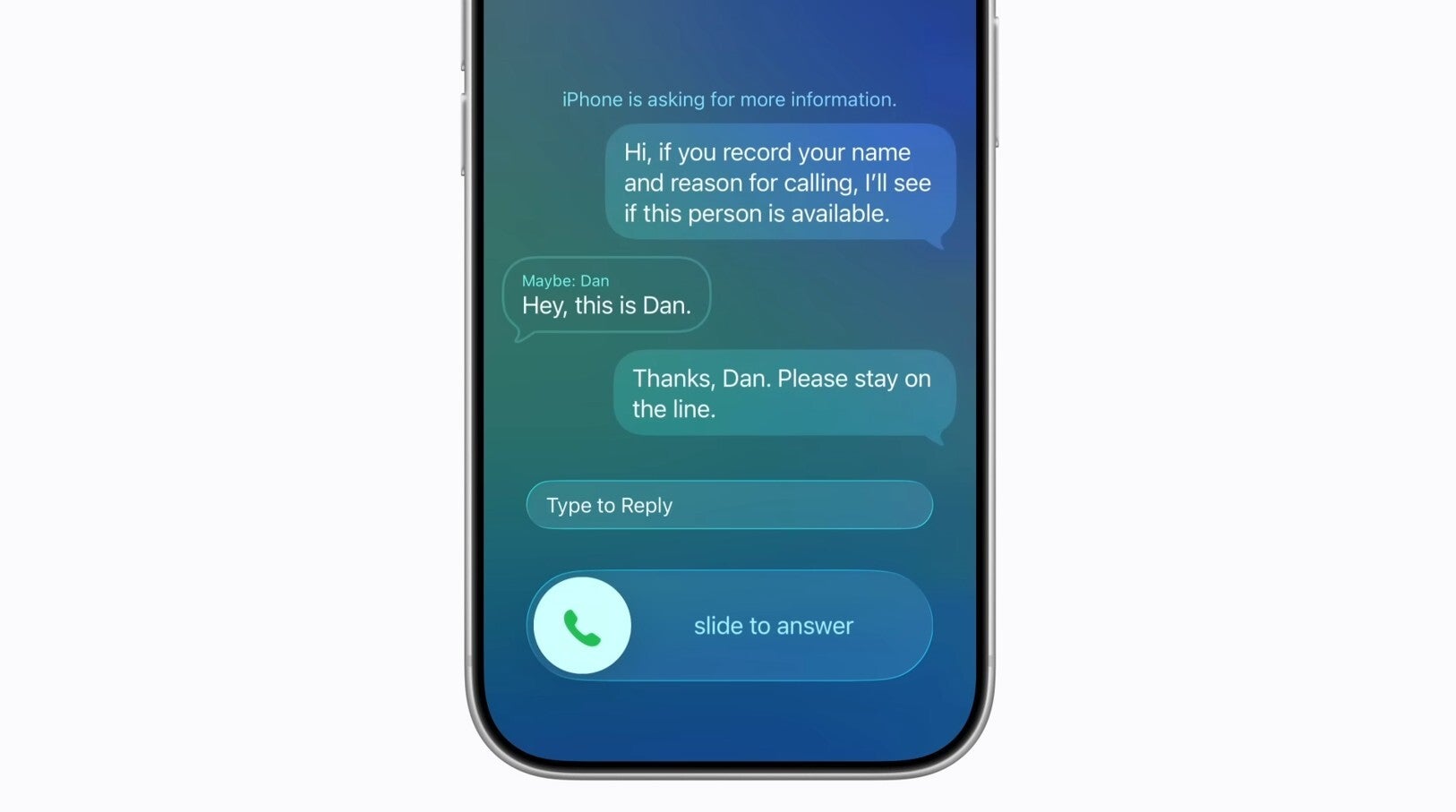
Call screening feature of iPhone. | Image by Apple
The amount of spam calls we receive has increased considerably in recent times. To tackle this, Apple introduced the call screening feature as part of iOS 26 last year. When this capability is active and you receive a call from an unsaved number, it will ask the caller for the reason why they are calling you. You can then check out their reply on the iPhone screen and then decide whether you want to pick up the call or ask them to provide additional information.
The Phone app menu in the Settings app. | Image by Apple
To turn on call screening, navigate to Settings > Apps > Phone. In the Phone app menu, choose the "Ask Reason for Calling" option under the Screen Unknown Callers section. There are also two other options, Never and Silence, and you can choose either of these as well depending on what action you want your iPhone to take when you receive a call from an unsaved number.
Call Context
Let's say you call an airline to request a change to your flight. In situations like this, you might be asked to share your current flight number, confirmation code, and more. This is where the Call Context feature will come in handy.
Instead of you having to manually open the email to check out the details, the feature will display the relevant information, which is your current flight details, right on the Phone app screen. One important question that might arise in your mind here is whether Call Context is going to listen to your conversation. The answer is no.
Apple mentions that the feature proactively displays the relevant information by looking at whom you are calling. All that said, it's one of the Phone app's capabilities that has been introduced with iOS 27 and only works with devices that are compatible with Siri AI. That means, unlike the two abilities mentioned above, it is not compatible with older iPhones like the iPhone 11 and functions with comparatively newer models like the iPhone 15 Pro or later that basically support Apple Intelligence.
The Phone app is great
Calling is one of the main purposes for which a person purchases a smartphone, and thanks to all three of the above-mentioned features, the calling experience is really impressive on an iPhone. Interestingly, you will find similar capabilities on Pixel devices as well. For instance, there's Hold for Me, which is similar to Hold Assist.
Then, there's Call Screen, which works the same way as call screening. So basically, the iPhone's Phone app isn't offering anything very unique, but it's still really great to have features like these at the end of the day.
Aman Kumar is a news writer at PhoneArena covering Google Pixel phones, Android features, AI-powered smartphone tools, and mobile tech news. Before joining PhoneArena, he spent over five years writing about consumer technology for publications like MakeUseOf, How-To Geek, and Guiding Tech. His current daily drivers are the Pixel 10 and Samsung Galaxy S26 Plus, while his red iPhone SE (2nd gen) remains a personal favorite. Aman also appreciates bold smartphone experiments and still considers the Nokia N-Gage one of the industry’s most iconic designs.
A discussion is a place, where people can voice their opinion, no matter if it
is positive, neutral or negative. However, when posting, one must stay true to the topic, and not just share some
random thoughts, which are not directly related to the matter.
Things that are NOT allowed:
Off-topic talk - you must stick to the subject of discussion
Offensive, hate speech - if you want to say something, say it politely
Spam/Advertisements - these posts are deleted
Multiple accounts - one person can have only one account
Impersonations and offensive nicknames - these accounts get banned
To help keep our community safe and free from spam, we apply temporary limits to newly created accounts:
New accounts created within the last 24 hours may experience restrictions on how frequently they can
post or comment.
These limits are in place as a precaution and will automatically lift.
Moderation is done by humans. We try to be as objective as possible and moderate with zero bias. If you think a
post should be moderated - please, report it.
Have a question about the rules or why you have been moderated/limited/banned? Please,
contact us.










Things that are NOT allowed:
To help keep our community safe and free from spam, we apply temporary limits to newly created accounts: