Google is making Chrome safer, both on desktop and on Android phones. The company is rolling out an update that will warn users of suspicious and dangerous sites.
New pop-up warns Chrome users of malicious sites
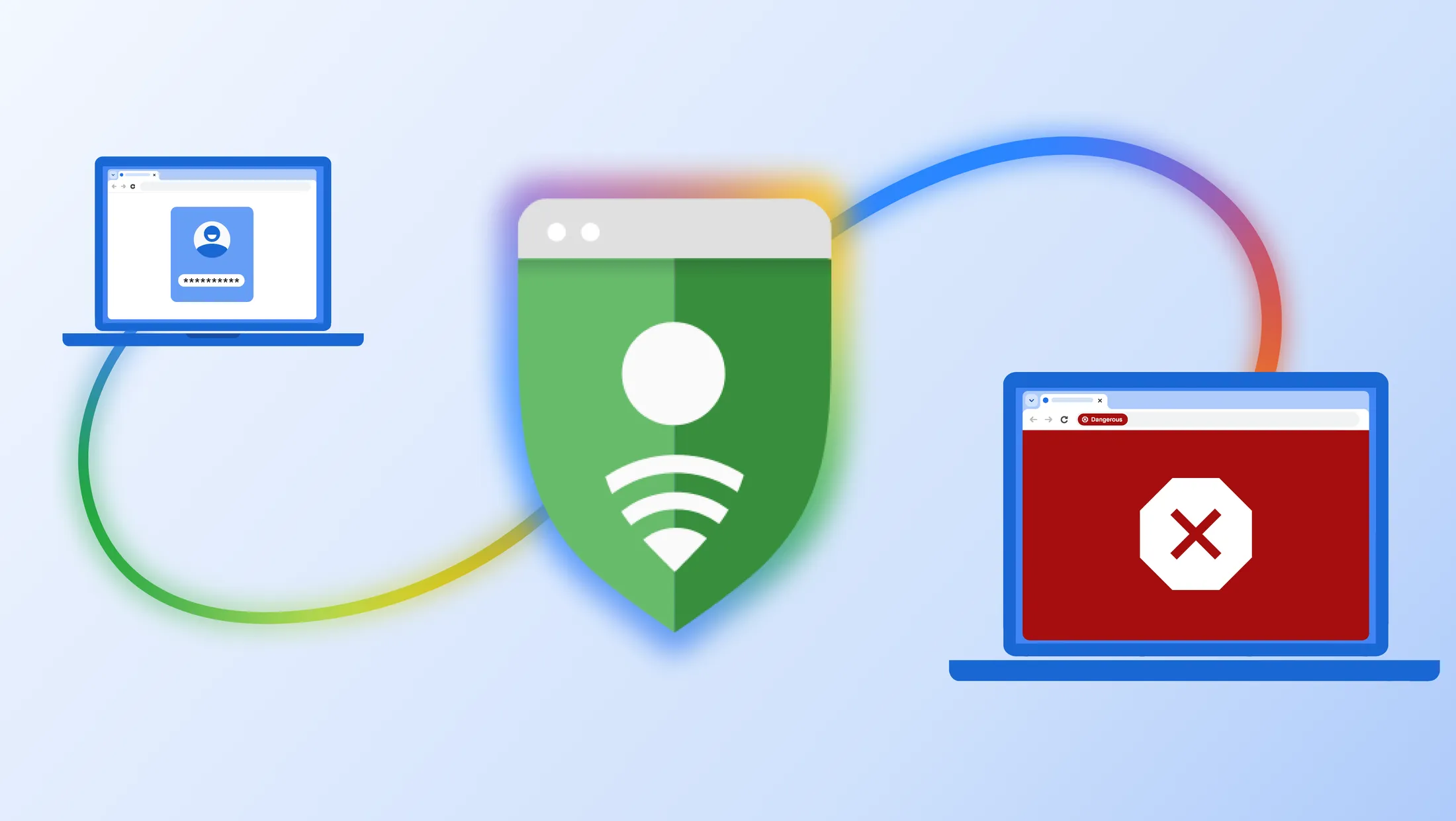
Google has updated its Chrome security mechanisms on desktop and mobile. | Image by Google
Google announced in a blog post that the company has improved the security of its Chrome browser on both desktop and mobile. The browser will display a pop-up warning if you're headed to a suspicious or dangerous website. Don't ignore it!
There are two types of warnings in Chrome when Enhanced Protection mode is enabled in Safe Browsing settings:
Suspicious sites (lower confidence verdict, possible risk of user harm)
Dangerous sites (high confidence verdict, high risk of user harm)
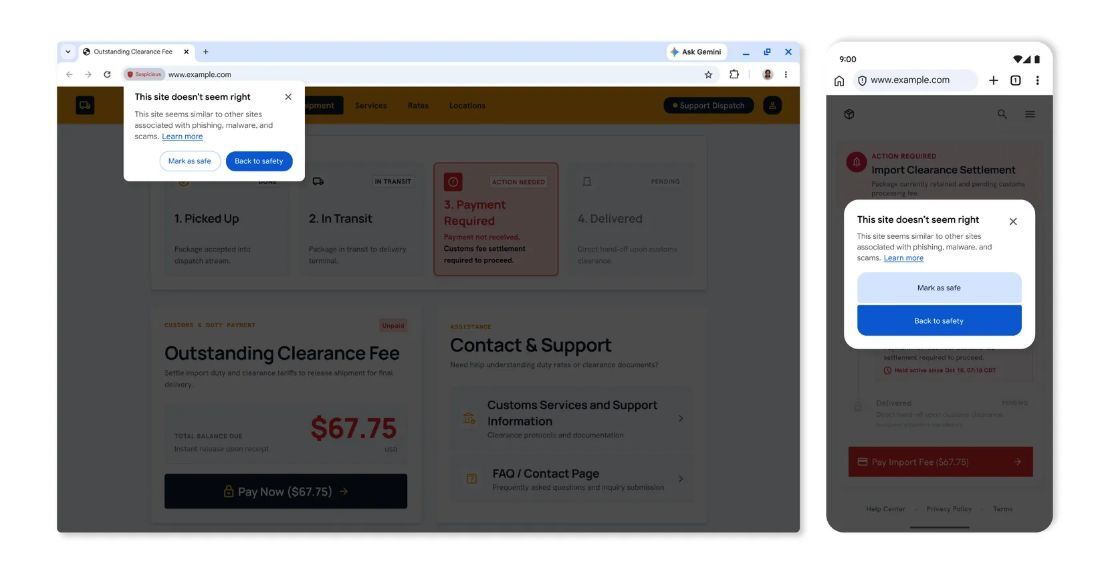
This site doesn't seem right
Thread carefully around such sites, better close them and get out. | Image by Google
If you see this one, you're in no immediate danger, but the site you're trying to visit shows suspicious behavior normally associated with scam websites and other malicious places on the internet.
The iconography and UI of this warning are different from the "dangerous site" pop-up, and you have the option to mark the site as "Safe" or close the site and get out of there.
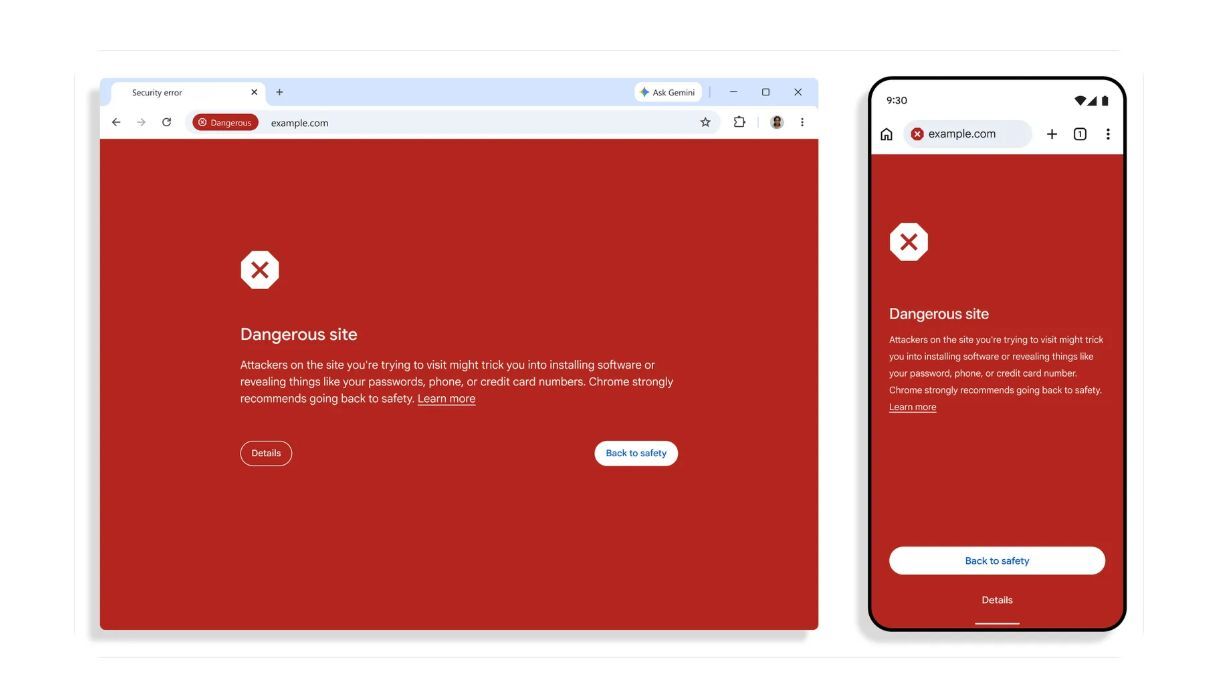
Dangerous site!
This one is serious! Get out of there immediately! | Image by Google
This one is serious, and if you see it on your PC or phone screen, you should close the site immediately. The overall color scheme and look of the UI are pretty scary too, with a bright red background and the option to go "Back to safety."
If you tap on "Details," you can choose to visit the site anyway, but I don't recommend it, as Google has pretty good tools for categorizing these threats.
Recommended For You
These updated warnings are already rolling out on Chrome for desktop and Android, but you need to enable Enhanced Protection mode in Safe Browsing settings.
Have you already seen any of the new popups on your desktop or mobile screen?
3 Votes
How to enable Enhanced Protection Mode in Chrome
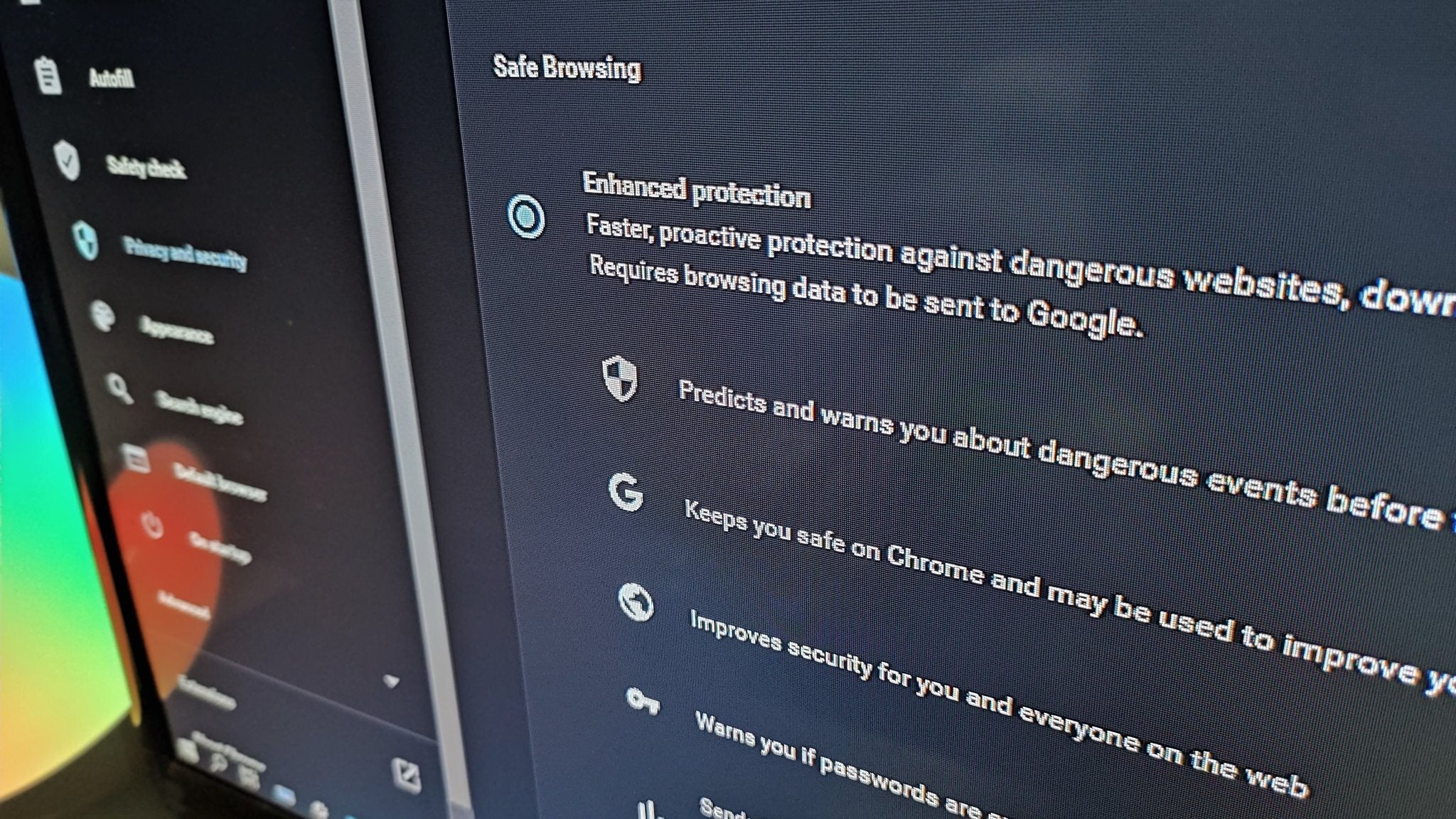
You need to enable Enhanced Protection Mode in Chrome for these new pop-ups to work. | Image by Android Central
For these new updates to work, you should enable Enhanced Protection Mode in Chrome. The feature is available on both desktop and mobile versions of Chrome. Here's how to do it:
On Desktop (Windows, Mac, or Linux)
Open Google Chrome.
Click the three vertical dots in the top-right corner and select Settings.
Click Privacy and security in the left sidebar, then click Security.
Under the Safe Browsing section, select Enhanced protection.
On Mobile (Android or iPhone/iPad)
Open the Google Chrome app.
Tap the three dots (More menu) and go to Settings.
Tap Privacy and security, then tap Safe Browsing.
Select Enhanced protection.
Optional: Enable for Your Google Account
You can also sync this protection to your broader account via your Google Account Security Settings:
Go to your Google Account.
Tap Security & sign-in (or Security).
Scroll to Enhanced Safe Browsing for your Account and turn it on.
Gemini to the rescue
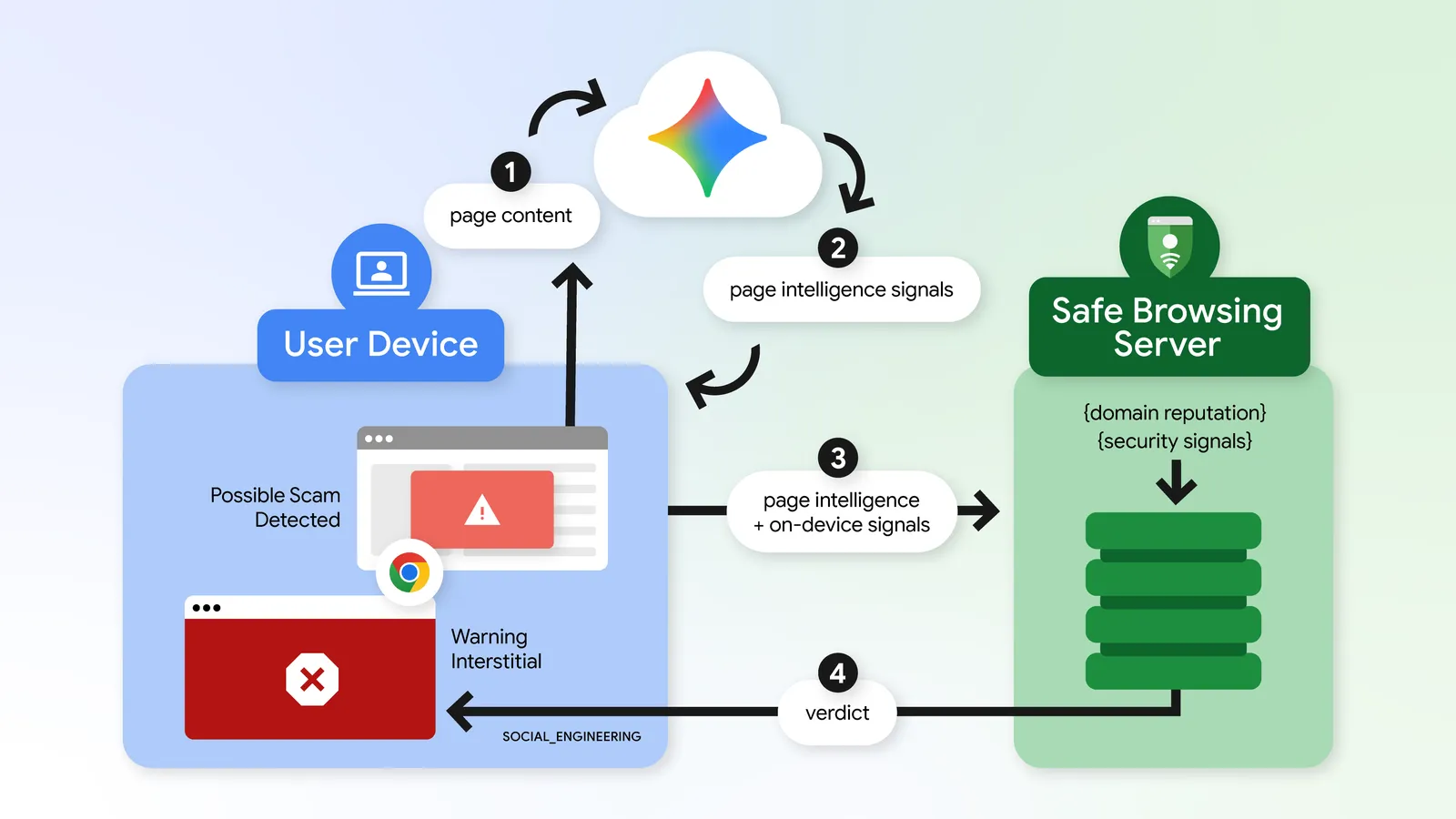
Google has transitioned to server-side Gemini models, much more powerful in detecting scams. | Image by Google
Google is also expanding its on-device Gemini integration and protection against tech support scams — you know, when you get a call from a scammer impersonating a legitimate service.
Now, the LLM-assisted detection will be able to detect a wide range of threats, from fake antivirus pop-ups to browser update scams. The company is moving toward a more powerful server-side Gemini model that can evaluate entire webpages and decide whether a site is a legitimate brand, website, or service — or a scam.
Have you already seen any of the new popups on your desktop or mobile screen? Share your experience in the comment section below, and be safe out there.
Mariyan, a tech enthusiast with a background in Nuclear Physics and Journalism, brings a unique perspective to PhoneArena. His childhood curiosity for gadgets evolved into a professional passion for technology, leading him to the role of Editor-in-Chief at PCWorld Bulgaria before joining PhoneArena. Mariyan's interests range from mainstream Android and iPhone debates to fringe technologies like graphene batteries and nanotechnology. Off-duty, he enjoys playing his electric guitar, practicing Japanese, and revisiting his love for video games and Haruki Murakami's works.
A discussion is a place, where people can voice their opinion, no matter if it
is positive, neutral or negative. However, when posting, one must stay true to the topic, and not just share some
random thoughts, which are not directly related to the matter.
Things that are NOT allowed:
Off-topic talk - you must stick to the subject of discussion
Offensive, hate speech - if you want to say something, say it politely
Spam/Advertisements - these posts are deleted
Multiple accounts - one person can have only one account
Impersonations and offensive nicknames - these accounts get banned
To help keep our community safe and free from spam, we apply temporary limits to newly created accounts:
New accounts created within the last 24 hours may experience restrictions on how frequently they can
post or comment.
These limits are in place as a precaution and will automatically lift.
Moderation is done by humans. We try to be as objective as possible and moderate with zero bias. If you think a
post should be moderated - please, report it.
Have a question about the rules or why you have been moderated/limited/banned? Please,
contact us.











Things that are NOT allowed:
To help keep our community safe and free from spam, we apply temporary limits to newly created accounts: