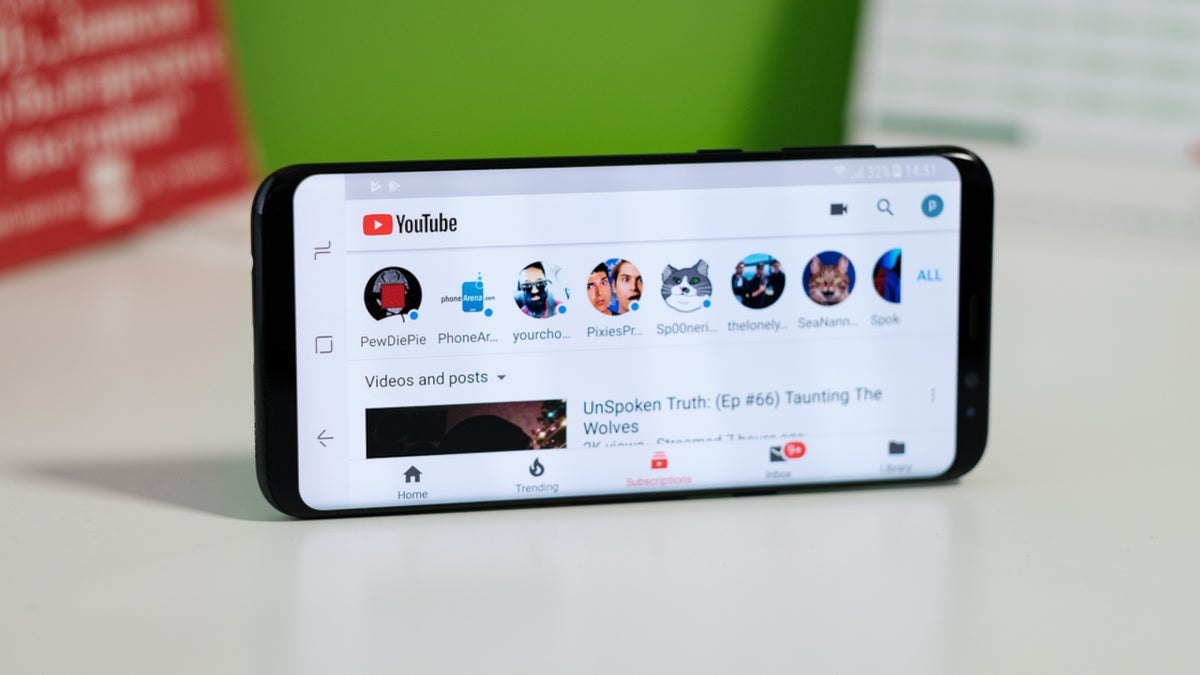
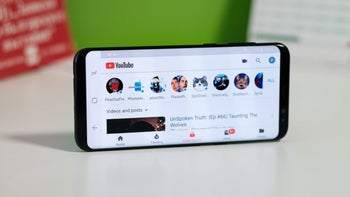
Oh, those guys and gals at Mountain View have done it again. Google has just redesigned the mobile YouTube app with a new and improved, simplified top bar, and not only is it now easier to switch between different content categories, but users also have greater control over recommendations.
There is now a new Custom Feeds feature allowing you to set up personalized video streams on YouTube throughout this country
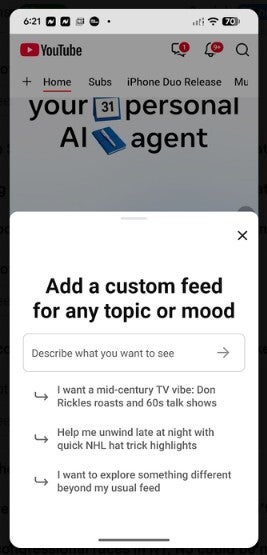
There is a new Custom Feeds feature that allows you to create personalized video streams around anything you want to watch. Instead of having to deal with YouTube's pre-selected topics, picking one and building a video playlist around it, you'll be able to describe the kind of content you're looking to view.
Use keywords to build a playlist about a specific subject
For example, you can put together a playlist about a specific subject, "Smartphone ads," for example. You can also choose to create a playlist based on a specific type of content, or a specific mood. These searches go beyond a simple keyword search, and new videos are added when they are available.
Setting up a YouTube custom feed from the YouTube app
To set up a custom feed, open the YouTube app and tap on the "+" icon in the upper left. Describe exactly what you want to see such as "Help me unwind after work with guided meditations under 10 minutes in length," and tap on Enter. Without a premium YouTube subscription, you can save up to three custom feeds for free, while YouTube Premium subscribers can save up to eight.
Besides the custom feeds you can create, YouTube has moved the subscriptions feed to the top bar; it is also adding shortcuts for Live and Music alongside Movies & TV.
Follow the directions to set up the custom feeds feature using the YouTube app. | Image by Android
To create a custom feed, follow these steps:
Open the YouTube app.
Enter a prompt that describes the type of feed you want to create, or select one of the suggested prompt buttons.
For example, you can type in “Help me unwind after work with guided meditations under 10 minutes.”
Select Enter to create your feed.
How to install more YouTube features on your iOS and Android handset
The non-custom topic chips created by the YouTube app will be replaced by users' custom feeds. They will be able to save the topics and viewing preferences that they want YouTube also wants you to know that your custom feeds will sync to the desktop, allowing the custom tool to work on the desktop as well as it does on the mobile app.
To install the YouTube app on an iPhone, tap on this link and the video streamer will be installed from the App Store. YouTube is pre-installed on Android devices, but in case it is missing from your Android handset, tap on this link to get YouTube from the Google Play Store.
Recommended For You
Check out some more fabulous stories from PhoneArena:
Alan, an ardent smartphone enthusiast and a veteran writer at PhoneArena since 2009, has witnessed and chronicled the transformative years of mobile technology. Owning iconic phones from the original iPhone to the iPhone 15 Pro Max, he has seen smartphones evolve into a global phenomenon. Beyond smartphones, Alan has covered the emergence of tablets, smartwatches, and smart speakers.
A discussion is a place, where people can voice their opinion, no matter if it
is positive, neutral or negative. However, when posting, one must stay true to the topic, and not just share some
random thoughts, which are not directly related to the matter.
Things that are NOT allowed:
Off-topic talk - you must stick to the subject of discussion
Offensive, hate speech - if you want to say something, say it politely
Spam/Advertisements - these posts are deleted
Multiple accounts - one person can have only one account
Impersonations and offensive nicknames - these accounts get banned
To help keep our community safe and free from spam, we apply temporary limits to newly created accounts:
New accounts created within the last 24 hours may experience restrictions on how frequently they can
post or comment.
These limits are in place as a precaution and will automatically lift.
Moderation is done by humans. We try to be as objective as possible and moderate with zero bias. If you think a
post should be moderated - please, report it.
Have a question about the rules or why you have been moderated/limited/banned? Please,
contact us.







Things that are NOT allowed:
To help keep our community safe and free from spam, we apply temporary limits to newly created accounts: