AI wallpapers and more are coming to iPhone's lock screen in iOS 27
You'll be able to show off more of the wallpaper on your iPhone with iOS 27.

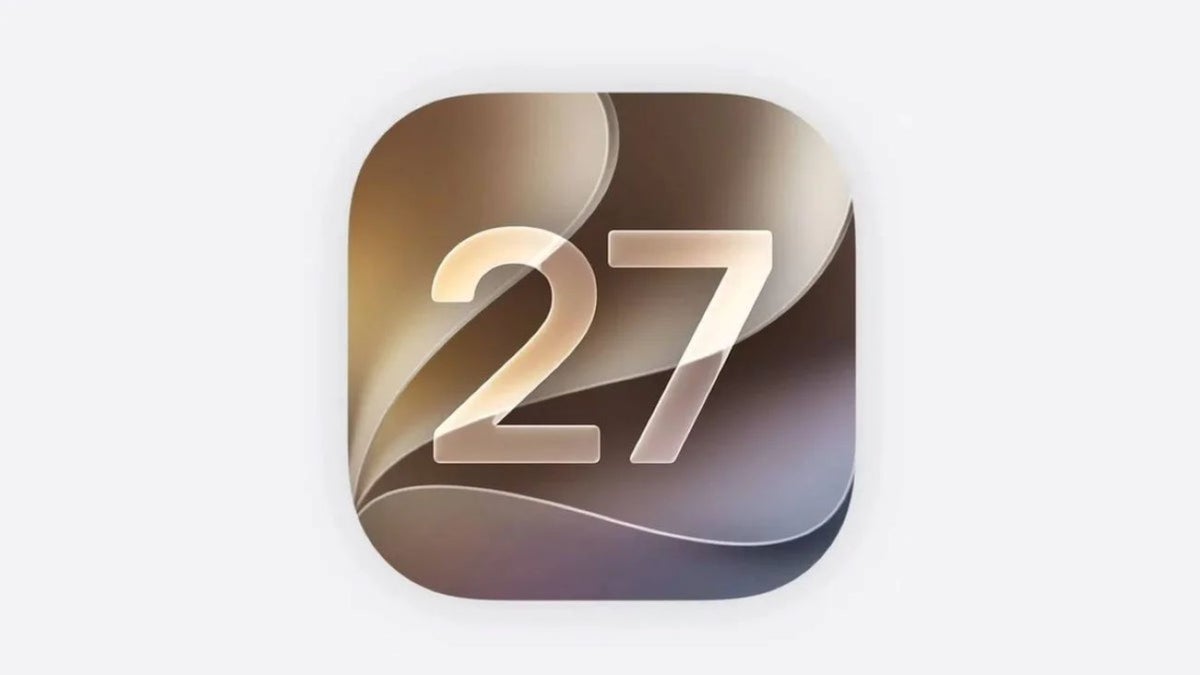
AI wallpapers are coming to the lock screen in iOS 27 | Image by PhoneArena
Since I have the iOS 27 beta powering my iPhone 15 Pro Max, I have a good idea about what those of you running iOS 26.6 have to look forward to next month when the stable version of iOS 27 is released. Number one with a bullet is Siri AI. If you're used to getting three web excerpts from Siri in response to your query, you are going to be blown away by the depth of Siri AI's knowledge.
Long time iPhone users will have their minds blown by Siri AI in iOS 27
Siri AI is not yet as good as Gemini is as an AI assistant, and Siri still has some annoying issues including one that shuts down Siri AI in the middle of a long verbal prompt before you get to finish asking your query. But long time iPhone users are still going to fall in love with Siri AI anyway, and might even ask her (yes, Siri is a girl!), "Where have you been all my life?"
Poll
45 Votes
Which iOS 27 lock screen change excites you most?
Swipe away the Now Playing widget
26.67%
Ability to move the lock screen clock
37.78%
Fixing the wallpaper using AI
35.56%
You will honestly feel as though Siri visited the Wizard and got a new brain when you install iOS 27 on your compatible iPhone. Siri AI also will be able to go through your native apps with a feature called "Personal Context" to get the answer to a query that you asked it.
Siri's "Personal Context" will find answers to your queries by searching native iOS apps
For example, if you ask Siri for the name of the restaurant that Sarah recommended, Siri will go through relevant entries in Messages, Mail, Notes, Photos, and Calendar looking for conversations with Sarah so it can respond with the answer to your question.
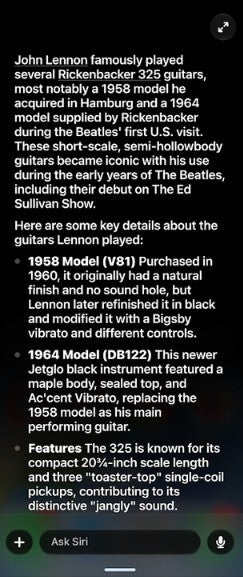
In iOS 27, Siri gets a brain from the Wizard. | Image by PhoneArena
Users get new lock screen features in iOS 27
Additionally, iOS 27 will give you new ways to customize your iPhone's lock screen. One way is to use Extend, a feature in the photos app that will adjust an image by changing the aspect ratio, adding more room at the edges, or straightening horizons. Extend can also be found in the lock screen in iOS 27.
If a photo you are using as wallpaper doesn't match the aspect ratio of your iPhone, or isn't correctly cropped to be used as wallpaper, you'll get a notification from iOS 27 suggesting that you use Extend to fix these issues. Extend uses AI to create additional content around the edges of the image you've selected to be your iPhone's wallpaper.
Also coming to the lock screen in iOS 27 is the Image Playground. Using the Image Playground with the wallpaper picker in Settings, or directly from the lock screen, you can create the image you want as the perfect wallpaper for your iPhone.
For example, a new Image Playground option will appear in the wallpaper picker and you can use natural language to exactly describe the wallpaper you want. Or you can create stylized versions of images from your photo library.
With iOS 27, you can swipe away the Now Playing widget to avoid accidental touches
With iOS 27, besides reducing the size of the lock screen clock, you'll also be able to move the location of the clock as well. You can now move your lock screen clock to the top row of widgets exposing more of your wallpaper. If you like to show off your iPhone's wallpaper, these changes to the lock screen clock will allow you to do so.
Lastly, do you accidentally tap the Now Playing widget on your lock screen? This widget shows album artwork, info about the track you're playing, and controls such as play, pause, skip, volume, repeat and more.
With those touch-friendly lock screen controls, the odds are good that you might accidentally tap one and make the volume louder in the library or during a company meeting. Or, completely by accident you might skip ahead to a tune that you aren't in the mood to hear at the moment. To prevent something like that from happening, Apple will allow you to swipe the widget off the lock screen while the tune you're listening to continues to play on your iPhone.
While iOS 27 beta testers have had most of these new features since early June, the stable version of the build should be released around mid-September. Compatible devices will include the iPhone 11 series and newer models.
Want more scintillating iPhone stories to read?
- Long time iPhone users will love Siri AI
- The iPhone 20 anniversary model is going to be cool

Popular stories

Latest News



Things that are NOT allowed:
To help keep our community safe and free from spam, we apply temporary limits to newly created accounts: